Amazon商品リサーチツール
キーワード・カテゴリ・ASINからAmazonの有望商品を発掘。需要、競合、価格、推定売上を比較してアイデアを検証し、データに基づく仕入れ判断をスピーディーに行えます。
このツールについて: フィルターを使って精密な Amazon 検索クエリを作成し、そのまま Amazon で開きます。すべての結果は Amazon の実際の商品リストで、AI が生成したデータは含まれません。

Thunderbitで商品データ収集をもっと速くThunderbitを使えば、Amazonの検索結果や関連ページをスクレイピングし、数クリックで商品データを表形式に整理できます。ページネーションやサブページも自動でたどって収集できるため、リサーチ時間を大幅に短縮します。
インストール元Chrome Web Store
Thunderbitで商品データ収集をもっと速く
ThunderbitのAIウェブスクレイパーで、AmazonをはじめとするECサイトから商品一覧、価格、評価、レビュー、出品者情報などを収集。ページネーションの取得やサブページ訪問による行ごとの情報拡充にも対応し、PDF・ドキュメント・画像からの抽出も、見やすい構造化テーブルに整形します。
抽出と同時に要約・分類・整形まで行えるので、リサーチ結果をすぐに活用可能。Google Sheets、Airtable、Notionへエクスポートでき、スケジュールスクレイピングで継続的な市場モニタリングにも役立ちます。
Thunderbitで商品リサーチを行う方法

ステップ 1ダウンロードしてインストールThunderbit Chrome Extension Download Page からThunderbitのChrome拡張機能をダウンロードしてインストールします。インストール後、ログインするか無料アカウントを作成して開始してください。

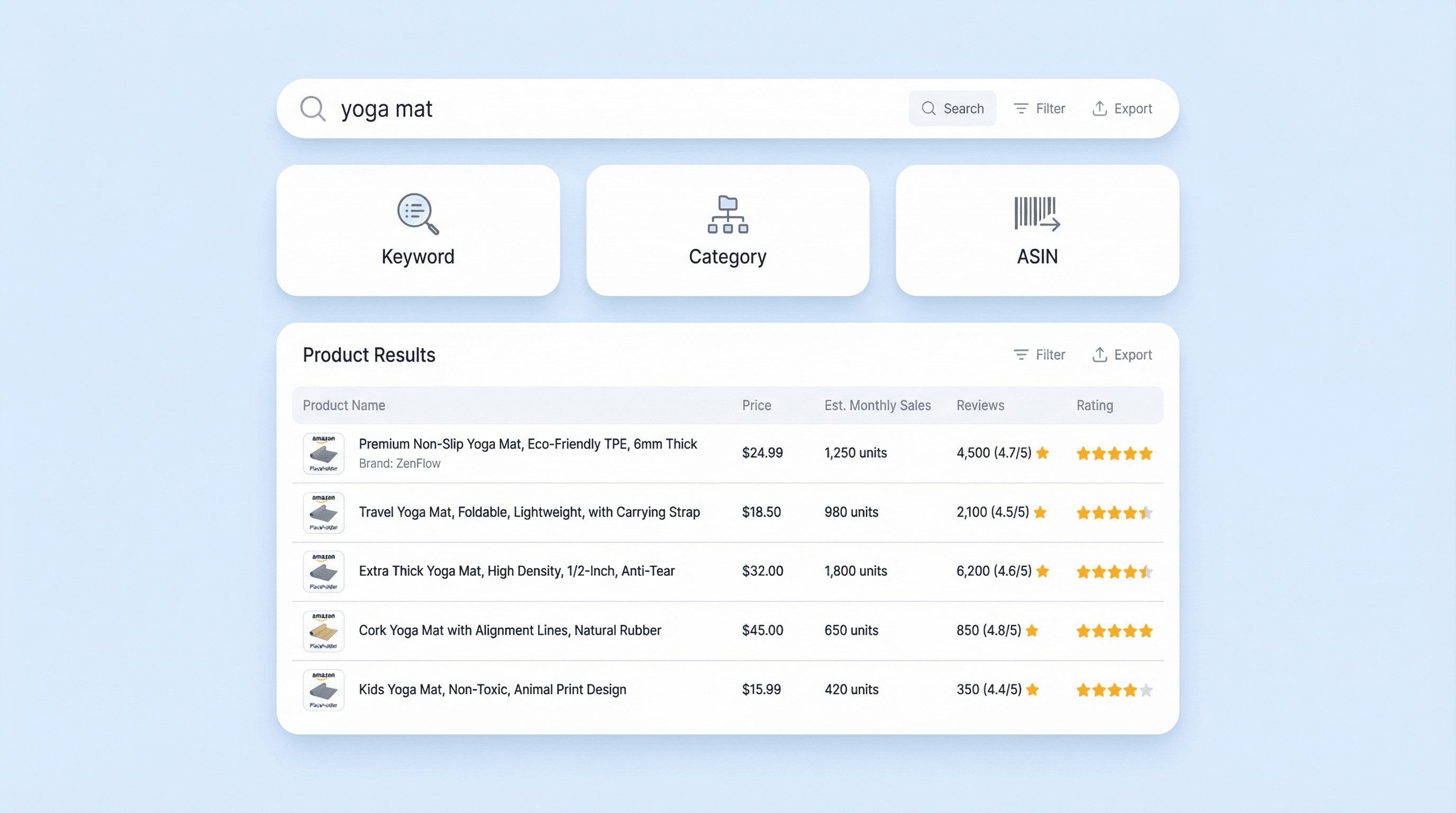
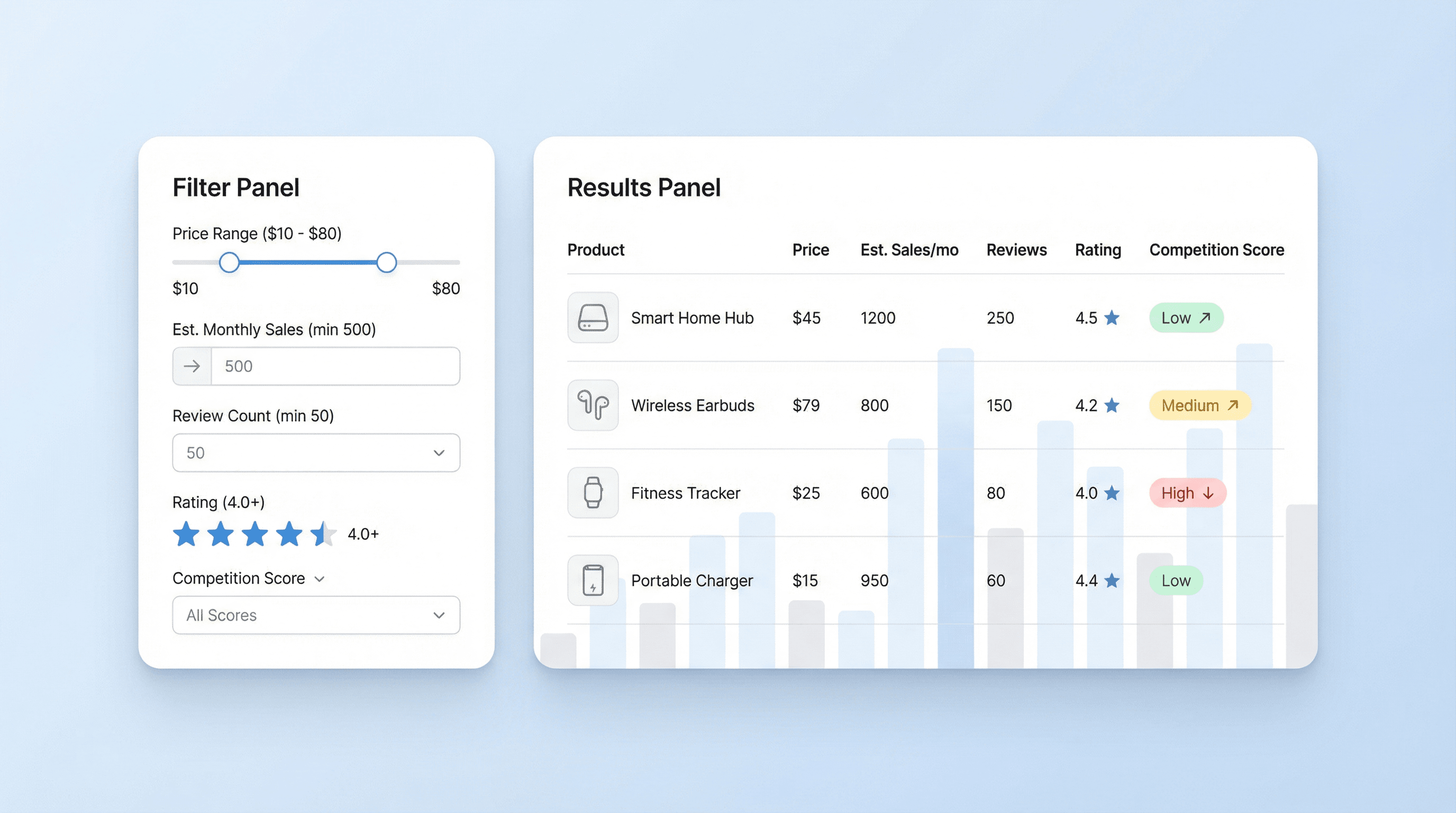
ステップ 2拡張機能を開くChromeを開き、Thunderbitの拡張機能アイコンをクリックして起動します。ツール一覧から「Amazon Product Research Tool」を選択し、作業に合うタブを選びます。「Search by Keyword」ではキーワードと任意のフィルター(カテゴリ、価格帯、推定月間売上、レビュー数、評価)を指定。「Search by ASIN」ではASINで単一商品を評価。「Search by Category」ではカテゴリ内の機会を任意のフィルター付きで探索できます。

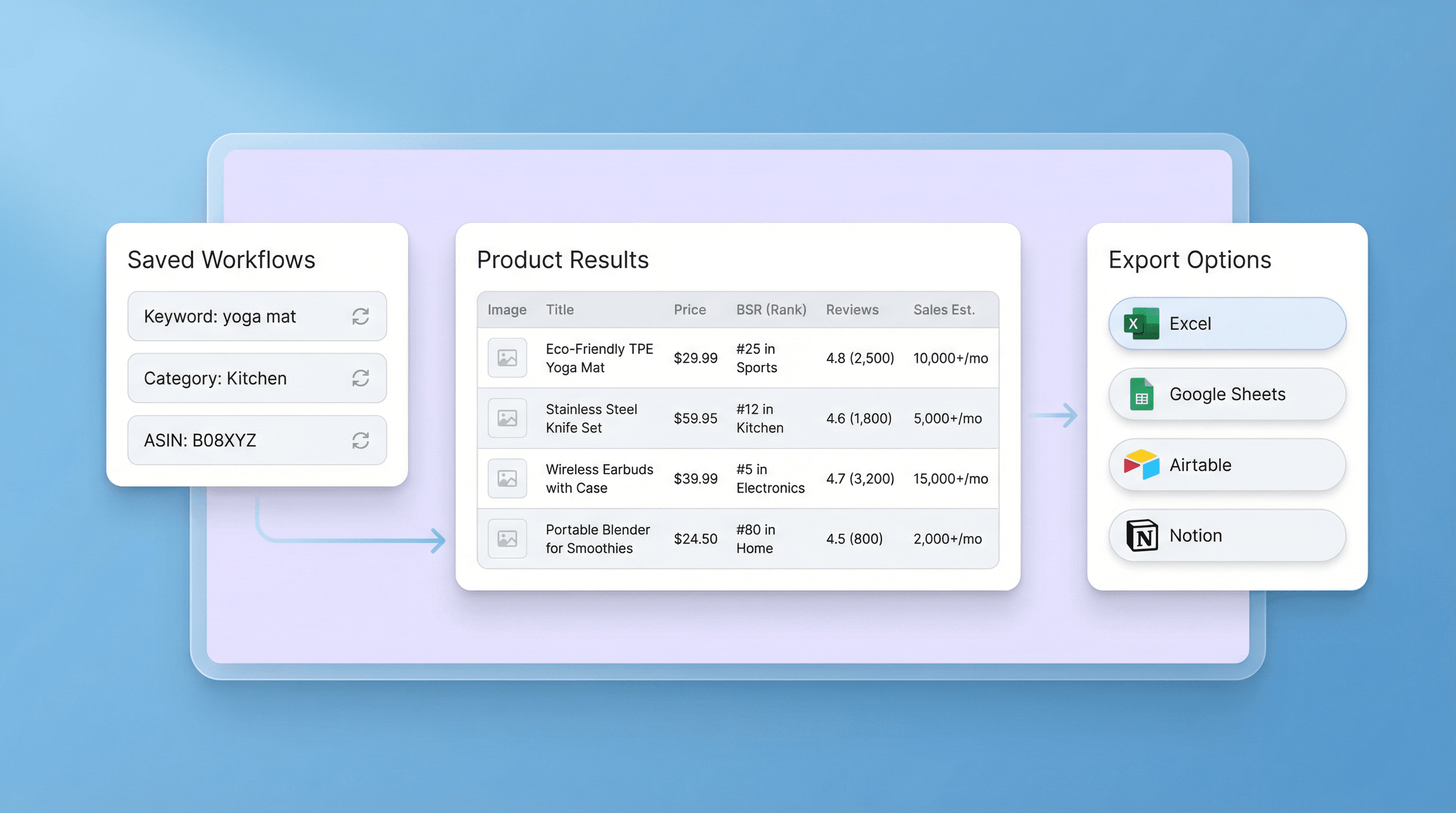
ステップ 3「Research products」をクリック「Research products」ボタンをクリックして分析を実行します。Thunderbitが、商品名、ASIN、カテゴリ、価格、推定月間売上、レビュー数、平均評価、競合スコア、市場トレンド要約などの項目を含む一致商品のテーブルを返します。結果を確認したら、Excel、Google Sheets、Airtable、Notionへエクスポートするか、CSV/JSONとしてダウンロードできます。
キーワード・カテゴリ・ASINでAmazon商品をリサーチする方法を学ぶ
狙いを定めた検索で商品機会を見つける
Amazon Product Research Toolを使えば、キーワード検索、カテゴリ閲覧、特定ASINの評価を通じて、戦略に合う商品を効率よく発見できます。条件に合致した商品を構造化リストで返すため、候補を横並びで比較可能。アイデア出しから検証すべき候補の絞り込みまでを短時間で進めたいAmazonセラー、EC運営者、プロダクトチーム向けに設計されています。

販売者目線の指標で絞り込み・比較
価格帯、推定月間売上、レビュー数、評価など、実務的なフィルターで結果を絞り込み、利益率や需要目標に合う商品に集中できます。各結果には価格、推定売上、レビュー、評価、競合スコアなどの主要項目が含まれ、高需要の商品を見つけやすく、過密な出品を避ける判断にも役立ちます。タブを行き来する手間を減らし、同じ基準で比較できるのが特長です。

仕入れ前に需要と競合を見極める
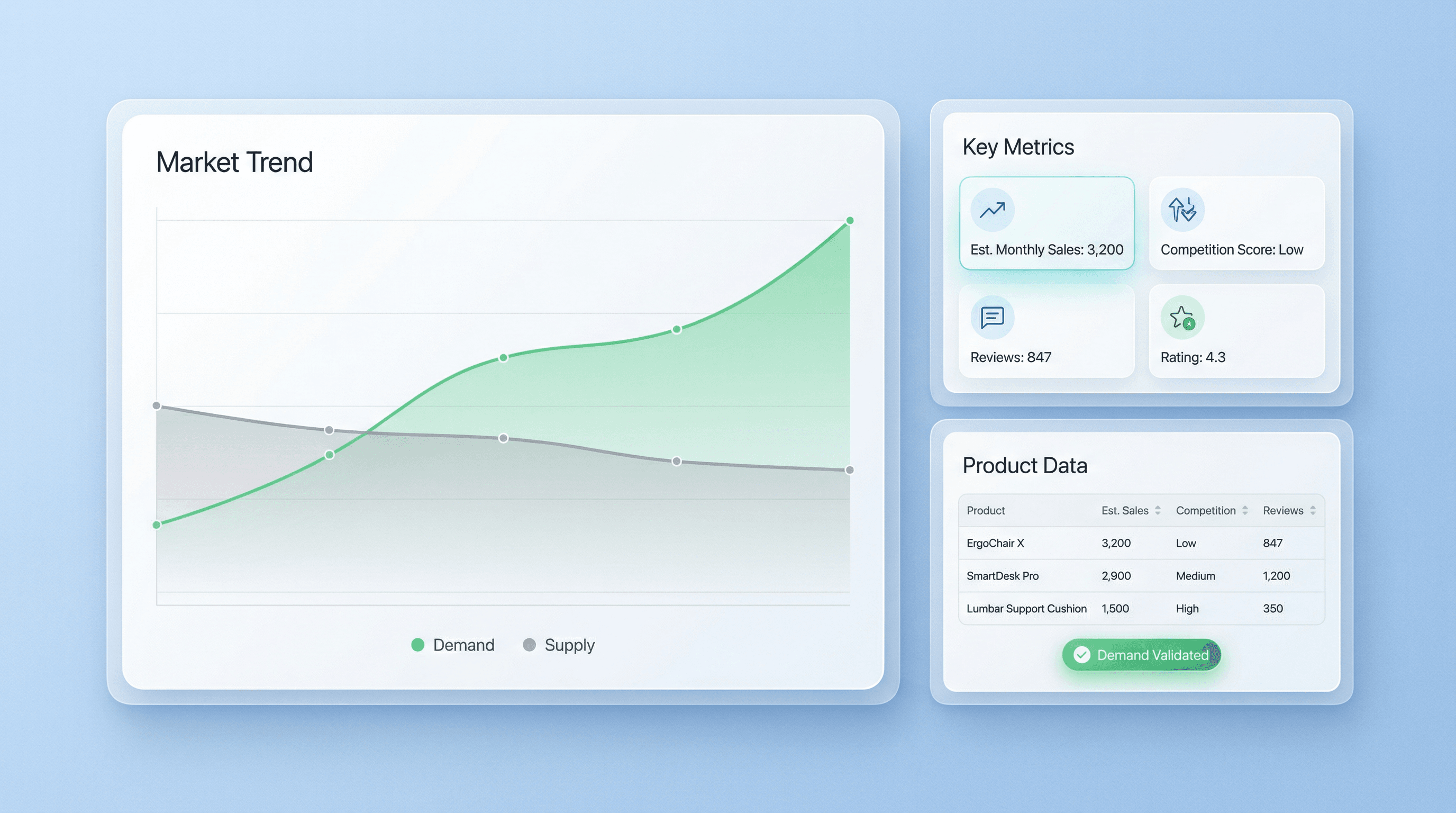
サプライヤーへの打診や出品準備に時間をかける前に、出力テーブルで商品アイデアを一次選別できます。推定月間売上で需要感を把握し、競合スコア、レビュー量、評価を突き合わせて参入難易度を判断。市場トレンド要約やグラフにより、成長中・横ばい・下降傾向のどれかを見極めやすく、投入タイミングの判断精度も高まります。

再現性のあるリサーチ手順を作り、チームで共有
複数のキーワードやカテゴリで同じ条件の検索を繰り返し、結果を一貫したテーブル形式で蓄積することで、リサーチを再現可能なプロセスにできます。商品リストはExcel、Google Sheets、Airtable、Notionなどへエクスポートでき、スコアリング、優先順位付け、仕入れの追跡に活用可能。複数ブランドや商品ラインを扱う代理店、ブランドチーム、運営者にも便利です。

もっと無料ツールを見る
AI営業メール自動生成ツール
無料のAIセールスメールジェネレーターを使えば、わずか数秒でパーソナライズされた営業メールを作成できます。営業チームや起業家に最適なツールです。今すぐお試しください。ThunderbitのAIツールで営業活動をさらに強化しましょう。
Amazonレビューエクスポーター
Amazonの商品URLを貼り付けるだけで、詳細なレビュー情報を自動で抽出。レビュアー情報や評価などを、分析しやすい表形式ですぐに取得できます。
商品詳細情報スクレイパー
Amazon、Walmart、Shein、Lazada、Zalando などのECサイトから商品情報を自動取得できます。商品名、ブランド、価格、画像、評価、レビューなどを整理された形式で収集し、すぐに分析やエクスポートが可能です。
電話番号エクストラクター
ウェブページ、ファイル、テキストから電話番号を素早く抽出。数秒で整理されたリストを作成でき、連絡先リストの作成やデータの確認に最適です。
Amazon商品スクレイパー
Amazonの商品URLを貼り付けるだけで、商品情報を抽出できます。商品名、価格、評価などを整理された表形式で取得し、すぐにエクスポートや確認に活用できます。
画像からExcelへの変換ツール
テーブルやレシート、リストの画像を、Excelに簡単にエクスポートできる構造化JSON配列に変換します。手作業でのデータ入力を省き、正確性も確保できます。
AIメール件名ジェネレーター
短い説明から、魅力的なメール件名を自動生成します。AIの提案で開封率を高めましょう。高速・簡単、登録不要です。
メールアドレス抽出・検証ツール
Email Extractor を使って、Webページ、PDF、テキストからメールアドレスを抽出できます。高速・高精度で、いつでもすぐに書き出し可能です。
今すぐもっとツールを探す
Thunderbitについてのユーザーの声
Taryn W.Growth Strategist@Thunderbit has changed how I run competitor research. I click 'AI Suggest Fields,' and it builds a clean table across paginated results—no coding, no CSS. Huge time-saver when analyzing product data from long-tail marketplaces.
Miles T.Sales Development ConsultantI use Thunderbit to grab emails and phone numbers from directories. It extracts clean contact info in one click, and exporting to Sheets or Notion takes seconds. No extra setup, no coding—just usable data ready to work with.
Rhea C.E-commerce AnalystThunderbit helps me monitor SKU data across multiple pages. I scrape the listings, then use Subpage Scraping to pull full product specs, pricing, reviews, and stock. The AI organizes everything into columns I define.
Cassian B.Real Estate AdvisorThunderbit's Scheduled Scraper makes real estate tracking easier. I describe the interval in plain English, and it automatically pulls updated listings, prices, and links without touching the setup again. Simple and very practical.
Dorian B.Content & SEO SpecialistI use Thunderbit's Field AI Prompts to clean and tag scraped blog content. It extracts titles, authors, and even suggests categories. Works great across dynamic sites and subpages—perfect for building structured SEO datasets.
Lina K.Marketplace Operations LeadWe track SKUs from niche stores using Thunderbit. Cloud Scraping handles 50 pages at a time, and for login-required sites, we switch to browser mode. It’s fast, flexible, and doesn’t need ongoing maintenance or manual edits.
Jorge F.Inbound Sales ManagerThunderbit’s AI Autofill is a lifesaver. After scraping contact info, I use it to fill lead forms directly in my browser. I just select the tab, and it fills everything using the scraped row. No manual input needed.
Alina D.Freelance ResearcherI rely on Thunderbit for extracting data from PDFs, image-based sites, and infinite scroll pages. It handles messy formats with AI and delivers ready-to-export tables I can send to Google Sheets or Airtable in seconds.
Taryn W.Growth Strategist@Thunderbit has changed how I run competitor research. I click 'AI Suggest Fields,' and it builds a clean table across paginated results—no coding, no CSS. Huge time-saver when analyzing product data from long-tail marketplaces.
Miles T.Sales Development ConsultantI use Thunderbit to grab emails and phone numbers from directories. It extracts clean contact info in one click, and exporting to Sheets or Notion takes seconds. No extra setup, no coding—just usable data ready to work with.
Rhea C.E-commerce AnalystThunderbit helps me monitor SKU data across multiple pages. I scrape the listings, then use Subpage Scraping to pull full product specs, pricing, reviews, and stock. The AI organizes everything into columns I define.
Cassian B.Real Estate AdvisorThunderbit's Scheduled Scraper makes real estate tracking easier. I describe the interval in plain English, and it automatically pulls updated listings, prices, and links without touching the setup again. Simple and very practical.
Dorian B.Content & SEO SpecialistI use Thunderbit's Field AI Prompts to clean and tag scraped blog content. It extracts titles, authors, and even suggests categories. Works great across dynamic sites and subpages—perfect for building structured SEO datasets.
Lina K.Marketplace Operations LeadWe track SKUs from niche stores using Thunderbit. Cloud Scraping handles 50 pages at a time, and for login-required sites, we switch to browser mode. It’s fast, flexible, and doesn’t need ongoing maintenance or manual edits.
Jorge F.Inbound Sales ManagerThunderbit’s AI Autofill is a lifesaver. After scraping contact info, I use it to fill lead forms directly in my browser. I just select the tab, and it fills everything using the scraped row. No manual input needed.
Alina D.Freelance ResearcherI rely on Thunderbit for extracting data from PDFs, image-based sites, and infinite scroll pages. It handles messy formats with AI and delivers ready-to-export tables I can send to Google Sheets or Airtable in seconds.