

Amazon के पास लगभग 20 लाख विक्रेता साझेदार और अपने कैटलॉग में सैकड़ों मिलियन आइटम हैं। अगर आपने कभी प्रोडक्ट शीर्षक, कीमतें, रेटिंग और ASIN को हाथ से किसी स्प्रेडशीट में कॉपी करने की कोशिश की है, तो आप जानते होंगे कि यह कितना परेशान करने वाला है — और यह समस्या बहुत तेज़ी से बढ़ती है।
मैं Thunderbit में काम करता हूँ, जहाँ हम एक AI वेब स्क्रैपर बनाते हैं, इसलिए मैं इस बात पर काफी समय सोचता हूँ कि लोग वेबसाइटों से डेटा कैसे निकालते हैं। लेकिन इस लेख के लिए मैं कुछ ऐसा करना चाहता था जो बाकी कोई राउंडअप नहीं करता: सात असली Chrome extensions को एक साथ रखकर देखना, जिन्हें आप Amazon पर इंस्टॉल करके चला सकते हैं; उन्हें एक ही पेजों पर टेस्ट करना; और साफ़-साफ़ बताना कि क्या काम करता है, क्या नहीं, और कौन-सा टूल किस काम के लिए सही है। मैंने हर extension का मूल्यांकन आठ मानदंडों पर किया, जो सीधे उन परेशानियों से जुड़े हैं जो मुझे फोरम्स और हमारे अपने उपयोगकर्ताओं से सुनने को मिलती हैं — जैसे AI field detection, subpage scraping, ban risk, free tiers और export options। चाहे आप Amazon seller हों, marketer हों, या बस copy-paste से थक चुके हों, यह गाइड आपके लिए है।
Amazon scraping के लिए Thunderbit आज़माएँ
Amazon Product Data आखिर क्यों scrape करें?
तो Amazon को scrape कौन करता है, और क्यों?
छोटा जवाब: लगभग हर वह व्यक्ति जो ऑनलाइन products बेचता है, marketing करता है, या product research करता है। Amazon कहता है कि उसके store की 60% से अधिक sales independent sellers से आती हैं, और वे seller लगातार एक-दूसरे पर नज़र रखते हैं। यहाँ सबसे आम use cases हैं जो मैं देखता हूँ:
| Use Case | कौन करता है | उन्हें क्या मिलता है |
|---|---|---|
| प्रतिस्पर्धी कीमतों की निगरानी | Sellers, pricing teams, agencies | प्रतिद्वंद्वी products के लिए real-time कीमत और उपलब्धता डेटा |
| Product research और trend tracking | Amazon sellers, market researchers | बढ़ती categories, नए entrants, और demand में बदलाव पहचानना |
| Review sentiment analysis | Private label sellers, brand teams | बार-बार आने वाली शिकायतें, feature gaps, और अवसर |
| Lead generation (seller contacts) | Wholesale teams, agencies | Seller names, storefronts, और contact info |
| Catalog और inventory monitoring | Ecommerce ops, brand protection | Stock levels, listing बदलाव, और unauthorized sellers पर नज़र |
| Keyword और listing optimization | Brand owners, marketplace operators | Search term data, listing copy, और competitor keywords |
ROI काफ़ी ठोस है। Amazon के अपने case studies दिखाते हैं कि structured data का उपयोग करके top search terms के लिए optimize करने के बाद thefitguy की quarterly sales 40% से अधिक बढ़ गईं। और Parseur के एक survey में पाया गया कि कर्मचारी हर हफ्ते 9 घंटे से अधिक समय repetitive data entry में लगाते हैं। अगर आप इसका एक हिस्सा भी automate कर दें, तो असली निर्णय लेने के लिए काफी समय बचता है।
एक बेहतरीन Amazon Scraper Chrome Extension कैसी होनी चाहिए? (मेरे परीक्षण मानदंड)
सभी Chrome extensions एक जैसी नहीं होतीं — और ज़्यादातर comparison articles APIs, desktop apps और browser extensions को एक ही श्रेणी में डाल देते हैं जैसे वे एक-दूसरे के बदले इस्तेमाल किए जा सकते हों। ऐसा नहीं है। मैंने यही framework इस्तेमाल किया, और हर criterion क्यों महत्वपूर्ण है:
- सेटअप कितना आसान है - क्या कोई non-technical user 5 मिनट के अंदर results पा सकता है? (फोरम्स भी इसे एक top concern मानते हैं.)
- AI-powered field detection - क्या टूल product fields को अपने-आप पहचानता है, या आपको manually selectors set करने पड़ते हैं? (कोई भी rival article इसे category के रूप में नहीं उठाता.)
- Subpage / Detail page scraping - क्या आप listing data को product detail page info से एक ही workflow में enrich कर सकते हैं?
- Anti-bot / Ban risk handling - यह Amazon की aggressive bot detection से कैसे निपटता है? (User forums में सबसे बड़ी परेशानी.)
- Pagination support - क्या यह कई results pages को अपने-आप scrape कर सकता है?
- Free tier / Pricing - बिना पैसे दिए आपको असल में क्या मिलता है? (Users साफ़ तौर पर free options पूछते हैं, और कोई competitor practical जवाब नहीं देता.)
- Export options - CSV, Excel, Google Sheets, Airtable, Notion?
- Scheduling और automation - क्या आप इसे recurring basis पर चला सकते हैं?
मैंने हर extension को Amazon US search results और product detail pages पर, एक ही queries और एक ही conditions के साथ test किया।
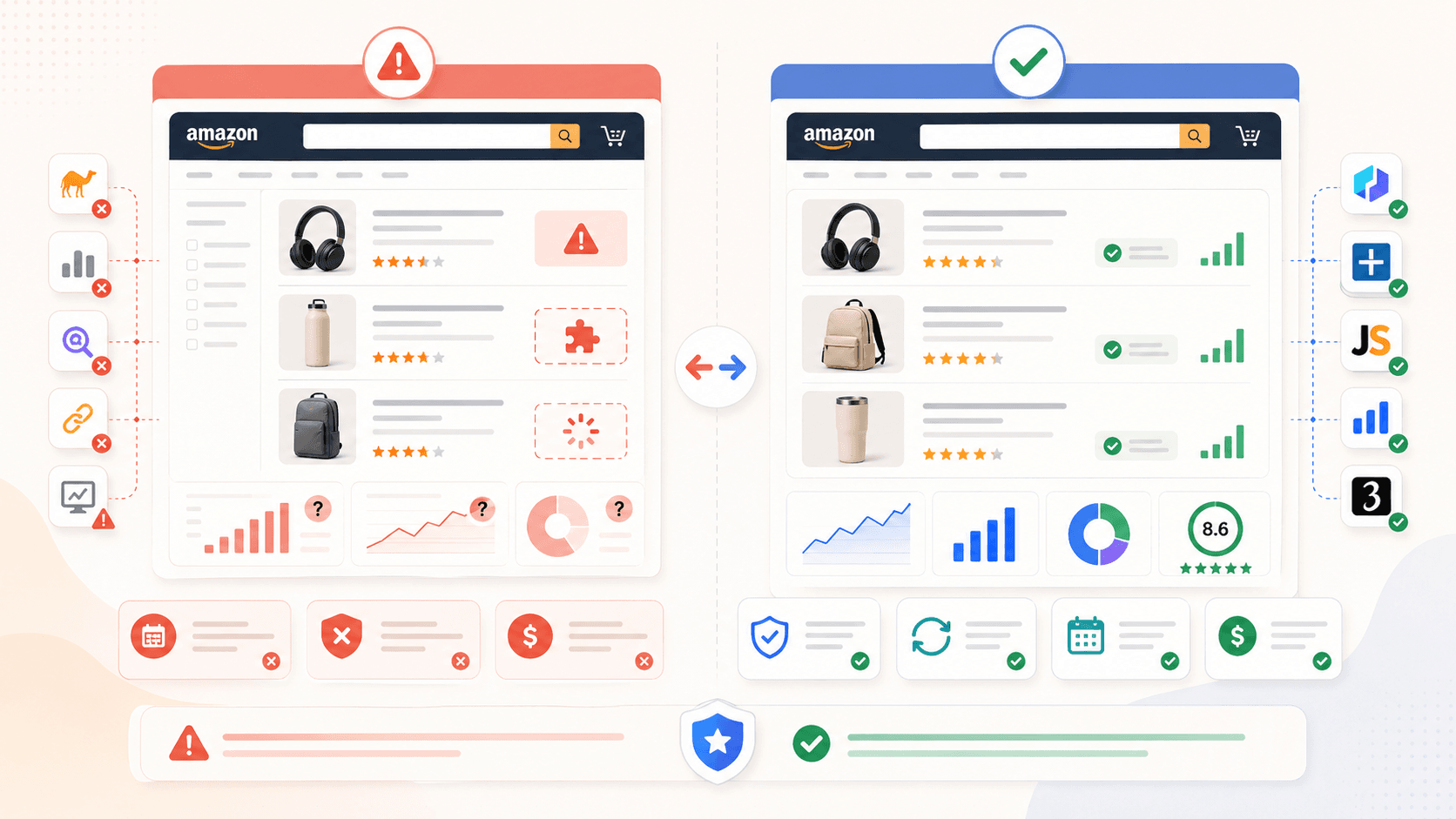
AI-Powered बनाम Selector-Based Scraping: Amazon के लिए यह क्यों मायने रखता है
एक ऐसा अंतर है जिसे कोई और Amazon scraper roundup नहीं बताता — और यही सबसे बड़ा factor है कि आपके scraper को कितनी maintenance चाहिए होगी।
ज़्यादातर Chrome extension scrapers CSS selectors को data fields से map करके काम करते हैं। आप (या टूल का template) HTML element में जाकर “price” या “title” को point करते हैं, और scraper वहाँ से डेटा खींच लेता है। समस्या? Amazon अपने underlying HTML और CSS को scrapers तोड़ने के लिए लगभग रोज़ बदलता है। फोरम users hashed या बदलते class names को एक आम failure mode के रूप में बताते हैं।
तीनों मुख्य approaches की तुलना इस तरह है:
| Approach | यह कैसे काम करता है | जब Amazon layout बदलता है |
|---|---|---|
| Selector-based (traditional) | User manually CSS selectors को fields से map करता है | टूट जाता है - user को फिर से configure करना पड़ता है |
| Template-based | Amazon pages के लिए पहले से बने recipes | तब तक टूट सकता है जब तक developer template अपडेट न करे |
| AI-powered (जैसे Thunderbit) | AI page content पढ़कर fields अपने-आप पहचानता है | अपने-आप adapt करता है - maintenance नहीं चाहिए |
जिन सात extensions को मैंने test किया, उनमें सिर्फ़ एक — Thunderbit — default setup path के रूप में AI field detection इस्तेमाल करता है। बाकी selectors या templates पर निर्भर हैं, जिसका मतलब है कि Amazon जब भी अपने pages tweak करेगा, upkeep ज़्यादा होगी। इस अंतर को समझ लेने से आगे चलकर आपको काफी frustration से बचाया जा सकता है।
1. Thunderbit - AI-powered Amazon Scraper Chrome Extension
Thunderbit वह tool है जिसे हमने अपनी company में बनाया है, इसलिए मैं यह बात साफ़-साफ़ कह दूँ। लेकिन मैं सच में मानता हूँ कि यह non-technical users के लिए सबसे सही है, जो selectors या code से जूझे बिना तेज़ और accurate Amazon data चाहते हैं।
सबसे बड़ा differentiator है AI Suggest Fields। जब आप Amazon search results page खोलकर button पर क्लिक करते हैं, Thunderbit का AI page पढ़ता है और column names सुझाता है — title, price, rating, ASIN, number of reviews, product URL, और भी बहुत कुछ। आपको कुछ भी configure नहीं करना पड़ता। AI समझ लेता है कि page पर क्या है और सही fields व data types सुझा देता है।
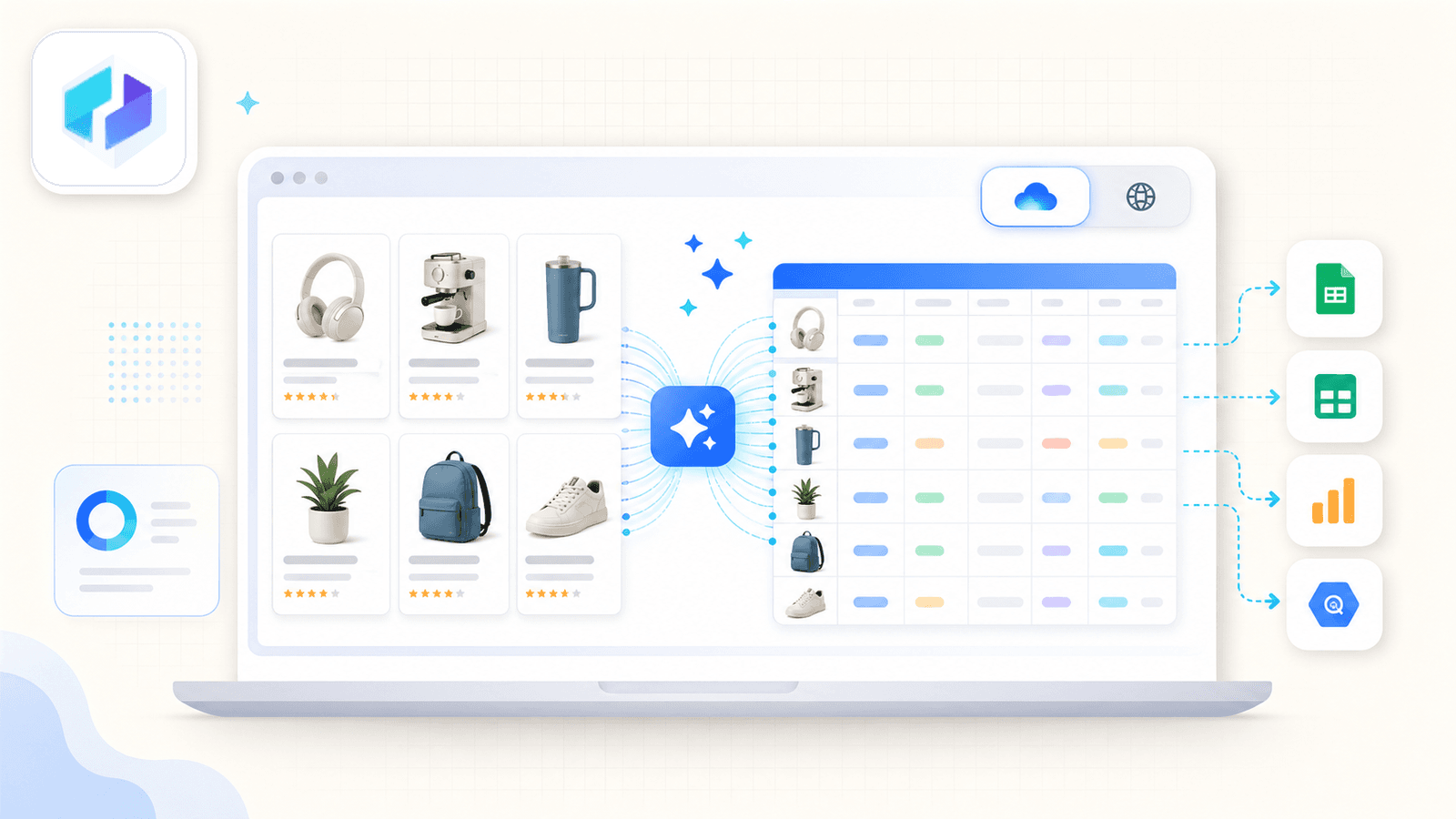
एक सामान्य Amazon scraping session कुछ इस तरह दिखता है:
- Thunderbit Chrome Extension इंस्टॉल करें, Amazon search results page खोलें।
- AI Suggest Fields पर क्लिक करें — AI columns detect करके सुझाता है।
- Scrape पर क्लिक करें — data तुरंत भर जाता है।
- लोकप्रिय Amazon pages के लिए, आप real 1-click experience के लिए पहले से बना Amazon Scraper Template भी इस्तेमाल कर सकते हैं।
Thunderbit को सच में अलग बनाता है उसका subpage scraping। Listing page scrape करने के बाद Scrape Subpages पर क्लिक करें — Thunderbit हर product URL पर जाता है और detail fields (पूरा description, bullet points, seller info, image URLs) उसी table में जोड़ देता है। ज़्यादातर competing extensions यह सुविधा देती ही नहीं हैं।
एक cloud बनाम browser toggle भी है। Cloud mode public listings के लिए एक साथ 50 pages तक scrape करता है। Browser mode आपका अपना Chrome session इस्तेमाल करता है — जब आप Seller Central में logged in हों या radar के नीचे रहना चाहते हैं, तब यह आदर्श है।
Scheduling बिल्कुल सामान्य भाषा में है: समय का अंतराल बताइए, AI उसे schedule में बदल देता है।
Export options में Excel, Google Sheets, Airtable, Notion, CSV और JSON शामिल हैं — और ये सब free tier में भी मिलते हैं।
Thunderbit के फायदे और कमियाँ
फायदे:
- AI fields अपने-आप पहचानता है — selector setup नहीं, और Amazon layout बदलने पर maintenance नहीं
- Subpage enrichment एक क्लिक में
- Flexibility और कम ban risk के लिए cloud/browser toggle
- सबसे व्यापक export options (Sheets, Airtable, Notion, Excel, CSV, JSON)
- प्राकृतिक भाषा में scheduling
- तुरंत परिणाम के लिए pre-built Amazon template
कमियाँ:
- Credit-based system होने के कारण heavy users को paid plan चाहिए होगा
- AI field detection में थोड़ी processing lag आती है (कुछ सेकंड)
- नया tool है, इसलिए पुराने options की तुलना में community documentation कम है
Thunderbit Pricing
- Free tier: 6 pages (trial boost के साथ 10), AI features और सभी export formats शामिल
- Paid plans: लगभग $9/माह (yearly) से शुरू, 500 credits के लिए; 1 credit = 1 output row
- नवीनतम details के लिए Thunderbit Pricing देखें
AI के साथ Amazon pages scrape करें Get Started Free
2. Instant Data Scraper - Free, बिना तामझाम वाला विकल्प
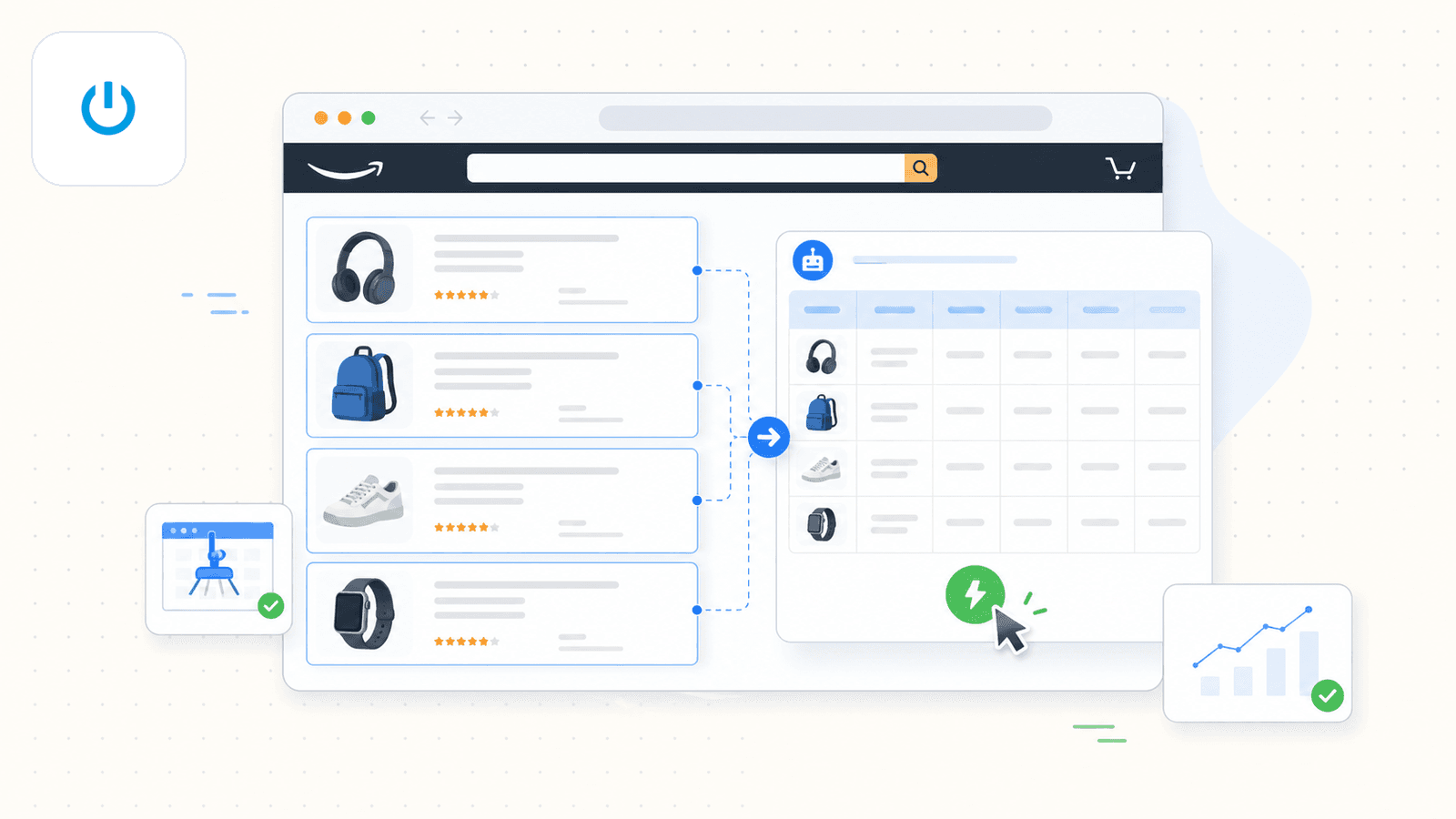
Instant Data Scraper एक Chrome extension है जो heuristic algorithms का उपयोग करके web pages पर tabular data को auto-detect करती है। यह कई सालों से मौजूद है और Chrome Web Store पर सबसे ज़्यादा डाउनलोड की जाने वाली free scrapers में से एक बनी हुई है।
Amazon पर, आप extension को search results page पर activate करते हैं, और यह data table को अपने-आप detect करने की कोशिश करता है। कभी-कभी अगर पहली detection सही न बैठे, तो आपको "try another table" पर क्लिक करना पड़ सकता है। साधारण, एक बार के scrape के लिए यह ठीक-ठाक काम करता है।
हालाँकि 2026 के लिए एक अहम caveat है: official landing page अब कहती है कि Instant Data Scraper अब Web Robots के स्वामित्व, विकास या support में नहीं है। इसका मतलब है कोई updates नहीं, bug fixes नहीं, और नई features नहीं। एक Reddit thread में एक user ने बताया कि यह overview pages तो संभाल लेती है, लेकिन detail-level clicks की ज़रूरत पड़ने पर अटक जाती है।
Instant Data Scraper के फायदे और कमियाँ
फायदे:
- 100% free, account की ज़रूरत नहीं
- साधारण tables के लिए हल्की और तेज़
- Basic pagination ("Next" button clicking) सपोर्ट करती है
कमियाँ:
- AI field detection नहीं (pattern matching पर निर्भर, जिससे Amazon का complex layout गलत पढ़ा जा सकता है)
- Subpage scraping नहीं
- सिर्फ़ CSV/Excel export
- Scheduling नहीं, cloud option नहीं
- अब maintained नहीं — Amazon layout बदलते ही टूट सकती है, और इसे ठीक करने वाला कोई नहीं
3. Web Scraper - Manual configuration के लिए पुराना और भरोसेमंद extension
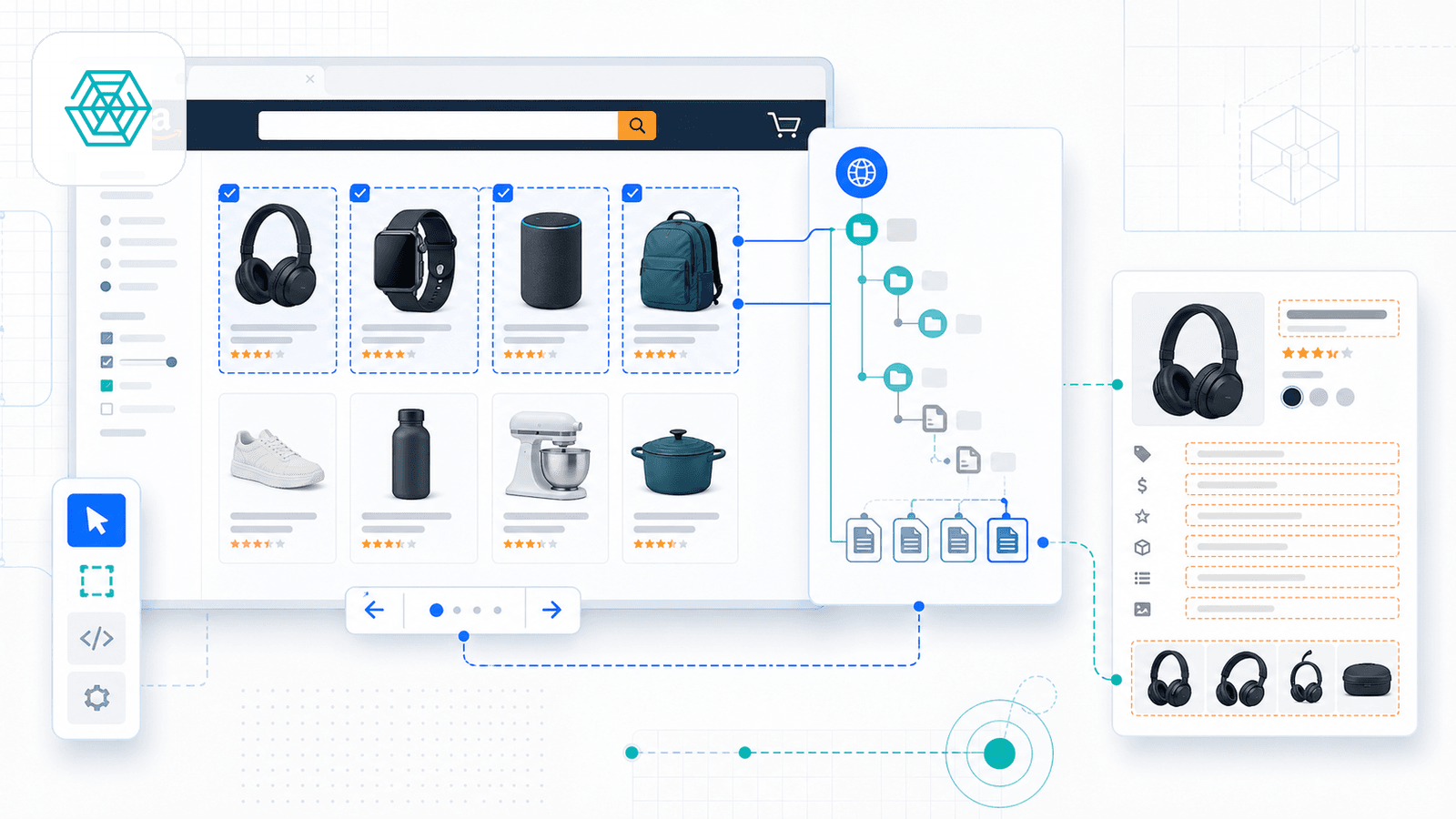
Web Scraper सबसे स्थापित Chrome extension scrapers में से एक है, जो visual sitemap builder के आसपास बनाया गया है। आप DevTools खोलते हैं, selectors तय करने के लिए point-and-click से एक "sitemap" बनाते हैं, pagination configure करते हैं, और product detail pages के links follow कर सकते हैं।
Web Scraper अपने marketplace में Amazon Products Listings Scraper template भी देता है, जो navigation, pagination और product page extraction को संभालता है। उनकी step-by-step guide 8-step setup process समझाती है — install, selectors generate करें, pagination configure करें, product links follow करें, local या cloud में run करें।
Cloud version में scheduling, API access, proxy rotation, CAPTCHA bypass और Google Sheets integration भी मिलती है।
Web Scraper के फायदे और कमियाँ
फायदे:
- परिपक्व, अच्छी तरह documented, और community-supported
- Free browser extension (local use की कोई सीमा नहीं)
- Amazon के लिए marketplace templates
- Scaling के लिए cloud option (scheduling, IP rotation, integrations)
- Product detail pages तक links follow करने की क्षमता (partial subpage enrichment)
कमियाँ:
- Manual selector setup चाहिए — non-technical users के लिए सीखने की चुनौती ज़्यादा
- Fields की AI auto-detection नहीं
- Amazon layout अपडेट होने पर templates टूट सकते हैं
- Advanced features paid cloud plans के पीछे locked हैं
Web Scraper Pricing
- Free: Chrome extension, unlimited local scraping
- Cloud plans: $50/माह (Project) से शुरू, $100/माह (Professional), और $200/माह (Scale) से
4. Octoparse - फीचर्स से भरपूर platform (लेकिन Chrome extension वाली एक चेतावनी के साथ)
Octoparse एक शक्तिशाली no-code scraping platform है, जिसमें product details, keyword search और reviews के लिए pre-built Amazon templates मिलते हैं। यह cloud scraping, scheduling और multi-step workflows को सपोर्ट करता है।
लेकिन एक अहम बारीकी है: Octoparse का Chrome Web Store extension अभी Octoparse AI Web Automation के रूप में सूचीबद्ध है, और साफ़ तौर पर कहता है कि यह सिर्फ़ Windows पर Octoparse AI Bot के साथ मिलकर काम करता है। इसलिए असली scraping अनुभव platform-first है, extension-first नहीं। अगर आप सिर्फ़ Chrome में install करके scrape करने वाला workflow ढूँढ रहे हैं, तो Octoparse ज़्यादा एक desktop app है जिसमें browser helper है।
फिर भी, templates बहुत अच्छे हैं। आप search URL डालते हैं, Octoparse अपने-आप product data निकाल लेता है, और आप point-and-click selectors, pagination और detail pages के लिए link-following के साथ custom workflows बना सकते हैं।
Octoparse के फायदे और कमियाँ
फायदे:
- Amazon templates के साथ मज़बूत feature set
- Cloud nodes: speed, scheduling, और workflows के ज़रिए subpage extraction
- Pagination अच्छी तरह संभालता है
- जटिल, multi-step scraping pipelines के लिए अच्छा
कमियाँ:
- पूरी ताकत desktop app में मिलती है — यह pure Chrome extension अनुभव नहीं है
- AI auto-suggest fields नहीं (अलग Chat4Data product है, लेकिन वह दूसरी extension है)
- Free plan लगभग 50K data export/माह, और 10,000 rows प्रति export तक सीमित है
- Interface beginners को जटिल लग सकता है
Octoparse Pricing
- Free: सीमित (local extraction, 50K export cap)
- Standard: लगभग $75–$83/माह
- Professional: लगभग $208–$249/माह
- Add-ons: IP rotation $3/GB, CAPTCHA solving $2–$2.50 प्रति 1,000
5. Axiom.ai - No-code bot builder
Axiom.ai एक Chrome extension है जो no-code visual builder के साथ browser automation bots बनाने के लिए है। यह एक dedicated scraper से ज़्यादा general-purpose automation tool है, लेकिन इसमें Amazon scraping templates और ASIN extraction guides मौजूद हैं।
आप एक bot बनाते हैं (या कोई template उठा लेते हैं) जो Google Sheet में product URLs के through loop करता है, हर page पर जाता है, point-and-click selectors से data निकालता है, और results वापस Sheet में लिख देता है। Paid plans पर scheduling उपलब्ध है, और cloud runs अब Starter और Pro पर cloud में 1 bot से शुरू होकर Ultimate पर 20 concurrent cloud bots तक मिलती हैं।
Axiom.ai के फायदे और कमियाँ
फायदे:
- बहुउपयोगी no-code automation (सिर्फ़ scraping नहीं)
- Google Sheets के साथ native integration
- Paid plans पर scheduling और cloud runs
- Amazon के लिए templates
- डेटा extraction से आगे के multi-step workflows के लिए अच्छा
कमियाँ:
- साधारण scrape के लिए setup भारी है (bot design, Google Sheet config, loop testing चाहिए)
- AI field detection नहीं
- एक-क्लिक subpage enrichment नहीं (अलग bot step बनाना पड़ता है)
- Export सिर्फ़ Google Sheets या CSV तक सीमित
Axiom.ai Pricing
- Free: 2 घंटे का runtime
- Starter: $15/माह
- Pro: $50/माह
- Pro Max: $150/माह
- Ultimate: $250/माह
6. Data Miner - Recipe-driven extension
Data Miner एक Chrome extension है जो "recipes" — पहले से बने या custom scraping templates — के ज़रिए data निकालने पर केंद्रित है। आप public library में कोई existing Amazon recipe खोजते हैं या page elements चुनकर अपनी recipe बनाते हैं।
Data Miner अपनी Next Page Automation feature के ज़रिए pagination सपोर्ट करता है, और यह Crawl Scrape workflow भी देता है जो detail URLs पर जाकर दूसरी recipe लागू करता है। इसलिए यह "subpage scraping नहीं" वाली श्रेणी में नहीं आता — लेकिन यह one-click enrichment नहीं, बल्कि manual multi-step process है।
सबसे बड़ी सीमा free tier है: 500 pages/माह, और free पर कुछ domains restricted हैं। Recipes site-specific होती हैं, और Data Miner के अपने docs चेतावनी देते हैं कि अगर site बदल गई और reference HTML code बदल गया, तो recipe काम नहीं करेगी।
Data Miner के फायदे और कमियाँ
फायदे:
- Existing recipe चलाना आसान
- Community recipe library
- Pagination और detail-page crawling सपोर्ट करता है (manual setup)
- सरल interface
कमियाँ:
- Free tier 500 pages/माह तक सीमित
- AI field detection नहीं
- Amazon layout बदलते ही recipes टूट सकती हैं
- Public docs पर cloud scraping नहीं, scheduling नहीं
- Export: CSV, Excel, clipboard; paid plans पर Google Sheets
Data Miner Pricing
- Free: 500 pages/माह
- Paid: $19.99, $49, $99, $200/माह — limits और features बढ़ते हैं
7. Helium 10 - Amazon seller intelligence suite
Helium 10 एक व्यापक Amazon seller toolkit है, general-purpose web scraper नहीं। इसकी Chrome extension (Xray) सीधे Amazon search results पर data overlay करती है — estimated sales, revenue, review trends, BSR, और बहुत कुछ दिखाती है। यह product research करने वाले Amazon sellers के लिए बनाई गई है, raw page data extract करने के लिए नहीं।
Helium 10 के पास 2026 में free plan भी है, हालांकि free पर Chrome Extension access सीमित है। Extension results को CSV या Excel में export कर सकती है और clipboard workflows को सपोर्ट करती है।
Helium 10 के फायदे और कमियाँ
फायदे:
- Amazon-specific गहरी insights (sales estimates, keyword data, BSR trends)
- Professional sellers में भरोसेमंद
- Keyword/rank tracking के लिए cloud-backed data और scheduling
- Free plan उपलब्ध (सीमित)
कमियाँ:
- General scraper नहीं — arbitrary pages से custom data fields नहीं निकाल सकता
- scraping-focused tools की तुलना में महँगा
- Export formats सीमित (CSV, Excel)
- AI field detection नहीं, और scraping के अर्थ में subpage enrichment नहीं
Helium 10 Pricing
- Free: सीमित access, Chrome Extension सहित
- Starter: $49/माह
- Platinum: $229/माह
- Diamond: $359/माह
Amazon Scraper Chrome Extensions की तुलना: पूरी side-by-side
यह रही ईमानदार तुलना तालिका। 2026 की hands-on testing और verification के बाद मैंने पहले के drafts से कुछ assumptions सुधारी हैं:
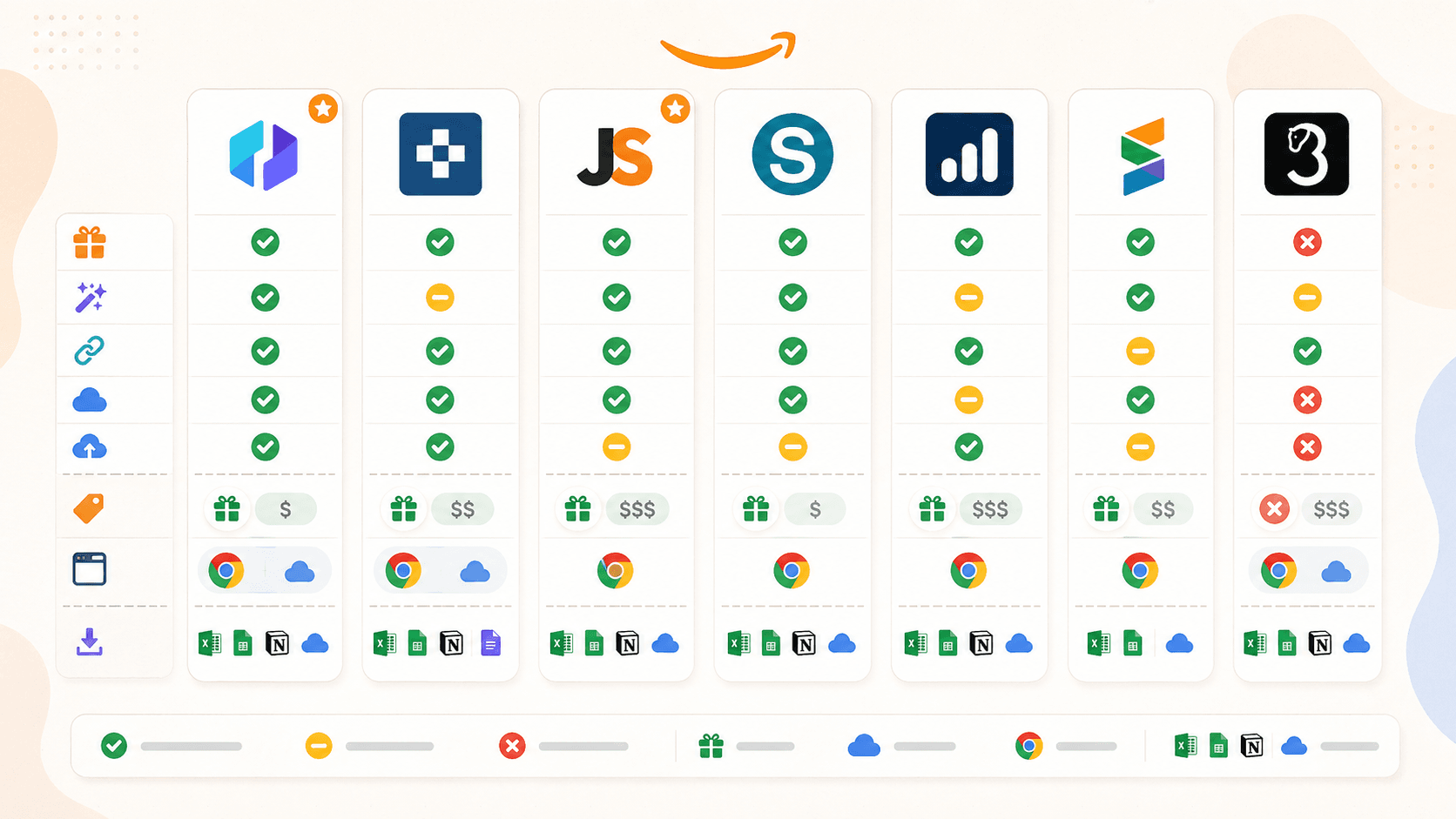
| Feature | Thunderbit | Instant Data Scraper | Web Scraper | Octoparse | Axiom.ai | Data Miner | Helium 10 |
|---|---|---|---|---|---|---|---|
| मुख्य श्रेणी | AI स्क्रैपर एक्सटेंशन | Free heuristic scraper | Selector/template scraper | No-code scraping platform | Browser automation bot builder | Recipe-based scraper extension | Seller research overlay |
| AI auto-suggest fields | हाँ | नहीं | नहीं | नहीं (अलग Chat4Data) | नहीं | नहीं | नहीं |
| Subpage enrichment | हाँ (1-क्लिक) | नहीं | हाँ (manual sitemap) | हाँ (workflow) | हाँ (manual bot step) | हाँ (manual crawl) | लागू नहीं |
| Cloud scraping | हाँ | नहीं | हाँ (paid) | हाँ (paid) | हाँ (paid) | नहीं | Cloud-backed analytics |
| Scheduling | हाँ | नहीं | हाँ (paid) | हाँ (paid) | हाँ (paid) | नहीं | हाँ (keyword/rank tracking) |
| Free tier | हाँ (6-10 pages) | हाँ (पूरी तरह free) | हाँ (browser only) | हाँ (limited) | हाँ (2 hrs runtime) | हाँ (500 pages/mo) | हाँ (limited) |
| Amazon pre-built template | हाँ | नहीं | हाँ | हाँ | हाँ (guides) | Recipe library | लागू नहीं |
| Sheets/Airtable/Notion में export | हाँ (सब) | सिर्फ़ CSV/Excel | CSV, Excel, JSON; cloud के ज़रिए Sheets | CSV, Excel, JSON, और भी | Google Sheets, CSV | CSV, Excel; paid पर Sheets | CSV, Excel |
कुछ बातें साफ़ दिखती हैं। Thunderbit ही एकमात्र extension है जिसमें AI field detection और free tier पर सबसे व्यापक export options हैं। Instant Data Scraper सबसे सरल free option है, लेकिन अब maintained नहीं है। Web Scraper और Octoparse उन users के लिए powerful हैं जो setup में समय लगाना चाहते हैं, लेकिन इनमें से कोई भी pure "install and go" extension अनुभव नहीं देता। Axiom.ai scraping से आगे multi-step automation के लिए सबसे अच्छा है। Data Miner मौजूदा recipes चलाने के लिए आसान है, लेकिन free tier कड़ा है। Helium 10 एक seller intelligence tool है, general scraper नहीं।
Amazon के लिए Cloud बनाम Browser Scraping: Ban Risk के बारे में आपको क्या जानना चाहिए
यही वह बात है जो सबके दिमाग में होती है। Amazon सक्रिय रूप से automated scraping को detect और block करता है। Reddit users CAPTCHA के low-volume scrapers पर भी दिखने की रिपोर्ट करते हैं, और Amazon के अपने Conditions of Use साफ़ तौर पर कहते हैं कि license में “data mining, robots, या समान data gathering और extraction tools” का कोई उपयोग शामिल नहीं है।
तो browser और cloud scraping में व्यावहारिक फर्क क्या है?
- Browser scraping आपके अपने Chrome session में चलता है — असली cookies, logged-in state, natural browsing behavior। यह कम volume पर ज़्यादा human जैसा दिखता है, लेकिन आपका browser व्यस्त रखता है।
- Cloud scraping speed के लिए remote servers का उपयोग करता है (Thunderbit cloud mode में एक समय पर 50 pages संभालता है), लेकिन detection से बचने के लिए rate limiting और proxy rotation चाहिए।
मैं जो decision matrix इस्तेमाल करता हूँ, वह यह है:
| Scenario | Recommended Mode | क्यों |
|---|---|---|
| Research के लिए 20 product pages scrape करना | Browser | कम volume, natural behavior |
| हर हफ्ते 500 competitor SKUs monitor करना | Cloud | Speed ज़रूरी है, public data |
| Seller Central में logged in रहते हुए scraping | Browser | आपके login session की ज़रूरत होती है |
| किसी category का एक बार bulk export | Cloud | Speed के लिए parallel scraping |
जिन सात extensions को हमने देखा, उनमें cloud scraping Thunderbit, Web Scraper (paid), Octoparse (paid), Axiom.ai (paid), और Helium 10 (उसके analytics के लिए) में उपलब्ध है। Instant Data Scraper और Data Miner सिर्फ़ browser-only हैं।
Ban risk कम करने के practical tips: request intervals को reasonable रखें, peak hours में scraping से बचें, और अगर आपका tool support करता है तो user agents rotate करें। और कभी खुद से यह न कहें कि “zero risk” है — बस risk को manage करें।
Listing Page से Product Detail तक: Amazon पर Subpage Scraping कैसे काम करता है
यह workflow कम आंका जाता है — और कोई rival article इसे end-to-end नहीं दिखाता।
जब आप Amazon search results page scrape करते हैं, तो आपको summary data मिलता है: product titles, prices, ratings, ASINs और product URLs। लेकिन अक्सर आपको detail-page data भी चाहिए — पूरा description, bullet points, image URLs, seller info, review breakdowns। यहीं subpage scraping काम आती है।
Thunderbit में workflow यह है:
- Amazon search results page scrape करें -> products की table मिलती है (title, price, rating, ASIN, product URL)।
- “Scrape Subpages” पर क्लिक करें -> Thunderbit हर product URL पर जाता है और detail fields (description, number of reviews, seller name, image URLs, आदि) उसी table में जोड़ देता है।
- Enriched table export करें Google Sheets, Airtable, Notion या Excel में।
AI subpage structure को detect करके table को अपने-आप enrich कर देता है — manual configuration की ज़रूरत नहीं। मेरे अनुभव में, हर product page को खोलकर fields हाथ से copy करने की तुलना में यह हर batch पर कम से कम एक घंटा बचाता है।
दूसरे tools यह भी कर सकते हैं, लेकिन ज़्यादा मेहनत के साथ:
- Web Scraper: आप product links follow करने और हर detail field के selectors तय करने के लिए sitemap configure करते हैं। यह काम करता है, लेकिन multi-step manual process है।
- Octoparse: आप link-following steps के साथ workflow बनाते हैं। शक्तिशाली, लेकिन one-click नहीं।
- Axiom.ai: आप एक bot loop बनाते हैं जो हर URL पर जाता है और data निकालता है। लचीला है, लेकिन bot-building skills चाहिए।
- Data Miner: आप Crawl Scrape feature से saved URLs पर जाते हैं और दूसरी recipe लागू करते हैं। Manual और recipe-dependent।
- Instant Data Scraper और Helium 10: कोई subpage enrichment workflow नहीं।
अगर आपको नियमित रूप से listing-level और detail-level दोनों तरह का Amazon data चाहिए, तो आपको ऐसा tool चुनना चाहिए जो इस workflow को आसान बनाए — सिर्फ़ संभव नहीं।
ईमानदार Free-tier breakdown: बिना पैसे दिए आपको असल में क्या मिलता है
फोरम users यही सवाल सबसे ज़्यादा पूछते हैं, और कोई rival article इसका transparently जवाब नहीं देता।
| Extension | Free Tier | Free में क्या मिलता है | कब upgrade करना पड़ेगा |
|---|---|---|---|
| Thunderbit | हाँ (6 pages, trial के साथ 10) | AI field suggestion, सभी export formats (Excel, Sheets, Airtable, Notion), email/phone extractors | अधिक pages चाहिए हों या scheduled scraping चाहिए |
| Instant Data Scraper | हाँ (पूरी तरह free) | Basic table detection, CSV/Excel export | लागू नहीं (paid tier नहीं, लेकिन updates भी नहीं) |
| Web Scraper | हाँ (browser only) | Browser scraping, CSV export | Cloud scraping, scheduling, integrations |
| Octoparse | हाँ (limited) | लगभग 50K export/माह, local extraction | अधिक records, cloud nodes |
| Axiom.ai | हाँ (2 hrs runtime) | Basic automations, Google Sheets | अधिक runs, scheduling, cloud |
| Data Miner | हाँ (500 pages/माह) | Recipes, CSV/Excel, Next Page Automation | अधिक pages, Sheets, crawl features |
| Helium 10 | हाँ (limited) | सीमित Chrome Extension access | Full Xray, keyword tools, scheduling |
मुख्य बात: Thunderbit का free tier AI features और सभी export formats शामिल करता है — ज़्यादातर competitors advanced exports या AI को paid plans के पीछे रखते हैं। Instant Data Scraper पूरी तरह free है, लेकिन इसमें AI, subpages और scheduling नहीं हैं (और अब maintained भी नहीं है)। Helium 10 का free plan है, लेकिन extension access सीमित है और यह general scraper नहीं है।
मेरी recommendation scenario के हिसाब से:
- “बस आज़मा रहे हैं” -> Instant Data Scraper (पूरी तरह free) या Thunderbit free tier
- “नियमित, भरोसेमंद scraping चाहिए” -> Thunderbit या Web Scraper के paid plans
- “Amazon seller हैं और market intelligence चाहिए” -> Helium 10
आपको कौन-सा Amazon Scraper Chrome Extension चुनना चाहिए?
सभी सात tools को test करने के बाद, मेरा ईमानदार निष्कर्ष यह है:
- Non-technical users के लिए जो तेज़, AI-powered results चाहते हैं, सबसे अच्छा: Thunderbit. AI fields अपने-आप detect करता है, subpage enrichment एक क्लिक में, सबसे व्यापक export options, cloud/browser toggle। अगर आप दो मिनट से कम समय में Amazon page से spreadsheet तक जाना चाहते हैं, यही मेरी पसंद है।
- Quick, one-off scrapes के लिए सबसे अच्छा fully free option: Instant Data Scraper. कोई cost नहीं, कोई account नहीं, लेकिन features सीमित हैं और अब maintained नहीं है।
- Manual configuration में सहज users के लिए सबसे अच्छा: Web Scraper. Flexible sitemap builder, अच्छा cloud option, अच्छी documentation।
- Complex, multi-step scraping pipelines के लिए सबसे अच्छा: Octoparse (desktop + extension) या Axiom.ai (browser bots). दोनों शक्तिशाली हैं, लेकिन कोई भी pure "install and go" Chrome extension नहीं है।
- Simple recipe-based extraction के लिए सबसे अच्छा: Data Miner. Existing recipes चलाना आसान, लेकिन free tier सीमित और AI नहीं।
- Amazon seller intelligence के लिए सबसे अच्छा (general scraping नहीं): Helium 10. Purpose-built, गहरी proprietary data, लेकिन महँगा और general scraper नहीं।
अगर आप देखना चाहते हैं कि AI-powered Amazon scraping असल में कैसी दिखती है, तो Thunderbit के free tier को आज़माइए। मेरा मानना है कि आप देखकर हैरान रह जाएंगे कि कुछ ही clicks में आप कितना कुछ कर सकते हैं। और अगर Thunderbit आपके लिए perfect fit नहीं है, तो इस list में से कुछ और tools भी आज़माइए — copy-paste छोड़कर smarter scraping शुरू करने का इससे बेहतर समय कभी नहीं रहा।
और Amazon scraping के और tips के लिए हमारे guides देखें: Amazon products और reviews कैसे scrape करें, Amazon prices scraping, और Amazon sales data निकालना और analyze करना। आप Thunderbit YouTube Channel पर tutorials भी देख सकते हैं।
Thunderbit के साथ AI Amazon scraping आज़माएँ Get Started Free
FAQs
1. क्या Amazon product data scrape करना legal है?
Publicly visible data को scrape करना आम तौर पर स्वीकार्य है, लेकिन Amazon की Conditions of Use लिखित सहमति के बिना data mining और automated extraction पर स्पष्ट रूप से रोक लगाती हैं। यह लेख legal advice नहीं है — बड़े पैमाने पर scraping करने से पहले हमेशा Amazon की terms देखें।
2. क्या Amazon Chrome extension scrapers को detect और block कर सकता है?
हाँ। Amazon के anti-bot systems CAPTCHAs trigger कर सकते हैं, requests को धीमा कर सकते हैं, या IPs block कर सकते हैं। reasonable request rates, छोटे jobs के लिए browser-based scraping, और बड़े jobs के लिए rate limiting के साथ cloud scraping risk कम कर सकते हैं। practical decision matrix के लिए ऊपर cloud बनाम browser section देखें।
3. Chrome extension से Amazon पर कौन-सा data scrape किया जा सकता है?
आम fields में product titles, prices, ratings, review counts, ASINs, seller names, descriptions, image URLs, availability और shipping info शामिल हैं। Thunderbit जैसे AI-powered tools इन्हें manual setup के बिना auto-detect और suggest कर सकते हैं।
4. क्या Amazon scraper Chrome extension इस्तेमाल करने के लिए coding skills चाहिए?
नहीं — जिन सात tools का test किया गया, वे सभी non-technical users के लिए बने हैं। कुछ में अधिक setup चाहिए (Web Scraper, Octoparse, Axiom.ai), जबकि कुछ लगभग zero-config हैं (Thunderbit, Instant Data Scraper)। आम तौर पर trade-off flexibility बनाम ease of use का होता है।
5. किस Amazon scraper Chrome extension का free tier सबसे अच्छा है?
Thunderbit के free tier में AI field detection और सभी export formats (Sheets, Airtable, Notion, Excel, CSV, JSON) मिलते हैं, जिन्हें ज़्यादातर competitors paid plans के पीछे रखते हैं। Instant Data Scraper पूरी तरह free है, लेकिन उसमें AI, subpages और scheduling नहीं है। Data Miner 500 free pages/माह देता है। Helium 10 का free plan सीमित है और seller research पर केंद्रित है, general scraping पर नहीं।
Learn More




