
Did you know it's been nearly three years since Twitter rebranded to X.com back in July 2023? Some folks think Elon Musk has made Twitter worse, and people are jumping ship.
Explore AI Twitter Scraper Get Started Free
The latest Backlinko data pegs X at about 132 million daily active users on iOS and Android (June 2025), a ~15% drop year over year. Yes, the audience is shrinking — but 132M people is still a lot of people, and the conversation density on X is still hard to replicate elsewhere. The massive amount of data on Twitter still holds significant value for lead generation and keeping tabs on user interests. Let's dive into how you can use Twitter scrapers to gather valuable data from Twitter to boost your marketing efforts and find the best tool for you.
What is a Twitter/X Scraper?
A Twitter scraper is an automated tool that helps you pull data from Twitter, including user profiles, posts, hashtags, search results, and more. It saves you time and effort by cutting out the need for manual copying and pasting. With a Twitter scraper, you can collect all the data you need in a structured format and save it in your spreadsheet.

The Best Twitter Scrapers at a Glance
| Ease of Use | Key Features | Best For | |
|---|---|---|---|
| Thunderbit | ★★★★★ | One-click data extraction, AI Twitter Scraper, automatic data formatting | Users needing quick, frequent Twitter data extraction |
| Octoparse | ★★☆☆☆ | Visual interface, cloud services, pre-set templates | Users needing large-scale data extraction with complex requirements |
| Magical | ★★★★★ | One-click data extraction, multi-platform integration support | Users needing simple, fast data collection |
| PhantomBuster | ★★★★☆ | No coding required, social media platform automation | Users needing flexible, automated social media data extraction |
| Bardeen | ★★★☆☆ | Strong automation, app integration, task scheduling | Users needing workflow automation and real-time monitoring |
| Apify | ★☆☆☆☆ | API access, customizable scraping, multi-language support | Developers needing highly customizable data extraction |
Try Scraping Data from Twitter
Try it! You can click, explore, and run the workflow as you watch.
Best Example of Using AI Twitter Scraper
Curious about the new AI Twitter Scraper? Let's explore some amazing features by scraping Elon Musk's personal tweets.
- AI Suggests Columns or Describes Your Needs
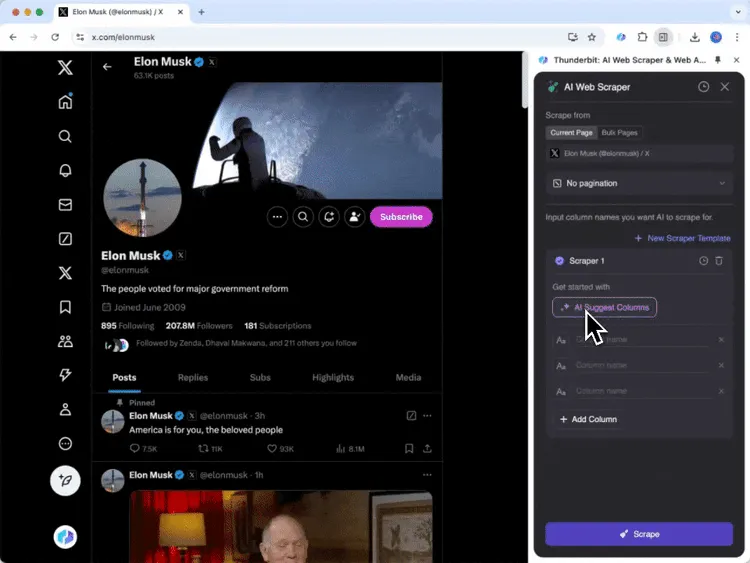
> Tip: Elon Musk doesn't like adding hashtags to his posts, but AI can automatically categorize them for you.
2. Link Output Results to Your Platform
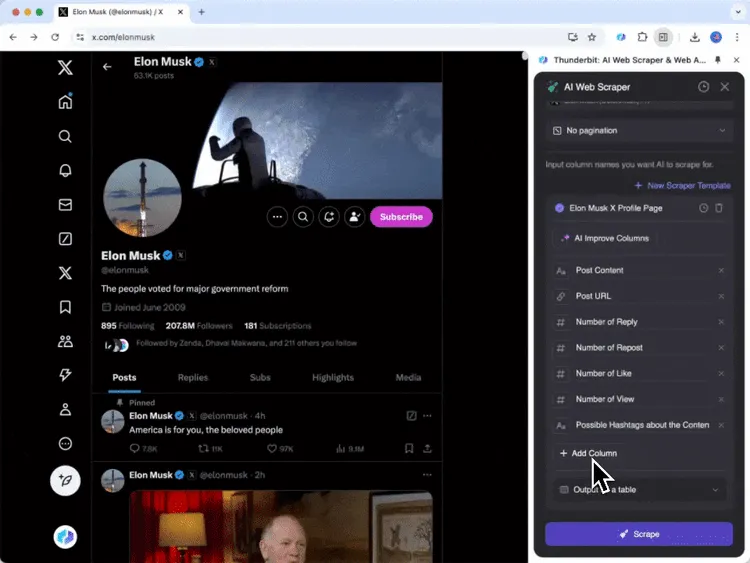
> Tip: Thunderbit will automatically create data tables on your platform, so you don't have to switch between apps.
3. Scrape Any Webpage Without Changing Your Template
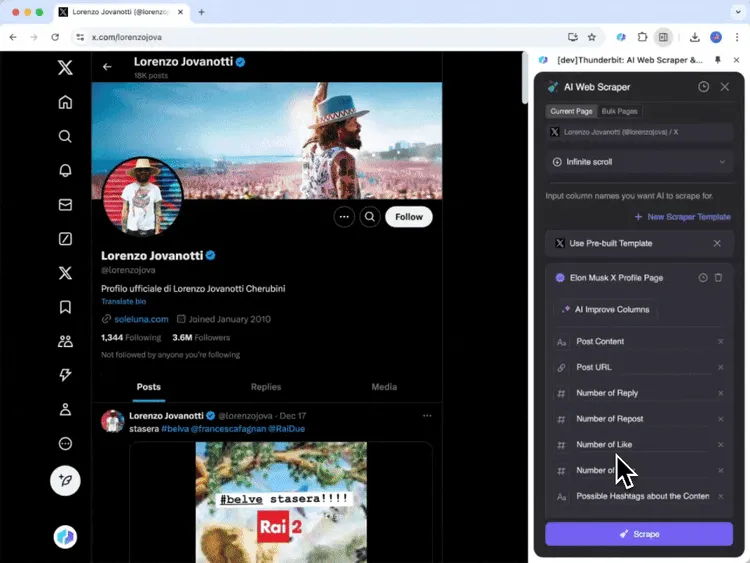
> Tip: If you want to scrape [**Jovanotti**](https://x.com/lorenzojova) in English, AI will translate them if you specify your desired language.
The 6 Best Twitter Scrapers in 2026
Thunderbit
Pros:
- User-friendly interface with automatic webpage content detection
- Fast data extraction with one-click export to spreadsheets
- Supports multiple data formats for export
- Customizable scraping with AI Twitter Scraper
Cons:
- Requires a browser that supports Chrome extensions
- AI features rely on cloud models, which may take longer to process
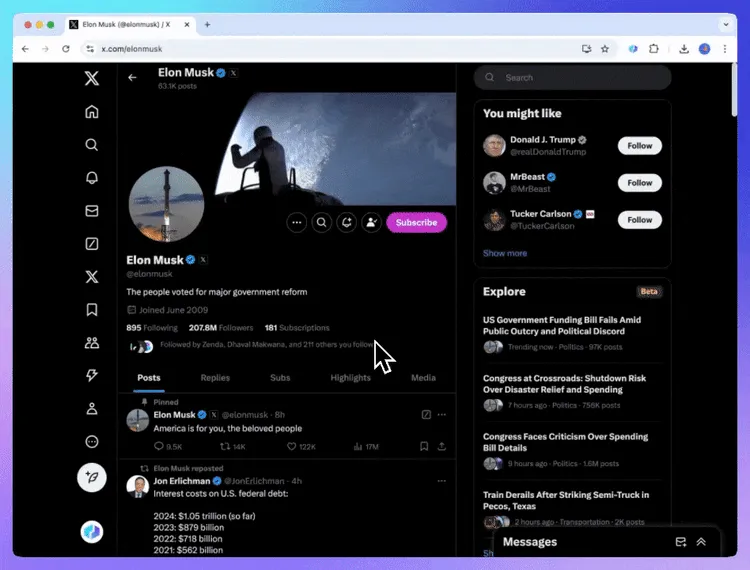
Thunderbit is a powerful web automation tool with efficient pre-built templates for Twitter, perfect for users who need frequent Twitter data extraction. The AI Twitter Scraper simplifies data cleaning and processing, reformatting data on the go, including summarizing, categorizing, and translating it to the required format.
To maximize efficiency, use Thunderbit's one-click extraction feature to significantly boost productivity. Setting up data export links can also save you from tedious manual operations. Once you get used to it, you'll love the simplicity of scraping with Thunderbit.
Additionally, with its AI Web Scraper, you can easily grab data from any website without complicated setup. This is a great help for businesses and individuals who want to streamline their work. Plus, Thunderbit offers features like AI Autofill, which automatically fills out forms on sites like Greenhouse and Lever, reducing manual errors.
Pricing: Thunderbit offers various subscription plans starting at $9 per month.
Learn how to use Thunderbit for Twitter data extraction:
Octoparse
Pros:
- Rich template support
- Visual interface
- Cloud services
Cons:
- Advanced features require payment
- Steep learning curve
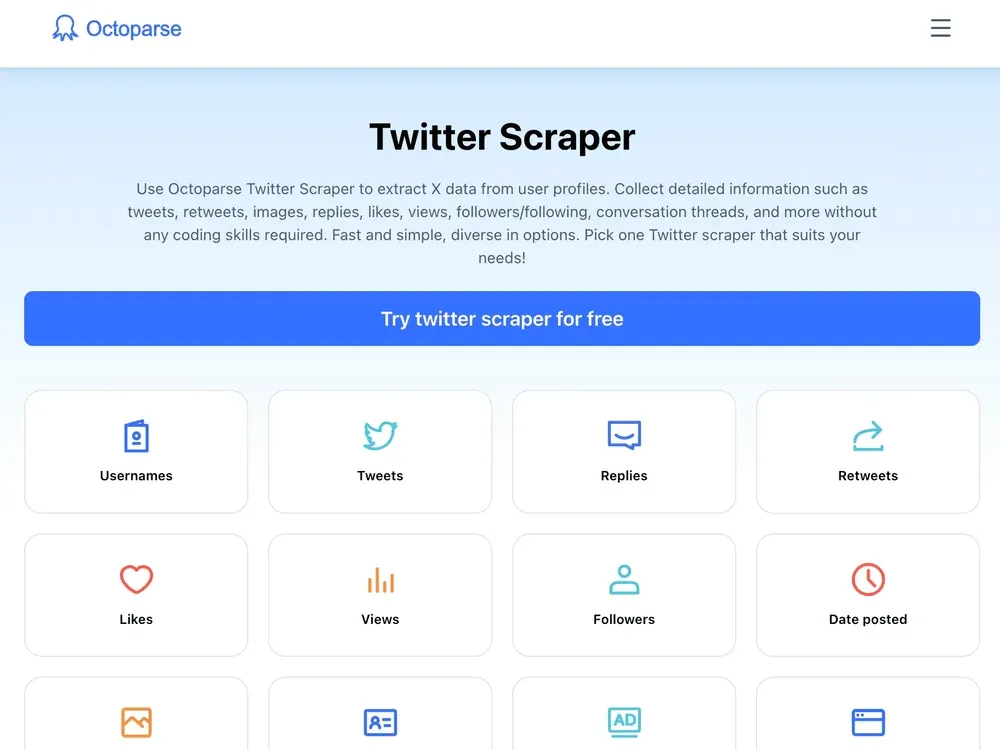
Octoparse is a flexible and powerful web scraping tool, ideal for users needing to extract large amounts of data from Twitter. It offers various pre-set templates, like Twitter Scraper, to help users quickly set up scraping tasks, especially for complex web pages. It mimics human browsing, navigating sites smoothly and bypassing anti-scraping measures.
To maximize efficiency, use Octoparse's cloud services for large-scale data extraction without using local resources. This also helps avoid Twitter account bans, which can be a significant loss.
However, when scraping emails, remember the ethical and legal aspects. Ensure compliance with privacy laws like GDPR or CAN-SPAM. While it offers rich templates, some complex scraping needs may still require custom services.
Pricing: Octoparse's Standard plan is $69/month and the Professional plan is $249/month (both ~16% cheaper on annual billing). There's also a free tier with 10 tasks and a 50,000-row monthly export cap if you just want to try it. Verified against octoparse.com/pricing on 2026-05-12.
Magical
 Pros:
Pros:
- Simple operation
- Easy integration with other tools
Cons:
- Supports only specific platforms
- Limited functionality
Magical is an extremely simple web data scraping tool, perfect for users who frequently need Twitter information. With just one click, you can extract the data you need from Twitter, making it ideal for businesses looking to quickly gather market trends and user feedback. Magical not only scrapes data but also helps users analyze and organize information for easier understanding and use.
The core feature of this tool is its minimalist automation and diverse app integration. Magical can automatically import scraped data into Google Sheets, saving you from manual input. It supports various app integrations, allowing users to easily share data with other platforms, further enhancing productivity.
When using Magical, be sure to follow Twitter's terms of service to avoid account bans. While Magical is very user-friendly, users should still assess and filter data quality to ensure the information is beneficial for business.
Pricing: Magical offers a free trial, then charges $6.5 per month.
PhantomBuster
 Pros:
Pros:
- No coding knowledge required
- Multiple social media integrations
- High flexibility
Cons:
- Data limitations
- Higher price
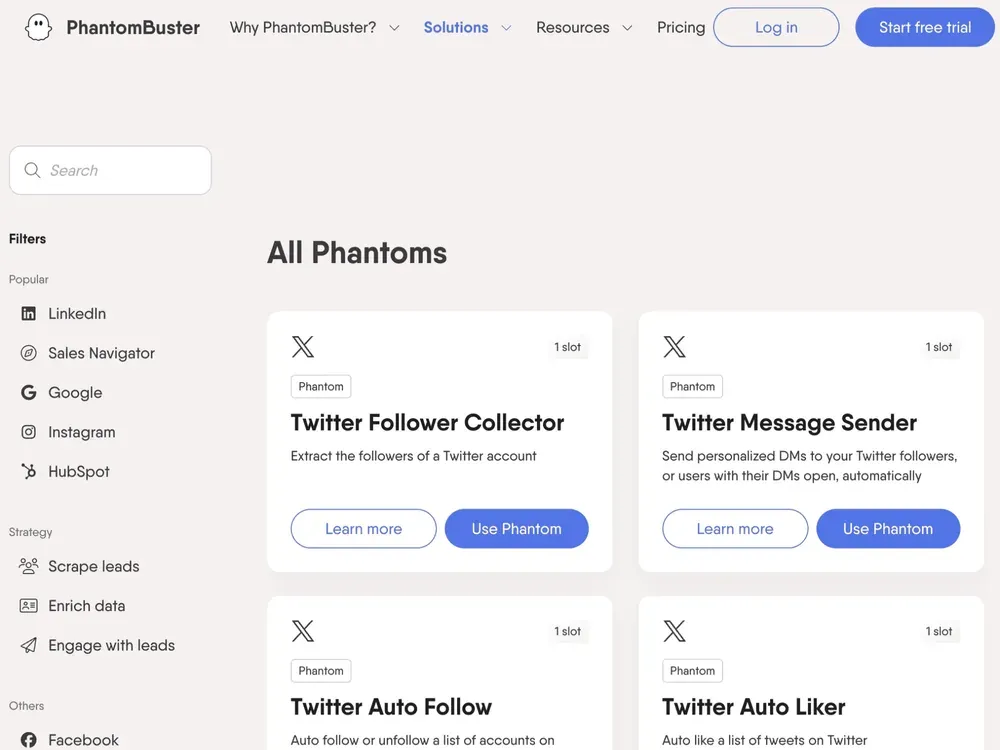
PhantomBuster is a tool focused on automating social media data scraping, ideal for users needing to extract various information from social media. With features like Twitter Media Extractor, you can scrape images, GIFs, and videos from Twitter accounts, helping you monitor competitors, analyze trending content, and gain Twitter insights.
PhantomBuster's core feature is its powerful automation. Users need to provide Twitter cookies and search criteria to automatically extract tweet links, dates, and more, downloading them as CSV or JSON files. PhantomBuster supports setting up automatic repeat tasks, ensuring you always get the latest data without manual operation. This automated process greatly simplifies data collection and analysis.
However, when using PhantomBuster, ensure your Twitter cookies are valid to maintain data accuracy. While PhantomBuster is powerful, follow Twitter's usage policies to avoid excessive scraping that could lead to account restrictions. Some advanced features may require a paid subscription, so choose the right plan based on your needs.
Pricing: PhantomBuster's Starter plan is $69/month (20 execution hours, 5 phantom slots), Pro is $159/month, and Team is $439/month. Annual billing knocks ~20% off. Verified via PhantomBuster pricing references on lagrowthmachine.com and capterra.com, 2026-05-12. The official pricing page was unfetchable during this review.
Bardeen AI
 Pros:
Pros:
- Powerful automation features
- Seamless integration with various tools
Cons:
- Steep learning curve
- Higher price
Bardeen AI is a no-code automation tool designed to streamline workflows by connecting various apps. They offer ready-to-use automation templates for Twitter, helping you quickly gather specific information and save it to Google Sheets. They also support scheduled task repetition, which is a great convenience for users needing real-time social media monitoring. To enhance productivity, use Bardeen's Playbook feature to set up multiple tasks at once for batch processing.
Although Bardeen AI emphasizes AI features in their 2.0 version, the AI performance is not as impressive. They incorporate natural language processing into automation setup, but this doesn't change the tool's steep learning curve and limited applicability. If you're looking for a scraper that doesn't require any templates to scrape any website, try Thunderbit AI Web Scraper, and you'll be pleasantly surprised.
Pricing: Bardeen's paid plans start at $10/month (Basic, 100 credits) and step up to Premium at $50/month (1,000 credits). Enterprise is custom. Verified against bardeen.ai/pricing on 2026-05-12.
Apify
 Pros:
Pros:
- API access
- Flexible data extraction options
- Multiple output formats
Cons:
- Requires professional programming skills
- Unstable output results
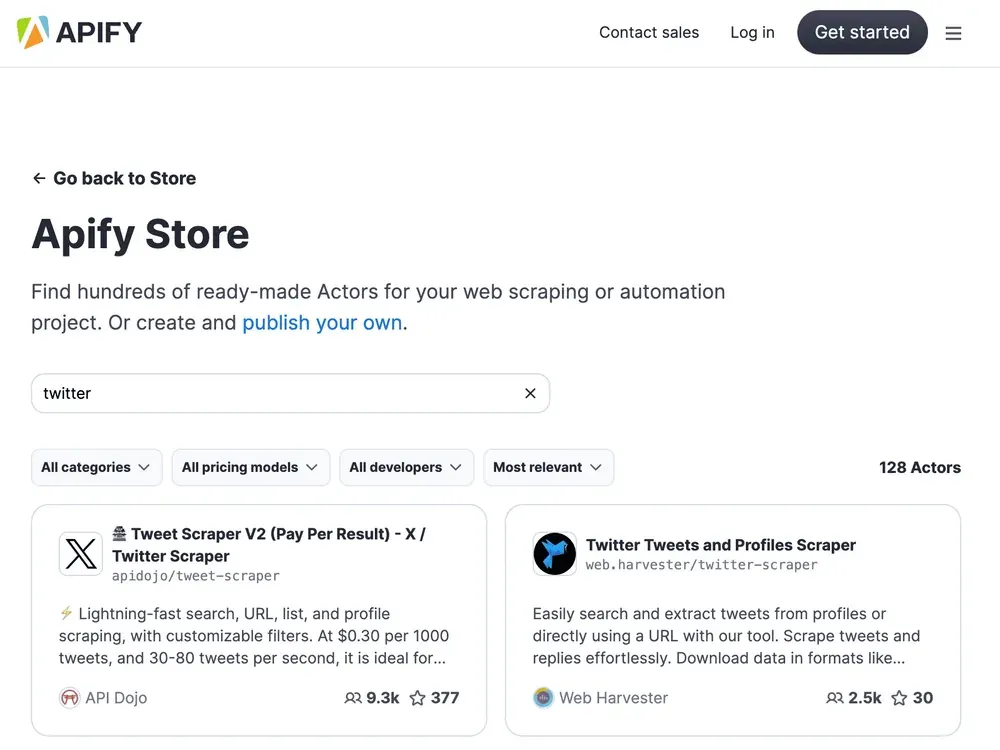
Apify is a powerful web scraping platform with a range of scraper templates like Tweet Scraper V2. Tweet Scraper V2 is an efficient Twitter data extraction tool designed for users needing large amounts of Twitter data. It supports API access, allowing developers to customize data extraction according to their needs. The core feature of this tool is its powerful query wizard and diverse filtering options. Users can create queries with complex search terms and extract data based on various conditions like time and location. Additionally, Tweet Scraper supports multiple languages, meeting global user needs and providing detailed user information for in-depth analysis.
There are also some limitations to consider when using Apify. First, the scraper's effectiveness is not guaranteed, as some templates do not support real-time monitoring and can only retrieve historical tweet data. When using Apify's scraper, familiarize yourself with its documentation and examples to better understand how to configure and run scraping tasks for optimal results.
Pricing: Apify offers pay-as-you-go and subscription tiers — Free ($5 platform credit), Starter $29/month, Scale $199/month, Business $999/month, and custom Enterprise. Verified against apify.com/pricing on 2026-05-12.
How to Choose the Right Twitter Scraper?
Choosing the right Twitter scraper depends on your specific needs and technical expertise. Here are some factors to consider:
- Ease of Use: If you're not tech-savvy, opt for tools like Thunderbit or Magical, which offer user-friendly interfaces and require minimal setup.
- Features: Consider what features are most important to you. For example, if you need advanced automation and integration capabilities, Thunderbit or Bardeen AI might be suitable.
- Budget: Evaluate your budget and compare the pricing plans. Magical and Thunderbit offer more affordable options, while Octoparse and Apify provide more comprehensive features at a higher cost.
- Technical Skills: If you have programming skills, Apify provides API access for more customized scraping solutions. For non-programmers, Thunderbit and PhantomBuster offer no-code options.
- Data Volume: If you need to scrape large volumes of data, tools like Octoparse and Apify offer robust solutions with cloud services to handle extensive data extraction.
Benefits of Using Twitter Scrapers
Twitter data is a treasure trove for businesses wanting to level up their marketing strategies. Imagine having instant access to trends, influencers, and conversations happening around your niche. With a Twitter scraper, you can spot what people are talking about, what they’re into, and even who’s influencing their choices. These insights let you create campaigns that truly resonate with your target audience, boosting engagement and brand loyalty. Plus, tools like sentiment analysis help you understand how people feel about your products or services, so you can tweak your approach based on real-time feedback.
Another perk? Finding and connecting with potential leads becomes much easier. By analyzing interactions and engagement patterns, you can focus on the prospects most likely to convert. Twitter data also keeps you in the loop on industry trends and competitor actions, helping you stay ahead of the game and refine your strategy as needed. It’s all about working smarter, not harder.
How to Use a Twitter Scraper to Drive Sales
Using a Twitter scraper might sound technical, but it’s vital for affiliate marketing and social selling. Start by identifying key metrics aligned with your goals, such as trending topics, influencer activities, and engagement rates. Analyze the data to uncover opportunities—like identifying prospects showing interest in your niche—and tailor your affiliate offerings or social selling strategies accordingly.
Once you’ve got the data, it’s all about making it work for you. Find potential customers (a.k.a. prospects) who are already interested in what you’re offering, and craft messages that show how you solve their problems or add value to their lives. And team up with influencers who can vouch for your product and get your brand in front of their followers.
Keep an eye on the trends and tweak your strategy as you go. This way, you’re not just selling—you’re building real connections and creating a loyal community around your brand.
FAQs
-
Is it legal to scrape Twitter data?
Scraping Twitter data can be legal if done in compliance with Twitter's terms of service and data privacy laws. Always ensure you have permission to scrape data and respect user privacy.
-
Why not use the official Twitter API?
The official Twitter API is a powerful tool for accessing Twitter data, but it has limitations such as rate limits and access restrictions. Scrapers can offer more flexibility and ease of use for certain tasks.
-
What can I do with Twitter data?
Twitter data can be used for various purposes, including market research, sentiment analysis, trend monitoring, and lead generation. It provides valuable insights into user behavior and public opinion.
-
Can I scrape other social media platforms like Twitter?
Yes, many tools like Thunderbit that scrape Twitter can also be used to scrape data from other social media platforms, such as Facebook, Instagram, and LinkedIn.
Learn More:
- The Best Web Scraping Tools & Software in 2026
- How to Scrape Any Website Using AI
- How to set up Thunderbit
Try AI Web Scraper Get Started Free