

Amazon generated $716.9 billion in net sales last year, with over 60% of units sold by third-party sellers. That is a staggering amount of product, pricing, and review data — and every ecommerce team, FBA seller, and market researcher wants a piece of it.
The problem? Scraping Amazon in 2026 is genuinely difficult. I've spent years building AI-powered data tools at Thunderbit, and even our team respects how aggressively Amazon defends its pages. CAPTCHAs, browser fingerprinting, dynamic rendering, rate limiting — the anti-bot stack is layered and evolving. Reddit threads are full of users saying things like "nothing works properly" and "always skeptical of these best API posts."
So I wanted to cut through the noise. My team and I dug into 10 Amazon scrapers — from no-code Chrome extensions to enterprise APIs — and evaluated them on what actually matters: success rate, speed, cost, review pagination, anti-bot handling, and whether a non-developer can realistically use them. This guide covers every angle, whether you write Python for fun or just want a spreadsheet of competitor prices by lunchtime.
No-Code vs. API vs. DIY: Which Type of Amazon Scraper Do You Actually Need?
Before you pick a tool, pick a category. Most "best Amazon scraper" roundups assume you're a developer shopping for an API. That's a bad assumption. FBA sellers, ecommerce ops teams, and marketers are searching for these tools too — and they don't want to manage proxy rotation or parse raw JSON.
This is the framework I recommend:
| Category | Best For | Technical Skill | Example Tools |
|---|---|---|---|
| 🖱️ No-Code / Browser Extension | Quick product/review scraping, one-off exports, lightweight monitoring | None | Thunderbit |
| ⚙️ Scraping API | Production pipelines, large-scale price tracking, catalog extraction | Intermediate–Advanced | Bright Data, Oxylabs, ScraperAPI, Decodo, ScrapingBee, Nimble, Zyte, ZenRows |
| 🐍 DIY / Actor-Based | Custom workflows, niche page logic, experimental pipelines | Advanced | Apify actors, custom Playwright/Scrapy stacks |
Most Amazon scraper lists are still API-centric. They don't give business-user, no-code workflows the same analytical treatment. If you're a solo FBA seller or a marketing analyst, you shouldn't have to learn about headless browsers just to get a list of competitor prices. That's why this guide covers all three categories equally.
My advice: decide which bucket you're in before you compare tools. A Chrome extension that exports to Google Sheets in two clicks is not competing with an enterprise API that delivers NDJSON to Snowflake. They solve different problems for different people.
Try Thunderbit for Amazon scraping
What to Look for in the Best Amazon Scrapers in 2026
I evaluated every tool across 10 criteria. These aren't abstract — they map directly to the reasons Amazon scraping jobs fail, credits get wasted, or business decisions get made on bad data.
Success Rate and Anti-Bot Handling
This is the single most important metric. A cheap scraper that breaks under real volume is worse than useless — it wastes your time and gives you false confidence in incomplete data.
Amazon's anti-bot systems are layered: browser fingerprinting, CAPTCHA walls, dynamic rendering, rate limiting, and more. Proxyway's 2025 Web Scraping API Report benchmarked 11 scraping APIs across 15 protected websites. Amazon's average success rate at 2 requests per second was 93.30% — not bad overall, but the variance between tools is huge, especially on review pages.
Vendor self-reported success rates and independent benchmarks often tell different stories. AIMultiple's 2026 Amazon reviews benchmark found success rates ranging from 96% (Bright Data) down to 11% (Decodo) on review extraction specifically. The tool that looks great on product pages can completely fall apart on reviews.
Speed and Response Time
Speed matters when you're monitoring thousands of ASINs or refreshing a large catalog. Typical response times across the tools I tested range from about 2 to 12 seconds per request. Scrape.do's 2026 Amazon API comparison reported times from ~3 seconds (Scrape.do, Decodo) to ~12 seconds (ScraperAPI).
The pattern is consistent: tools that return richer, more structured output tend to be slower. Bright Data, for example, often returns hundreds of structured fields per product but takes 10+ seconds. Decodo and Zyte are faster but less granular.
Cost per 1K Requests at Different Tiers
Pricing in this space is a mess. Some tools charge per request, some per result, some per credit, some per "protected request." And the unit cost changes dramatically at 10K, 100K, and 1M request tiers.
The fairest way to compare is to look at what you actually pay per 1,000 successful results at your expected volume. I'll break this down tool by tool below, but the range is wide: from free tiers to well above $3 per 1K requests, depending on the tool and workload.
Free Tier and Freemium Options
Many users want to test before committing. Several tools offer meaningful free tiers — Thunderbit, ScrapingBee, Apify, and Zyte all let you try before you buy. If you're just doing one-off research, a free tier might be all you need.
Endpoint Coverage, Pagination, and Output Formats
Not every tool covers the same Amazon page types. The core endpoints are:
- Product detail pages (PDP)
- Search results
- Reviews
- Seller pages
- Bestsellers
- Offers / buy box / variation pages
Output formats matter too. JSON is great for pipelines, but business users want CSV, Excel, or direct export to Google Sheets, Airtable, or Notion. Thunderbit is the strongest on direct business-tool exports; Bright Data is the strongest on cloud/data-platform delivery.
And then there's the review pagination problem — which I'll cover in depth below, because it's the single biggest frustration users report.
Geo-Targeting and Marketplace Coverage
Amazon's product visibility, availability, and pricing vary by country and sometimes by ZIP code. If you're an international seller or tracking prices across Amazon US, UK, DE, JP, and others, you need a tool that supports marketplace-level (and ideally ZIP-level) geo-targeting. Decodo, Bright Data, and ScrapingBee all document this capability.
The 10 Best Amazon Scrapers at a Glance
Below is the most comprehensive comparison table I could build from current vendor docs, independent benchmarks (Proxyway 2025, AIMultiple 2026, Scrape.do 2026), and hands-on research. Where public data is incomplete, I've noted it.
| Tool | Type | Success Rate Signal | Avg Speed Signal | Cost per 1K Signal | Free Tier | CAPTCHA / Anti-Bot | Review Pagination | Endpoint Coverage | No-Code Option | Output Formats | Geo-Targeting |
|---|---|---|---|---|---|---|---|---|---|---|---|
| Thunderbit | No-code / mixed | No third-party Amazon benchmark | Browser-native; no public benchmark | Credit-based; free + paid plans | Yes | Browser mode + cloud mode | Yes (pagination scraping) | Product, price, reviews, listing, subpage enrichment | Yes | Excel, Sheets, Airtable, Notion, CSV, JSON | Browser/local + cloud |
| Bright Data | API / mixed | 99.98% (product); 96% (reviews) | ~10s+; deep output | ~$1.50/1K paygo | Yes | Very strong | Yes | Products, reviews, sellers, search, global | Yes (no-code scraper) | JSON, NDJSON, CSV, webhook, S3, Snowflake, Azure, GCS | Strong |
| Oxylabs | API | 92% (reviews); strong overall | ~4s (reviews); varies | ~$0.50/1K JS-free | Trial | Very strong | Partial | Product, search, pricing, sellers, bestsellers | No | JSON, HTML, Markdown, screenshots | Strong |
| ScraperAPI | API | 100% (product benchmark) | ~11.8s | Subscription + credits | Trial | Strong | Yes (async, with pageNumber) | Product, reviews, bestsellers | No | Structured JSON | Good |
| Decodo | API / mixed | 100% (product); 11% (reviews) | ~4.1s (product) | Low-cost positioning | Yes | Strong | Weak | Product, pricing, search, sellers, bestsellers, URL | Limited | HTML, JSON, CSV, Markdown, XHR, PNG | Strong, ZIP-level |
| ScrapingBee | API | Top-four general benchmark | ~3.2s | Credit-based; $49/mo for 250K credits | Yes (1K calls) | Strong | No dedicated reviews endpoint | Product, search | Limited | JSON, HTML, screenshots | Strong, ZIP |
| Nimble | API / agentic | 92% (reviews) | ~10–13s (reviews) | ~$3/1K pages | Yes | Strong | Partial | PDP and SERP agents | Yes (custom agents) | JSON, HTML, Markdown, YAML, RAW, screenshots | Strong |
| Zyte | API | 93.14% (general); 75% (reviews) | ~2.6s (fastest in some benchmarks) | Scale-efficient, estimator-based | $5 free credit | Strong | Partial | Product, productList, productNavigation, SERP | No | Structured JSON, HTML, browser outputs | Strong |
| ZenRows | API / browser | Mixed benchmark signals | ~4s | ~$2/1K starting | Yes | Strong | Partial-to-strong | Product, search, reviews, sellers, bestsellers | No | HTML, JSON, parsed output | Strong |
| Apify | Actor platform | ~99.1% (actor-dependent) | Slow (actor-dependent) | Free $5 + actor pricing | Yes | Actor-dependent | Yes (actor-specific) | Broadest task breadth | Yes | JSON, CSV, Excel, XML, HTML | Actor-dependent |
Note: Success rates are drawn from Proxyway, AIMultiple, and Scrape.do benchmarks where available. Vendor self-reported numbers are noted separately in individual sections.
1. Thunderbit
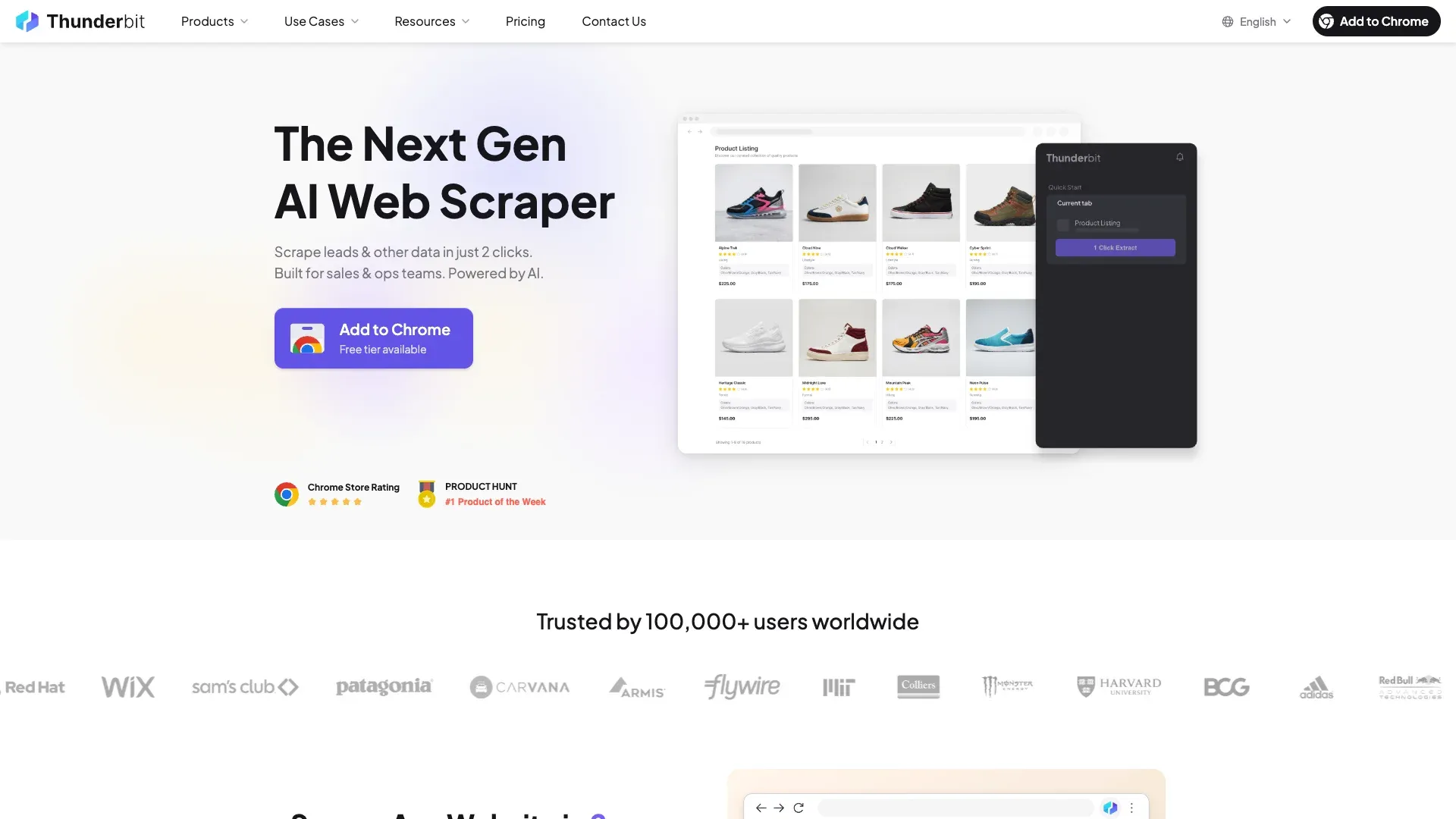 Thunderbit is the tool we built at our company, so I'll be upfront about that — but I'll also be specific about what it does and doesn't do.
Thunderbit is an AI-powered Chrome extension designed for business users who need Amazon data without writing code. You install the extension, navigate to any Amazon product page, search results page, or reviews page, and click "AI Suggest Fields." The AI reads the page and proposes column names and data types. You click "Scrape," and the data lands in a structured table you can export to Excel, Google Sheets, Airtable, Notion, or download as CSV/JSON.
For popular Amazon pages, Thunderbit also offers instant scraper templates — pre-built configurations that work in a single click. There are templates for Amazon products, Amazon reviews, and Amazon prices.
What makes Thunderbit genuinely different from API tools:
- Subpage scraping: You can enrich a list of product URLs by having Thunderbit visit each product detail page and append specs, reviews, or other data — all without code.
- Pagination scraping: Thunderbit handles both click pagination and infinite scroll, so you can extract full review sets instead of just the first page. This is documented in Thunderbit's pagination docs.
- Field AI Prompt: During scraping, you can add instructions like "categorize this review as positive/negative/neutral" or "extract the main complaint." The exported spreadsheet already contains labeled, structured insights — not just raw text.
- Scheduled scraping: Describe the interval in natural language, input your URLs, and click "Schedule." Useful for recurring price monitoring.
- Browser scraping mode: Because Thunderbit runs in your real browser session, it naturally handles many anti-bot measures that trip up API-based tools. There's also a cloud scraping option for larger jobs.
Free data exports to Excel, Google Sheets, Airtable, and Notion are included — no paywall for getting your data out.
Who Should Use Thunderbit
- FBA sellers doing one-off competitor or review research
- Ecommerce ops teams monitoring prices without engineering support
- Marketers who need review exports and quick sentiment analysis
- Anyone who values spreadsheet-ready output over API plumbing
Pros and Cons
Pros:
- Lowest setup friction in the list — install, click, export
- AI field suggestions reduce guesswork
- Built-in data labeling and translation during extraction
- Pagination + subpage scraping fit real ecommerce workflows
- Free exports to business tools
Cons:
- Browser-centric product — not designed for heavy backend data pipelines
- No public third-party Amazon success-rate benchmark yet
- Thunderbit Open API exists for developers, but the core product is aimed at non-coders
2. Bright Data
Scrape Amazon data with AI Use Thunderbit to scrape product pages, reviews, and prices with no code. Get Started Free
 Bright Data is the heavyweight in this space. It has the largest proxy network (400M+ IPs), a dedicated Amazon Scraper API with 437+ pre-built endpoints, and enterprise-grade delivery options.
In AIMultiple's 2026 Amazon benchmark, Bright Data scored 99.98% success on product pages and returned 686 structured fields per product — far more than any other tool tested. On reviews, it hit 96% success with 29 JSON fields per review. That depth is unmatched.
Bright Data also offers Amazon Datasets — pre-collected, structured data you can purchase without running your own scraping jobs. Output delivery goes to JSON, NDJSON, CSV, webhook, S3, Snowflake, Azure, and GCS. Async jobs support up to 5,000 URLs per request.
Pricing is pay-per-success (no charge for failed requests), starting around $1.50 per 1K records on pay-as-you-go, with a recurring monthly free tier including 5,000 credits, no credit card required.
Pros and Cons
Pros:
- Deepest structured output in any public benchmark
- Enterprise compliance (GDPR, CCPA, ISO 27001)
- No-code scraper interface available alongside the API
- Pay-per-success pricing
Cons:
- Higher per-request cost than budget options
- Slower response times (~10s+ in some benchmarks)
- Complexity can overwhelm solo operators or small teams
3. Oxylabs
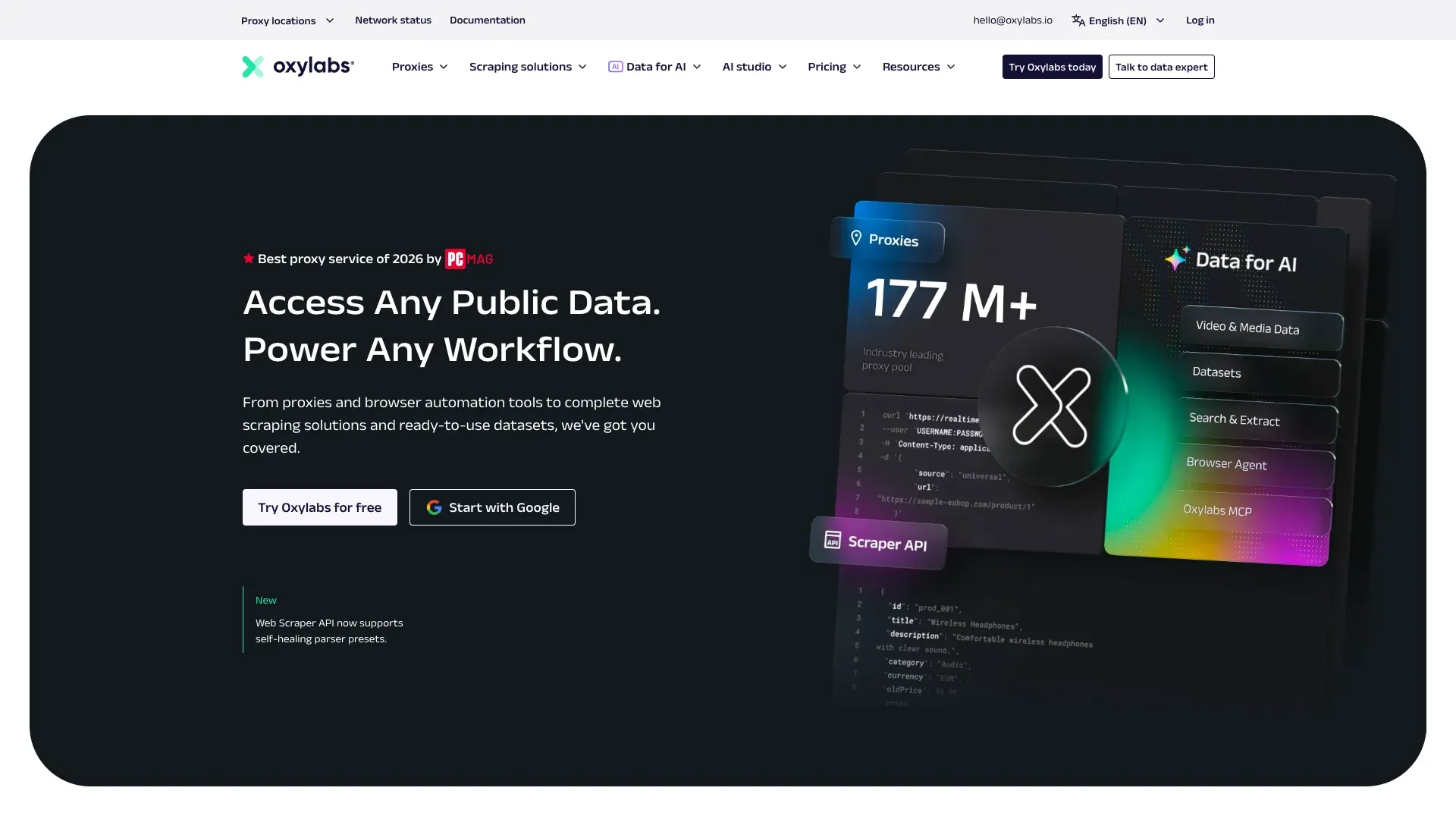 Oxylabs is a premium API option with a strong proxy infrastructure (175M+ IPs) and dedicated Amazon endpoints for product, search, pricing, sellers, and bestsellers. Its OxyCopilot AI assistant lets you set up API calls using natural language — a nice touch for developers who want to move fast.
Proxyway's 2025 report placed Oxylabs among the top performers, and AIMultiple's reviews benchmark gave it 92% success at about 4 seconds. Oxylabs also offers a product variation scraper for color/size/model combinations and multi-format output (JSON, HTML, Markdown, screenshots in one call).
Pricing starts around $0.50 per 1K results for JS-free calls, with a trial covering up to 2,000 results.
Pros and Cons
Pros:
- Strong benchmark performance
- Product variation scraper is a unique feature
- Multi-format output in a single call
Cons:
- Dedicated
amazon_reviewssource was decommissioned due to Amazon's review access changes - Not the most beginner-friendly interface
4. ScraperAPI
 ScraperAPI focuses on simplicity and reliability. It handles proxy rotation and CAPTCHA solving behind the scenes, and its Structured Data Endpoint returns clean JSON for Amazon products, search results, reviews, and bestsellers.
In Scrape.do's 2026 benchmark, ScraperAPI hit 100% success on product pages, though at a slower ~11.8 seconds average. The async reviews endpoint explicitly supports pageNumber, which is important for review pagination.
ScraperAPI also offers a DataPipeline feature — a low-code batch scraping tool with templates for common Amazon jobs.
Pricing: 7-day trial with 5,000 credits, then $49/month at the Hobby tier for 100,000 API credits.
Pros and Cons
Pros:
- Very high success rate in public benchmarks
- Async review endpoint with explicit pagination support
- DataPipeline for low-code batch jobs
Cons:
- Slower than some premium options
- Credit multipliers for premium proxy tiers can increase effective cost
5. Decodo
 Decodo (formerly Smartproxy) is the budget-friendly pick for product and search-centric Amazon scraping. It supports dedicated Amazon endpoints for pricing, product, search, sellers, bestsellers, and URL targets, and offers ZIP-code-level geo-targeting across 21 Amazon marketplaces.
In Scrape.do's benchmark, Decodo hit 100% success at ~4.1 seconds on product pages. But here's the catch: AIMultiple's reviews benchmark gave Decodo just 11% success on review extraction. That's a massive gap.
Pros and Cons
Pros:
- Fast and affordable for product/search scraping
- Strong geo-targeting (ZIP-level)
- Good endpoint breadth
Cons:
- Very weak on review extraction in independent benchmarks
- Not the right tool if reviews are core to your workflow
6. ScrapingBee
 ScrapingBee is a beginner-friendly API with a clean onboarding experience and 1,000 free API calls on signup. It covers Amazon product and search endpoints, with geo parameters including country, currency, device, language, and ZIP code.
Pricing starts at $49/month for 250,000 credits, with Amazon requests costing 5 credits (light) or 15 credits (JS-heavy).
Pros and Cons
Pros:
- Easy to get started
- Generous free tier for testing
- Good geo-targeting
Cons:
- Narrower endpoint coverage than Bright Data or Oxylabs
- No dedicated reviews endpoint documented publicly
7. Nimble
 Nimble is less of a classic scraper and more of an agentic data platform. Its strongest Amazon evidence is around
 amazon_pdp and amazon_serp agents, with built-in residential proxies, structured output, and strong localization.
AIMultiple's review benchmark gave Nimble 92% success but at a slower ~13 seconds. Pricing examples include 5,000 free pages and rates around $3 per 1,000 pages scanned.
Pros and Cons
Pros:
- Strong localization and geo-targeting
- Agentic approach can handle complex workflows
- 7-day free trial
Cons:
- Higher price point
- Narrower Amazon endpoint catalog than some API-first tools
8. Zyte
 Zyte is a generalized web data platform with ecommerce parser add-ons. It supports Amazon extraction through generic entities like product, productList, productNavigation, and SERP.
Zyte was the fastest in some benchmarks — ~2.58 seconds average in Proxyway's general test — and competitive at scale (~$0.20/1K at high volume). It offers $5 free credit for 30 days.
But AIMultiple's reviews benchmark gave Zyte just 75% success on reviews, so its Amazon-specific story is stronger on product pages than on review extraction.
Pros and Cons
Pros:
- Fast response times
- Cost-efficient at enterprise scale
- Broad web platform (not just Amazon)
Cons:
- Review extraction is weaker than product page scraping
- Requires more technical setup than no-code options
9. ZenRows
 ZenRows positions itself around dedicated Amazon scraper APIs for product, search, reviews, sellers, and bestsellers, layered on top of a broader scraping browser and universal scraper API.
ZenRows now offers a permanent free plan plus paid plans starting at $19/month. Vendor materials emphasize anti-bot bypass, JavaScript rendering, and structured outputs.
Pros and Cons
Pros:
- Broad Amazon endpoint coverage
- Good documentation
- Anti-bot bypass and JS rendering
Cons:
- Public benchmark signals are more mixed than Bright Data or Oxylabs
- Free-plan credits (5,000/month) may not stretch far for heavier scraping jobs
10. Apify
 Apify is the most flexible option here because it's not one scraper — it's a platform with many Amazon-specific actors, each with different pricing, quality, and capabilities. You can find actors for products, reviews, sellers, bestsellers, and niche use cases in the Apify Store.
Proxyway's Amazon actor test returned about 5,946 out of 6,000 URLs, implying ~99.1% success. Several actors explicitly address Amazon's review cap by using filter fan-out or alternative traversal — though pagination issues still pop up in production.
Pricing: Free $5 usage credit, then platform plans from $29/month plus actor-specific costs.
Pros and Cons
Pros:
- Broadest task flexibility
- Community actors for niche Amazon workflows
- Good for developers who want to customize
Cons:
- Quality varies by actor
- Less turnkey than dedicated Amazon APIs
- Can be slow for large-scale runs
The Review Pagination Test: Can These Amazon Scrapers Get All Your Reviews?
Most "best Amazon scraper" posts skip this section entirely. It's the one that matters most to FBA sellers and product researchers.
Most Amazon scraping tools only return the first page of reviews (typically 10 reviews) unless you explicitly handle pagination. Users on forums describe this as their top frustration: "Most APIs I tried only return the first 10 reviews" and "I need something that can collect hundreds or even thousands of reviews."
It got worse in late 2024. Unwrangle documented a progression from ~100 reviews per page 10 in August 2024, to only page 5 in September, to non-logged-in review pages being blocked by November 2024. Oxylabs decommissioned its dedicated amazon_reviews source because extensive review data became tied to logged-in access. AIMultiple notes that many providers return only 10–30 reviews by default.
This is how each tool handles it:
| Tool | Reviews Returned Signal | Full Pagination? | Notes |
|---|---|---|---|
| Thunderbit | Supports click pagination + infinite scroll | ✅ Yes | Best for business users scraping full review flows manually |
| Bright Data | Strongest review benchmark depth (96% success, 29 fields) | ✅ Strong | Best structured review output in public benchmarks |
| Oxylabs | 92% review success, but dedicated source changed | ⚠️ Partial | Docs now emphasize top customer reviews |
| ScraperAPI | Async endpoint supports pageNumber loops | ✅ Yes, with explicit logic | Good for developers |
| Decodo | 11% review success in AIMultiple benchmark | ❌ Weak | Product/search much stronger than reviews |
| ScrapingBee | No dedicated review endpoint documented | ❌ Weak | Better for product/search |
| Nimble | No strong dedicated review flow found | ⚠️ Partial | Agentic approach may help |
| Zyte | 75% review success; no dedicated pagination docs | ⚠️ Partial | Better as generalized platform |
| ZenRows | Review API claims single-call extraction | ⚠️ Partial-to-strong | Needs verification per workflow |
| Apify | Actor-dependent; workarounds available | ✅ Actor-dependent | Best for custom review logic |
If review analysis is central to your workflow, pay close attention to this table. The difference between "first page only" and "full pagination" is the difference between 10 reviews and 500+.
Which Amazon Scraper Is Best for Your Use Case?
Generic tool lists don't help you decide. Your workflow should drive your choice.
Price and Stock Monitoring
Scheduled scraping, high reliability, cost-efficiency at scale — that's the job.
- Bright Data — enterprise depth, cloud delivery, pay-per-success
- Decodo — fast, affordable product/search scraping
- Thunderbit — scheduled scraper with natural-language intervals, direct spreadsheet output
Review Analysis for FBA Sellers
Full review pagination, ASIN-based scraping, and AI-powered sentiment analysis are non-negotiable here.
- Thunderbit — AI labeling + subpage scraping + pagination; exported data is already categorized
- Bright Data — best structured review output in independent benchmarks
- Apify — custom pagination logic and workaround-heavy use cases
Product Catalog and Data Enrichment
You need broad endpoint coverage, bulk export, and structured output.
- Bright Data — deepest structured fields (686 per product page)
- Oxylabs — strong API coverage and reliability
- ScraperAPI — structured endpoints with simpler economics
- Thunderbit — spreadsheet-native enrichment for business teams
One-Off Competitive Intelligence
No-code, fast setup, free or low cost.
- Thunderbit — free tier, Chrome extension, 2-click workflow
- ScrapingBee — clean API on-ramp for simple product/search pulls
- Apify — customizable without building from scratch
The Anti-Bot Reality: Why Amazon Scraping Fails (and How These Tools Handle It)
Most roundup posts gloss over this: no tool has a 100% success rate on every Amazon page type at all times. If someone tells you otherwise, they're selling you something.
Amazon's defenses in 2026 include:
- Rate limiting — too many requests from the same IP and you're blocked
- CAPTCHA walls — especially on review pages and search results
- Browser fingerprinting — Amazon can detect headless browsers and datacenter IPs
- Dynamic rendering — page content loads via JavaScript, breaking simple HTML parsers
- Localization and delivery-context variance — prices and availability change by location and login state
- Review access restrictions — review pages increasingly require logged-in sessions or internal request paths
Proxyway classifies Amazon as protected by in-house defenses and notes that bot resistance has "toughened significantly." AIMultiple highlights rate limiting, CAPTCHAs, and browser fingerprinting as key blockers. And F5's 2025 bot report says scraper bots account for 10.2% of web traffic on average.
Each tool takes a different approach:
- Bright Data, Oxylabs, Decodo: Large residential proxy networks, auto-rotation, CAPTCHA solving, JavaScript rendering
- ScraperAPI, ScrapingBee, ZenRows, Zyte: Proxy rotation and anti-bot bypass built into the API layer
- Nimble: Residential proxies with agentic workflow support
- Apify: Actor-dependent; some actors use advanced browser emulation, others are simpler
- Thunderbit: Browser scraping mode operates within the user's real browser session, naturally handling many fingerprinting and CAPTCHA challenges that trip up API-based tools. Cloud mode adds proxy infrastructure for larger jobs.
Proxyway, AIMultiple, and Scrape.do all use different methodologies, test different page types, and measure at different request rates. That's why you'll see different success rates for the same tool depending on the source. I've cited the benchmark source for every number in this article so you can judge for yourself.
From Scrape to Insight: Turning Raw Amazon Data into Actionable Summaries
Something I've noticed after years of building data tools: users don't just want raw data. They want to know what customers love and hate about a product. They want a categorized breakdown of reviews, not a 10,000-row spreadsheet of unstructured text.
Forum users describe the ideal tool as one that "scrapes the reviews and gives you a summarized breakdown of positives and negatives." Yet almost no Amazon scraper roundup covers the end-to-end workflow from extraction to analysis.
The workflow I recommend:
- Scrape: Extract all reviews for an ASIN with full pagination (not just the first 10).
- Structure: Output as a clean table with columns: review text, star rating, date, verified purchase.
- Analyze: Use AI to label sentiment, extract themes, and summarize top pros/cons.
Thunderbit can handle all three steps in a single flow. The Field AI Prompt feature lets you add instructions like "categorize this review as positive/negative/neutral" or "extract the main complaint" directly during scraping. The exported spreadsheet already contains labeled, structured insights — not just raw text. For review analysis, this is a genuine differentiator versus API tools that only return raw JSON you then need to process separately.
If your tool doesn't have built-in AI labeling, you can still pair any scraper's structured output with ChatGPT or Claude for post-scrape summarization. The key is to get clean, paginated, structured data out first — and then layer on analysis.
Side-by-Side Comparison: All 10 Best Amazon Scrapers
For quick reference, the full comparison with pricing context at different tiers:
| Tool | Type | Success Rate | Speed | Cost per 1K | Free Tier | Review Pagination | No-Code | Best For |
|---|---|---|---|---|---|---|---|---|
| Thunderbit | No-code | N/A (no third-party benchmark) | Browser-native | Credit-based; free + paid | Yes | ✅ Yes | Yes | Business teams, FBA sellers, one-off research |
| Bright Data | API / mixed | 99.98% (product) | ~10s+ | ~$1.50/1K paygo | Yes | ✅ Strong | Yes (no-code scraper) | Enterprise scale, deep data |
| Oxylabs | API | 92% (reviews) | ~4s | ~$0.50/1K JS-free | Trial | ⚠️ Partial | No | Premium API, product variations |
| ScraperAPI | API | 100% (product) | ~11.8s | Subscription + credits | Trial | ✅ Yes (async) | No | Reliable structured endpoints |
| Decodo | API / mixed | 100% (product); 11% (reviews) | ~4.1s | Low-cost | Yes | ❌ Weak | Limited | Budget product/search scraping |
| ScrapingBee | API | Top-four general | ~3.2s | $49/mo for 250K credits | Yes (1K calls) | ❌ Weak | Limited | Beginners, simple API |
| Nimble | API / agentic | 92% (reviews) | ~10–13s | ~$3/1K | Yes | ⚠️ Partial | Yes (agents) | Localized enterprise data |
| Zyte | API | 93% (general); 75% (reviews) | ~2.6s | Scale-efficient | $5 credit | ⚠️ Partial | No | Enterprise cost efficiency |
| ZenRows | API / browser | Mixed signals | ~4s | ~$2/1K | Yes | ⚠️ Partial-to-strong | No | Amazon endpoint breadth |
| Apify | Actor platform | ~99.1% (actor) | Slow (actor) | Free $5 + actor | Yes | ✅ Actor-dependent | Yes | Custom workflows, flexibility |
Which Amazon Scraper Should You Pick?
My quick-reference cheat sheet:
- Best no-code for business teams: Thunderbit
- Best overall for scale and data depth: Bright Data
- Best premium API balance: Oxylabs
- Best simple structured API: ScraperAPI
- Best budget-friendly for product/search: Decodo
- Best beginner-friendly API: ScrapingBee
- Best localized enterprise workflows: Nimble
- Best enterprise cost efficiency and speed: Zyte
- Best Amazon endpoint breadth among developer APIs: ZenRows
- Best for custom workflows and actor flexibility: Apify
My honest advice: match your tool to your skill level, volume, and use case. If you're not writing code and you want Amazon data in a spreadsheet today, start with Thunderbit's free tier. If you're building a production pipeline that refreshes 100K ASINs nightly, Bright Data or Oxylabs are built for that. And if you want maximum flexibility and don't mind configuring actors, Apify gives you the most room to experiment.
Test on your actual Amazon page types before committing budget. Product pages, search results, and review pages each have different success profiles — and the tool that aces one may struggle on another.
Happy scraping — and may your data always be clean, structured, and ready for the next decision.
FAQs
1. Is it legal to scrape Amazon product data?
Scraping publicly available Amazon data is generally considered lower-risk legally, but Amazon's own Conditions of Use prohibit data mining, robots, and similar extraction tools. The strongest modern precedent is Meta v. Bright Data, where the court held that logged-off scraping of public data was permissible. However, the 2026 Amazon v. Perplexity injunction shows higher risk for logged-in or agentic access. Always review Amazon's current terms and consult legal counsel for your specific use case.
2. How do you scrape all Amazon reviews, not just the first page?
Most tools only return the first 10 reviews by default. To get full review sets, you need a tool that supports pagination — either through click-based page traversal (like Thunderbit's pagination scraping), async API loops with explicit page numbers (like ScraperAPI), or custom actor logic (like Apify). Amazon tightened review access in late 2024, so this is now one of the biggest differentiators between tools. See the review pagination benchmark table above for a tool-by-tool breakdown.
3. Can I scrape Amazon without coding?
Yes. Thunderbit is a Chrome extension that lets you scrape Amazon product pages, search results, and reviews with AI-powered field suggestions and 1-click templates — no code required. Apify also offers a no-code marketplace, though it's less turnkey for business users. If you want data in a spreadsheet without touching an API console, no-code tools are the way to go.
4. How much does it cost to scrape Amazon at scale?
The range is wide: from free tiers (Thunderbit, Apify, ScrapingBee, Zyte) to well above $3 per 1K requests at enterprise scale. Bright Data charges around $1.50/1K on pay-as-you-go; Oxylabs starts at ~$0.50/1K for JS-free calls; Decodo and ScrapingBee offer low-cost entry points. Review scraping and JS-heavy flows cost more than plain product-page fetches. See the pricing comparison table above for tool-by-tool details.
5. What output formats do Amazon scrapers support?
Common formats include JSON, CSV, and Excel. Thunderbit also exports directly to Google Sheets, Airtable, and Notion. Bright Data supports delivery to S3, Snowflake, Azure, and GCS. Apify offers JSON, CSV, Excel, XML, and HTML. For business users, the ability to export directly to a spreadsheet or workflow tool — without writing a parser — is often the deciding factor.
Try Thunderbit for Amazon scraping Get Started Free
Learn More




