電子郵件格式查找器
作者
Find the most likely email pattern for any company domain and generate probable addresses for a person. Get ranked formats with confidence to speed up outreach and reduce bounce risk.
使用Thunderbit Chrome 擴充功能,一鍵抓取數百個網頁。想把任務直接交給 AI?使用Thunderbit API或Thunderbit MCP。想讓我們替你完成全部工作?使用我們的網頁抓取服務。




用 Thunderbit 更快找到潛在客戶使用 Thunderbit 以幾個步驟就能抓取網站並提取結構化聯絡資料。自動跨頁收集,並將結果匯出到 Sheets、Airtable 或 Notion。

安裝自Chrome Web Store
用 Thunderbit 更快找到潛在客戶
Thunderbit 會抓取網站、子頁面、PDF、文件與圖片,提取姓名、職稱、網域與電子郵件等結構化欄位。使用 AI 建議欄位快速對應欄位,接著抓取並讓 Thunderbit 為你的工作流程摘要、分類與格式化結果。
完成擷取後,可將乾淨的表格匯出到 Google Sheets、Airtable 或 Notion,或下載為 CSV 或 JSON。透過子頁面與分頁抓取擴大潛在客戶名單,並以 AI 驅動的標籤與格式化保持資料井然有序。
如何使用 Thunderbit 找出電子郵件格式

步驟 1下載並安裝從 Thunderbit Chrome Extension Download Page 下載並安裝 Thunderbit Chrome 擴充功能。安裝完成後,登入或建立免費帳號即可開始使用。

步驟 2開啟擴充功能在 Chrome 中開啟 Thunderbit Chrome 擴充功能。在工具清單中選擇「Email Format Finder」,然後打開「Find Email Format by Domain」分頁。輸入必填網域(例如 acme.com)。你也可以加上公司名稱以提升準確度;若想讓 Thunderbit 為特定人選生成可能的電子郵件地址,則再填入名字與姓氏。

步驟 3點擊「Find email format」按鈕點擊「Find email format」按鈕,為該網域生成預測電子郵件模式表。檢視排序與信心分數;如果你有提供名字與姓氏,也請檢視該人的預測電子郵件值。你可以將結果匯出到 Excel、Google Sheets、Airtable 或 Notion,或將資料下載為 CSV 或 JSON。
Learn how to predict a company’s email address format by domain
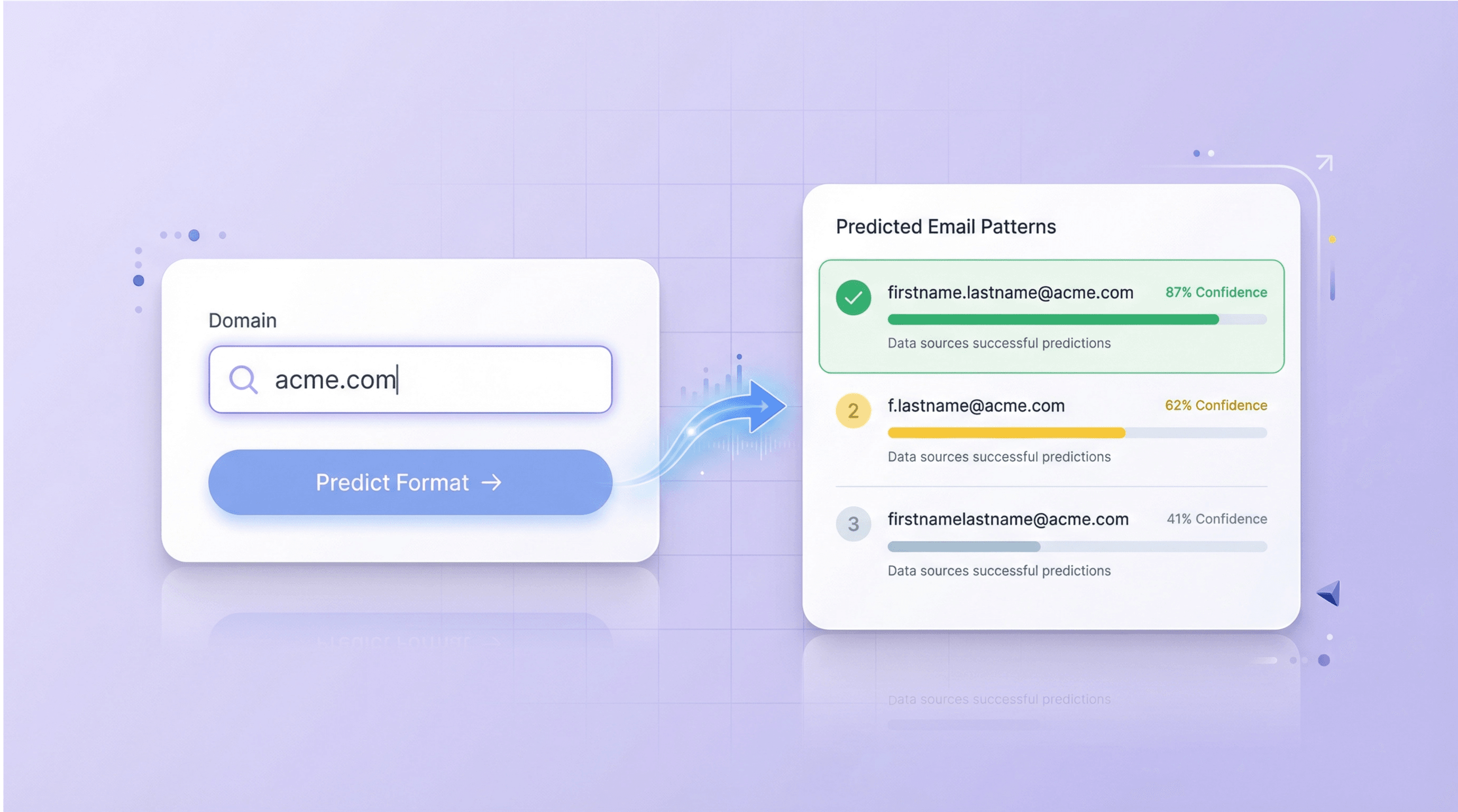
Predict email patterns from a domain
Email Format Finder analyzes a company domain and common corporate naming conventions to predict the most likely email format used across the organization. It returns multiple ranked patterns such as firstname.lastname@domain.com or f.lastname@domain.com, along with confidence scores and short rationales. This helps sales, recruiting, and partnerships teams avoid guesswork when they need a reliable way to construct valid work emails.
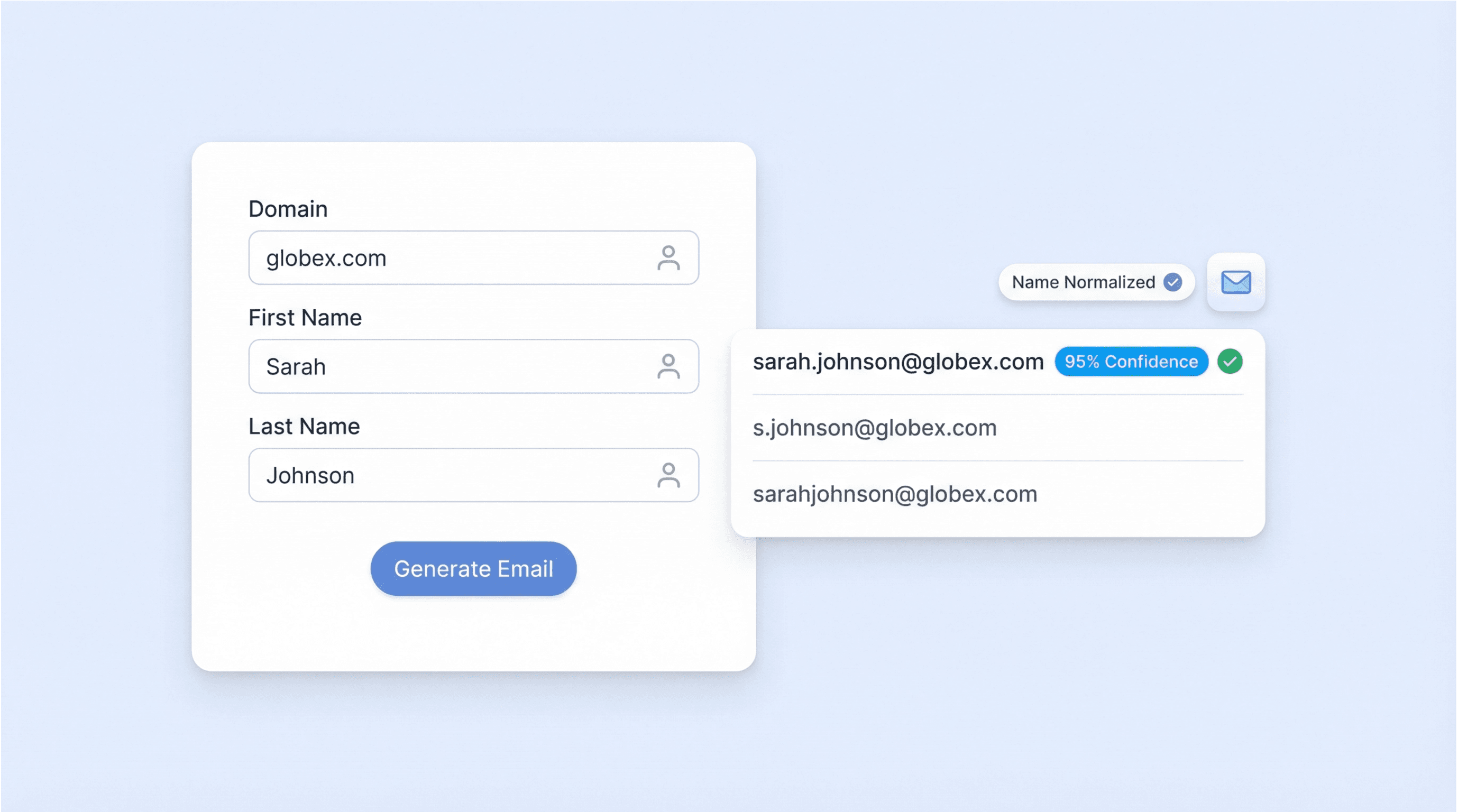
Generate a likely email for a specific person
Add a first name and last name to produce a likely email address for that individual, based on the predicted formats for the domain. The tool normalizes names (lowercasing and removing accents and punctuation) to reduce formatting errors, and provides examples for each candidate pattern. This is useful when you have a contact’s name but no direct email, and want a structured shortlist to validate.
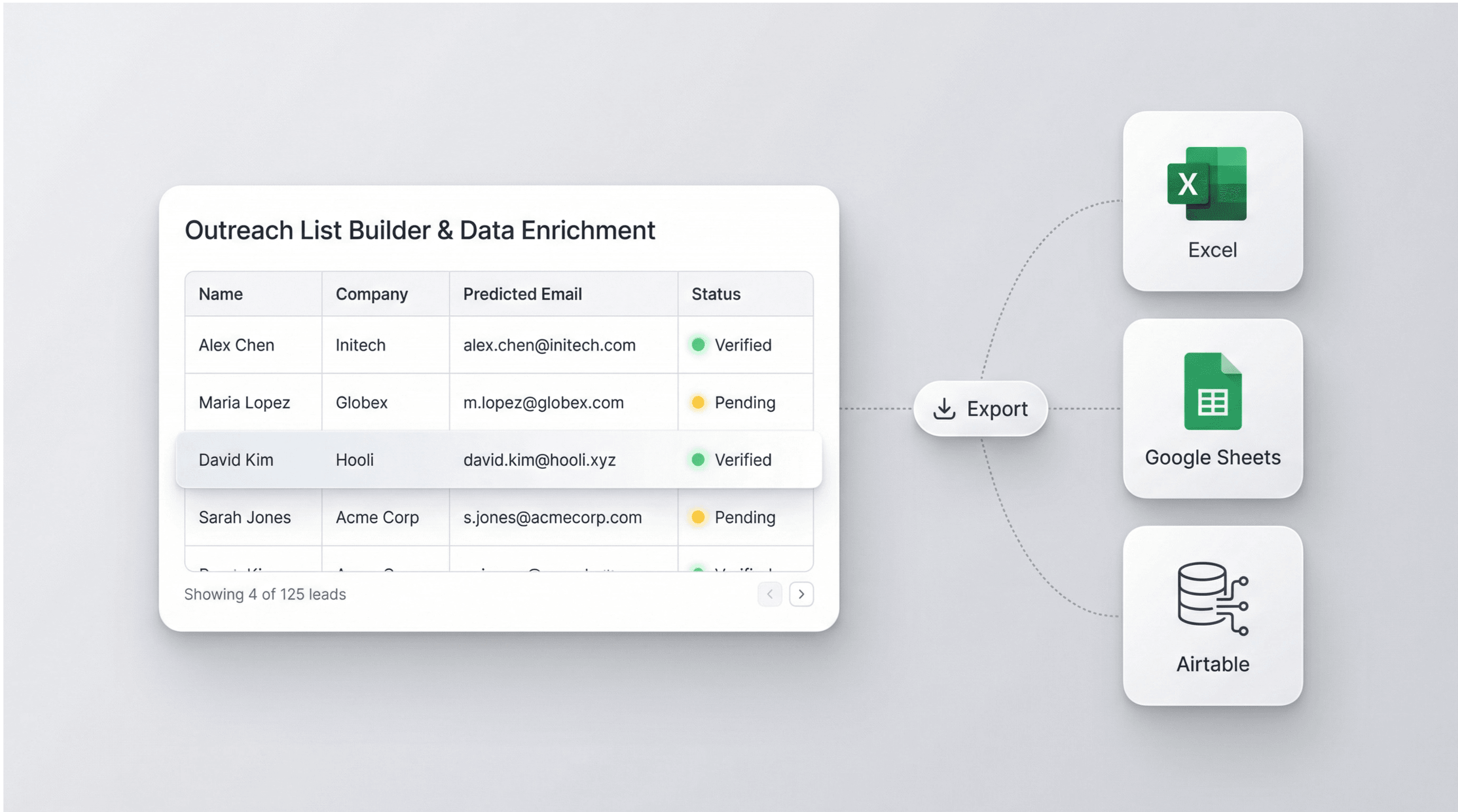
Build outreach lists and enrich lead data
Use predicted formats to complete missing emails in lead lists, then pair the results with Thunderbit’s web scraping to collect names, roles, and company pages from directories or LinkedIn-style listings. After enrichment, export your table to Excel, Google Sheets, Airtable, or Notion for sequencing, CRM import, or team review. This workflow reduces manual research and keeps contact data consistent across tools.
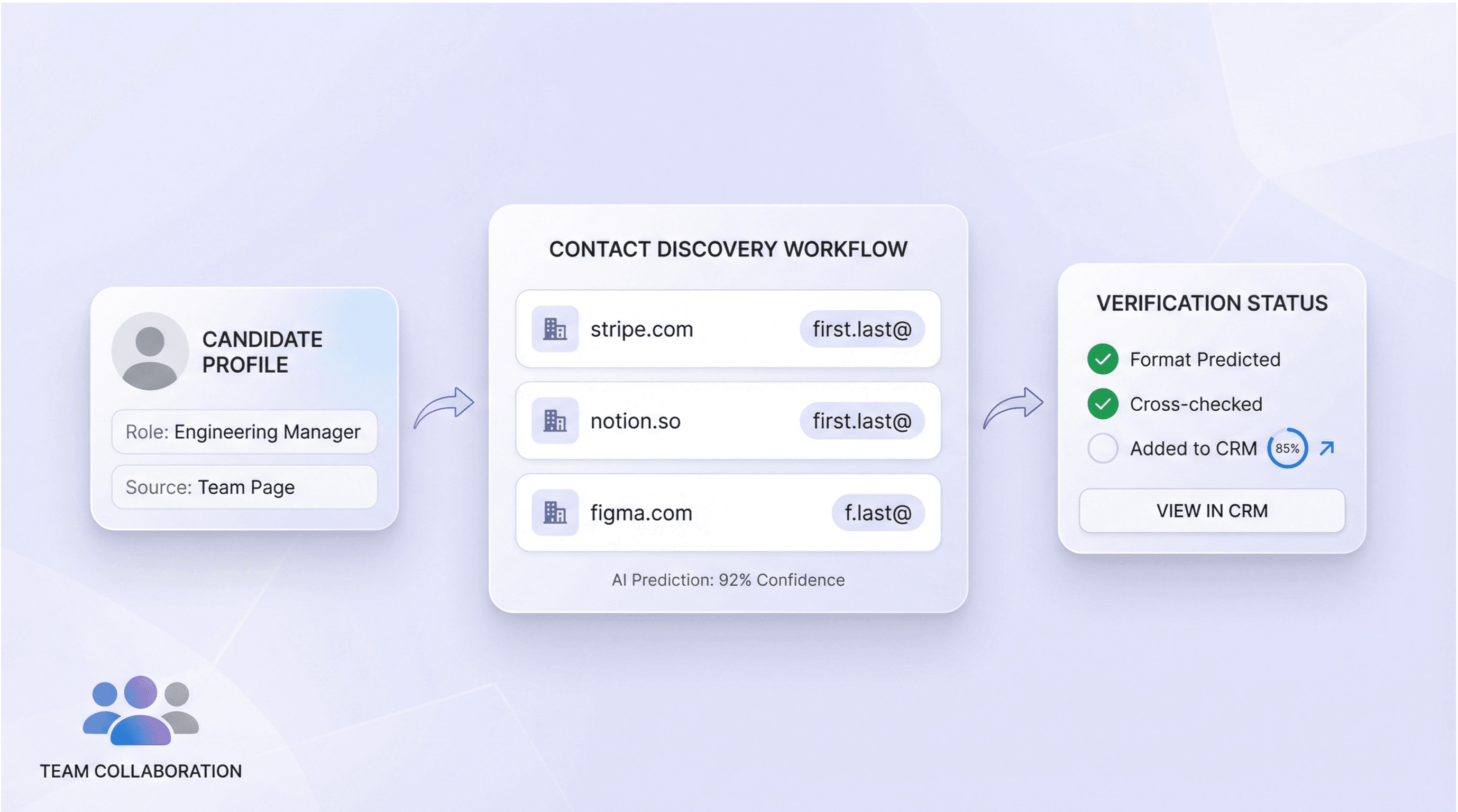
Standardize contact discovery for recruiting and partnerships
Recruiters and partner managers can apply the same domain-based format logic across many target companies to create consistent contact hypotheses for candidates, hiring managers, or business stakeholders. Combine the output with Thunderbit’s Email Extractor and subpage scraping to cross-check emails found on team pages, press releases, or PDFs. Then store the ranked candidates and confidence scores in your system for follow-up and verification.
探索更多免費工具
Email 組合產生器
根據姓名與網域快速產生常見的電子郵件地址組合,協助外聯與測試。可批次建立多種變化,適用於銷售、招募與人脈拓展等工作流程。
大量 Email 驗證器
批次驗證大量電子郵件清單,降低退信率並維護寄件者信譽。檢查格式語法、網域有效性與風險訊號,並匯出乾淨名單用於外聯。
網站聯絡資訊爬蟲
從任何網頁 URL 擷取電子郵件、電話號碼與社群連結,並以清晰表格呈現結果,加速外聯與研究整理。
聯絡人名單清理工具
透過去重、修正格式並標記無效資料,快速清理與統一聯絡人名單。輸出整齊有序、可直接匯入並用於外聯的檔案。
一次性電子郵件檢查器
檢查電子郵件是否使用一次性網域,並查看偵測到的供應商。減少垃圾註冊,讓名單更乾淨。透過簡短說明取得清楚結果。
電子郵件送達率測試器
透過檢視驗證、網域聲譽與郵件內容,評估郵件進入收件匣的風險。取得清楚的修正建議,提升送達率並降低被垃圾郵件過濾的機率。
職缺貼文爬蟲
將求職網站與職涯頁面的職缺資料抓取成整潔的表格,方便追蹤與分析。一次匯出即可收集職稱、公司、地點、日期與詳細資訊,省下大量時間。
履歷爬蟲
將履歷檔案中的結構化候選人資料擷取成乾淨的表格,方便篩選與搜尋。解析聯絡資訊、技能、經歷、學歷等內容,並匯出供分析使用。
使用者怎麼說 Thunderbit
Taryn W.成長策略師@Thunderbit 改變了我做競品研究的方式。我只要點一下「AI Suggest Fields」,它就能把分頁結果整理成乾淨表格——不用寫程式,也不用碰 CSS。分析長尾市場的商品資料時,真的省下超多時間。
Miles T.銷售開發顧問我用 Thunderbit 從名錄裡抓 Email 和電話號碼。它能一鍵擷取乾淨的聯絡資訊,匯出到 Sheets 或 Notion 也只要幾秒。免設定、免寫程式——直接拿到可用資料。
Rhea C.電商分析師Thunderbit 幫我監控跨多頁面的 SKU 資料。我先抓列表,再用 Subpage Scraping 擷取完整商品規格、價格、評論和庫存。AI 會把所有內容整理成我定義的欄位。
Cassian B.房地產顧問Thunderbit 的 Scheduled Scraper 讓房地產追蹤變得更簡單。我用簡單英文描述抓取間隔,它就會自動更新列表、價格和連結,完全不用再碰設定。簡單又實用。
Dorian B.內容與 SEO 專家我用 Thunderbit 的 Field AI Prompts 清理和標記抓取到的部落格內容。它可以擷取標題、作者,甚至還會建議分類。對動態網站和子頁面都很好用,非常適合建立結構化 SEO 資料集。
Lina K.電商平台營運主管我們用 Thunderbit 追蹤小眾商店的 SKU。Cloud Scraping 一次可處理 50 個頁面;遇到需要登入的網站,就切換到瀏覽器模式。速度快、彈性高,而且不需要持續維護或手動修改。
Jorge F.進站銷售經理Thunderbit 的 AI Autofill 真的是救星。抓完聯絡資訊後,我直接用它在瀏覽器裡填寫潛在客戶表單。只要選好分頁,它就會用抓到的資料列把內容全部填好,完全不用手動輸入。
Alina D.自由研究員我很依賴 Thunderbit 來擷取 PDF、圖片型網站和無限捲動頁面的資料。它能用 AI 處理各種雜亂格式,並輸出可直接匯出的表格,幾秒內就能送到 Google Sheets 或 Airtable。
Taryn W.成長策略師@Thunderbit 改變了我做競品研究的方式。我只要點一下「AI Suggest Fields」,它就能把分頁結果整理成乾淨表格——不用寫程式,也不用碰 CSS。分析長尾市場的商品資料時,真的省下超多時間。
Miles T.銷售開發顧問我用 Thunderbit 從名錄裡抓 Email 和電話號碼。它能一鍵擷取乾淨的聯絡資訊,匯出到 Sheets 或 Notion 也只要幾秒。免設定、免寫程式——直接拿到可用資料。
Rhea C.電商分析師Thunderbit 幫我監控跨多頁面的 SKU 資料。我先抓列表,再用 Subpage Scraping 擷取完整商品規格、價格、評論和庫存。AI 會把所有內容整理成我定義的欄位。
Cassian B.房地產顧問Thunderbit 的 Scheduled Scraper 讓房地產追蹤變得更簡單。我用簡單英文描述抓取間隔,它就會自動更新列表、價格和連結,完全不用再碰設定。簡單又實用。
Dorian B.內容與 SEO 專家我用 Thunderbit 的 Field AI Prompts 清理和標記抓取到的部落格內容。它可以擷取標題、作者,甚至還會建議分類。對動態網站和子頁面都很好用,非常適合建立結構化 SEO 資料集。
Lina K.電商平台營運主管我們用 Thunderbit 追蹤小眾商店的 SKU。Cloud Scraping 一次可處理 50 個頁面;遇到需要登入的網站,就切換到瀏覽器模式。速度快、彈性高,而且不需要持續維護或手動修改。
Jorge F.進站銷售經理Thunderbit 的 AI Autofill 真的是救星。抓完聯絡資訊後,我直接用它在瀏覽器裡填寫潛在客戶表單。只要選好分頁,它就會用抓到的資料列把內容全部填好,完全不用手動輸入。
Alina D.自由研究員我很依賴 Thunderbit 來擷取 PDF、圖片型網站和無限捲動頁面的資料。它能用 AI 處理各種雜亂格式,並輸出可直接匯出的表格,幾秒內就能送到 Google Sheets 或 Airtable。




