MakeMyTrip Scraper













Thunderbit के साथ MakeMyTrip data आसानी से निकालें
Thunderbit आपको सिर्फ कुछ clicks में MakeMyTrip से flight data scrape करने देता है, वो भी बिना coding के।
MakeMyTrip flight data को bulk में scrape करें
MakeMyTrip से flight numbers, departure times, arrival times, prices, airlines, और stops को manually copy करना थकाऊ और गलतियों से भरा काम है। Thunderbit के साथ बस MakeMyTrip URLs की एक list दें, और यह एक साथ सैकड़ों pages से आपके लिए जरूरी data automatically निकाल लेता है — जिससे आपके repetitive काम के घंटों बचते हैं।
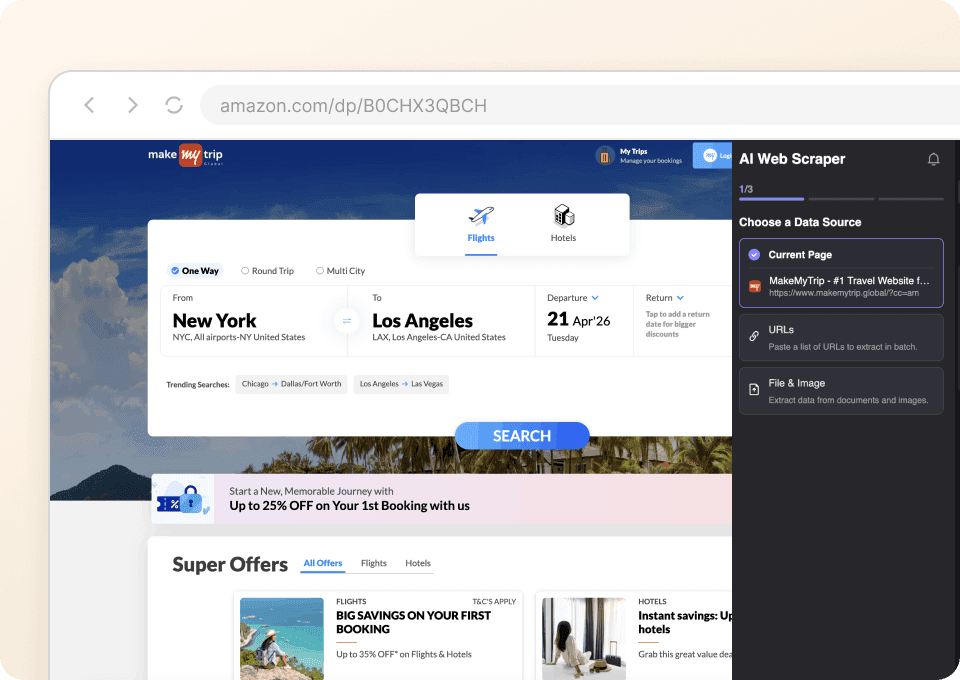
MakeMyTrip scrape करने के लिए सिर्फ दो clicks
न जटिल setup चाहिए, न CSS selectors। बस Thunderbit को उस data पर point करें जिसे आप चाहते हैं — flight number, departure time, price, airline — और click करें। Thunderbit की AI fields को अपने आप पहचान लेती है और जानकारी निकाल देती है, ताकि आप मिनटों में zero से clean dataset तक पहुँच सकें।
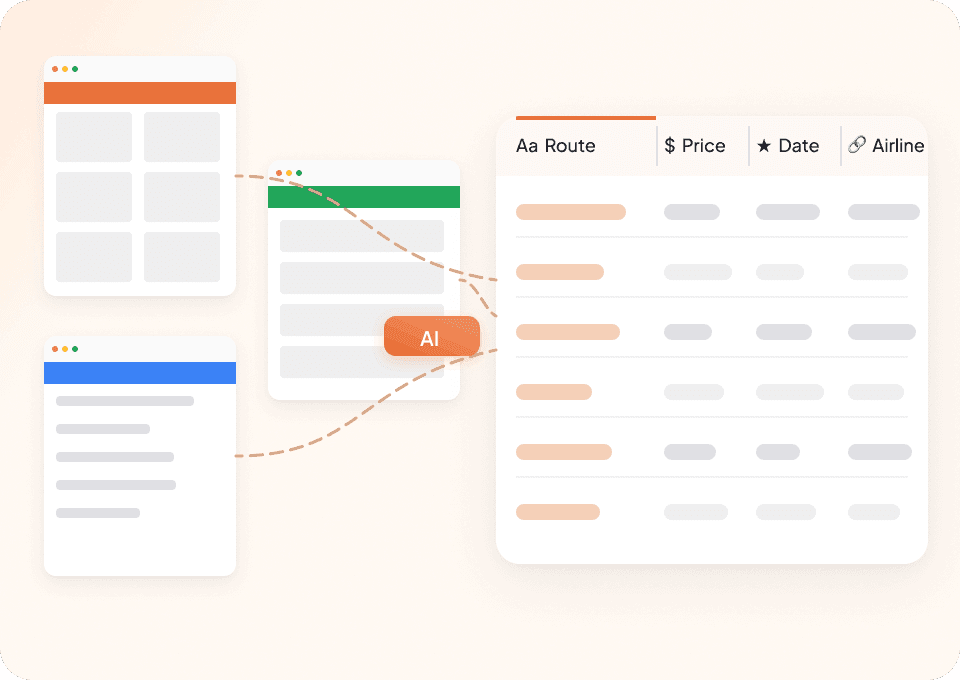
अपनी सारी scraping जरूरतों के लिए एक ही tool
हर travel site के लिए अलग-अलग scrapers क्यों संभालें? Thunderbit MakeMyTrip और हजारों अन्य websites पर काम करता है। 50+ pre-built templates के साथ आप तुरंत scraping शुरू कर सकते हैं — और अगर कोई template मौजूद नहीं है, तो Thunderbit की AI किसी भी site से out of the box data निकाल सकती है।
Traditional MakeMyTrip scrapers से Thunderbit अलग क्यों है?
AI की ताकत से makemytrip को आसानी से scrape करें।
Traditional scrapers
काम करने का पुराना तरीकाThunderbit AI
ज़्यादा स्मार्ट तरीका







अक्सर पूछे जाने वाले प्रश्न
संबंधित उपयोग के मामले
Thunderbit के web scraper के और उपयोग के मामले देखें।

Substack स्क्रैपर
सिर्फ 2 क्लिक में Substack के सब्सक्राइबर काउंट, आर्टिकल टाइटल और पब्लिकेशन डिस्क्रिप्शन निकालें — फिर उन्हें Excel, Google Sheets या Notion में एक्सपोर्ट करें। किसी कोड की जरूरत नहीं; Thunderbit का AI पूरी structuring अपने आप कर देता है।
और जानें ->
PubMed स्क्रैपर
Thunderbit का PubMed स्क्रैपर AI की मदद से PubMed सर्च रिज़ल्ट्स और आर्टिकल पेजों से structured data निकालना आसान बनाता है। ट्रेंडिंग मेडिकल रिसर्च, क्लिनिकल ट्रायल एविडेंस, abstracts, authors, affiliations, publication dates और links को scrape करके Excel, Google Sheets, Airtable या Notion में export करें।
और जानें ->
HKTVmall Scraper
सिर्फ 2 क्लिक में HKTVmall लिस्टिंग से प्रोडक्ट नाम, कीमत, रेटिंग और बहुत कुछ निकालें — कोडिंग की कोई ज़रूरत नहीं। डेटा को सीधे Excel, Google Sheets या Notion में एक्सपोर्ट करें और HKTVmall डेटा को उपयोगी इनसाइट्स में बदलें।
और जानें ->
Carousell स्क्रैपर
Carousell की listings — item titles, descriptions, prices, और seller details — सिर्फ 2 clicks में extract करें, फिर डेटा सीधे Excel, Google Sheets, या Notion में export करें। किसी code या मुश्किल setup की ज़रूरत नहीं।
और जानें ->
Trustpilot स्क्रैपर
Trustpilot की reviews, ratings और reviewer details को सिर्फ 2 clicks में extract करें — फिर data को सीधे Google Sheets, Excel या Notion में export करें। बिना code, बिना copy-paste, बस साफ़ और structured data जो analysis और sharing के लिए तैयार हो।
और जानें ->
Sports Direct Scraper
Thunderbit के AI की मदद से सिर्फ 2 क्लिक में Sports Direct से प्रोडक्ट के नाम, कीमतें और डिस्काउंट प्रतिशत निकालें — और फिर अपना डेटा तुरंत Excel, Google Sheets या Notion में एक्सपोर्ट करें। न कोडिंग की ज़रूरत, न किसी सेटअप की।
और जानें ->क्या आप अपनी data extraction को तेज़ करना चाहते हैं?
Join 200,000+ professionals already using Thunderbit to automate their web scraping workflows.
फ्री ट्रायल 8 webpages के लिए unlimited credits देता है।



