
Firecrawl एक API-first प्लेटफ़ॉर्म है, जो developer workflow के लिए web data को scrape, crawl, search और extract करने में मदद करता है। यह firecrawl review मौजूदा product model पर फोकस करता है: plans और credits, Cloud और open source के बीच practical फर्क, और वे situations जहाँ developer API या no-code option ज़्यादा fit बैठता है।
अगर आपने कुछ test scrapes चलाए हैं और यह सोच रहे हैं कि Firecrawl आपकी team के लिए सही है या नहीं, तो यह review आपके काम आएगा। इसमें मौजूदा, verify किए जा सकने वाले plan और product facts को उन claims से अलग किया गया है जो किसी खास target site, workload या date पर depend करते हैं, और यह भी बताया गया है कि कब Thunderbit जैसा no-code option ज़्यादा सीधा solution बन सकता है।
Firecrawl क्या है और यह किसके लिए बनाया गया है?
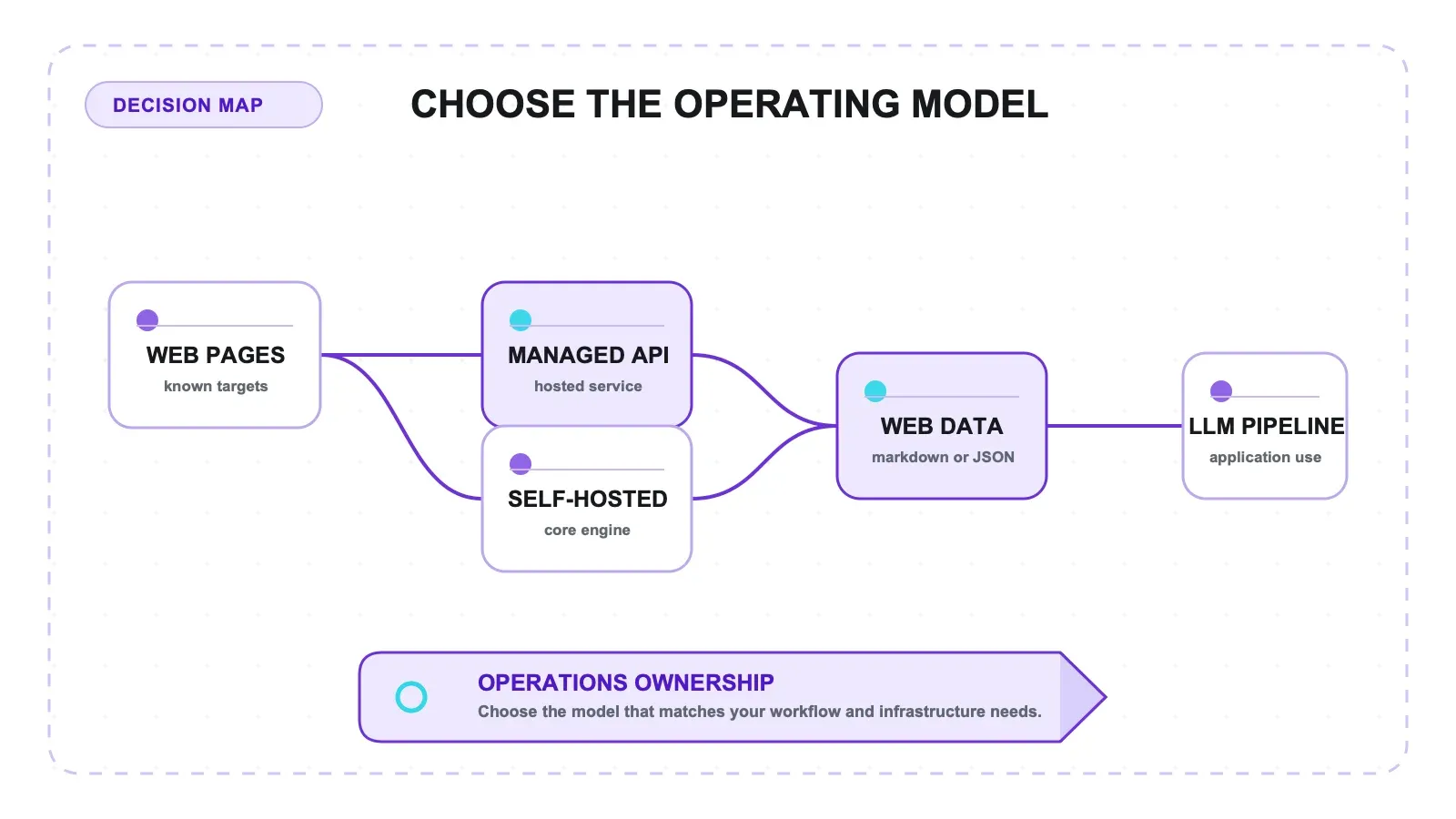
Firecrawl एक API-first web scraping और crawling platform है, जो websites को साफ markdown या structured JSON में बदलता है। इसे मुख्य रूप से developers और AI/LLM applications बनाने वाली teams के लिए design किया गया है — जैसे RAG pipelines, chatbot knowledge bases, और AI agent workflows। Firecrawl की स्थापना Caleb Peffer, Eric Ciarla, और Nicolas Silberstein Camara ने Mendable.ai से निकले एक spinoff के रूप में की थी, और यह Y Combinator’s S22 batch का हिस्सा भी रहा। यह लेख जानबूझकर funding, headcount, customer या adoption से जुड़ी time-sensitive जानकारी को मौजूदा product facts की तरह पेश नहीं करता।
Firecrawl के main data-collection endpoints में शामिल हैं:
| Mode | यह क्या करता है |
|---|---|
| Scrape | एक URL को markdown, JSON, या screenshot में बदलता है |
| Crawl | किसी URL और उसकी सभी subpages को crawl करता है |
| Map | website पर मौजूद URLs खोजता है |
| Search | पूरा page content वापस लाते हुए web search करता है |
| Extract | prompts या schemas के ज़रिए AI-powered structured extraction करता है |
| Agent (Research Preview) | URLs बताए बिना autonomous web research करता है |
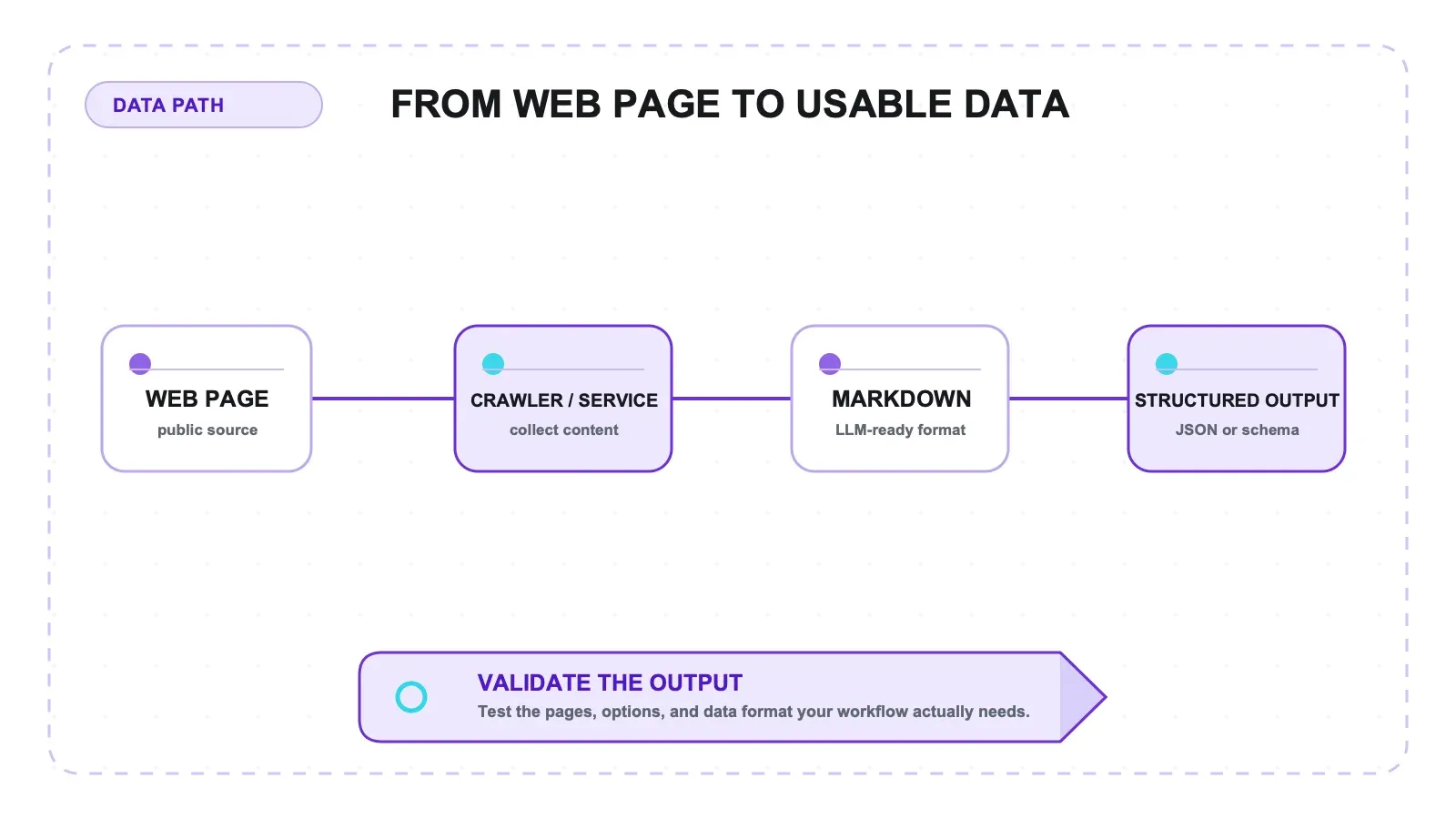
मैं साफ़ कहना चाहता हूँ: Firecrawl एक developer tool है। इसे API calls, coding knowledge, और technical setup की ज़रूरत होती है। अगर आप बिना code लिखे किसी website से data निकालना चाहते हैं, तो Firecrawl आपके लिए नहीं बना है (alternatives पर आगे बात करेंगे)। लेकिन AI apps बना रही dev teams के लिए इसकी promise काफ़ी आकर्षक है — कम infrastructure झंझट के साथ साफ़, LLM-ready web data।
Firecrawl review: Pricing और Credits एक नज़र में
Firecrawl के current pricing page पर हर self-serve plan के साथ recurring monthly credits दिए गए हैं। Public page by default annual billing दिखाती है, इसलिए जहाँ Firecrawl ने दोनों बताए हैं, वहाँ annual price और month-to-month price साथ में दिखाया गया है।
| Plan | मासिक कीमत | क्रेडिट्स/महीना | Concurrency | वार्षिक कीमत |
|---|---|---|---|---|
| Free | $0 | 1,000 प्रति माह | 2 | — |
| Hobby | $19/माह | 5,000 | 5 | $16/माह, वार्षिक billing पर |
| Standard | $99/माह | 100,000 | 50 | $83/माह, वार्षिक billing पर |
| Growth | $399/माह | 500,000 | 100 | $333/माह, वार्षिक billing पर |
| Scale | $749/माह | 1,000,000 | 150 | $599/माह, वार्षिक billing पर |
मौजूदा credit model कैसे काम करता है
सिर्फ headline price देखकर फैसला नहीं लिया जा सकता, क्योंकि credit consumption endpoint और चुने गए options पर depend करता है। Firecrawl अभी ये baseline rates बताता है:
| Endpoint या feature | मौजूदा baseline credit usage |
|---|---|
| Scrape, Crawl, Map, या Monitor | प्रति page 1 credit |
| Search | 10 results पर 2 credits |
| Interact | browser minute के हिसाब से 2 credits |
| Agent (preview) | रोज़ 5 free runs, उसके बाद dynamic pricing |
| Advanced options | JSON mode, Enhanced Mode, और ऐसे ही options extra credits लेते हैं |
मौजूदा pricing model में अब अलग public Extract token subscription नहीं है। किसी known URL के लिए, Firecrawl /scrape पर JSON mode को कम लागत वाला synchronous option मानता है; जबकि /agent उन मामलों के लिए है जहाँ URLs पहले से पता नहीं हैं या navigation की ज़रूरत है। Self-serve plans पर unused credits carry forward नहीं होते। Firecrawl यह भी कहता है कि उसकी तरफ़ से हुई failure पर billing नहीं होती, लेकिन अगर target website 4xx या 5xx error दे, तब भी successfully fetched page का charge लग सकता है। Plan चुनने से पहले अपने representative URLs पर usage model ज़रूर चला लें।
Self-Hosted Firecrawl: क्या मिलता है और क्या सिर्फ Cloud में है
Firecrawl का open-source edition AGPL-3.0 license के तहत available है। इसकी current documentation के अनुसार open-source project में core scraping और crawling engine के साथ Map, Search, batch scrape, Extract, JSON mode, change tracking, और SDKs शामिल हैं। Cloud managed infrastructure और कई ऐसी capabilities देता है जो open-source offering का हिस्सा नहीं हैं।
| Capability | Open Source | Cloud |
|---|---|---|
| Scrape, Crawl, Map, Search, batch scrape, Extract, JSON mode | ✅ | ✅ |
| Change tracking और SDKs | ✅ | ✅ |
| Agent, Browser Sandbox, और Actions | ❌ | ✅ |
| Enhanced proxies और proxy rotation | ❌ | ✅ |
| Dashboard और enterprise features | ❌ | ✅ |
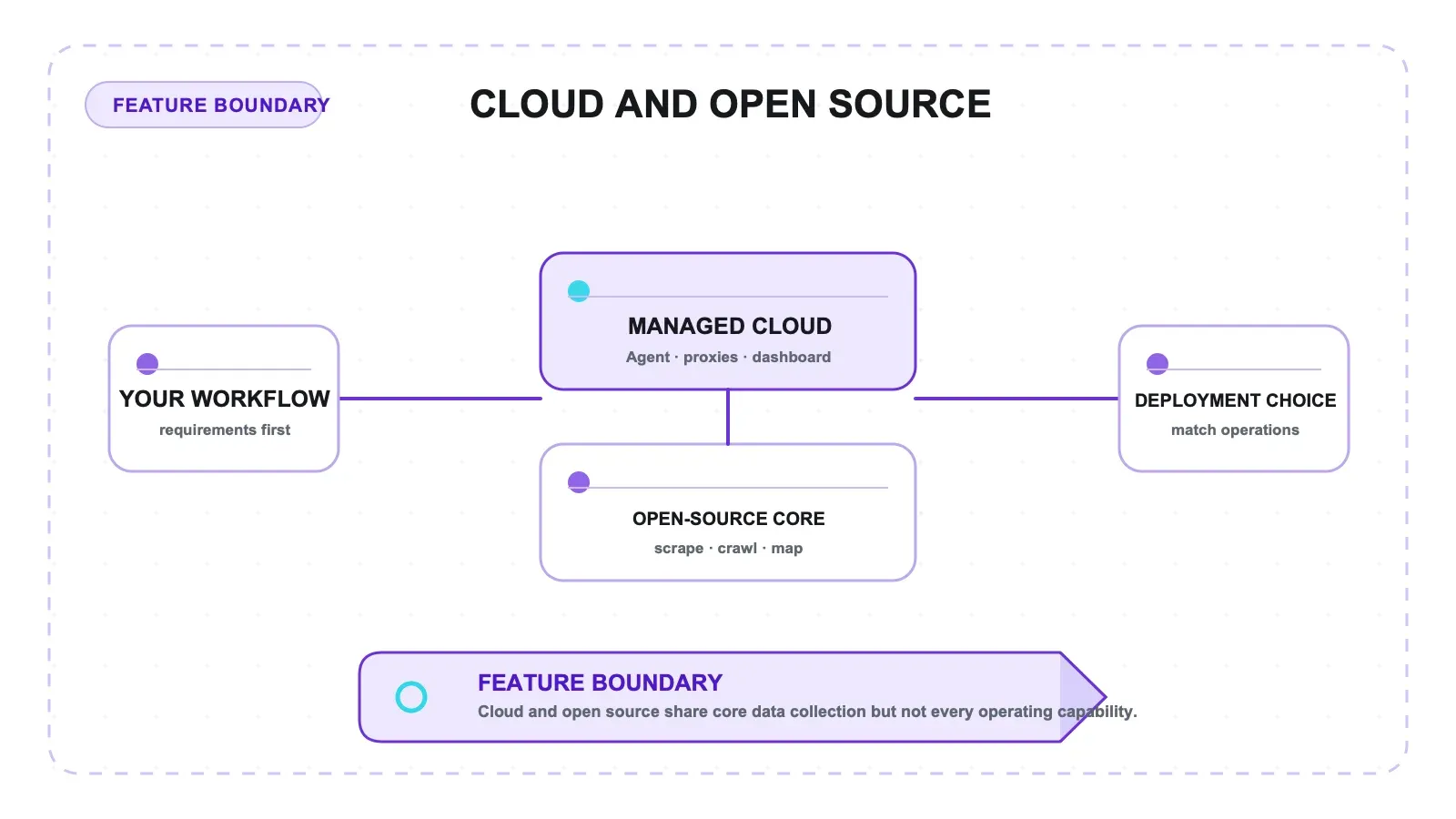
अगर आपको core engine पर control चाहिए और आप ज़रूरी infrastructure चला सकते हैं, तो self-hosting एक अच्छा option हो सकता है। लेकिन अगर आपका workflow managed proxies, browser capabilities, Agent, या dashboard पर depend है, तो यह Cloud का बराबर विकल्प नहीं है। Architecture decision लेने से पहले Firecrawl की current open-source-versus-cloud documentation देख लें, क्योंकि यह feature boundary समय के साथ बदल सकती है।
Protected Sites पर Firecrawl: अपने असली targets पर टेस्ट करें
Anti-bot results target site, geography, session behavior, और enabled options पर depend करते हैं, इसलिए यह लेख किसी पुराने third-party benchmark को मौजूदा universal success rate नहीं मानता। Firecrawl Cloud enhanced proxies और proxy rotation देता है; ये features open-source edition में नहीं हैं।
Public documentation, blogs, और हल्के protected sites के लिए छोटे representative sample से शुरुआत करें और output quality, coverage, latency, तथा credit use को verify करें। जिन sites पर bot defenses सख्त हैं, वहाँ किसी भी provider को चुनने से पहले अपने URLs और compliance requirements के साथ controlled proof of concept चलाएँ। किसी दूसरी site या किसी दूसरी तारीख का result भरोसेमंद buying guarantee नहीं होता।
Firecrawl के Pros और Cons: एक ईमानदार summary
Firecrawl कहाँ अच्छा काम करता है
- API-first web data workflows — Scrape, Crawl, Map, Search, Extract और related endpoints developer-built data pipelines को support करते हैं।
- LLM-ready formats और JSON mode — तब उपयोगी जब pipeline को web content machine-readable रूप में चाहिए।
- Open-source core + managed Cloud — teams infrastructure control या hosted service में से चुन सकती हैं।
- Research preview में Agent — जब URLs unknown हों या autonomous navigation चाहिए, तब काम आता है।
- MCP और SDK support — Firecrawl को agentic या application workflows में जोड़ने वाली teams के लिए practical।
कहाँ सावधानी से जाँच करनी चाहिए
- Credit usage endpoint और advanced options के अनुसार बदलती है — जिस exact configuration पर आप चलाएँगे, उसी से usage estimate करें।
- Agent research preview में है और pricing dynamic है —
maxCreditslimit सेट करें और representative prompts के साथ test करें। - Self-hosting और Cloud feature-equivalent नहीं हैं — managed proxies, browser tools, Agent, और dashboard Cloud capabilities हैं।
- Protected-site reliability target-specific होती है — generic benchmark के बजाय controlled proof of concept से validate करें।
- Product अभी भी developer-oriented है — API workflow उन teams के लिए बेहतर है जो integration और operations में सहज हैं।
Developer Tools से आगे: ऐसे no-code विकल्प जिनका Firecrawl reviews में ज़िक्र नहीं होता
मैंने जितनी भी Firecrawl reviews देखी हैं, वे इसे सिर्फ़ दूसरे developer tools — Crawl4AI, Scrapy, Playwright, Apify — से compare करती हैं। अगर आप developer हैं, तो यह तर्कसंगत है। लेकिन web scraping solutions खोजने वाले लोगों का बड़ा हिस्सा non-developers होता है: sales teams जो prospect lists बनाती हैं, ecommerce ops जो competitor prices track करती हैं, marketers जो content data इकट्ठा करते हैं, real estate agents जो listings पर नज़र रखते हैं।
यही एक बड़ा gap है जिसे भरना ज़रूरी है।
Firecrawl Alternatives comparison table
| Tool | किसके लिए सबसे अच्छा | कोड चाहिए? | LLM-ready output | शुरुआती कीमत |
|---|---|---|---|---|
| Firecrawl | AI apps बनाने वाले devs | हाँ (API) | ✅ Markdown/JSON | Free plan; paid plans $19/माह से शुरू |
| Crawl4AI | Free/OSS चाहने वाले devs | हाँ (Python) | ✅ Markdown | Free |
| Apify | Scale + marketplace चाहने वाले devs | हाँ (SDK) | ⚠️ Setup के साथ | $39/माह |
| Thunderbit | Business users (no-code) | नहीं (Chrome extension) | ✅ Structured data | Free tier उपलब्ध |
| ScrapingBee | Proxy की ज़रूरत वाले devs | हाँ (API) | ❌ Raw HTML | $49/माह |
| Bright Data | Enterprise data teams | हाँ (API/SDK) | ⚠️ Setup के साथ | $500+/माह |
Non-Technical Teams के लिए Thunderbit क्यों बेहतर विकल्प है
मैं Thunderbit team में काम करता हूँ, इसलिए इसे लेकर मैं साफ़ रहूँगा। Thunderbit इस तुलना में इसलिए आता है क्योंकि यह Firecrawl से अलग problem, अलग audience के लिए solve करता है, और इसमें किसी code की ज़रूरत नहीं होती।
Thunderbit का workflow दो clicks में पूरा हो जाता है: Chrome extension खोलें, “AI Suggest Fields” पर क्लिक करें, फिर “Scrape” पर क्लिक करें। AI page को पढ़ता है, सही columns सुझाता है, और structured data को table में निकाल देता है। न API keys, न selectors, न coding। आप data को Excel, Google Sheets, Airtable, या Notion में free export कर सकते हैं।
Business users के लिए प्रमुख फर्क:
- Subpage enrichment — detail pages में जाकर extra fields अपने-आप निकालता है
- Layout changes के साथ adaptive AI — site redesign होने पर maintenance की ज़रूरत नहीं
- Built-in data labeling और translation — multilingual datasets के लिए useful
- Popular sites के लिए instant templates — Amazon, Zillow, LinkedIn आदि
जो developers API option चाहते हैं, उनके लिए Thunderbit Distill + Extract endpoints भी देता है, जिनकी pricing Firecrawl के dual credit/token system से simpler है। यह LLM pipeline developers के लिए Firecrawl की जगह नहीं लेगा। लेकिन sales, ecommerce, marketing, और operations teams के लिए जिन्हें code लिखे बिना structured data चाहिए, यह तेज़ और सस्ता रास्ता है।
Build vs. Buy: सही रास्ता कैसे चुनें
सही decision किसी universal cost crossover पर कम और आपके target sites, data format, engineering capacity, और compliance requirements पर ज़्यादा depend करता है।
| Factor | Custom build | Firecrawl Cloud | Thunderbit (No-Code) |
|---|---|---|---|
| Setup और maintenance | Code और operations आपकी ज़िम्मेदारी | API integration के साथ managed service | Business users के लिए browser workflow |
| Data format | पूरी तरह customizable | Markdown, JSON, और API responses | Structured tables और exports |
| Protected sites | Approach आप design करते हैं | Target-specific results validate करें | Target-specific results validate करें |
| सबसे अच्छा fit | Maximum control चाहने वाली teams | Web-data या AI workflows बनाने वाले developers | बिना code structured data चाहने वाली teams |
Commit करने से पहले, वही छोटा लेकिन representative workload अलग-अलग realistic options में चला लें: जिन pages की आपको सच में ज़रूरत है, output schema, retries, और browser interaction — सब शामिल करें। सिर्फ displayed plan price नहीं, बल्कि total engineering effort और data quality भी compare करें।
Firecrawl review: Side-by-Side तुलना तालिका
यहाँ सब कुछ साथ-साथ दिया गया है:
| Tool | Type | किसके लिए सबसे अच्छा | कोड चाहिए | Anti-Bot handling | LLM-ready output | Self-host option | शुरुआती कीमत |
|---|---|---|---|---|---|---|---|
| Firecrawl | API | AI/LLM devs | हाँ | target के अनुसार validate करें | ✅ Markdown/JSON | ✅ (core engine) | Free plan; paid plans $19/माह से शुरू |
| Crawl4AI | Python library | OSS-first devs | हाँ | कोई नहीं (DIY) | ✅ Markdown | ✅ | Free |
| Apify | Cloud platform | Scale + marketplace | हाँ | मध्यम | ⚠️ Setup के साथ | ✅ | $39/माह |
| Thunderbit | Chrome extension + API | Business users, no-code | नहीं | Built-in | ✅ Structured data | ❌ | Free tier |
| ScrapingBee | API | Proxy-focused devs | हाँ | मज़बूत | ❌ Raw HTML | ❌ | $49/माह |
| Bright Data | API + proxy network | Enterprise data teams | हाँ | सबसे अच्छा (~99.9%) | ⚠️ Setup के साथ | ❌ | $500+/माह |
अंतिम निर्णय: क्या Firecrawl worth it है?
Firecrawl उन developer teams के लिए एक मजबूत option है जिन्हें applications, RAG pipelines, या agent workflows के लिए web data इकट्ठा करने का API-first तरीका चाहिए। इसके मौजूदा self-serve plans recurring credits देते हैं, और इसके core endpoints scraping, crawling, mapping, searching, monitoring, interaction, और structured extraction workflows को cover करते हैं।
असल decision आपके targets और workflow पर depend करता है। जिन exact sites और output requirements की आपको ज़रूरत है, उन्हें test करें, current pricing page के साथ credits का model बनाएं, और Cloud-only managed capabilities को open-source core से अलग समझें। अगर आपको API integration या code के बिना structured business data चाहिए, तो Thunderbit जैसा no-code tool ज़्यादा सीधा solution हो सकता है।
Representative proof of concept के लिए Firecrawl के 1,000 monthly free credits से शुरुआत करें, फिर paid plan चुनने से पहले current pricing page देखें। No-code extraction के लिए आप Thunderbit Chrome Extension आज़मा सकते हैं या Thunderbit Pricing देख सकते हैं।
FAQs
Firecrawl की scraped page के हिसाब से लागत कितनी है?
Scrape, Crawl, Map, और Monitor में से हर एक प्रति page 1 credit लेता है। Search में 10 results पर 2 credits लगते हैं, और Interact में browser minute के हिसाब से 2 credits लगते हैं। Agent preview में है, जिसमें रोज़ 5 free runs और dynamic pricing है। JSON mode, Enhanced Mode, और इसी तरह के advanced options extra credits जोड़ते हैं, इसलिए production workload का अनुमान लगाने से पहले current pricing page देखें।
क्या Firecrawl को free में self-host किया जा सकता है?
हाँ। Firecrawl का open-source core AGPL-3.0 license के तहत उपलब्ध है। मौजूदा open-source offering में Scrape, Crawl, Map, Search, batch scrape, Extract, JSON mode, change tracking, और SDKs शामिल हैं। Agent, Browser Sandbox, Actions, enhanced proxies, proxy rotation, dashboard, और enterprise features सिर्फ Cloud में हैं। decision लेने से पहले Firecrawl की current feature comparison देखें।
क्या Firecrawl Amazon, LinkedIn, या अन्य protected sites के लिए अच्छा है?
किसी generic historical success-rate claim पर भरोसा न करें। Protected-site results target, configuration, geography, और बदलती defenses के अनुसार बदलते हैं। जिन exact sites की आपको ज़रूरत है, उनके representative और compliant sample पर test करें। Firecrawl Cloud में enhanced proxies और proxy rotation शामिल हैं; ये features open-source edition में available नहीं हैं।
Non-technical users के लिए सबसे अच्छा Firecrawl alternative क्या है?
Thunderbit उन business users के लिए no-code option है जिन्हें structured website data चाहिए। इसका Chrome extension fields सुझा सकता है और API calls या selector code के बिना data को table में निकाल सकता है; यह Excel, Google Sheets, Airtable, और Notion में export support करता है।
क्या Firecrawl free trial देता है?
Firecrawl का current Free plan हर महीने 1,000 credits देता है, साथ में 1,000 search credits भी, और इसके लिए card की ज़रूरत नहीं होती। यह one-time 500-credit grant नहीं, बल्कि recurring monthly allowance है। इस plan में 2 concurrent requests और low rate limits हैं; current plan details देखें क्योंकि limits बदल सकती हैं।
और जानें




