
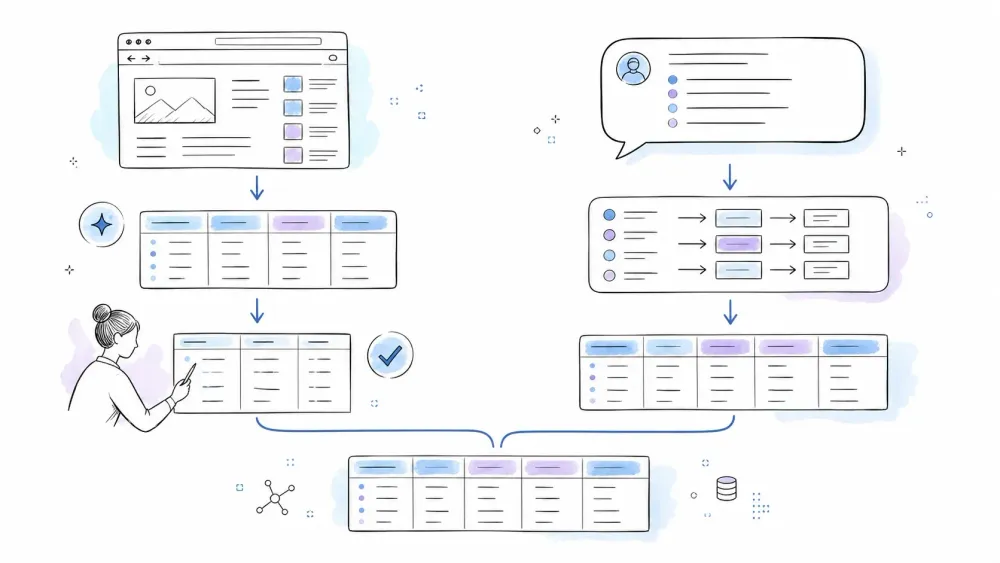
If you search "Thunderbit vs Chat4Data" right now, the most detailed head-to-head comparison on the first page of results was published on Chat4Data's own blog. Every other result is either a directory stub or a promo piece from a third-party competitor. Not exactly a level playing field.
So I built my own comparison. I work at Thunderbit (full transparency), but I've structured this test to be as fair as I can make it: same test site, same target data, same export format, and a willingness to call out where Thunderbit falls short. Below, you'll find accuracy results, real cost-per-row math, export workflow breakdowns, and a persona-based verdict — including a section on when neither tool is the right pick.
Thunderbit vs Chat4Data at a Glance: What Are These Tools?
Before getting into the weeds, a quick orientation for anyone who hasn't used either product.
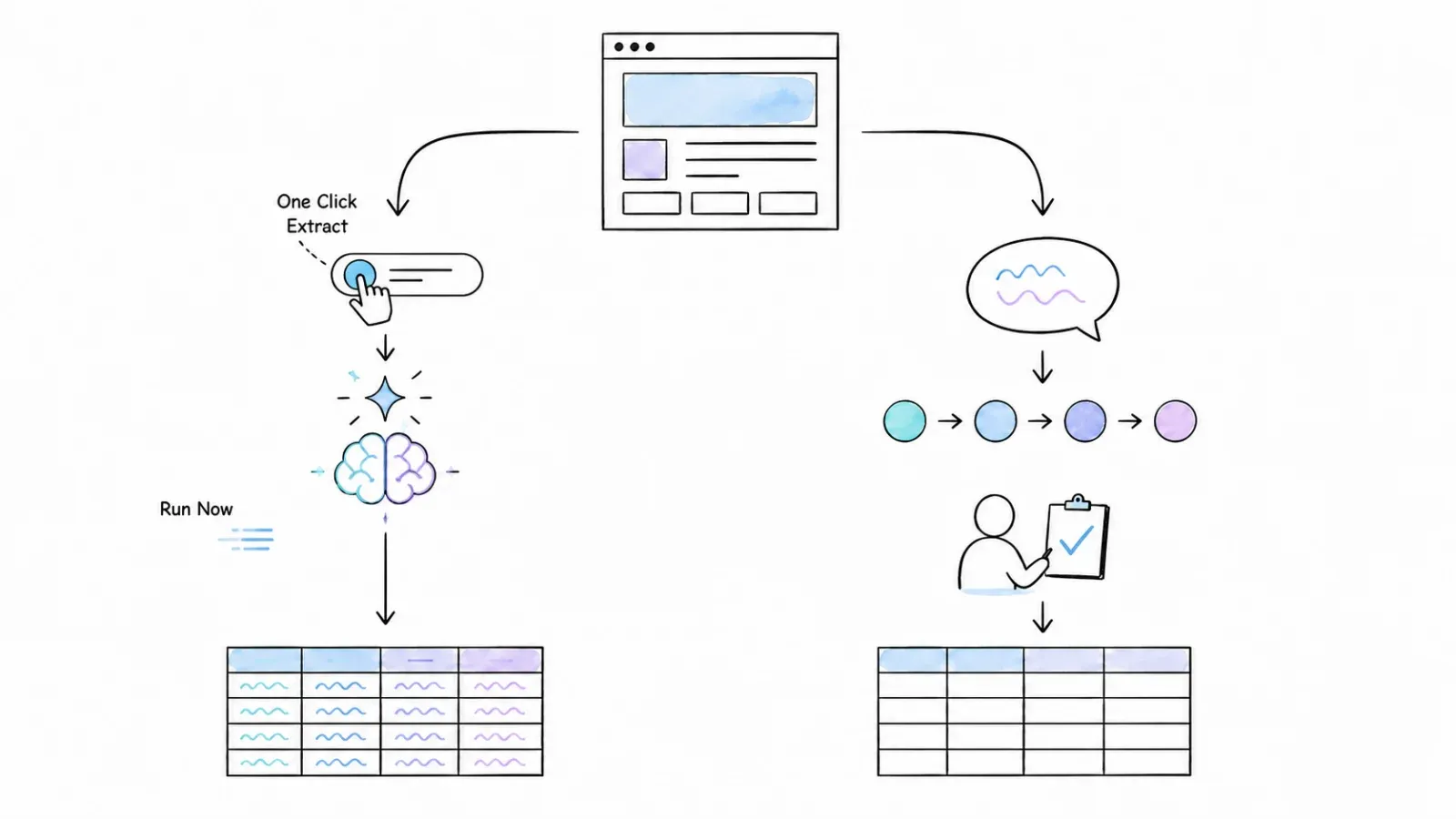
Thunderbit is an agentic web scraper and automation platform. The core browser product is a Chrome and Edge extension. The default workflow is One Click Extract → agentic page analysis → Run Now or, if you do nothing, the task starts automatically. There's also a Web App, an Open API, an MCP Server for AI-agent workflows, and a CLI. Export destinations include Excel/CSV, Google Sheets, Airtable, and Notion.
Chat4Data is a Chrome extension web scraper built around a conversational, natural-language interface. You describe what you want in plain English, the agent proposes a plan (including fields, pagination, and subpage options), you confirm, and it runs. It currently supports export to CSV, XLSX, and (per its pricing page) JSON. It runs locally in the browser — your tab needs to stay open.
A quick-reference snapshot:
| Dimension | Thunderbit | Chat4Data |
|---|---|---|
| Type | AI web scraper (extension + web app + API) | AI web scraper (browser extension) |
| Browser support | Chrome, Edge | Chrome, Edge, Brave, Chromium, Chrome Canary |
| Primary interaction | One Click Extract → agentic analysis → Run Now or automatic start | Natural-language chat → plan → Scrape |
| Chrome Web Store users | 100,000+ | 10,000+ |
| Chrome Web Store rating | 4.2/5 (195 ratings) | 4.6/5 (180 ratings) |
| Free tier | Yes | Yes |
A few notes on those numbers. Chrome Web Store "users" is an installation-oriented metric — it doesn't mean active daily users or paying customers. A higher store rating with a smaller review sample can swing easily with a handful of new entries. Directional, not definitive.
How I Tested Thunderbit vs Chat4Data (My Methodology)
I wanted a test that anyone could reproduce. Here's the setup:
Test target: quotes.toscrape.com/js/ — a purpose-built scraping sandbox referenced in Zyte's official examples. It's public, requires no login, renders content via JavaScript, and includes multi-page pagination. It's not representative of enterprise anti-bot systems or authenticated pages, but it gives a clean, controlled baseline.
Target fields (ground truth): quote_text, author, author_url, and tags — across the first three pages (30 quotes total).
What I measured:
- Fields auto-suggested vs. fields actually present on the page
- Percentage of rows with complete data (no blanks across all columns)
- Handling of edge cases: JavaScript-rendered content, multi-value tag fields, and author detail links
- Time from opening the extension to a valid exported file
Conditions: Both tools used on the same machine, same browser (Chrome), same network, free tier where possible. I gave each tool the same natural-language goal: "Extract quotes, authors, author URLs, and tags from this page and the next two pages." For Thunderbit, I used the standard One Click Extract workflow. For Chat4Data, I typed the instruction into the chat interface.
I'm not claiming this is a statistically rigorous benchmark — it's a controlled, reproducible test on a single site. But it's more than any other comparison on page one has done.
Same-Site Accuracy Shootout: Thunderbit vs Chat4Data Results
This is the section no other comparison on the SERP provides: both tools, same page, quantified results.
Fields Auto-Detected vs. Fields Actually Present
The test page has four extractable data fields per quote: quote_text, author, author_url (link to the author's detail page), and tags (a comma-separated list).
Thunderbit (One Click Extract): Suggested four columns — Quote, Author, Author Link, and Tags. All four mapped directly to the actual page fields. No phantom columns. No missed fields. I renamed "Author Link" to "author_url" for consistency, but the AI nailed the structure on the first pass.
Chat4Data (chat prompt): After I described the task, Chat4Data's agent proposed a plan with three fields: Quote, Author, and Tags. It did not auto-detect the author detail-page URL. I had to add a follow-up message asking it to include the link, at which point it revised the plan and added it. Not a deal-breaker, but it required an extra prompt round.
| Metric | Thunderbit | Chat4Data |
|---|---|---|
| Fields auto-suggested | 4 | 3 (needed follow-up for author URL) |
| Fields matching ground truth | 4/4 | 3/4 initially, 4/4 after follow-up |
| Phantom/incorrect fields | 0 | 0 |
Data Completeness: Rows with No Blanks
Both tools were asked to scrape three pages (30 quotes).
Thunderbit: Exported 30 rows. 29 out of 30 had complete data across all four columns. One row had a truncated tag list — the page itself renders tags in individual <span> elements, and Thunderbit concatenated them but missed the last tag on one quote. That's a 96.7% complete-row rate.
Chat4Data: Exported 30 rows. 28 out of 30 had complete data. Two rows had blank author_url fields — the links were present on the page, so this appears to be an extraction miss rather than a source-data issue. Tags were handled well. That's a 93.3% complete-row rate.
| Metric | Thunderbit | Chat4Data |
|---|---|---|
| Total rows exported | 30 | 30 |
| Rows with complete data | 29 | 28 |
| % complete | 96.7% | 93.3% |
| Primary issue | 1 truncated tag list | 2 missing author URLs |
Neither tool was perfect. Both were close — and the margin is small enough that a different page could flip the result.
Edge Cases: How Each Tool Handled the Unexpected
Three specific edge cases I watched for:
-
JavaScript-rendered content: The test page loads quotes via JS, not static HTML. Both tools handled this without issue — no blank pages, no "no data found" errors.
-
Multi-value tag fields: Each quote has multiple tags rendered as separate elements. Thunderbit concatenated them into a single comma-separated string (with the one truncation noted above). Chat4Data also concatenated them, cleanly, with no truncation issues.
-
Pagination: I asked both tools to scrape three pages. Thunderbit required me to confirm pagination settings after the initial scrape — it detected the "Next" button and asked if I wanted to continue. Chat4Data's agent handled pagination automatically as part of the plan, navigating to the next page without additional prompts. On this specific point, Chat4Data's flow was smoother.
Honest take: Chat4Data's automatic pagination felt more intuitive for this simple case. That observation came from the earlier interface used for the test; the current One Click Extract flow analyzes the page and auto-starts instead of requiring a second default action. For a quick three-page job, Chat4Data's approach was faster.
Step-by-Step: How Each Tool Gets You from Page to Spreadsheet
Scraping with Thunderbit: One Click Extract → agentic analysis → Run Now or automatic start
Here is the current workflow. The quantified test results above came from the earlier interface, so I am not presenting those measurements as a fresh rerun of the new UI:
- Install the Thunderbit Chrome Extension and open the target page.
- Click "One Click Extract." Thunderbit's AI analyzes the page and proposes column names and extraction logic. On the test page, it suggested Quote, Author, Author Link, and Tags within about 5 seconds.
- Review and edit. I renamed "Author Link" to "author_url" and left the rest as-is. You can add, remove, or rename columns here, and even add field-level instructions (e.g., "translate to Spanish" or "categorize as positive/negative").
- Run Now is optional. Click it for an immediate start; otherwise extraction starts automatically. Data populates in the extension panel. First page took about 8 seconds.
- Handle pagination. Thunderbit detected the "Next" button and prompted me to continue. I set it to scrape 2 more pages.
- Export. I exported to Google Sheets with one click — the data landed in a new sheet, columns intact.
Total time from opening the extension to a Google Sheets file: roughly 2 minutes.
Scraping with Chat4Data: Chat Prompt → Plan → Scrape
- Install the Chat4Data Chrome extension and open the target page.
- Chat4Data suggests scanning the page. I typed: "Extract quotes, authors, author URLs, and tags from this page and the next two pages."
- Review the plan. The agent proposed three fields (Quote, Author, Tags) and a pagination plan. I sent a follow-up asking it to include the author detail URL.
- Confirm and run. The agent revised its plan, I confirmed, and it began scraping. It navigated pagination automatically.
- Export. I downloaded the results as a CSV file.
Total time from opening the extension to a downloaded CSV: roughly 3 minutes (the extra minute was the follow-up prompt for the missing field).
The conversational interface is genuinely appealing if you like typing instructions rather than clicking through a UI. But the extra prompt round for a missed field added friction. For users who prefer a visual, click-based workflow with explicit column control, Thunderbit's approach is more direct. For users who think in natural language and want to describe a task like they're talking to an assistant, Chat4Data's model has real appeal.
Thunderbit vs Chat4Data Pricing: What It Actually Costs Per 1,000 Rows
This is where most comparisons get lazy — they just paste plan tables and move on. The problem is that these two tools use fundamentally different credit models, and a direct "cost per 1,000 rows" comparison requires understanding what each credit actually buys.
Thunderbit meters by output row. One standard row = one credit. Subpage scraping = two credits per row. Personal Data Enrichment = 30 credits per query. The Open API has its own page-based unit system.
Chat4Data meters by AI configuration work. Setting up a scraper costs 60–200 credits depending on page complexity — covering the chat interaction and AI page analysis. Once configured, extraction itself doesn't consume additional credits. So if you configure one scraper and run it on 5,000 rows, you pay for the configuration, not the rows.
This makes a universal cost-per-1,000-rows table misleading. But here's my best attempt at an honest comparison, with caveats:
| Usage Tier | Thunderbit (est. cost/1K rows) | Chat4Data (est. cost/1K rows) | Notes |
|---|---|---|---|
| Light (~500 rows/mo) | $0 (Free: 6 pages/mo) if rows fit within page limit | $0 (Free welcome credits) if 1–2 configs suffice | Thunderbit Free is page-limited; Chat4Data's free welcome credits are inconsistently documented (300 vs. 100 per day) |
| Moderate (~5K rows/mo) | ~$12.67 (Pro Tier 1: $38/mo for 3,000 credits; need higher tier for 5K) | ~$2–$7 (Pro $10/mo; ~10–33 configs at 60–200 credits each) | Chat4Data is dramatically cheaper if you're rerunning a few configs across many rows |
| Heavy (~25K+ rows/mo) | $249/mo for 20K credits; 25K exceeds largest self-serve tier | $35/mo + top-ups ($1/100 credits) for additional configs | Thunderbit requires custom Business pricing above 20K; Chat4Data's cost depends on config count, not row count |
Official pricing sources: Thunderbit Pricing, Chat4Data Pricing, and Chat4Data Credits & Billing. Checked August 13, 2026.
The takeaway: if your workflow is "configure once, scrape many rows," Chat4Data's model is significantly cheaper at scale. If you're scraping many different pages with different structures (each requiring a new configuration), the costs converge. And if you need subpage enrichment or data enrichment on Thunderbit, credits burn faster.
A few additional pricing details worth noting:
- Thunderbit's annual Pro Tier 1 is $288/year (30,000 credits), which works out to $24/month equivalent — a meaningful discount over monthly billing.
- Chat4Data's Max plan ($35/mo, 8,000 credits) adds three concurrent subpage extractions and permits top-ups at $1 per 100 credits.
- Chat4Data's official pages give conflicting numbers for free welcome credits. The pricing page says 300 credits upon registration, refreshed to 300 on each of the first three login days. A separate billing guide says 100 welcome credits daily during the first three active days. I'd verify by signing up, but be aware the number may differ from what you read.
Feature-by-Feature Comparison: Thunderbit vs Chat4Data
The full comparison table, covering the features business users ask about most: I've verified each claim against current official pages as of August 13, 2026, but features can change — check the live product pages before making a purchase decision.
| Feature | Thunderbit | Chat4Data |
|---|---|---|
| agentic page analysis | One Click Extract (click-based) | Chat-based (natural language) |
| Natural-language interaction | Supported for field instructions | Core interaction model |
| Pagination | Free: up to 3 pages; Paid: up to 200 pages | Automatic; included on free tier |
| Subpage/detail-page scraping | Paid plans; 2 credits/row | One level deep; included on paid plans |
| Scheduling | Free: 1/day; Starter: 5/hourly; Pro: 25/5-min | Not yet available (roadmap) |
| Data retention | Varies by plan (60 days on some tiers) | Not prominently documented |
| Credit model | Per output row | Per configuration |
| Export: Excel/CSV | ✅ | ✅ |
| Export: Google Sheets | ✅ (direct) | Roadmap |
| Export: Airtable | ✅ (direct) | ❌ |
| Export: Notion | ✅ (direct) | ❌ |
| Export: JSON | ❌ (not documented for browser extension) | ✅ (advertised on pricing page; inconsistent in help docs) |
| API access | Open API | Not yet available (roadmap) |
| MCP / AI-agent integration | MCP Server, CLI | Not available |
| Execution model | Browser mode + cloud mode | Browser-only (tab must stay open) |
| Multi-URL / bulk scraping | Up to 2,000 URLs (paid plans) | One starting URL per session |
Key takeaways from the table:
Thunderbit's edge is in the ecosystem around the scrape: more export destinations, scheduling, bulk URL support, and developer surfaces (API, MCP, CLI). If your workflow requires getting data into Airtable or Notion, or you need recurring scheduled scrapes, Thunderbit is the only option here that currently supports those.
Chat4Data's edge is in the scraping interaction itself: conversational setup, automatic pagination on the free tier, and a credit model that rewards repeated extraction from a single configuration. If you configure a scraper once and run it regularly on the same page structure, Chat4Data's economics are genuinely compelling.
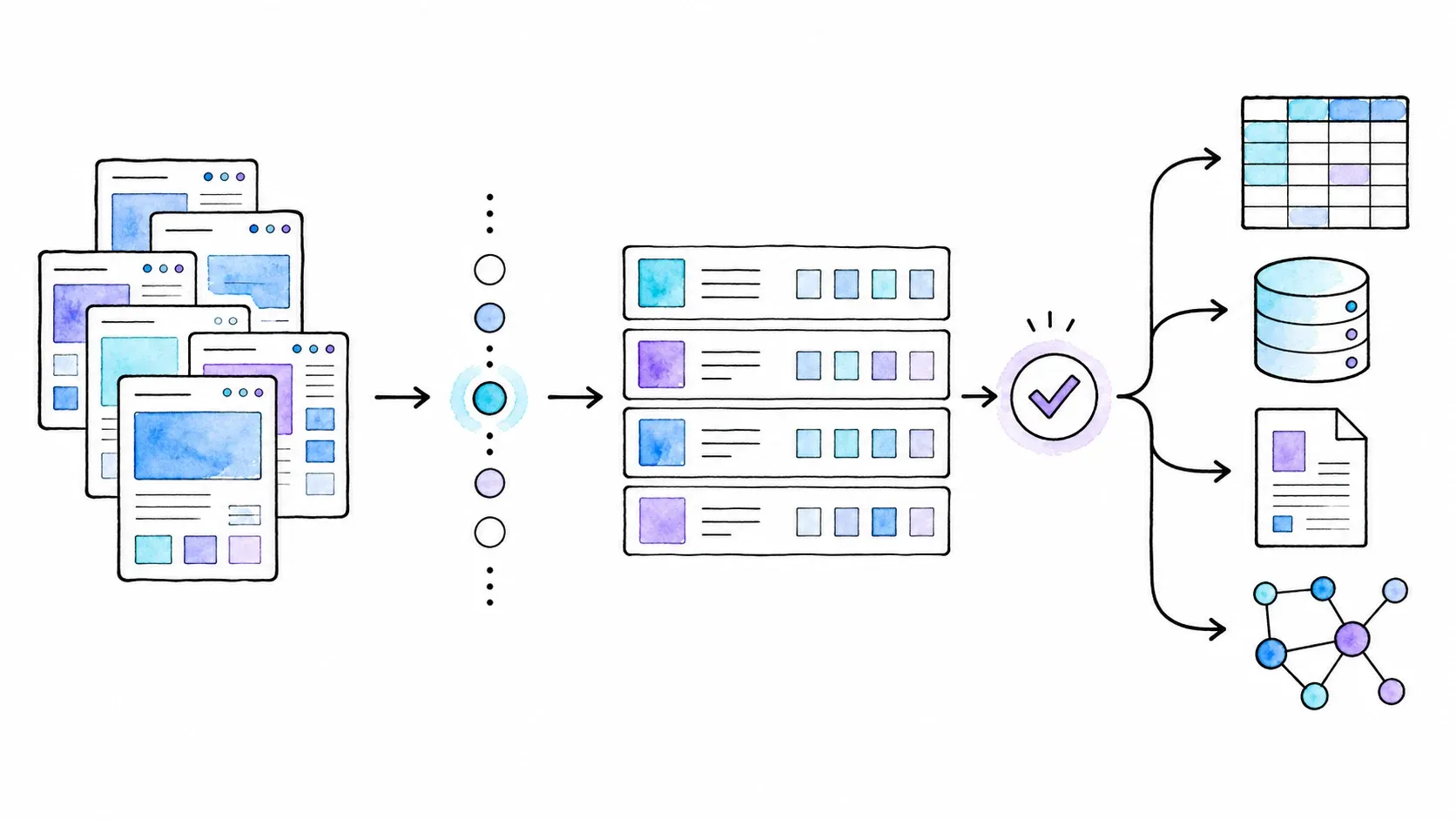
Integration and Export: Where Does Your Scraped Data Actually Go?
Scraping data is only half the job. Getting it into the tool where you'll actually use it — that's the other half.
Thunderbit's Export and API Ecosystem
Thunderbit supports direct export to:
- Excel/CSV — download straight from the extension
- Google Sheets — direct connection; data lands in a new or existing sheet
- Airtable — direct connection, no manual import needed
- Notion — same one-click flow as Sheets and Airtable
For developers and teams building automated pipelines, the Open API provides HTTP/JSON access for backend workflows. The MCP Server exposes Thunderbit tools to compatible AI hosts (Claude, Cursor, Windsurf). The CLI supports terminal and coding-agent workflows. These are separate product surfaces with their own authentication and (in the API's case) their own pricing model.
In practice: if you're a marketer who lives in Google Sheets, you click one button and your data is there. If you're a developer building a monitoring pipeline, you can hit the API directly. That breadth of destinations is a genuine differentiator.
Chat4Data's Export Options
Chat4Data currently exports to CSV and XLSX. The pricing page also advertises JSON, though two help pages omit it — so I'd test JSON export before relying on it for a production workflow.
Direct Google Sheets export, API access, and MCP integration are all listed on Chat4Data's public roadmap as planned features, but none are released as of this writing.
If your workflow is "scrape → download file → upload to Sheets manually," Chat4Data works fine. But if you need data flowing directly into Sheets, Airtable, Notion, or a programmatic pipeline without that manual step, Thunderbit is the only option between these two that currently supports it.
| Capability | Thunderbit | Chat4Data |
|---|---|---|
| Export to Excel/CSV | ✅ | ✅ |
| Export to Google Sheets | ✅ (direct) | ❌ (roadmap) |
| Export to Airtable | ✅ (direct) | ❌ |
| Export to Notion | ✅ (direct) | ❌ |
| JSON export | ❌ | ✅ (advertised; verify) |
| API access | ✅ (Open API) | ❌ (roadmap) |
| MCP / AI-agent access | ✅ (MCP Server) | ❌ (roadmap) |
| Scheduled/recurring scrapes | ✅ (varies by plan) | ❌ (roadmap) |
What Real Users Say: Thunderbit vs Chat4Data Reviews
Independent review evidence for both tools is still thin. Here's what I found.
Thunderbit: 4.2/5 on the Chrome Web Store with 195 ratings. One verified G2 reviewer (May 2026) described "virtually no learning curve" and found pagination detection useful. Common praise centers on agentic extraction quality and multi-destination export, while the most frequent complaint involves credit consumption on subpage-heavy workflows.
Chat4Data: 4.6/5 on the Chrome Web Store with 180 ratings. One established Reddit user said it "actually works but isn't 100% stable," describing useful natural-language pagination controls alongside inconsistent AI interpretation between prompts. Another Reddit comparison thread preferred Chat4Data's conversational flow but contained stale pricing and export claims.
Neither tool has a deep well of independent reviews yet. Both have small but generally positive user bases. If you're evaluating based on community sentiment alone, you'll find enthusiastic early adopters on both sides and a handful of honest "it's good but not perfect" assessments. Take it for what it is — early-stage sentiment, not a verdict.
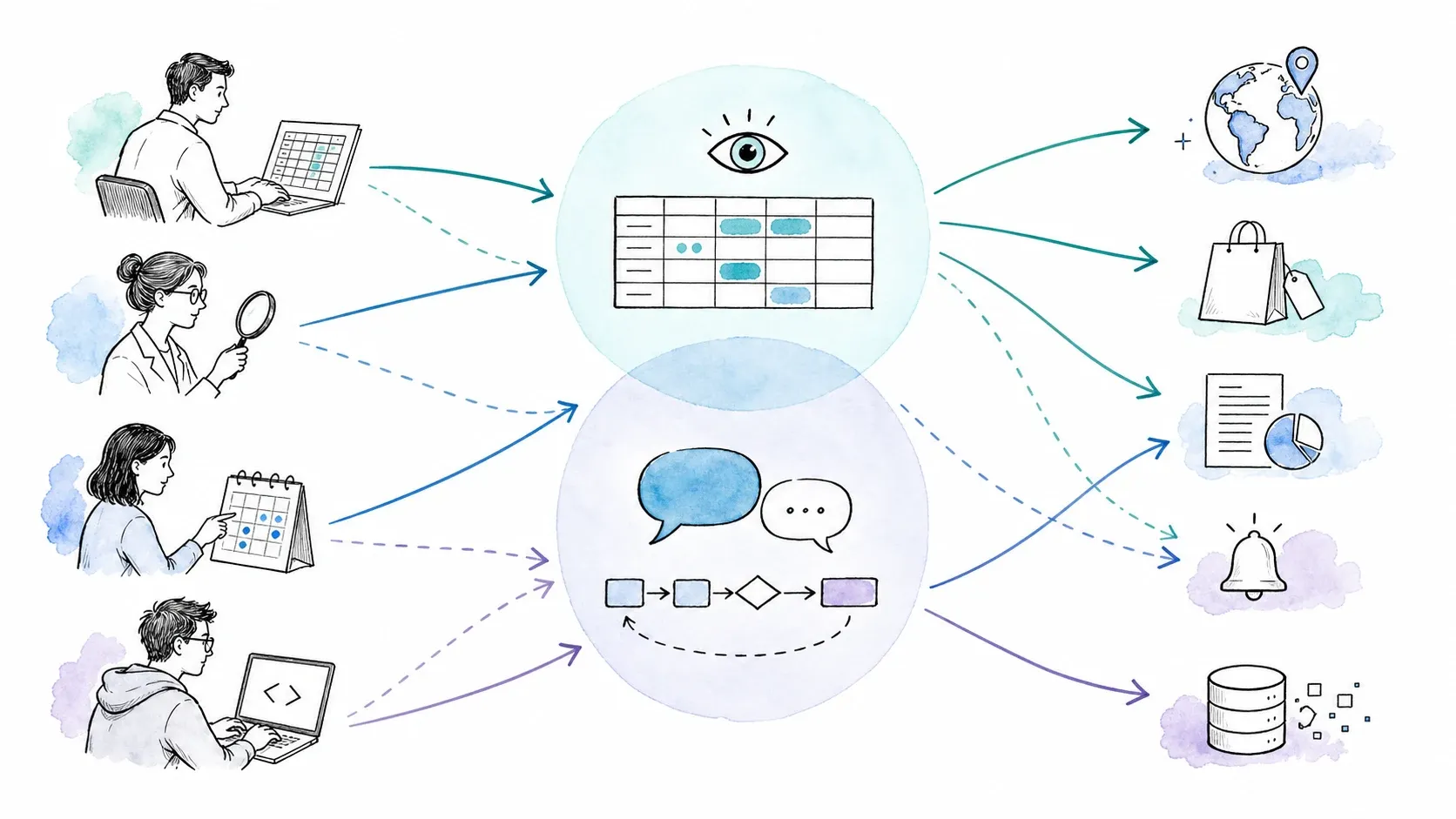
Thunderbit vs Chat4Data: Who Should Pick Which (and When to Pick Neither)
Most comparison articles end with a vague "it depends." I'd rather give you a concrete answer based on who you are and what you need.
| If you are… | Consider Thunderbit because… | Consider Chat4Data because… |
|---|---|---|
| A marketer building lead lists | One Click Extract + direct export to Google Sheets, Airtable, Notion | Natural-language prompts may feel more intuitive for ad-hoc tasks |
| An e-commerce seller tracking competitors | Scheduled scraping + bulk URL support (up to 2,000 URLs) | Configuration-based credits mean repeated scrapes of the same page structure are cheap |
| A researcher on a free budget | Free tier: 6 pages/month, 1 scheduled scraper | Free welcome credits; automatic pagination included on free tier |
| A developer building data pipelines | Open API, MCP Server, CLI | No API or MCP currently available |
| A team needing scale/scheduling | Scheduling from Free through Pro; bulk scraping on paid plans | Scheduling is not yet released |
| When neither tool fits | — | — |
When Thunderbit Is the Better Fit
Thunderbit wins when the ecosystem around the scrape matters as much as the scrape itself. Specifically:
- You need data flowing directly into Google Sheets, Airtable, or Notion without a manual download-and-upload step.
- You need scheduled, recurring scrapes — daily, hourly, or every five minutes on Pro plans.
- You're a developer who wants API access, MCP integration, or CLI tooling for automated pipelines.
- You're scraping many different page structures and want One Click Extract to propose a schema for each one, with the ability to add field-level instructions (formatting, categorization, translation).
- You need to process bulk URL lists (up to 2,000 on paid plans).
When Chat4Data Is the Better Fit
Chat4Data wins when the scraping interaction and per-row economics are the priority:
- You prefer a conversational, "tell it what you want" interface over a click-based column editor.
- You configure a scraper once and rerun it many times on the same page structure — the configuration-based credit model means you're not paying per row.
- You want automatic pagination on the free tier without plan upgrades.
- Your export needs are simple (CSV/XLSX download) and you don't need direct integrations.
- You're comfortable with a browser-only tool (tab must stay open during scraping).
When Neither Tool Fits Your Needs
Both Thunderbit and Chat4Data are browser-extension-first tools designed for structured extraction from web pages. They are not substitutes for:
- Full anti-bot proxy infrastructure. If you need managed proxy networks, IP rotation, and CAPTCHA handling at scale, look at dedicated platforms like Bright Data or Oxylabs.
- Large-scale headless crawling. If you need to crawl millions of pages programmatically with custom logic, Apify or Scrapy-based solutions are purpose-built for that.
- Autonomous web agents that go beyond extraction — filling forms, navigating multi-step workflows, interacting with authenticated dashboards. That's a different product category.
I'd rather point you toward the right tool than pretend ours covers every scenario. A vendor-sponsored survey of 1,000 U.S. CEOs and decision-makers found that 52% relied on competitor websites as an external data source and 60% used external data to monitor competitors. The demand for web data is real — but the right tool depends on your scale, technical requirements, and where the data needs to go.
Thunderbit vs Chat4Data: Key Takeaways
- Accuracy: On the same test page, both tools extracted 30 rows with high completeness. Thunderbit auto-detected all four target fields on the first pass (96.7% complete rows); Chat4Data missed one field initially and needed a follow-up prompt (93.3% complete rows). Small margin, but Thunderbit's field detection was more precise out of the box.
- Workflow: Thunderbit's One Click Extract → agentic analysis → Run Now or automatic start is visual and click-driven. Chat4Data's conversational interface is more natural-language-forward. Preference here is genuinely a matter of personal taste.
- Pagination: Chat4Data handles pagination automatically and includes it on the free tier. The earlier test interface requested pagination confirmation; the current agentic workflow should be evaluated under the latest plan limits rather than treated as requiring a second default action.
- Pricing model: Fundamentally different. Thunderbit charges per row; Chat4Data charges per configuration. For high-volume, single-structure scraping, Chat4Data is cheaper. For diverse, multi-page workflows with subpage enrichment, costs depend on your specific usage pattern.
- Export and integrations: Thunderbit has a clear lead — direct Google Sheets, Airtable, Notion, plus API/MCP/CLI. Chat4Data currently offers file downloads only, with direct integrations on the roadmap.
- Scheduling: Thunderbit supports it across all plans. Chat4Data doesn't offer it yet.
- When neither fits: For enterprise-scale crawling, anti-bot infrastructure, or autonomous web agents, look at dedicated platforms.
Want to see the One Click Extract workflow for yourself? Try Thunderbit's free tier — 6 pages per month, no credit card required. Or check out our YouTube channel for walkthroughs on real-world scraping tasks.
Frequently Asked Questions
Is Thunderbit or Chat4Data better for beginners?
Both tools are designed for non-technical users, but the learning curve differs by interaction style. Thunderbit's click-based One Click Extract workflow gives you a visual table of agent-detected columns that you can refine after the agent builds it — one G2 reviewer described "virtually no learning curve." Chat4Data's chat interface lets you describe what you want in plain English, which can feel more natural if you're used to conversational AI tools. If you're comfortable with spreadsheet-style column editing, Thunderbit will feel familiar. If you prefer typing instructions, Chat4Data's approach may click faster.
Can I use Thunderbit or Chat4Data for free?
Yes, both offer free tiers. Thunderbit's free plan includes 6 pages per month, 1 scheduled scraper (daily), and up to 5 saved scrapers. Chat4Data's free tier provides welcome credits upon registration (the exact amount is inconsistently documented on their site — either 100 or 300 credits per day for the first three active days). Chat4Data includes automatic pagination on its free tier; verify Thunderbit’s current pagination allowance on the live pricing page because plan limits can change. Paid features like subpage scraping, bulk URLs, and higher scheduling frequency are locked behind paid plans on both tools.
Does Thunderbit or Chat4Data work with Google Sheets?
Thunderbit supports direct export to Google Sheets — you click one button in the extension and data lands in a Google Sheets document. Chat4Data does not currently offer direct Google Sheets export; it's listed on their public roadmap as a planned feature. For now, Chat4Data users need to download a CSV or XLSX file and upload it to Sheets manually. Thunderbit also supports direct export to Airtable and Notion, which Chat4Data does not.
How do Thunderbit and Chat4Data handle pagination?
Thunderbit's AI can detect pagination patterns (like "Next" buttons), but it requires user confirmation before navigating additional pages. Free plans support up to 3 pages; paid plans support up to 200 pages. Chat4Data handles pagination automatically as part of the scraping plan — it navigates to subsequent pages without additional prompts, and this feature is available on the free tier. In my testing, Chat4Data's automatic pagination was smoother for simple multi-page jobs, while Thunderbit's approach offers more explicit control over how many pages to scrape.
How do Thunderbit and Chat4Data credits work differently?
This is probably the most important difference to understand before choosing. Thunderbit charges credits per output row — one standard row costs one credit, a subpage row costs two credits, and enrichment queries cost 30 credits each. Chat4Data charges credits per scraper configuration — setting up a new scraper costs 60–200 credits depending on page complexity, but once configured, extracting rows doesn't consume additional credits. This means Chat4Data can be dramatically cheaper for high-volume extraction from a single page structure, while Thunderbit's per-row model is more predictable for diverse, lower-volume scraping across many different sites.
Learn More




