

If you’ve ever found yourself stuck in a copy-paste marathon, wrestling with spreadsheets, or chasing down the latest competitor prices before your coffee even cools, you’re not alone. In today’s business world, the hunger for real-time data is insatiable—and the old ways of manual collection just can’t keep up. In fact, over 40% of workers spend at least a quarter of their week on repetitive tasks like data entry—enough time to binge-watch a whole TV series (don’t ask me how I know). Small business owners, meanwhile, lose an average of 96 minutes of productivity every day to inefficiencies, which adds up to three weeks a year just… gone (Salesforce).

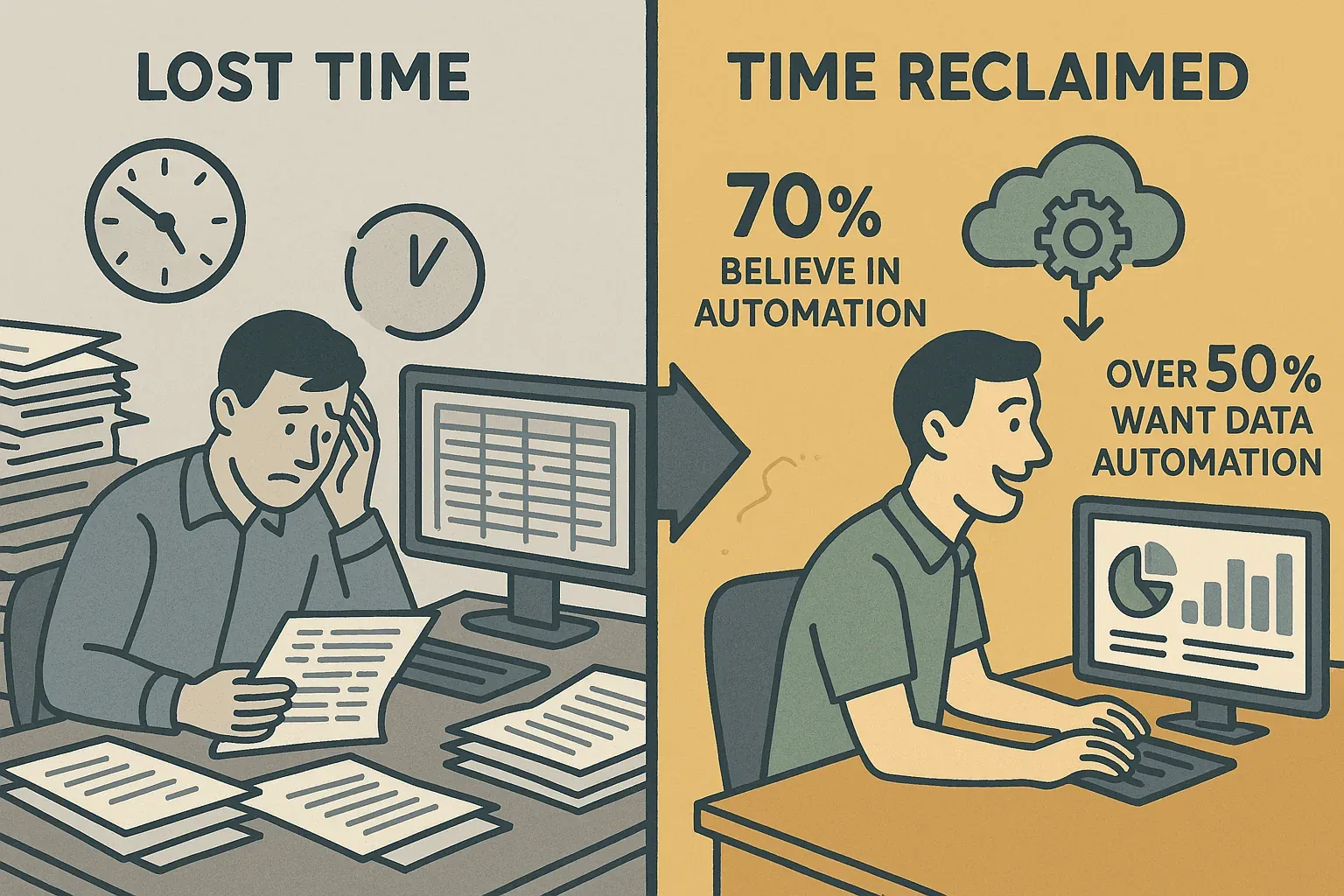
But here’s the good news: nearly 70% of workers believe automation is the key to reclaiming this lost time, and over half are eager to automate data gathering specifically. That’s where automated data scraping—and tools like Thunderbit—come in. As someone who’s spent years in SaaS and automation, I’ve seen firsthand how the right technology can turn data chaos into business gold. Let’s dive into how you can master automated data scraping, boost your team’s efficiency, and finally put those copy-paste days behind you.
What Is Automated Data Scraping? Unlocking the Power of Automation
What Is Data Scraping and How to Do It in 2025 Get Started Free
Automated data scraping is exactly what it sounds like: using software (often powered by AI) to collect information from websites, PDFs, images, or other digital sources and convert it into structured data—think spreadsheets, databases, or Google Sheets (Thunderbit Blog). Imagine sending a tireless digital assistant to scour the web, grab the details you need (like names, prices, emails), and neatly organize them for you—no more manual copy-paste, no more typos, and no more late-night data entry marathons.
How is this different from traditional scraping or manual collection? Manual collection is slow, error-prone, and nearly impossible to scale. Traditional web scraping (think Python scripts or browser automation) is faster, but requires technical know-how and constant maintenance—every time a website changes, your script might break (Thunderbit Blog). Automated data scraping with AI, on the other hand, understands page content in context, adapts to changes, and lets you describe what you want in plain English.
What can you scrape? Pretty much anything you can see on a webpage or document: text, numbers, dates, URLs, emails, phone numbers, images, and more. Modern tools like Thunderbit even handle PDFs and images using OCR, so you’re not limited to just web pages.
Why Automated Data Scraping Matters for Modern Businesses
Let’s get real: the value of automated data scraping boils down to three things—time, accuracy, and insight.
- Time Savings: Sales teams can go from days of manual research to minutes with automation (Thunderbit Blog). Operations teams can monitor dozens of vendors or SKUs without breaking a sweat.
- Accuracy & Consistency: Automation eliminates typos and ensures data is captured exactly as it appears. No more “Oops, I pasted the wrong price” moments.
- Real-Time Insights: In fast-moving industries, yesterday’s data is already old news. Automated scraping gives you up-to-the-minute information so you can act fast.
Here’s a quick look at the ROI for different teams:
| Key Benefit | Sales/Marketing Impact | Operations/Research Impact |
|---|---|---|
| Time Savings | More time engaging leads, faster campaign launches | Routine checks (prices, stock) run on schedule, freeing hours for deeper analysis |
| Accuracy | Clean data means campaigns hit the right contacts, messaging is on point | Reduces errors in reports, ensures reliable pricing and inventory data |
| Real-Time Insights | Sales intelligence stays current, outreach is perfectly timed | Operations can react instantly to market changes |
| Scalability | One marketer can gather thousands of leads, not just a handful | Research tasks scale effortlessly—monitor 100 products as easily as one |
| Cost Efficiency | Lower labor costs, faster go-to-market, no need for expensive data vendors | Saves engineering resources, minimal maintenance, affordable compared to custom development |
Real-world use cases:
- Lead Generation: Scrape business directories for contact lists in minutes.
- Price Monitoring: Track competitor prices daily, react to changes instantly.
- Review Tracking: Monitor new reviews or ratings for your brand or products.
- Market Research: Aggregate news, social mentions, or competitor data for up-to-date insights.
Exploring Automated Data Scraping Solutions: Thunderbit vs. Traditional Tools
There are plenty of ways to automate data scraping, but not all are created equal. Let’s break down the options:
| Aspect | Traditional Scraping (Scripts/Manual) | AI Web Scraping (Thunderbit) |
|---|---|---|
| Ease of Use | Coding or complex setup required; HTML/CSS knowledge needed | No-code, natural language interface; point-and-click simplicity (Thunderbit Blog) |
| Setup Speed | Hours or days to write/debug scripts | Ready in minutes; AI suggests what to extract |
| Adaptability | Breaks easily if site layout changes | AI interprets content contextually, adapts to changes |
| Maintenance | High ongoing effort, scripts need frequent updates | Low maintenance; AI and templates handle most changes |
| Technical Skill | Programming skills required | No technical skills needed; built for business users |
| Accuracy | Output may need manual cleaning | Clean, structured output by default |
| Integration | CSV/JSON output, extra coding for integrations | One-click export to Excel, Google Sheets, Notion, Airtable, etc. |
| Scalability | Complex to scale, requires handling proxies, parallelization | Scales for business needs; cloud mode scrapes 50 pages at a time |
| Cost | “Free” open-source but high time cost; enterprise tools are expensive | Freemium with affordable plans; free export features |
Thunderbit’s unique strength is its AI field suggestion and processing, combined with a simple Chrome extension interface. It’s built for non-technical users who just want results—no coding, no headaches.
How Thunderbit Makes Automated Data Scraping Simple: AI Suggest Fields & Two-Step Scraping
Here’s where Thunderbit really shines. The workflow is so simple, you could teach it to your grandma (and she’d probably use it to track bingo night winners).
Step 1: Using AI Suggest Fields to Define Your Data
When you open Thunderbit on a target webpage, just hit the “AI Suggest Fields” button. Thunderbit’s AI scans the page and proposes a set of column names and data types—like “Product Name,” “Price,” “Rating,” or “Contact Email.” You can review, rename, delete, or add fields as needed. No more guessing what’s possible or fiddling with selectors—the AI does the heavy lifting.
This is a game-changer for anyone who doesn’t know how to code or structure data. It’s like having a smart assistant who instantly tells you, “Here’s what you can grab from this page—want to add anything else?”
Step 2: One-Click Scraping to Export Data Instantly
Once your fields are set, just click “Scrape.” Thunderbit extracts the data, handles pagination, and presents it in a neat table. From there, you can export directly to:
- Excel or CSV
- Google Sheets
- Airtable
- Notion
- JSON
All exports are free and built-in—no paywalls, no extra hoops.
Pro tip: Thunderbit can even upload images to Notion or Airtable, so you get the real thing, not just a link.
Try Thunderbit AI Web Scraper for Free
Setting Up Automated Data Scraping Tasks and Keeping Data Fresh with Thunderbit
Need your data to stay up-to-date without lifting a finger? Thunderbit’s Scheduled Scraper feature is your new best friend.
How Scheduling Works
- Define the interval: Type something like “every day at 8am” or “Mondays at 6pm”—Thunderbit’s AI understands plain English.
- Enter URLs: Paste in the pages you want to monitor (could be dozens or hundreds).
- AI auto-fills fields: Thunderbit uses your field setup or suggests new ones.
- Parallel scraping: Cloud mode scrapes up to 50 pages at once for speed.
- Auto-export: Results go straight to your chosen platform (Sheets, Excel, etc.).
Use cases:
- Daily price monitoring
- Weekly review tracking
- Inventory updates
- Lead list refreshes
Tips for Ensuring Data Accuracy and Timeliness
- Set the right frequency: Don’t overscrape—match your schedule to how fast data changes.
- Monitor for changes: If a site redesigns, rerun “AI Suggest Fields” to update your setup.
- Leverage notifications: Use Google Sheets scripts or integrations to alert you if something’s off.
- Validate data periodically: Spot-check your outputs to ensure everything’s working as expected.
- Handle login-required pages: Use browser mode for sites that need credentials.
Boosting Data Quality: Customizing Output with Thunderbit’s AI Prompt Feature
Thunderbit’s Field AI Prompt feature lets you customize how data is extracted and formatted—right as you scrape.
What can you do with AI Prompts?
- Clean/format data: Strip currency symbols, standardize dates, output numbers only.
- Categorize/tag: Label products by category, flag items on sale, analyze sentiment in reviews.
- Enrich data: Summarize company descriptions, score leads, translate text.
- Conditional logic: Output “N/A” if a field is missing, or apply custom rules.
Example: Scraping competitor prices? Add a prompt to output just the numeric price and flag if a product is on sale. Scraping reviews? Add a prompt to label each as Positive, Negative, or Neutral.
The best part: these transformations happen during scraping, so your exported data is already clean and ready to use.
Real-World Example: Improving Data Precision and Usability with Thunderbit
Let’s say you’re an ecommerce manager tracking 50 competitor products daily. Here’s how Thunderbit makes it painless:
- Setup: Open one product page, click “AI Suggest Fields,” and accept columns like Product Name, Price, Availability.
- Customize: Add a field “On Sale” with a prompt: “Output ‘Yes’ if a discount is shown, otherwise ‘No’.” Edit the Price field to output numbers only.
- Bulk URLs: Paste all 50 product URLs into Thunderbit’s scheduler, set it to run daily at 8am.
- Export: Data lands in Google Sheets, with each row showing the latest price, stock status, and sale flag.
- Analyze: Chart price trends, set up alerts for price drops, and make decisions before your competitors even finish their morning coffee.
No more manual checks, no more messy data—just actionable insights, every day.
Integrating Thunderbit with Google Sheets, Notion, and More for Streamlined Analysis
Thunderbit’s direct exports mean your data flows straight into the tools your team already uses:
- Google Sheets: Live dashboards, formulas, and team collaboration. Set up triggers for alerts or automate follow-up actions.
- Notion: Build a living knowledge base or market tracker, complete with images and structured data.
- Airtable: Link scraped data to other tables, run automations, or create custom views.
- Excel/CSV/JSON: For offline analysis, database imports, or custom workflows.
This integration turns Thunderbit into the backbone of your data-driven workflow—no more emailing spreadsheets or wrangling CSVs.
How to Scrape Website Data into Excel using AI Get Started Free
Thunderbit’s seamless integration with Google Sheets, Notion, and Airtable means you can automate your entire data pipeline, from collection to analysis, without ever leaving your favorite tools.
Step-by-Step Guide: Mastering Automated Data Scraping with Thunderbit
Here’s your quick-start checklist:
- Define your goal: What data do you need, from where, and how often?
- Install Thunderbit: Download the Chrome extension and sign up (free tier available).
- Open your target page: Click the Thunderbit icon.
- AI Suggest Fields: Let the AI recommend columns, adjust as needed.
- (Optional) Add AI Prompts: Customize fields for formatting, categorization, or enrichment.
- Test scrape: Run a preview, check results, tweak if necessary.
- Bulk/scheduled scraping: Paste multiple URLs or set up a schedule for recurring tasks.
- Export: Send data to Sheets, Notion, Airtable, Excel, or download as CSV/JSON.
- Analyze and share: Use your favorite tools to turn data into insights.
- Maintain: Spot-check outputs, rerun AI suggestions if sites change, and keep your workflow humming.
Troubleshooting tips:
- If data looks off, rerun “AI Suggest Fields” or refine your AI Prompts.
- For login-required sites, use browser mode.
- Monitor your Thunderbit credits if running large or frequent scrapes.
For more details, check out the Thunderbit Docs or our YouTube Channel for tutorials.
Start Automating Data Collection with Thunderbit
Conclusion & Key Takeaways: Your Path to Efficient Automated Data Scraping
Automated data scraping isn’t just for coders or IT pros anymore—it’s a must-have for any business team that wants to work smarter, not harder. With Thunderbit, you get:
- Ease of use: No code, no setup headaches—just click, scrape, and export.
- Speed: Go from idea to data in minutes, not days.
- Accuracy: Clean, structured, and reliable data every time.
- Flexibility: Handle complex tasks with AI Prompts and subpage scraping.
- Integration: Data lands where your team needs it—Sheets, Notion, Airtable, Excel.
- Low maintenance: AI adapts to site changes, so you’re not stuck fixing broken scripts.
Ready to leave manual data collection in the past? Try Thunderbit for free and see how easy automated data scraping can be. Your spreadsheets (and your sanity) will thank you.
For more tips, deep dives, and real-world use cases, check out the Thunderbit Blog.
Try AI Web Scraper Get Started Free
FAQs
1. What is automated data scraping, and how is it different from traditional scraping?
Automated data scraping uses AI-powered tools to extract data from websites, PDFs, and images without manual coding or setup. Unlike traditional scraping, which often requires scripts and technical skills, automated solutions like Thunderbit let you define what you want in plain English and adapt to site changes automatically.
2. Who can benefit from automated data scraping?
Sales, marketing, operations, ecommerce, real estate, and research teams all benefit—anyone who needs structured data from the web, faster and more accurately than manual collection.
3. How does Thunderbit ensure data accuracy and quality?
Thunderbit’s AI Suggest Fields and Field AI Prompts ensure you’re extracting the right data, in the right format. You can customize how fields are processed, categorized, or cleaned, so your exported data is ready for analysis with minimal manual cleanup.
4. Can I schedule recurring data scrapes with Thunderbit?
Absolutely! Thunderbit’s Scheduled Scraper lets you set up automated tasks (daily, weekly, etc.) to keep your data fresh and up-to-date—perfect for price monitoring, review tracking, or inventory updates.
5. What platforms can I export Thunderbit data to?
Thunderbit supports direct export to Excel, Google Sheets, Notion, Airtable, CSV, and JSON. This makes it easy to integrate scraped data into your team’s existing workflows and analysis tools.
Ready to automate your data collection? Download Thunderbit and experience the future of web data scraping today.




