

Thunderbit’s realestate.com.au Scraper helps you turn property pages and search results into clean, structured datasets using AI. You open a page on realestate.com.au, click AI Suggest Columns, then click Scrape—Thunderbit’s AI reads the page and structures the data for export to Excel, Google Sheets, Airtable, or Notion.
🏠 What is realestate.com.au Scraper
The AI-Powered realestate.com.au Scraper is an AI Web Scraper built for extracting real estate data from realestate.com.au. Instead of writing code or maintaining brittle selectors, you use the Thunderbit Chrome Extension to let AI detect the best columns (price, address, beds, baths, agent info, URLs, and more), then scrape the page into a table you can download or sync.
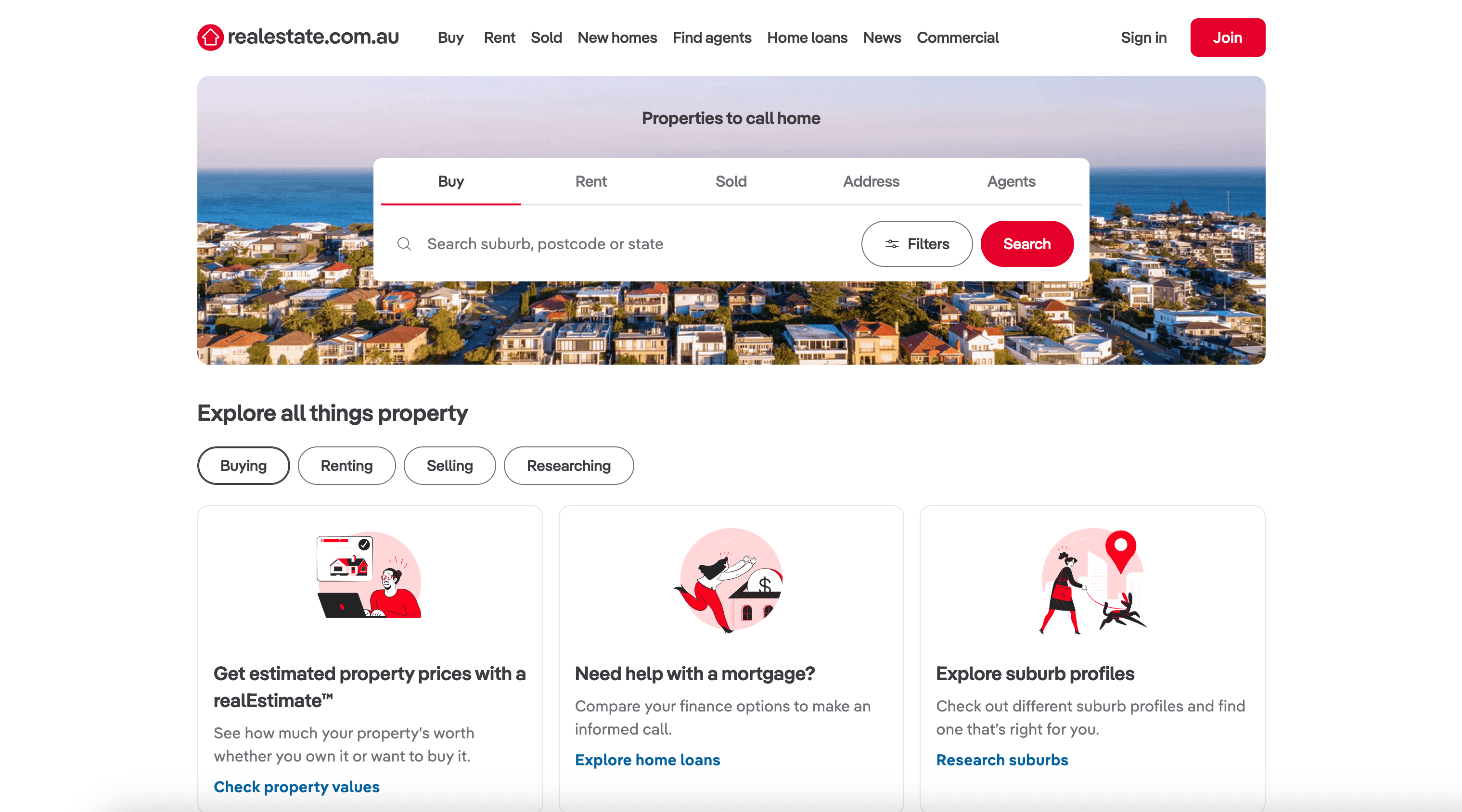
🧾 What can you scrape with realestate.com.au
You can scrape both individual property-related pages and bulk search result pages—then enrich your dataset using Subpage Scraping (Thunderbit can visit each listing’s detail page and append extra fields to your table).
🏡 Scrape Property Listing Data Extraction
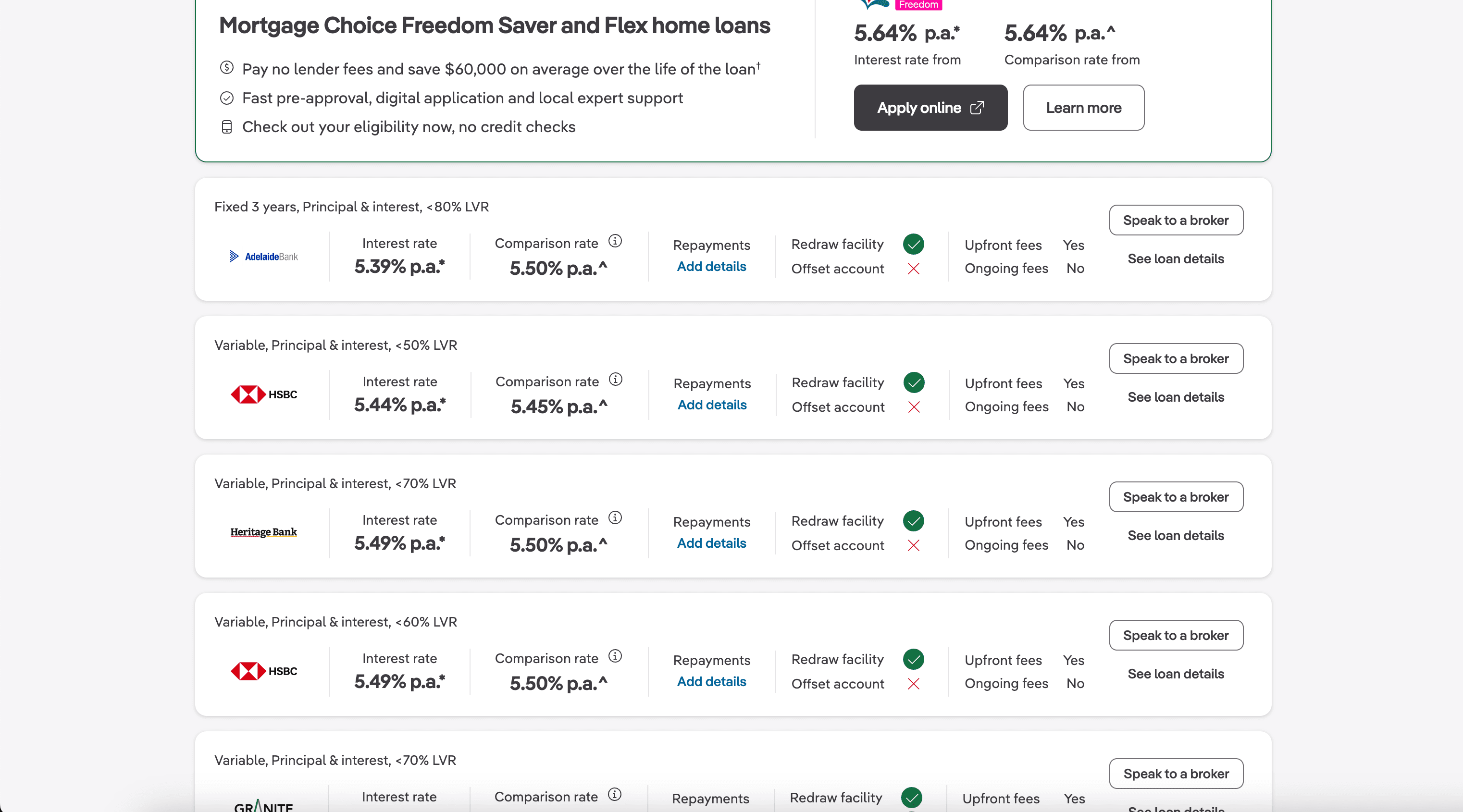
This use case focuses on extracting structured data from a property-related page such as the home loans comparison page on realestate.com.au. It’s useful when you want to capture comparable items, providers, rates, features, and outbound links into a spreadsheet for analysis.
Target page: https://www.realestate.com.au/home-loans/compare/
Steps:
- Download the Thunderbit Chrome Extension and register an account.
- Go to the destination page, for example: realestate.com.au Home Loans Compare.
- Click AI Suggest Columns to generate recommended column names and data types.
- Click Scrape to run the scraper, then export to Excel, Google Sheets, Airtable, or Notion.
Column names
| Column | Description |
|---|---|
| 🏦 Provider Name | The lender or provider name shown in the comparison list. |
| 🔗 Provider URL | The link to the provider or offer details page. |
| 💲 Rate / Price | Any displayed interest rate, comparison rate, or pricing info (when available). |
| 🧾 Product Name | The loan product name or plan title. |
| 🏷️ Key Features | Highlighted features such as offset account, redraw, fees, or eligibility notes. |
| 📌 Offer Type | Fixed/variable or other category labels shown on the page. |
| 🗓️ Intro Period | Introductory period details if listed (for example, promo duration). |
| 📝 Notes / Disclaimers | Any short notes, conditions, or disclaimers visible in the listing card. |
🔎 Scrape Bulk Search Result Scraping
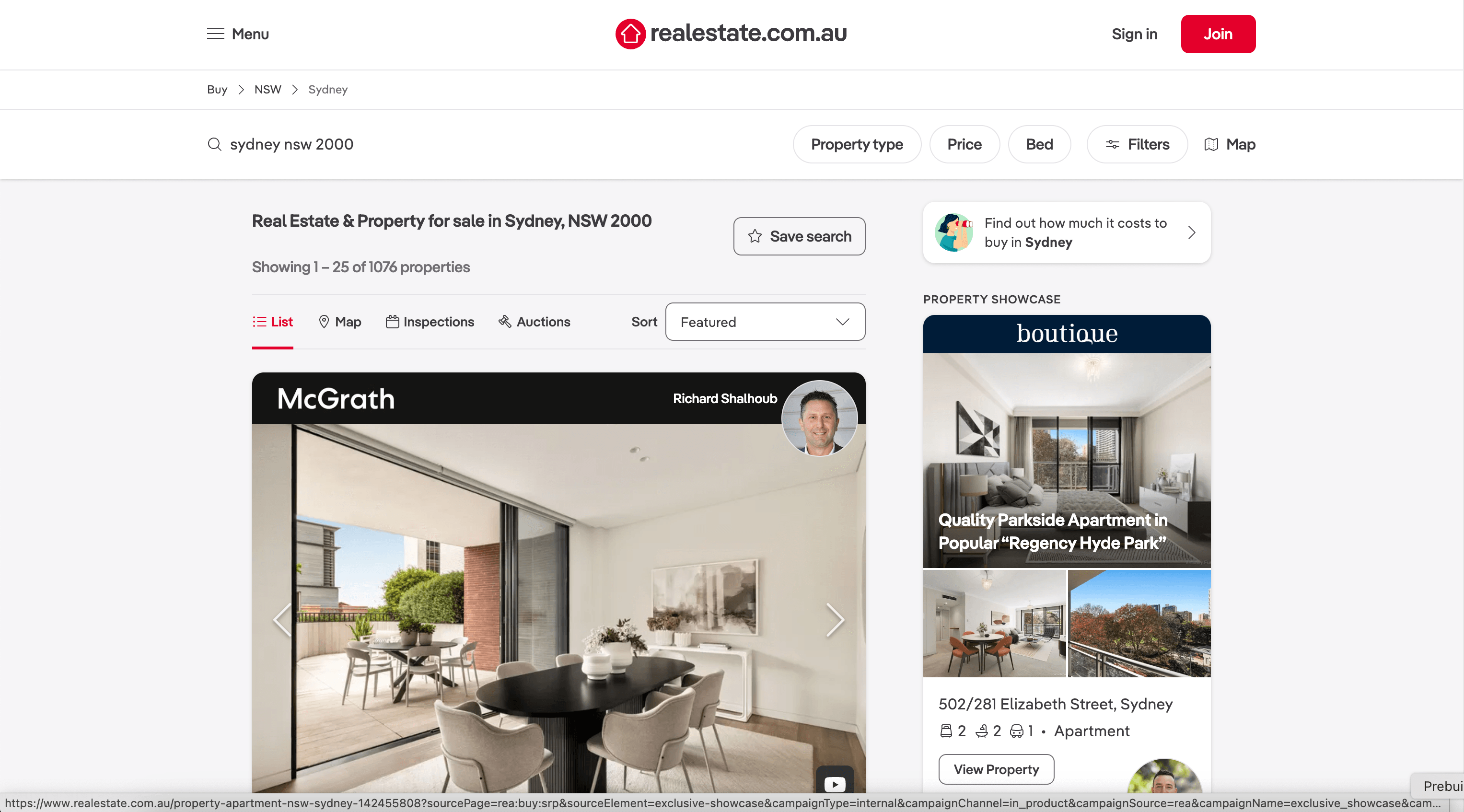
This use case is for scraping property search results in bulk—ideal for building a dataset of listings in a suburb, postcode, or city area. You can capture prices, addresses, beds/baths, property type, and listing URLs, then use Subpage Scraping to enrich with agent details, inspection times, land size, and descriptions.
Target page: https://www.realestate.com.au/buy/in-sydney+nsw+2000/list-1
Steps:
- Download the Thunderbit Chrome Extension and register an account.
- Go to the destination page, for example: Sydney NSW 2000 Buy Listings.
- Click AI Suggest Columns to generate recommended column names and data types.
- Click Scrape to collect the results, then export your file.
Column names
| Column | Description |
|---|---|
| 🏠 Listing Title | The headline/title shown on the card (often includes property type or key hook). |
| 📍 Address | Street address and locality displayed in the search result. |
| 🌐 Listing URL | Direct link to the listing detail page (useful for subpage enrichment). |
| 💰 Price | Price text shown (exact price, range, or “Contact agent”). |
| 🛏️ Bedrooms | Number of bedrooms shown on the card. |
| 🛁 Bathrooms | Number of bathrooms shown on the card. |
| 🚗 Parking | Number of car spaces/parking spots shown. |
| 🏷️ Property Type | Apartment, house, townhouse, etc. (when displayed). |
| 📐 Land / Floor Size | Any size metric shown on the card (sqm, m², etc.). |
| 🖼️ Image URL | Main thumbnail image URL for the listing card. |
| 🧑💼 Agent / Agency | Agent or agency name shown in the result (if present). |
| 🗓️ Inspection Time | Open home/inspection time text when available. |
🎯 Why Use realestate.com.au Tool
Scraping realestate.com.au can help you build reliable datasets for analysis, outreach, and monitoring—without manual copy/paste.
- Real estate teams: Track comparable listings, price changes, and inspection schedules across target suburbs.
- Investors: Build a watchlist dataset and monitor price guidance, days on market, and property attributes over time.
- Analysts & researchers: Create structured data for market reports, segmentation, and trend analysis.
- Sales & partnerships: Collect agency/agent names and listing URLs for territory planning and prospecting (use responsibly and follow applicable laws).
- Operations: Standardize listing data into Airtable/Notion for internal workflows and reporting.
Thunderbit is especially useful when you need:
- Pagination scraping (click pagination or infinite scroll)
- Subpage scraping to enrich results (visit each listing URL and append more fields)
- AI field prompts to normalize data (for example, convert price text into a number, standardize suburb names, or extract a specific feature)
🧩 How to Use realestate.com.au Chrome Extension
- Install the Thunderbit Chrome Extension: Get it from the Chrome Web Store and create your account on Thunderbit.
- Navigate to a realestate.com.au page: Open a page like the home loans compare page or a buy search results page.
- Activate AI-Powered Scraper: Click AI Suggest Columns to generate columns, adjust names/types if needed, then click Scrape.
Tip: After scraping search results, use Scrape Subpages to visit each listing URL and enrich your table with deeper details.
💳 Pricing for realestate.com.au
Thunderbit uses a simple credit system:
- 1 credit = 1 output row in your results table.
- The AI-powered scraping workflow (AI Suggest Columns + Scrape) is included, and you can start testing without paying.
What you can try for free:
- Free tier: scrape 6 pages per month.
- Free trial: scrape 10 pages for free before choosing a paid plan.
If you scrape search results with many listings, your credit usage depends on how many rows you extract. For ongoing monitoring (like weekly price checks), consider Scheduled Scraper to automate runs.
Paid plans (monthly and yearly) scale with your volume. The yearly plan is typically the most cost-effective option if you scrape regularly. See full details on Thunderbit Pricing.
| Tier | Monthly Price | Yearly Price | Yearly Total Price | Credits (Monthly) | Credits (Yearly) |
|---|---|---|---|---|---|
| Free | Free | Free | Free | 6 pages | N/A |
| Starter | $15 | $9 | $108 | 500 | 5,000 |
| Pro 1 | $38 | $16.5 | $199 | 3,000 | 30,000 |
| Pro 2 | $75 | $33.8 | $398 | 6,000 | 60,000 |
| Pro 3 | $125 | $68.4 | $796 | 10,000 | 120,000 |
| Pro 4 | $249 | $137.5 | $1,592 | 20,000 | 240,000 |
❓ FAQ
-
What is the AI Powered realestate.com.au Scraper?
The AI Powered realestate.com.au Scraper is an AI-driven web scraper that extracts structured data from realestate.com.au pages, including search results and listing-related pages. You click AI Suggest Columns to let AI detect fields, then click Scrape to collect rows you can export to your tools. -
What is Thunderbit?
Thunderbit is an AI Web Scraper Chrome Extension that helps you scrape data from websites, PDFs, and images, then export it to Excel, Google Sheets, Airtable, or Notion. It’s designed for business workflows like lead generation, ecommerce ops, and real estate research, with minimal setup and no code. -
Can I scrape realestate.com.au search results with pagination?
Yes. Thunderbit supports pagination scraping, including pages that use numbered pagination and pages that load more results as you scroll. This is useful when you want to collect a full suburb/postcode dataset rather than only the first page. -
Can Thunderbit visit each listing and pull more details from the subpage?
Yes. With Subpage Scraping, you can scrape a search results page first (to capture listing URLs), then have Thunderbit open each listing URL and append extra fields like agent details, property description, features, and inspection info. This is one of the fastest ways to build a richer dataset without manual clicking. -
What data can I export after scraping?
You can export to Excel, Google Sheets, Airtable, or Notion, or download as CSV or JSON. Export is free, so once you’ve scraped your rows, you can move the data into your reporting or CRM workflow right away. -
Do I need coding skills to use Thunderbit on realestate.com.au?
No. Thunderbit is built for non-technical workflows: open the page, click AI Suggest Columns, then click Scrape. If you want more control, you can rename columns, change data types (text/number/date/URL), and add a Field AI Prompt to standardize output. -
How does credit usage work for realestate.com.au scraping?
Thunderbit charges by output rows: 1 credit equals 1 row in your results table. If you scrape 200 listings from a search results page, that’s about 200 credits, and subpage enrichment can add more rows depending on how you structure your run. -
Should I use Cloud Scraping or Browser Scraping?
Use Cloud Scraping when pages are public and you want speed (Thunderbit can process batches quickly). Use Browser Scraping when you need your current browser session (for example, if a page requires location settings, cookies, or login-based access). You can switch modes depending on the page behavior. -
Is it okay to scrape realestate.com.au data?
You should always follow the website’s terms, applicable laws, and privacy requirements in your region. Thunderbit is a tool that helps you extract and structure data; how you use that data (especially for outreach or redistribution) should be compliant and respectful.
📚 Learn More
- Get started with the Thunderbit Chrome Extension
- Explore guides on the Thunderbit Blog
- Learn fundamentals: What Is Data Scraping and How to Do It in 2025
- Build list workflows: What Is List Crawling and How to Do It Using AI
- Export to spreadsheets: How to Scrape Website Data into Excel using AI and The Easiest Way to Scrape Website to Excel
- Scrape beyond web pages: How to Scrape Data from PDF using AI
- See more tooling comparisons: The Best Web Scraping Tools & Software in 2025
Ready to build a clean property dataset from realestate.com.au using AI: install Thunderbit from the Chrome Web Store and start with AI Suggest Columns.