मुफ़्त ऑनलाइन प्रोफ़ाइल स्क्रैपर

द्वारा
AI की मदद से सोशल और लिस्टिंग पेजों से संरचित सार्वजनिक प्रोफ़ाइल डेटा निकालें। विश्लेषण और आउटरीच के लिए नाम, हैंडल, बायो, लोकेशन और फ़ॉलोअर आँकड़े इकट्ठा करें।
कई URLs से स्क्रैप करें
फ़ाइल में URLs का बैच स्क्रैप करें
एक URL से स्क्रैप करें
PRODUCT HUNT#1 Product of the Week
Accenture logoCriteo logoGrammarly logoVerisk logoklook logoPuma logoRingCentral logoAccenture logoCriteo logoGrammarly logoVerisk logoklook logoPuma logoRingCentral logoAccenture logoCriteo logoGrammarly logoVerisk logoklook logoPuma logoRingCentral logoAccenture logoCriteo logoGrammarly logoVerisk logoklook logoPuma logoRingCentral logoAccenture logoCriteo logoGrammarly logoVerisk logoklook logoPuma logoRingCentral logoAccenture logoCriteo logoGrammarly logoVerisk logoklook logoPuma logoRingCentral logo
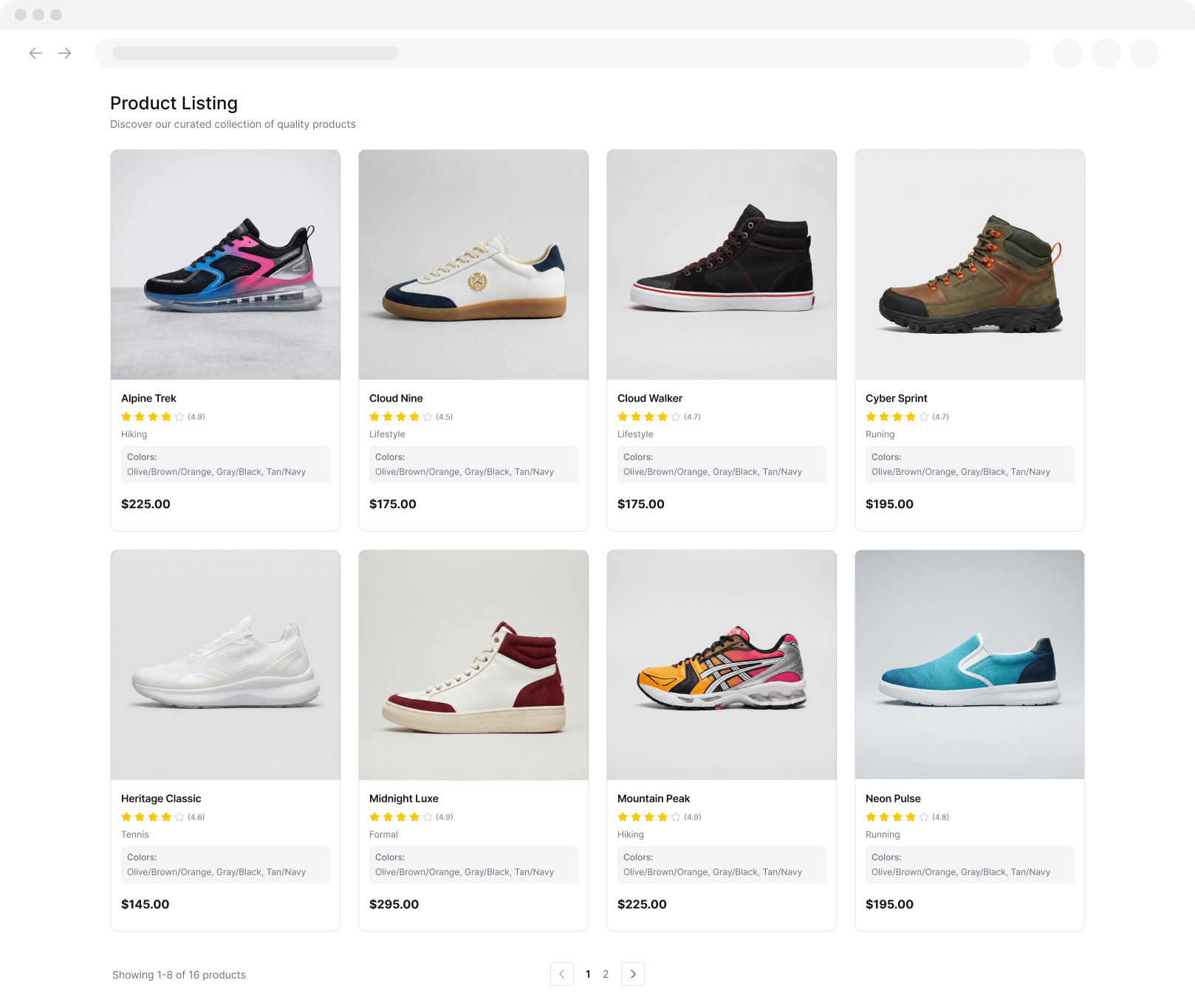
Product Listing
Extracted Data Table
Just Click to Extract
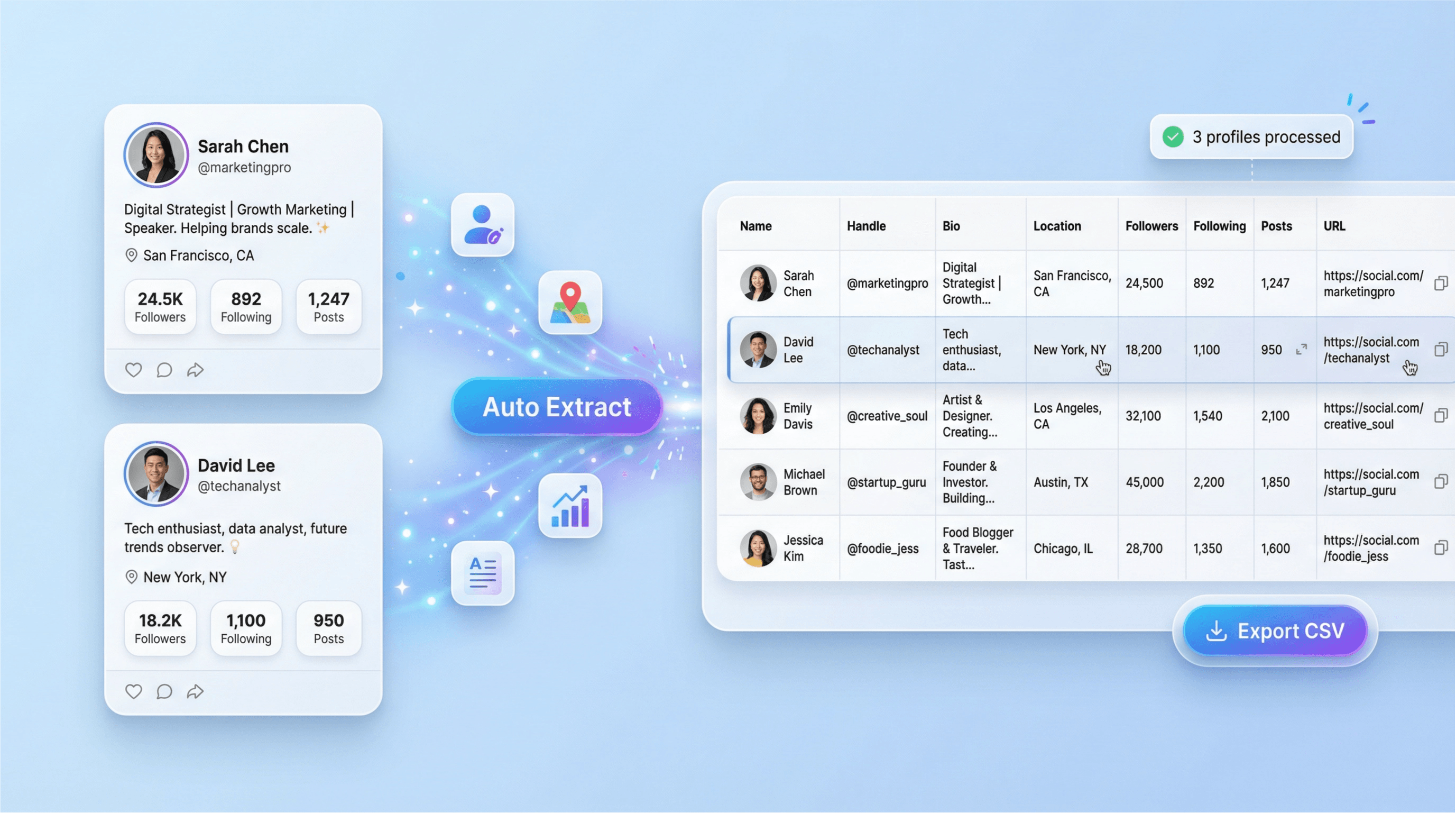
सिर्फ़ दो क्लिक में सोशल मीडिया प्रोफ़ाइल डेटा निकालेंThunderbit की मदद से प्रोफ़ाइल और सार्वजनिक पेज तेज़ी से स्क्रैप करें, फिर साफ़-सुथरे फ़ील्ड्स को टेबल में बदलें। बिना कोड के कई पेजों पर डेटा संग्रह को ऑटोमेट करें।
chrome-web-store
इंस्टॉल करें:Chrome Web Store

सिर्फ़ दो क्लिक में सोशल मीडिया प्रोफ़ाइल डेटा निकालें

Thunderbit आपको सार्वजनिक प्रोफ़ाइल पेजों और लिस्टिंग साइट्स को स्क्रैप करने में मदद करता है, फिर नाम, हैंडल, बायो, लोकेशन और स्टैट्स जैसे संरचित फ़ील्ड्स निकालता है। AI Suggest Fields से कॉलम जल्दी सेट करें, पेजिनेटेड लिस्ट्स स्क्रैप करें, और सबपेज स्क्रैपिंग से परिणामों को और समृद्ध करें। वेबसाइट्स और सबपेजों से स्क्रैप करें, साथ ही PDF, डॉक्यूमेंट और इमेज से भी, जब प्रोफ़ाइलें फ़ाइलों या स्क्रीनशॉट्स में हों। आउटपुट को साफ़ करें, श्रेणियों में बाँटें और फ़ॉर्मैट करें, फिर रिसर्च, मार्केटिंग और रिपोर्टिंग के लिए Google Sheets, Airtable या Notion में एक्सपोर्ट करें।

Thunderbit का उपयोग करके प्रोफ़ाइल डेटा कैसे स्क्रैप करें

step_01.png
स्टेप 1डाउनलोड करें और इंस्टॉल करेंThunderbit Chrome Extension को Thunderbit Chrome Extension Download Page से डाउनलोड और इंस्टॉल करें। इंस्टॉल होने के बाद, शुरू करने के लिए लॉग इन करें या मुफ़्त अकाउंट बनाएं।
step_02.png
स्टेप 2एक्सटेंशन खोलेंThunderbit Chrome Extension खोलें, फिर Profile Scraper टूल चुनें। अपने workflow के अनुसार input method चुनें: (1) Profile URL(s) दर्ज करें: एक या अधिक सार्वजनिक profile URLs पेस्ट करें (हर लाइन में एक), (2) Batch Upload URL List: एक .txt या .csv फ़ाइल अपलोड करें जिसमें हर लाइन में एक profile URL हो, या (3) Single Profile URL: एक profile link दर्ज करें। अगर आप output को नियंत्रित करना चाहते हैं, तो Fields to extract multi-select का उपयोग करके username_handle, full_name, bio_description, location, follower_count, और profile_image_url जैसे items चुनें। अगर आप कोई फ़ील्ड नहीं चुनते, तो Thunderbit default set को extract करेगा।
step03.png
स्टेप 3Scrape profiles बटन पर क्लिक करेंप्रोसेस शुरू करने के लिए "Scrape profiles" बटन पर क्लिक करें। Thunderbit हर सार्वजनिक प्रोफ़ाइल पेज पर जाएगा और Username / Handle, Full Name, Bio / Description, Location, Follower Count, Following Count, Number of Posts, Profile URL, और Other Public Metadata जैसे columns वाली एक structured table लौटाएगा। टेबल तैयार होने पर, परिणामों को CSV या Excel में एक्सपोर्ट करें, या विश्लेषण और रिपोर्टिंग के लिए उन्हें Google Sheets, Airtable, या Notion में भेजें।

सार्वजनिक सोशल पेजों से संरचित प्रोफ़ाइल डेटा निकालना सीखें

सार्वजनिक प्रोफ़ाइल विवरण को साफ़ टेबल में बदलें

Profile Scraper सार्वजनिक प्रोफ़ाइल और यूज़र पेजों को ऐसे संरचित rows में बदलता है जिन्हें आप विश्लेषण कर सकते हैं। एक या कई URLs पेस्ट करें और Thunderbit नाम, हैंडल, बायो, लोकेशन, follower और following counts, post count, profile URL, और अन्य सार्वजनिक metadata जैसे प्रमुख फ़ील्ड्स निकालता है। यह marketers, researchers और analysts के लिए बनाया गया है जिन्हें अलग-अलग प्लेटफ़ॉर्म्स पर मैन्युअल copy-paste के बिना consistent profile data चाहिए।
मुफ़्त में शुरू करें
profile_scraper.png

हर workflow के लिए ठीक वही फ़ील्ड चुनें जिनकी आपको ज़रूरत है

डिफ़ॉल्ट प्रोफ़ाइल फ़ील्ड्स का सेट चुनें या यह तय करें कि क्या कैप्चर करना है, जिसमें website, category, verified status, profile image URL, और सार्वजनिक रूप से उपलब्ध होने पर email या phone number जैसे वैकल्पिक contact details शामिल हैं। इससे टीमें अलग-अलग स्रोतों से datasets को standardize कर सकती हैं और बाद में cleanup का काम कम कर सकती हैं। जब आपको प्रोफ़ाइल का हल्का snapshot चाहिए या segmentation और reporting के लिए richer dataset, तब इसका उपयोग करें।
मुफ़्त में शुरू करें
profile_scraper.png

Outreach के लिए lead lists और creator databases बनाएँ
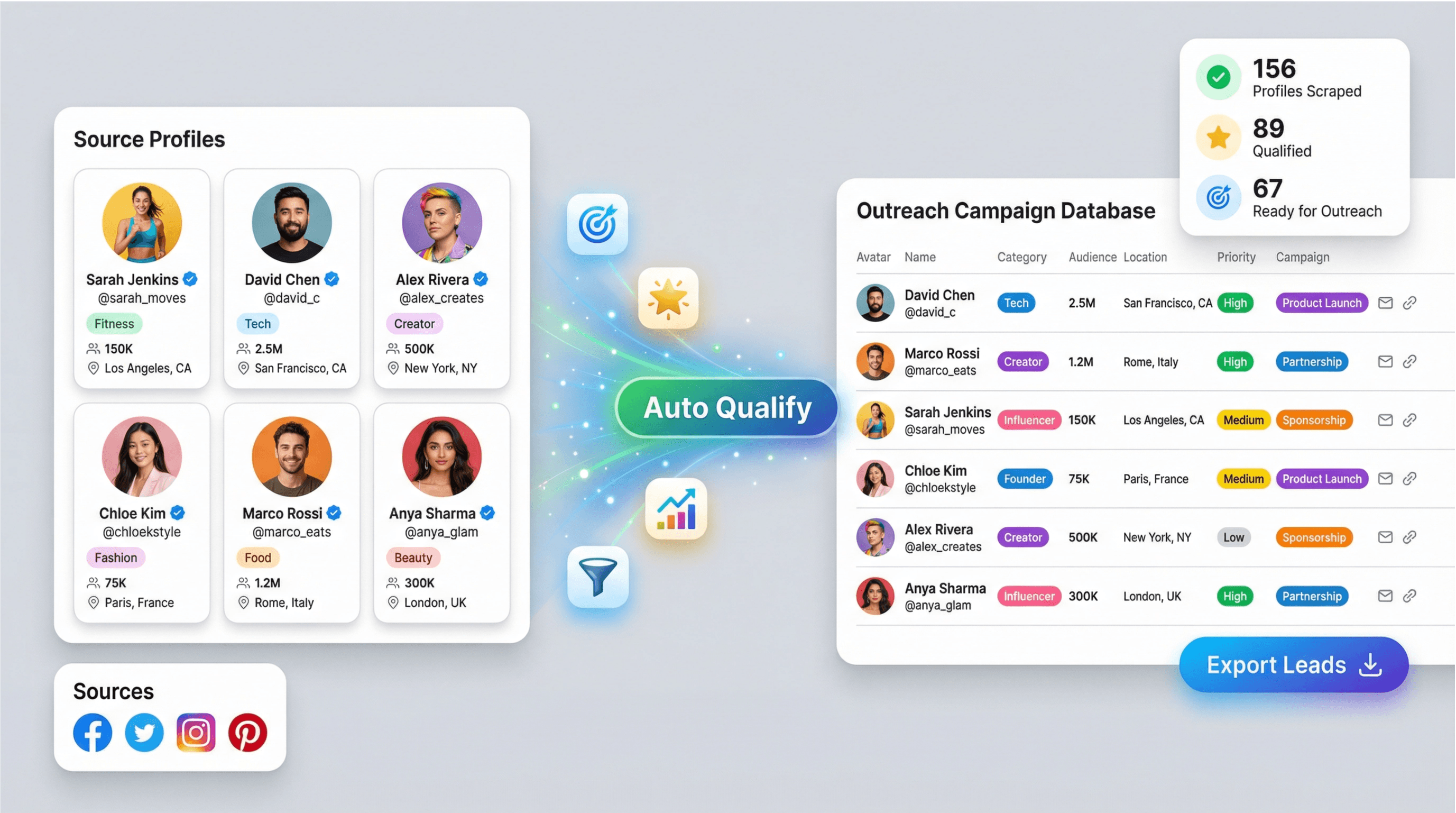
Public directories और social platforms से influencer, creator, founder, या brand account lists तैयार करने के लिए Profile Scraper का उपयोग करें। Handles, bios, locations, और audience size signals इकट्ठा करके prospects को qualify करें, उन्हें सही campaign तक पहुँचाएँ, और outreach को प्राथमिकता दें। यह growth teams, agencies, और partnerships roles के लिए उपयोगी है जिन्हें कई URLs पर repeatable profile research की ज़रूरत होती है।
मुफ़्त में शुरू करें
lead_list_building.png

परिणामों को उन टूल्स में एक्सपोर्ट करें जिनका आपकी टीम पहले से उपयोग करती है
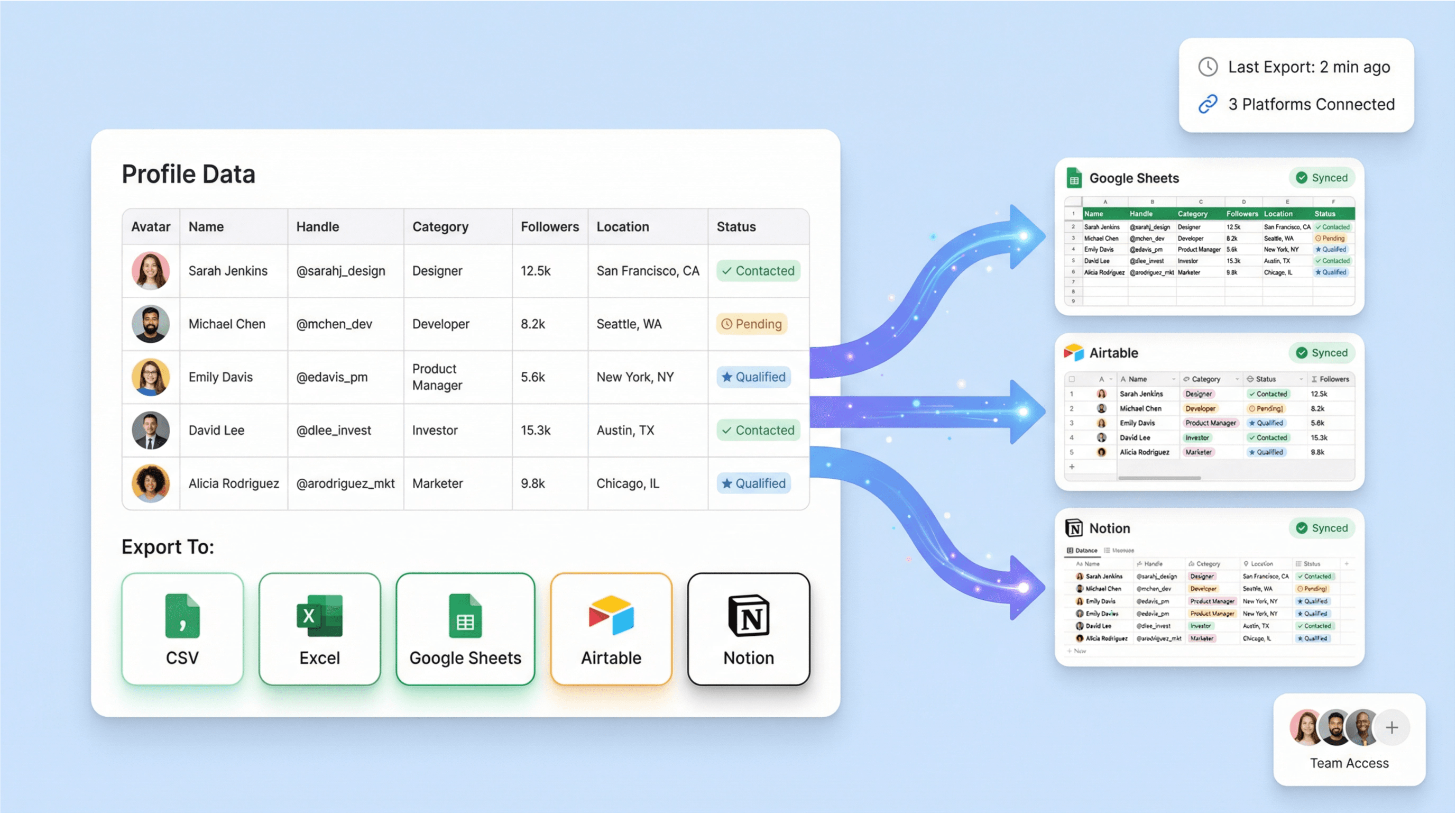
स्क्रैपिंग के बाद, टेबल को CSV या Excel में एक्सपोर्ट करें, या collaboration और analysis के लिए उसे Google Sheets, Airtable, या Notion में भेजें। इससे profiles deduplicate करना, notes जोड़ना, outreach status ट्रैक करना, और audience तथा competitor monitoring के लिए dashboards बनाना आसान हो जाता है। structured output ongoing reporting workflows को भी सपोर्ट करता है, जहाँ profile metrics को समय-समय पर review करना होता है।
मुफ़्त में शुरू करें
export_platforms.png

Thunderbit के बारे में यूज़र्स क्या कहते हैं

Taryn W.Growth Strategist@Thunderbit ने मेरा competitor research करने का तरीका बदल दिया। मैं 'AI Suggest Fields' पर क्लिक करता हूँ, और यह paginated results में एक साफ table बना देता है—न coding, न CSS. लंबे-tail marketplaces से product data analyze करते समय बहुत समय बचता है।
Miles T.Sales Development Consultantमैं directories से emails और phone numbers निकालने के लिए Thunderbit का इस्तेमाल करता हूँ। यह एक क्लिक में साफ contact info निकाल देता है, और Sheets या Notion में export करना सेकंडों का काम है। कोई extra setup नहीं, कोई coding नहीं—बस इस्तेमाल करने लायक data।
Rhea C.E-commerce AnalystThunderbit मुझे कई pages में SKU data मॉनिटर करने में मदद करता है। मैं listings स्क्रैप करती हूँ, फिर Subpage Scraping से पूरे product specs, pricing, reviews और stock निकालती हूँ। AI सब कुछ मेरे द्वारा तय किए गए columns में व्यवस्थित कर देता है।
Cassian B.Real Estate AdvisorThunderbit का Scheduled Scraper real estate tracking को आसान बना देता है। मैं interval को साधारण अंग्रेज़ी में बताता हूँ, और यह बिना फिर से सेटअप छुए अपडेटेड listings, prices और links अपने आप खींच लेता है। सरल और बहुत काम का।
Dorian B.Content & SEO Specialistमैं Thunderbit के Field AI Prompts का इस्तेमाल scraped blog content को साफ और टैग करने के लिए करता हूँ। यह titles, authors निकालता है, और categories भी सुझाता है। dynamic sites और subpages पर बढ़िया काम करता है—structured SEO datasets बनाने के लिए बिल्कुल सही।
Lina K.Marketplace Operations Leadहम Thunderbit से niche stores के SKUs ट्रैक करते हैं। Cloud Scraping एक बार में 50 pages संभाल लेता है, और login-required sites के लिए हम browser mode पर switch कर जाते हैं। यह तेज़, flexible है, और continuous maintenance या manual edits की ज़रूरत नहीं होती।
Jorge F.Inbound Sales ManagerThunderbit का AI Autofill बहुत काम आता है। contact info स्क्रैप करने के बाद, मैं इसे सीधे browser में lead forms भरने के लिए इस्तेमाल करता हूँ। मैं बस tab चुनता हूँ, और यह scraped row से सब कुछ भर देता है। manual input की ज़रूरत नहीं।
Alina D.Freelance Researcherमैं PDFs, image-based sites, और infinite scroll pages से डेटा निकालने के लिए Thunderbit पर भरोसा करती हूँ। यह AI के साथ messy formats को भी संभाल लेता है और ready-to-export tables देता है, जिन्हें मैं कुछ सेकंड में Google Sheets या Airtable में भेज सकती हूँ।
Taryn W.Growth Strategist@Thunderbit ने मेरा competitor research करने का तरीका बदल दिया। मैं 'AI Suggest Fields' पर क्लिक करता हूँ, और यह paginated results में एक साफ table बना देता है—न coding, न CSS. लंबे-tail marketplaces से product data analyze करते समय बहुत समय बचता है।
Miles T.Sales Development Consultantमैं directories से emails और phone numbers निकालने के लिए Thunderbit का इस्तेमाल करता हूँ। यह एक क्लिक में साफ contact info निकाल देता है, और Sheets या Notion में export करना सेकंडों का काम है। कोई extra setup नहीं, कोई coding नहीं—बस इस्तेमाल करने लायक data।
Rhea C.E-commerce AnalystThunderbit मुझे कई pages में SKU data मॉनिटर करने में मदद करता है। मैं listings स्क्रैप करती हूँ, फिर Subpage Scraping से पूरे product specs, pricing, reviews और stock निकालती हूँ। AI सब कुछ मेरे द्वारा तय किए गए columns में व्यवस्थित कर देता है।
Cassian B.Real Estate AdvisorThunderbit का Scheduled Scraper real estate tracking को आसान बना देता है। मैं interval को साधारण अंग्रेज़ी में बताता हूँ, और यह बिना फिर से सेटअप छुए अपडेटेड listings, prices और links अपने आप खींच लेता है। सरल और बहुत काम का।
Dorian B.Content & SEO Specialistमैं Thunderbit के Field AI Prompts का इस्तेमाल scraped blog content को साफ और टैग करने के लिए करता हूँ। यह titles, authors निकालता है, और categories भी सुझाता है। dynamic sites और subpages पर बढ़िया काम करता है—structured SEO datasets बनाने के लिए बिल्कुल सही।
Lina K.Marketplace Operations Leadहम Thunderbit से niche stores के SKUs ट्रैक करते हैं। Cloud Scraping एक बार में 50 pages संभाल लेता है, और login-required sites के लिए हम browser mode पर switch कर जाते हैं। यह तेज़, flexible है, और continuous maintenance या manual edits की ज़रूरत नहीं होती।
Jorge F.Inbound Sales ManagerThunderbit का AI Autofill बहुत काम आता है। contact info स्क्रैप करने के बाद, मैं इसे सीधे browser में lead forms भरने के लिए इस्तेमाल करता हूँ। मैं बस tab चुनता हूँ, और यह scraped row से सब कुछ भर देता है। manual input की ज़रूरत नहीं।
Alina D.Freelance Researcherमैं PDFs, image-based sites, और infinite scroll pages से डेटा निकालने के लिए Thunderbit पर भरोसा करती हूँ। यह AI के साथ messy formats को भी संभाल लेता है और ready-to-export tables देता है, जिन्हें मैं कुछ सेकंड में Google Sheets या Airtable में भेज सकती हूँ।

अक्सर पूछे जाने वाले प्रश्न

AI का उपयोग करके डेटा निकालें
डेटा को आसानी से Google Sheets, Airtable, या Notion में ट्रांसफर करें
PRODUCT HUNT#1 Product of the Week