AI Sales Email Generator

द्वारा
Create personalized sales emails in seconds with the free AI Sales Email Generator. Perfect for sales teams and entrepreneurs. Try it now and boost your outreach with Thunderbit’s suite of AI tools.

क्या आप bulk में डेटा निकालना चाहते हैं? Thunderbit को मुफ़्त में आज़माएँ।

Chrome Store Rating
PRODUCT HUNT#1 Product of the Week
Accenture logoCriteo logoGrammarly logoVerisk logoklook logoPuma logoRingCentral logoAccenture logoCriteo logoGrammarly logoVerisk logoklook logoPuma logoRingCentral logoAccenture logoCriteo logoGrammarly logoVerisk logoklook logoPuma logoRingCentral logoAccenture logoCriteo logoGrammarly logoVerisk logoklook logoPuma logoRingCentral logoAccenture logoCriteo logoGrammarly logoVerisk logoklook logoPuma logoRingCentral logoAccenture logoCriteo logoGrammarly logoVerisk logoklook logoPuma logoRingCentral logo
Create Personalized Sales Emails InstantlyLeverage Thunderbit's AI to craft effective B2B sales emails—just input your details and get a polished message in moments.
chrome-web-store
इंस्टॉल करें:Chrome Web Store

Create Personalized Sales Emails Instantly

Struggling to write the perfect sales email? Thunderbit's AI Sales Email Generator crafts personalized, professional messages based on your input—no writing experience needed. Simply enter the recipient's name, your offering, and preferred tone, and receive a complete email with a compelling subject line and signature. Save time on outreach and boost your response rates with AI-powered suggestions. Perfect for sales teams, business development, and anyone looking to connect with prospects efficiently.

How to Generate a Sales Email Using Thunderbit

step_01.png
STEP 1Download and InstallDownload and install the Thunderbit Chrome Extension from the Thunderbit Chrome Extension Download Page. Once installed, log in or create a free account to get started.
step_02.png
STEP 2Open ExtensionNavigate to the Thunderbit Chrome Extension in your browser. Select the "AI Sales Email Generator" tool from the menu. Enter the recipient's name, a description of your offering, choose the desired tone, and specify the word count limit in the provided fields.
step03.png
STEP 3Click the Generate Sales Email ButtonClick the "Generate Sales Email" button. Thunderbit will create a personalized B2B sales email with a subject line, body, and signature based on your inputs. You can then copy the generated email and use it in your outreach.

Learn how to generate personalized B2B sales emails with AI

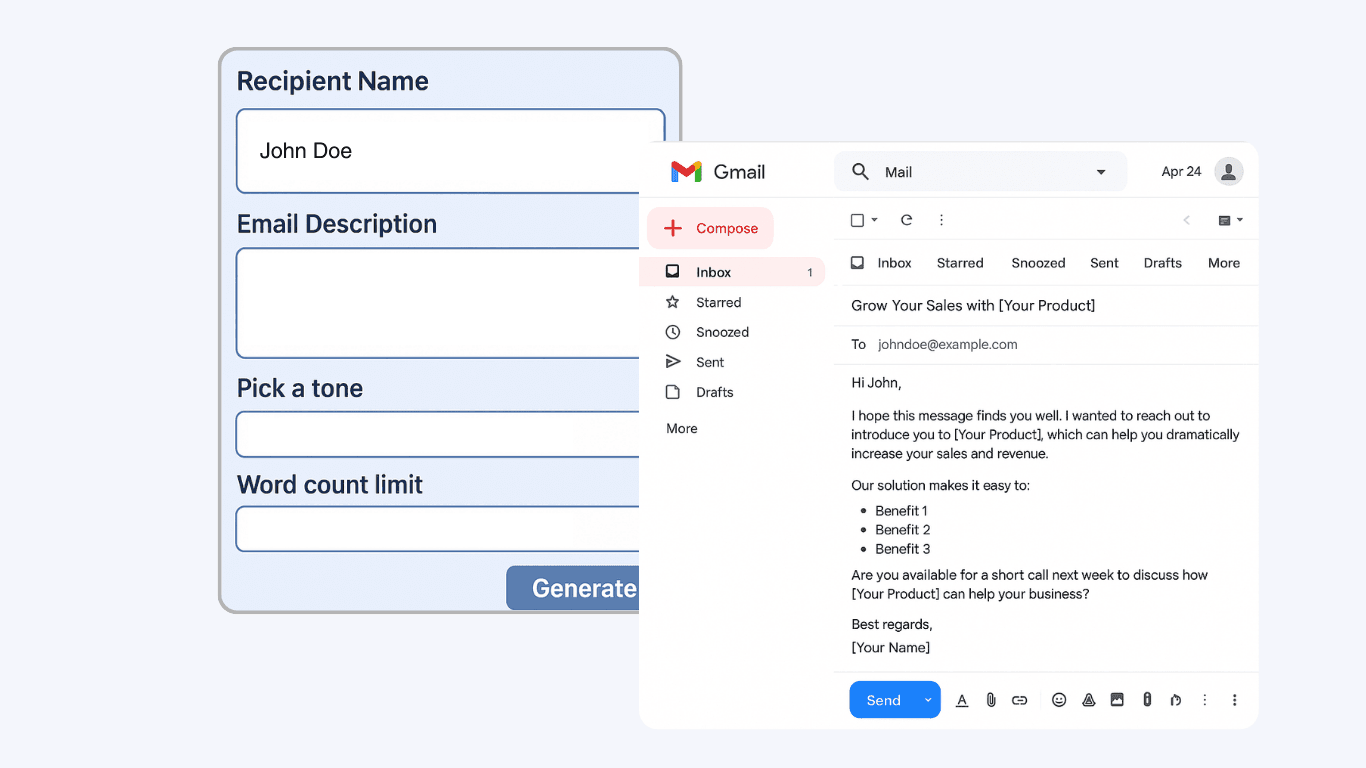
Create Tailored Sales Emails Instantly

The AI Sales Email Generator crafts personalized B2B sales emails by using your inputs—recipient name, offering details, tone, and word count. This tool is designed for sales professionals, business owners, and marketers who want to reach out to prospects with messages that feel custom-made. By automating the writing process, you can quickly produce high-quality emails that are relevant and engaging, helping you connect with leads more effectively.
मुफ़्त में शुरू करें
ai-sales-email-generator-1.png

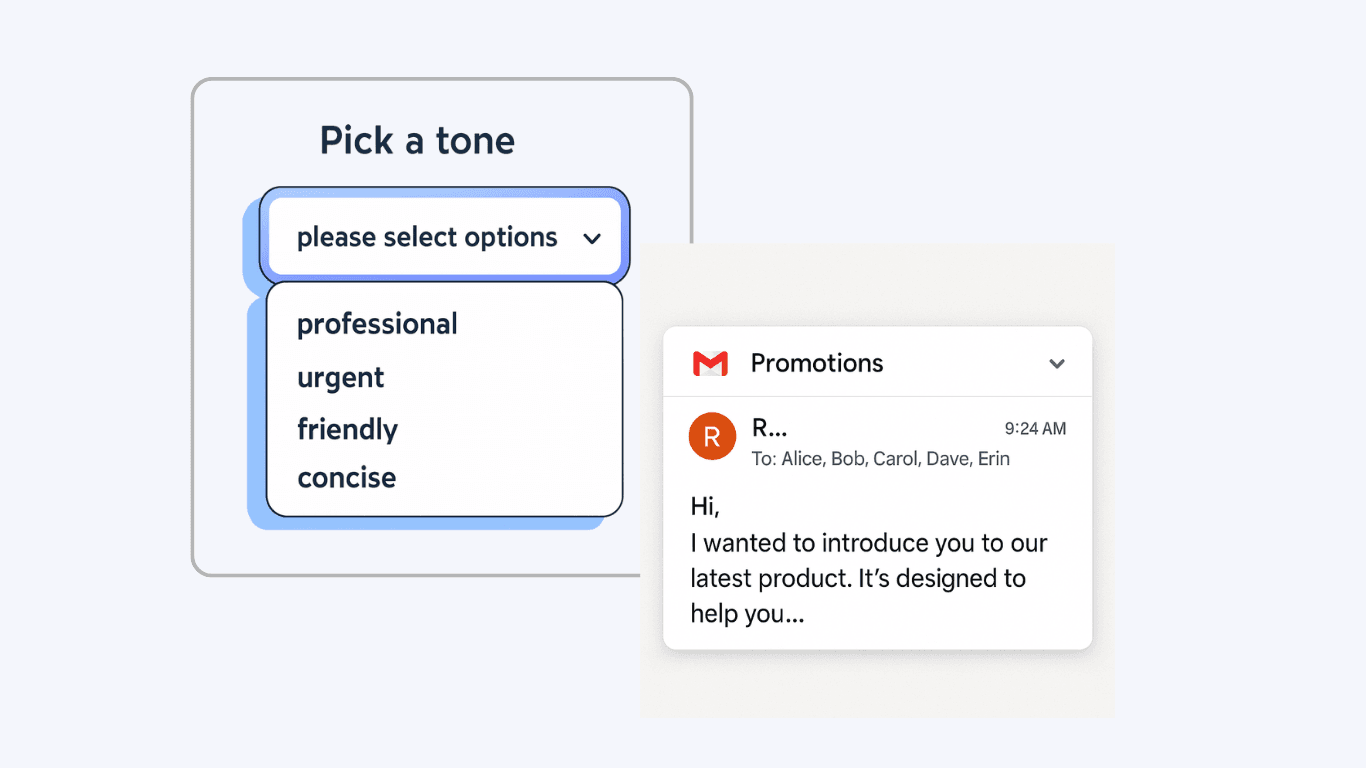
Customize Tone and Structure for Every Prospect

Adjust the tone of your email to match your brand or campaign—choose from professional, friendly, urgent, or casual styles. The tool also lets you set a word count limit, ensuring your message is concise and fits your outreach strategy. This flexibility helps you maintain consistency across your sales communications while adapting to different audiences, saving time and reducing the need for manual editing.
मुफ़्त में शुरू करें
ai-sales-email-generator-2.png

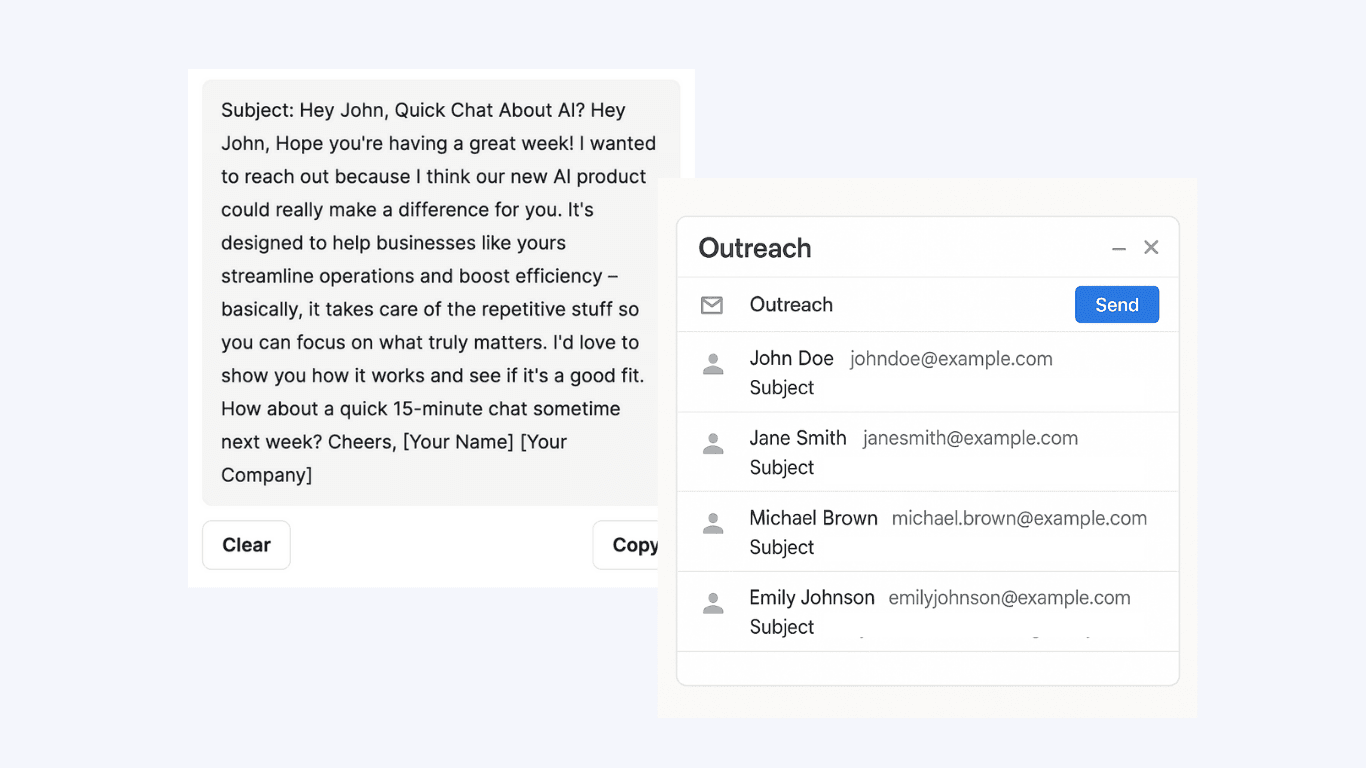
Accelerate Outreach for Sales and Marketing Teams

Sales and marketing teams can use the AI Sales Email Generator to speed up their outreach process. Instead of spending time drafting each email from scratch, users can generate multiple personalized emails in minutes. This is especially useful for lead generation campaigns, follow-ups, or cold outreach, allowing teams to focus on building relationships and closing deals rather than repetitive writing tasks.
मुफ़्त में शुरू करें
ai-sales-email-generator-3.png

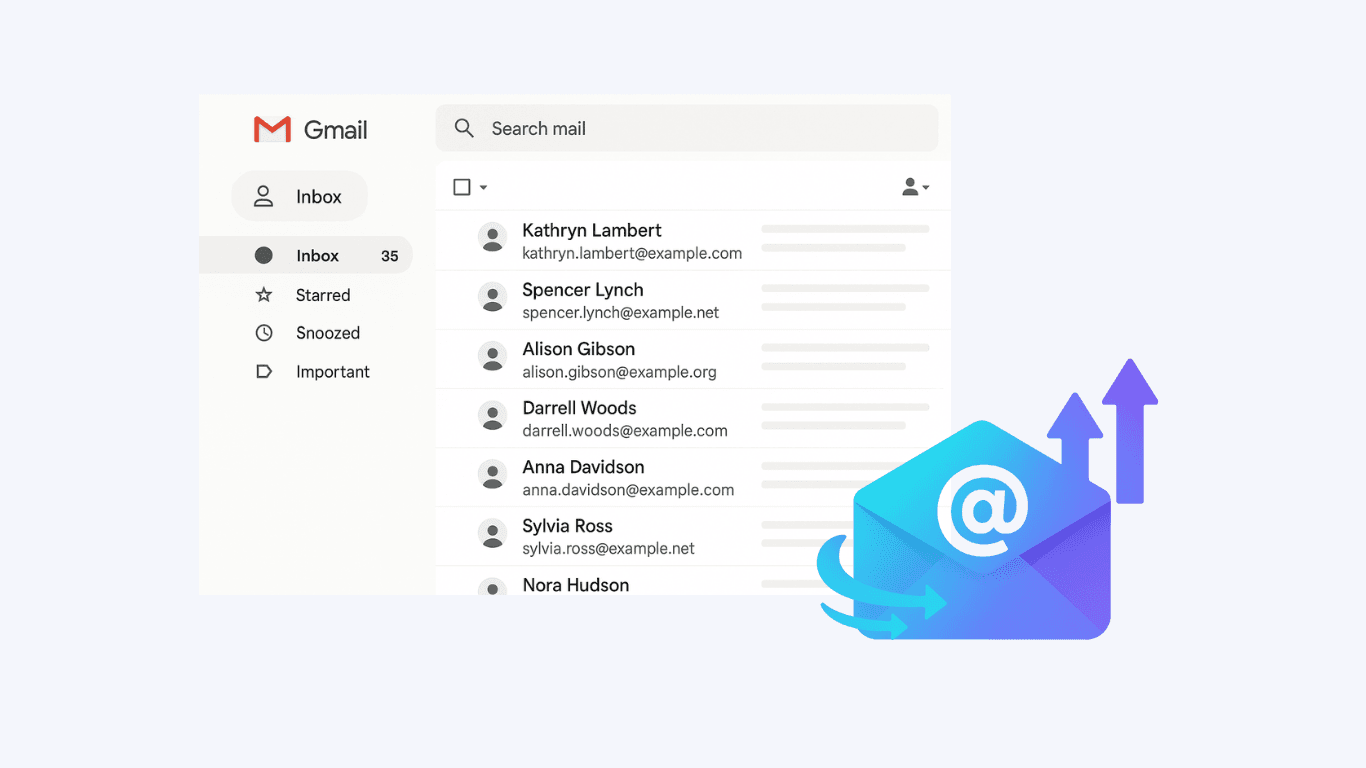
Enhance Consistency and Professionalism in Communication

By standardizing the structure and tone of your sales emails, the tool helps ensure every message reflects your brand’s professionalism. The generated emails include a compelling subject line, a clear body, and a polished signature, making it easy to maintain a high standard across all communications. This is ideal for businesses looking to improve their email outreach quality and boost response rates.
मुफ़्त में शुरू करें
ai-sales-email-generator-4.png

और मुफ़्त टूल्स देखें

स्पैम ईमेल पता जाँचक

किसी ईमेल पते के स्पैम जोखिम और संदिग्ध गतिविधि का आकलन करें, ताकि आप असुरक्षित संपर्कों से बच सकें.

Email Permutator

नामों और डोमेन के आधार पर ईमेल पते के आम वैरिएशन (permutations) बनाएं ताकि आउटरीच और टेस्टिंग आसान हो। सेल्स, रिक्रूटिंग और नेटवर्किंग वर्कफ़्लो के लिए बल्क में कई फ़ॉर्मैट तैयार करें।

कॉन्टैक्ट लिस्ट क्लीनर

डुप्लिकेट हटाकर, फॉर्मैट की गड़बड़ियाँ ठीक करके और अमान्य एंट्रीज़ को चिन्हित करके कॉन्टैक्ट लिस्ट को साफ़ व एकरूप बनाएं। इम्पोर्ट और आउटरीच के लिए तैयार, व्यवस्थित फ़ाइल पाएं।

ईमेल विषय पंक्ति परीक्षक

लंबाई, स्पष्टता, तात्कालिकता, वैयक्तिकरण और स्पैम जोखिम के आधार पर विषय पंक्ति को स्कोर करें। ओपन रेट बढ़ाने के लिए उपयोगी सुझाव पाएं।

डिस्पोज़ेबल ईमेल चेकर

जांचें कि कोई ईमेल डिस्पोज़ेबल डोमेन का उपयोग करता है या नहीं, और पता लगाई गई प्रदाता जानकारी देखें। स्पैम साइनअप कम करें और अपनी सूचियों को साफ़ रखें। एक छोटी-सी व्याख्या के साथ स्पष्ट परिणाम पाएं।

ईमेल प्रारूप खोजक

किसी भी कंपनी डोमेन के लिए सबसे संभावित ईमेल पैटर्न खोजें और किसी व्यक्ति के लिए संभावित पते जनरेट करें। बेहतर आउटरीच और कम बाउंस जोखिम के लिए भरोसे के साथ रैंक किए गए प्रारूप प्राप्त करें।

कोल्ड ईमेल टेम्पलेट जनरेटर

विषय पंक्ति और भेजने के लिए तैयार बॉडी के साथ व्यक्तिगत कोल्ड ईमेल टेम्पलेट बनाएँ। भूमिका, कंपनी और उद्देश्य के आधार पर आउटरीच को अनुकूलित करके उत्तर दरें बेहतर करें।


ईमेल खोजक

किसी व्यक्ति के नाम और कंपनी या डोमेन का उपयोग करके काम का संभावित ईमेल पता भरोसा-स्कोर के साथ खोजें। सार्वजनिक वेब डेटा से सही फ़ॉर्मेट पहचानकर आउटरीच में समय बचाएँ।

ईमेल डिलीवेरेबिलिटी टेस्टर

प्रमाणीकरण, डोमेन प्रतिष्ठा, और संदेश सामग्री की समीक्षा करके इनबॉक्स में पहुँचने के जोखिम की जाँच करें। डिलीवरी बेहतर करने और स्पैम फ़िल्टरिंग कम करने के लिए स्पष्ट सुझाव पाएँ।

रेज़्यूमे स्क्रैपर

रेज़्यूमे फ़ाइलों से संरचित उम्मीदवार डेटा निकालकर स्क्रीनिंग और खोज के लिए एक साफ़ टेबल में बदलें। संपर्क जानकारी, कौशल, अनुभव, शिक्षा और अन्य विवरण पार्स करें, फिर विश्लेषण के लिए एक्सपोर्ट करें।

कंपनी लुकअप

किसी व्यवसाय को नाम या रजिस्ट्रेशन नंबर से खोजकर उसका आधिकारिक विवरण—जैसे पता, इंडस्ट्री कोड और स्टेटस—पाएं। भरोसेमंद सार्वजनिक डेटा के साथ वेंडर वेरिफ़ाई करें, लीड्स को क्वालिफ़ाई करें और मार्केट रिसर्च को सपोर्ट करें।

बल्क ईमेल वेरिफायर

बड़ी ईमेल सूचियों को वैलिडेट करके बाउंस कम करें और सेंडर की प्रतिष्ठा सुरक्षित रखें। सिंटैक्स, डोमेन वैधता और जोखिम संकेत जांचें, फिर आउटरीच के लिए एक साफ़ सूची एक्सपोर्ट करें।

वेबसाइट कॉन्टैक्ट स्क्रैपर

किसी भी वेबपेज URL से ईमेल, फोन नंबर और सोशल लिंक निकालें—फिर नतीजों को साफ़-सुथरी टेबल में देखकर आउटरीच और रिसर्च को तेज़ बनाएं।

Zillow स्क्रैपर

Zillow से प्रॉपर्टी लिस्टिंग और एजेंट डेटा निकालें। मार्केट विश्लेषण और लीड रिसर्च के लिए संरचित रियल एस्टेट डेटा के साथ समय बचाएँ।

Idealista स्क्रैपर

Idealista की प्रॉपर्टी लिस्टिंग्स को विश्लेषण के लिए एक साफ़-सुथरी टेबल में निकालें। सर्च रिज़ल्ट्स से पता, URL, कीमत, बेडरूम और आकार (m²) कैप्चर करें। तेज़ रिसर्च और तुलना के लिए संरचित डेटा एक्सपोर्ट करें।

Indeed जॉब डेटा एक्सट्रैक्टर

किसी भी Indeed जॉब लिस्टिंग पेज से कंपनी के नाम, जॉब टाइटल, पोस्टिंग URL, स्थान और जॉब टाइप निकालें। विश्लेषण या outreach के लिए संरचित जॉब डेटा इकट्ठा करने में समय बचाएँ।

अभी और टूल्स खोजें

Thunderbit के बारे में उपयोगकर्ता क्या कहते हैं

Taryn W.Growth Strategist@Thunderbit ने मेरे competitor research का तरीका बदल दिया। मैं 'AI Suggest Fields' पर क्लिक करती हूँ, और यह paginated results में एक साफ़ टेबल बना देता है—कोडिंग नहीं, CSS नहीं। लंबी tail वाले मार्केटप्लेस से product data analyze करते समय बहुत समय बचता है।
Miles T.Sales Development Consultantमैं Thunderbit का इस्तेमाल directories से emails और phone numbers निकालने के लिए करता हूँ। यह एक क्लिक में साफ़ contact info निकाल देता है, और Sheets या Notion में export करने में कुछ सेकंड लगते हैं। कोई extra setup नहीं, कोई coding नहीं—बस काम का data।
Rhea C.E-commerce AnalystThunderbit मुझे कई pages पर SKU data मॉनिटर करने में मदद करता है। मैं listings scrape करती हूँ, फिर Subpage Scraping से पूरे product specs, pricing, reviews और stock निकालती हूँ। AI सब कुछ मेरे तय किए गए columns में व्यवस्थित कर देता है।
Cassian B.Real Estate AdvisorThunderbit का Scheduled Scraper real estate tracking को आसान बनाता है। मैं interval को साधारण English में बताता हूँ, और यह setup को दोबारा छुए बिना updated listings, prices और links अपने आप खींच लेता है। आसान और बहुत practical।
Dorian B.Content & SEO Specialistमैं Thunderbit के Field AI Prompts का इस्तेमाल scraped blog content को साफ़ और tag करने के लिए करता हूँ। यह titles, authors निकालता है, और categories सुझाता भी है। Dynamic sites और subpages पर बढ़िया काम करता है—structured SEO datasets बनाने के लिए perfect।
Lina K.Marketplace Operations Leadहम Thunderbit की मदद से niche stores से SKUs track करते हैं। Cloud Scraping एक बार में 50 pages संभाल लेता है, और login वाले sites के लिए हम browser mode इस्तेमाल करते हैं। यह तेज़, flexible है, और ongoing maintenance या manual edits की ज़रूरत नहीं पड़ती।
Jorge F.Inbound Sales ManagerThunderbit का AI Autofill बहुत काम आता है। contact info scrape करने के बाद, मैं इसका इस्तेमाल अपने browser में सीधे lead forms भरने के लिए करता हूँ। मैं बस tab चुनता हूँ, और यह scraped row से सब कुछ भर देता है। manual input की ज़रूरत नहीं।
Alina D.Freelance Researcherमैं PDFs, image-based sites और infinite scroll pages से डेटा निकालने के लिए Thunderbit पर भरोसा करती हूँ। यह AI के साथ messy formats को संभालता है और export के लिए तैयार टेबल देता है, जिन्हें मैं कुछ सेकंड में Google Sheets या Airtable पर भेज सकती हूँ।
Taryn W.Growth Strategist@Thunderbit ने मेरे competitor research का तरीका बदल दिया। मैं 'AI Suggest Fields' पर क्लिक करती हूँ, और यह paginated results में एक साफ़ टेबल बना देता है—कोडिंग नहीं, CSS नहीं। लंबी tail वाले मार्केटप्लेस से product data analyze करते समय बहुत समय बचता है।
Miles T.Sales Development Consultantमैं Thunderbit का इस्तेमाल directories से emails और phone numbers निकालने के लिए करता हूँ। यह एक क्लिक में साफ़ contact info निकाल देता है, और Sheets या Notion में export करने में कुछ सेकंड लगते हैं। कोई extra setup नहीं, कोई coding नहीं—बस काम का data।
Rhea C.E-commerce AnalystThunderbit मुझे कई pages पर SKU data मॉनिटर करने में मदद करता है। मैं listings scrape करती हूँ, फिर Subpage Scraping से पूरे product specs, pricing, reviews और stock निकालती हूँ। AI सब कुछ मेरे तय किए गए columns में व्यवस्थित कर देता है।
Cassian B.Real Estate AdvisorThunderbit का Scheduled Scraper real estate tracking को आसान बनाता है। मैं interval को साधारण English में बताता हूँ, और यह setup को दोबारा छुए बिना updated listings, prices और links अपने आप खींच लेता है। आसान और बहुत practical।
Dorian B.Content & SEO Specialistमैं Thunderbit के Field AI Prompts का इस्तेमाल scraped blog content को साफ़ और tag करने के लिए करता हूँ। यह titles, authors निकालता है, और categories सुझाता भी है। Dynamic sites और subpages पर बढ़िया काम करता है—structured SEO datasets बनाने के लिए perfect।
Lina K.Marketplace Operations Leadहम Thunderbit की मदद से niche stores से SKUs track करते हैं। Cloud Scraping एक बार में 50 pages संभाल लेता है, और login वाले sites के लिए हम browser mode इस्तेमाल करते हैं। यह तेज़, flexible है, और ongoing maintenance या manual edits की ज़रूरत नहीं पड़ती।
Jorge F.Inbound Sales ManagerThunderbit का AI Autofill बहुत काम आता है। contact info scrape करने के बाद, मैं इसका इस्तेमाल अपने browser में सीधे lead forms भरने के लिए करता हूँ। मैं बस tab चुनता हूँ, और यह scraped row से सब कुछ भर देता है। manual input की ज़रूरत नहीं।
Alina D.Freelance Researcherमैं PDFs, image-based sites और infinite scroll pages से डेटा निकालने के लिए Thunderbit पर भरोसा करती हूँ। यह AI के साथ messy formats को संभालता है और export के लिए तैयार टेबल देता है, जिन्हें मैं कुछ सेकंड में Google Sheets या Airtable पर भेज सकती हूँ।

Frequently Asked Questions

AI का उपयोग करके डेटा निकालें
डेटा को आसानी से Google Sheets, Airtable, या Notion में ट्रांसफ़र करें
Chrome Store Rating
PRODUCT HUNT#1 Product of the Week