ईमेल डिलीवेरेबिलिटी टेस्टर

द्वारा
ऑथेंटिकेशन, डोमेन प्रतिष्ठा और संदेश की सामग्री की समीक्षा करके इनबॉक्स में पहुंचने के जोखिम की जांच करें। डिलीवरी बेहतर करने और स्पैम फ़िल्टर में जाने की संभावना कम करने के लिए स्पष्ट सुधार सुझाएँ।
PRODUCT HUNT#1 Product of the Week
Accenture logoCriteo logoGrammarly logoVerisk logoklook logoPuma logoRingCentral logoAccenture logoCriteo logoGrammarly logoVerisk logoklook logoPuma logoRingCentral logoAccenture logoCriteo logoGrammarly logoVerisk logoklook logoPuma logoRingCentral logoAccenture logoCriteo logoGrammarly logoVerisk logoklook logoPuma logoRingCentral logoAccenture logoCriteo logoGrammarly logoVerisk logoklook logoPuma logoRingCentral logoAccenture logoCriteo logoGrammarly logoVerisk logoklook logoPuma logoRingCentral logo
Thunderbit के साथ ईमेल डिलीवरी सुधारेंThunderbit की AI-आधारित स्क्रैपिंग और ऑटोमेशन से वेबसाइट डेटा को तेज़ी से निकालें और व्यवस्थित करें। पेज, PDFs, दस्तावेज़ और इमेज से संरचित जानकारी हासिल करें, फिर उसे Sheets, Airtable या Notion में एक्सपोर्ट करें।
chrome-web-store
से इंस्टॉल करेंChrome Web Store

Thunderbit के साथ ईमेल डिलीवरी सुधारें

आउटरीच या ऑपरेशंस के लिए वेबसाइट डेटा चाहिए? Thunderbit पेज, सबपेज, PDFs, दस्तावेज़ और इमेज को स्क्रैप करके उन्हें ऐसे संरचित फ़ील्ड्स में बदल देता है जिन्हें आप आसानी से देख और सुधार सकते हैं। आप डेटा निकालते समय ही उसे summarize, categorize और format कर सकते हैं, फिर उसे Google Sheets, Airtable या Notion में एक्सपोर्ट करके शेयर और फ़ॉलो-अप के लिए तैयार कर सकते हैं।

Thunderbit का उपयोग करके Email Deliverability कैसे टेस्ट करें

step_01.png
STEP 1Download और Install करेंThunderbit Chrome Extension Download Page से Thunderbit Chrome Extension डाउनलोड और इंस्टॉल करें। इंस्टॉल होने के बाद, लॉग इन करें या शुरू करने के लिए एक मुफ्त खाता बनाएं।
step_02.png
STEP 2Extension खोलेंउस पेज को खोलें जहाँ आप अपनी email deliverability test करना चाहते हैं, फिर Thunderbit Chrome Extension लॉन्च करें। टूल मेनू में Email Deliverability Tester चुनें। recipient email address दर्ज करें, पूरा email content पेस्ट करें, और अगर उपलब्ध हो तो sender domain जोड़ें।
step03.png
STEP 3Test Deliverability बटन पर क्लिक करेंTest Deliverability बटन पर क्लिक करें। Thunderbit authentication, domain reputation और content quality का विश्लेषण करेगा, फिर inbox, spam या rejection assessment के साथ scores और recommendations वाली report देगा। परिणामों की समीक्षा करें और भेजने से पहले ईमेल बेहतर करने के लिए दिए गए सुझावों का उपयोग करें।

Email deliverability टेस्ट करना सीखें

इनबॉक्स में पहुंचने की संभावना का विश्लेषण करें

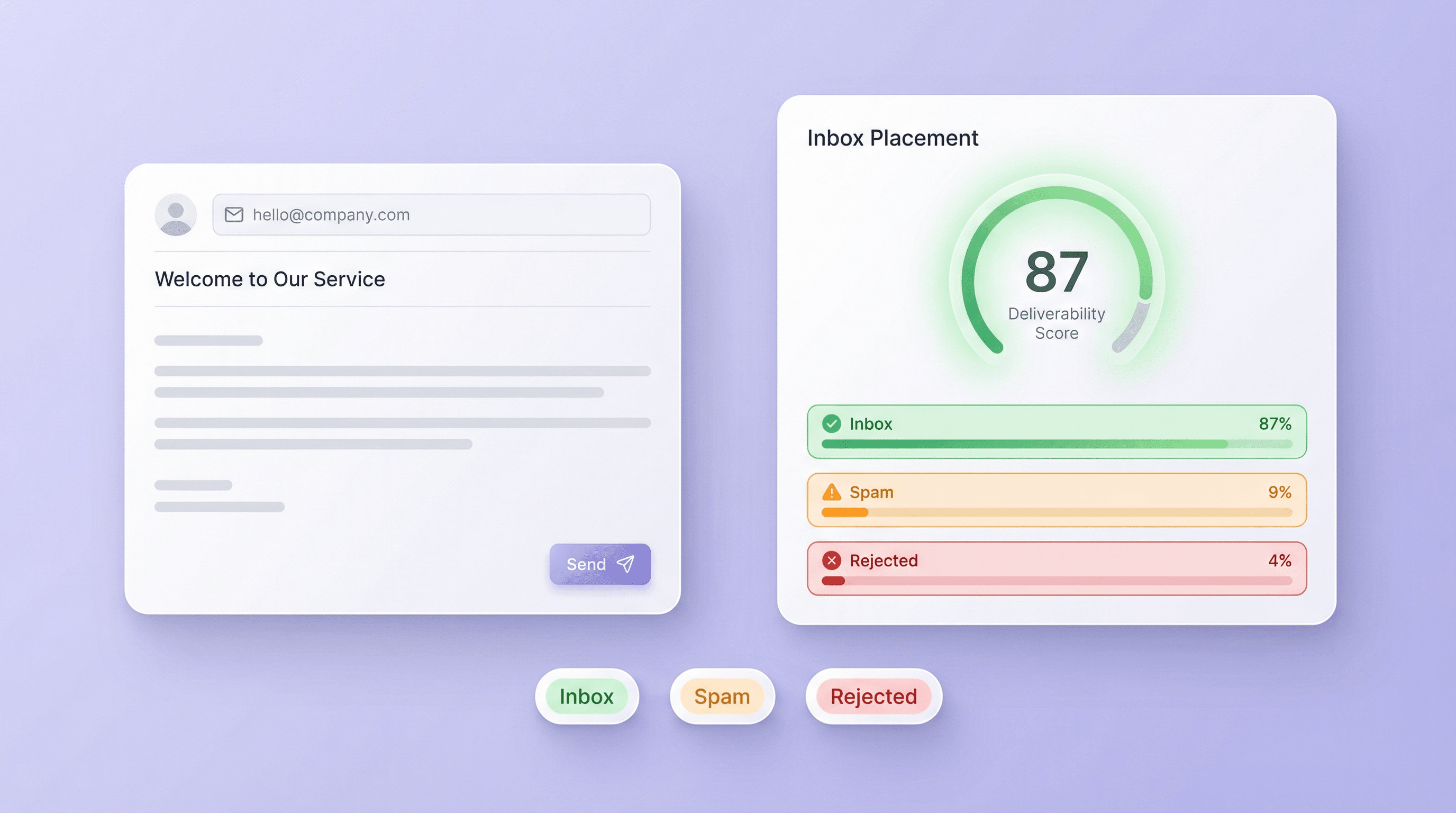
ईमेल भेजने से पहले किसी email address और message की जांच करें, ताकि पता चल सके कि वह inbox तक पहुंचेगी, spam में जाएगी, या reject होगी। यह टूल recipient address और वैकल्पिक sender domain के साथ email content की समीक्षा करके स्पष्ट deliverability assessment देता है। यह marketers, sales teams, और उन सभी के लिए उपयोगी है जो ईमेल के ज़रिए भरोसेमंद तरीके से लोगों तक पहुंचना चाहते हैं।
मुफ़्त में शुरू करें
email_deliverability_01_inbox_placement.png

Authentication और Reputation की जांच करें

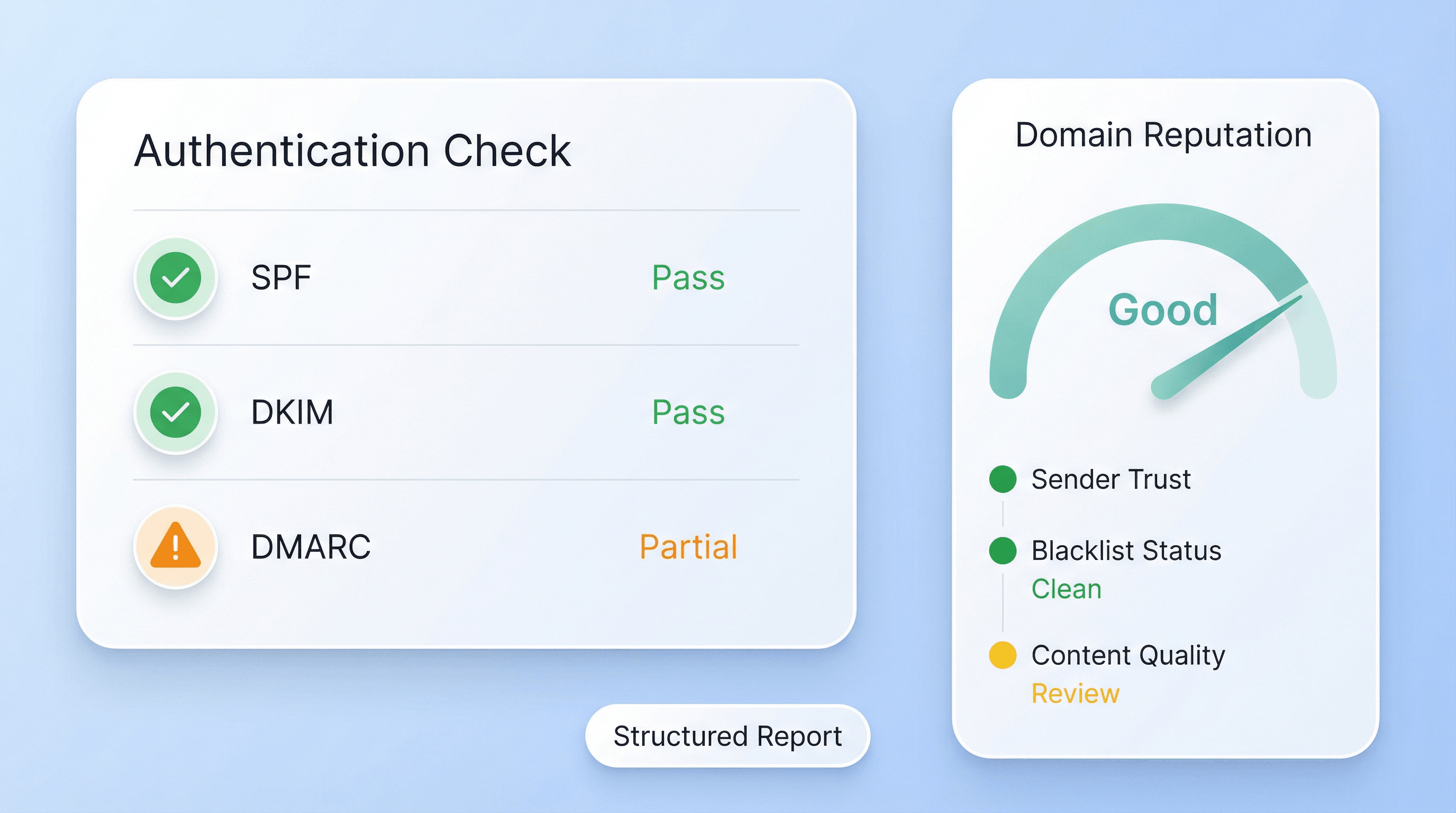
यह टूल authentication और domain reputation जैसे मुख्य तकनीकी संकेतों के साथ-साथ message content की quality का भी मूल्यांकन करता है। इससे आप उन समस्याओं को पहचान सकते हैं जो delivery को नुकसान पहुंचा सकती हैं, जैसे कमजोर sender trust या ऐसा content जो email filters को संदिग्ध लगे। अनुमान लगाने के बजाय, आपको एक structured report मिलती है जो संभावित कारणों की ओर इशारा करती है।
मुफ़्त में शुरू करें
email_deliverability_02_authentication.png

कार्रवाई योग्य सुझावों की समीक्षा करें
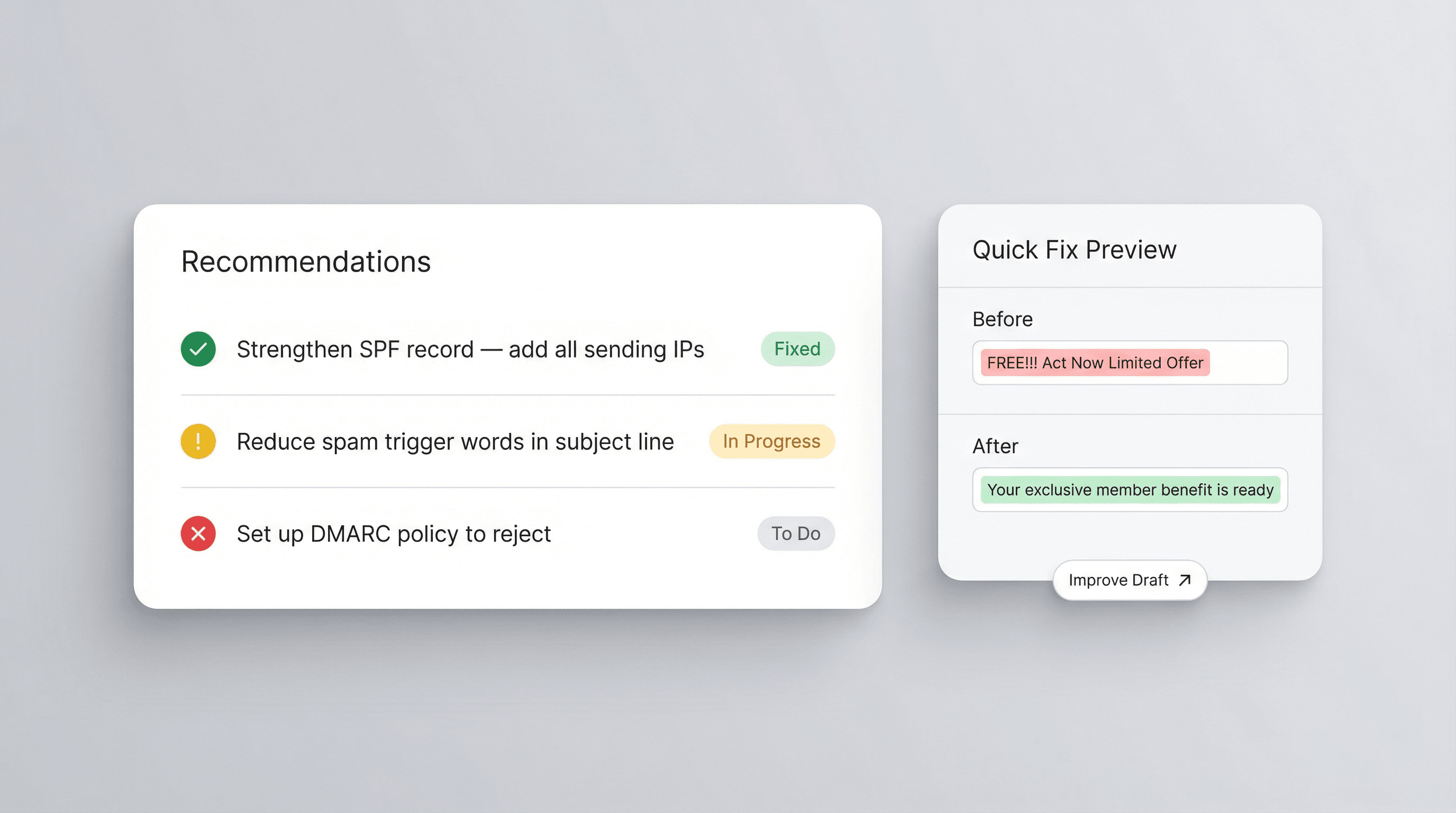
Analysis के बाद आपको deliverability बेहतर करने के लिए practical सुझाव मिलते हैं, जैसे message को refine करना, sender setup को मजबूत करना, या spam triggers कम करना। इससे campaign launch करने से पहले समस्याएँ ठीक करना आसान हो जाता है। यह report आपकी अगली draft को दिशा दे सकती है, email QA workflows में मदद कर सकती है, और teams को outbound sending को ज़्यादा consistent और reliable बनाने में सहायता करती है।
मुफ़्त में शुरू करें
email_deliverability_03_recommendations.png

Sales और Marketing के लिए Emails की पुष्टि करें

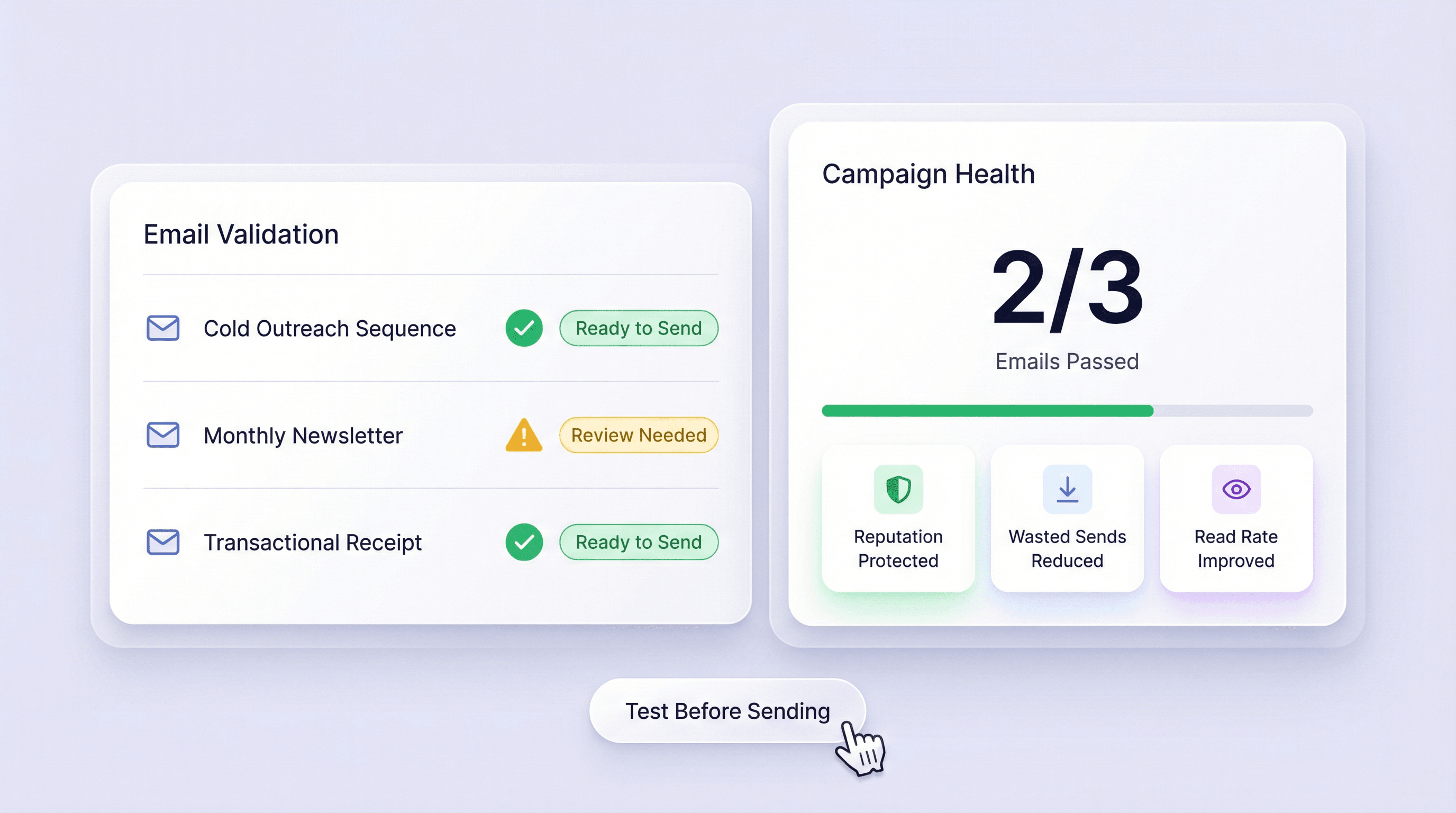
Sales और marketing teams इस टूल का उपयोग बड़े पैमाने पर भेजने से पहले outreach emails test करने के लिए कर सकती हैं। इससे बेकार sends कम होते हैं, sender reputation सुरक्षित रहती है, और महत्वपूर्ण messages के पढ़े जाने की संभावना बढ़ती है। चाहे आप cold outreach sequence, newsletter, या transactional message तैयार कर रहे हों, यह report बेहतर sending decisions लेने में मदद करती है।
मुफ़्त में शुरू करें
email_deliverability_04_sales_marketing.png

और मुफ़्त टूल्स देखें

अभी और टूल्स खोजें

Thunderbit के बारे में users क्या कहते हैं

Taryn W.Growth Strategist@Thunderbit ने मेरे competitor research करने का तरीका बदल दिया। मैं 'AI Suggest Fields' पर क्लिक करती हूँ, और यह paginated results के across एक साफ़ table बना देता है—न coding, न CSS. लंबे-tail marketplaces के product data analyze करते समय यह बहुत समय बचाता है।
Miles T.Sales Development Consultantमैं Thunderbit का उपयोग directories से emails और phone numbers लेने के लिए करता हूँ। यह एक क्लिक में साफ़ contact info निकाल देता है, और Sheets या Notion में export करना कुछ सेकंड का काम है। कोई extra setup नहीं, कोई coding नहीं—बस usable data, काम के लिए तैयार।
Rhea C.E-commerce AnalystThunderbit मुझे कई pages पर SKU data मॉनिटर करने में मदद करता है। मैं listings scrape करती हूँ, फिर Subpage Scraping से पूरी product specs, pricing, reviews, और stock निकालती हूँ। AI सब कुछ मेरे तय किए हुए columns में व्यवस्थित कर देता है।
Cassian B.Real Estate AdvisorThunderbit का Scheduled Scraper real estate tracking को आसान बनाता है। मैं interval को simple English में बताता हूँ, और यह अपने आप updated listings, prices, और links खींच लेता है—फिर setup छूने की ज़रूरत नहीं। आसान और बहुत practical।
Dorian B.Content & SEO Specialistमैं Thunderbit के Field AI Prompts का उपयोग scraped blog content को साफ़ और tag करने के लिए करता हूँ। यह titles, authors, और categories तक suggest करता है। dynamic sites और subpages पर शानदार काम करता है—structured SEO datasets बनाने के लिए perfect।
Lina K.Marketplace Operations Leadहम Thunderbit से niche stores के SKUs ट्रैक करते हैं। Cloud Scraping एक बार में 50 pages संभालता है, और login-required sites के लिए हम browser mode में switch कर देते हैं। तेज़, flexible, और लगातार maintenance या manual edits की ज़रूरत नहीं।
Jorge F.Inbound Sales ManagerThunderbit का AI Autofill बहुत काम आता है। contact info scrape करने के बाद, मैं इसे सीधे browser में lead forms भरने के लिए इस्तेमाल करता हूँ। बस tab चुनता हूँ, और यह scraped row से सब भर देता है। manual input की ज़रूरत नहीं।
Alina D.Freelance Researcherमैं PDFs, image-based sites, और infinite scroll pages से डेटा निकालने के लिए Thunderbit पर भरोसा करती हूँ। यह AI के साथ messy formats को संभालता है और ready-to-export tables देता है जिन्हें मैं कुछ सेकंड में Google Sheets या Airtable में भेज सकती हूँ।
Taryn W.Growth Strategist@Thunderbit ने मेरे competitor research करने का तरीका बदल दिया। मैं 'AI Suggest Fields' पर क्लिक करती हूँ, और यह paginated results के across एक साफ़ table बना देता है—न coding, न CSS. लंबे-tail marketplaces के product data analyze करते समय यह बहुत समय बचाता है।
Miles T.Sales Development Consultantमैं Thunderbit का उपयोग directories से emails और phone numbers लेने के लिए करता हूँ। यह एक क्लिक में साफ़ contact info निकाल देता है, और Sheets या Notion में export करना कुछ सेकंड का काम है। कोई extra setup नहीं, कोई coding नहीं—बस usable data, काम के लिए तैयार।
Rhea C.E-commerce AnalystThunderbit मुझे कई pages पर SKU data मॉनिटर करने में मदद करता है। मैं listings scrape करती हूँ, फिर Subpage Scraping से पूरी product specs, pricing, reviews, और stock निकालती हूँ। AI सब कुछ मेरे तय किए हुए columns में व्यवस्थित कर देता है।
Cassian B.Real Estate AdvisorThunderbit का Scheduled Scraper real estate tracking को आसान बनाता है। मैं interval को simple English में बताता हूँ, और यह अपने आप updated listings, prices, और links खींच लेता है—फिर setup छूने की ज़रूरत नहीं। आसान और बहुत practical।
Dorian B.Content & SEO Specialistमैं Thunderbit के Field AI Prompts का उपयोग scraped blog content को साफ़ और tag करने के लिए करता हूँ। यह titles, authors, और categories तक suggest करता है। dynamic sites और subpages पर शानदार काम करता है—structured SEO datasets बनाने के लिए perfect।
Lina K.Marketplace Operations Leadहम Thunderbit से niche stores के SKUs ट्रैक करते हैं। Cloud Scraping एक बार में 50 pages संभालता है, और login-required sites के लिए हम browser mode में switch कर देते हैं। तेज़, flexible, और लगातार maintenance या manual edits की ज़रूरत नहीं।
Jorge F.Inbound Sales ManagerThunderbit का AI Autofill बहुत काम आता है। contact info scrape करने के बाद, मैं इसे सीधे browser में lead forms भरने के लिए इस्तेमाल करता हूँ। बस tab चुनता हूँ, और यह scraped row से सब भर देता है। manual input की ज़रूरत नहीं।
Alina D.Freelance Researcherमैं PDFs, image-based sites, और infinite scroll pages से डेटा निकालने के लिए Thunderbit पर भरोसा करती हूँ। यह AI के साथ messy formats को संभालता है और ready-to-export tables देता है जिन्हें मैं कुछ सेकंड में Google Sheets या Airtable में भेज सकती हूँ।

अक्सर पूछे जाने वाले प्रश्न

AI का उपयोग करके डेटा निकालें
डेटा को आसानी से Google Sheets, Airtable, या Notion में ट्रांसफर करें
PRODUCT HUNT#1 Product of the Week