appsumo-scraper

AppSumo Scraper

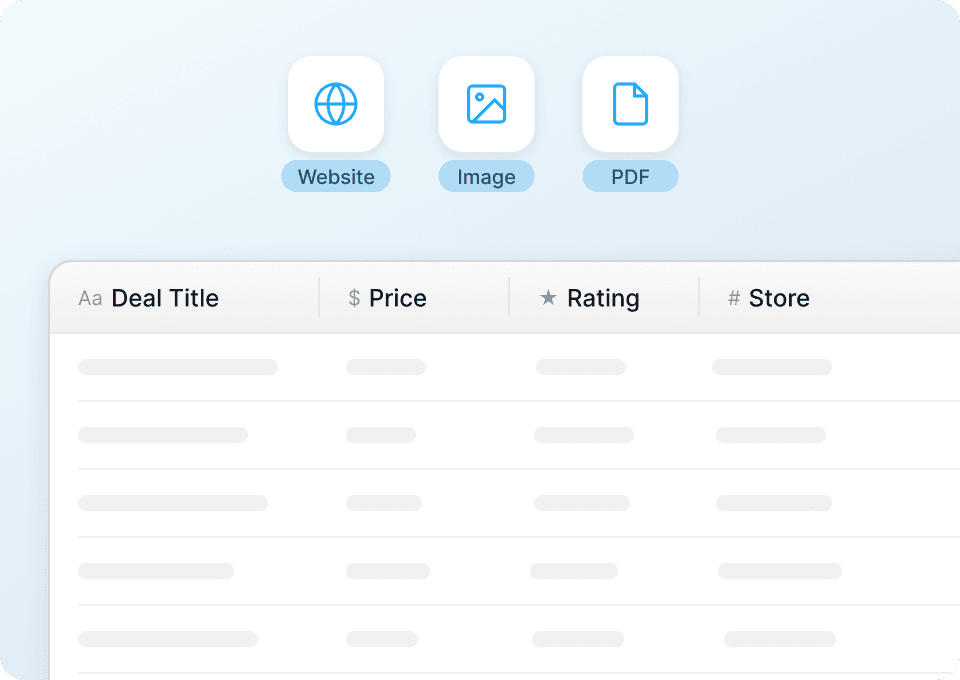
Thunderbit का AppSumo Scraper आपको AI की मदद से AppSumo से lifetime deal listings और product details निकालने में मदद करता है। डील टाइटल, कीमत, कैटेगरी, रेटिंग व अन्य डेटा खींचें और फिर कुछ ही क्लिक में Excel, Google Sheets, Airtable या Notion में एक्सपोर्ट करें।
5.0
मासिक उपयोगकर्ता16.7k
AI-संचालित
ई-कॉमर्स
मुफ़्त में शुरू करें
मुफ़्त टियर उपलब्ध है

Thunderbit का AppSumo Scraper AI की मदद से AppSumo की डील पेजों को साफ़, व्यवस्थित (structured) डेटा में बदल देता है। आप lifetime deal listings, pricing, categories, ratings और बहुत कुछ निकाल सकते हैं, और फिर Excel, Google Sheets, Airtable या Notion में एक्सपोर्ट कर सकते हैं। बस पेज खोलें, AI को सही कॉलम सुझाने दें, और के साथ कुछ ही क्लिक में स्क्रैप कर लें।

🧩 AppSumo Scraper क्या है

AppSumo Scraper एक है, जिसे की deal listing pages से डेटा निकालने के लिए बनाया गया है—और चाहें तो हर डील की subpage पर जाकर परिणामों को और समृद्ध (enrich) भी कर सकता है। के साथ आप AppSumo का कोई पेज खोलते हैं, AI Suggest Columns पर क्लिक करते हैं, फिर Scrape दबाते हैं—और आपको एक structured table मिल जाता है जिसे आप डाउनलोड कर सकते हैं या अपने टूल्स में भेज सकते हैं।

AppSumo | Deals for Entrepreneurs Screenshot

🧲 AppSumo से आप क्या-क्या स्क्रैप कर सकते हैं

AppSumo में founders, marketers और ecommerce operators के लिए उपयोगी product और deal data भरा होता है। आप trend tracking, competitive research, category analysis और internal deal database बनाने के लिए listings स्क्रैप कर सकते हैं।

नीचे Thunderbit के साथ चलाए जाने वाले दो आम workflows दिए गए हैं।

🆕 AppSumo के Latest SaaS Lifetime Deals Tracker को स्क्रैप करें

इसका उपयोग AppSumo के “New” collection पेज से नए लॉन्च हुए lifetime deals पर नज़र रखने के लिए करें: . यह weekly deal tracker बनाने, category trends पहचानने और evaluation के लिए shortlist तैयार करने में मदद करता है।

Latest SaaS Lifetime Deals Tracker Screenshot

Steps:

  1. डाउनलोड करें और अकाउंट रजिस्टर करें।
  2. टारगेट पेज पर जाएँ (उदाहरण): .
  3. सुझाए गए column names और data types बनाने के लिए AI Suggest Columns पर क्लिक करें।
  4. Scrape पर क्लिक करके स्क्रैपर चलाएँ, फिर Excel, Google Sheets, Airtable या Notion में एक्सपोर्ट करें।

Column names

ColumnDescription
🏷️ Deal Titleलिस्टिंग कार्ड पर दिखने वाला प्रोडक्ट/डील का नाम।
🔗 Deal URLsubpage enrichment के लिए डील डिटेल पेज का डायरेक्ट लिंक।
🧩 Category / Collectionडील्स को ग्रुप करने के लिए कैटेगरी/कलेक्शन लेबल (यदि दिखे)।
💲 Current Priceवर्तमान सूचीबद्ध कीमत (अक्सर lifetime deal price)।
🧾 Original Price / Valueकटे हुए दाम या बताई गई वैल्यू (यदि दिखे), ताकि डिस्काउंट विश्लेषण हो सके।
📉 Discount %यदि दिखे तो डिस्काउंट प्रतिशत, या बाद में Sheets में कैलकुलेट किया जा सकता है।
Ratingलिस्टिंग पर दिखने वाली औसत स्टार रेटिंग (यदि उपलब्ध हो)।
🗳️ Review Countreviews/ratings की संख्या—डिमांड और भरोसे का संकेत।
🖼️ Product Imageडैशबोर्ड और Airtable/Notion views के लिए मुख्य थंबनेल इमेज URL।
🏢 Vendor / Brandकार्ड पर उपलब्ध होने पर कंपनी/मेकर का नाम।
🕒 Date Scrapedसमय के साथ बदलाव ट्रैक करने के लिए जोड़ा गया timestamp (monitoring के लिए बढ़िया)।

🤖 AppSumo पर High-Demand AI Tooling Analysis स्क्रैप करें

इसका उपयोग AppSumo के search/browse results से AI से जुड़े deals का विश्लेषण करने के लिए करें: . यह समझने के लिए उपयोगी है कि किस तरह के AI tools ट्रेंड कर रहे हैं, उनकी pricing कैसी है, और किन listings पर सबसे ज़्यादा reviews आते हैं।

High-Demand AI Tooling Analysis Screenshot

Steps:

  1. डाउनलोड करें और अकाउंट रजिस्टर करें।
  2. टारगेट पेज पर जाएँ (उदाहरण): .
  3. सुझाए गए column names और data types बनाने के लिए AI Suggest Columns पर क्लिक करें।
  4. Scrape पर क्लिक करके स्क्रैपर चलाएँ, फिर अपना dataset एक्सपोर्ट करें।

Column names

ColumnDescription
🤖 Tool Nameresults list में दिखने वाला AI tool/डील का टाइटल।
🔗 Tool URLडील पेज का लिंक, ताकि आप subpages स्क्रैप करके और गहराई से details निकाल सकें।
🧠 AI Use Case Tagswriting, SEO, chatbots, automation आदि जैसे दिखने वाले टैग्स।
💲 Deal Priceresults में दिखने वाली ऑफर की सूचीबद्ध कीमत।
💰 Value / MSRPROI तुलना के लिए बताई गई वैल्यू/ओरिजिनल प्राइस (यदि दिखे)।
Average Ratingresults में दिखने वाली स्टार रेटिंग।
🗳️ Number of Reviewshigh-demand listings पहचानने के लिए review count।
🧾 Short Descriptionएक लाइन का सार, जिससे tools को purpose के हिसाब से क्लस्टर किया जा सके।
🧩 Categorysegmentation और reporting के लिए category label (यदि मौजूद हो)।
🖼️ Image URLvisual databases और internal catalogs के लिए thumbnail image।
🏷️ Badges“Top Deal”, “New” जैसे labels या अन्य indicators (यदि दिखें)।

🎯 AppSumo Tool का उपयोग क्यों करें

AppSumo स्क्रैप करने से आप ऐसा भरोसेमंद dataset बना पाते हैं, जो सिर्फ़ ब्राउज़िंग करके बनाना मुश्किल होता है। दर्जनों deals को मैन्युअली तुलना करने के बजाय, आप एक ऐसा spreadsheet बना सकते हैं जो आपकी ज़रूरत के अनुसार बार-बार अपडेट हो।

AppSumo scraper के आम उपयोग:

  • Founders & operators: नए launches ट्रैक करें, category के हिसाब से tools shortlist करें, और deals के बीच pricing/value की तुलना करें।
  • Marketing teams: deal pages से positioning, headlines और feature bullets का swipe file बनाएं, फिर patterns का विश्लेषण करें।
  • Ecommerce और partnerships: deal performance signals (ratings, reviews) देखकर partnership targets पहचानें।
  • Sales teams: vendors/brands की lead lists बनाएं, subpages से enrich करें, फिर Google Sheets या Airtable में एक्सपोर्ट करें।
  • Analysts & investors: review counts और pricing के आधार पर AI tooling, automation और SaaS categories के trends को quantify करें।

Thunderbit business users के लिए बनाया गया है: आप AI Suggest Columns पर क्लिक करते हैं, ज़रूरत हो तो एडजस्ट करते हैं, और स्क्रैप कर लेते हैं। अगर AppSumo का layout बदल भी जाए, तो AI-आधारित तरीका brittle selectors की तुलना में ज़्यादा टिकाऊ रहता है।

🧭 AppSumo Chrome Extension कैसे इस्तेमाल करें

  1. Thunderbit Chrome Extension इंस्टॉल करें: इसे से लें और पर अपना अकाउंट बनाएं।
  2. AppSumo पेज खोलें: जैसी listing page या जैसी search page खोलें।
  3. AI-Powered Scraper चालू करें: fields बनाने के लिए AI Suggest Columns पर क्लिक करें, फिर चाहें तो column names और data types (text, number, URL, image आदि) कस्टमाइज़ करें।
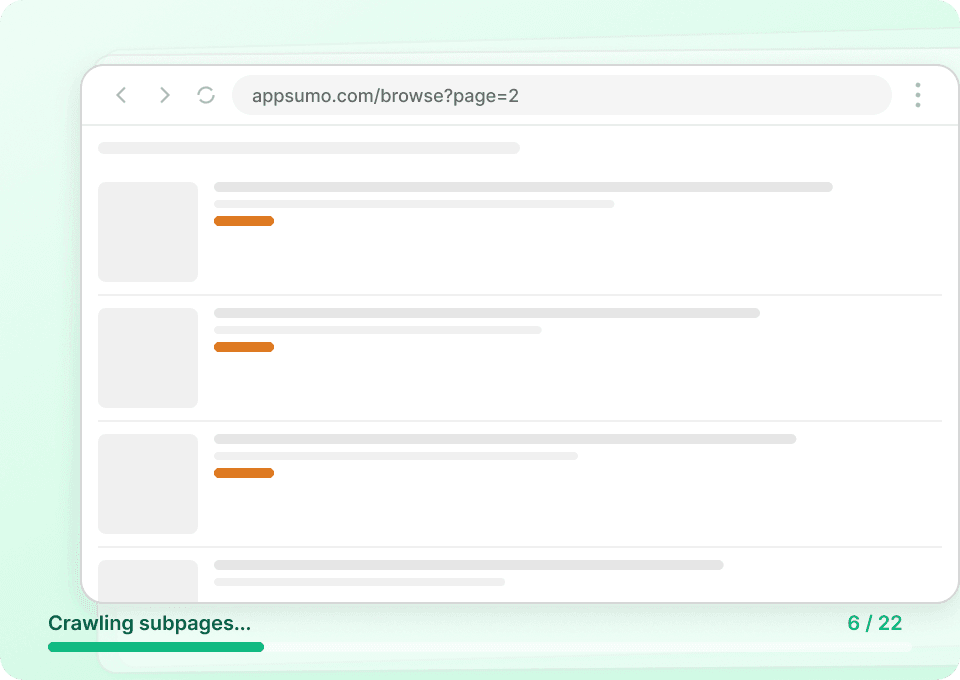
  4. Scrape करें, फिर subpages से enrich करें (optional): rows इकट्ठा करने के लिए Scrape पर क्लिक करें। अगर आपको और गहरी जानकारी चाहिए, तो Subpage Scraping से हर deal page पर जाकर long description, plan tiers या redemption terms जैसे fields जोड़ें।

अगर आप repeatable workflow बना रहे हैं, तो ये पढ़ना उपयोगी रहेगा:

💳 AppSumo के लिए Pricing

Thunderbit credit system इस्तेमाल करता है, जहाँ 1 credit = 1 output row. अगर आप किसी पेज को स्क्रैप करके टेबल में 120 deals निकालते हैं, तो 120 credits लगेंगे।

फ्री में आप क्या ट्राय कर सकते हैं:

  • Free tier में आप हर महीने 6 pages स्क्रैप कर सकते हैं (page-based free usage)।
  • अगर आप free trial शुरू करते हैं, तो आप 10 pages फ्री स्क्रैप कर सकते हैं—जो AppSumo workflows को end-to-end टेस्ट करने के लिए पर्याप्त है।

Paid plans ongoing tracking के लिए बने हैं (जैसे weekly deal monitoring या daily price/review snapshots)। Yearly plans आमतौर पर सबसे किफ़ायती होते हैं क्योंकि month-to-month भुगतान की तुलना में इनमें डिस्काउंट शामिल होता है।

आप विकल्प पर देख सकते हैं।

TierMonthly PriceYearly PriceYearly Total PriceCredits (Monthly)Credits (Yearly)
FreeFreeFreeFree6 pagesN/A
Starter$15$9$1085005,000
Pro 1$38$16.5$1993,00030,000
Pro 2$75$33.8$3986,00060,000
Pro 3$125$68.4$79610,000120,000
Pro 4$249$137.5$1,59220,000240,000

❓ FAQ

  1. AI Powered AppSumo Scraper क्या है?
    AI Powered AppSumo Scraper, Thunderbit के अंदर एक AI-आधारित workflow है जो AppSumo पेज पढ़कर listings को rows और columns में व्यवस्थित कर देता है। जटिल selectors सेट करने के बजाय, आप AI Suggest Columns पर क्लिक करते हैं और Thunderbit पेज पर दिख रहे डेटा के आधार पर title, price, rating, URL जैसे fields सुझा देता है।

  2. Thunderbit क्या है?
    एक AI Web Scraper Chrome Extension है, जो websites, PDFs और images से डेटा निकालकर structured tables में बदलने में मदद करता है। यह lead generation, ecommerce monitoring और market research जैसे business workflows के लिए बनाया गया है, और Excel, Google Sheets, Airtable व Notion में export सपोर्ट करता है।

  3. क्या मैं AppSumo की deal detail pages भी स्क्रैप कर सकता/सकती हूँ, सिर्फ़ listing pages नहीं?
    हाँ। आप पहले listing pages स्क्रैप कर सकते हैं, फिर Subpage Scraping से हर deal URL पर जाकर detail page से अतिरिक्त fields जोड़कर dataset enrich कर सकते हैं। यह तब उपयोगी है जब आपको plan tiers, included features, redemption instructions या लंबी descriptions जैसी गहरी जानकारी चाहिए।

  4. AppSumo पर pagination या infinite scroll को कैसे संभालें?
    Thunderbit click-based pagination और infinite scroll—दोनों patterns के लिए pagination scraping सपोर्ट करता है। एक बार columns सेट हो जाएँ, तो आप कई pages को क्रम से स्क्रैप करके analysis के लिए बड़ा dataset बना सकते हैं।

  5. मैं AppSumo से कौन-सा डेटा Google Sheets या Excel में एक्सपोर्ट कर सकता/सकती हूँ?
    आप text, numbers, dates, URLs और images एक्सपोर्ट कर सकते हैं। उदाहरण के लिए, deal titles, prices, ratings, review counts और product images एक्सपोर्ट करके Sheets/Excel में pivots और charts बनाकर समय के साथ trends ट्रैक कर सकते हैं।

  6. क्या Thunderbit AppSumo के लिए Cloud Scraping और Browser Scraping सपोर्ट करता है?
    हाँ। अगर आपके पेज public हैं, तो Cloud Scraping आमतौर पर तेज़ होता है और batch में कई pages प्रोसेस कर सकता है। अगर आपको session/login context वाले पेज एक्सेस करने हों, तो Browser Scraping आपके Chrome browser का उपयोग करता है ताकि Thunderbit वही स्क्रैप कर सके जो आप देख पा रहे हैं।

  7. AppSumo पेजों पर AI field detection कितनी accurate होती है?
    AI field detection अलग-अलग layouts और card designs के अनुसार खुद को ढालने के लिए बनाई गई है, जिससे वेबसाइट UI बदलने पर भी काम आसान रहता है। आप columns rename कर सकते हैं, data types बदल सकते हैं, और field instructions जोड़कर अपने reporting needs के लिए consistency बेहतर कर सकते हैं।

  8. क्या नए deals मॉनिटर करने के लिए AppSumo scraping schedule करना संभव है?
    हाँ। Thunderbit का Scheduled Scraper आपके plain English निर्देशों के अनुसार intervals पर चल सकता है और URLs की सूची को अपने-आप स्क्रैप कर सकता है। यह नए deals ट्रैक करने, rating changes मॉनिटर करने, या बिना manual काम के internal “deal database” बनाए रखने में मदद करता है।

  9. अगर मुझे vendor pages से सिर्फ emails या phone numbers चाहिए हों तो क्या करूँ?
    Thunderbit में emails और phone numbers के लिए free one-click extractors शामिल हैं (जब वह डेटा पेज पर मौजूद हो)। अगर आप outreach lists बना रहे हैं, तो listing scraping (vendor URLs इकट्ठा करने के लिए) को subpage visits के साथ जोड़ें और जहाँ ज़रूरी हो वहाँ extractors चलाएँ; अधिक जानकारी के लिए देखें:

📚 Learn More

  • एक्सटेंशन लें:
  • प्रोडक्ट और अपडेट्स देखें:
  • scraping fundamentals सीखें:
  • list workflows बनाएं:
  • साफ़ datasets एक्सपोर्ट करें:
  • tools compare करें:

AI-आधारित structured data extraction के साथ का उपयोग करके मिनटों में अपना AppSumo deal tracker बनाना शुरू करें।