
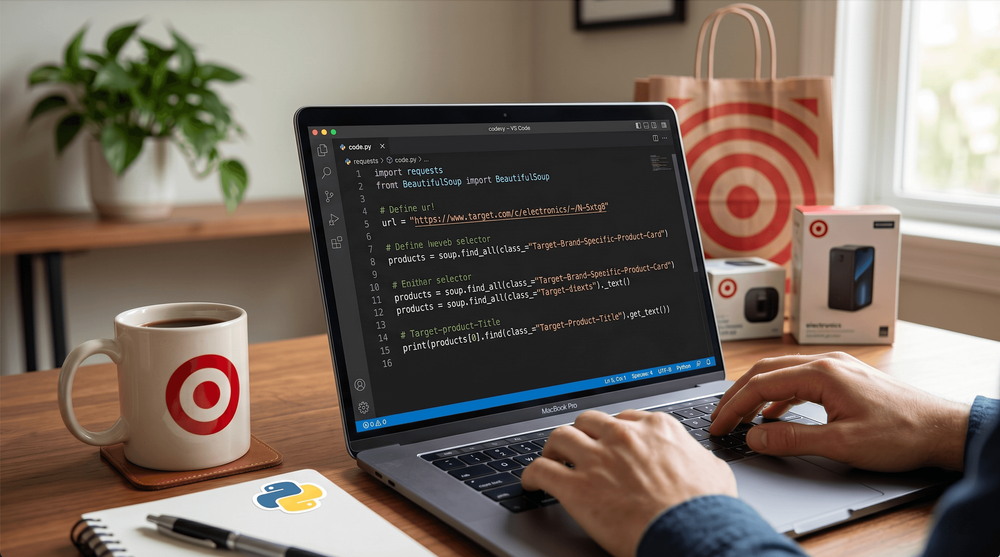
Target.com उन साइटों में से एक है जो स्क्रैप करने में आसान लगती है — जब तक आप सच में कोशिश नहीं करते। अगर आपने कभी Requests और BeautifulSoup के साथ जल्दी-सी Python स्क्रिप्ट लिखी, उसे Target के किसी प्रोडक्ट पेज पर चलाया, और अपनी price field को None लौटाते देखा, तो आप अकेले नहीं हैं।
ज़्यादातर बड़ी रिटेल साइट्स पर scraping approaches आज़माने के बाद मैं कह सकता हूँ: Target लगातार सबसे मुश्किल साइट्स में से एक है। 208–280 मिलियन मासिक विज़िट के साथ, यह product data का खज़ाना है — prices, ratings, inventory, reviews — लेकिन Target का React-आधारित client-side rendering और Akamai की bot detection का कॉम्बिनेशन naive approach को लगभग तुरंत फेल कर देता है। फिर भी Python के 3 तरीके सच में काम करते हैं। मैं हर एक को समझाऊँगा, बताऊँगा कि पहली कोशिश क्यों टूटती है, और जब Python मेहनत के लायक न लगे तो एक no-code shortcut भी दिखाऊँगा।
Target.com पर आपकी पहली Python scraping None क्यों लौटाती है
समाधान से पहले, समस्या समझ लेते हैं। शुरुआती लोग आमतौर पर यही code लिखते हैं:
import requests
from bs4 import BeautifulSoup

url = "https://www.target.com/p/some-product/-/A-12345678"
response = requests.get(url, headers={"User-Agent": "Mozilla/5.0"})
soup = BeautifulSoup(response.text, "html.parser")

price = soup.select_one('[data-test="current-price"]')
print(price)  # None
Output? None. हर बार।
यह आपके code की bug नहीं है। requests.get() Target से जो HTML लौटाता है, वह असल में सिर्फ एक skeleton होता है — एक React shell जो कहता है, “असली page render करने के लिए यह JavaScript लोड करो।” Product prices, ratings, reviews, और availability सब initial page load के बाद JavaScript द्वारा inject किए जाते हैं। क्योंकि Python की Requests library JavaScript execute नहीं करती, इसलिए ये elements response में मौजूद ही नहीं होते।
Forums ऐसे developers से भरे पड़े हैं जो इसी wall से टकराते हैं। एक ScrapeOps analysis इसे साफ़ शब्दों में कहती है: “An element shows up as None because it is rendered with Javascript and requests can't pull HTML rendered with Javascript.” एक Crawlbase tutorial भी यही पुष्टि करता है: “When you send an HTTP request to the Target URL, the HTML response lacks meaningful data.”
और JavaScript समस्या सुलझा भी लें, तब भी एक दूसरी परत रहती है: Target की Akamai bot detection आपके TLS handshake को fingerprint करती है और HTML का एक byte भी exchange होने से पहले Python की requests library को flag कर देती है। इसकी बात थोड़ी देर में।
Target.com को Python से स्क्रैप करना इतना मुश्किल क्यों है
Target सिर्फ “JavaScript इस्तेमाल करने वाली एक वेबसाइट” नहीं है। यह एक layered defense system है — और हर layer को समझना सही scraping method चुनने का आधार है।
JavaScript से render होने वाला product data
Target.com React पर बना है। जब आप किसी real browser में product या search page खोलते हैं, तो यह क्रम होता है:
- Server एक minimal HTML shell भेजता है
- JavaScript bundles load होकर execute होते हैं
- Frontend Target की internal Redsky API को call करता है
- Product data (prices, ratings, images, availability) DOM में render होता है
अगर आप steps 2–4 छोड़ दें — और requests.get() बिल्कुल यही करता है — तो आपको खाली page मिलता है। GroupBWT ने इसका benchmark किया: static HTTP requests Target पर उपलब्ध डेटा का लगभग 30% ही पकड़ पाती हैं। बाकी 70% के लिए JavaScript execution या API access चाहिए।
Search result pages और भी खराब हैं। शुरुआती HTML में बस कुछ ही products दिखते हैं; बाकी scroll करने पर load होते हैं।
Target की anti-bot defenses: “बस proxies इस्तेमाल करो” से आगे की बात
ज़्यादातर scraping guides anti-bot measures को “बस proxies इस्तेमाल करो” कहकर टाल देती हैं। Target की defenses इससे कहीं ज़्यादा specific हैं।
TLS Fingerprinting (सबसे बड़ा मुद्दा). HTTPS handshake के दौरान आपका client एक “Client Hello” packet भेजता है जिसमें TLS version, cipher suites, extensions, और elliptic curves की जानकारी होती है। इन्हें मिलाकर JA3 fingerprint बनती है। Python की requests library एक स्थिर, पहचानी हुई hash — 8d9f7747675e24454cd9b7ed35c58707 — बनाती है, जिसे anti-bot databases तुरंत flag कर देते हैं। Chrome 16 carefully ordered cipher suites GREASE values के साथ भेजता है; Python 60+ suites non-browser order में भेजता है। Block HTTP content exchange होने से पहले ही हो जाता है।
IP reputation scoring. Akamai IPs को trust tiers में वर्गीकृत करता है। Datacenter IPs को, Scrapfly के शब्दों में, “significant negative trust scores” मिलते हैं क्योंकि इनके bots द्वारा उपयोग किए जाने की संभावना ज़्यादा होती है। Residential IPs को positive scores मिलते हैं। Target पर खास तौर से datacenter IP ranges तुरंत flag हो जाती हैं।
JavaScript fingerprinting. Akamai ऐसा JavaScript inject करता है जो आपके JS engine specs, hardware capabilities, OS data, fonts, plugins, और behavioral data (typing speed, mouse movement, click timing) को collect करता है। इससे _abck cookie बनती है — एक stateful fingerprint token। Valid _abck के बिना requests block हो जाती हैं।
Rate limiting. Target लगभग हर IP पर प्रति minute 30–60 requests के आसपास 429 errors trigger करता है। कुछ users को भ्रामक 200 OK responses भी मिलते हैं जिनमें असल में “Pardon Our Interruption” block page होती है — जिससे automated detection tricky हो जाती है।
ScrapeOps Target को कुल मिलाकर 7/10 difficulty देती है. खास तौर पर Akamai bypass को 9/10 रेट किया गया है।
Python से Target.com स्क्रैप करने के 3 तरीके (साइड-बाय-साइड)
ऐसा कोई एक article नहीं है जो तीनों viable approaches की एक साथ तुलना करता हो। ये रहे, ईमानदारी से परखे हुए:
| मानदंड | Requests + BS4 | Selenium / Playwright | Redsky API |
|---|---|---|---|
| JS rendering संभालता है | ❌ नहीं | ✅ हाँ | ✅ हाँ (JSON) |
| प्रति item गति | ⚡ ~0.5–1s | 🐢 ~5–10s | ⚡ ~0.5–1s |
| Anti-bot जोखिम | ⚠️ उच्च (TLS fingerprint) | ⚠️ मध्यम | ⚠️ मध्यम (auth keys बदल सकती हैं) |
| Setup जटिलता | कम | मध्यम | मध्यम-उच्च (reverse-engineering) |
| Data completeness | ~30% (सिर्फ static HTML) | ~95% (पूरा page) | ~90% (structured JSON) |
| सबसे उपयुक्त | Static metadata, __TGT_DATA__ | Full product pages, reviews | Bulk product data at scale |
अब हर तरीका बनाते हैं।
तरीका 1: Python Requests और BeautifulSoup से Target.com को स्क्रैप करना
यह तरीका JavaScript-rendered prices को search pages पर नहीं पकड़ पाएगा। लेकिन यह तेज़, हल्का, और आपकी उम्मीद से ज़्यादा data निकाल सकता है — अगर आपको पता हो कहाँ देखना है।
ट्रिक यह है: Target कुछ product data <script> tags में __TGT_DATA__ variable के साथ embed करता है, जिसमें __PRELOADED_QUERIES__ होता है। इस JSON blob में product names, descriptions, features, और कभी-कभी individual product pages पर prices भी होती हैं। Search result HTML से product titles और URLs भी निकाले जा सकते हैं।
चरण 1: अपना Python environment सेट करें
एक project folder बनाएँ और dependencies install करें:
mkdir target-scraper && cd target-scraper
python -m venv venv
source venv/bin/activate  # On Windows: venv\Scripts\activate
pip install requests beautifulsoup4 curl_cffi
यहाँ standard requests की जगह curl_cffi इस्तेमाल करें। यह browser TLS fingerprints की नकल करता है, और यही Target पर block से बचने का सबसे बड़ा factor है। Benchmarks दिखाते हैं कि curl_cffi के साथ 92% anti-bot evasion rate मिलता है, जबकि standard requests के साथ सिर्फ 12% — यानी 15x बेहतर।
चरण 2: Target search results को स्क्रैप करें
Target का search URL format सीधा है: https://www.target.com/s?searchTerm={keyword}
from curl_cffi import requests as cureq
from bs4 import BeautifulSoup
import time, random

headers = {
    "User-Agent": "Mozilla/5.0 (Windows NT 10.0; Win64; x64) AppleWebKit/537.36 (KHTML, like Gecko) Chrome/124.0.0.0 Safari/537.36",
    "Accept": "text/html,application/xhtml+xml,application/xml;q=0.9,*/*;q=0.8",
    "Accept-Language": "en-US,en;q=0.9",
}

url = "https://www.target.com/s?searchTerm=bluetooth+headphones"
resp = cureq.get(url, headers=headers, impersonate="chrome124")
soup = BeautifulSoup(resp.text, "html.parser")

# Product cards इस data-test attribute का उपयोग करते हैं
cards = soup.find_all("div", {"data-test": "@web/site-top-of-funnel/ProductCardWrapper"})
for card in cards:
    link_tag = card.find("a")
    title = link_tag.get_text(strip=True) if link_tag else "N/A"
    href = "https://www.target.com" + link_tag["href"] if link_tag and link_tag.get("href") else "N/A"
    print(f"{title} — {href}")
आपको product names और URLs मिल जाएँगे। Prices? इस HTML से शायद नहीं। यह expected है।
चरण 3: Product pages से embedded JSON data निकालें
Individual product pages __TGT_DATA__ script tag में richer data embed करती हैं:
import re, json

product_url = "https://www.target.com/p/some-product/-/A-12345678"
resp = cureq.get(product_url, headers=headers, impersonate="chrome124")
soup = BeautifulSoup(resp.text, "html.parser")

# __TGT_DATA__ script खोजें
scripts = soup.find_all("script")
for script in scripts:
    if script.string and "__TGT_DATA__" in script.string:
        # Script content से JSON निकालें
        match = re.search(r'__TGT_DATA__\s*=\s*({.*?});?\s*$', script.string, re.DOTALL)
        if match:
            tgt_data = json.loads(match.group(1))
            # Product details के लिए JSON structure में जाएँ
            queries = tgt_data.get("__PRELOADED_QUERIES__", {})
            # Product data अंदर nested है — structure page के हिसाब से बदलता है
            print(json.dumps(queries, indent=2)[:500])  # Structure का preview
__TGT_DATA__ के अंदर का JSON structure product names, descriptions, features, और अक्सर pricing data भी रखता है। Exact nesting बदलती रहती है, इसलिए output देखकर आगे navigate करना होगा।
चरण 4: Pagination संभालें
Target की search pagination Nao parameter का उपयोग करती है। Page 1 के लिए Nao=0, page 2 के लिए Nao=24, page 3 के लिए Nao=48, और इसी तरह हर बार 24 बढ़ता है:
for page in range(0, 120, 24):  # पहले 5 pages
    paginated_url = f"https://www.target.com/s?searchTerm=bluetooth+headphones&Nao={page}"
    resp = cureq.get(paginated_url, headers=headers, impersonate="chrome124")
    # Parse और extract करें...
    time.sleep(random.uniform(2, 5))  # विनम्र रहें
चरण 5: अपना scraped data स्टोर करें
import csv

with open("target_products.csv", "w", newline="", encoding="utf-8") as f:
    writer = csv.DictWriter(f, fieldnames=["title", "url", "price", "description"])
    writer.writeheader()
    for product in products:
        writer.writerow(product)
आपको क्या मिलेगा: Product titles, URLs, descriptions, और embedded metadata. क्या भरोसेमंद तरीके से नहीं मिलेगा: Search result pages से dynamic prices और ratings. इनके लिए Method 2 या 3 चाहिए।
तरीका 2: Selenium या Playwright से Target.com को स्क्रैप करना
एक headless browser JavaScript render करता है, dynamic content लोड करता है, और real user behavior simulate करता है। यही वह तरीका है जो prices, ratings, और reviews देता है।
Selenium बनाम Playwright पर: Playwright ने adoption में Selenium को पीछे छोड़ दिया है — 45.1% बनाम 22.1% in 2026 — और benchmarks दिखाते हैं कि यह 2.5x तेज़ है (20 pages के लिए 11s बनाम 28s)। मैं यहाँ Selenium दिखाऊँगा क्योंकि इसकी community बड़ी है और tutorials ज़्यादा हैं, लेकिन अगर आप नए सिरे से शुरू कर रहे हैं तो Playwright बेहतर विकल्प है।
चरण 1: Selenium और ChromeDriver install करें
pip install selenium webdriver-manager
webdriver-manager ChromeDriver versioning को अपने आप संभाल लेता है — “ChromeDriver version mismatch” की झंझट खत्म:
from selenium import webdriver
from selenium.webdriver.chrome.service import Service
from selenium.webdriver.chrome.options import Options
from webdriver_manager.chrome import ChromeDriverManager

options = Options()
options.add_argument("--headless=new")
options.add_argument("--window-size=1920,1080")
options.add_argument("--disable-blink-features=AutomationControlled")
options.add_argument("--user-agent=Mozilla/5.0 (Windows NT 10.0; Win64; x64) AppleWebKit/537.36 (KHTML, like Gecko) Chrome/124.0.0.0 Safari/537.36")

driver = webdriver.Chrome(service=Service(ChromeDriverManager().install()), options=options)
चरण 2: Target pages लोड करें और content का इंतज़ार करें
from selenium.webdriver.common.by import By
from selenium.webdriver.support.ui import WebDriverWait
from selenium.webdriver.support import expected_conditions as EC

driver.get("https://www.target.com/s?searchTerm=bluetooth+headphones")

# Product cards के render होने का इंतज़ार करें (explicit wait > time.sleep)
WebDriverWait(driver, 15).until(
    EC.presence_of_element_located((By.CSS_SELECTOR, '[data-test="product-title"]'))
)
Explicit waits बहुत महत्वपूर्ण हैं। time.sleep(10) तेज़ loads पर समय बर्बाद करता है और धीमे loads पर कम पड़ जाता है — दोनों ही हालात में बुरा. WebDriverWait हर 500ms में poll करता है जब तक element दिख न जाए या timeout न हो जाए।
चरण 3: सारे products लोड करने के लिए page scroll करें
Target scroll करते ही products lazy-load करता है। बिना scrolling के आपको पूरे page के बजाय सिर्फ 4–5 products मिलेंगे:
import time

last_height = driver.execute_script("return document.body.scrollHeight")
for _ in range(10):
    driver.execute_script("window.scrollBy(0, 300);")
    time.sleep(1.5)
    new_height = driver.execute_script("return document.body.scrollHeight")
    if new_height == last_height:
        break
    last_height = new_height
ScrapeOps testing पुष्टि करता है कि 1.5-second delays के साथ 10 scroll iterations 8+ products देती हैं, जबकि बिना scrolling के सिर्फ 4–5। हर scroll step 200–300px का होना चाहिए ताकि user behavior जैसा लगे।
चरण 4: Rendered page से product data निकालें
products = []
cards = driver.find_elements(By.CSS_SELECTOR, '[data-test="@web/site-top-of-funnel/ProductCardWrapper"]')

for card in cards:
    try:
        title = card.find_element(By.CSS_SELECTOR, '[data-test="product-title"]').text
    except:
        title = "N/A"
    try:
        price = card.find_element(By.CSS_SELECTOR, '[data-test="current-price"]').text
    except:
        price = "N/A"
    try:
        link = card.find_element(By.CSS_SELECTOR, 'a[href*="/p/"]').get_attribute("href")
    except:
        link = "N/A"

    products.append({"title": title, "price": price, "link": link})

for p in products:
    print(f'{p["title"]} — {p["price"]}')
Target के लिए मुख्य data-test selectors (2026 में verified):
| Data Field | Selector |
|---|---|
| Product card | data-test="@web/site-top-of-funnel/ProductCardWrapper" |
| Product title | data-test="product-title" |
| Current price | data-test="current-price" |
| Rating value | data-test="rating-value" |
| Rating count | data-test="rating-count" |
चरण 5: Product reviews scrape करें (Bonus)
किसी individual product page पर जाएँ, reviews section तक scroll करें, और review data निकालें:
from bs4 import BeautifulSoup

driver.get("https://www.target.com/p/some-product/-/A-12345678")
# Reviews load करने के लिए नीचे scroll करें
for _ in range(5):
    driver.execute_script("window.scrollBy(0, 500);")
    time.sleep(2)

soup = BeautifulSoup(driver.page_source, "html.parser")
reviews = soup.find_all("div", {"data-test": "review-card--text"})
for review in reviews:
    print(review.get_text(strip=True)[:100])
Reviews Bazaarvoice integration से load होते हैं और pagination (51 pages तक), recency के अनुसार sorting, और photos-only filter को support करते हैं। ScrapeOps benchmarks दिखाते हैं कि Selenium के साथ प्रति item लगभग 5.1 seconds लगते हैं।
काम खत्म हो जाए तो browser बंद करना न भूलें:
driver.quit()
तरीका 3: Redsky API का उपयोग करके Target.com को स्क्रैप करना
Target का frontend redsky.target.com पर मौजूद internal API से सब कुछ fetch करता है। आप इसे Python से सीधे call कर सकते हैं — HTML parsing नहीं, browser नहीं, JavaScript rendering नहीं। Response साफ़ JSON होता है, जिसमें pricing, ratings, reviews, images, availability, fulfillment, specs, और variants सहित 40+ data fields होते हैं। Bulk product data के लिए यह बहुत बड़े अंतर से सबसे तेज़ और भरोसेमंद तरीका है।
चरण 1: Chrome DevTools से Redsky API खोजें
ज़्यादातर tutorials इस हिस्से को पूरी तरह छोड़ देती हैं। खुद API ढूँढने का तरीका यह है:
- Chrome में कोई भी Target product page खोलें
- DevTools (F12) → Network tab खोलें
- Fetch/XHR से filter करें
- Page reload करें
redsky.target.comयाredsky.a]target.comपर requests देखें- एक पर क्लिक करें — Request URL और Headers देखें
आपको कुछ ऐसा दिखेगा:
https://redsky.target.com/redsky_aggregations/v1/web/pdp_fulfillment_v1?key=9f36aeafbe60771e321a7cc95a78140772ab3e96&tcin=12345678&store_id=2148&zip=55401
मुख्य parameters:
key— API key (static, rotate नहीं होती — अलग endpoints अलग keys इस्तेमाल करते हैं)tcin— Target.com Item Number (8-digit product ID)store_id— Target store locationzip— fulfillment data के लिए ZIP code
Request headers से API key निकालें। यह URL में query parameter के रूप में embedded होती है।
चरण 2: Redsky API को सीधे Python request भेजें
from curl_cffi import requests as cureq
import json

API_KEY = "9f36aeafbe60771e321a7cc95a78140772ab3e96"  # DevTools से निकालें
TCIN = "12345678"

url = f"https://redsky.target.com/redsky_aggregations/v1/web/pdp_fulfillment_v1?key={API_KEY}&tcin={TCIN}&store_id=2148&zip=55401"

headers = {
    "User-Agent": "Mozilla/5.0 (Windows NT 10.0; Win64; x64) AppleWebKit/537.36 (KHTML, like Gecko) Chrome/124.0.0.0 Safari/537.36",
    "Accept": "application/json",
    "Origin": "https://www.target.com",
    "Referer": "https://www.target.com/",
    "Sec-Fetch-Site": "same-site",
    "Sec-Fetch-Mode": "cors",
    "Sec-Fetch-Dest": "empty",
}

resp = cureq.get(url, headers=headers, impersonate="chrome124")
data = resp.json()

# JSON response से product details निकालें
product = data.get("data", {}).get("product", {})
title = product.get("item", {}).get("product_description", {}).get("title", "N/A")
price = product.get("price", {}).get("formatted_current_price", "N/A")
rating = product.get("ratings_and_reviews", {}).get("statistics", {}).get("rating", {}).get("average", "N/A")

print(f"{title} — {price} — Rating: {rating}")
HTML parsing की ज़रूरत नहीं। Response structured, clean, और fast है।
चरण 3: API के जरिए product search results स्क्रैप करें
product_summary_with_fulfillment_v1 endpoint एक साथ कई TCINs स्वीकार करता है:
tcins = ["12345678", "23456789", "34567890"]
tcin_str = ",".join(tcins)

search_url = f"https://redsky.target.com/redsky_aggregations/v1/web/product_summary_with_fulfillment_v1?key={API_KEY}&tcins={tcin_str}&store_id=2148&zip=55401"

resp = cureq.get(search_url, headers=headers, impersonate="chrome124")
results = resp.json()

for item in results.get("data", {}).get("product_summaries", []):
    title = item.get("title", "N/A")
    price = item.get("price", {}).get("formatted_current_price", "N/A")
    print(f"{title} — {price}")
TCINs पाने के लिए आप search page HTML से उन्हें निकाल सकते हैं (वे product URLs में /A-XXXXXXXX के रूप में आते हैं) या embedded __TGT_DATA__ JSON से।
चरण 4: Concurrent requests के साथ scale up करें
from concurrent.futures import ThreadPoolExecutor
import time, random

def fetch_product(tcin):
    url = f"https://redsky.target.com/redsky_aggregations/v1/web/pdp_fulfillment_v1?key={API_KEY}&tcin={tcin}&store_id=2148&zip=55401"
    time.sleep(random.uniform(2, 5))
    resp = cureq.get(url, headers=headers, impersonate="chrome124")
    return resp.json()

tcin_list = ["12345678", "23456789", "34567890", "45678901"]

with ThreadPoolExecutor(max_workers=3) as executor:
    results = list(executor.map(fetch_product, tcin_list))
Concurrency को संयमित रखें — 3–5 threads, और 2–5 second random delays। Target का rate limit लगभग 30–60 requests प्रति minute प्रति IP के आसपास है।
Redsky API के बारे में महत्वपूर्ण सावधानियाँ
इस पर production pipeline बनाने से पहले कुछ बातें ध्यान रखें:
- API keys static होती हैं लेकिन endpoint-specific. अलग Redsky endpoints अलग keys इस्तेमाल करते हैं। ये अक्सर rotate नहीं होतीं, लेकिन Target इन्हें कभी भी बदल सकता है।
- यह एक undocumented internal API है. Target की engineering team ने पुष्टि की है कि यह जानबूझकर public-facing है, जिससे legal risk कम होता है, लेकिन यह SLA वाली supported public API नहीं है।
- Product variants (colors, sizes) की अपनी unique TCINs होती हैं. हर variant को अलग से query करना होगा।
Sec-Fetch-*headers missing होने पर तुरंत block हो जाता है। यह आम gotcha है — हमेशाSec-Fetch-Site,Sec-Fetch-Mode, औरSec-Fetch-Destशामिल करें।
Block हुए बिना Target.com को scale पर स्क्रैप करने के टिप्स
ये practices production scale पर, method चाहे जो भी हो, लागू होती हैं।
Residential proxies rotate करें (datacenter नहीं)
Target का Akamai implementation datacenter IP ranges को देखते ही flag कर देता है। Sustained scraping के लिए residential proxies अनिवार्य हैं। Pricing बहुत बदलती है — Smartproxy/Decodo $4.50/GB से शुरू होता है, Bright Data $5.04/GB पर, और volume बढ़ने पर $3–4/GB तक आ जाती है।
हर 50–100 requests पर IP rotate करें, या अगर आपका proxy pool support करता है तो हर request पर।
curl_cffi से TLS fingerprints spoof करें
यह सबसे अधिक असर वाला single change है। requests का drop-in replacement:
from curl_cffi import requests as cureq

# Standard requests — protected sites पर 12% success rate
# resp = requests.get(url, headers=headers)

# curl_cffi — 92% success rate
resp = cureq.get(url, headers=headers, impersonate="chrome124")
curl_cffi (8,200+ GitHub stars) chrome99 से chrome146 तक Chrome versions, साथ ही Safari, Edge, और mobile variants को support करता है। synchronous mode में यह tls_client से 20–30% तेज़ भी है।
Request pacing और headers realistic रखें
- Random delays: requests के बीच 2–7 seconds (fixed interval नहीं — randomness ज़रूरी है)
- User-Agent rotation: 5–10 real browser User-Agent strings का pool रखें और rotate करें
- Session warmup: product pages hit करने से पहले
target.comhomepage पर जाएँ ताकि cookies सेट हो जाएँ - Header consistency: आपका
Sec-Ch-Uaआपके बताए गए User-Agent browser version से match करना चाहिए।Sec-Ch-Ua-Platformआपके बताए गए OS से match करना चाहिए। असंगतियाँ तुरंत पकड़ में आती हैं। - Session persistence: एक session के भीतर requests के बीच cookies बनाए रखें। Scraperly recommends rotating residential proxies के साथ 48-hour session stability।
Code छोड़िए: Thunderbit से Target.com स्क्रैप करें (No-code विकल्प)
सच कहें तो Target.com उन मुश्किल retail sites में से एक है जिन्हें programmatically scrape करना कठिन है। JavaScript rendering, Akamai की TLS fingerprinting, datacenter proxy detection, ChromeDriver version headaches — बहुत सारे moving parts हैं। अगर आप Python सीख रहे हैं, तो यह बढ़िया अभ्यास है। लेकिन अगर आपको असली काम के लिए Target product data चाहिए, तो cost-benefit अक्सर मेल नहीं खाता।
जिन readers को engineering project के बिना data चाहिए, उनके लिए Thunderbit मुश्किल हिस्सों को अपने आप संभाल लेता है।
Thunderbit Target.com की चुनौतियाँ कैसे संभालता है
Thunderbit का AI Web Scraper आपके browser में चलता है, इसलिए यह स्वाभाविक रूप से JavaScript render करता है — Selenium setup नहीं, headless browser configuration नहीं, ChromeDriver versioning नहीं। Browser ही scraper है।
Workflow यह है:
- Thunderbit Chrome Extension install करें और किसी Target product या search page पर जाएँ
- “AI Suggest Fields” पर क्लिक करें — Thunderbit page पढ़कर column names सुझाता है (Product Title, Price, Rating, Image URL, आदि)
- “Scrape” पर क्लिक करें — data seconds में, सीधे rendered page से extract हो जाता है
कोई proxy configure नहीं करनी। कोई TLS fingerprint spoof नहीं करनी। None results नहीं।
Target product listings और detail pages स्क्रैप करें
Multi-page workflow वहीं interesting हो जाता है। Target search results page स्क्रैप करके products की list लें, फिर Subpage Scraping का उपयोग करके हर product URL पर अपने आप जाएँ और अपनी table को detail-page data से enrich करें — descriptions, full reviews, specifications — बिना pagination code लिखे या browser sessions manage किए।
Export सीधे Excel, Google Sheets, Airtable, या Notion में करें। csv.writer boilerplate नहीं, file encoding issues नहीं।
बार-बार होने वाले Target.com scrapes automate करें
लगातार price monitoring या inventory tracking के लिए, Thunderbit का Scheduled Scraper आपको schedule plain language में लिखने देता है (जैसे, “हर सोमवार सुबह 9 बजे”). Cron jobs नहीं, server setup नहीं, VPS पर Python script जिंदा रखने की ज़रूरत नहीं। यह खास तौर पर ecommerce teams के लिए उपयोगी है जो competitor pricing track करती हैं — 81% US retailers अब automated price scraping का उपयोग करते हैं, और price intelligence का ROI औसतन 27:1 है।
Python से Target.com को स्क्रैप करने के लिए कौन-सा तरीका कब इस्तेमाल करें
यहाँ एक छोटा decision framework है:
| आपकी स्थिति | सुझाया गया तरीका |
|---|---|
| Python सीख रहे हैं, छोटा project | तरीका 1: Requests + BS4 (static data और __TGT_DATA__ के लिए) |
| Prices और reviews के साथ पूरा product page चाहिए | तरीका 2: Selenium / Playwright |
| बड़े पैमाने पर bulk product data extraction | तरीका 3: Redsky API |
| Code लिखे बिना data चाहिए | Thunderbit (no-code) |
| बार-बार price monitoring | Thunderbit Scheduled Scraper या Redsky API + cron |
| एक बार का research project, non-technical team | Thunderbit — सच में सबसे तेज़ रास्ता |
अगर आप production data pipeline बना रहे हैं, तो तरीका 3 (Redsky API) सबसे अच्छी speed और reliability देता है। अगर आप one-off research कर रहे हैं या आपकी टीम को Python expertise नहीं है, तो Thunderbit घंटों बचाता है। और अगर आप web scraping सीख रहे हैं, तो तरीका 1 → तरीका 2 → तरीका 3 एक स्वाभाविक progression है जो हर step पर कुछ वास्तविक सिखाती है।
Target.com को स्क्रैप करते समय कानूनी और नैतिक बातें
संक्षेप में इस पर भी बात करना ज़रूरी है। Target की robots.txt में लगभग 120+ Disallow paths हैं, लेकिन ध्यान देने वाली बात यह है कि यह /p/ (products) या /c/ (categories) को block नहीं करती — product और category pages crawling के लिए साफ़ तौर पर permitted हैं। Cart, account, और checkout pages restricted हैं।
Target की Terms of Service automated access को prohibit करती हैं। हालांकि, Redsky API के जानबूझकर public-facing होने (Target engineering द्वारा पुष्टि) से API-based data collection के कानूनी जोखिम कम हो जाते हैं।
ध्यान रखने योग्य प्रमुख legal precedents:
- hiQ v. LinkedIn (Ninth Circuit, 2022): publicly available data की scraping CFAA का उल्लंघन नहीं करती
- Meta v. Bright Data (2024): Meta हार गया — अदालत ने public data scraping के लिए CFAA violation नहीं माना
बड़े पैमाने के commercial scraping के लिए legal counsel से सलाह लें। Market research, price comparison, और publicly available data पर आधारित personal projects के लिए आप मज़बूत आधार पर हैं। हमेशा rate limits का सम्मान करें और Target के servers पर अनावश्यक load न डालें।
निष्कर्ष और मुख्य बातें
Target.com अपनी difficulty rating कमाता है। Naive Requests + BeautifulSoup approach इसलिए फेल होती है क्योंकि Target product data JavaScript के जरिए render करता है और Akamai आपके TLS handshake को response मिलने से पहले ही fingerprint कर लेता है। लेकिन सही method के साथ extraction सीधा हो जाता है।
Reliability के आधार पर तीन तरीके:
- Redsky API — सबसे तेज़, bulk data के लिए सबसे भरोसेमंद, साफ़ JSON लौटाता है। DevTools के जरिए API endpoints reverse-engineer करने पड़ते हैं।
- Selenium / Playwright — JavaScript rendering संभालता है, page पर मौजूद लगभग सब कुछ निकाल देता है। धीमा, लेकिन comprehensive।
- Requests + BeautifulSoup — सिर्फ static HTML और embedded
__TGT_DATA__JSON तक सीमित। तेज़, लेकिन अधूरा।
सबसे बड़े technical wins:
- anti-bot evasion में 15x improvement के लिए standard
requestsकी जगहcurl_cffiइस्तेमाल करें - Residential proxies अनिवार्य हैं — datacenter IPs तुरंत flag हो जाती हैं
- हर request में
Sec-Fetch-*headers शामिल करें — इन्हें छोड़ने पर तुरंत block हो जाता है - Session warmup (पहले homepage visit करना) success rates को काफ़ी बढ़ाता है
और अगर आपके use case के लिए Python इतनी मेहनत के लायक नहीं है, तो Thunderbit का Chrome extension JavaScript rendering, anti-bot measures, और data export अपने आप संभाल लेता है। free tier आज़माएँ और देखें कि minutes में काम होता है या घंटों में।
और scraping guides तथा data extraction tips के लिए Thunderbit blog या हमारा YouTube channel देखें।
अक्सर पूछे जाने वाले सवाल
क्या मैं सिर्फ Python Requests और BeautifulSoup से Target.com को स्क्रैप कर सकता हूँ?
आंशिक रूप से। आप product pages के __TGT_DATA__ script tags से product titles, URLs, और कुछ embedded JSON data निकाल सकते हैं। लेकिन search result pages पर prices, ratings, reviews, और availability JavaScript द्वारा render होते हैं और static HTTP requests से नहीं दिखेंगे। Complete data के लिए Selenium/Playwright या Redsky API का उपयोग करें।
मेरा Target.com scraper prices के लिए None क्यों लौटाता है?
Target initial page load के बाद JavaScript के जरिए pricing data लोड करता है। जब आप requests.get() का उपयोग करते हैं, तो आपको pre-rendered HTML shell मिलता है — JavaScript execute होने और product data DOM में inject होने से पहले। Price elements response में literally मौजूद ही नहीं होते। JavaScript render करने वाला headless browser (Selenium या Playwright) इस्तेमाल करें, JSON data के लिए Redsky API को सीधे call करें, या Thunderbit जैसा tool उपयोग करें जो rendered browser page से scrape करता है।
क्या Target.com को scrape करना legal है?
Publicly available data की scraping आम तौर पर current US case law (hiQ v. LinkedIn, Meta v. Bright Data) के तहत permitted मानी जाती है। Target की robots.txt product और category pages crawling की अनुमति देती है। हालांकि, Target की Terms of Service automated access को prohibit करती हैं, इसलिए एक gray area मौजूद है। Market research और public data पर आधारित price comparison के लिए आप reasonable legal ground पर हैं। बड़े पैमाने के commercial operations के लिए lawyer से सलाह लें।
Target का Redsky API क्या है और मैं इसे कैसे access करूँ?
Redsky Target का internal API है जो उनके frontend product data को power करता है। यह documentation और signup वाले public API की तरह नहीं है — यह वही backend है जिसे उनकी React app product pages render करने के लिए call करती है। आप Chrome DevTools खोलकर, Network tab को XHR/Fetch से filter करके, और redsky.target.com पर requests देखकर इसके endpoints खोज सकते हैं। API key request URL में query parameter के रूप में embedded होती है। Target engineering ने पुष्टि की है कि यह API जानबूझकर public-facing है।
Target.com को scrape करते समय block होने से कैसे बचूँ?
सबसे असरदार single change standard Python requests की जगह curl_cffi इस्तेमाल करना है ताकि browser TLS fingerprints spoof हो सकें — इससे success rates 12% से 92% तक बढ़ जाते हैं। इसके अलावा: residential proxies इस्तेमाल करें (datacenter नहीं), User-Agent strings rotate करें, requests के बीच random 2–7 second delays लगाएँ, सभी Sec-Fetch-* headers शामिल करें, और पहले homepage visit करके session warm up करें। वैकल्पिक रूप से, Thunderbit जैसा tool इस्तेमाल करें जो anti-bot measures अपने आप संभालता है, बिना किसी configuration के।
और जानें




