

Scrape remote job listings from Working Nomads with Thunderbit AI Web Scraper (Thunderbit Official Website) and let AI turn job boards into clean, structured tables. You click AI Suggest Columns, then Scrape, and Thunderbit’s AI structures fields like job title, company, location, category, posted date, and job URL. You can then export to Excel, Google Sheets, Airtable, or Notion for tracking, outreach, and reporting.
🤖 What is Working Nomads Scraper
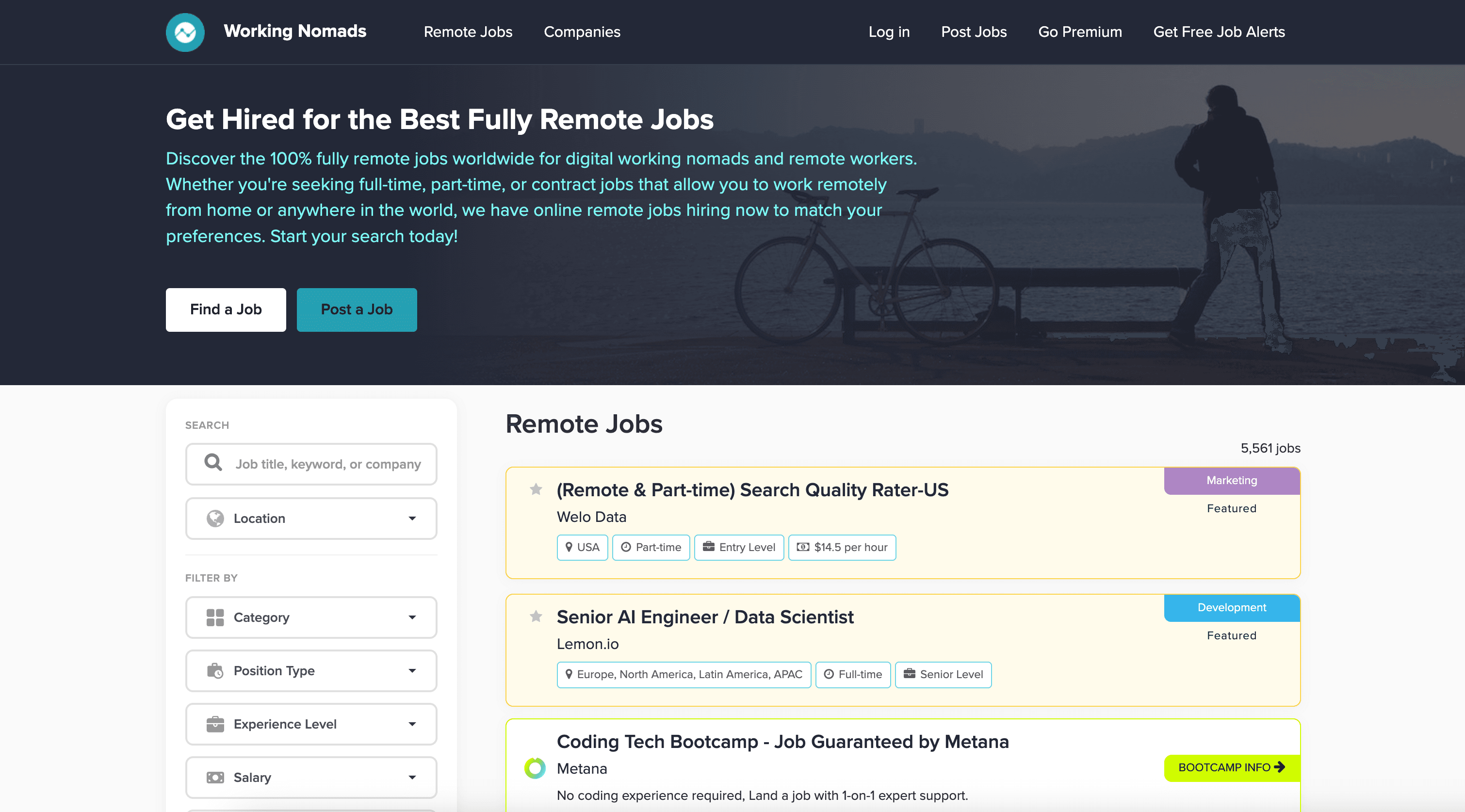
The AI-Powered Working Nomads Scraper is an AI Web Scraper that helps you extract remote job listings and job details from Remote Jobs | Working Nomads using AI. Instead of writing code or building brittle selectors, you simply open the page you want (like the main jobs feed), click AI Suggest Columns to generate a ready-to-scrape schema, and click Scrape to collect the data.
Thunderbit is especially useful when you want to:
- Capture hundreds of listings (up to ~500 rows per run depending on the page)
- Handle pagination and continuously updated job feeds
- Enrich results with subpage scraping (open each job post and pull extra details)
🧲 What can you scrape with Working Nomads
Working Nomads is a popular remote job board with categories like development, marketing, design, and more. With Thunderbit, you can scrape listing pages for fast collection, then optionally visit each job detail page to enrich your dataset.
Scrape All Remote Jobs from Working Nomads
This use case focuses on scraping the main jobs listing page: Working Nomads Jobs. It’s ideal when you want a broad view of the remote job market across categories, companies, and locations.
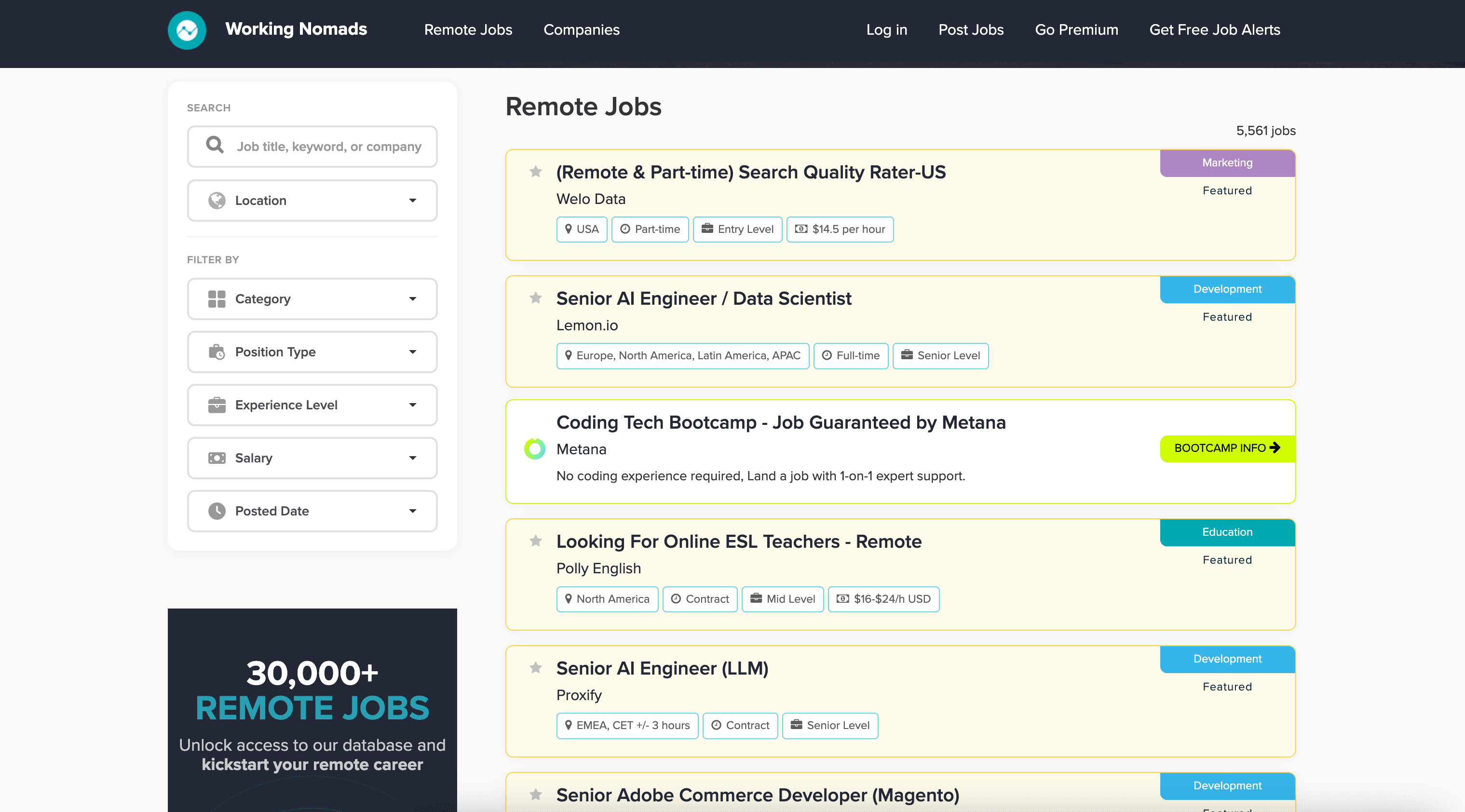
Steps:
- Download the Thunderbit Chrome Extension and register an account.
- Go to the destination page, for example: Working Nomads Jobs.
- Click AI Suggest Columns to let AI recommend the best column names and data types.
- Click Scrape to run the scraper, then export to Excel, Google Sheets, Airtable, or Notion.
Column names
| Column | Description |
|---|---|
| 🧑💻 Job Title | The job title shown in the listing (e.g., “Senior Backend Engineer”). |
| 🏢 Company | The company or organization hiring for the role. |
| 📍 Location / Region | Location requirements such as “Worldwide,” “US only,” or specific regions. |
| 🗂️ Category | The job category (e.g., Development, Marketing, Design). |
| 🏷️ Tags | Any tags/labels shown on the listing (tech stack, seniority, etc., when available). |
| 🗓️ Posted Date | The date the job was posted or last updated (as shown on the page). |
| 🔗 Job URL | The link to the job detail page for subpage enrichment. |
| 🖼️ Company Logo URL | The logo image URL when available on the listing. |
Scrape Remote Development Jobs from Working Nomads
This use case targets the development category page: Remote Development Jobs. It’s perfect if you’re building a curated feed for engineering roles, tracking hiring trends, or collecting leads for recruiting and staffing.
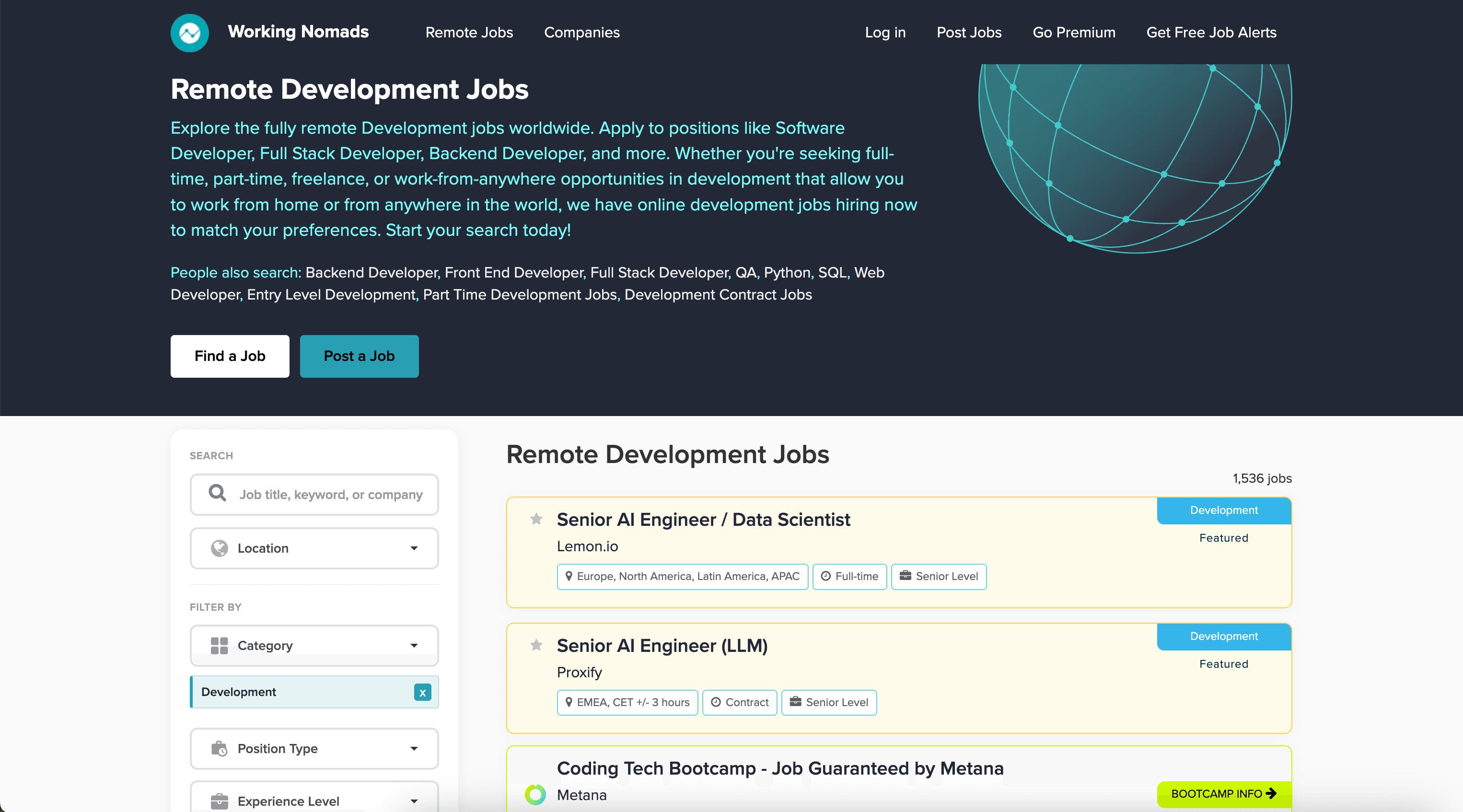
Steps:
- Download the Thunderbit Chrome Extension and register an account.
- Go to the destination page, for example: Remote Development Jobs.
- Click AI Suggest Columns to generate a structured table automatically.
- Click Scrape to collect the data and export it to your preferred tool.
Column names
| Column | Description |
|---|---|
| 💻 Job Title | The development role title (frontend, backend, full-stack, mobile, etc.). |
| 🏢 Company | The hiring company name. |
| 🌎 Remote Location | Any remote location constraints (country, timezone, region). |
| 🧰 Tech / Keywords | Technologies or keywords shown in the listing (when available). |
| 🗓️ Posted Date | The listing’s posted/updated date displayed on the page. |
| 🔗 Job URL | The job detail page link for deeper extraction. |
| 🏷️ Category | The category label (Development) and any related classification. |
| 🖼️ Logo URL | Company logo image link when present. |
🎯 Why Use Working Nomads Tool
Scraping Working Nomads helps you turn a fast-moving job board into a dataset you can search, filter, and operationalize.
Common reasons you might scrape Working Nomads:
- Job seekers: Build your own tracker in Google Sheets, filter by location, keywords, or posted date, and avoid re-checking the site manually.
- Recruiters & staffing teams: Monitor hiring demand, identify companies hiring repeatedly, and build outreach lists (pair with Thunderbit’s free extractors like email/phone when available on company sites).
- Career coaches & creators: Create curated job newsletters, role roundups, and market reports using structured data.
- Market researchers: Track trends like in-demand skills, remote location constraints, and hiring velocity over time.
- Ecommerce, SaaS, and agencies: Watch competitors’ hiring signals to infer product direction, expansion, or new initiatives.
Thunderbit’s AI approach is also resilient: when job boards change layout, AI can re-read the page and keep your workflow moving with less maintenance than traditional scrapers. For more background, see What Is Data Scraping and How to Do It in 2025 and How to Scrape Any Website Using AI.
🧩 How to Use Working Nomads Chrome Extension
- Install the Thunderbit Chrome Extension: Get it from the Chrome Web Store and create your account on Thunderbit.
- Navigate to a Working Nomads page: Open either the full listings page (/jobs) or a category page like Remote Development Jobs.
- Activate AI-Powered Scraper: Click AI Suggest Columns to generate column names and data types, then adjust anything you want (for example, add a “Seniority” column with a custom AI prompt).
- Scrape + export your data: Click Scrape, then export to Excel/CSV/JSON, or send it to Google Sheets, Airtable, or Notion (export is free).
Tip: If you want more than what’s visible on the listing page, use Subpage Scraping to visit each Job URL and enrich your table with extra fields (like full description, requirements, or application links).
💳 Pricing for Working Nomads
Thunderbit uses a credit system:
- 1 credit = 1 output row in your results table.
- The AI-powered scraping experience (including AI Suggest Columns) is available from the start, and you can test it before committing.
What you can try for free:
- Free tier: scrape 6 pages per month (page-based allowance).
- Free trial: scrape 10 pages for free, which is great for validating your column setup and exports.
How much does a Working Nomads scrape cost per run
It depends on how many rows you extract. For example, scraping 200 job listings typically outputs ~200 rows, which uses ~200 credits. If you also use subpage scraping to enrich each job, you’ll still pay by output rows (your enriched table), which makes costs predictable for job tracking workflows.
Paid plans (monthly vs yearly):
- Starter: $15 monthly or $9 monthly billed yearly
- Pro tiers scale up for higher-volume scraping and scheduled monitoring
You can compare options on Thunderbit Pricing. If you scrape job boards weekly or run scheduled scrapes, the yearly plan is usually more cost effective due to the discount.
❓ FAQ
-
What is the AI Powered Working Nomads Scraper?
The AI Powered Working Nomads Scraper is a Thunderbit workflow that extracts structured job listing data from Working Nomads. You use AI to detect fields like job title, company, location, posted date, and job links, then export the results to your spreadsheet or database. -
What is Thunderbit?
Thunderbit is an AI Web Scraper Chrome Extension that helps you collect data from websites, PDFs, and images and turn it into structured tables. It’s built for business workflows like lead generation, ecommerce monitoring, and job market research, with exports to Excel, Google Sheets, Airtable, and Notion. -
Do I need coding skills to scrape Working Nomads?
No. Thunderbit is designed for non-technical workflows: you click AI Suggest Columns and then Scrape. If you want more control, you can rename columns, change data types (text/date/URL), and add AI prompts—still without code. -
Can Thunderbit scrape pagination on Working Nomads job pages?
Yes. Thunderbit supports pagination scraping, including click-based pagination and infinite scroll patterns when present. This is useful when you want to collect more than what’s visible on the first page of results. -
Can I scrape job details from each job post (not just the listing page)?
Yes. Use Subpage Scraping to have Thunderbit visit each Job URL and extract additional fields from the detail page. This is helpful for capturing application links, full descriptions, requirements, and other fields that aren’t fully shown in the list view. -
What data can I export after scraping Working Nomads?
You can export to Excel, CSV, JSON, Google Sheets, Airtable, and Notion. Exporting and downloading are free, so you can move your dataset into the tool your team already uses. -
How fast is a typical Working Nomads scrape?
Many runs finish quickly (often around a minute, depending on page size, pagination depth, and whether you enable subpage scraping). If you choose Cloud Scraping, Thunderbit can process batches of pages faster for public pages; if you need logged-in context, Browser Scraping is a better fit. -
How do credits work for job scraping?
Credits are based on output rows: 1 credit equals 1 row in your results table. If you scrape 300 job listings, you’ll generally use about 300 credits, which makes it easy to estimate cost before you run larger collections. -
Is it okay to scrape Working Nomads?
You should always follow applicable laws, respect privacy, and review the website’s terms. Thunderbit is a tool for productivity and research; how you use the data (storage, redistribution, outreach) should align with compliance requirements and responsible data practices.
📚 Learn More
- Get started with the extension: Thunderbit Chrome Extension Download Page
- Explore guides on the Thunderbit Blog
- Learn fundamentals: What Is List Crawling and How to Do It Using AI
- Export workflows: How to Scrape Website Data into Excel using AI
- Tool comparisons: The Best Web Scraping Tools & Software in 2025
- If you also scrape documents: How to Scrape Data from PDF using AI
- See plans and credits: Thunderbit Pricing
- Product videos and tutorials: Thunderbit YouTube Channel