

Thunderbit’s AI-Powered Remotive Scraper helps you turn Remotive job listings into clean, structured data in minutes. You can use AI to detect the right fields (job title, company, location, tags, apply link, and more), scrape listings across categories, and even visit each job’s detail page to enrich your dataset. Export your results to Excel, Google Sheets, Airtable, or Notion for tracking, outreach, and reporting.
🤖 What is Remotive Scraper
The Remotive Scraper is an AI Web Scraper built for extracting remote job listings from Remotive using Thunderbit. You simply open a Remotive jobs page, click AI Suggest Columns, then click Scrape—Thunderbit’s AI reads the page and structures the data into a table you can download or export.
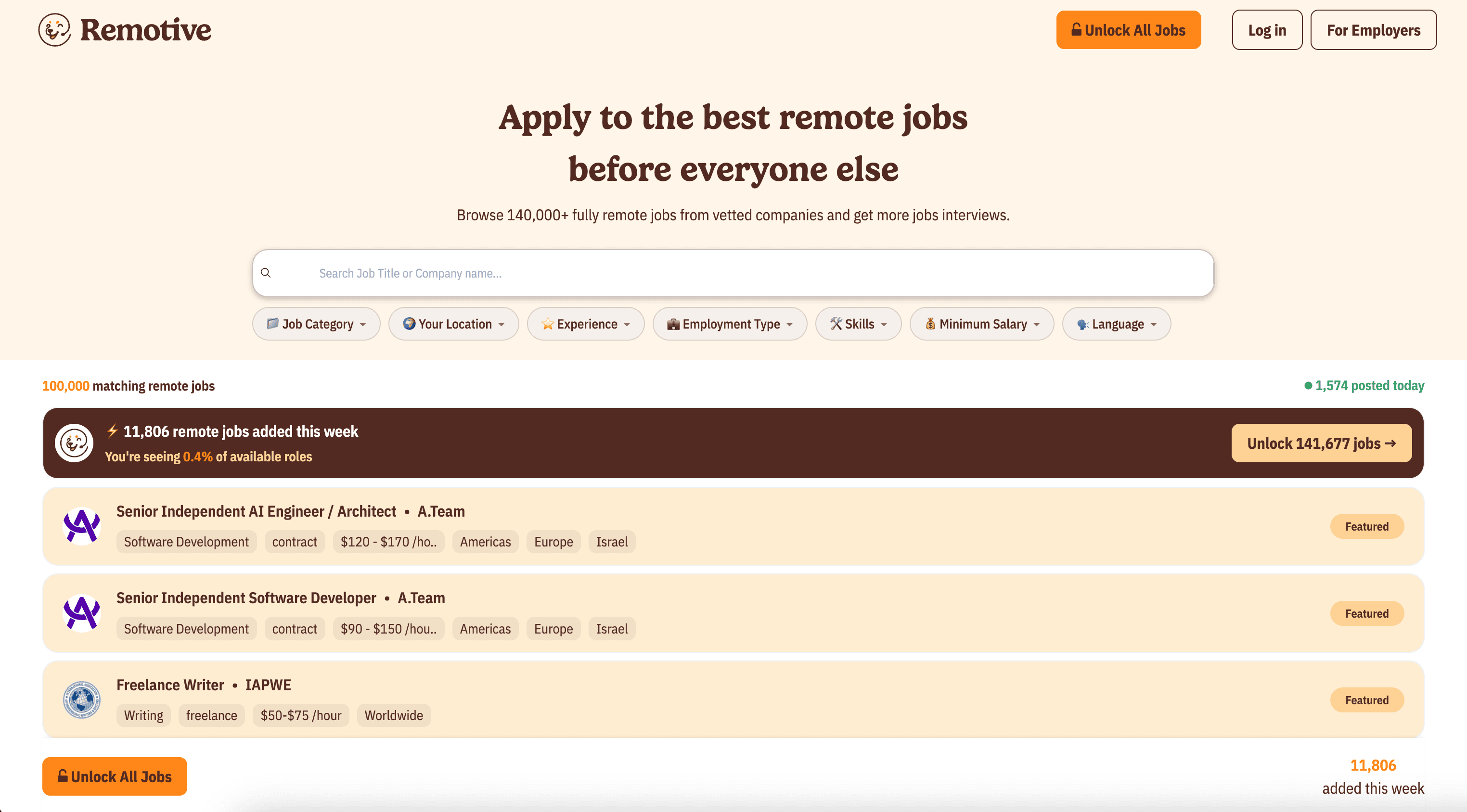
With Thunderbit, you can also use pagination scraping to capture more listings and subpage scraping to open each job post and pull extra details (like full description, requirements, salary info when available, and application instructions).
🧲 What can you scrape with Remotive
Remotive is a popular hub for remote roles across engineering, design, marketing, customer support, and more. With Thunderbit’s AI Web Scraper (https://thunderbit.com/), you can collect job data for:
- Job search tracking and alerts
- Recruiting and sourcing pipelines
- Labor market research and trend reporting
- Content curation (job boards, newsletters, communities)
- Competitive analysis for hiring teams
Below are two common scraping workflows you can run right away.
🗂️ Scrape All Remote Jobs from Remotive
This use case scrapes the main Remotive job board at All Remote Jobs. It’s ideal when you want a broad dataset across categories and tags, then filter in Excel or Google Sheets.
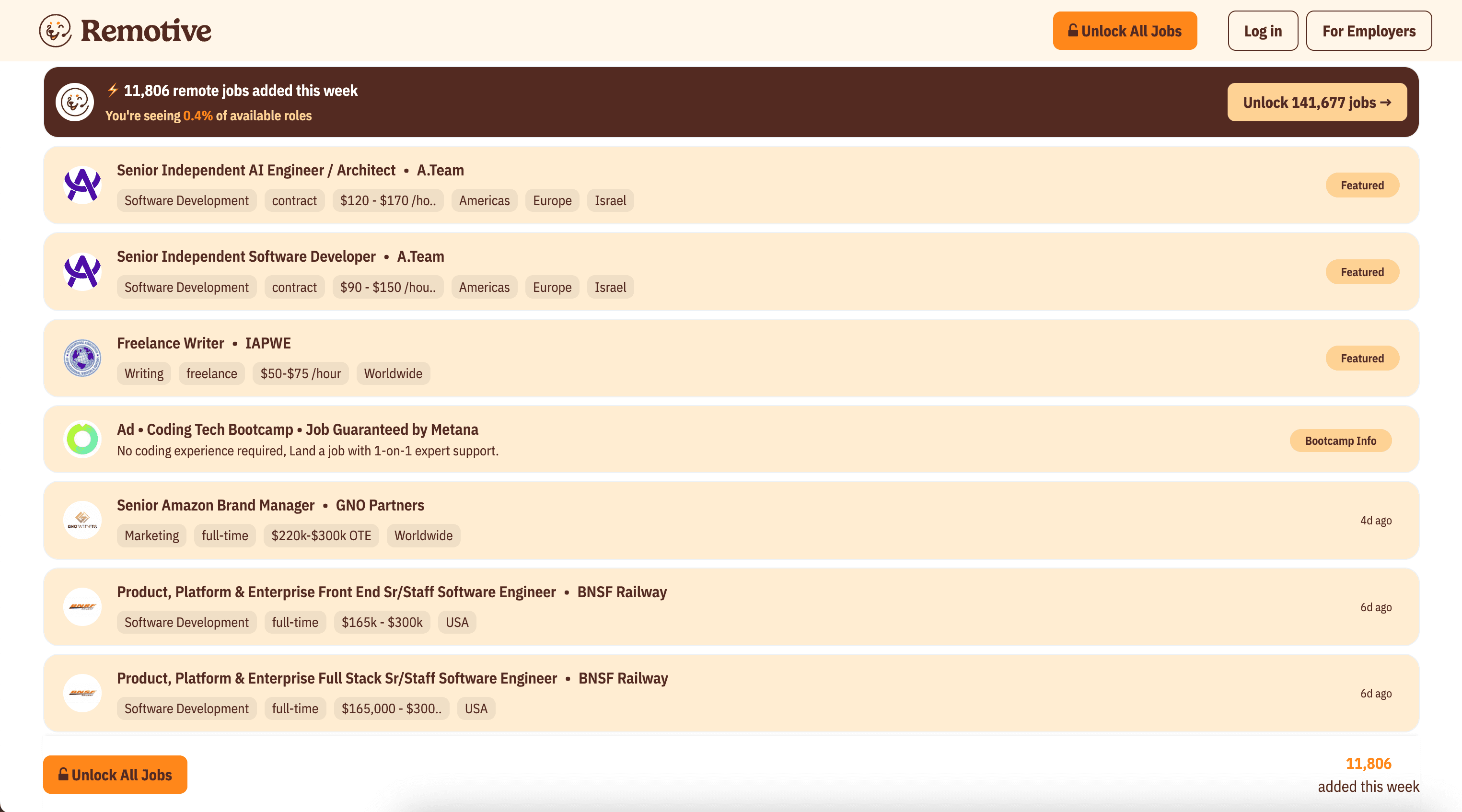
Steps:
- Download the Thunderbit Chrome Extension and register an account.
- Go to the destination page: https://remotive.com/remote-jobs
- Click AI Suggest Columns to generate recommended column names and data types.
- Click Scrape to extract the data, then export to Excel, Google Sheets, Airtable, or Notion.
Column names
| Column | Description |
|---|---|
| 🧑💻 Job Title | The role name shown in the listing (e.g., Backend Engineer). |
| 🏢 Company | The hiring company name. |
| 🌍 Location / Region | The location label (worldwide, US-only, EMEA, etc., when provided). |
| 🧩 Category | The job category (e.g., Software Development, Design). |
| 🏷️ Tags | Tags/keywords attached to the job (tech stack, seniority, etc.). |
| 📅 Posted Date | The date the job was posted (or relative time if shown). |
| 🔗 Job URL | The link to the job detail page on Remotive. |
| 📨 Apply URL | The application link (often external). |
| 🖼️ Company Logo | The logo image URL when available. |
Tip: After scraping the listing table, use Scrape Subpages in Thunderbit to visit each Job URL and enrich your dataset with job descriptions, requirements, and other details.
💻 Scrape Remote Software Development Jobs from Remotive
This use case focuses on the Software Development category page: Remote Software Development Jobs. It’s useful if you’re building a targeted pipeline for engineering roles or tracking specific stacks.
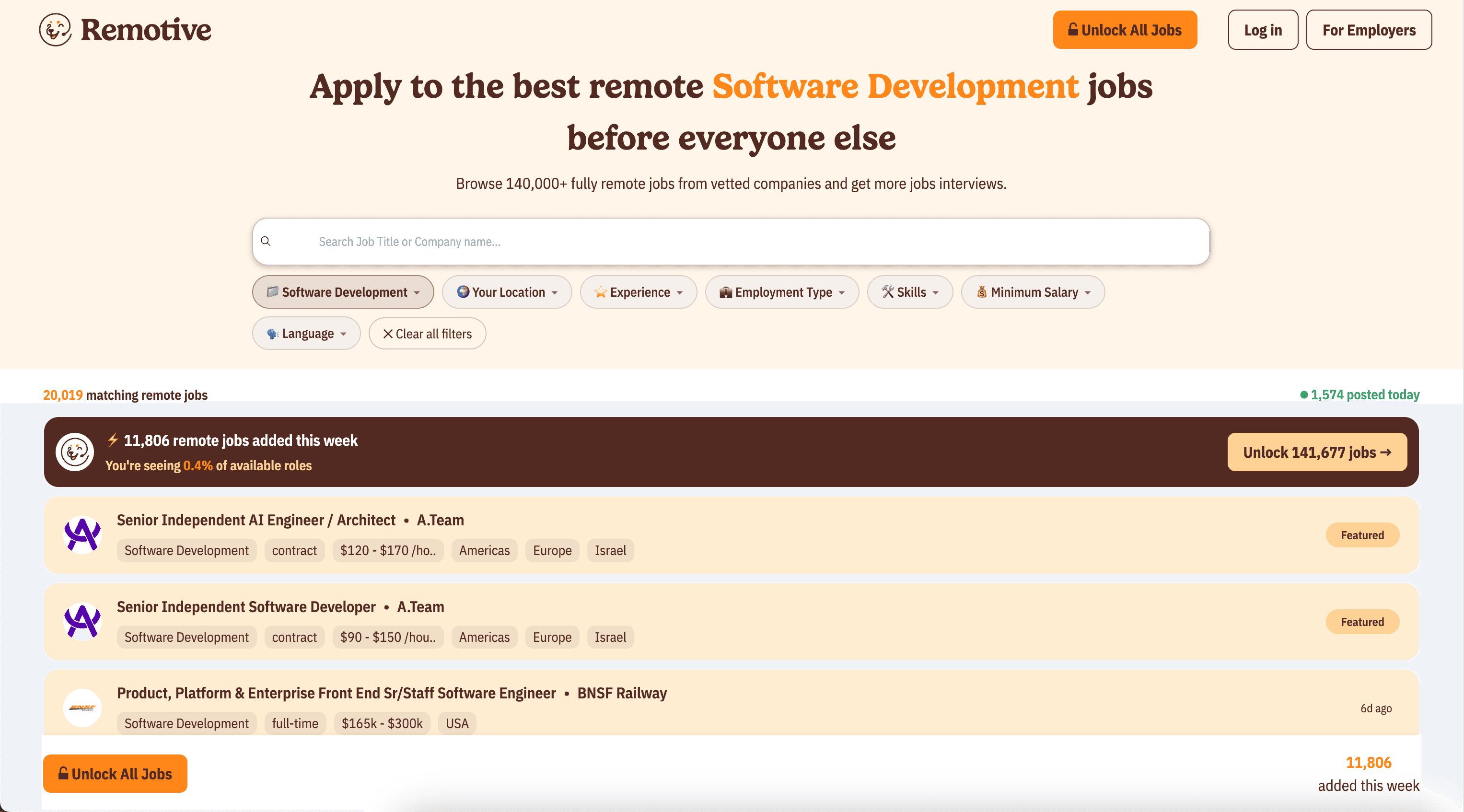
Steps:
- Download the Thunderbit Chrome Extension and register an account.
- Go to the destination page: https://remotive.com/remote-jobs/software-development
- Click AI Suggest Columns to let AI recommend the best fields to extract.
- Click Scrape to collect the data and export it to your preferred tool.
Column names
| Column | Description |
|---|---|
| 👨💻 Job Title | The software role title (e.g., Full-Stack Engineer). |
| 🏢 Company | Company hiring for the role. |
| 🧰 Tech / Tags | Tags that often include languages, frameworks, or role type. |
| 🌎 Remote Location | Region or location constraints (if listed). |
| 🕒 Job Type | Full-time/contract or other type when available. |
| 📆 Posted Date | When the job was posted. |
| 🔗 Job URL | Remotive job detail page link. |
| 📨 Apply URL | The external or internal application link. |
| 📝 Short Description | A brief snippet/summary shown on the listing (if present). |
🎯 Why Use Remotive Tool
Scraping Remotive is valuable when you need structured job data instead of manually copying listings into spreadsheets.
Common ways you can use a Remotive scraper:
- Job seekers: Build a personal tracker in Google Sheets, filter by tags, and monitor new postings over time.
- Recruiters & staffing teams: Create a sourcing database, segment by region or stack, and share shortlists internally.
- Market researchers: Analyze hiring trends (e.g., demand for React, Python, DevOps) and track posting frequency.
- Newsletter and community operators: Curate job lists and keep your content updated with scheduled exports.
- Ecommerce and sales teams (yes, really): If you sell to startups, job postings can be a buying signal—scrape company names and roles to prioritize outreach.
Thunderbit’s advantage is that you don’t need to write code or maintain brittle selectors. The AI Web Scraper (https://thunderbit.com/) reads the page structure and outputs a table you can use immediately.
🧩 How to Use Remotive Chrome Extension
- Install the Thunderbit Chrome Extension: Get it from the Chrome Web Store and create your account.
- Navigate to a Remotive page: Open All Remote Jobs or a category page like Software Development.
- Activate AI-Powered Scraper: Click AI Suggest Columns to generate fields, then adjust column names or data types if needed (Text, Date, URL, etc.).
- Scrape and export: Click Scrape, then export to Excel, Google Sheets, Airtable, or Notion (exports are free).
Advanced options you can use in Thunderbit:
- Subpage Scraping: Visit each job detail page to extract richer fields (full description, responsibilities, benefits).
- Pagination / infinite scroll support: Capture more than what’s visible on the first page.
- Cloud Scraping vs. Browser Scraping: Use Cloud for speed on public pages; use Browser if a site requires your session.
- Scheduled Scraper: Automatically re-scrape Remotive pages on a schedule for monitoring new roles.
💳 Pricing for Remotive
Thunderbit uses a simple credit system:
- 1 credit = 1 output row in your results table
- The AI-powered scraping experience (AI Suggest Columns + Scrape) is included, and you can start without coding
What you can try for free:
- Free tier: scrape 6 pages per month
- Free trial: scrape 10 pages for free to test your workflow before upgrading
If you scrape a Remotive listing page and get 100 job rows, that typically uses 100 credits. If you then run subpage scraping to enrich those 100 jobs with detail-page fields, the total credits depend on how many additional rows you output (usually still one row per job, just with more columns).
Paid plans (monthly vs. yearly) are designed for different volumes. The yearly plan is more cost effective because it includes a discount compared to paying month-to-month.
You can review the latest options on Thunderbit Pricing.
❓ FAQ
-
What is the AI Powered Remotive Scraper?
The AI Powered Remotive Scraper is a workflow in Thunderbit that extracts job listings and job details from Remotive and converts them into structured rows and columns. You click AI Suggest Columns so the AI can identify fields like job title, company, location, tags, and links, then click Scrape to collect the data. -
What is Thunderbit?
Thunderbit is an AI web scraping and productivity Chrome Extension that helps you extract data from websites, PDFs, and images into structured tables. It’s built for business workflows like lead generation, job tracking, ecommerce monitoring, and research—without needing code. -
Can I scrape job details, not just the listing page?
Yes. Thunderbit supports subpage scraping, which means it can open each job’s detail page and add more columns to your existing table. This is useful when you want the full job description, requirements, benefits, or other fields that aren’t visible on the listing page. -
What data fields are best to extract from Remotive?
Most teams start with Job Title, Company, Location/Region, Tags, Posted Date, Job URL, and Apply URL. If you’re doing deeper analysis, add fields from the detail page such as description text, seniority, salary info (when available), and employment type. -
How do I export Remotive data to Google Sheets or Excel?
After scraping, Thunderbit lets you export your table to Excel or Google Sheets in a few clicks, and exporting is free. You can also download as CSV/JSON or send data to Airtable and Notion for database-style workflows. -
Does Remotive scraping work if the page layout changes?
In many cases, yes. Traditional scrapers often break when a site changes HTML structure, but Thunderbit’s AI reads the page content and adapts to layout changes more reliably. If you notice a field drifting, you can re-run AI Suggest Columns or refine the field instructions. -
Should I use Cloud Scraping or Browser Scraping for Remotive?
For Remotive’s public job pages, Cloud Scraping is usually the fastest option because it can process many pages quickly. If you ever need to scrape content that depends on your browser session, localization, or logged-in state, choose Browser Scraping. -
How many jobs can I scrape per run?
The practical limit depends on how many listings are available and how many pages you scrape, but Thunderbit is designed for high-volume extraction. Your plan’s credits determine how many rows you can output, and you can start by testing with the free tier (6 pages) or free trial (10 pages). -
Where can I learn best practices for web scraping with AI?
You can learn strategies, workflows, and export tips on the Thunderbit Blog. Helpful starting points include How to Scrape Any Website Using AI and How to Scrape Website Data into Excel using AI, plus background reading like What Is Data Scraping and How to Do It in 2025.
📚 Learn More
- Get started with Thunderbit
- Install the Thunderbit Chrome Extension
- Read: How to Scrape Any Website Using AI
- Read: What Is List Crawling and How to Do It Using AI
- Read: How to Scrape Website Data into Excel using AI
- Explore more guides on the Thunderbit Blog
- Check plans on Thunderbit Pricing