

Extract structured data from Welcome to the Jungle job listings and company profiles with Thunderbit, an AI Web Scraper that reads the page and turns it into a clean table for you. You click AI Suggest Fields to let AI propose the best columns, then click Scrape to collect results. You can also use subpage scraping to visit each job or company detail page and enrich your dataset automatically.
🧭 What is Welcome to the Jungle Scraper
The Welcome to the Jungle Scraper is an AI Web Scraper built for extracting data from Welcome to the Jungle using AI—no coding required. Just open the page you want (like the jobs directory or companies directory), click AI Suggest Fields, and Thunderbit will generate a structured schema (columns + data types). Click Scrape to collect rows, then export to Excel, Google Sheets, Airtable, or Notion.

🧰 What can you scrape with Welcome to the Jungle
Welcome to the Jungle is a rich source of hiring and employer-brand data. With Thunderbit, you can scrape listing pages (many rows fast), then use Subpage Scraping to pull deeper details from each job post or company profile.
Scrape Job Listings from Welcome to the Jungle
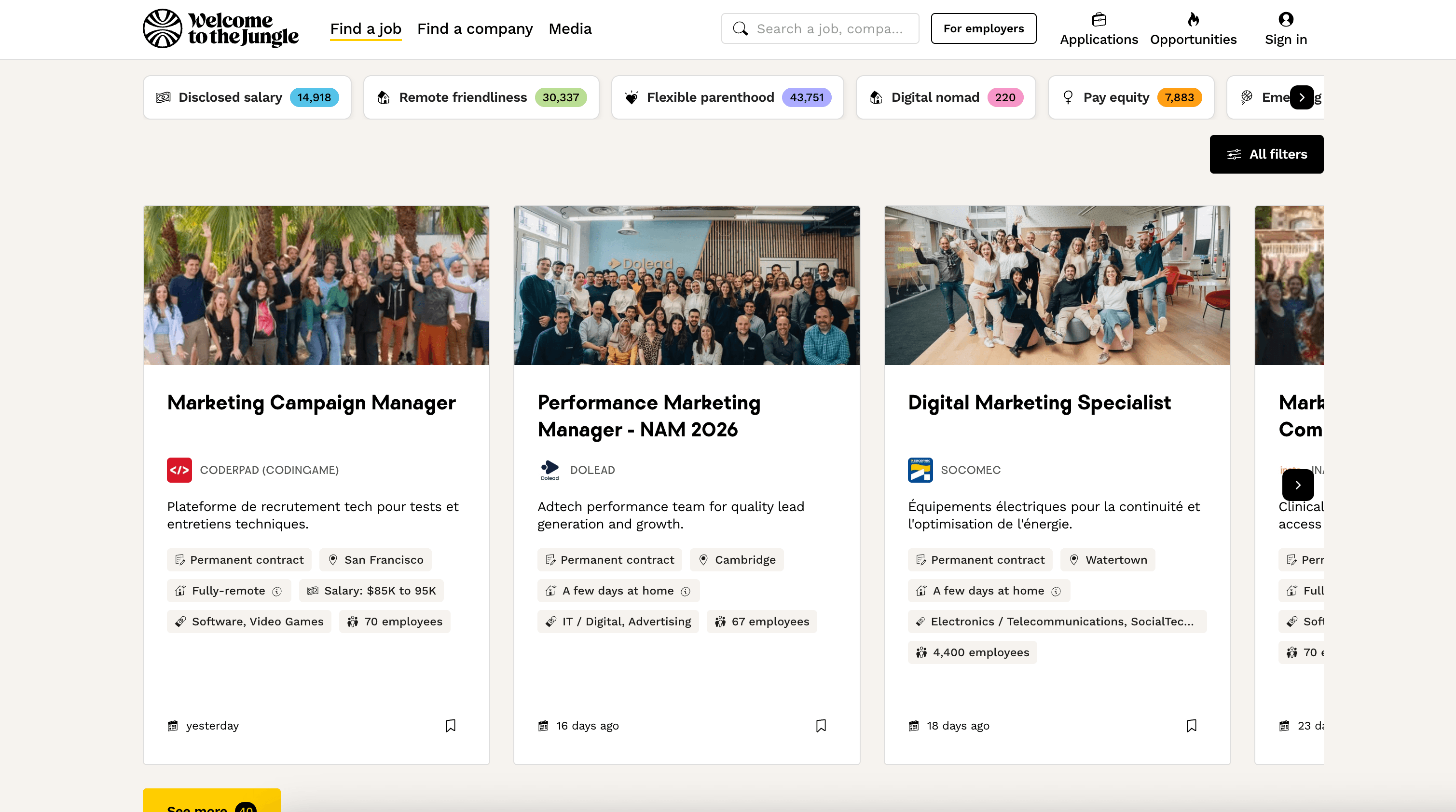
Scrape roles from the Welcome to the Jungle jobs page to build a searchable job database, track hiring trends, or monitor specific keywords, locations, and companies.
Steps:
- Download the Thunderbit Chrome Extension and register an account.
- Go to the destination page, for example: Welcome to the Jungle Jobs.
- Click AI Suggest Fields to generate recommended column names and data types.
- Click Scrape to run the scraper, then export to Excel, Google Sheets, Airtable, or Notion.
Column names
| Column | Description |
|---|---|
| 🧑💻 Job Title | The role name as shown on the listing card (e.g., Product Manager, Sales Executive). |
| 🏢 Company Name | The employer name associated with the job listing. |
| 🌍 Location | City/region/country or remote indicator shown on the listing. |
| 🧭 Work Type | On-site, hybrid, or remote (when available on the listing). |
| 🕒 Employment Type | Full-time, part-time, internship, contract (when available). |
| 💰 Salary Range | Any salary info displayed on the listing or extracted from the job detail page via subpage scraping. |
| 🗓️ Posted Date | The posting date or relative time (e.g., “3 days ago”), when available. |
| 🏷️ Tags / Keywords | Tech stack, department, seniority, or other tags shown on the listing. |
| 🔗 Job URL | Direct link to the job detail page (useful for subpage scraping). |
| 🖼️ Company Logo | The logo image URL (helpful for Airtable/Notion enrichment). |
Tip: After scraping the listing table, click Scrape Subpages in Thunderbit to visit each Job URL and enrich your dataset with details like responsibilities, requirements, benefits, and full compensation info.
Scrape Company Profiles from Welcome to the Jungle
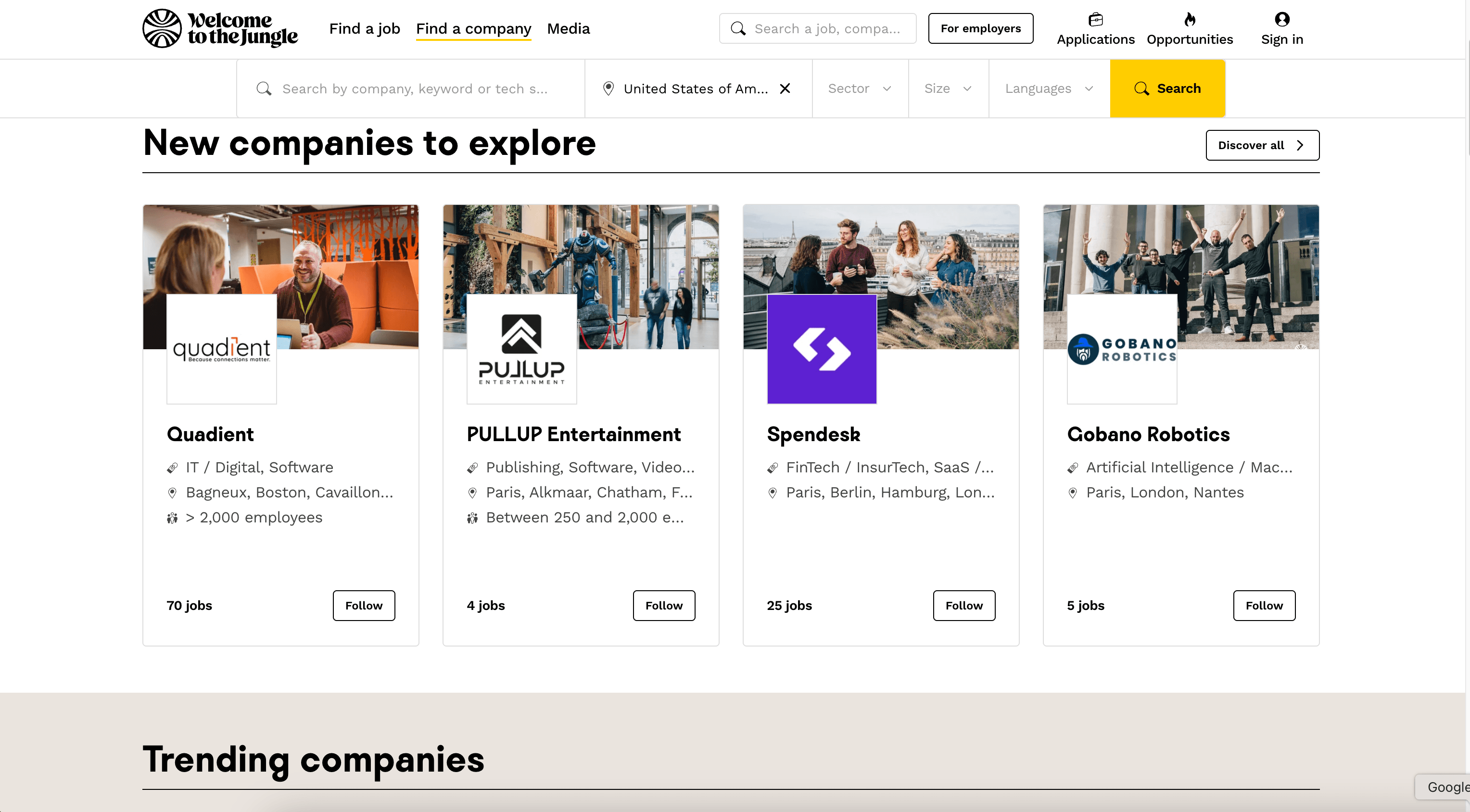
Scrape employer data from the Welcome to the Jungle companies page to build lead lists, analyze employer branding, or track which companies are actively hiring.
Steps:
- Download the Thunderbit Chrome Extension and register an account.
- Go to the destination page, for example: Welcome to the Jungle Companies.
- Click AI Suggest Fields to generate recommended column names and data types.
- Click Scrape to run the scraper, then export to Excel, Google Sheets, Airtable, or Notion.
Column names
| Column | Description |
|---|---|
| 🏢 Company Name | The company’s name as shown in the directory. |
| 🔗 Company URL | Link to the company profile page (ideal for subpage scraping). |
| 🏷️ Industry | Category/industry label (e.g., SaaS, FinTech, Marketplace), when available. |
| 📍 Headquarters / Location | Primary location shown on the company card or profile. |
| 👥 Company Size | Employee count range (when available). |
| 🧾 Company Description | Short summary from the directory or full “About” section via subpage scraping. |
| 💼 Open Roles Count | Number of open jobs (if displayed). |
| 🌐 Website | Official company website link (often found on the profile page). |
| 🧑🤝🧑 Social Links | LinkedIn/Twitter/GitHub links when available on the profile. |
| 🖼️ Company Logo | Logo image URL for CRM or database enrichment. |
Tip: Use Subpage Scraping to pull deeper fields like mission, benefits, tech stack, funding info (if present), and links to open roles.
🎯 Why Use Welcome to the Jungle Tool
Scraping Welcome to the Jungle helps you turn a large, dynamic job marketplace into a dataset you can filter, analyze, and operationalize.
Common ways you can use it:
- Recruiting & talent teams: Build targeted pipelines by role, location, seniority, and company type. Track new postings over time and keep a structured job feed.
- Sales & partnerships: Identify fast-growing companies and hiring signals, then enrich your lead list with company URLs, websites, and social links.
- Market research & analysts: Monitor hiring trends by region, industry, and keyword. Create weekly snapshots for reporting.
- Job seekers & career coaches: Organize opportunities into a personal tracker in Google Sheets or Notion, then prioritize by salary, remote status, or company size.
- Ecommerce/ops teams hiring: Track competitors’ hiring patterns to infer strategic moves (new markets, new product lines, expansion).
Thunderbit is designed for business workflows: you can scrape, structure, and export in minutes, and you can keep your dataset fresh with pagination support and Scheduled Scraper.
🧩 How to Use Welcome to the Jungle Chrome Extension
- Install the Thunderbit Chrome Extension: Get it from the Chrome Web Store and create your account on Thunderbit.
- Navigate to a Welcome to the Jungle page: Open either the Jobs page or the Companies page depending on what you want to collect.
- Activate AI-Powered Scraper: Click AI Suggest Fields to generate columns, adjust any field names or data types, then click Scrape.
Optional: Use Scrape Subpages to visit each job/company page and enrich your table with deeper details.
If you’re new to AI scraping, these guides can help:
- How to Scrape Any Website Using AI
- What Is Data Scraping and How to Do It in 2025
- How to Scrape Website Data into Excel using AI
- What Is List Crawling and How to Do It Using AI
💳 Pricing for Welcome to the Jungle Scraper
Thunderbit’s AI-powered scraping is available starting on the Free tier, and you can scale up based on how many rows you need.
Here’s how pricing works:
- AI Suggest Fields is part of the core AI Web Scraper experience.
- Thunderbit uses a credit system: 1 credit = 1 output row in your results table.
- Free tier: scrape 6 pages per month (page-based allowance on Free).
- Free trial: scrape 10 pages for free, which is a good way to test job listings + subpage enrichment before upgrading.
Paid plans (monthly vs. yearly) are designed for different volumes. If you scrape regularly (weekly job monitoring, recurring lead building), the yearly plan is typically more cost effective because it includes a discount.
You can review the latest options on Thunderbit Pricing.
❓ FAQ
-
What is the AI Powered Welcome to the Jungle Scraper?
The AI Powered Welcome to the Jungle Scraper is a workflow in Thunderbit that extracts structured data from Welcome to the Jungle pages like job listings and company directories. It uses AI to identify fields on the page, build a table, and collect rows you can export to tools like Excel, Google Sheets, Airtable, or Notion. -
What is Thunderbit?
Thunderbit is an AI Web Scraper Chrome Extension that helps you collect data from websites, PDFs, and images and turn it into structured datasets. It’s built for business users who want fast setup, reliable extraction, and exports that fit into everyday workflows. -
Can you scrape both listing pages and detail pages (subpages)?
Yes. You can scrape the listing page first (jobs or companies), then use Subpage Scraping to visit each job or company profile URL and add more columns. This is useful when key fields like salary, benefits, or company website only appear on the detail page. -
What data can I export from Welcome to the Jungle to Google Sheets or Excel?
You can export any columns you define, including job title, company, location, tags, job URL, and more. Thunderbit supports exporting to Excel/CSV/JSON, plus direct exports to Google Sheets, Airtable, and Notion, which is helpful for building trackers and internal databases. -
How does Thunderbit handle pagination and infinite scroll on job listings?
Thunderbit supports pagination scraping, including click-to-next pagination and infinite scroll patterns. If the jobs page loads more results as you scroll, you can keep collecting rows and then scrape until you reach your target volume. -
Do I need coding skills to use Thunderbit on Welcome to the Jungle?
No. The main workflow is: open the page, click AI Suggest Fields, then click Scrape. If you want more control, you can rename columns, change data types (text, URL, date), and add field instructions, but it’s still no-code. -
Will the scraper still work if Welcome to the Jungle changes its layout?
AI-based extraction is designed to be more resilient than brittle selectors because it reads the page structure each run. If the site changes, you can re-run AI Suggest Fields to regenerate columns that match the new layout, rather than rebuilding a scraper from scratch. -
Is cloud scraping or browser scraping better for Welcome to the Jungle?
If the pages are public and don’t require login, Cloud Scraping is usually faster. If you need to access content tied to your session (like personalized results or logged-in views), Browser Scraping can be a better fit because it runs in your Chrome context. -
How can I keep a job dataset updated automatically?
Use Thunderbit’s Scheduled Scraper to run the same job or company URLs on a schedule you describe in plain English. This is useful for weekly hiring reports, monitoring specific roles, or tracking new companies entering a market over time.
📚 Learn More
- Get started with Thunderbit and install the Thunderbit Chrome Extension
- Read: The Best Web Scraping Tools & Software in 2025
- Read: The Best Email Scrapers in 2025
- Read: How to Scrape Data from PDF using AI
- Explore more tutorials on the Thunderbit Blog and videos on the Thunderbit YouTube Channel