

Thunderbit’s ProBlogger Jobs Scraper helps you turn ProBlogger job listings into clean, structured data using AI. You can open any ProBlogger Jobs page, click AI Suggest Columns, and Thunderbit will recommend the best fields to extract, then you click Scrape to collect the results. It’s built for sourcing, research, and tracking workflows where you need job data in Excel, Google Sheets, Airtable, or Notion.
🧩 What is ProBlogger Jobs Scraper
The ProBlogger Jobs Scraper is an AI Web Scraper powered by Thunderbit that extracts job listings and job post details from the ProBlogger job board. Instead of copying and pasting roles one by one, you can let AI read the page, structure the data into columns, handle pagination, and even visit each job post for deeper details with subpage scraping.

With the Thunderbit Chrome Extension, you can scrape:
- Job listing pages (multiple roles at once)
- Individual job pages (full descriptions, requirements, apply links)
- Paginated results (click pagination or infinite scroll where applicable)
🧲 What can you scrape with ProBlogger Jobs
ProBlogger is a popular destination for blogging, content, and marketing roles. If you’re hiring, recruiting, or building a pipeline of writing opportunities, scraping ProBlogger helps you create a searchable database you can filter by category, date, remote status, and more.
Below are two common workflows you can automate with Thunderbit’s AI Web Scraper.
🧠 Scrape ProBlogger Specialized SEO Writer Sourcing
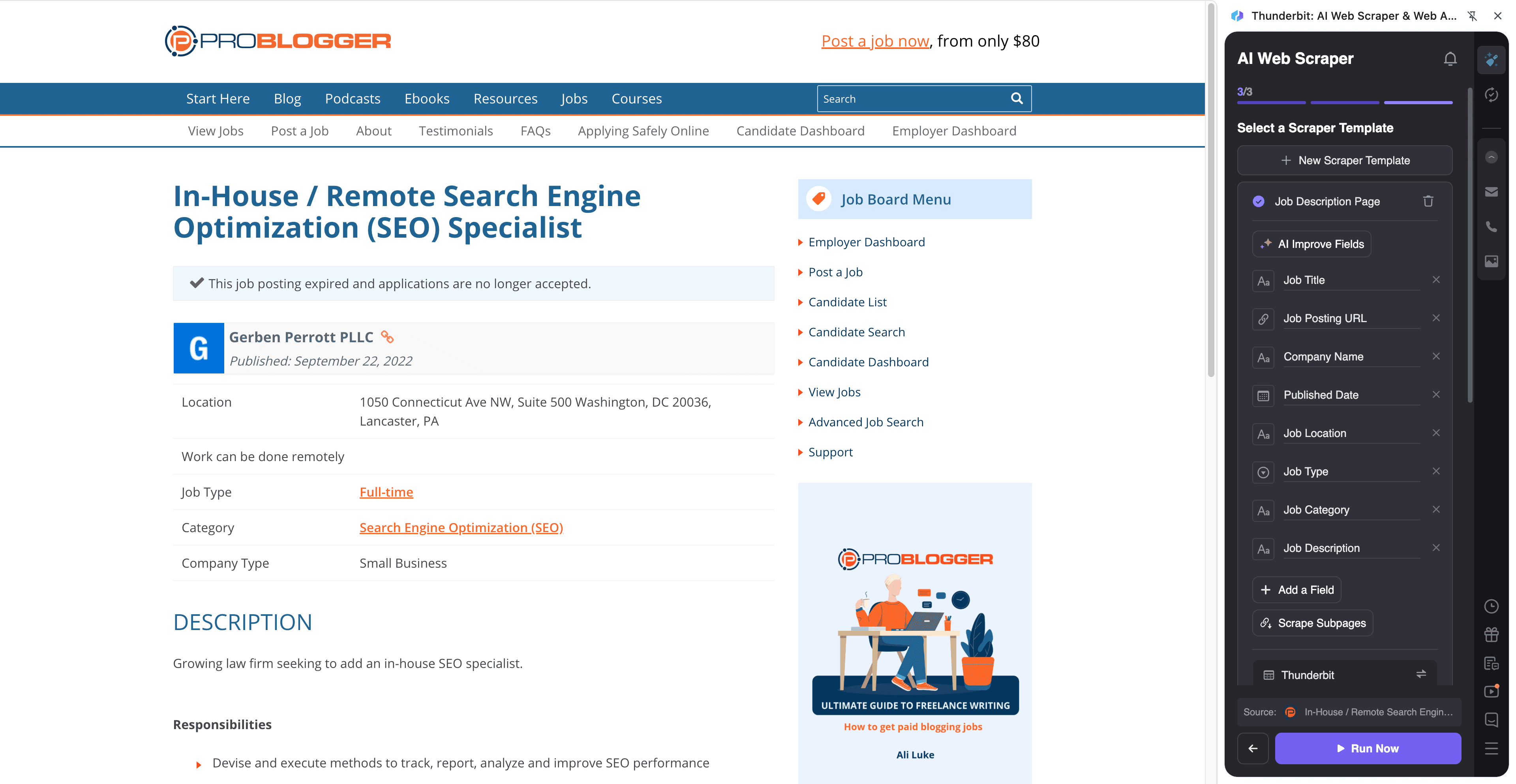
This use case focuses on the SEO category page, where you can find roles related to search engine optimization, SEO content writing, and related marketing positions.
Target page: https://problogger.com/jobs/job-category/search-engine-optimization-seo/
Steps:
- Download the Thunderbit Chrome Extension and register an account.
- Go to the destination page (example): ProBlogger SEO jobs category.
- Click AI Suggest Columns to let AI recommend the best column names and data types.
- Click Scrape to extract the data, then export to Excel, Google Sheets, Airtable, or Notion.
Column names
| Column | Description |
|---|---|
| 🧾 Job Title | The title of the job listing (e.g., SEO Content Writer, SEO Strategist). |
| 🏢 Company | The company or brand posting the role (when available). |
| 🌐 Job URL | The link to the job post page (useful for subpage scraping). |
| 🗂️ Category | The job category shown on ProBlogger (e.g., SEO). |
| 📅 Posted Date | The date the job was posted, for freshness and prioritization. |
| 📍 Location / Remote | Any location text shown (often remote-friendly). |
| 🧩 Job Type | Full-time, part-time, contract, freelance (if listed). |
| 📝 Short Summary | The snippet/preview text from the listing page. |
| 🔗 Apply Link | The application URL (often found on the job detail page). |
| 🧠 Keywords / Tags | Extracted keywords like “link building,” “on-page SEO,” “WordPress,” etc. (great with Field AI Prompts). |
🌍 Scrape ProBlogger Cross-Category Global Opportunities
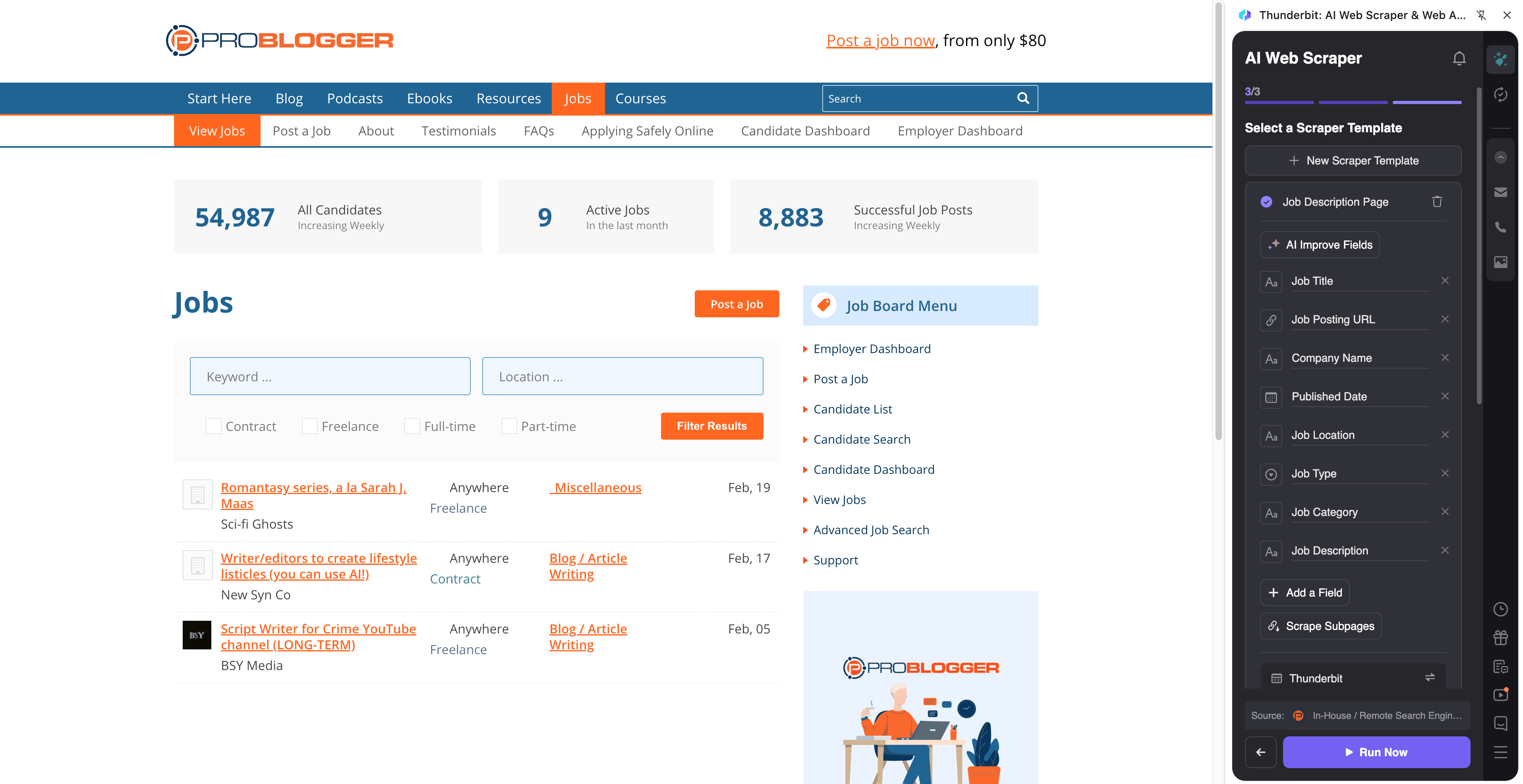
This use case targets the main jobs page, which includes roles across categories (writing, editing, marketing, social media, and more). It’s ideal when you want a broad dataset and plan to filter later.
Target page: https://problogger.com/jobs/
Steps:
- Download the Thunderbit Chrome Extension and register an account.
- Go to the destination page (example): ProBlogger Jobs.
- Click AI Suggest Columns to generate a structured schema for the listings.
- Click Scrape to collect results, scrape pagination, and export your dataset.
Column names
| Column | Description |
|---|---|
| 🧾 Job Title | The listing title as shown on the job board. |
| 🏷️ Category | The category assigned to the job (writing, SEO, marketing, etc.). |
| 🏢 Company | The hiring company/brand (if displayed). |
| 🌐 Job URL | The job post link for review and subpage enrichment. |
| 📅 Posted Date | The posting date to help you sort by newest roles. |
| 🌎 Region / Time Zone | Any region or time zone requirements mentioned (often on the job page). |
| 💰 Compensation | Pay range or rate if included in the post (commonly on subpages). |
| 🧰 Requirements | Key requirements (tools, years of experience, niche expertise). |
| 📨 Contact / Email | Any contact email shown (you can also use Thunderbit’s free email extractor). |
| 🔗 Apply Link | The direct application link or instructions URL. |
| 🧾 Full Description | The full job description (best captured via subpage scraping). |
🎯 Why Use ProBlogger Jobs Tool
Scraping ProBlogger job listings is useful when you need speed, consistency, and a repeatable workflow.
Common reasons you might scrape ProBlogger:
- Recruiting & talent sourcing: Build a database of companies hiring writers, SEO specialists, editors, and marketers.
- SEO agencies & content teams: Track demand trends (e.g., “programmatic SEO,” “topical authority,” “link building”) and identify recurring buyers.
- Freelance writers: Create your own job tracker in Google Sheets and filter by niche, pay, and remote requirements.
- Market research: Monitor how job requirements change over time (tools, AI writing policies, CMS preferences).
- Operations: Use Scheduled Scraper to check for new roles daily/weekly and keep your pipeline updated.
Thunderbit is designed for business users who want the easiest setup:
- AI Suggest Columns to generate a schema fast
- Pagination scraping to capture more than one page
- Subpage scraping to enrich each row with details from the job post page
- Free export to CSV/JSON, Excel, Google Sheets, Airtable, or Notion
If you want more background before you start, these guides help:
- How to Scrape Any Website Using AI
- What Is Data Scraping and How to Do It in 2025
- How to Scrape Website Data into Excel using AI
- The Best Web Scraping Tools & Software in 2025
- More tutorials: Thunderbit Blog
🧭 How to Use ProBlogger Jobs Chrome Extension
- Install the Thunderbit Chrome Extension: Get it from the Chrome Web Store and create your account.
- Navigate to a ProBlogger Jobs page: Start with the SEO category or the main jobs board.
- Activate AI-Powered Scraper: Click AI Suggest Columns to generate fields, then adjust column names, data types, or add Field AI Prompts (for example, “Extract whether the role is remote”).
- Scrape + enrich with subpages: Click Scrape for the listing page, then use Scrape Subpages to visit each job post and pull apply links, full descriptions, compensation, and requirements.
Tip: If you’re tracking roles over time, use Scheduled Scraper to run the same ProBlogger URLs on a schedule and keep your sheet updated.
💳 Pricing for ProBlogger Jobs Scraper
Thunderbit uses a credit system:
- 1 credit = 1 output row (one row in your results table)
- Data export is free (Excel, Google Sheets, Airtable, Notion, CSV, JSON)
You can start without paying:
- The Free tier lets you scrape 6 pages per month
- If you start a free trial, you can scrape 10 pages for free to test your workflow end-to-end
What does a “run” cost?
- If you scrape 1 ProBlogger listing page and it returns 50 jobs, that’s about 50 credits
- If you then use subpage scraping to enrich those 50 jobs, the enriched output is still typically 50 rows (credits depend on the final number of rows you output)
Paid plans are designed for different volumes, and the yearly option is usually the most cost-effective because it includes a discount:
- Starter: good for light sourcing and weekly tracking
- Pro tiers: better for teams, agencies, and ongoing monitoring
You can review the latest options on Thunderbit Pricing.
❓ FAQ
-
What is the AI Powered ProBlogger Jobs Scraper?
The AI Powered ProBlogger Jobs Scraper is a scraper that uses AI to read ProBlogger job pages and convert listings into structured columns like job title, company, category, posted date, and apply link. You click AI Suggest Columns and Scrape, and Thunderbit builds a dataset you can export to your tools. -
What is Thunderbit?
Thunderbit is an AI web scraping and web automation Chrome Extension built for business workflows like lead generation, ecommerce operations, recruiting, and research. It helps you extract structured data from websites, PDFs, and images, and export it to Excel, Google Sheets, Airtable, or Notion. -
Can I scrape ProBlogger job details like compensation and requirements?
Yes. Many details are only visible on the individual job post page, so you’ll typically scrape the listing page first, then use Subpage Scraping to visit each job URL and extract compensation, requirements, and the full description. -
Does Thunderbit handle pagination on ProBlogger Jobs?
Yes. Thunderbit supports pagination scraping, including click-based pagination and other multi-page listing patterns. This is useful when you want to collect older posts beyond the first page of results. -
Do I need coding skills to use Thunderbit on ProBlogger?
No. Thunderbit is designed for non-technical workflows, so you can scrape ProBlogger by clicking AI Suggest Columns and Scrape. If you want more control, you can rename columns, set data types (text, date, URL), and add Field AI Prompts. -
What can I export ProBlogger job data to?
You can export to Excel, Google Sheets, Airtable, or Notion, and you can also download CSV or JSON. Export is free, which makes it easy to share job pipelines with your team or plug the data into your internal process. -
How accurate is AI Suggest Columns for job boards like ProBlogger?
It’s strong for job boards because the page structure is usually consistent, and AI can infer common fields like title, company, date, and category. If ProBlogger changes layout or a post is formatted differently, you can click AI Suggest Columns again or refine fields with AI Improve Fields. -
Is it okay to scrape ProBlogger job listings?
You should always follow applicable laws, respect privacy, and review the website’s terms. In general, scraping publicly accessible job listing information for internal analysis and tracking is a common business practice, but you’re responsible for how you use and store the data. -
How do I keep a ProBlogger job tracker updated automatically?
Use Thunderbit’s Scheduled Scraper to run the same ProBlogger URLs on a recurring schedule (for example, every morning on weekdays). This is helpful if you’re monitoring new SEO writing roles, building a weekly report, or maintaining a live Google Sheet for your team.
📚 Learn More
- Get the extension: Thunderbit Chrome Extension Download Page
- Product site: Thunderbit Official Website
- Pricing details: Thunderbit Pricing
- Tutorials and strategies: Thunderbit Blog
- Recommended reads:
- Videos: Thunderbit YouTube Channel