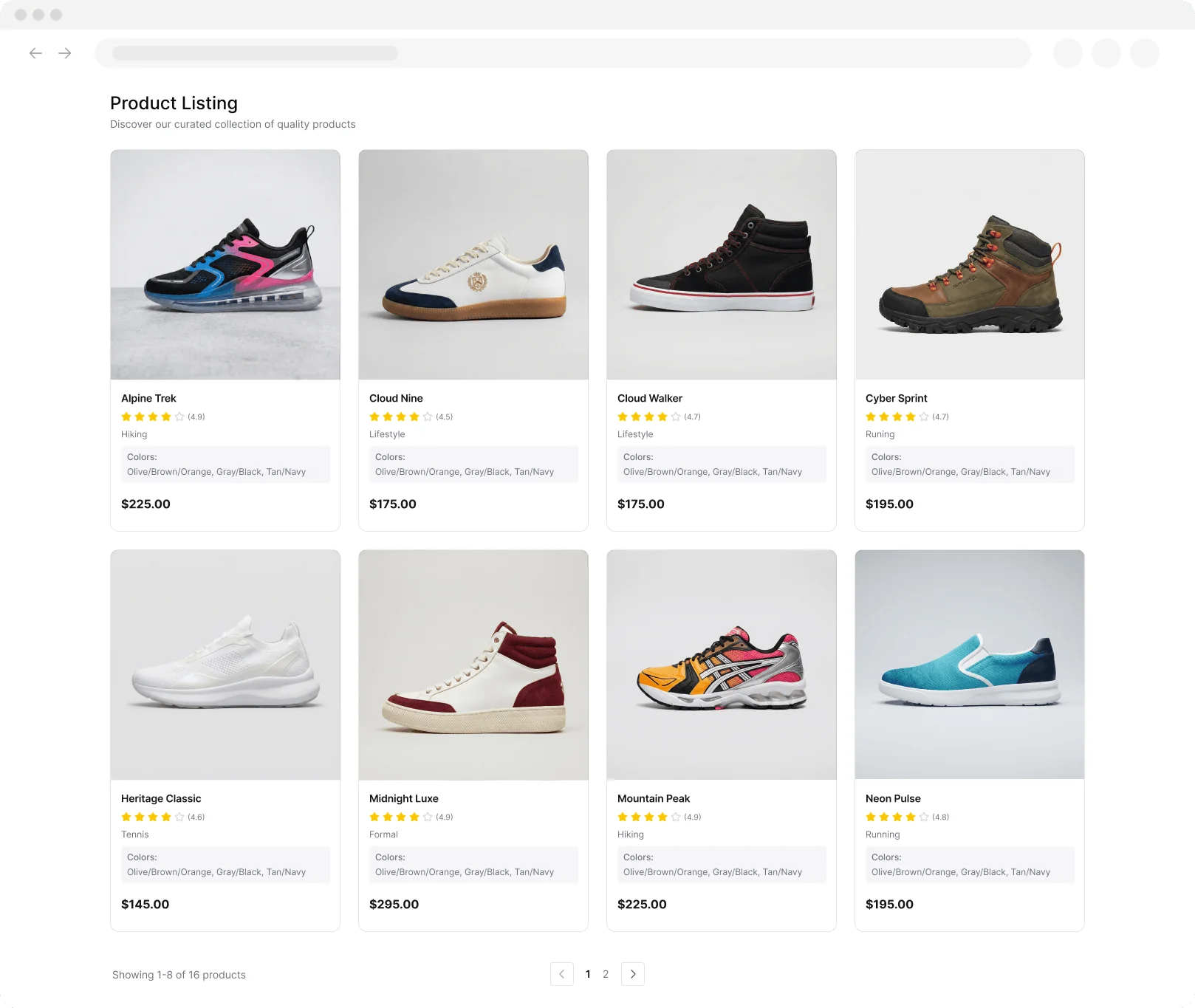
Price Scraper

द्वारा
Product URLs से रीयल-टाइम prices, discounts और availability निकालें। competitor monitoring और promo tracking के लिए structured tables पाएं। Analysis के लिए export-ready results।
Product URL(s) दर्ज करें
URL List File अपलोड करें

Scrape hundreds of webpages with the Thunderbit Chrome Extension in one click, try the Thunderbit API for free, or use our वेब स्क्रैपिंग सेवा to save engineering time.

ब्राउज़ करते हुए प्रोडक्ट की कीमतें निकालेंThunderbit की मदद से AI के जरिए प्रोडक्ट पेज, लिस्टिंग और सबपेज से प्राइसिंग डेटा स्क्रैप करें। एक्सट्रैक्शन को ऑटोमेट करें और संरचित नतीजे Sheets, Airtable या Notion में एक्सपोर्ट करें।

ब्राउज़ करते हुए प्रोडक्ट की कीमतें निकालें

प्रोडक्ट पेज, लिस्टिंग पेज और सबपेज स्क्रैप करके मौजूदा कीमत, मूल कीमत, छूट, करेंसी और उपलब्धता कैप्चर करें। Thunderbit PDFs, docs और images से भी डेटा निकाल सकता है, फिर नतीजों को सारांशित, वर्गीकृत और फॉर्मेट करके एक संरचित टेबल में बदल देता है. अपना प्राइसिंग डेटा Google Sheets, Airtable या Notion में एक्सपोर्ट करके रिपोर्टिंग और मॉनिटरिंग करें। कुछ ही क्लिक में सेटअप के लिए AI Suggest Fields का इस्तेमाल करें, pagination संभालें, और scheduled scraping के साथ अपने workflow को ऑटोमेट रखें।

Thunderbit से Prices कैसे Scrape करें

step_01.png
STEP 1Download और Install करेंThunderbit Chrome Extension को Thunderbit Chrome Extension Download Page से डाउनलोड और इंस्टॉल करें। इंस्टॉल होने के बाद, लॉग इन करें या एक free account बनाकर शुरुआत करें।
step_02.png
STEP 2Extension खोलेंThunderbit Chrome Extension खोलें, फिर Price Scraper tool चुनें। "Enter Product URL(s)" tab में एक या उससे अधिक product या listing page URLs पेस्ट करें (हर line में एक URL)। अगर आपके पास पहले से list है, तो "Upload a URL List File" tab खोलें और एक .txt या .csv file अपलोड करें जिसमें हर line पर एक URL हो।
step03.png
STEP 3"Scrape prices" बटन पर क्लिक करें"Scrape prices" बटन पर क्लिक करके run शुरू करें। Thunderbit हर URL पर जाएगा और Product Name, Product URL, Current Price, और Original Price वाली table लौटाएगा। जब results लोड हो जाएँ, तो table को Excel, Google Sheets, Airtable या Notion में export करें, या sharing और analysis के लिए इसे CSV या JSON के रूप में download करें।

E-commerce URLs से product prices कैसे scrape करें, जानें

Product और listing pages से रीयल-टाइम prices निकालें
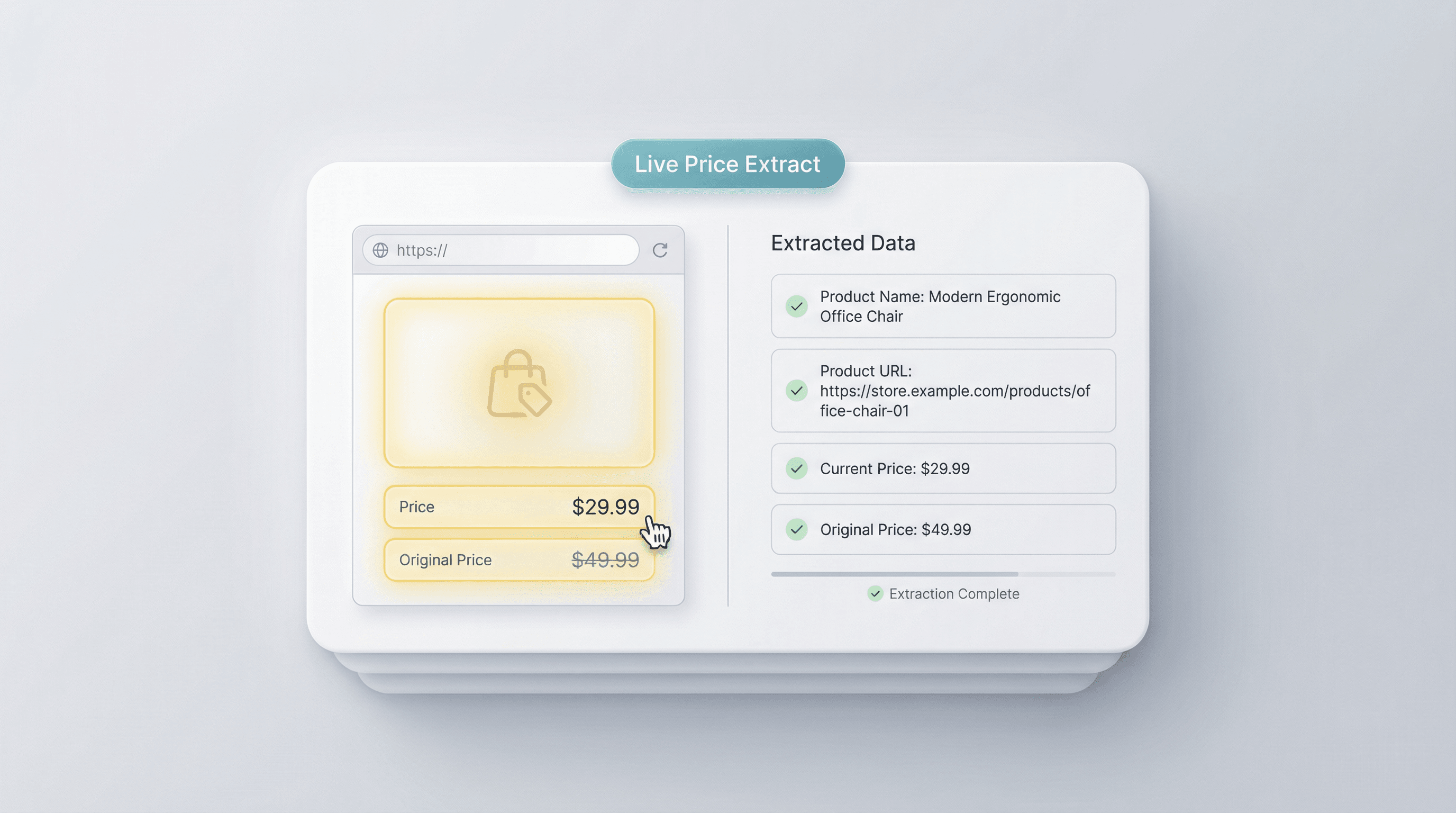
Price Scraper आपके दिए गए URLs का उपयोग करके e-commerce product pages और listing pages से structured pricing data निकालता है। यह Product Name, Product URL, Current Price, और Original Price जैसे key fields कैप्चर करता है, ताकि आप items की side-by-side तुलना कर सकें। यह e-commerce operators, competitive analysts, और pricing teams के लिए बनाया गया है जिन्हें कई pages पर manual copy-paste के बिना भरोसेमंद price visibility चाहिए।
मुफ्त में शुरू करें
01_extract_realtime_prices.png

Pasted URLs या uploaded files से bulk में pricing data इकट्ठा करें
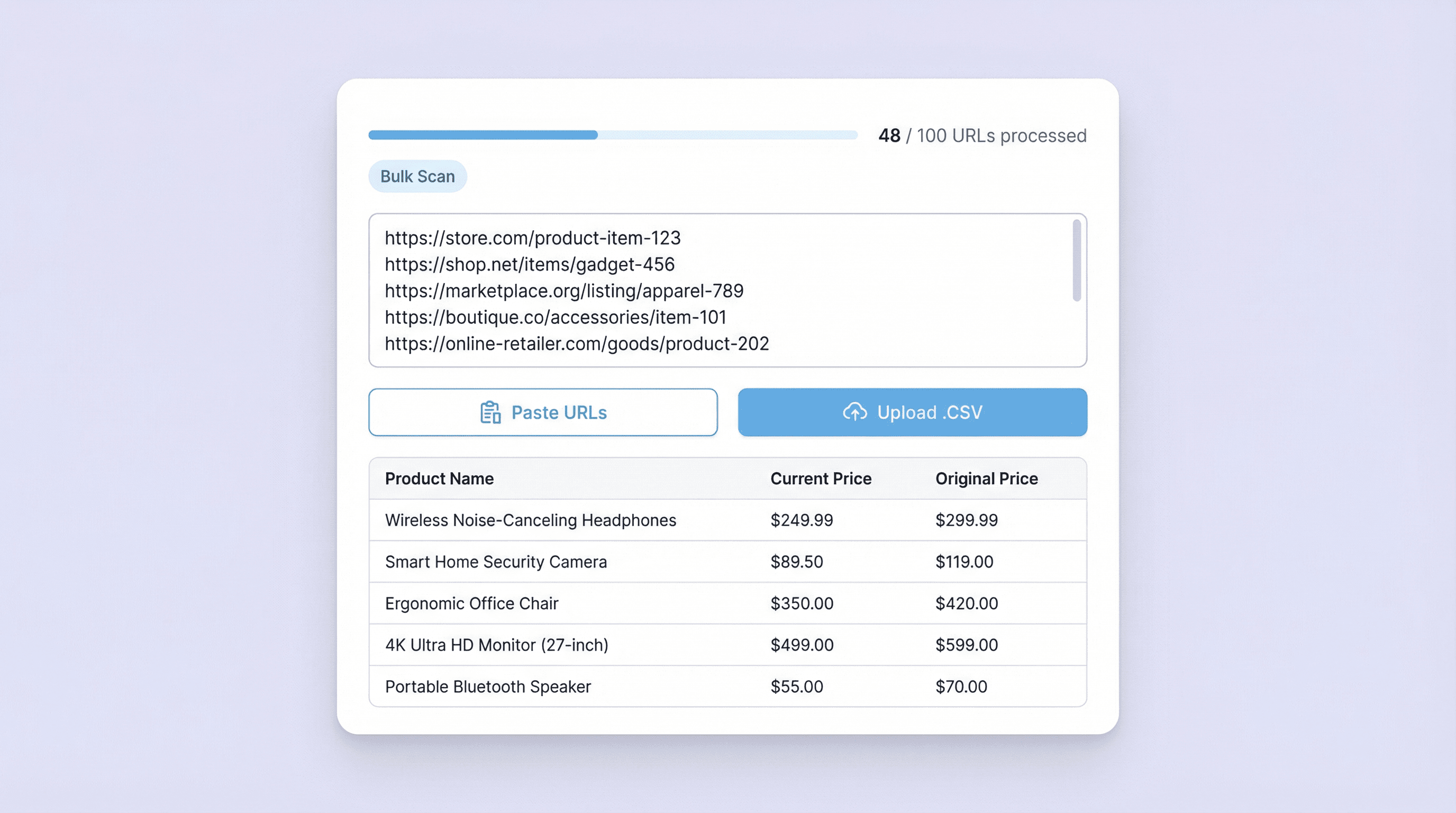
हर line में एक URL जोड़ें या .txt/.csv list अपलोड करें ताकि एक साथ कई products पर price checks चल सकें। यह workflow quick competitor scans, catalog audits, और recurring price reviews के लिए उपयोगी है, खासकर जब आपके पास पहले से SKUs या product links की list हो। Output एक साफ table होता है, जिससे price gaps पहचानना, MSRP बनाम sale price ट्रैक करना, और merchandising updates validate करना आसान हो जाता है।
मुफ्त में शुरू करें
02_bulk_collect_from_urls_or_files.png

Merchandising decisions के लिए competitor pricing और promotions पर नज़र रखें
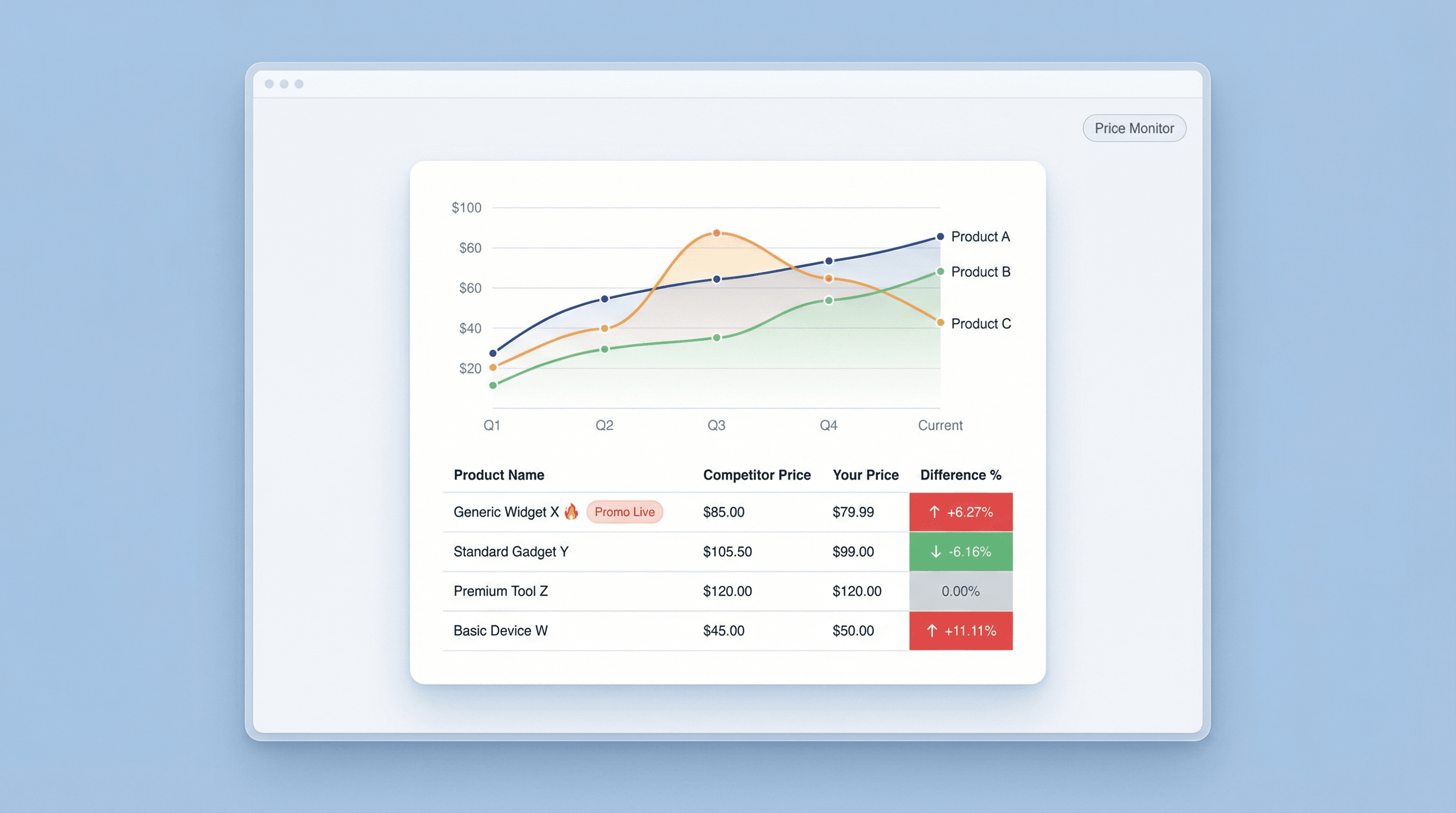
Price Scraper का उपयोग करके categories, brands या collections के across competitor product pricing को ट्रैक करें। Current Price और Original Price दोनों कैप्चर करके टीमें markdowns और promotion patterns पहचान सकती हैं, फिर market activity के आधार पर pricing strategy, bundles या ad spend समायोजित कर सकती हैं। यह weekly competitive reports, launch monitoring, और यह जाँचने के लिए उपयोगी है कि key products पर promotions live हैं या नहीं।
मुफ्त में शुरू करें
03_monitor_competitor_pricing_promotions.png

Analysis और reporting के लिए structured price tables बनाएं
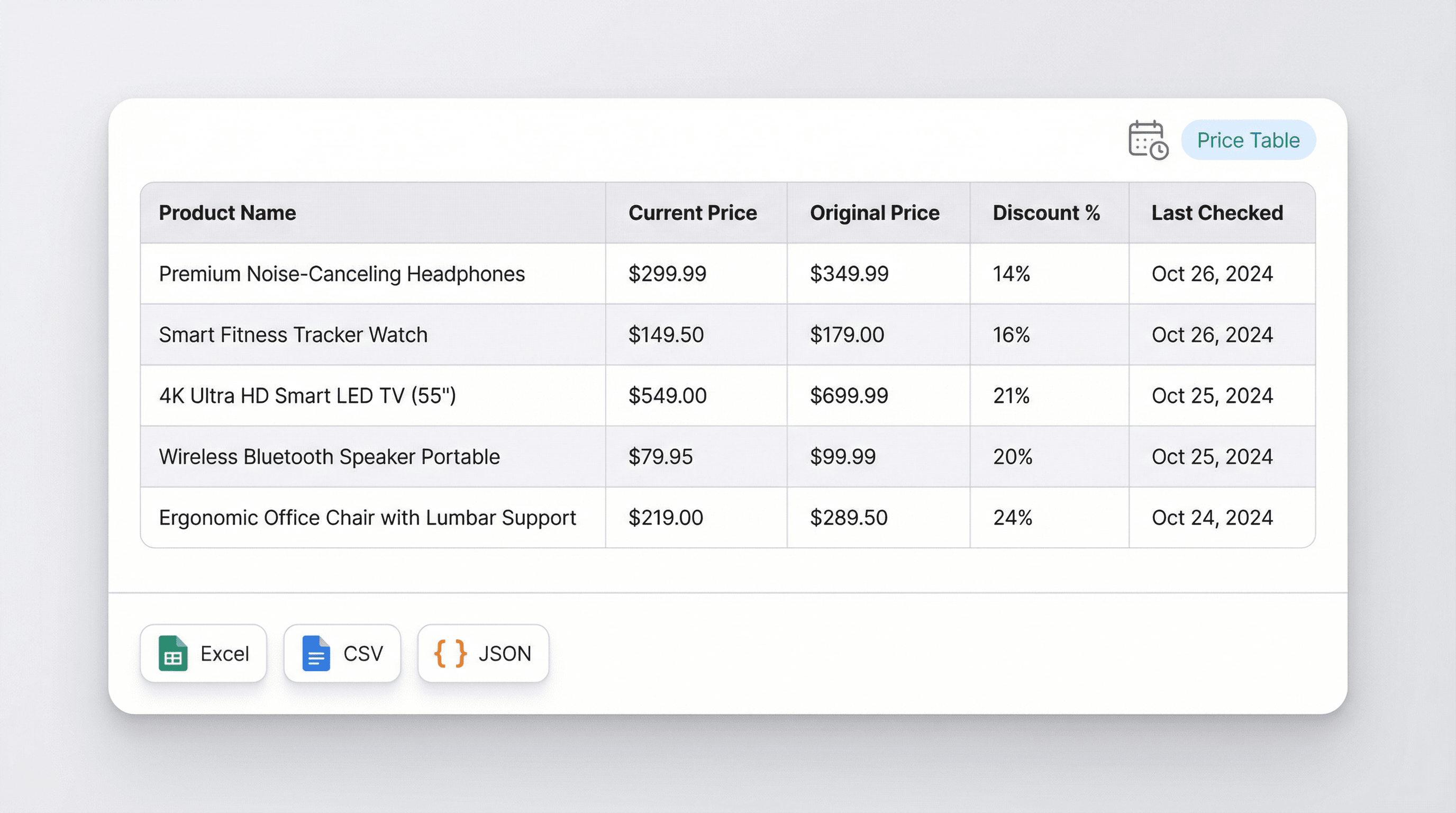
यह scraper consistent columns वाली table output करता है, जिससे कई URLs के बीच prices की समीक्षा, filter, और तुलना करना आसान हो जाता है। Pricing strategists इस table का उपयोग benchmarks बनाने, outliers पकड़ने, और same URL list को schedule पर दोबारा चलाकर price changes का historical log रखने के लिए कर सकते हैं। इससे repricing, assortment planning, और campaign evaluation में तेज़ निर्णय लिए जा सकते हैं।
मुफ्त में शुरू करें
04_build_structured_price_tables.png

और मुफ्त टूल्स खोजें

Amazon Products Scraper

Amazon प्रोडक्ट्स स्क्रैपर

Amazon उत्पादों के URL पेस्ट करके उनसे प्रोडक्ट जानकारी निकालें। शीर्षक, कीमत, रेटिंग और अन्य विवरणों को एक व्यवस्थित टेबल में पाएं, ताकि आप उन्हें जल्दी से एक्सपोर्ट और रिव्यू कर सकें।

Amazon Price Scraper

2 क्लिक में Amazon के दाम, seller names, ratings, ASIN, availability और product URLs scrape करें — फिर data को Excel, Google Sheets, Airtable या Notion में export करें। किसी coding की जरूरत नहीं.

Amazon Review Exporter

Amazon Review Exporter

Extract detailed Amazon product reviews by pasting a product URL. Instantly collect reviewer info, ratings, and more in a structured table for easy analysis.

अमेज़न उत्पाद अनुसंधान टूल

कीवर्ड, श्रेणी, या ASIN अनुसंधान का उपयोग करके उच्च-संभावना वाले Amazon उत्पाद खोजें। विचारों को सत्यापित करने के लिए मांग, प्रतिस्पर्धा, मूल्य निर्धारण और अनुमानित बिक्री की तुलना करें। तेज़, डेटा-आधारित सोर्सिंग निर्णय लें।

मुफ़्त Amazon बिक्री अनुमानक

किसी Amazon प्रोडक्ट की श्रेणी और Best Seller Rank के आधार पर उसकी मासिक और दैनिक यूनिट बिक्री का अनुमान लगाएँ। मांग रिसर्च और लिस्टिंग से जुड़े फैसलों के लिए जल्दी से बेंचमार्क पाएं।

मुफ़्त ऑनलाइन FBA फ़ीस कैलकुलेटर

कीमत, लागत, साइज़, वज़न और कैटेगरी दर्ज करके Amazon FBA खर्चों का अनुमान लगाएँ। रेफ़रल, फ़ुलफ़िलमेंट और स्टोरेज फ़ीस के साथ-साथ प्रॉफिट और मार्जिन भी देखें, ताकि आप आत्मविश्वास के साथ प्रोडक्ट की कीमत तय कर सकें।

Amazon लिस्टिंग क्वालिटी चेकर

Amazon प्रोडक्ट लिस्टिंग की पूर्णता और SEO के लिए तैयारी का आकलन करता है। कमजोर या गायब टाइटल, बुलेट्स, इमेज, और कीवर्ड्स को चिन्हित करता है। विज़िबिलिटी बढ़ाने के लिए स्पष्ट स्कोर और तुरंत लागू होने वाले सुधार सुझाव देता है।

Etsy प्रोडक्ट स्क्रेपर

किसी भी Etsy प्रोडक्ट पेज से कीमत और विवरण जैसी प्रोडक्ट जानकारी निकालें। आसान विश्लेषण के लिए संरचित तालिका में डेटा पाएं। रिसर्च या लिस्टिंग के लिए प्रोडक्ट जानकारी जुटाने में समय बचाएं।


अभी और टूल्स खोजें

Thunderbit के बारे में उपयोगकर्ता क्या कहते हैं

Taryn W.Growth Strategist@Thunderbit ने मेरे competitor research करने का तरीका बदल दिया। मैं 'AI Suggest Fields' पर क्लिक करती/करता हूं, और यह paginated results के साथ एक साफ टेबल बना देता है—ना coding, ना CSS. लंबे marketplaces से product data analyze करते समय बहुत समय बचता है।
Miles T.Sales Development Consultantमैं directories से emails और phone numbers निकालने के लिए Thunderbit का इस्तेमाल करता हूं। यह एक क्लिक में साफ contact info निकाल देता है, और Sheets या Notion में export करना कुछ ही सेकंड लेता है। कोई extra setup नहीं, कोई coding नहीं—बस तुरंत उपयोग करने लायक data।
Rhea C.E-commerce AnalystThunderbit मुझे कई pages में SKU data monitor करने में मदद करता है। मैं listings स्क्रैप करती/करता हूं, फिर Subpage Scraping से full product specs, pricing, reviews और stock खींच लेती/लेता हूं। AI सब कुछ मेरे तय किए columns में व्यवस्थित कर देता है।
Cassian B.Real Estate AdvisorThunderbit का Scheduled Scraper real estate tracking को आसान बनाता है। मैं interval को plain English में बताता हूं, और यह अपने आप updated listings, prices और links निकालता रहता है, बिना setup दोबारा छुए। सरल और बहुत practical।
Dorian B.Content & SEO Specialistमैं scraped blog content को साफ और tag करने के लिए Thunderbit के Field AI Prompts का उपयोग करता हूं। यह titles, authors निकालता है और categories भी सुझाता है। dynamic sites और subpages पर बढ़िया काम करता है—structured SEO datasets बनाने के लिए perfect।
Lina K.Marketplace Operations Leadहम Thunderbit से niche stores के SKUs track करते हैं। Cloud Scraping एक बार में 50 pages संभाल लेता है, और login-required sites के लिए हम browser mode में switch कर देते हैं। यह तेज़, flexible है, और लगातार maintenance या manual edits नहीं चाहिए।
Jorge F.Inbound Sales ManagerThunderbit का AI Autofill सच में lifesaver है। contact info स्क्रैप करने के बाद, मैं इसका इस्तेमाल सीधे browser में lead forms भरने के लिए करता हूं। बस tab चुनता हूं, और यह scraped row से सब कुछ भर देता है। manual input की जरूरत नहीं।
Alina D.Freelance Researcherमैं PDFs, image-based sites और infinite scroll pages से data निकालने के लिए Thunderbit पर भरोसा करती हूं। यह AI के साथ messy formats संभाल लेता है और ready-to-export tables देता है, जिन्हें मैं कुछ ही सेकंड में Google Sheets या Airtable में भेज सकती हूं।
Taryn W.Growth Strategist@Thunderbit ने मेरे competitor research करने का तरीका बदल दिया। मैं 'AI Suggest Fields' पर क्लिक करती/करता हूं, और यह paginated results के साथ एक साफ टेबल बना देता है—ना coding, ना CSS. लंबे marketplaces से product data analyze करते समय बहुत समय बचता है।
Miles T.Sales Development Consultantमैं directories से emails और phone numbers निकालने के लिए Thunderbit का इस्तेमाल करता हूं। यह एक क्लिक में साफ contact info निकाल देता है, और Sheets या Notion में export करना कुछ ही सेकंड लेता है। कोई extra setup नहीं, कोई coding नहीं—बस तुरंत उपयोग करने लायक data।
Rhea C.E-commerce AnalystThunderbit मुझे कई pages में SKU data monitor करने में मदद करता है। मैं listings स्क्रैप करती/करता हूं, फिर Subpage Scraping से full product specs, pricing, reviews और stock खींच लेती/लेता हूं। AI सब कुछ मेरे तय किए columns में व्यवस्थित कर देता है।
Cassian B.Real Estate AdvisorThunderbit का Scheduled Scraper real estate tracking को आसान बनाता है। मैं interval को plain English में बताता हूं, और यह अपने आप updated listings, prices और links निकालता रहता है, बिना setup दोबारा छुए। सरल और बहुत practical।
Dorian B.Content & SEO Specialistमैं scraped blog content को साफ और tag करने के लिए Thunderbit के Field AI Prompts का उपयोग करता हूं। यह titles, authors निकालता है और categories भी सुझाता है। dynamic sites और subpages पर बढ़िया काम करता है—structured SEO datasets बनाने के लिए perfect।
Lina K.Marketplace Operations Leadहम Thunderbit से niche stores के SKUs track करते हैं। Cloud Scraping एक बार में 50 pages संभाल लेता है, और login-required sites के लिए हम browser mode में switch कर देते हैं। यह तेज़, flexible है, और लगातार maintenance या manual edits नहीं चाहिए।
Jorge F.Inbound Sales ManagerThunderbit का AI Autofill सच में lifesaver है। contact info स्क्रैप करने के बाद, मैं इसका इस्तेमाल सीधे browser में lead forms भरने के लिए करता हूं। बस tab चुनता हूं, और यह scraped row से सब कुछ भर देता है। manual input की जरूरत नहीं।
Alina D.Freelance Researcherमैं PDFs, image-based sites और infinite scroll pages से data निकालने के लिए Thunderbit पर भरोसा करती हूं। यह AI के साथ messy formats संभाल लेता है और ready-to-export tables देता है, जिन्हें मैं कुछ ही सेकंड में Google Sheets या Airtable में भेज सकती हूं।

अक्सर पूछे जाने वाले प्रश्न

AI का उपयोग करके डेटा निकालें
डेटा को Google Sheets, Airtable या Notion में आसानी से ट्रांसफर करें
Chrome Store Rating
PRODUCT HUNT#1 Product of the Week