Instagram कैप्शन जेनरेटर

अपनी photo notes या keywords से caption ideas बनाइए। अपने mood या theme से मेल खाने वाले कई options पाएँ, ताकि समय बचे और posts engaging बने रहें।

PRODUCT HUNT#1 Product of the Week
Accenture logoCriteo logoGrammarly logoVerisk logoklook logoPuma logoRingCentral logoAccenture logoCriteo logoGrammarly logoVerisk logoklook logoPuma logoRingCentral logoAccenture logoCriteo logoGrammarly logoVerisk logoklook logoPuma logoRingCentral logoAccenture logoCriteo logoGrammarly logoVerisk logoklook logoPuma logoRingCentral logoAccenture logoCriteo logoGrammarly logoVerisk logoklook logoPuma logoRingCentral logoAccenture logoCriteo logoGrammarly logoVerisk logoklook logoPuma logoRingCentral logo
AI की मदद से Web Data Scrape करेंThunderbit का इस्तेमाल करके वेब scraping को ऑटोमेट करें और पेज, सबपेज और फाइलों से structured data निकालें। कुछ ही क्लिक में results को Sheets, Airtable या Notion में export करें।
chrome-web-store
से इंस्टॉल करेंChrome Web Store

AI की मदद से Web Data Scrape करें

Thunderbit आपको ब्राउज़ करते समय websites से data scrape करने में मदद करता है, जिसमें paginated lists और subpages भी शामिल हैं, ताकि deeper enrichment मिल सके। यह PDFs, docs और images से भी data निकाल सकता है, फिर उसे summarize, categorize और clean tables में format कर सकता है। Structured results को Google Sheets, Airtable या Notion में export करें—lead lists, product research और reporting के लिए। AI Suggest Fields की मदद से columns जल्दी सेट करें, फिर site के login requirement के अनुसार cloud या browser scraping चलाएँ।

Thunderbit से Instagram Captions कैसे बनाएं

step_01.png
STEP 1Download और Install करेंThunderbit Chrome Extension को Thunderbit Chrome Extension Download Page से डाउनलोड और install करें। Install होने के बाद, शुरू करने के लिए log in करें या free account बना लें।
step_02.png
STEP 2Extension खोलेंThunderbit Chrome Extension खोलें, फिर "Generate Instagram Captions" tab पर जाएँ। "post_description_or_keywords" field में अपने post का छोटा description या keywords डालें (लगभग 300 characters तक)। इसके बाद, "mood_or_theme" चुनें, जैसे funny, inspirational या promotional, और जितने captions चाहिए उतने "number_of_captions" चुनें (3, 4 या 5)।
step03.png
STEP 3"Generate captions" Button पर क्लिक करें"Generate captions" button पर क्लिक करके अपने caption options तैयार करें। Thunderbit आपके description और चुने हुए mood/theme के हिसाब से captions की एक list देगा। Results देखें, फिर अपना पसंदीदा caption copy करके Instagram में paste कर दें।

जानें कि छोटे description से engaging Instagram captions कैसे बनाएं

Keywords से caption options बनाएं
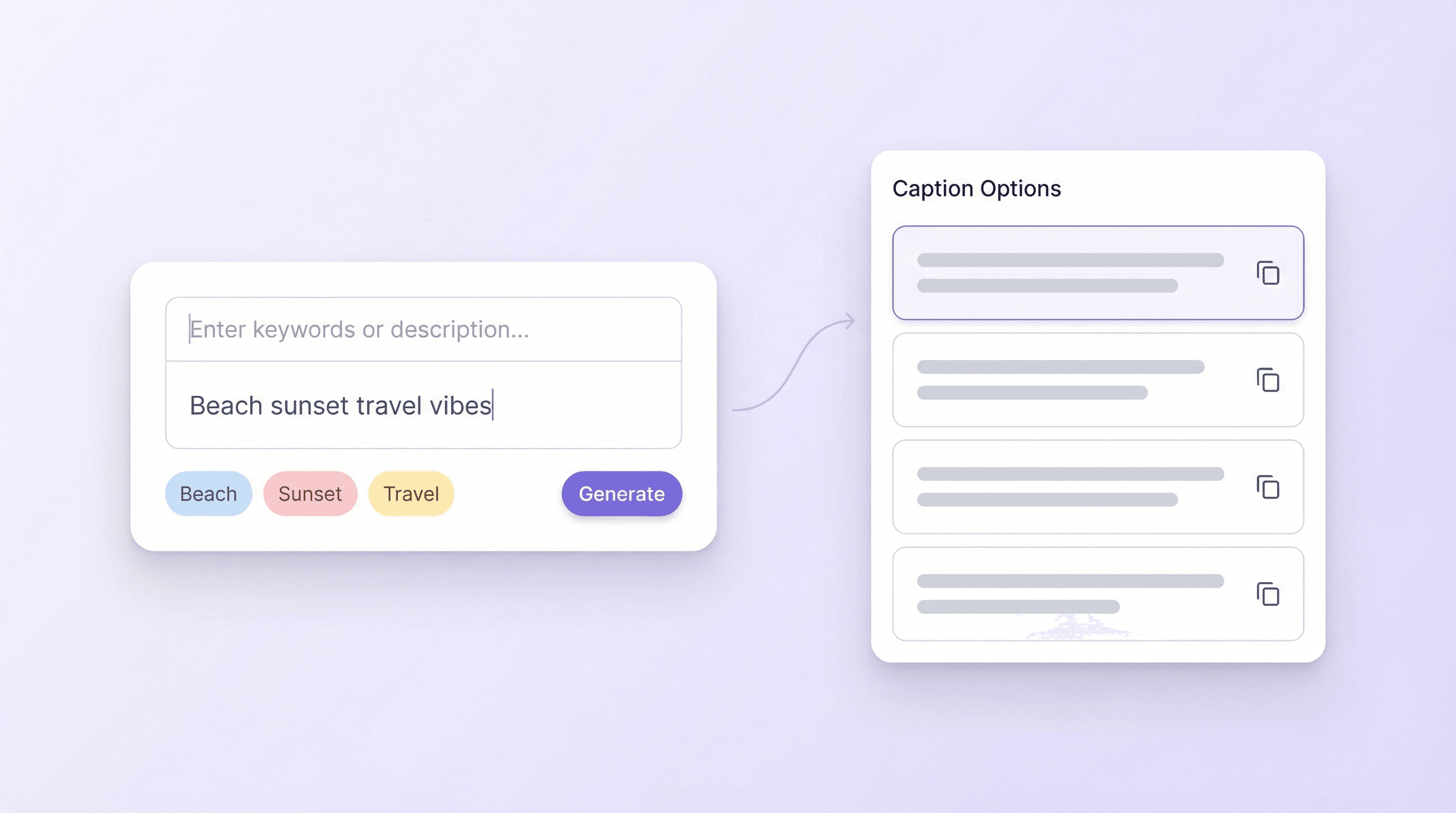
एक छोटे post description या कुछ keywords को 3 से 5 ready-to-copy Instagram captions में बदलें। सेटिंग, subject या purpose जैसी details जोड़ें, और generator कई phrasing options देता है ताकि आपको एक ही idea को बार-बार rewrite न करना पड़े। यह creators, small businesses और social media managers के लिए बनाया गया है जो extra brainstorming के बिना consistent posting चाहते हैं।
मुफ़्त में शुरू करें
section1_generate_captions.png

Captions को खास mood या theme से मिलाएं
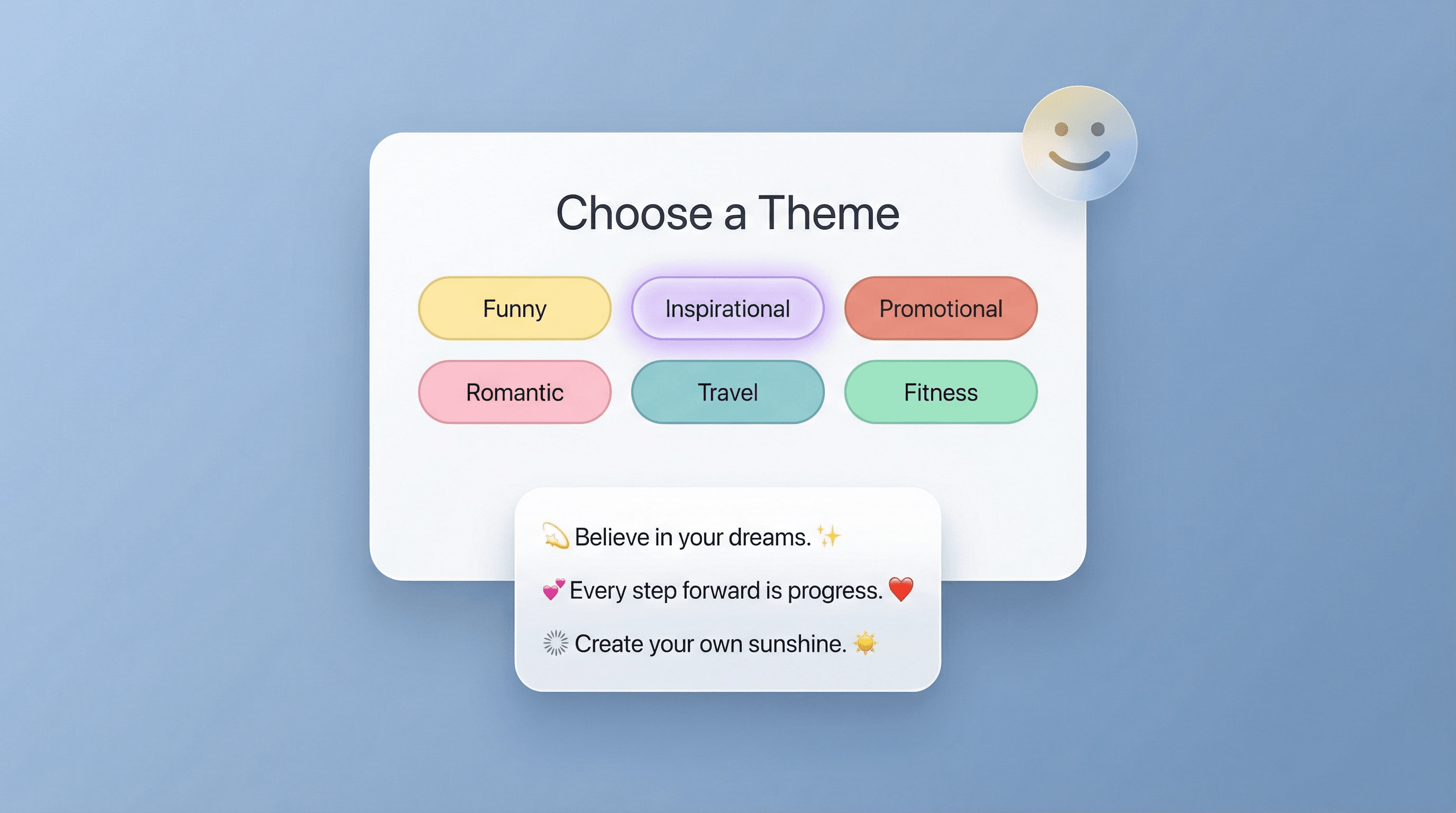
funny, inspirational, promotional, romantic, travel, fitness या foodie जैसे themes चुनें और वैसी ही tone वाले captions पाएँ, जैसा असर आप audience पर छोड़ना चाहते हैं। इससे posts और campaigns में brand voice consistent रहती है—चाहे आप product announce कर रहे हों, personal moment शेयर कर रहे हों या weekly series चला रहे हों। यह influencers और brands के लिए उपयोगी है जो कई content styles संभालते हैं।
मुफ़्त में शुरू करें
section2_mood_theme.png

Campaigns और calendars के लिए content planning तेज़ करें
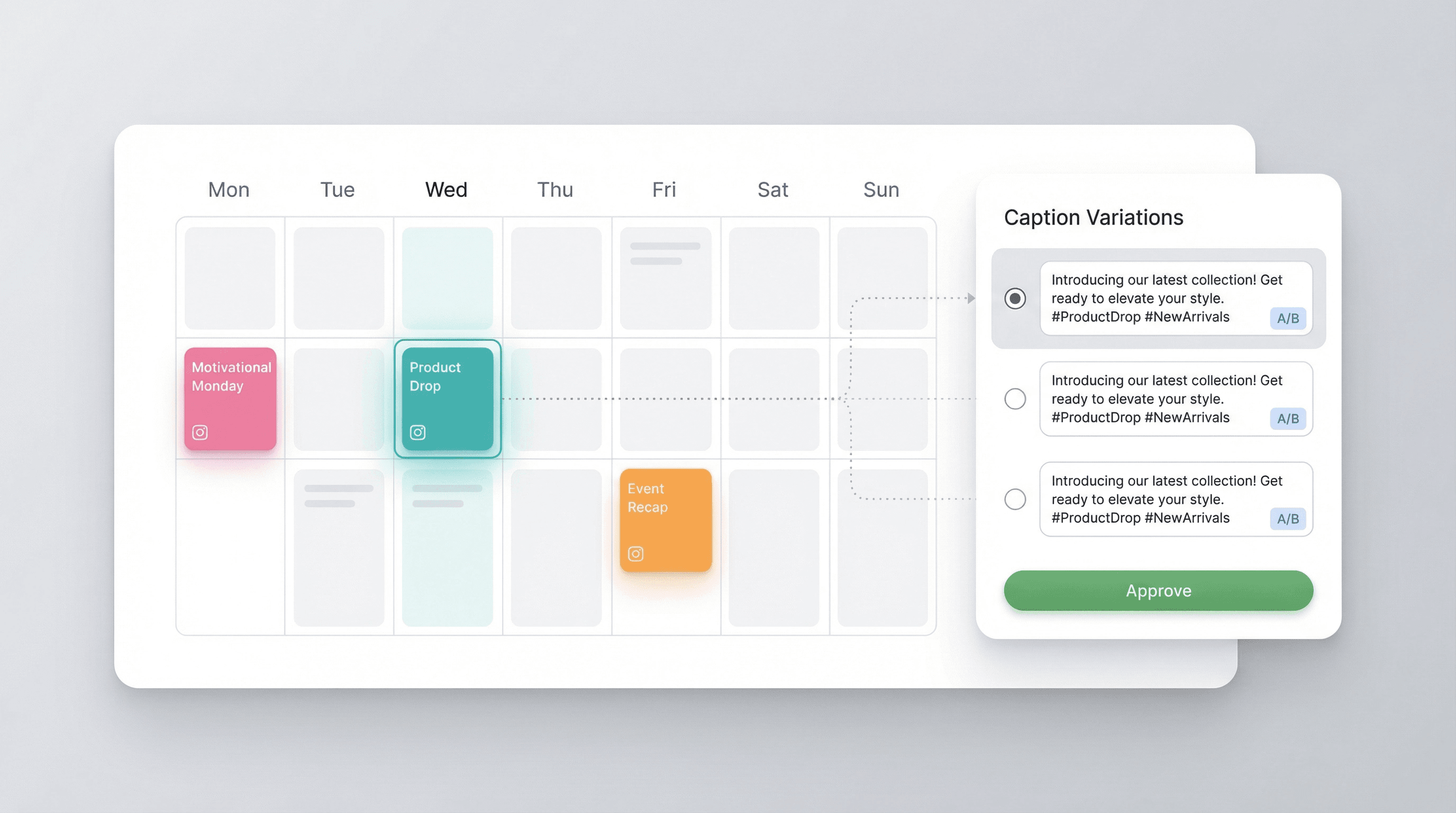
Generator का इस्तेमाल करके recurring content जैसे Motivational Monday, product drops, event recaps या seasonal promotions के लिए caption variations ड्राफ्ट करें। हर post के लिए कई options मिलने से आप सबसे अच्छा fit चुन सकते हैं, अलग tones की A/B testing कर सकते हैं, या बाद के लिए backups रख सकते हैं। यह social teams को support करता है जो content batches में plan करते हैं और तेज़ approvals व कम last-minute rewrites चाहते हैं।
मुफ़्त में शुरू करें
section3_content_planning.png

साफ़ messaging से post performance बेहतर करें
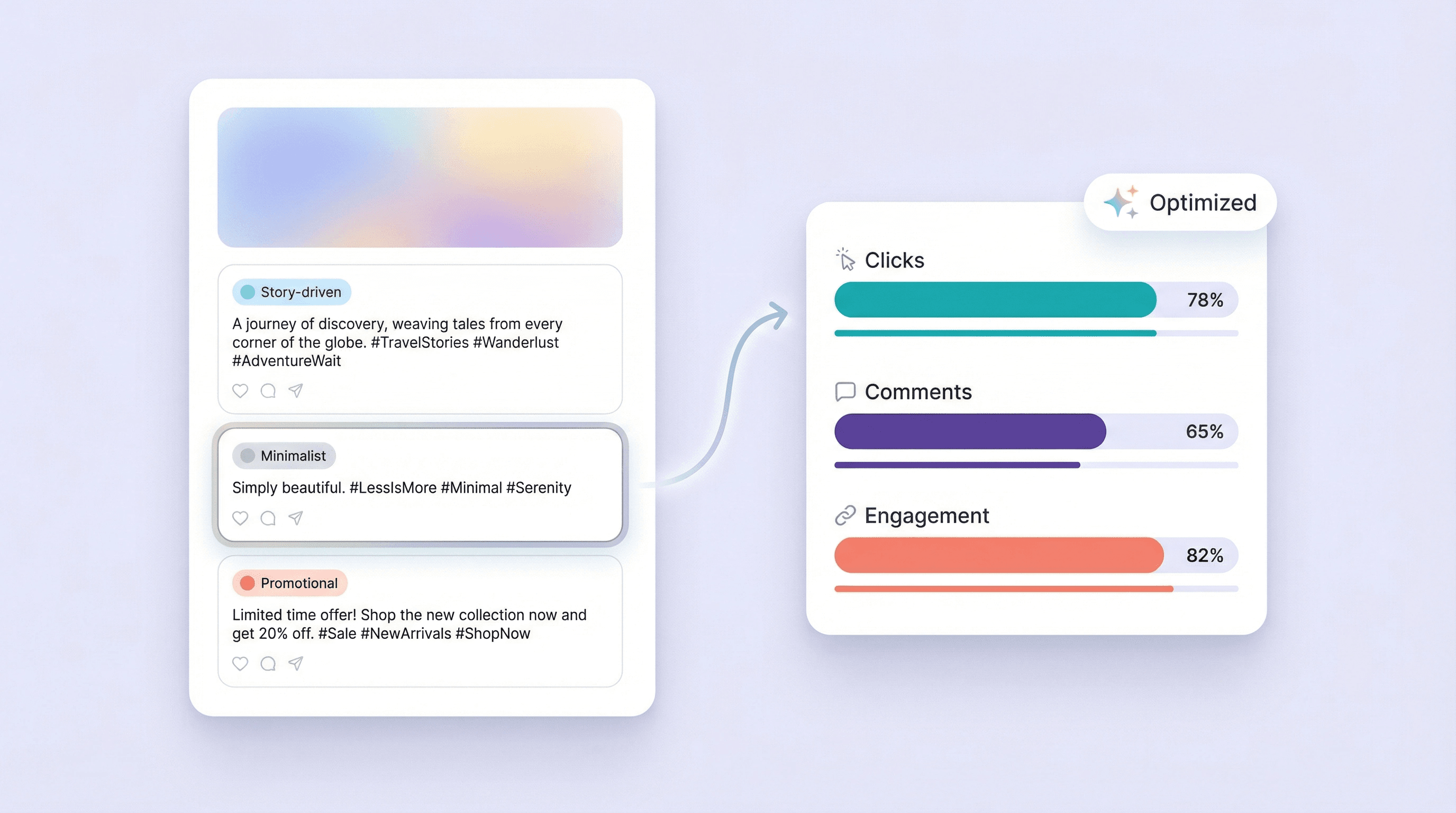
ऐसे captions बनाएं जो post का point जल्दी और साफ़ बता दें—चाहे वह story-driven update हो, minimalistic line हो या promotional callout। Multiple options से आप ऐसा wording चुन सकते हैं जो आपके goal से मेल खाए, जैसे clicks बढ़ाना, comments encourage करना या product benefit highlight करना। यह ecommerce, local businesses और creators के लिए मददगार है जो हर post के लिए बेहतर copy चाहते हैं, बिना ज़्यादा सोच-विचार के।
मुफ़्त में शुरू करें
section4_post_performance.png

और मुफ़्त टूल्स देखें

अभी और टूल्स खोजें

Thunderbit के बारे में users क्या कहते हैं

Taryn W.Growth Strategist@Thunderbit ने मेरे competitor research करने का तरीका बदल दिया। मैं 'AI Suggest Fields' पर क्लिक करती हूँ, और यह paginated results के across एक साफ़ table बना देता है—न coding, न CSS. लंबे-tail marketplaces के product data analyze करते समय यह बहुत समय बचाता है।
Miles T.Sales Development Consultantमैं Thunderbit का उपयोग directories से emails और phone numbers लेने के लिए करता हूँ। यह एक क्लिक में साफ़ contact info निकाल देता है, और Sheets या Notion में export करना कुछ सेकंड का काम है। कोई extra setup नहीं, कोई coding नहीं—बस usable data, काम के लिए तैयार।
Rhea C.E-commerce AnalystThunderbit मुझे कई pages पर SKU data मॉनिटर करने में मदद करता है। मैं listings scrape करती हूँ, फिर Subpage Scraping से पूरी product specs, pricing, reviews, और stock निकालती हूँ। AI सब कुछ मेरे तय किए हुए columns में व्यवस्थित कर देता है।
Cassian B.Real Estate AdvisorThunderbit का Scheduled Scraper real estate tracking को आसान बनाता है। मैं interval को simple English में बताता हूँ, और यह अपने आप updated listings, prices, और links खींच लेता है—फिर setup छूने की ज़रूरत नहीं। आसान और बहुत practical।
Dorian B.Content & SEO Specialistमैं Thunderbit के Field AI Prompts का उपयोग scraped blog content को साफ़ और tag करने के लिए करता हूँ। यह titles, authors, और categories तक suggest करता है। dynamic sites और subpages पर शानदार काम करता है—structured SEO datasets बनाने के लिए perfect।
Lina K.Marketplace Operations Leadहम Thunderbit से niche stores के SKUs ट्रैक करते हैं। Cloud Scraping एक बार में 50 pages संभालता है, और login-required sites के लिए हम browser mode में switch कर देते हैं। तेज़, flexible, और लगातार maintenance या manual edits की ज़रूरत नहीं।
Jorge F.Inbound Sales ManagerThunderbit का AI Autofill बहुत काम आता है। contact info scrape करने के बाद, मैं इसे सीधे browser में lead forms भरने के लिए इस्तेमाल करता हूँ। बस tab चुनता हूँ, और यह scraped row से सब भर देता है। manual input की ज़रूरत नहीं।
Alina D.Freelance Researcherमैं PDFs, image-based sites, और infinite scroll pages से डेटा निकालने के लिए Thunderbit पर भरोसा करती हूँ। यह AI के साथ messy formats को संभालता है और ready-to-export tables देता है जिन्हें मैं कुछ सेकंड में Google Sheets या Airtable में भेज सकती हूँ।
Taryn W.Growth Strategist@Thunderbit ने मेरे competitor research करने का तरीका बदल दिया। मैं 'AI Suggest Fields' पर क्लिक करती हूँ, और यह paginated results के across एक साफ़ table बना देता है—न coding, न CSS. लंबे-tail marketplaces के product data analyze करते समय यह बहुत समय बचाता है।
Miles T.Sales Development Consultantमैं Thunderbit का उपयोग directories से emails और phone numbers लेने के लिए करता हूँ। यह एक क्लिक में साफ़ contact info निकाल देता है, और Sheets या Notion में export करना कुछ सेकंड का काम है। कोई extra setup नहीं, कोई coding नहीं—बस usable data, काम के लिए तैयार।
Rhea C.E-commerce AnalystThunderbit मुझे कई pages पर SKU data मॉनिटर करने में मदद करता है। मैं listings scrape करती हूँ, फिर Subpage Scraping से पूरी product specs, pricing, reviews, और stock निकालती हूँ। AI सब कुछ मेरे तय किए हुए columns में व्यवस्थित कर देता है।
Cassian B.Real Estate AdvisorThunderbit का Scheduled Scraper real estate tracking को आसान बनाता है। मैं interval को simple English में बताता हूँ, और यह अपने आप updated listings, prices, और links खींच लेता है—फिर setup छूने की ज़रूरत नहीं। आसान और बहुत practical।
Dorian B.Content & SEO Specialistमैं Thunderbit के Field AI Prompts का उपयोग scraped blog content को साफ़ और tag करने के लिए करता हूँ। यह titles, authors, और categories तक suggest करता है। dynamic sites और subpages पर शानदार काम करता है—structured SEO datasets बनाने के लिए perfect।
Lina K.Marketplace Operations Leadहम Thunderbit से niche stores के SKUs ट्रैक करते हैं। Cloud Scraping एक बार में 50 pages संभालता है, और login-required sites के लिए हम browser mode में switch कर देते हैं। तेज़, flexible, और लगातार maintenance या manual edits की ज़रूरत नहीं।
Jorge F.Inbound Sales ManagerThunderbit का AI Autofill बहुत काम आता है। contact info scrape करने के बाद, मैं इसे सीधे browser में lead forms भरने के लिए इस्तेमाल करता हूँ। बस tab चुनता हूँ, और यह scraped row से सब भर देता है। manual input की ज़रूरत नहीं।
Alina D.Freelance Researcherमैं PDFs, image-based sites, और infinite scroll pages से डेटा निकालने के लिए Thunderbit पर भरोसा करती हूँ। यह AI के साथ messy formats को संभालता है और ready-to-export tables देता है जिन्हें मैं कुछ सेकंड में Google Sheets या Airtable में भेज सकती हूँ।

अक्सर पूछे जाने वाले सवाल

AI का उपयोग करके डेटा निकालें
डेटा को आसानी से Google Sheets, Airtable, या Notion में ट्रांसफर करें
PRODUCT HUNT#1 Product of the Week