तेज़ होटल तुलना और रिसर्च के लिए Booking.com से आवास संबंधी डेटा निकालें।
PRODUCT HUNT#1 Product of the Week
Booking लिस्टिंग को और तेज़ी से स्क्रैप करेंThunderbit का इस्तेमाल करके बिना कोडिंग के Booking.com से होटल डेटा निकालें। कुछ ही क्लिक में structured listings, prices, ratings, और amenities प्राप्त करें।
इंस्टॉल करें:Chrome Web Store
Free tier available
Booking लिस्टिंग को और तेज़ी से स्क्रैप करें
Booking.com के पेज, subpages, PDFs, docs, और images से डेटा निकालकर आवास की जानकारी को structured rows में इकट्ठा करें। नतीजों को summarize, categorize, और format करें, फिर उन्हें Google Sheets, Airtable, या Notion में export करें.
Search results को साफ़-सुथरे डेटा में बदलकर होटल रिसर्च में समय बचाएँ — ताकि आप comparison, pricing checks, और market analysis पर ध्यान दे सकें। Thunderbit repetitive extraction का काम संभालता है, जिससे आपको copy-paste की बजाय फैसलों पर फोकस करने में मदद मिलती है।
Thunderbit का इस्तेमाल करके Booking.com listings कैसे scrape करें
STEP 1डाउनलोड और इंस्टॉल करेंThunderbit Chrome Extension को Thunderbit Chrome Extension Download Page से डाउनलोड और इंस्टॉल करें। इंस्टॉल होने के बाद, लॉग इन करें या एक free account बनाकर शुरुआत करें।
STEP 2Extension खोलेंBooking.com पर जाएँ और destination, dates, guest count, room preferences, price range, और star rating चुनें जिन्हें आप collect करना चाहते हैं। Thunderbit Chrome Extension खोलें, फिर Search Booking.com tab चुनें और दिए गए fields में search criteria भरें।
STEP 3Scrape Booking.com बटन पर क्लिक करेंScrape Booking.com बटन पर क्लिक करें। Thunderbit listing data को एक structured table में निकालेगा, जिसमें property name, address, price per night, rating, review count, amenities, और listing URL शामिल होंगे। Scrape पूरा होने के बाद, आप results को JSON या CSV के रूप में डाउनलोड कर सकते हैं।
Booking.com accommodation data को scrape करना सीखें
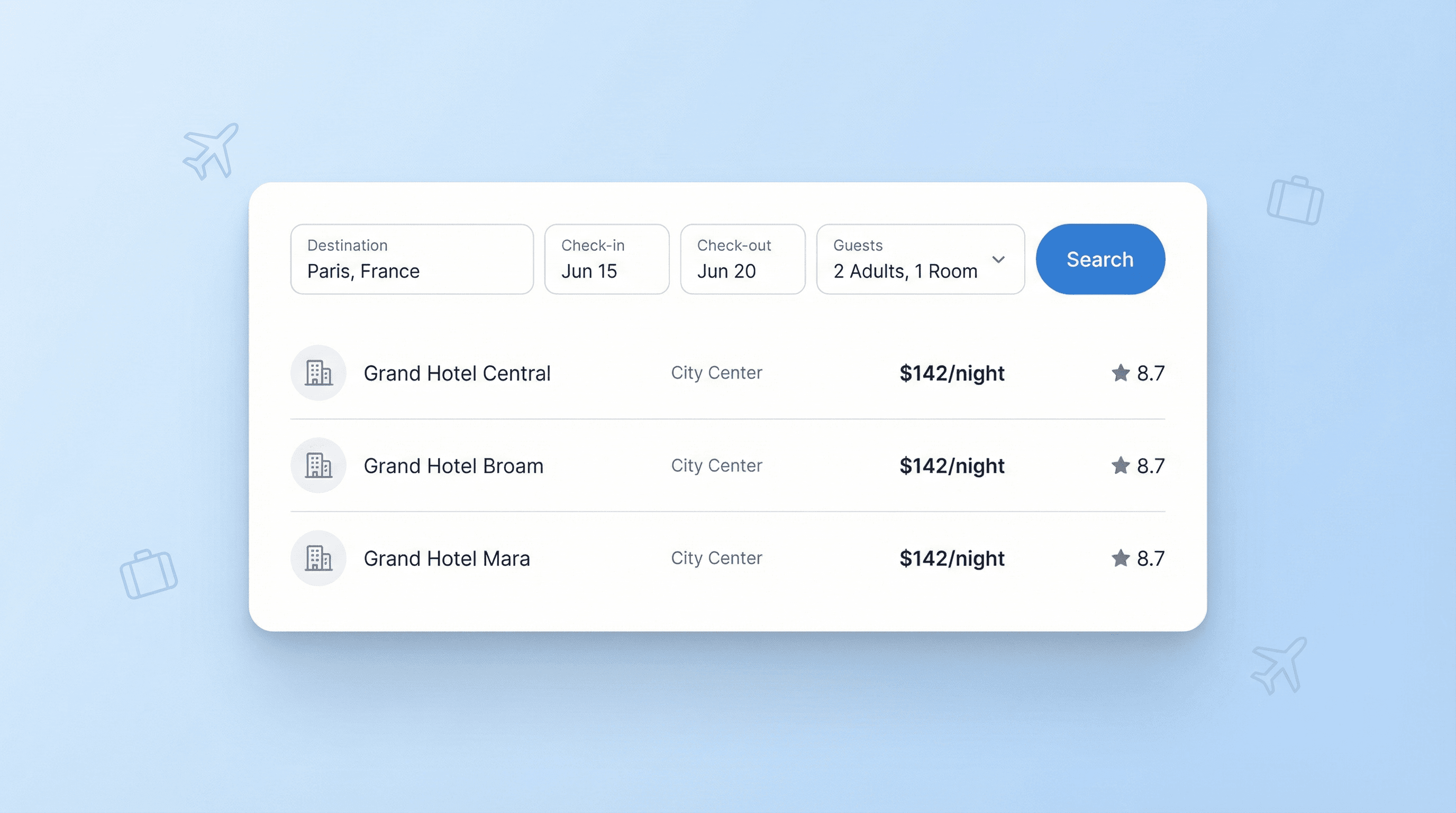
Accommodation Listings खोजें
यह टूल आपके destination, dates, guest count, और room preferences के आधार पर Booking.com में search करता है, फिर accommodation results को एक structured table में इकट्ठा करता है। यह यात्रियों, travel agents, और market researchers को होटल विकल्पों की तुलना करते समय manual copy-paste से बचाता है। आप property names, locations, nightly prices, और ratings एक ही जगह देख सकते हैं, जिससे सही stays की shortlist बनाना आसान हो जाता है।
मुफ़्त में शुरू करें
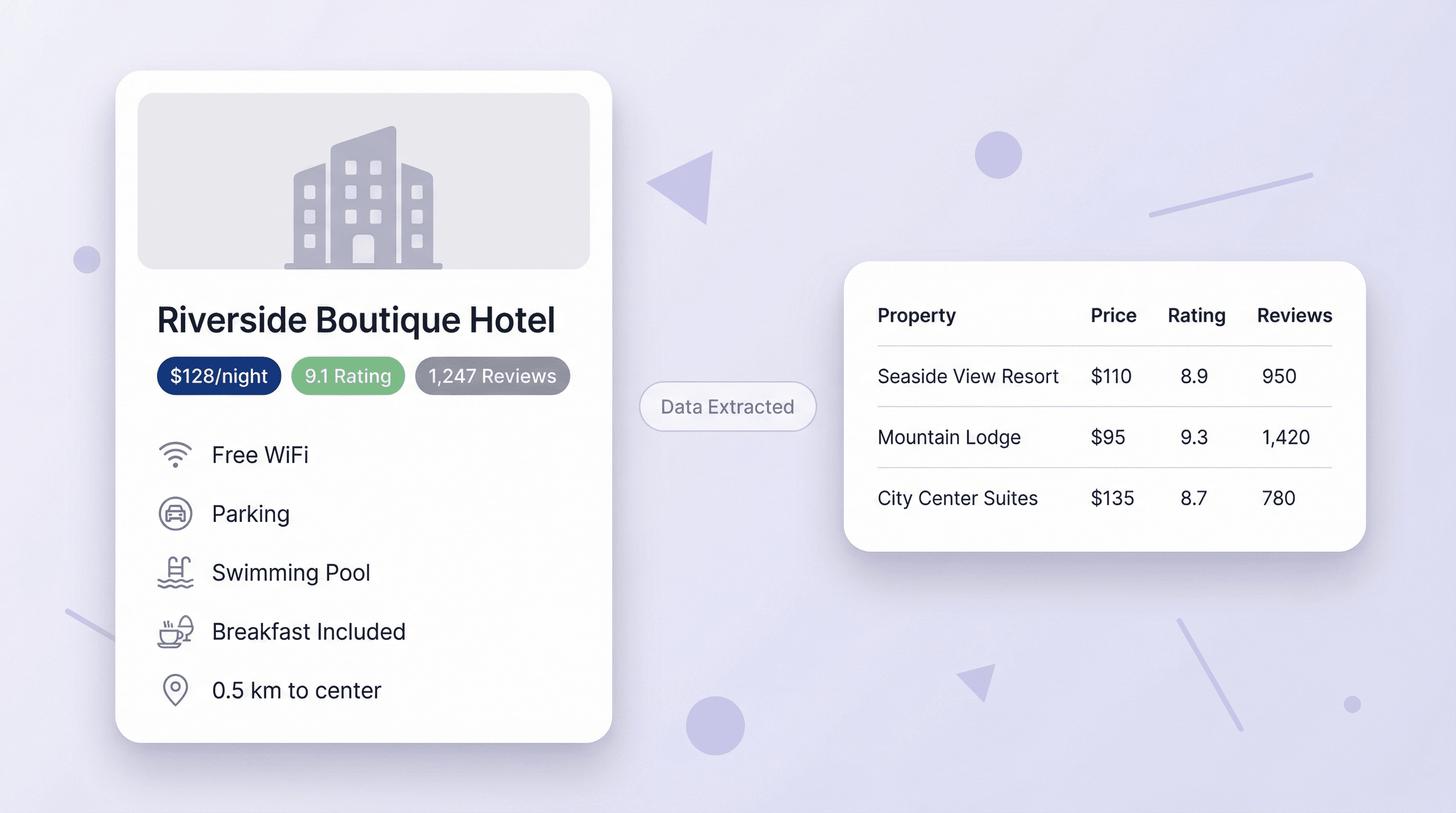
Prices, Ratings, और Amenities निकालें
यह scraper address, price per night, review count, amenities, और direct booking links जैसी key listing details निकालता है। जब आपको कई properties के बीच comparison, reporting, या analysis के लिए साफ़ डेटा चाहिए, तब यह काफी उपयोगी होता है। हर result को एक-एक करके देखने के बजाय, आपको व्यवस्थित जानकारी मिलती है जो filtering, sorting, और decision making के लिए तैयार होती है।
मुफ़्त में शुरू करें
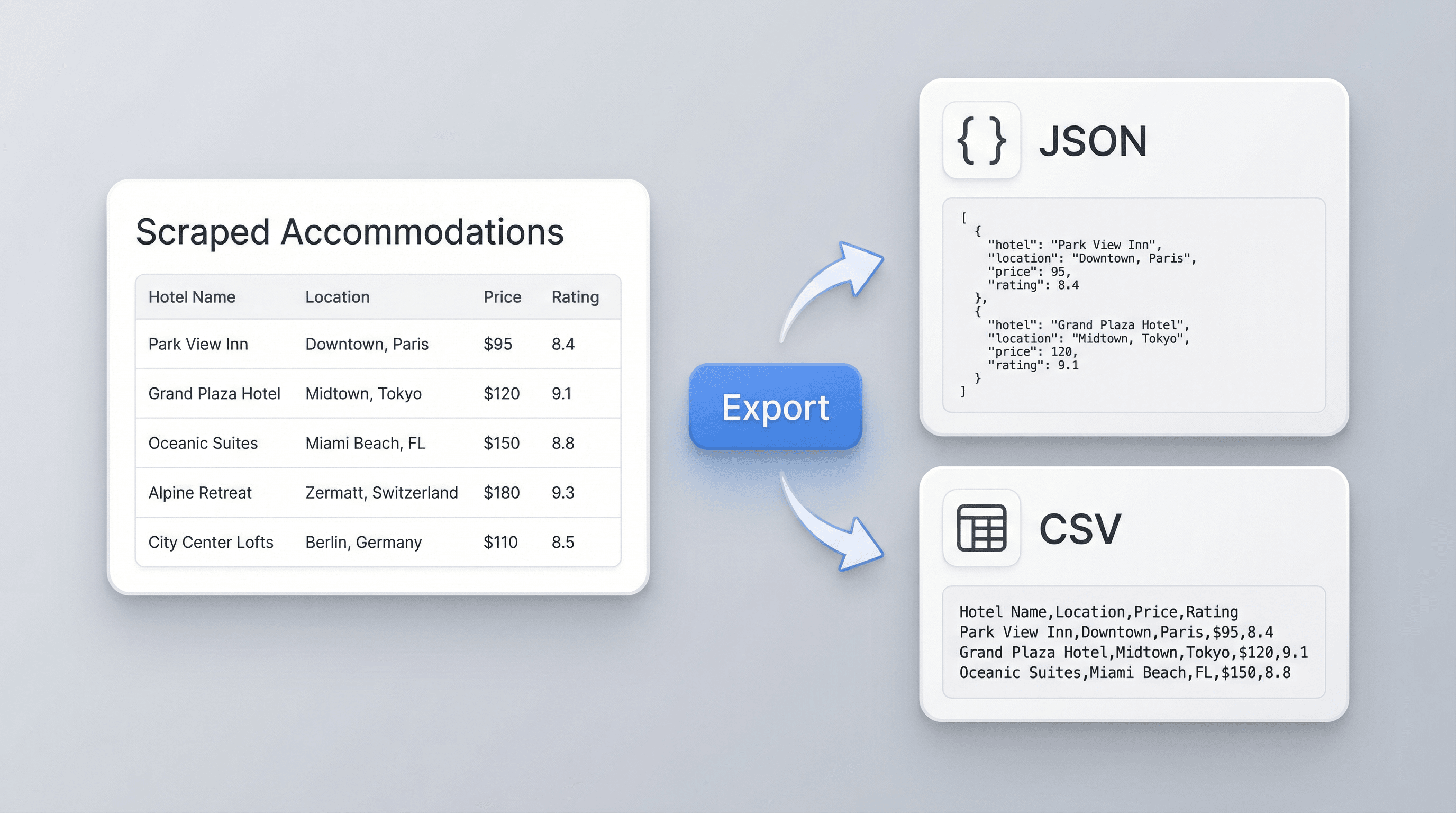
Results को अपने workflow में Export करें
Scraping के बाद, accommodation data को JSON या CSV के रूप में डाउनलोड किया जा सकता है ताकि इसे spreadsheets, dashboards, या internal reports में इस्तेमाल किया जा सके। इससे hotels की side-by-side तुलना करना, teammates के साथ findings share करना, या अपनी travel database बनाना आसान हो जाता है। Structured output manual formatting का काम घटाता है और searches के बीच data consistency बनाए रखने में मदद करता है।
मुफ़्त में शुरू करें
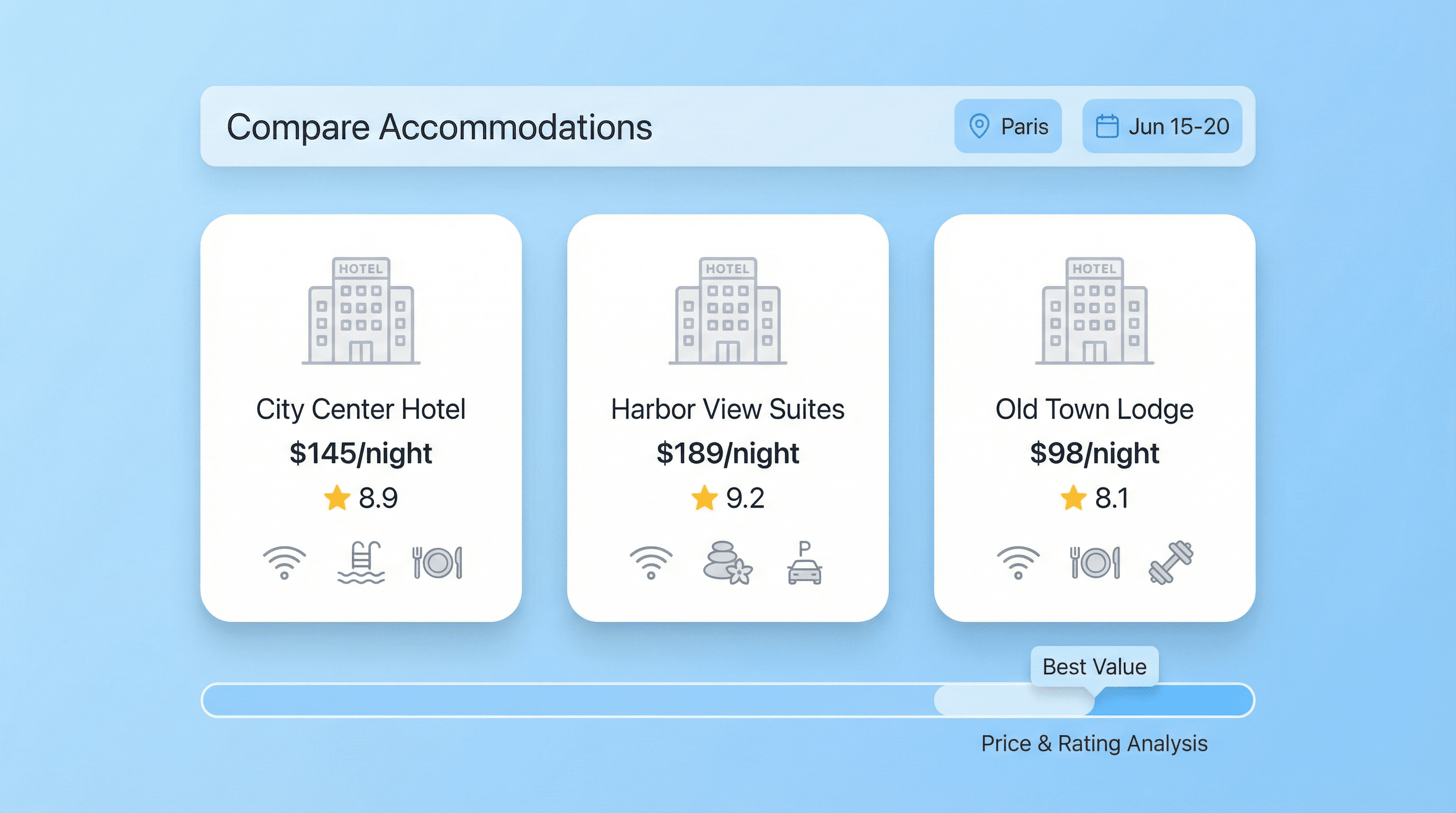
Planning और Research के लिए Hotels की तुलना करें
इस scraper का उपयोग trip planning, competitive travel research, या अलग-अलग destinations और dates पर accommodation tracking के लिए करें। Travel teams उपयुक्त properties की lists बना सकते हैं, जबकि analysts price shifts और availability patterns पर नज़र रख सकते हैं। Booking.com search results को organized data में बदलकर यह tool तेज़ comparisons और अधिक भरोसेमंद research में मदद करता है।
Taryn W.Growth Strategist@Thunderbit ने मेरा competitor research करने का तरीका बदल दिया। मैं 'AI Suggest Fields' पर क्लिक करता हूँ, और यह paginated results में एक साफ table बना देता है—न coding, न CSS. लंबे-tail marketplaces से product data analyze करते समय बहुत समय बचता है।
Miles T.Sales Development Consultantमैं directories से emails और phone numbers निकालने के लिए Thunderbit का इस्तेमाल करता हूँ। यह एक क्लिक में साफ contact info निकाल देता है, और Sheets या Notion में export करना सेकंडों का काम है। कोई extra setup नहीं, कोई coding नहीं—बस इस्तेमाल करने लायक data।
Rhea C.E-commerce AnalystThunderbit मुझे कई pages में SKU data मॉनिटर करने में मदद करता है। मैं listings स्क्रैप करती हूँ, फिर Subpage Scraping से पूरे product specs, pricing, reviews और stock निकालती हूँ। AI सब कुछ मेरे द्वारा तय किए गए columns में व्यवस्थित कर देता है।
Cassian B.Real Estate AdvisorThunderbit का Scheduled Scraper real estate tracking को आसान बना देता है। मैं interval को साधारण अंग्रेज़ी में बताता हूँ, और यह बिना फिर से सेटअप छुए अपडेटेड listings, prices और links अपने आप खींच लेता है। सरल और बहुत काम का।
Dorian B.Content & SEO Specialistमैं Thunderbit के Field AI Prompts का इस्तेमाल scraped blog content को साफ और टैग करने के लिए करता हूँ। यह titles, authors निकालता है, और categories भी सुझाता है। dynamic sites और subpages पर बढ़िया काम करता है—structured SEO datasets बनाने के लिए बिल्कुल सही।
Lina K.Marketplace Operations Leadहम Thunderbit से niche stores के SKUs ट्रैक करते हैं। Cloud Scraping एक बार में 50 pages संभाल लेता है, और login-required sites के लिए हम browser mode पर switch कर जाते हैं। यह तेज़, flexible है, और continuous maintenance या manual edits की ज़रूरत नहीं होती।
Jorge F.Inbound Sales ManagerThunderbit का AI Autofill बहुत काम आता है। contact info स्क्रैप करने के बाद, मैं इसे सीधे browser में lead forms भरने के लिए इस्तेमाल करता हूँ। मैं बस tab चुनता हूँ, और यह scraped row से सब कुछ भर देता है। manual input की ज़रूरत नहीं।
Alina D.Freelance Researcherमैं PDFs, image-based sites, और infinite scroll pages से डेटा निकालने के लिए Thunderbit पर भरोसा करती हूँ। यह AI के साथ messy formats को भी संभाल लेता है और ready-to-export tables देता है, जिन्हें मैं कुछ सेकंड में Google Sheets या Airtable में भेज सकती हूँ।
Taryn W.Growth Strategist@Thunderbit ने मेरा competitor research करने का तरीका बदल दिया। मैं 'AI Suggest Fields' पर क्लिक करता हूँ, और यह paginated results में एक साफ table बना देता है—न coding, न CSS. लंबे-tail marketplaces से product data analyze करते समय बहुत समय बचता है।
Miles T.Sales Development Consultantमैं directories से emails और phone numbers निकालने के लिए Thunderbit का इस्तेमाल करता हूँ। यह एक क्लिक में साफ contact info निकाल देता है, और Sheets या Notion में export करना सेकंडों का काम है। कोई extra setup नहीं, कोई coding नहीं—बस इस्तेमाल करने लायक data।
Rhea C.E-commerce AnalystThunderbit मुझे कई pages में SKU data मॉनिटर करने में मदद करता है। मैं listings स्क्रैप करती हूँ, फिर Subpage Scraping से पूरे product specs, pricing, reviews और stock निकालती हूँ। AI सब कुछ मेरे द्वारा तय किए गए columns में व्यवस्थित कर देता है।
Cassian B.Real Estate AdvisorThunderbit का Scheduled Scraper real estate tracking को आसान बना देता है। मैं interval को साधारण अंग्रेज़ी में बताता हूँ, और यह बिना फिर से सेटअप छुए अपडेटेड listings, prices और links अपने आप खींच लेता है। सरल और बहुत काम का।
Dorian B.Content & SEO Specialistमैं Thunderbit के Field AI Prompts का इस्तेमाल scraped blog content को साफ और टैग करने के लिए करता हूँ। यह titles, authors निकालता है, और categories भी सुझाता है। dynamic sites और subpages पर बढ़िया काम करता है—structured SEO datasets बनाने के लिए बिल्कुल सही।
Lina K.Marketplace Operations Leadहम Thunderbit से niche stores के SKUs ट्रैक करते हैं। Cloud Scraping एक बार में 50 pages संभाल लेता है, और login-required sites के लिए हम browser mode पर switch कर जाते हैं। यह तेज़, flexible है, और continuous maintenance या manual edits की ज़रूरत नहीं होती।
Jorge F.Inbound Sales ManagerThunderbit का AI Autofill बहुत काम आता है। contact info स्क्रैप करने के बाद, मैं इसे सीधे browser में lead forms भरने के लिए इस्तेमाल करता हूँ। मैं बस tab चुनता हूँ, और यह scraped row से सब कुछ भर देता है। manual input की ज़रूरत नहीं।
Alina D.Freelance Researcherमैं PDFs, image-based sites, और infinite scroll pages से डेटा निकालने के लिए Thunderbit पर भरोसा करती हूँ। यह AI के साथ messy formats को भी संभाल लेता है और ready-to-export tables देता है, जिन्हें मैं कुछ सेकंड में Google Sheets या Airtable में भेज सकती हूँ।
अक्सर पूछे जाने वाले सवाल
AI का उपयोग करके डेटा निकालें
डेटा को आसानी से Google Sheets, Airtable, या Notion में ट्रांसफर करें