बारकोड / UPC लुकअप

द्वारा
बारकोड या UPC code डालकर product details देखें। आइटम की पुष्टि करने और product research तेज़ करने के लिए name, brand, manufacturer और category प्राप्त करें।
PRODUCT HUNT#1 Product of the Week
Accenture logoCriteo logoGrammarly logoVerisk logoklook logoPuma logoRingCentral logoAccenture logoCriteo logoGrammarly logoVerisk logoklook logoPuma logoRingCentral logoAccenture logoCriteo logoGrammarly logoVerisk logoklook logoPuma logoRingCentral logoAccenture logoCriteo logoGrammarly logoVerisk logoklook logoPuma logoRingCentral logoAccenture logoCriteo logoGrammarly logoVerisk logoklook logoPuma logoRingCentral logoAccenture logoCriteo logoGrammarly logoVerisk logoklook logoPuma logoRingCentral logo
AI से प्रोडक्ट डेटा स्क्रैप करेंThunderbit की मदद से वेब स्क्रैपिंग को ऑटोमेट करें और structured product data तेज़ी से निकालें। पेज, सबपेज, PDF, डॉक और इमेज से जानकारी लें, फिर कुछ ही क्लिक में export करें।
chrome-web-store
से इंस्टॉल करेंChrome Web Store

AI से प्रोडक्ट डेटा स्क्रैप करें

Thunderbit के AI Web Scraper Chrome Extension के जरिए ecommerce साइट्स, catalogues और directories से प्रोडक्ट लिस्टिंग इकट्ठा करें। AI Suggest Fields पर क्लिक करें, फिर Scrape करें — names, brands, categories, prices और URLs जैसी structured जानकारी निकालें, चाहे layout बदलता रहे। हर row को product pages की details से enrich करने के लिए subpage scraping का इस्तेमाल करें, और pagination या infinite scroll पर भी data scrape करें। Thunderbit PDFs, docs और images से भी डेटा निकाल सकता है, और export करने से पहले fields को summarize, categorize या format भी कर सकता है — Google Sheets, Airtable या Notion में।

Thunderbit से Product Information कैसे देखें

step_01.png
STEP 1डाउनलोड और इंस्टॉल करेंThunderbit Chrome Extension Download Page से Thunderbit Chrome Extension डाउनलोड करके इंस्टॉल करें। इंस्टॉल होने के बाद, लॉग इन करें या एक मुफ़्त अकाउंट बनाकर शुरू करें।
step_02.png
STEP 2Extension खोलेंअपने browser toolbar से Thunderbit Chrome Extension खोलें। Thunderbit में जाकर "Barcode / UPC Lookup" नाम का tool ढूँढें और खोलें। "Enter a Barcode / UPC" tab के अंदर, product packaging पर जैसा दिखता है वैसा ही valid barcode, UPC, या EAN code (आमतौर पर 8 से 14 digits) "barcode_upc" field में दर्ज करें, जैसे 012345678905।
step03.png
STEP 3"Lookup product" बटन पर क्लिक करें"Lookup product" बटन पर क्लिक करके lookup चलाएँ। Thunderbit results की एक table देगा, जिसमें Barcode/UPC, Product Name, Brand, Manufacturer, Category, Description, और उपलब्ध होने पर Product Image URL शामिल हो सकता है। Table जाँचने के बाद results को Excel, Google Sheets, Airtable, या Notion में export करें, या CSV या JSON के रूप में download करें।

बारकोड या UPC से product details कैसे देखें, यह जानें

Product data निकालने के लिए barcode या UPC दर्ज करें

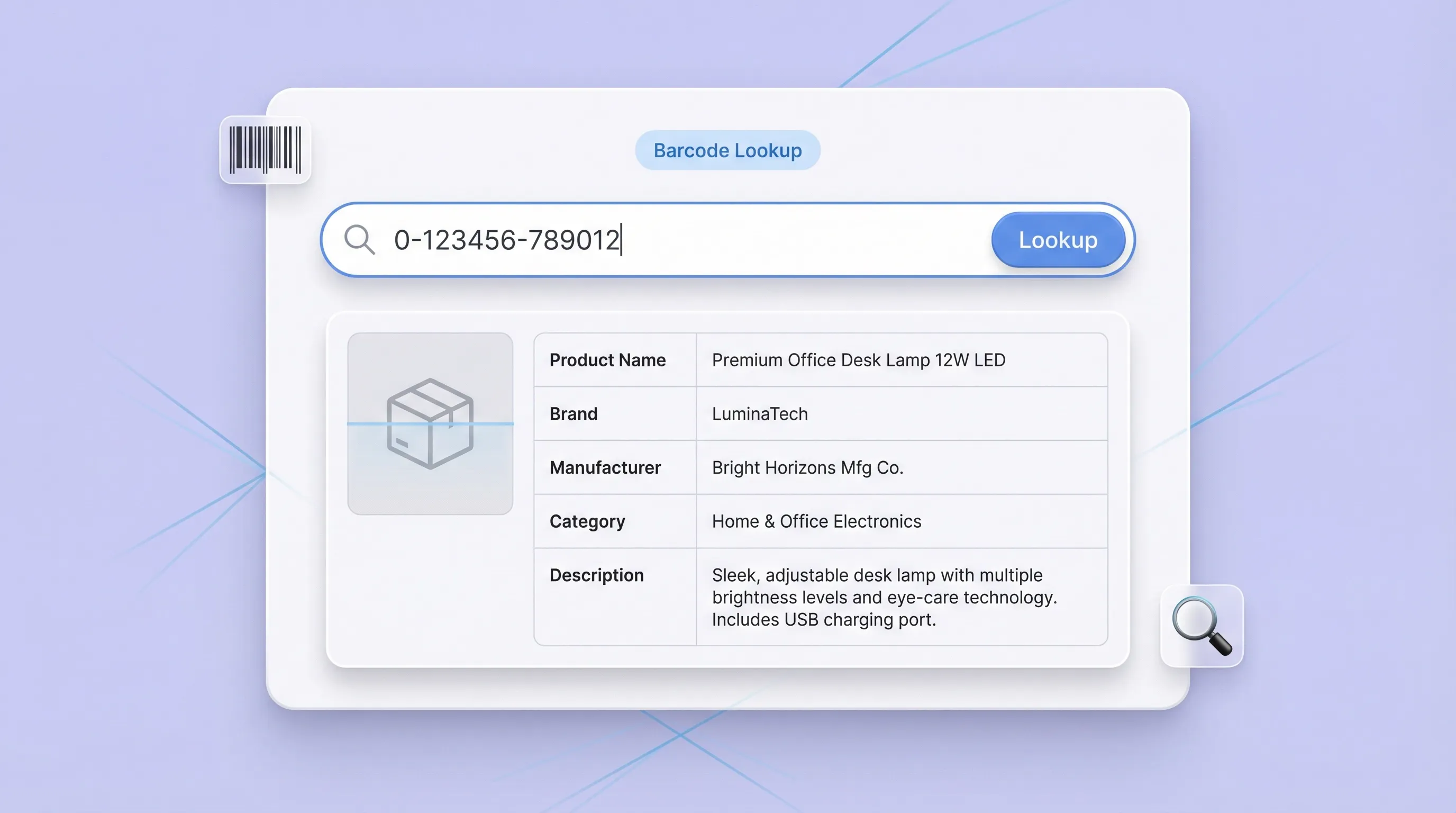
Barcode / UPC Lookup आपको 8–14 digit का UPC, EAN, या barcode number paste करने और बदले में structured product record पाने देता है। जब product name, brand, manufacturer, category और description चाहिए हों, तब यह कई sites पर manual searching से बचाता है। यह ecommerce operators, retail teams और analysts के लिए उपयोगी है जिन्हें listings, audits और catalog cleanup के लिए जल्दी product identification चाहिए।
मुफ़्त में शुरू करें
barcode_section1.png

सटीकता के लिए product information की पुष्टि करें और उसे standardize करें

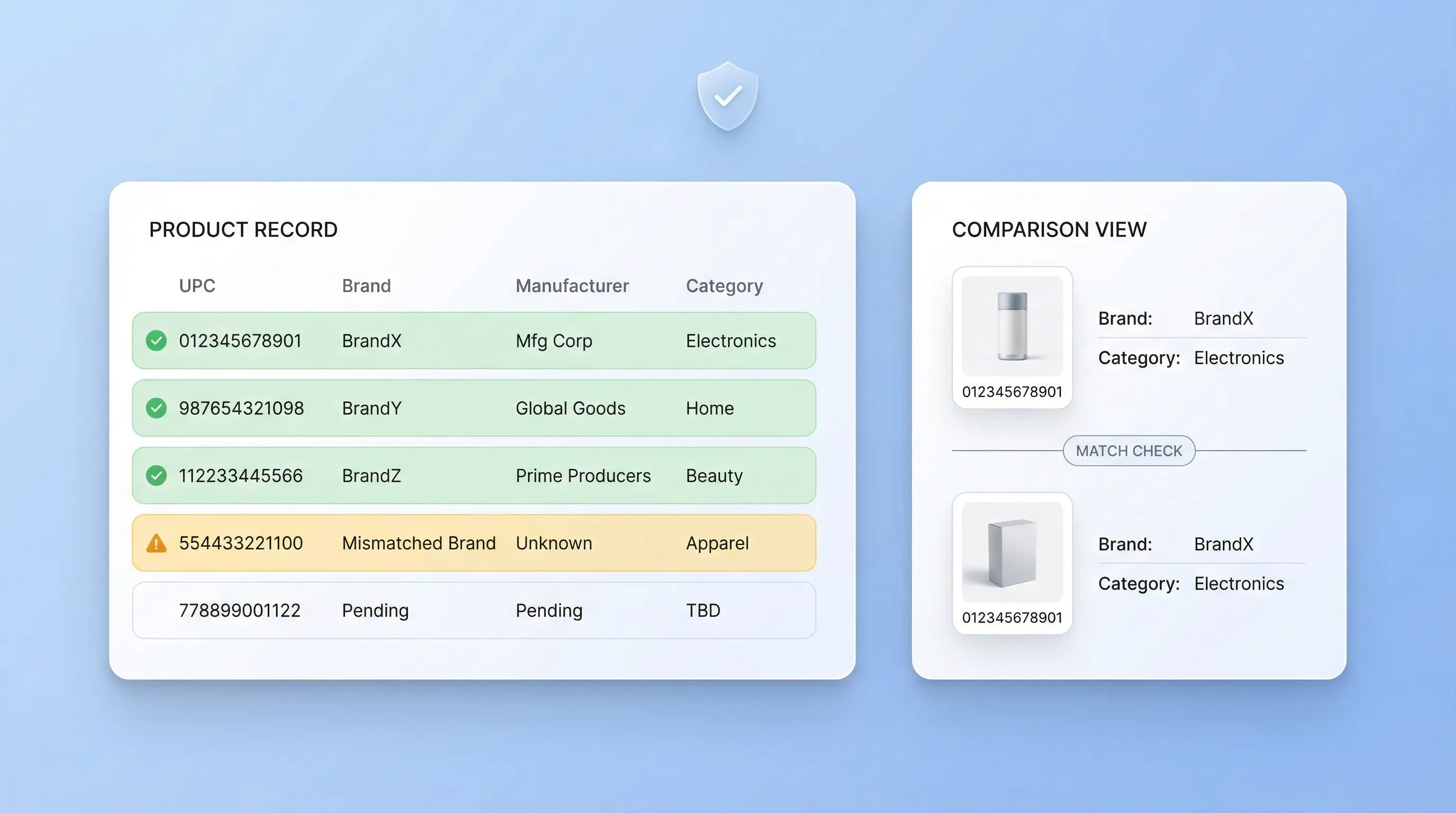
Lookup results का इस्तेमाल यह जाँचने के लिए करें कि code सही item से match हो रहा है या नहीं, और brand, manufacturer या category में mismatch पकड़ने के लिए करें। इससे authenticity checks में मदद मिलती है, listing errors कम होते हैं, और नए SKUs onboard करते समय या supplier files reconcile करते समय data quality बेहतर होती है। Output table में मिलता है, इसलिए कई codes की तुलना करना और एक consistent product taxonomy बनाए रखना आसान हो जाता है।
मुफ़्त में शुरू करें
barcode_section2.png

SKU catalog बनाएं और images व descriptions से listings को enrich करें
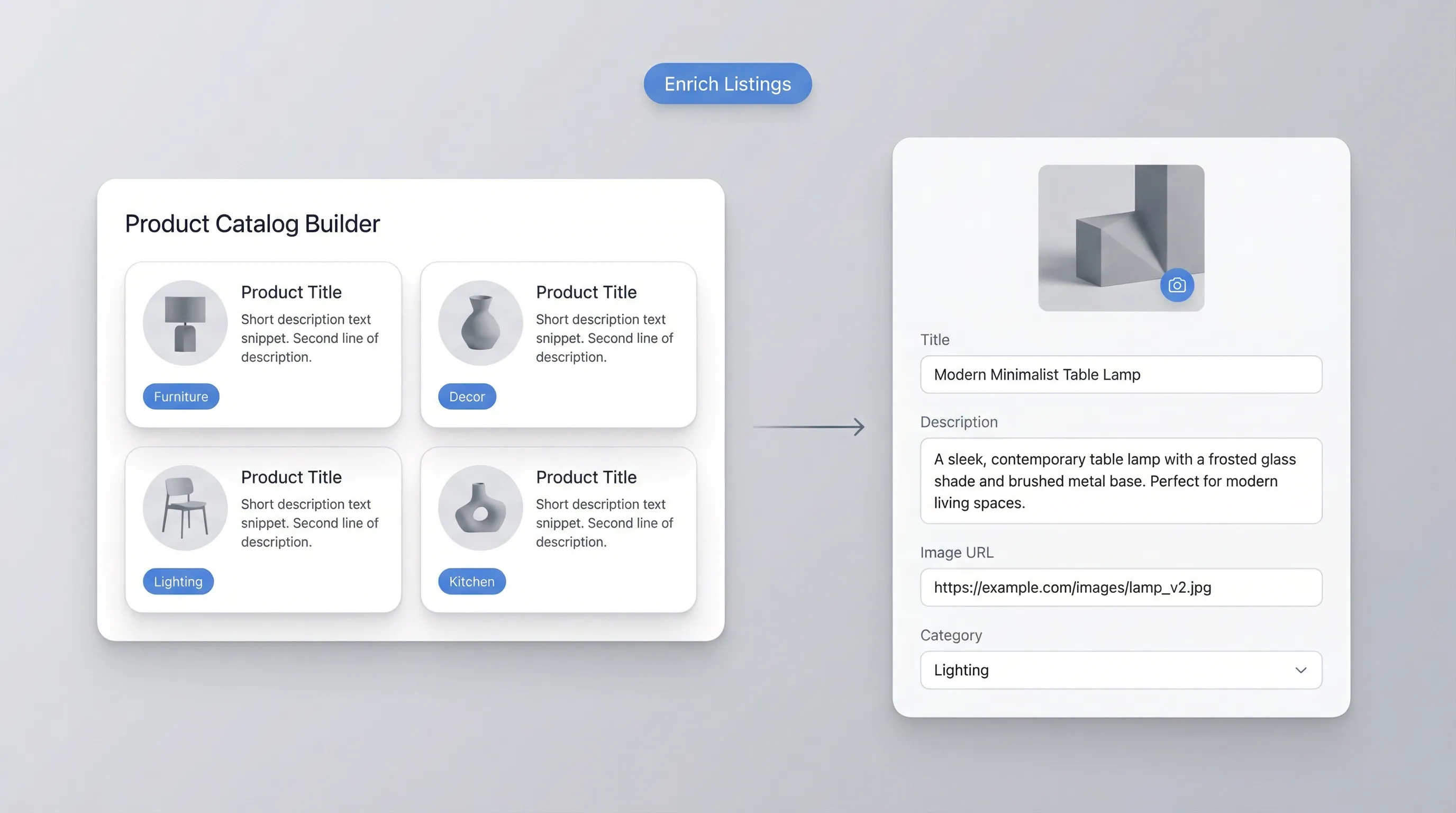
Teams returned fields, जैसे Product Image URL और Description, का उपयोग करके product pages और internal catalogs को enrich कर सकती हैं। यह नई listings बनाते समय, marketplace content बेहतर करते समय, या PIM spreadsheet में gaps भरते समय बहुत काम आता है। क्योंकि results structured होते हैं, आप table को सीधे अपने workflow में copy कर सकते हैं और product attributes को सभी channels और storefronts में aligned रख सकते हैं।
मुफ़्त में शुरू करें
barcode_section3.png

Receiving, audits और competitor research जैसे operations workflows को सपोर्ट करें
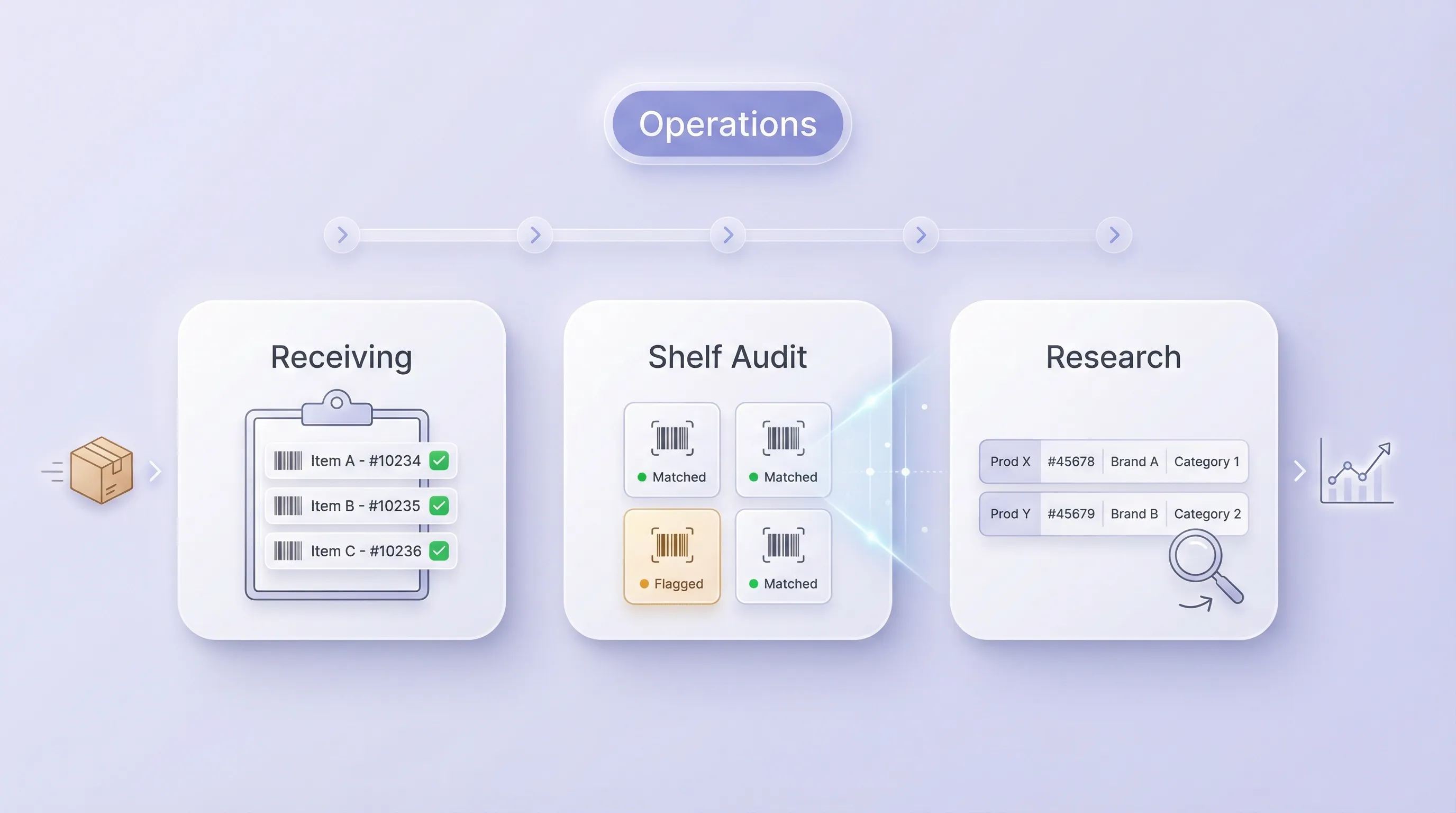
Barcode / UPC Lookup उन रोज़मर्रा के operations workflows के लिए उपयोगी है जहाँ fast identification ज़रूरी होती है, जैसे warehouse receiving, shelf audits, returns processing और customer support। यह ecommerce और marketing teams को competitor products को code के आधार पर map करने और analysis के लिए items को category-wise organize करने में भी मदद करता है। जब आपको barcode से जुड़ा एक भरोसेमंद reference record चाहिए, तो यह tool आगे के फैसलों के लिए एक consistent starting point देता है।
मुफ़्त में शुरू करें
barcode_section4.png

और मुफ़्त टूल्स देखें

अभी और टूल्स खोजें

Thunderbit के बारे में users क्या कहते हैं

Taryn W.Growth Strategist@Thunderbit ने मेरे competitor research करने का तरीका बदल दिया। मैं 'AI Suggest Fields' पर क्लिक करती हूँ, और यह paginated results के across एक साफ़ table बना देता है—न coding, न CSS. लंबे-tail marketplaces के product data analyze करते समय यह बहुत समय बचाता है।
Miles T.Sales Development Consultantमैं Thunderbit का उपयोग directories से emails और phone numbers लेने के लिए करता हूँ। यह एक क्लिक में साफ़ contact info निकाल देता है, और Sheets या Notion में export करना कुछ सेकंड का काम है। कोई extra setup नहीं, कोई coding नहीं—बस usable data, काम के लिए तैयार।
Rhea C.E-commerce AnalystThunderbit मुझे कई pages पर SKU data मॉनिटर करने में मदद करता है। मैं listings scrape करती हूँ, फिर Subpage Scraping से पूरी product specs, pricing, reviews, और stock निकालती हूँ। AI सब कुछ मेरे तय किए हुए columns में व्यवस्थित कर देता है।
Cassian B.Real Estate AdvisorThunderbit का Scheduled Scraper real estate tracking को आसान बनाता है। मैं interval को simple English में बताता हूँ, और यह अपने आप updated listings, prices, और links खींच लेता है—फिर setup छूने की ज़रूरत नहीं। आसान और बहुत practical।
Dorian B.Content & SEO Specialistमैं Thunderbit के Field AI Prompts का उपयोग scraped blog content को साफ़ और tag करने के लिए करता हूँ। यह titles, authors, और categories तक suggest करता है। dynamic sites और subpages पर शानदार काम करता है—structured SEO datasets बनाने के लिए perfect।
Lina K.Marketplace Operations Leadहम Thunderbit से niche stores के SKUs ट्रैक करते हैं। Cloud Scraping एक बार में 50 pages संभालता है, और login-required sites के लिए हम browser mode में switch कर देते हैं। तेज़, flexible, और लगातार maintenance या manual edits की ज़रूरत नहीं।
Jorge F.Inbound Sales ManagerThunderbit का AI Autofill बहुत काम आता है। contact info scrape करने के बाद, मैं इसे सीधे browser में lead forms भरने के लिए इस्तेमाल करता हूँ। बस tab चुनता हूँ, और यह scraped row से सब भर देता है। manual input की ज़रूरत नहीं।
Alina D.Freelance Researcherमैं PDFs, image-based sites, और infinite scroll pages से डेटा निकालने के लिए Thunderbit पर भरोसा करती हूँ। यह AI के साथ messy formats को संभालता है और ready-to-export tables देता है जिन्हें मैं कुछ सेकंड में Google Sheets या Airtable में भेज सकती हूँ।
Taryn W.Growth Strategist@Thunderbit ने मेरे competitor research करने का तरीका बदल दिया। मैं 'AI Suggest Fields' पर क्लिक करती हूँ, और यह paginated results के across एक साफ़ table बना देता है—न coding, न CSS. लंबे-tail marketplaces के product data analyze करते समय यह बहुत समय बचाता है।
Miles T.Sales Development Consultantमैं Thunderbit का उपयोग directories से emails और phone numbers लेने के लिए करता हूँ। यह एक क्लिक में साफ़ contact info निकाल देता है, और Sheets या Notion में export करना कुछ सेकंड का काम है। कोई extra setup नहीं, कोई coding नहीं—बस usable data, काम के लिए तैयार।
Rhea C.E-commerce AnalystThunderbit मुझे कई pages पर SKU data मॉनिटर करने में मदद करता है। मैं listings scrape करती हूँ, फिर Subpage Scraping से पूरी product specs, pricing, reviews, और stock निकालती हूँ। AI सब कुछ मेरे तय किए हुए columns में व्यवस्थित कर देता है।
Cassian B.Real Estate AdvisorThunderbit का Scheduled Scraper real estate tracking को आसान बनाता है। मैं interval को simple English में बताता हूँ, और यह अपने आप updated listings, prices, और links खींच लेता है—फिर setup छूने की ज़रूरत नहीं। आसान और बहुत practical।
Dorian B.Content & SEO Specialistमैं Thunderbit के Field AI Prompts का उपयोग scraped blog content को साफ़ और tag करने के लिए करता हूँ। यह titles, authors, और categories तक suggest करता है। dynamic sites और subpages पर शानदार काम करता है—structured SEO datasets बनाने के लिए perfect।
Lina K.Marketplace Operations Leadहम Thunderbit से niche stores के SKUs ट्रैक करते हैं। Cloud Scraping एक बार में 50 pages संभालता है, और login-required sites के लिए हम browser mode में switch कर देते हैं। तेज़, flexible, और लगातार maintenance या manual edits की ज़रूरत नहीं।
Jorge F.Inbound Sales ManagerThunderbit का AI Autofill बहुत काम आता है। contact info scrape करने के बाद, मैं इसे सीधे browser में lead forms भरने के लिए इस्तेमाल करता हूँ। बस tab चुनता हूँ, और यह scraped row से सब भर देता है। manual input की ज़रूरत नहीं।
Alina D.Freelance Researcherमैं PDFs, image-based sites, और infinite scroll pages से डेटा निकालने के लिए Thunderbit पर भरोसा करती हूँ। यह AI के साथ messy formats को संभालता है और ready-to-export tables देता है जिन्हें मैं कुछ सेकंड में Google Sheets या Airtable में भेज सकती हूँ।

अक्सर पूछे जाने वाले प्रश्न

AI का उपयोग करके डेटा निकालें
डेटा को आसानी से Google Sheets, Airtable, या Notion में ट्रांसफर करें
PRODUCT HUNT#1 Product of the Week