TechCrunch स्क्रेपर













सिर्फ दो क्लिक में TechCrunch डेटा अनलॉक करें
दो क्लिक में आसान TechCrunch स्क्रैपिंग
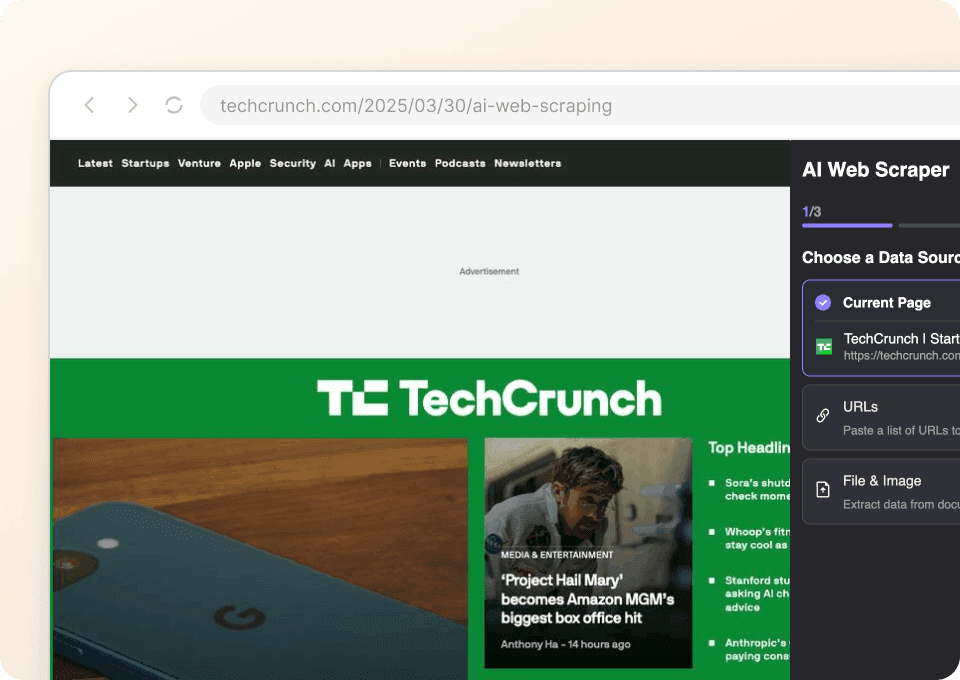
TechCrunch से article titles, authors, publication dates या पूरे article content को हाथ से copy करना बहुत समय लेने वाला काम है। Thunderbit आपको यह मेहनत पूरी तरह छोड़ने देता है। बस जिस data की ज़रूरत है उसे point करें, और AI बाकी सब समझ लेता है। दो क्लिक में आप बिना एक भी line code लिखे या किसी जटिल setup में पड़े structured data निकाल रहे होते हैं।
तुरंत साफ़ TechCrunch डेटा पाएं
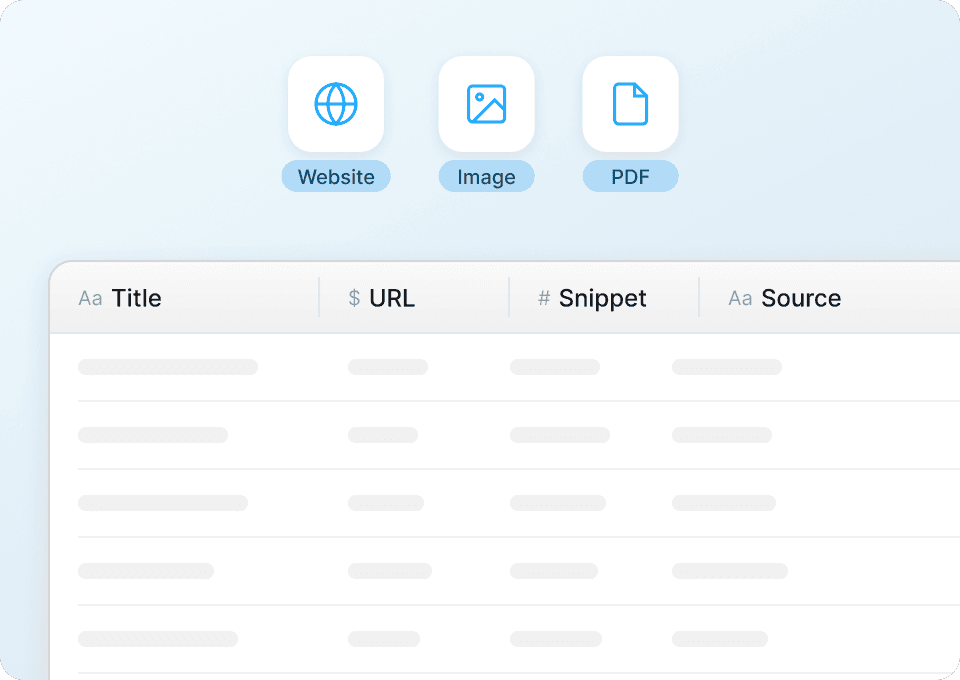
TechCrunch से raw HTML स्क्रैप करने से कोई खास फायदा नहीं होता — आपको साफ़ और structured data चाहिए। Thunderbit extraction के दौरान ही data को अपने-आप clean और format कर देता है, ताकि आप तुरंत article categories का analysis कर सकें, authors को track कर सकें या publication dates compare कर सकें। सीधे Google Sheets, Notion या Airtable में export करें और बिना manual cleanup के तुरंत organized data पर काम शुरू करें।
सिर्फ TechCrunch नहीं, किसी भी साइट को स्क्रैप करें
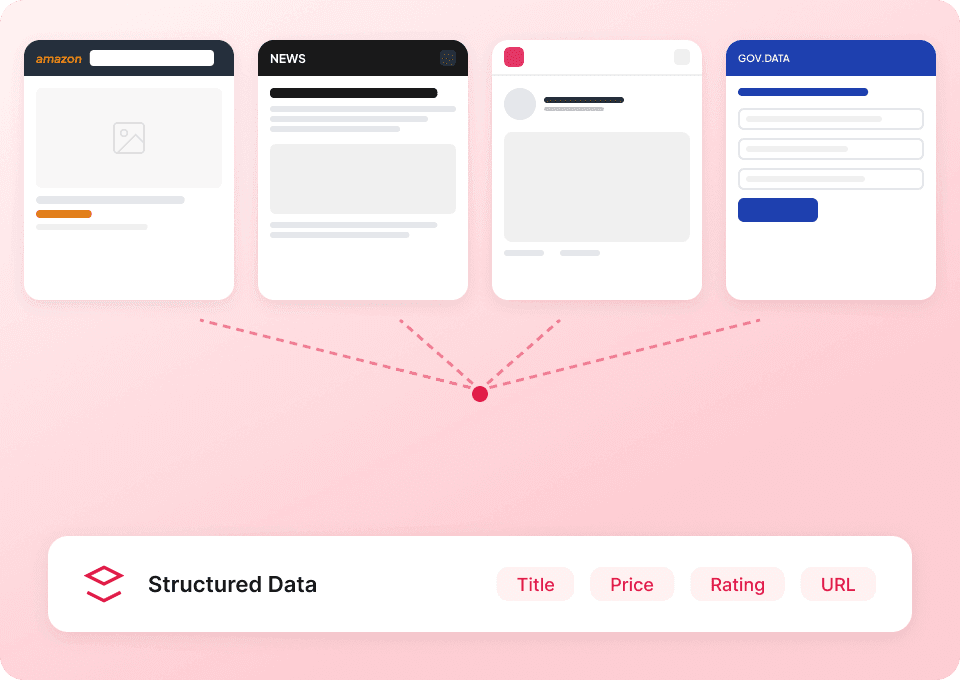
हर वेबसाइट के लिए नया tool क्यों सीखना? Thunderbit TechCrunch सहित लगभग किसी भी साइट पर काम करता है। 50+ pre-built templates के साथ आप और तेज़ी से शुरुआत कर सकते हैं। चाहे आप article content इकट्ठा कर रहे हों, author profiles देख रहे हों, या publication tags निकाल रहे हों, Thunderbit पूरे web पर web data extraction के लिए आपका एक ही समाधान है।
TechCrunch को असरदार तरीके से स्क्रैप करने में दिक्कत हो रही है?
देखिए कि Thunderbit पारंपरिक तरीकों की तुलना में TechCrunch data extraction को कैसे आसान बनाता है।
पारंपरिक scrapers
काम करने का पुराना तरीकाThunderbit
ज़्यादा समझदार तरीका







अक्सर पूछे जाने वाले प्रश्न
संबंधित उपयोग के मामले
Thunderbit के web scraper के और उपयोग के मामले देखें।

HKTVmall Scraper
सिर्फ 2 क्लिक में HKTVmall लिस्टिंग से प्रोडक्ट नाम, कीमत, रेटिंग और बहुत कुछ निकालें — कोडिंग की कोई ज़रूरत नहीं। डेटा को सीधे Excel, Google Sheets या Notion में एक्सपोर्ट करें और HKTVmall डेटा को उपयोगी इनसाइट्स में बदलें।
और जानें ->
Substack स्क्रैपर
सिर्फ 2 क्लिक में Substack के सब्सक्राइबर काउंट, आर्टिकल टाइटल और पब्लिकेशन डिस्क्रिप्शन निकालें — फिर उन्हें Excel, Google Sheets या Notion में एक्सपोर्ट करें। किसी कोड की जरूरत नहीं; Thunderbit का AI पूरी structuring अपने आप कर देता है।
और जानें ->
United Airlines स्क्रैपर
सिर्फ 2 क्लिक में United Airlines से फ्लाइट नंबर, प्रस्थान समय, आगमन हवाई अड्डे और कीमतें निकालें — फिर उन्हें तुरंत Excel, Google Sheets या Notion में एक्सपोर्ट करें। बाकी काम Thunderbit AI अपने आप संभाल लेता है।
और जानें ->
PeopleWhiz स्क्रैपर
Thunderbit PeopleWhiz स्क्रैपर आपको AI-संचालित फ़ील्ड सुझावों के साथ PeopleWhiz खोज परिणामों और प्रोफाइलों से डेटा निकालने देता है। शोध, मार्केटिंग या लीड जनरेशन के लिए नाम, संपर्क विवरण, स्थान और भी बहुत कुछ इकट्ठा करें। PeopleWhiz डेटा को संरचित डेटासेट में जल्दी और कुशलता से बदलें।
और जानें ->
Carousell स्क्रैपर
Carousell की listings — item titles, descriptions, prices, और seller details — सिर्फ 2 clicks में extract करें, फिर डेटा सीधे Excel, Google Sheets, या Notion में export करें। किसी code या मुश्किल setup की ज़रूरत नहीं।
और जानें ->
Steam Scraper
सिर्फ 2 क्लिक में Steam गेम के नाम, कीमतें और यूज़र रिव्यू स्कोर निकालें—कोई कोडिंग नहीं चाहिए। साफ़ डेटा को सीधे Excel, Google Sheets या Notion में एक्सपोर्ट करें और तुरंत विश्लेषण शुरू करें।
और जानें ->क्या आप अपनी data extraction को तेज़ करना चाहते हैं?
Join 200,000+ professionals already using Thunderbit to automate their web scraping workflows.
फ्री ट्रायल 8 webpages के लिए unlimited credits देता है।



