Shopify प्रोडक्ट स्क्रैपर













Shopify product data को आसानी से unlock करें
Thunderbit के scraper की मदद से product details को सरलता से निकालें।
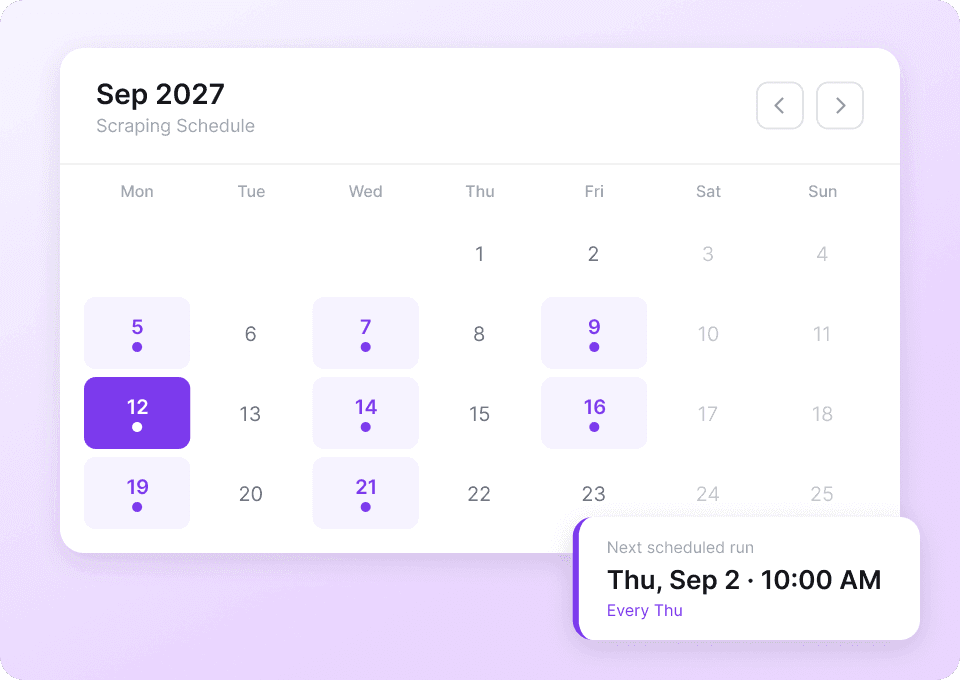
Shopify product data refresh को automate करें
Shopify product data — जैसे prices, descriptions और variants — लगातार बदलता रहता है। हर update पर manually दोबारा scraping करना बहुत समय खा जाता है। Thunderbit में scheduled scraping सेट करें ताकि आपका data अपने आप, बिना किसी मेहनत के, ताज़ा होता रहे। नवीनतम product details सीधे आपकी Google Sheet में मिलेंगी।
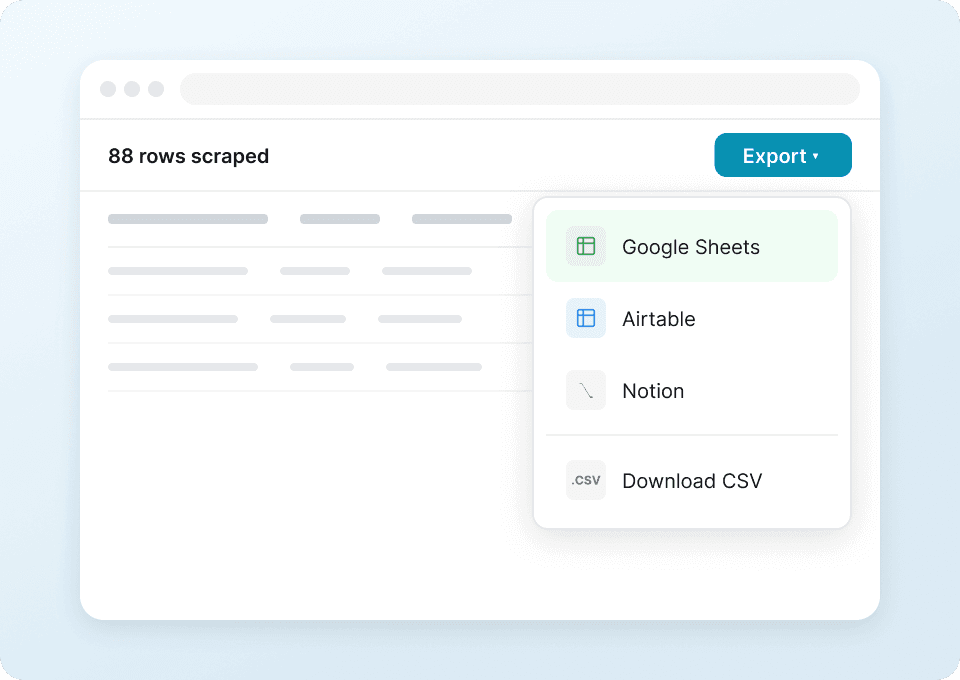
एक क्लिक में Shopify product data extraction
टैब्स के बीच product names, prices और image URLs कॉपी करने में समय बर्बाद करना बंद करें। Thunderbit आपको सिर्फ एक क्लिक में Shopify product data Google Sheets, Notion या Airtable में export करने देता है। मैनुअल data entry नहीं — बस तेज़ और structured export।
Shopify product layout में बदलाव के अनुसार ढल जाता है
Traditional scrapers हर बार तब टूट जाते हैं जब Shopify product page का layout बदलता है। Thunderbit fixed selectors पर नहीं, बल्कि page content और meaning को समझने वाली semantic AI पर काम करता है। यह layout changes के अनुसार अपने आप ढल जाता है, इसलिए themes और templates बदलने पर भी आपकी scraping चलती रहती है।

Thunderbit पारंपरिक Shopify product scrapers से अलग क्यों है?
हमारे AI Shopify product scraping solution के साथ आसान data extraction का अनुभव लें।
पारंपरिक scrapers
काम करने का पुराना तरीकाThunderbit Ai
ज़्यादा स्मार्ट तरीका







अक्सर पूछे जाने वाले सवाल
संबंधित उपयोग के मामले
Thunderbit के web scraper के और उपयोग के मामले देखें।

UNIQLO Scraper
Thunderbit के AI-संचालित Chrome एक्सटेंशन की मदद से सिर्फ 2 क्लिक में Uniqlo के प्रोडक्ट नाम, कीमतें, रंग और साइज़ निकालें। डेटा को सीधे Google Sheets, Excel या Notion में एक्सपोर्ट करें और अपनी प्रोडक्ट रिसर्च हमेशा अपडेट रखें।
और जानें ->
Wikipedia स्क्रैपर
Wikipedia के infobox डेटा, संदर्भों और लेख के टेक्स्ट को सिर्फ 2 क्लिक में साफ़-सुथरी, structured spreadsheet में बदलें — और तुरंत Excel, Google Sheets या Notion में export करें, बिना किसी code के.
और जानें ->
Carousell स्क्रैपर
Carousell की listings — item titles, descriptions, prices, और seller details — सिर्फ 2 clicks में extract करें, फिर डेटा सीधे Excel, Google Sheets, या Notion में export करें। किसी code या मुश्किल setup की ज़रूरत नहीं।
और जानें ->
PlayStation Scraper
PlayStation गेम डेटा—जैसे शीर्षक, शैली, कीमत और रेटिंग—सिर्फ 2 क्लिक में निकालें, फिर उसे सीधे Excel, Google Sheets या Notion में एक्सपोर्ट करें। अब हाथ से कॉपी‑पेस्ट करने की जरूरत नहीं।
और जानें ->
HKTVmall Scraper
सिर्फ 2 क्लिक में HKTVmall लिस्टिंग से प्रोडक्ट नाम, कीमत, रेटिंग और बहुत कुछ निकालें — कोडिंग की कोई ज़रूरत नहीं। डेटा को सीधे Excel, Google Sheets या Notion में एक्सपोर्ट करें और HKTVmall डेटा को उपयोगी इनसाइट्स में बदलें।
और जानें ->
Amazon कीमत स्क्रैपर
Amazon की कीमतों, रेटिंग्स और ASIN को रियल टाइम में ट्रैक करें — सिर्फ 2 क्लिक में डेटा को Excel, Google Sheets या Notion में एक्सपोर्ट करें, किसी कोडिंग की जरूरत नहीं।
और जानें ->क्या आप अपनी data extraction को तेज़ करना चाहते हैं?
Join 200,000+ professionals already using Thunderbit to automate their web scraping workflows.
फ्री ट्रायल 8 webpages के लिए unlimited credits देता है।



