
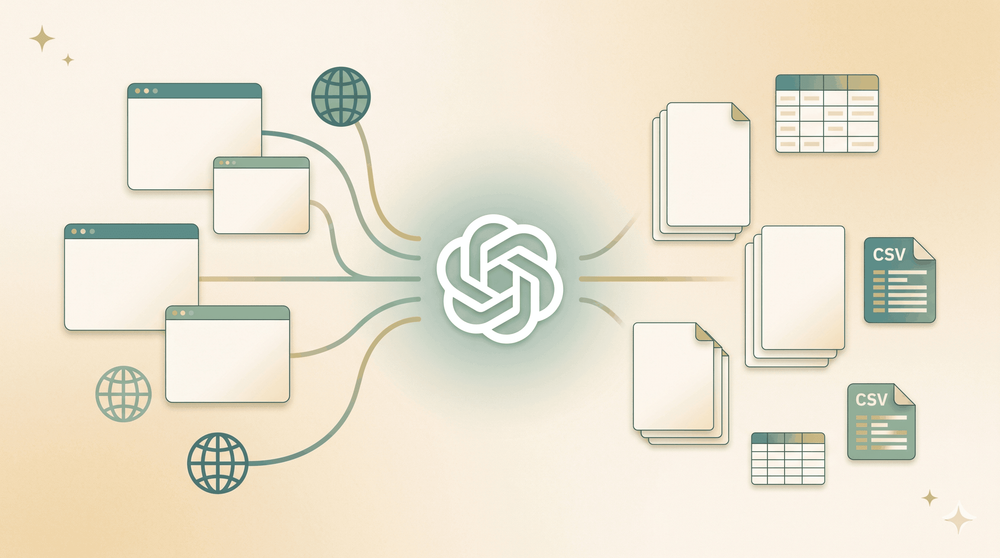
पिछले हफ्ते, हमारी सेल्स टीम के एक सहकर्मी ने मुझसे लगभग 200 बिज़नेस डायरेक्टरी पेजों से कॉन्टैक्ट जानकारी निकालने में मदद मांगी। उसकी योजना? हर पेज को कॉपी-पेस्ट करके एक स्प्रेडशीट में डाल देना। मैंने उसे सुझाव दिया कि वह ChatGPT से एक Python स्क्रैपर बनवा ले। बीस मिनट बाद उसके पास एक स्क्रिप्ट थी। उसके तीस मिनट बाद वह मुझे DM कर रहा था: "पहले पाँच पेजों पर तो चल गया, फिर बस… रुक गया।"
ऐसा अनुभव हैरानी की बात नहीं है। ChatGPT स्क्रैपिंग कोड लिखने में वाकई बहुत अच्छा है—जब तक कि वह न रहे। और ऑनलाइन ज़्यादातर ट्यूटोरियल “देखो, यह टॉय साइट पर चल गया” वाले चरण पर ही रुक जाते हैं। जैसे ही आप असली दुनिया के किसी पेज पर पहुँचते हैं जहाँ JavaScript, anti-bot सुरक्षा, या pagination हो, आप वहीं अटक जाते हैं। इस गाइड में मैं आपको दिखाऊँगा कि ChatGPT web scraping व्यवहार में वास्तव में कैसा दिखता है: पूरा workflow, पाँच reusable prompt templates (सिर्फ एक उदाहरण नहीं), कहाँ-कहाँ चीज़ें टूटती हैं इसकी साफ़ व्याख्या, और जब ऐसा हो तो क्या करना चाहिए—जिसमें Thunderbit जैसे no-code विकल्प भी शामिल हैं, जो कोड की ज़रूरत ही खत्म कर देते हैं।
ChatGPT Web Scraping क्या है?
“ChatGPT web scraping” का मतलब है वेबसाइटों से डेटा निकालने में ChatGPT की मदद लेना। लेकिन यहाँ एक अहम बात है जिसे ज़्यादातर लोग मिस कर देते हैं: ChatGPT खुद वेबसाइट scrape नहीं करता। यह किसी URL पर जा नहीं सकता, HTML fetch नहीं कर सकता, और पेजों पर क्लिक करके आगे नहीं बढ़ सकता। जो यह कर सकता है, वह है ऐसा कोड बनाना (आमतौर पर Python) जो ये काम करे, या फिर raw HTML को parse करके structured data देना जब आप उसे chat में पेस्ट करते हैं।
इसके दो मुख्य तरीके हैं:
- ChatGPT as code generator: आप पेज और अपनी ज़रूरत का डेटा बताते हैं, और ChatGPT एक Python script लिखता है (आमतौर पर BeautifulSoup, Selenium, या Playwright के साथ) जिसे आप अपनी मशीन पर चलाते हैं।
- ChatGPT as data parser: आप raw HTML को chat में paste करते हैं (या Code Interpreter से upload करते हैं), और ChatGPT आपको ज़रूरी fields JSON या CSV format में निकालकर देता है।
दोनों ही मामलों में fetching और running आपका काम है। ChatGPT दिमाग है, हाथ नहीं। यहाँ तक कि नए ChatGPT Atlas browser (October 2025 में लॉन्च) के साथ भी, जो conversational तरीके से web browse कर सकता है, यह जवाब देता है—500 product rows वाली structured CSV table नहीं। यह browsing assistant है, data extraction pipeline नहीं।
Web Scraping के लिए ChatGPT क्यों इस्तेमाल करें (और किसके लिए)
ChatGPT web scraping के लिए entry barrier को बहुत कम कर देता है। 2025 Stack Overflow Developer Survey के अनुसार, अब 84% developers अपने workflow में AI tools इस्तेमाल करते हैं या करने की योजना रखते हैं, और ChatGPT 82% share के साथ सबसे आगे है। लेकिन “ChatGPT web scraping” का audience सिर्फ developers नहीं हैं। इसमें SDRs भी हैं जो prospect lists बनाते हैं, ecommerce managers जो competitor prices track करते हैं, real estate analysts जो listing data निकालते हैं, और marketing teams जो content aggregate करती हैं।
यहाँ common use cases और उनसे लाभ पाने वाले लोगों की एक त्वरित झलक है:
| Use Case | Who Benefits | What You’re Scraping |
|---|---|---|
| Sales lead extraction | SDRs, sales ops | Directories से names, emails, phone numbers |
| Competitor price monitoring | Ecommerce, pricing teams | Product names, prices, availability, SKUs |
| Market research | Analysts, founders | Company info, reviews, ratings, feature lists |
| Real estate data collection | Agents, investors | Property prices, addresses, beds/baths, agent info |
| Content aggregation | Marketing, SEO teams | Article titles, URLs, publish dates, authors |
100 pages से data manually copy करना 3–5 घंटे ले सकता है। ChatGPT-generated script वही काम कुछ ही मिनटों में कर सकता है—अगर वह चले। और यही “अगर” इस लेख का असली मुद्दा है।
Gartner का अनुमान है कि 2026 तक formal IT departments के बाहर के developers low-code tool users का कम-से-कम 80% होंगे। “ChatGPT web scraping” ढूँढने वाले लोग लगातार ऐसे non-developers बनते जा रहे हैं जिन्हें engineer hire किए बिना data चाहिए। उनके लिए ChatGPT पहला पड़ाव है—और जब script चलने से मना कर दे, तब Thunderbit जैसे tools उनका अगला विकल्प बनते हैं।
ChatGPT Web Scraping कैसे काम करता है: Step-by-Step Guide
आइए एक business directory listing page का इस्तेमाल करते हुए end-to-end पूरा workflow देखें—कोई toy site नहीं।
- Difficulty: Intermediate (Python चलाने की बुनियादी समझ ज़रूरी है)
- Time Required: पहली scrape के लिए लगभग 15–30 मिनट
- What You’ll Need: Chrome browser, Python environment (Python 3.10+), ChatGPT (free tier चल जाएगा), और target URL
Step 1: Website inspect करें और ज़रूरी data पहचानें
जिस page को scrape करना है उसे Chrome में खोलें। जिस data की ज़रूरत है उस पर right-click करें, जैसे business name, और Inspect चुनें। इससे Chrome DevTools खुल जाएगा और HTML element highlight हो जाएगा।
CSS selectors खोजें—जैसे h2.business-name, span.phone, या a.website-link। आपके selectors जितने specific होंगे, ChatGPT का output उतना बेहतर होगा। HTML का एक representative snippet (एक “card” या data की एक “row”) copy करें ताकि prompt में डाल सकें।
अब आपके पास field names की एक छोटी list होनी चाहिए, जैसे business_name, phone, website_url, और उनके corresponding CSS selectors।
Step 2: एक detailed ChatGPT prompt लिखें
यहीं पर ज़्यादातर tutorials चूक जाते हैं—वे vague prompt देते हैं और best की उम्मीद करते हैं। एक अच्छा scraping prompt छह हिस्सों में होता है:
- Language and library: “Python 3.11 और BeautifulSoup 4 इस्तेमाल करके script लिखो।”
- Target URL: सटीक page जिसका data निकालना है।
- CSS selectors: Step 1 में मिले selectors।
- Output format: CSV, JSON, या दोनों।
- Special instructions: Encoding, error handling, delays।
- HTML snippet: 20–40 lines असली page HTML की ताकि ChatGPT structure देख सके।
यहाँ एक sample prompt है (annotated):
You are a senior Python engineer. Write a web scraper using Python 3.11 and BeautifulSoup 4.

Target URL: https://example.com/businesses
Goal: Extract every business card on the page and return one row per business.

Fields needed (CSS selectors in parentheses):
- business_name (h2.biz-name)
- phone (span.phone-number)
- website_url (a.biz-link, href)
- rating (div.stars[data-rating])

Output: save to businesses.csv with UTF-8 encoding and a header row.

Requirements:
- Use requests with a realistic User-Agent header
- Handle missing fields gracefully (None, not crash)
- Print the number of businesses extracted at the end
- Add a 1-second delay between requests if you loop

Here is a representative HTML snippet from the page (one business card):
<PASTE 20-40 LINES OF THE ACTUAL HTML HERE>
Tip: HTML snippet शामिल करना accuracy बढ़ाने का सबसे बड़ा तरीका है। ChatGPT URL visit नहीं कर सकता, इसलिए वही उसका एकमात्र ground truth है।
Step 3: Generated code को review और test करें
ChatGPT का code blind run न करें। पहले उसे ध्यान से पढ़ें। देखें:
- Hallucinated selectors: ChatGPT कभी-कभी ऐसे CSS classes बना देता है जो page पर होते ही नहीं।
- Missing libraries:
pip install requests beautifulsoup4(याplaywright, आदि) शामिल है या नहीं, यह जांचें। - Hardcoded values: URL, field names, और file paths सही हैं या नहीं, देखें।
Python virtual environment सेट करें, dependencies install करें, और script को छोटे sample पर चलाएँ—एक या दो pages पर। Output CSV देखें: क्या columns भरे हैं? जहाँ data होना चाहिए था वहाँ blanks तो नहीं हैं?
Step 4: Follow-up prompts के साथ refine करें
Iteration में ChatGPT बहुत अच्छा काम करता है। अगर पहली script सिर्फ page 1 scrape करती है, तो पूछें:
“The script only scrapes the first page. Can you add pagination to scrape all pages? The site uses ?page=1, ?page=2, etc. Stop when a page returns zero results or after 50 pages.”
अगर fields missing हैं, तो ChatGPT से emails या phone numbers के लिए regex fallback जोड़ने को कहें। अगर site JS-heavy है, तो Playwright version माँगें। हर follow-up prompt पिछले code पर build करता है—इसे ऐसे समझें जैसे किसी बहुत तेज़ (लेकिन कभी-कभी overconfident) partner के साथ pair programming कर रहे हों।
Web Scraping के लिए 5 Copy-Paste ChatGPT Prompt Templates
मुझे कोई और गाइड ऐसा नहीं मिली जिसमें यह हो। मैंने पाँच prompt templates तैयार किए, test किए, और अलग-अलग scenarios के हिसाब से refine किए हैं। इन्हें copy करें, अपना URL और HTML snippet बदलें, और ChatGPT पहले ही try में काम करने वाला code—या कम-से-कम उसके बहुत करीब—दे देगा।
Template 1: Listing Page Scraper (Product Catalogs, Directories)
कब इस्तेमाल करें: आपके पास कई items वाला page है (products, businesses, job listings) और आप हर item के लिए एक row चाहते हैं।
You are a senior Python engineer. Write a web scraper using Python 3.11 and BeautifulSoup 4.

Target URL: [YOUR URL]
Goal: Extract every item card on the page and return one row per item.

Fields needed (CSS selectors in parentheses — derived from Inspect):
- [field_1] ([selector_1])
- [field_2] ([selector_2])
- [field_3] ([selector_3])
- [field_4] ([selector_4, attribute if needed])

Output: save to items.csv with UTF-8 encoding and a header row.

Requirements:
- Use requests with a realistic User-Agent header
- Handle missing fields gracefully (None, not crash)
- Print the number of items extracted at the end
- Add a 1-second delay between requests if you loop

Here is a representative HTML snippet from the page (one item card):
[PASTE 20-40 LINES OF THE ACTUAL HTML HERE]
Expected output: एक CSV file जिसमें हर item की एक row हो, और columns आपके field names से match करें।
Template 2: Detail/Subpage Scraper (Individual Product or Profile Pages)
कब इस्तेमाल करें: आपके पास detail वाली एक page है (product page, person profile, property listing) और आप सब कुछ एक structured record में निकालना चाहते हैं।
Write a Python function `scrape_detail(url)` that takes a detail page URL and returns a dict with these keys:

- [field_1]
- [field_2]
- [field_3]
- [field_4]
- [field_5]

Use BeautifulSoup. Gracefully handle any missing field (return None for it).
Include regex fallbacks for email and phone — not every page wraps them in consistent tags.

Return the dict, and also append it as one row to details.csv (create the file with header on first call).

Reference HTML snippet from a real detail page:
[PASTE 40-60 LINES OF ONE DETAIL PAGE HTML]
Expected output: हर page के लिए एक dict और details.csv में बढ़ती हुई CSV file, जिसमें हर detail page की एक row हो।
Template 3: Dynamic/JS-Rendered Page Scraper (Playwright)
कब इस्तेमाल करें: पेज JavaScript (React, Angular, etc.) से content लोड करता है—और आपको HTML source में एक खाली <div id="root"> दिखता है।
Write a Python web scraper using Playwright (sync API) for a JavaScript-rendered page.

Target URL: [YOUR URL]
Goal: extract all result cards that appear after the page finishes loading dynamically.

Requirements:
- Use `page.wait_for_selector('[YOUR CARD SELECTOR]', timeout=15000)` to wait for content
- Scroll to the bottom of the page twice with a 1-second pause between scrolls to trigger lazy-loaded results
- For each card extract: [field_1], [field_2], [field_3], [field_4]
- Save to results.json as a list of dicts, UTF-8
- Run headless=False first (so I can watch it) and add a 2-second pause at the end before closing

Do not use requests or BeautifulSoup — Playwright only.
Expected output: एक JSON file जिसमें हर result card के लिए एक object हो, और सभी fields भरी हों।
Template 4: Pagination Handler (Multi-Page Scraping)
कब इस्तेमाल करें: आपके पास पहले से working single-page scraper है और आपको सभी pages पर loop चलाना है।
Take the existing BeautifulSoup scraper below and wrap it in a pagination loop that collects ALL pages, not just page 1.

The site uses URL-param pagination: ?page=1, ?page=2, etc.
Stop condition: when the current page yields zero items, OR when the response status is not 200, OR when you hit page 100 (safety cap).

Add:
- A 1.5-second polite delay between page requests
- A try/except around each request that logs the error and continues
- A progress print every 5 pages: "Page 15 → 300 items so far"
- Final save to items_all.csv

Existing scraper:
[PASTE YOUR CURRENT SINGLE-PAGE SCRAPER HERE]
Expected output: एक single CSV जिसमें सभी pages के सभी items हों, और console output में progress दिखे।
Template 5: Data Cleaning and Structuring (the “Paste HTML” Approach)
कब इस्तेमाल करें: आपके पास raw HTML है (curl से, browser से, या किसी file से) और आप बस ChatGPT से उसे साफ़ structured data में parse करवाना चाहते हैं—कोड की ज़रूरत नहीं।
I will paste raw HTML from a product detail page. You do not need to write code — just return the extracted data as a JSON object matching this schema:

{
  "name": string,
  "brand": string,
  "price": number,
  "currency": string (ISO 4217),
  "availability": "in_stock" | "out_of_stock" | "preorder" | "unknown",
  "rating": number (0-5) or null,
  "review_count": integer or null,
  "description": string (max 500 chars),
  "key_specs": [{"name": string, "value": string}]
}

Use null for anything you genuinely cannot find — do NOT hallucinate.
Return ONLY the JSON object, no prose, no markdown fence.

HTML:
[PASTE THE FULL PAGE HTML HERE]
Expected output: एक single JSON object, जिसे सीधे spreadsheet या database में डाला जा सके।
कहाँ ChatGPT Web Scraping टूटता है (ईमानदार सीमाएँ)
ज़्यादातर tutorials इस हिस्से को पूरी तरह छोड़ देते हैं। मैंने ChatGPT-generated scrapers debug करने में इतना समय बिताया है कि मुझे साफ़ पता है ये कहाँ fail होते हैं—and 2025 Stack Overflow survey भी बताती है कि सिर्फ 3% developers AI output पर “highly trust” करते हैं। वजह यह है।
JavaScript-heavy और dynamic websites
98.8% से अधिक websites client-side functionality के लिए JavaScript इस्तेमाल करती हैं। सिर्फ React ही अब सभी websites के 7.2% पर चलता है—एक ही साल में लगभग 67% की छलांग। जब आप ChatGPT से कहते हैं “इस page को scrape करो,” इसका default output एक requests + BeautifulSoup script होता है। वह script raw HTML fetch करती है—और React या Angular site पर raw HTML अक्सर सिर्फ एक खाली <div id="root"> होता है। असली data JavaScript चलने के बाद लोड होता है, जिसे requests कभी चलाता ही नहीं।
अगर आप पूछें तो ChatGPT Selenium या Playwright code भी बना सकता है, लेकिन ऐसे scripts धीमे होते हैं (Playwright औसतन 2.9 seconds per page load लेता है, static requests के sub-second समय की तुलना में) और इनमें wait conditions, scroll triggers, और element selectors जैसी चीज़ों पर अक्सर debugging करनी पड़ती है—जिन्हें ChatGPT कई बार गलत guess करता है।
Anti-bot protections और CAPTCHAs
Cloudflare लगभग 20% of all websites को protect करता है, और DataDome जैसी services 99.9% bot detection accuracy का दावा करती हैं। सीधे requests.get() के साथ Python user-agent डालना, साफ़ शब्दों में कहें तो, एक textbook bot fingerprint है। ChatGPT-generated scripts में proxy rotation नहीं होती, TLS fingerprint spoofing नहीं होती, cookie handling नहीं होती, और CAPTCHA solving भी नहीं होती। किसी भी commercial site पर, जहाँ थोड़ी भी protection हो, script पहली request पर ही block हो जाती है।
Pagination और large-scale scraping
ChatGPT का default pagination loop ?page=N iterate करता है या .next button क्लिक करता है। असली sites cursor-based pagination, IntersectionObserver के साथ infinite scroll, या GraphQL calls इस्तेमाल करती हैं। ChatGPT सही code तब तक नहीं बना सकता जब तक आप उसे exact network call न दिखाएँ—और तब भी loops fragile होते हैं। Oxylabs’ ChatGPT scraping guide और Decodo’s 2026 tutorial दोनों pagination को वह जगह बताते हैं जहाँ उनके example scrapers को दूसरी या तीसरी prompt की ज़रूरत पड़ती है।
Ongoing और scheduled scraping
ChatGPT आपको एक one-shot script देता है। इसमें scheduler नहीं है, change detection नहीं है, alerting नहीं है। अगर आप “हर सुबह competitor prices check करो” चाहते हैं, तो आपको cron, Airflow, या Lambda सीखना पड़ेगा—और ये चीज़ें ChatGPT अपनी शुरुआती response में कवर नहीं करता। business users के लिए जिन्हें recurring data चाहिए, यह एक dead end है।
Speed और cost की समस्या
JS-heavy sites के लिए, Selenium या Playwright के साथ वास्तविक per-page time ideal conditions में 3–10 seconds प्रति page, और retries तथा anti-bot waits के साथ 40–60 seconds per page तक पहुँच जाता है—एक frustration जिसे forums और tutorials में आम तौर पर report किया जाता है।
अगर आप HTML parse करने के लिए ChatGPT API (यानी scale पर “paste HTML” वाला तरीका) इस्तेमाल करते हैं, तो token costs तेज़ी से बढ़ते हैं। मौजूदा GPT-4o pricing (~$2.50/M input tokens, $10/M output) पर, 1,000 product pages parse करने में सिर्फ tokens का खर्च लगभग $95–$105 आता है। GPT-4o mini के साथ वही volume लगभग $6.50 में हो सकता है। Proxy costs ($3–10/GB), local crawler maintenance, और developer time जोड़ें, तो “बस ChatGPT use कर लो” वाला तरीका महँगा लगने लगता है।
| Scale | GPT-4o Token Cost (est.) | GPT-4o Mini Token Cost (est.) |
|---|---|---|
| 100 pages | ~$9.55 | ~$0.65 |
| 1,000 pages | ~$95.50 | ~$6.50 |
| 10,000 pages | ~$955 | ~$65 |
ये अनुमान प्रति page लगभग 50K input tokens और 2K output tokens मानते हैं। असली लागत page size और output complexity के अनुसार बदलती है।
ChatGPT Web Scraping बनाम No-Code AI Scrapers बनाम Custom Code: Decision Framework
हर scraping job के लिए एक ही tool नहीं होता। Thunderbit में real projects पर तीनों approaches test करने के बाद मैं यही framework इस्तेमाल करता हूँ।
| Scenario | ChatGPT + Python | No-Code AI Scraper (e.g., Thunderbit) | Custom Code + Proxies |
|---|---|---|---|
| Simple static pages | ✅ Great — fast to generate | ✅ Works, may be overkill | ⚠️ Over-engineered |
| JS-rendered / dynamic content | ⚠️ Needs Selenium/Playwright — code often breaks | ✅ Handles via browser/cloud scraping | ✅ Full control |
| Anti-bot / CAPTCHA sites | ❌ ChatGPT can’t solve CAPTCHAs | ✅ Cloud scraping infra handles many | ✅ With proxy rotation |
| Pagination (100+ pages) | ⚠️ Fragile loops, needs debugging | ✅ Built-in pagination support | ✅ Robust with engineering |
| Non-developer user | ❌ Requires Python knowledge | ✅ 2-click, no code | ❌ Requires coding |
| Ongoing/scheduled scraping | ❌ Manual re-runs | ✅ Scheduled scraper feature | ✅ With cron/orchestration |
| Export to Sheets/Airtable/Notion | ⚠️ Extra code needed | ✅ Native one-click export | ⚠️ Extra integration code |
संक्षेप में: quick one-off scripts और learning के लिए ChatGPT का इस्तेमाल करें। production-quality, recurring, या non-developer scraping के लिए Thunderbit जैसे no-code tool का उपयोग करें। enterprise-scale engineering projects जहाँ पूरा control चाहिए, वहाँ custom code + proxies बेहतर हैं।
No-Code Alternative: Thunderbit बिना कोड के Web Scraping Tasks कैसे संभालता है
जो लोग code नहीं लिखते—या ChatGPT scripts debug करते-करते जिनकी कई शामें खराब हो चुकी हैं—उनके लिए एक अलग रास्ता है। ChatGPT code generate करता है। Thunderbit उसे छोड़ देता है।
मैं Thunderbit टीम पर काम करता हूँ, इसलिए मैं यह बात साफ़ कह दूँ। लेकिन मैं सचमुच मानता हूँ कि ज़्यादातर business users के लिए यह सबसे तेज़ रास्ता है। Workflow कुछ ऐसा दिखता है।
AI Suggest Fields: किसी भी page पर data structure auto-detect करें
कोई भी webpage खोलें, Thunderbit Chrome extension पर क्लिक करें, और “AI Suggest Fields” दबाएँ। Thunderbit का AI rendered page को पढ़ता है—जिसमें JS-loaded content भी शामिल है—और column names तथा data types सुझाता है। Inspect नहीं, CSS selectors नहीं, prompt engineering नहीं। फिर बस “Scrape” पर क्लिक करें।
इसे ChatGPT approach से तुलना करें: DevTools खोलना, selectors ढूँढना, prompt लिखना, code review करना, dependencies install करना, script चलाना, output जाँचना, और फिर iteration। Thunderbit यह सब दो clicks में समेट देता है।
Subpage Scraping: listings को automatically enrich करें
Listing page scrape करने के बाद “Scrape Subpages” पर क्लिक करें। Thunderbit हर row के detail page पर जाता है और email, phone, या bio जैसी अतिरिक्त fields आपकी existing table में जोड़ देता है। ChatGPT के साथ आपको अलग script, loop, हर subpage के लिए error handling, और data merge करने का तरीका चाहिए होगा। Thunderbit यह एक ही step में कर देता है।
कहीं भी export करें: Google Sheets, Airtable, Notion, Excel
Thunderbit Google Sheets, Airtable, Notion, और Excel में मुफ्त, one-click export देता है—सिर्फ CSV नहीं। ChatGPT-generated script आमतौर पर local CSV या JSON file लिखता है। Data को Sheets या Airtable में भेजने के लिए अतिरिक्त libraries और authentication code चाहिए होता है।
Cloud scraping बनाम Browser scraping
Thunderbit दो modes देता है। Cloud scraping Thunderbit के servers पर चलता है, लगभग 50 pages per batch संभालता है, और public sites के लिए तेज़ है। Browser scraping आपकी logged-in session का इस्तेमाल gated या login-protected pages के लिए करता है। ChatGPT के साथ आपको code में proxies, cookies, और session handling configure करनी पड़ेगी—और ये सब अपने-अपने debugging adventures हैं।
Internal तौर पर, Thunderbit कई AI models (जिनमें ChatGPT, Gemini, Claude, और अन्य शामिल हैं) के माध्यम से pages को visually पढ़ता है और तय करता है कि क्या extract करना है। तो एक तरह से Thunderbit पहले से ही ChatGPT का उपयोग करता है—साथ में तीन और frontier models—और आपके लिए fetching, rendering, anti-bot handling, pagination, और export सब संभाल लेता है।
Real-World Use Cases: Sales, Ecommerce, और Real Estate
ज़्यादातर ChatGPT scraping tutorials “Books to Scrape” या किसी और toy site का इस्तेमाल करते हैं। असली business scraping कुछ ऐसा दिखता है—ChatGPT approach और Thunderbit shortcut दोनों के साथ।
Business Directories से Sales Lead Extraction
Scenario: आपको outbound sales के लिए business directory से names, emails, और phone numbers चाहिए।
ChatGPT approach: Template 1 (listing page) से directory scrape करें, फिर Template 2 (detail page) से हर profile पर जाकर contact info निकालें। Emails और phones के लिए regex fallbacks, polite delay, और dedupe pass चाहिए होगा। Setup और debugging में 30–60 मिनट लग सकते हैं।
Thunderbit approach: Directory खोलें, “AI Suggest Fields” क्लिक करें, listing scrape करें, फिर “Scrape Subpages” पर क्लिक करके हर profile से contact details निकालें। Export को CRM-ready spreadsheet में करें। कुल समय: लगभग 3 मिनट। Thunderbit के built-in email and phone extractors parsing को अपने आप संभाल लेते हैं।
Ecommerce Competitor Price Monitoring
Scenario: आप competitor product prices, availability, और SKUs को weekly basis पर track करना चाहते हैं।
ChatGPT approach: Template 1 से scraper बनाइए, Template 4 से pagination जोड़िए, और हर हफ्ते manually चलाइए। अगर competitor page layout बदल दे, selectors टूट जाते हैं और आपको फिर से शुरू करना पड़ता है।
Thunderbit approach: एक बार scraper सेट करें, Thunderbit की scheduled cloud scraping का उपयोग करके इसे daily या weekly चलाएँ, और Google Sheets में export करें। AI हर run में page structure को दोबारा पढ़ता है, इसलिए layout changes से कुछ नहीं टूटता। इस workflow के बारे में अधिक जानने के लिए हमारा price scraping guide देखें।
Real Estate Listing Data Collection
Scenario: आपको listings site से property prices, addresses, beds/baths, और agent info चाहिए।
ChatGPT approach: ज़्यादातर real estate sites (Zillow-style) React SPAs होती हैं जिनमें aggressive anti-bot protections होती हैं। requests + BeautifulSoup script खाली page लौटाती है। Playwright version कुछ ही मिनटों में rate-limited हो जाता है।
Thunderbit approach: AI field detection के साथ cloud scraping JS rendering को संभालता है और layout changes के अनुरूप ढल जाता है। Real estate portals बार-बार redesign होते हैं—Thunderbit का AI हर बार page fresh पढ़ता है, इसलिए selectors update करने की ज़रूरत नहीं पड़ती। एक walkthrough के लिए हमारा real estate web scraping guide देखें।
One-Off Scrapes से आगे: ChatGPT API Pipelines बनाम Thunderbit Extract API
अगर आप scraping को किसी product या pipeline में build कर रहे हैं, तो सवाल बदल जाता है: HTML parse करने के लिए ChatGPT API, या purpose-built scraping API?
ChatGPT API से HTML parse करना
Approach: local crawler (requests, Playwright) से HTML fetch करें, फिर structured JSON extract करने के लिए उसे OpenAI API को भेजें। यह scale पर “paste HTML” वाला तरीका है।
यह काम करता है। लेकिन costs और maintenance असली हैं। GPT-4o pricing पर 1,000 pages में token खर्च लगभग $95 आता है। आपको crawler, proxies, prompt engineering, और output schema सब manage करना पड़ता है। जब site बदलती है, आपका prompt टूट जाता है और आपको retune करना पड़ता है।
Thunderbit Extract API: structured web data के लिए built specifically
Thunderbit का Open API एक अलग model देता है। आप JSON Schema परिभाषित करते हैं, URL POST करते हैं, और structured data वापस मिलता है। JS rendering और anti-bot handling पहले से built in हैं। Batch processing एक request में 100 URLs तक सपोर्ट करता है।
| Feature | ChatGPT API + Custom Code | Thunderbit Extract API |
|---|---|---|
| Structured output | Manual schema in prompt | JSON Schema-defined |
| JS rendering | You handle (Playwright, etc.) | Built-in (multiple render modes) |
| Anti-bot / CAPTCHA | You handle (proxies, etc.) | Handled automatically |
| Batch processing | You build the loop | Batch endpoint (up to 100 URLs) |
| Maintenance | Prompts break, code rots | Managed AI engine |
टीमों के लिए जो scraping pipeline maintain किए बिना web data as a service चाहती हैं, Thunderbit का API production तक पहुँचने का छोटा रास्ता है। credit costs per extraction के लिए Thunderbit pricing देखें।
ChatGPT Web Scraping से बेहतर परिणाम पाने के टिप्स
कुछ बातें जो मैंने कठिन तरीके से सीखी हैं।
अपने prompt में specific रहें। हमेशा शामिल करें: programming language, library, target URL, CSS selectors, output format, और edge case instructions। vague prompts से vague code मिलता है।
सिर्फ URLs नहीं, HTML snippets पेस्ट करें। ChatGPT URLs पर जा नहीं सकता। page structure के लिए HTML snippet ही उसका एकमात्र source of truth है। एक single data card की सिर्फ 20–40 lines पेस्ट करने से accuracy बहुत बढ़ जाती है।
ChatGPT से lint और optimize करवाएँ। Script बन जाने के बाद पूछें: “इस code की errors के लिए समीक्षा करो, error handling जोड़ो, और performance optimize करो।” दूसरी बार देखने पर यह अपनी गलतियाँ आश्चर्यजनक रूप से अच्छी तरह पकड़ लेता है।
हमेशा छोटे sample से शुरू करें। 1–2 pages पर script चलाएँ, फिर scale up करें। Page 1 पर broken selector पकड़ लेने से 500 failed requests के बाद उसकी खोज से बचाव हो जाता है।
Iterate करें, शुरू से न लिखें। अगर पहली script 80% सही है, output वापस पेस्ट करें और ChatGPT से बचे हुए 20% को ठीक करने को कहें। यही iterative conversation वह जगह है जहाँ ChatGPT सबसे मजबूत है।
ChatGPT Web Scraping के लिए Ethical और Legal Considerations
कानूनी पक्ष महत्वपूर्ण है, इसलिए संक्षेप में बात करते हैं।
मौजूदा US precedent के तहत, publicly available data को scrape करना federal computer crime नहीं है। hiQ v. LinkedIn ruling ने यह स्थापित किया, और Meta v. Bright Data ruling (January 2024) ने इसे और मज़बूत किया—एक judge ने पाया कि Facebook और Instagram से public, logged-out data scrape करना Meta की terms of service का उल्लंघन नहीं था, क्योंकि बिना account वाला visitor उन terms से बंधा “user” नहीं माना जाता।
फिर भी, gated या authenticated data scrape करना, या किसी साइट की Terms of Service से सहमत होने के बाद उनका उल्लंघन करना legal risk पैदा कर सकता है। और जब आप personal data (emails, phone numbers) scrape करते हैं, तो data कहां से आया है इससे फर्क नहीं पड़ता—EU और California data-protection laws (GDPR, CCPA) लागू हो सकती हैं।
Scraping से पहले हमेशा robots.txt और Terms of Service जांचें। Rate limits का सम्मान करें। Personal data को ज़िम्मेदारी से handle करें। और ऐसे tools इस्तेमाल करें जिनमें built-in compliance features हों—उदाहरण के लिए Thunderbit robots.txt का सम्मान करता है और default रूप से responsible data practices देता है। और गहराई से पढ़ने के लिए हमारा web scraping legal guide देखें।
ChatGPT को Web Scraping के लिए कब इस्तेमाल करें—and कब कुछ बेहतर चुनें
ChatGPT web scraping के लिए सचमुच एक शक्तिशाली tool है—यह जल्दी prototypes बनाता है और scraping काम कैसे करती है, यह समझने में मदद करता है। simple static pages पर quick one-off scripts के लिए इसे हराना मुश्किल है।
लेकिन production-quality, ongoing, या large-scale scraping—खासतौर पर अगर आप developer नहीं हैं—के लिए Thunderbit जैसा purpose-built tool तेज़, ज़्यादा reliable, और zero maintenance वाला है। और enterprise-scale engineering projects के लिए, proxy infrastructure वाला custom code आपको पूरा control देता है।
मेरी decision cheat sheet:
- Quick one-off, learning, या prototyping: ChatGPT + Python
- Business users, no code, recurring scrapes: Thunderbit Chrome Extension
- Developer pipelines, structured API access: Thunderbit API
- Enterprise-scale, full control: Custom code + proxies + orchestration
अगर आप no-code path आज़माना चाहते हैं, तो Thunderbit free tier देता है ताकि आप छोटे scale पर experiment करके खुद परिणाम देख सकें। और अगर आप tool को action में देखना चाहते हैं, तो हमारा YouTube channel अलग-अलग use cases के walkthroughs देता है।
AI Web Scraping के लिए Thunderbit आज़माएँ Get Started Free
FAQs
क्या ChatGPT खुद websites scrape कर सकता है?
नहीं। ChatGPT scraping code बनाता है या आपके दिए हुए HTML को parse करता है, लेकिन यह URLs पर नहीं जाता, pages fetch नहीं करता, या scripts execute नहीं करता। यहाँ तक कि ChatGPT Atlas (October 2025 में लॉन्च हुआ built-in browser) भी conversational browsing assistant ही है—यह page summarize कर सकता है, लेकिन 500 rows वाली structured CSV आपके हाथ में नहीं देगा।
क्या ChatGPT web scraping free है?
ChatGPT का free tier scraping code बिना किसी cost के बना सकता है। लेकिन code चलाने के लिए Python और libraries चाहिए होती हैं (जो free हैं), और अगर आप scale पर HTML parse करने के लिए OpenAI API इस्तेमाल करते हैं, तो token costs लगेंगी—GPT-4o mini के साथ लगभग $6.50 प्रति 1,000 pages, या GPT-4o के साथ लगभग $95। Proxies और infrastructure अलग से हैं।
ChatGPT-generated web scrapers के लिए सबसे अच्छी Python library कौन-सी है?
Static HTML pages के लिए requests के साथ BeautifulSoup सबसे सरल और तेज़ है। JavaScript-rendered pages के लिए Playwright आधुनिक विकल्प है—यह Selenium से तेज़ है (औसतन लगभग 2.9 seconds per page load बनाम 4.8 seconds) और इसका API भी साफ़ है। Selenium मुख्यतः legacy projects के लिए उपयोगी है।
क्या मैं बिना coding के ChatGPT से data scrape कर सकता हूँ?
सीधे नहीं। ChatGPT code बनाता है, जिसे आपको फिर भी चलाना पड़ता है। अगर आपको सचमुच no-code option चाहिए, तो Thunderbit जैसे tools आपको सिर्फ दो clicks में scrape करने देते हैं—ना Python, ना terminal, ना debugging। आपको AI-suggested fields, Google Sheets या Airtable में one-click export, और JS rendering तथा anti-bot protections के लिए built-in handling मिलती है।
क्या ChatGPT-generated code का उपयोग करके websites scrape करना legal है?
Publicly available, logged-out data को scrape करना आम तौर पर मौजूदा US precedent (hiQ v. LinkedIn, Meta v. Bright Data) के तहत legal है। लेकिन gated content scrape करना, साइट की Terms of Service का उल्लंघन करना, या personal data (emails, phone numbers) को गलत तरीके से handle करना contract law या privacy regulations जैसे GDPR और CCPA के तहत legal risk पैदा कर सकता है। Scraping से पहले हमेशा robots.txt और site की ToS जांचें।
Learn More




