

मार्केटप्लेस पर बेचने वाले लोग अपने कामकाजी हफ्ते का लगभग 36% हिस्सा बार-बार किए जाने वाले कामों में उड़ा देते हैं — लिस्टिंग बनाना, दाम बदलना, इन्वेंट्री सिंक करना, और कॉम्पिटिटर की कीमतें चेक करना। 40 घंटे के हफ्ते में इसका मतलब है लगभग 14 घंटे ऐसे प्रशासनिक कामों में, जो सोर्सिंग या शिपिंग में लग सकते थे।
eBay पर अनुमानित 17.6 मिलियन एक्टिव सेलर्स मौजूद हैं, और मुकाबला सिर्फ सीधे सेलर्स से नहीं, बल्कि क्रॉस-प्लेटफ़ॉर्म फ्लिपर्स, लिक्विडेटर्स और AI-सहायता से काम करने वाले ऑपरेटर्स से भी है — ऐसे में गलती की गुंजाइश लगातार कम होती जा रही है। eBay ने भी इस हकीकत को मान लिया है: प्लेटफ़ॉर्म के मुताबिक उसकी AI लिस्टिंग सुविधाओं ने अब तक 20 करोड़ से अधिक लिस्टिंग्स को पावर किया है, और इन टूल्स का इस्तेमाल करने वाले सेलर्स ने लिस्टिंग बनाने की दर 50% से ज्यादा बढ़ती देखी है, साथ ही GMV में भी दो अंकों की बढ़ोतरी हुई है। साफ संदेश है — अब सिस्टम और स्पीड, सोर्सिंग स्किल जितने ही जरूरी हैं।
लेकिन eBay सेलर टूल्स के मार्केट में दर्जनों विकल्प हैं, और ज़्यादातर रिसेलर्स या तो ऐसे फीचर्स के लिए ज़्यादा पैसे दे देते हैं जिनकी उन्हें जरूरत नहीं, या फिर कम निवेश करके अपनी ग्रोथ रोक लेते हैं। मैंने काफी समय असली रिसेलर्स के इस्तेमाल के पैटर्न समझने, वर्कफ़्लो टेस्ट करने और प्राइसिंग की तुलना करने में लगाया है। यह गाइड 10 टूल्स की रैंकिंग करता है, बताता है कि कौन-सा टूल किसके लिए सबसे बेहतर है, और यह भी दिखाता है कि आपके स्टेज के हिसाब से सही स्टैक कैसे बनाया जाए।
सही eBay सेलर टूल्स आपकी रिसेलिंग बिज़नेस को बना भी सकते हैं और बिगाड़ भी सकते हैं
eBay का माहौल बदल चुका है। अब सेलर्स का मुकाबला ऐसे ऑपरेटर्स से है जो औसतन 6 मार्केटप्लेस पर एक्टिव रहते हैं, जिनमें से 62% पहले से किसी इंटीग्रेटर के जरिए काम कर रहे हैं, और 91% ऑटोमेशन को “बहुत महत्वपूर्ण” या “बिज़नेस के लिए जरूरी” मानते हैं। अगर आप अभी भी एक-एक आइटम हाथ से लिस्ट कर रहे हैं, दाम मैन्युअली बदल रहे हैं, और कॉम्पिटिटर प्राइस टैब-दर-टैब देख रहे हैं, तो आप एक हाथ पीछे बांधकर लड़ रहे हैं।
दर्द वाली बातें किसी भी r/Flipping यूज़र के लिए जानी-पहचानी हैं:
- असंगत लिस्टिंग्स जो सर्च विज़िबिलिटी गिरा देती हैं
- डबल-सेल अलग-अलग प्लेटफ़ॉर्म्स पर, क्योंकि इन्वेंट्री सिंक नहीं है
- घंटों की बर्बादी मैन्युअल प्राइस चेक और रिसर्च में
- प्रॉफिट का नुकसान गलत सोर्सिंग फैसलों या छूटे हुए repricing windows की वजह से
जैसा कि एक सेलर ने कहा: "मेरे अनुभव में, automated profit-tracking tool इस्तेमाल करना spreadsheets अपडेट करने से कहीं कम झंझट वाला और ज्यादा सटीक है, खासकर जब volume बढ़ता है."
यह लेख कोई मार्केटिंग फीचर-लिस्ट नहीं है। यह एक प्रैक्टिकल रैंकिंग है, जो इस बात पर आधारित है कि असल रिसेलर्स क्या इस्तेमाल करते हैं, कौन-सा टूल कब अपनी कीमत वसूल करता है, और — सबसे जरूरी — आपके मौजूदा स्टेज पर आप क्या छोड़ सकते हैं।
हमने ये 10 eBay सेलर टूल्स कैसे चुने
इस लिस्ट के हर टूल का आकलन आठ मानदंडों पर किया गया है, क्योंकि यही वे चीज़ें हैं जो असली सेलर्स के खरीद फैसलों को प्रभावित करती हैं:
| मानदंड | यह क्यों महत्वपूर्ण है |
|---|---|
| Free Plan / Trial | eBay सेलर्स खर्च को लेकर सतर्क रहते हैं — बहुत से लोग पहले टेस्ट किए बिना कमिट नहीं करते |
| Monthly Pricing (entry tier) | सेलर्स को अपनी लिस्टिंग वॉल्यूम के हिसाब से ROI निकालने के लिए साफ़ मासिक लागत चाहिए |
| Best For (primary use case) | अलग-अलग सेलर स्टेज और मॉडल (reseller, dropshipper, multi-platform) को अलग टूल्स चाहिए |
| eBay-Specific Features | कई टूल्स सामान्य मार्केटप्लेस के लिए होते हैं — eBay सेलर्स को item specifics, Cassini, promoted listings के लिए ट्यून किए गए टूल्स चाहिए |
| AI / Automation Depth | टूल असल में कितना मैन्युअल काम हटाता है |
| Integration Ecosystem | Sheets/Excel/Airtable में export, और वर्कफ़्लो में दूसरे टूल्स से कनेक्शन |
| Learning Curve | साइन-अप से लेकर प्रोडक्टिव इस्तेमाल तक लगने वाला समय — पार्ट-टाइम सेलर्स के लिए बेहद महत्वपूर्ण |
| Unique Strength | यह टूल किस एक काम में बाकी सभी विकल्पों से बेहतर है |
हर टूल को सिर्फ फीचर पेज देखकर नहीं, बल्कि असली eBay selling workflows के आधार पर टेस्ट किया गया।
10 सर्वश्रेष्ठ eBay सेलर टूल्स एक नज़र में
| टूल | सबसे अच्छा किसके लिए | शुरुआती कीमत | Free Plan? | मुख्य ताकत |
|---|---|---|---|---|
| Thunderbit | Competitive intelligence | $15/mo (या free tier) | Yes | eBay results और listing subpages की AI scraping |
| 3Dsellers | Listing management | $26/mo (annual) | Free trial | सबसे complete eBay-native operations suite |
| ZIK Analytics | Product research | $39.90/mo | $1 trial | eBay demand और competitor research |
| Vendoo | Crosslisting | $8.99/mo | Yes (5 items) | शुरुआती लोगों के लिए आसान multi-marketplace crosslisting |
| eBay Seller Hub | Free native tooling | $0 | Yes | Built-in research, listing, promo, और analytics |
| inkFrog | Multi-channel inventory sync | $11/mo | Yes (10 listings) | eBay + Shopify/Amazon/BigCommerce sync |
| Informed Repricer | Automated repricing | ~$99/mo (per G2) | Free trial | Mature repricing logic और rules-based automation |
| PhotoRoom | Product photos | Free tier; ~$9.99/mo Pro | Yes | तेज batch background removal और image cleanup |
| AutoDS | Dropshipping automation | ~$26.90/mo | $1/3-day trial | End-to-end supplier, stock, और order automation |
| Algopix | Profitability analysis | ~$35/mo | Limited free searches | खरीदने से पहले margin validation across marketplaces |
Paid options देखने से पहले यह समझ लें: Thunderbit बाकी नौ टूल्स से अलग एक भूमिका निभाता है। यह listing manager, repricing engine, या crosslister नहीं है। यह एक competitive intelligence layer है — ऐसा टूल जो आपके हर फैसले के लिए बेहतर डेटा उपलब्ध कराता है।
Quick Pick: जरूरत के हिसाब से सबसे अच्छा eBay सेलर टूल
| अगर आपको चाहिए… | सबसे अच्छा Free Option | सबसे अच्छा Paid Option |
|---|---|---|
| Competitor price monitoring | Thunderbit free tier | Thunderbit Starter/Pro |
| Bulk eBay listing management | eBay Seller Hub | 3Dsellers |
| Product research before sourcing | eBay Terapeak (free) | ZIK Analytics |
| Crosslisting to other marketplaces | — | Vendoo |
| Multi-channel inventory sync (Shopify, Amazon) | inkFrog free tier (10 listings) | inkFrog paid |
| Automated repricing | — | Informed Repricer |
| Product photos | PhotoRoom free tier | PhotoRoom Pro |
| Dropshipping automation | — | AutoDS |
| Margin validation on wholesale/liquidation buys | Spreadsheet + Terapeak | Algopix |
1. Thunderbit — Competitive Intelligence के लिए सबसे अच्छा eBay सेलर टूल
Thunderbit एक AI-powered web scraper है, जो Chrome extension के रूप में काम करता है और किसी भी eBay page को structured dataset में बदल देता है — बिना कोडिंग, बिना CSS selectors, बिना developer की जरूरत। ज़्यादातर eBay seller tools आपको list करने, price set करने, या ship करने में मदद करते हैं। Thunderbit आपको जानने में मदद करता है — competitors कितना चार्ज कर रहे हैं, क्या बिक रहा है, क्या ट्रेंड कर रहा है, और inventory कब बदल रही है।
यही वह gap है जिसे ज़्यादातर eBay tool roundups पूरी तरह नज़रअंदाज़ कर देते हैं। Forum users बार-बार item value और sell-through rates की रिसर्च के बारे में पूछते हैं, लेकिन जिन tools की तरफ उन्हें भेजा जाता है (Terapeak, manual tab-switching) वे सिर्फ सीमित मदद करते हैं। Thunderbit उस जगह को भरता है, जहाँ आप “कुछ listings हाथ से देख चुके हैं” और “मेरे पास weekly update होने वाला structured competitor database है” — इन दोनों के बीच होते हैं।
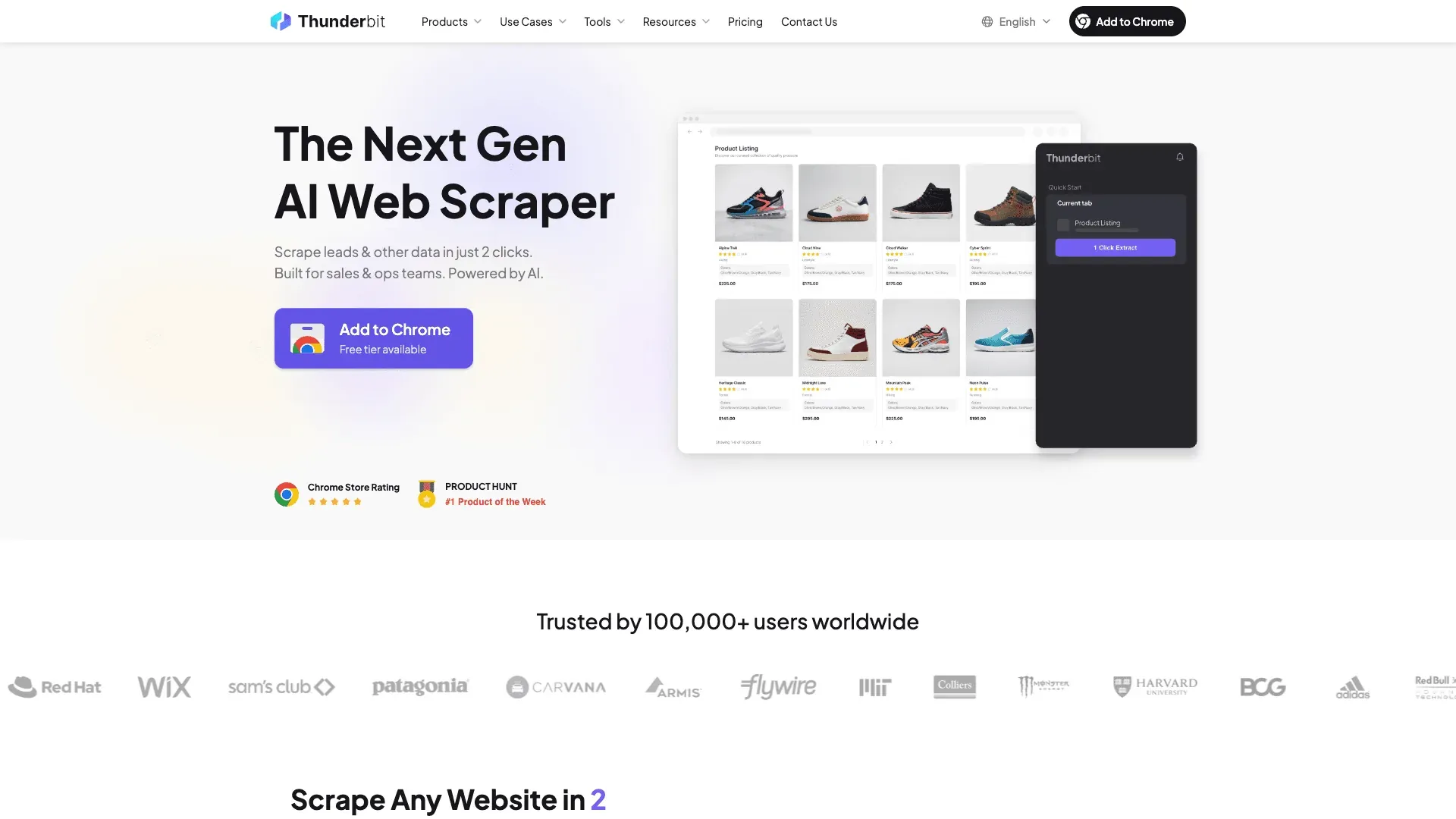
Thunderbit eBay Sellers को Competitors रिसर्च में कैसे मदद करता है
वर्कफ़्लो इतना आसान है कि इसे एक वाक्य में समझाया जा सकता है: eBay search results page या किसी competitor के seller profile को खोलें, AI Suggest Fields पर क्लिक करें, और Thunderbit की AI page structure पढ़कर title, price, shipping cost, seller, और condition जैसे columns सुझा देती है। Scrape पर क्लिक करें, और कुछ ही सेकंड में साफ़-सुथरी table मिल जाती है।
रिसेलर्स के लिए यह असल में तब काम आता है जब आप:
- Pricing validation: किसी sourced item को लिस्ट करने से पहले sold listings scrape करके price ceiling कन्फर्म करें — एक-एक करके नहीं, बल्कि दर्जनों या सैकड़ों एक साथ।
- Trend spotting: eBay search results को weekly scrape करके rising categories, brands, या price shifts पहचानें। Google Sheets में export करें, और आपके पास ongoing trend log तैयार है।
- Competitor monitoring: Scheduled Scraper फीचर की मदद से किसी competitor के top 50 SKUs पर price drops, new additions, या out-of-stock signals ट्रैक करें — इसे daily या weekly चलाने के लिए set करें।
Subpage Scraping फीचर असली differentiator है। पहले search results page scrape करें, फिर Thunderbit से हर individual listing पर जाकर item specifics, seller feedback score, return policy details आदि खिंचवाएं — और ये सब original table में जोड़ दिए जाते हैं। यह वही enrichment है जिसमें हाथ से घंटों लग जाते।
Before/after example: 50 competitor listings को मैन्युअली जांचने में 2+ घंटे क्लिक करने, कॉपी करने और पेस्ट करने में लग सकते हैं। Thunderbit इन्हें कुछ मिनटों में structured output के साथ scrape कर देता है, जो analysis के लिए तैयार होता है। अगर आप यह काम हर हफ्ते करते हैं, तो समय का यह अंतर बहुत जल्दी बड़ा हो जाता है।
Pricing, Pros, और Cons
- Pricing: Free tier (6 pages); Starter $15/month से शुरू (500 credits, 1 credit = 1 output row); इससे ऊपर के tiers भी उपलब्ध हैं।
- Pros: कोडिंग की जरूरत नहीं। AI किसी भी page layout के अनुसार खुद को ढाल लेती है। Scheduled Scraper लगातार monitoring के लिए। Google Sheets, Excel, Airtable, या Notion में free export।
- Cons: यह listing या selling tool नहीं है — यह research और intelligence layer है। Listing management, crosslisting, और repricing के लिए आपको अन्य tools की जरूरत होगी।
- 💡 कब पैसे देने लायक है… अगर आप नियमित रूप से competitor pricing research करते हैं, sold-listing data से sourcing decisions validate करना चाहते हैं, या manual मेहनत के बिना weekly competitor scrapes automate करना चाहते हैं।
2. 3Dsellers — Listing Management के लिए सबसे अच्छा eBay सेलर टूल
3Dsellers एक eBay Silver Solution Provider है, जो bulk listing management, order automation, AI-powered listing optimization, और customer service helpdesk — सब कुछ खास तौर पर eBay के लिए — उपलब्ध कराता है। अगर आपकी समस्या सैकड़ों या हजारों listings को templates, bulk edits, और automated order notifications के साथ संभालना है, तो यही वह टूल है जिसे ज़्यादातर eBay-native sellers चुनते हैं।
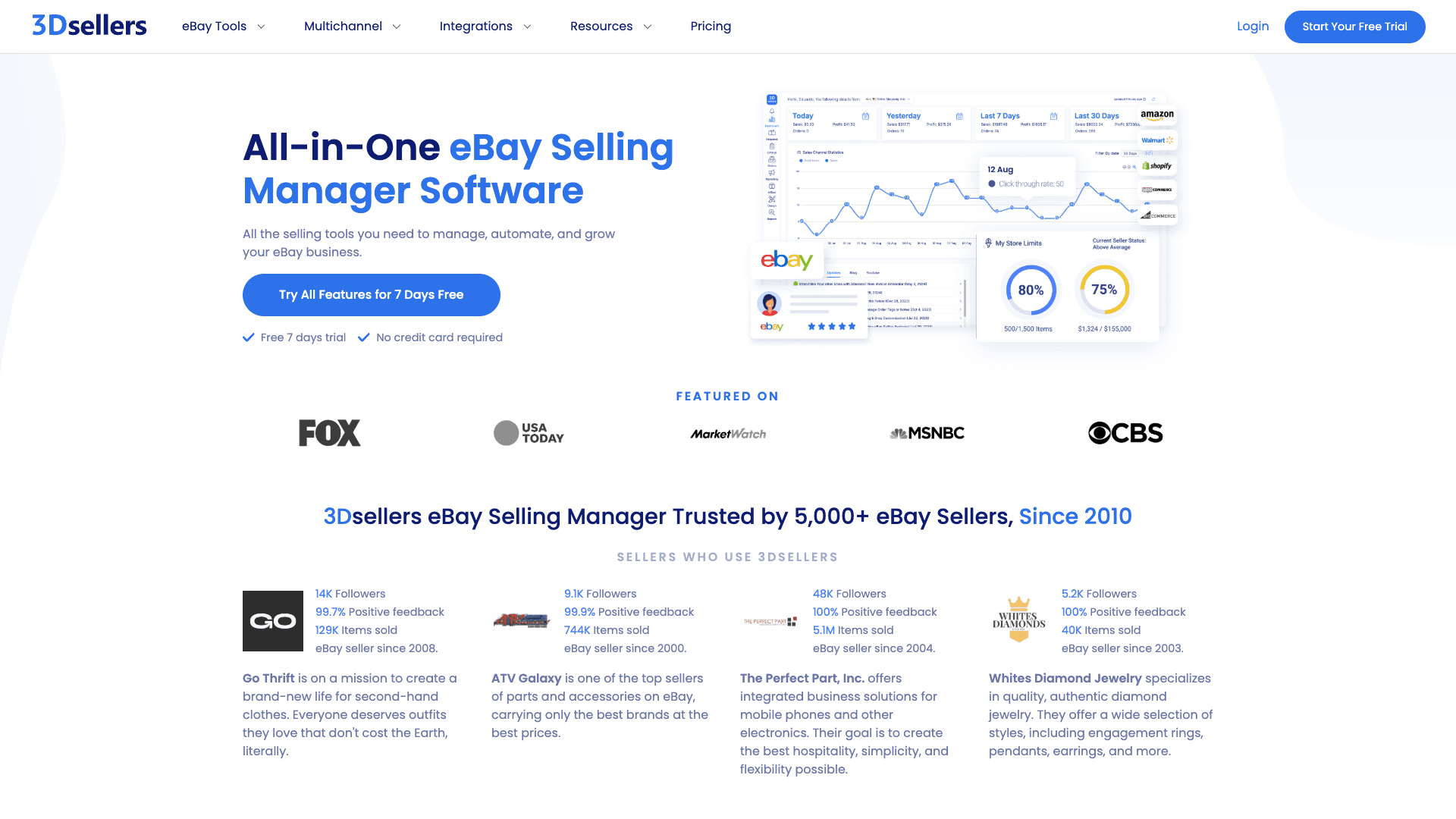
eBay Sellers के लिए मुख्य फीचर्स
- Bulk listing editor जिसमें CSV import/export के जरिए prices, titles, descriptions, और inventory को बड़े पैमाने पर update किया जा सकता है। CSV field documentation eBay-specific और काफी विस्तृत है, जिससे गंभीर bulk workflows संभाले जा सकते हैं।
- AI-powered SEO optimization listing titles और meta descriptions के लिए, eBay के Cassini search algorithm के अनुसार tuned।
- AI price suggestions जो live और sold eBay data पर आधारित हैं — generic marketplace averages पर नहीं।
- Automated order management: order notifications, invoice generation, और multiple eBay Stores में internal notes।
- Professional listing design templates drag-and-drop editor के साथ।
- Free tools included: eBay Title Builder, Fee Calculators, SKU Generator।
Pricing, Pros, और Cons
- Pricing: Essential at $26/month (annual) या $29/month monthly; Growth $29.90/month annually; Professional $59/month annually. 7-day free trial।
- Pros: इस लिस्ट में सबसे गहरा eBay-specific feature set। eBay द्वारा authorized। मजबूत support और tutorials। Price automation फिलहाल eBay-only है, यानी यह सचमुच प्लेटफ़ॉर्म के लिए ट्यून किया गया है।
- Cons: User reviews में eBay platform updates के बाद कभी-कभी bugs और advanced features के लिए learning curve की बात कही गई है। अगर आप मुख्यतः non-eBay platforms पर बेचते हैं, तो इसकी उपयोगिता कम हो जाती है।
- 💡 कब पैसे देने लायक है… अगर आप 200+ active eBay listings संभालते हैं और bulk editing, listing templates, या automated customer messaging हर हफ्ते काफी समय बचा सकते हैं।
3. ZIK Analytics — Product Research के लिए सबसे अच्छा eBay सेलर टूल
ZIK Analytics एक product research और market analysis platform है, जो sellers को profitable items ढूंढने, competitors का विश्लेषण करने, और suppliers match करने में मदद करता है। यह उन sellers के लिए बना है जो अंदाज़े के बजाय data-driven sourcing decisions लेना चाहते हैं।
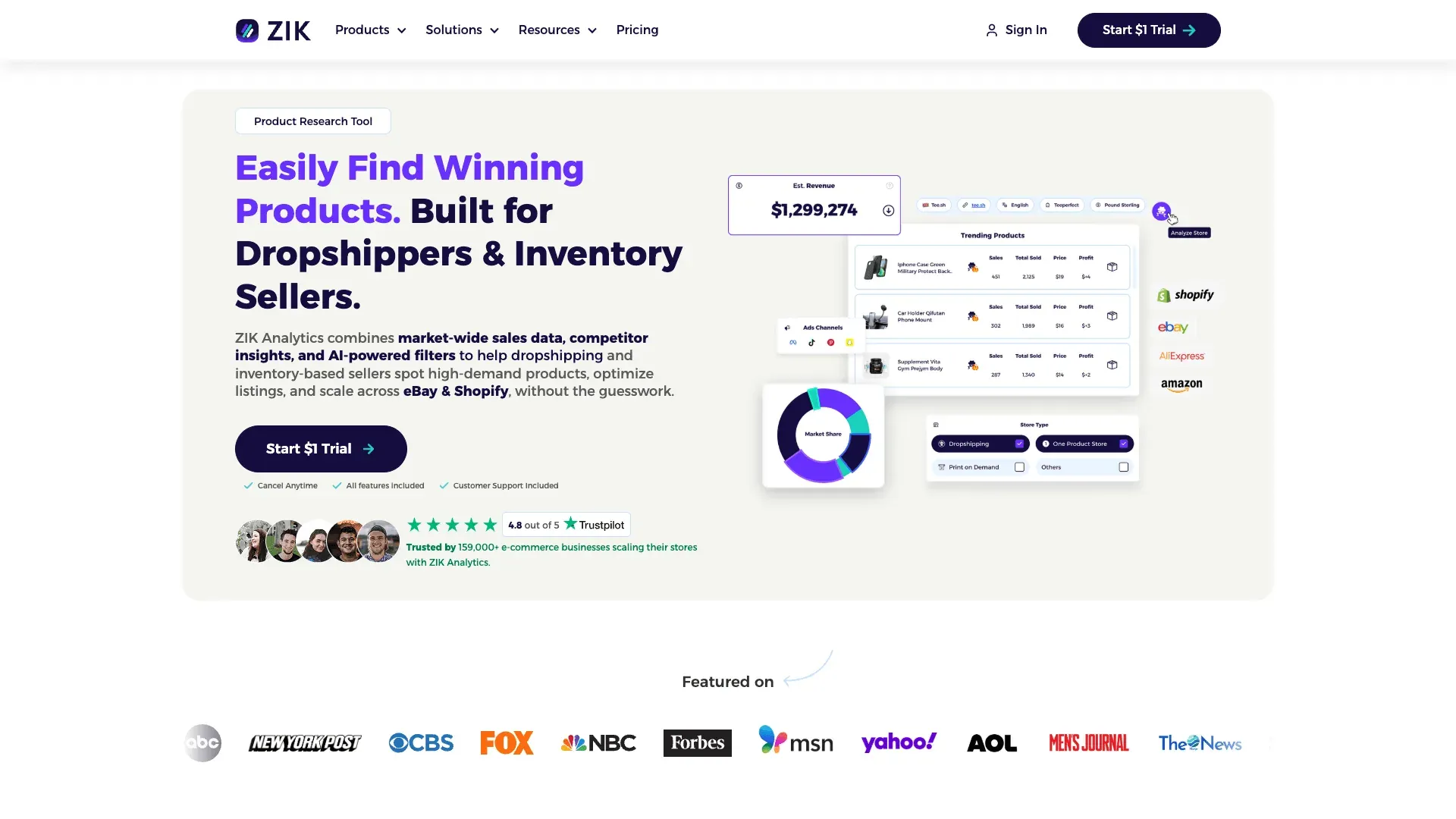
eBay Sellers के लिए मुख्य फीचर्स
- Product explorer जिसमें 19+ filters हैं (category, sales volume, revenue, pricing) और real-time eBay sales data इस्तेमाल होता है।
- Competitor research: किसी भी eBay seller की inventory, best-performing listings, और pricing strategies का विश्लेषण करें।
- Supplier matching Amazon, Walmart, AliExpress, Alibaba, और CJ Dropshipping पर।
- eBay keyword tool listing optimization के लिए — यह समझने में मदद करता है कि खरीदार असल में क्या खोजते हैं।
- Price analytics tutorial रिसर्च वर्कफ़्लो को step by step समझाता है।
Pricing, Pros, और Cons
- Pricing: Promotional first month ($1), उसके बाद PRO के लिए $39.90/month; PRO+ के लिए $59.90/month.
- Pros: लाखों transactions से सटीक eBay marketplace data. सोर्सिंग decisions के लिए manual research समय को बहुत कम कर देता है।
- Cons: नए sellers के लिए steep learning curve. eBay और Shopify पर फोकस — अगर आपको Poshmark, Mercari, या Depop पर research चाहिए, तो यह आदर्श नहीं है।
- 💡 कब पैसे देने लायक है… अगर आप महीने में 20+ नए products source करते हैं और inventory खरीदने से पहले demand validate करना चाहते हैं।
अब तक कौन-से पैटर्न दिख रहे हैं
तीन टूल्स हो चुके हैं, और एक साफ़ थीम बन रही है। Thunderbit, 3Dsellers, और ZIK — हर एक eBay workflow के अलग हिस्से को हल करते हैं: competitive intelligence, listing operations, और sourcing research। कोई भी एक टूल इन तीनों को बराबर अच्छे से कवर नहीं करता। जो sellers असली efficiency बनाते हैं, वे हर bottleneck के लिए एक टूल चुनते हैं, न कि एक ऐसा टूल जो सब कुछ करने का दावा करे।
यही सिद्धांत इस लिस्ट के बाकी टूल्स पर भी लागू होता है।
4. Vendoo — Crosslisting के लिए सबसे अच्छा eBay सेलर टूल
Vendoo एक crosslisting platform है, जो resellers को eBay, Poshmark, Mercari, Depop, Etsy, और अन्य resale marketplaces पर एक ही dashboard से inventory list और manage करने देता है। जब लोगों से पूछा जाता है कि वे कई platforms को बिना परेशान हुए कैसे संभालते हैं, तो पार्ट-टाइम resellers सबसे ज़्यादा इसी टूल का नाम लेते हैं।

eBay Sellers के लिए मुख्य फीचर्स
- 10+ resale platforms पर crosslist एक ही listing draft से — supported marketplaces में eBay, Poshmark, Mercari, Depop, Etsy, Kidizen, Grailed, Facebook Marketplace, और अन्य शामिल हैं।
- Inventory sync ताकि एक item किसी एक platform पर बिकने पर double-sell न हो। (यह असली stress point है — एक Reddit user ने कहा: "crosslisting really scares me because the thought of a double sale is a big stressor for me.")
- Analytics dashboard sales, sell-through rates, और platform performance ट्रैक करने के लिए।
- AI listing enhancement और integrated PhotoRoom background removal।
- Mobile-friendly workflow, ताकि चलते-फिरते listing की जा सके।
Pricing, Pros, और Cons
- Pricing: Free plan (5 items); Starter $8.99/month; higher tiers monthly item volume के आधार पर।
- Pros: किफायती शुरुआत। व्यापक platform support। शुरुआती लोगों के लिए आसान। मजबूत community।
- Cons: गहरे eBay-specific फीचर्स सीमित हैं — promoted listing management नहीं, Cassini optimization नहीं। बहुत बड़े inventories पर crosslisting speed धीमी हो सकती है।
- 💡 कब पैसे देने लायक है… अगर आप 3+ marketplaces पर बेचते हैं और प्लेटफ़ॉर्म्स में listings दोबारा डालने में हर हफ्ते 2 घंटे से ज़्यादा लग रहे हैं।
5. eBay Seller Hub — सबसे अच्छा Free eBay Seller Tool (और जिसे ज़्यादातर sellers नज़रअंदाज़ करते हैं)
eBay Seller Hub eBay का अपना built-in free tools suite है। ज़्यादातर लेख इसे बस एक लाइन में निपटा देते हैं। यह गलती है, क्योंकि किसी भी seller को third-party tools पर पैसा खर्च करने से पहले इसी foundation में माहिर होना चाहिए।
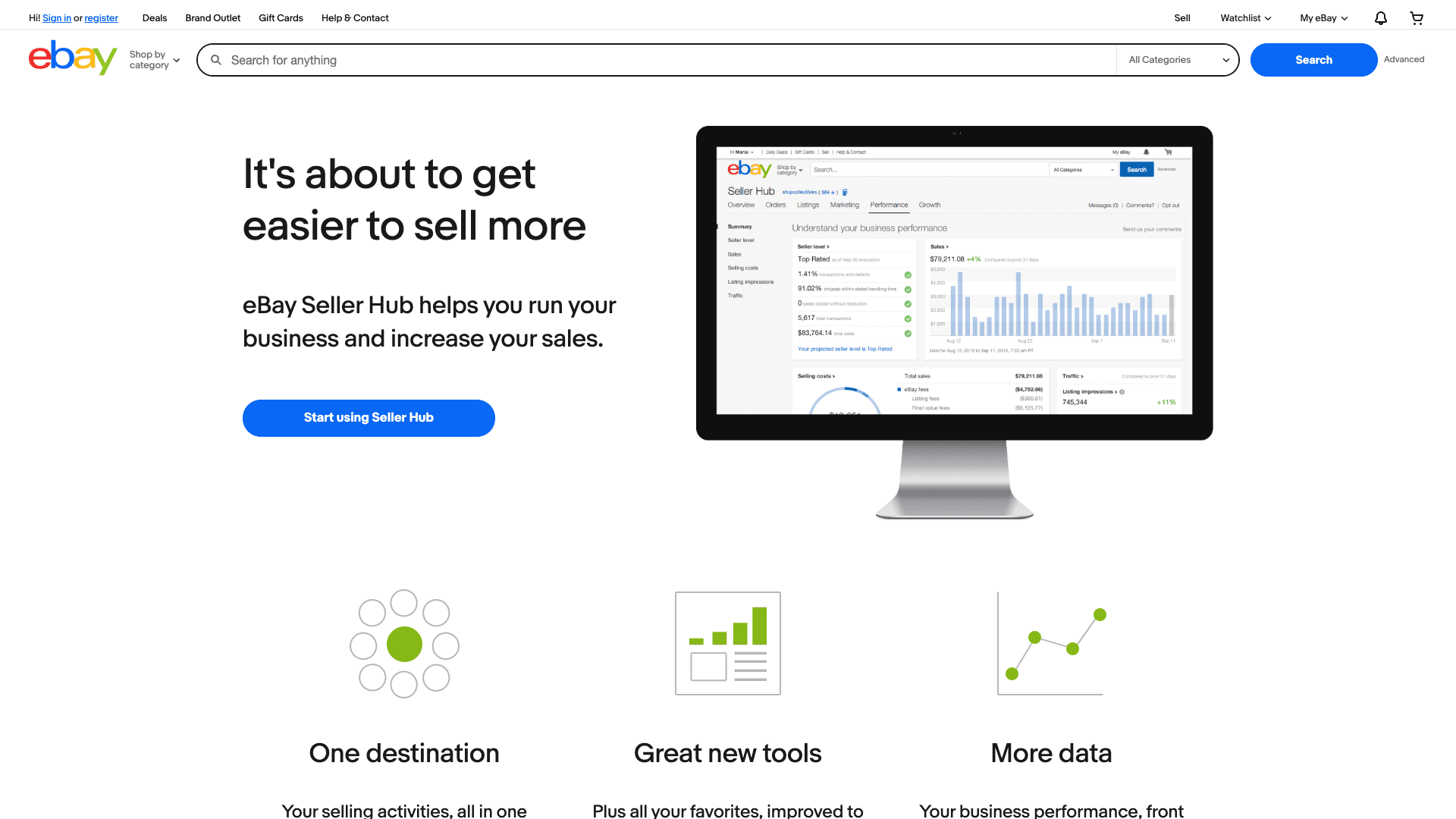
eBay के Free Native Tools का पूरा सेट
| eBay Native Tool | यह क्या करता है | किसे इस्तेमाल करना चाहिए | मुख्य सीमा |
|---|---|---|---|
| Seller Hub Dashboard | sales, listings, traffic, और performance के लिए central dashboard | हर seller — यही आपका home base है | External BI tools की तुलना में customization सीमित |
| Product Research (Terapeak) | 3 वर्षों का sold-item, price, और sell-through data | हर seller जो price और demand validate कर रहा है | सिर्फ eBay data, external competitor view नहीं |
| Sourcing Insights | Store-level demand और sourcing opportunities | Basic Store subscription या उससे ऊपर वाले sellers | Store-gated, सभी के लिए नहीं |
| Promotions Manager | Coupons, sales, volume pricing, codeless promotions | Promo चलाने वाले store owners | Automated scheduling या A/B testing नहीं |
| Listing Analytics | listing-level impressions, click-through rate | कमजोर प्रदर्शन वाली listings की जड़ समझने वाले sellers | keyword-level data नहीं |
| eBay Mobile App Listing | फोन कैमरा से तेज़ photo-to-list workflow | Casual sellers, चलते-फिरते list करने वाले | कम fields, bulk features नहीं |
Terapeak अब premium add-on नहीं रहा। यह Seller Hub के Research tab में सभी sellers के लिए उपलब्ध है — 3 साल का sales data, average prices, और sell-through rates। अगर आपने इसे इस्तेमाल नहीं किया है, तो किसी और चीज़ पर पैसा खर्च करने से पहले यहीं से शुरू करें।
Pricing, Pros, और Cons
- Pricing: पूरी तरह मुफ्त। कुछ फीचर्स (Sourcing Insights, Markdown Manager) के लिए eBay Store subscription चाहिए — Starter at $4.95/month annually, Basic at $21.95/month annually.
- Pros: शून्य लागत। eBay platform के साथ हमेशा updated। third-party data risk नहीं। Terapeak price validation के लिए आश्चर्यजनक रूप से शक्तिशाली है।
- Cons: 3 साल से अधिक historical data सीमित। custom reports नहीं। cross-platform support नहीं। basic promotions से आगे automation नहीं।
- 💡 कब पैसे देने लायक है? N/A — हर किसी को Seller Hub इस्तेमाल करना चाहिए। सवाल यह है कि यह कौन-सी gaps छोड़ता है जिन्हें paid tools भरते हैं।
6. inkFrog — Multi-Channel Inventory Sync के लिए सबसे अच्छा eBay सेलर टूल
inkFrog एक listing management platform है, जो professional eBay listings बनाने और eBay, Amazon, Shopify, BigCommerce, और Wix के बीच inventory sync करने पर केंद्रित है। यह 1999 से मौजूद है, यानी इसे काफ़ी परखा जा चुका है — हालांकि इसकी interface कुछ जगहों पर पुरानी लगती है।
eBay Sellers के लिए मुख्य फीचर्स
- Bulk editing: सैकड़ों listings एक साथ अपडेट करें — policies, prices, titles, descriptions।
- Professional HTML listing templates ताकि search results में अलग दिखने वाली polished eBay listings बनाई जा सकें।
- Multi-channel inventory sync जिससे eBay + आपके अन्य stores में stock levels सही बने रहें।
- CSV import listings को migrate या bulk-upload करने के लिए।
- Auto-feedback और auto-relist rules ताकि manual follow-up कम हो।
Pricing, Pros, और Cons
- Pricing: Free plan (10 listings); Small $11/month; Basic $19/month; Professional $29/month.
- Pros: भरोसेमंद track record। मजबूत template library। टेस्टिंग के लिए free tier। eBay + Shopify या Amazon चलाने वाले sellers के लिए अच्छा।
- Cons: यह ecommerce stores और dropshippers के लिए ज्यादा बनाया गया है — Poshmark, Depop, या Mercari जैसे resale platforms से नहीं जुड़ता। G2 reviews में support और कभी-कभार sync reliability issues की शिकायतें मिलती हैं। UI नए tools की तुलना में पुरानी लगती है।
- 💡 कब पैसे देने लायक है… अगर आप eBay + कम-से-कम एक ecommerce platform (Shopify, Amazon, Wix) पर बेचते हैं और manual inventory updates oversells का कारण बन रहे हैं।
7. Informed Repricer — Automated Repricing के लिए सबसे अच्छा eBay सेलर टूल
Informed.co एक automated repricing tool है, जो competitor pricing, market demand, और आपके बनाए rules के आधार पर आपकी eBay (और Amazon) listing prices adjust करता है। अगर आप commodity या branded items बेचते हैं, जहां price buying decision का मुख्य कारण है, तो repricer sales जीतने और हारने के बीच का फर्क बन सकता है।

eBay Sellers के लिए मुख्य फीचर्स
- Rule-based and algorithmic repricing strategies: ऐसे rules सेट करें जैसे "सबसे कम competitor से $0.50 नीचे रहो" या "कभी भी अपने floor price से नीचे मत जाओ।"
- Real-time competitor price monitoring.
- एक ही टूल में eBay और Amazon repricing का सपोर्ट।
- Revenue और margin analytics ताकि repricing का असर ट्रैक हो सके।
Pricing, Pros, और Cons
- Pricing: G2 पर सार्वजनिक third-party pricing के मुताबिक entry लगभग $99/month से शुरू होती है। Free 14-day trial उपलब्ध है।
- Pros: Set-and-forget repricing घंटों बचाता है। Buy It Now sales जीतने में मदद करता है। Real-time competitor awareness देता है।
- Cons: नीचे गिरती कीमतों की race से बचने के लिए floor-price setup बहुत सावधानी से करना पड़ता है। eBay-specific repricing features Amazon की तुलना में कम mature हैं। एक-आध चीजों के लिए यह उपयोगी नहीं — अगर आप vintage या unique thrift finds बेचते हैं, तो यह ज्यादा मदद नहीं करेगा।
- 💡 कब पैसे देने लायक है… अगर आप commodity या branded items बेचते हैं और कई competing sellers हैं, जहाँ price खरीद का मुख्य कारक है। अगर हर महीने 5+ sales ऐसे competitors के हाथ जा रही हैं जो कुछ घंटों में आपकी कीमत से नीचे आ जाते हैं, तो repricer जल्दी अपनी कीमत वसूल करने लगता है।
8. PhotoRoom — Product Photos के लिए सबसे अच्छा eBay सेलर टूल
PhotoRoom एक AI-powered photo editing app है, जो backgrounds हटाता है, product images को साफ़ करता है, और batch editing की सुविधा देता है। रिसेलर product photography में यह लगभग industry standard बन चुका है — और इसकी वजह साफ़ है।

eBay Sellers के लिए मुख्य फीचर्स
- One-tap background removal साफ़, white-background product photos के लिए।
- Batch mode ताकि एक साथ दर्जनों photos edit की जा सकें (Pro plan — प्रति माह 500 batch exports तक)।
- Templates ताकि listings में branding consistent रहे।
- Mobile app ताकि shoot करने के तुरंत बाद photos edit हो जाएँ।
Pricing, Pros, और Cons
- Pricing: Free tier में 250 exports/month और basic features; Pro लगभग $9.99/month, जिसमें batch mode और advanced AI tools मिलते हैं।
- Pros: तेज़, आसान, batch mode समय बचाता है। listing look को काफ़ी बेहतर बनाता है। G2 reviews लगातार ease of use को हाइलाइट करती हैं।
- Cons: free tier में फीचर्स सीमित हैं। यह listing tool नहीं है — photos को फिर भी अलग से eBay पर upload करना पड़ता है। Advanced editing (shadows, reflections) Pro में ही मिलती है।
- 💡 कब पैसे देने लायक है… अगर आप महीने में 50+ items list करते हैं और photos को manually batch edit करने में 30 मिनट से ज़्यादा लगाते हैं।
9. AutoDS — Dropshipping Automation के लिए सबसे अच्छा eBay सेलर टूल
AutoDS एक all-in-one dropshipping automation platform है, जो product sourcing, listing, inventory management, price monitoring, और order fulfillment को eBay, Shopify, Amazon, और अन्य marketplaces पर संभालता है।
eBay Sellers के लिए मुख्य फीचर्स
- Automated product importing 500+ suppliers (AliExpress, Amazon, Walmart, आदि) से।
- Auto price and stock monitoring — supplier price या availability बदलने पर eBay listings अपडेट करता है।
- Automatic order fulfillment: जब eBay order आती है, AutoDS supplier के पास order place कर देता है।
- Listing optimization tools और product research features।
Pricing, Pros, और Cons
- Pricing: 3-day trial for $1; plans लगभग $26.90/month से शुरू।
- Pros: End-to-end dropshipping automation। बड़ा supplier network। सही business model के लिए fulfillment पर बहुत समय बचाता है।
- Cons: खास तौर पर dropshipping के लिए बनाया गया है — thrift stores या clearance से sourcing करने वाले resellers के लिए उपयोगी नहीं। महत्वपूर्ण policy note: eBay dropshipping की अनुमति देता है जब आप wholesale supplier से fulfill करते हैं, लेकिन किसी retail seller से item खरीदकर सीधे customer को ship कराना allowed नहीं है। अपना model compliant रखें। शुरुआती setup में learning curve है।
- 💡 कब पैसे देने लायक है… अगर आप eBay पर compliant dropshipping model चलाते हैं और महीने में 50+ orders manually fulfill कर रहे हैं।
10. Algopix — Profitability Analysis के लिए सबसे अच्छा eBay सेलर टूल
Algopix एक product research और profitability analysis platform है, जो inventory खरीदने से पहले eBay, Amazon, और Walmart पर demand, fees, shipping costs, और net margin का अनुमान लगाता है। यह उन sellers के लिए टूल है जो bulk में खरीदते हैं और capital लगाने से पहले margin validate करना चाहते हैं।

eBay Sellers के लिए मुख्य फीचर्स
- Product analysis: UPC, ASIN, या keyword डालें और estimated demand, average selling price, competition level, और सभी fees के बाद net profit देखें।
- Cross-marketplace comparison: एक ही product eBay बनाम Amazon बनाम Walmart पर कैसा प्रदर्शन करता है, यह देखें।
- Bulk analysis पूरे pallets या liquidation lots का मूल्यांकन करने के लिए।
- Expense calculator जो eBay fees, shipping, और platform-specific costs को ध्यान में रखता है।
Pricing, Pros, और Cons
- Pricing: official deal pages के आधार पर entry pricing लगभग $35/month है; सीमित free searches उपलब्ध हैं।
- Pros: खराब sourcing decisions से बचाता है। Cross-marketplace comparison अनोखा है। Bulk analysis liquidation evaluation में घंटों बचाता है।
- Cons: UPC वाले branded/commodity products के लिए सबसे अच्छा; vintage, one-of-a-kind, या unbranded items के लिए काफी कम उपयोगी। Data accuracy category पर निर्भर करती है। यह listing या selling tool नहीं है।
- 💡 कब पैसे देने लायक है… अगर आप inventory bulk में खरीदते हैं (pallets, wholesale, liquidation) और $500+ लगाने से पहले margins validate करना चाहते हैं।
eBay Seller Tools की तुलना: पूरी side-by-side breakdown
| टूल | Free Plan / Trial | Monthly Pricing | सबसे अच्छा किसके लिए | eBay-Specific Features | AI / Automation | Integrations | Learning Curve | Unique Strength |
|---|---|---|---|---|---|---|---|---|
| Thunderbit | Free tier (6 pages) | $15/mo starter | Competitor intelligence | eBay results, seller pages, item specifics को subpages के जरिए scrape करता है | High | Excel, Sheets, Airtable, Notion | Low | eBay pages से structured competitor data तक सबसे तेज़ रास्ता |
| 3Dsellers | 7-day free trial | $26/mo annual | Listing management | Deep eBay listing, offer, CSV, pricing, support workflows | High | कुछ multichannel add-ons, eBay-first | Medium | सबसे complete eBay-native operations suite |
| ZIK Analytics | $1 trial | $39.90/mo | Product research | Strong eBay research and competitor data | Medium | Supplier matching, export-oriented | Medium | sourcing decisions के लिए best research-first tool |
| Vendoo | Free (5 items) | $8.99/mo | Crosslisting | Limited deep eBay-native tooling | Medium | 10+ resale marketplaces | Low | Beginner-friendly crosslisting |
| Seller Hub | Free | $0 | Native eBay ops | Full native fit | Medium | Mostly inside eBay | Low | सबसे अच्छा no-cost foundation |
| inkFrog | Free (10 listings) | $11/mo | eBay + store sync | Strong eBay listing and sync | Medium | Amazon, Shopify, BigCommerce | Medium | eBay + ecommerce store sync |
| Informed | Free trial | ~$99/mo (G2) | Automated repricing | eBay support (Amazon-side is more mature) | High | Marketplace repricing | Medium | सबसे specialized repricing logic |
| PhotoRoom | Free tier | ~$9.99/mo Pro | Product photos | No true eBay-native integration | Medium | Mobile/web, downstream export | Low | Fast batch photo cleanup |
| AutoDS | $1/3-day trial | ~$26.90/mo | Dropshipping automation | eBay dropshipping positioning | High | Multi-marketplace + suppliers | Medium | End-to-end dropshipping automation |
| Algopix | Limited free searches | ~$35/mo | Profitability analysis | eBay + Amazon + Walmart comparison | Medium | Identifier-based tools | Medium | Best pre-buy margin validation |
Best For Quick Picks:
- Budget पर beginners के लिए best: eBay Seller Hub
- Competitive intel के लिए best: Thunderbit
- Crosslisting के लिए best: Vendoo
- Listing management के लिए best: 3Dsellers
- Product research के लिए best: ZIK Analytics
Free vs. Paid eBay Seller Tools: पैसा कब सच में देना समझदारी है?
यह वह हिस्सा है जिसे ज़्यादातर eBay tool articles छोड़ देते हैं, जबकि sellers को असल में इसी की जरूरत होती है। Subscriptions को लेकर skepticism स्वाभाविक और तर्कसंगत है — जब eBay के अपने tools मुफ्त हैं, तो $40/month क्यों दें?
जवाब यह नहीं है कि “tools पैसे वसूल हैं।” असली जवाब है: कोई tool तभी पैसे वसूल करता है जब वह किसी ऐसे bottleneck को हटाए जिसे आप पहले से महसूस कर रहे हैं।
| Seller Profile | Monthly Listings | सही Tool Budget | आमतौर पर सबसे पहले क्या फायदा देता है |
|---|---|---|---|
| Hobby / Casual | <50 | $0 | Seller Hub, mobile listing, spreadsheets, Thunderbit free tier |
| Part-Time | 50–200 | $0–50/mo (केवल तब जब pain साफ़ हो) | PhotoRoom Pro, Vendoo Starter, या एक research tool |
| Growing | 200–1,000 | $75–150/mo | 3Dsellers + Vendoo + PhotoRoom + research tool |
| Full-Time / Scaling | 1,000+ | $180–300+/mo | Full stack: listing ops + crosslisting + repricing + research + profit validation |
निर्णायक बिंदु
- Listing management तब अपनी कीमत वसूल करता है जब bulk edits, templates, या buyer-message automation हर हफ्ते कई घंटे बचा रहे हों।
- Crosslisting तब फायदा देता है जब duplicate entry या delisting risk वर्कफ़्लो को तनावपूर्ण बना रहा हो। (एक seller ने Reddit पर कहा: "ताकि आप गलती से किसी खास item को दो बार न बेच दें.")
- Repricing तभी काम आता है जब items इतने commodity-like हों कि price changes में देर होना सीधे sales घटा दे।
- Photo tools तब अपनी कीमत वसूल करते हैं जब image cleanup एक batch process बन जाए, न कि एक बार की झंझट।
- Research tools तब उपयोगी होते हैं जब sourcing mistakes की कीमत subscription से ज़्यादा हो जाए।
- Competitive intelligence (Thunderbit) तब पैसे वसूल करता है जब competitor checks कभी-कभार की spot check न रहकर एक नियमित आदत बन जाएं। Free tier occasional use को संभालता है; credit-based model का मतलब है कि धीमे महीनों में बेकार monthly fee नहीं जाती।
आपको असल में कौन-से eBay Seller Tools चाहिए? Stage-based stacks
आपको ये सभी 10 tools नहीं चाहिए। आपको अपने मौजूदा stage के लिए सही 2–4 tools चाहिए, जो तभी जोड़ें जब कोई खास bottleneck महसूस हो। नीचे तीन concrete stacks और उनकी realistic costs दी गई हैं।
Beginner Stack (0–50 Listings/Month, $0/Month)
Workflow: Item source करें → eBay Mobile App (photo + list) → eBay Seller Hub (sales track करें) → Spreadsheet (profit tracking) → Thunderbit free tier (कभी-कभार competitor price checks)
- Total cost: $0
- इस stage का focus: sell-through patterns और category habits सीखें। जो अभी सीखा नहीं, उसे optimize न करें।
Growing Stack (50–500 Listings/Month, ~$75–95/Month)
Workflow: Item source करें → PhotoRoom Pro (clean product photos) → 3Dsellers Essential (bulk listing + templates) → Vendoo Starter (Poshmark/Mercari पर crosslist) → ZIK Analytics PRO (source करने से पहले research) → Thunderbit free tier या Starter (weekly competitor scrapes Google Sheets में export करें)
- Total cost: ~$75–95/month (annual vs. monthly billing के अनुसार बदल सकता है)
- इस stage का focus: consistency और speed। listing और research में बचाया हर घंटा sourcing के लिए उपलब्ध होता है।
Scaling Stack (500+ Listings/Month, ~$220–300+/Month)
Workflow: Item source करें → PhotoRoom Pro (batch photo editing) → 3Dsellers Growth या inkFrog Professional (bulk listing + channels के बीच inventory sync) → Vendoo Pro (crosslisting automation) → Informed Repricer (automated repricing) → ZIK + Thunderbit Scheduled Scraper (subpage enrichment के साथ deep competitive intel) → Algopix (bulk buys से पहले profitability validation)
- Total cost: ~$220–300+/month
- इस stage का focus: automation, systems, और data-driven decisions। इस volume पर जो manual process आपने automate नहीं किया, वह सीधे margin को खींचता है।
Competitive Intelligence eBay Sellers को बढ़त कैसे देता है
यह eBay seller toolkit का सबसे ज्यादा नज़रअंदाज़ किया जाने वाला हिस्सा है, और यही वह angle है जिसे कोई दूसरा eBay seller tools article नहीं छूता। इस लिस्ट का हर tool आपको कुछ करने में मदद करता है — तेजी से list करना, crosspost करना, repricing, photos edit करना। लेकिन इनमें से कोई भी (Thunderbit को छोड़कर) आपको कुछ नया जानने में मदद नहीं करता।
असल जीवन में competitive intelligence का मतलब है:
- Pricing validation: किसी sourced item को लिस्ट करने से पहले यह जानना जरूरी है कि मिलते-जुलते items वास्तव में कितने में बिके, न कि सिर्फ sellers क्या मांग रहे हैं।
- Trend detection: समय के साथ search results scrape करने से पता चलता है कि कौन-सी categories, brands, या conditions गति पकड़ रही हैं।
- Competitor tracking: seller inventories की monitoring से price drops, नई listings, और stock changes आपके margins पर असर डालने से पहले दिख सकते हैं।
- Assortment gaps: अपने inventory की top-selling competitors से तुलना करने पर पता चलता है कि कहाँ stock कम है या कौन-से profitable variants गायब हैं।
यही वह जगह है जहाँ Thunderbit फिट बैठता है। यह किसी भी eBay page को structured source of truth में बदल देता है, जिसे आप export, analyze, और schedule के अनुसार फिर से देख सकते हैं।
AI से eBay pages scrape करें Get Started Free
जो sellers manual spot checks से आगे बढ़ना चाहते हैं, उनके लिए workflow आसान है: Thunderbit से results pages scrape करें, subpages से data enrich करें, और Sheets या Airtable में export करें। फिर इसे sourcing costs या competitor activity से compare करके बेहतर buying और pricing decisions लें।
अगर आप scraping workflows की broader walkthrough चाहते हैं, तो AI का उपयोग करके किसी भी वेबसाइट को scrape कैसे करें या Website से Excel में data scrape करने का सबसे आसान तरीका देखें।
और जानें




