
Two tools, same goal, completely different starting points. Thunderbit hands you a browser extension and says "point and click." Firecrawl hands you an API key and says "write a request."
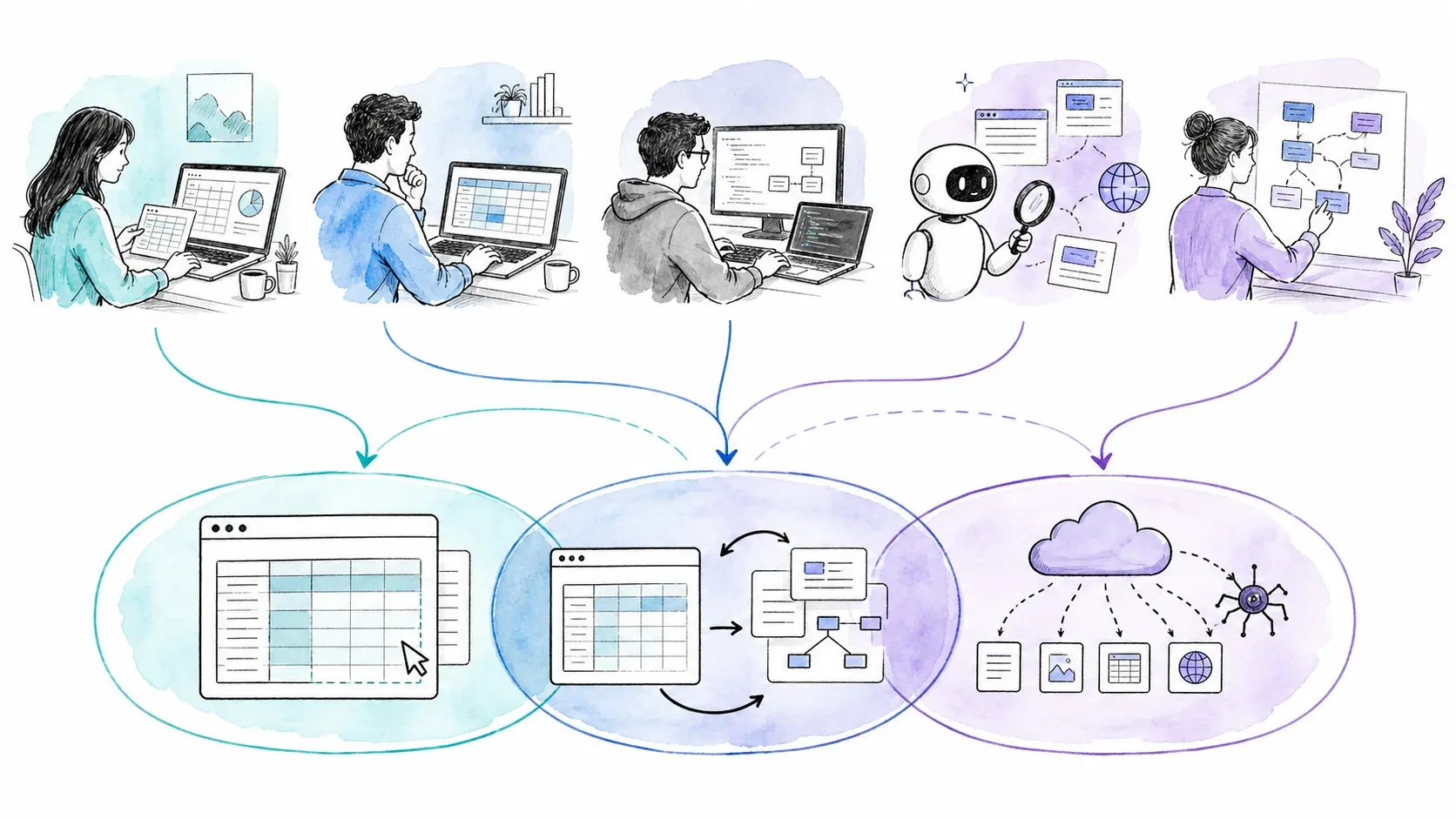
That tension — no-code versus API-first — defines the web scraping landscape right now. The global web scraping market keeps growing, and the tools competing for your attention have split into two camps: visual, business-user-friendly platforms and developer-centric context engines built for AI pipelines. If you're trying to decide between Thunderbit and Firecrawl, you're really deciding which camp fits your workflow, your skills, and your budget. I've spent a lot of time digging into both tools — their docs, their pricing pages, their community threads, their actual product surfaces — and this is the breakdown I wish existed when I started. We'll walk through features, workflows, pricing math, AI/LLM integration, and close with a decision framework that actually picks a side.
What Kind of Scraping User Are You? (It Matters More Than Features)
Before comparing a single feature, ask yourself: who are you?
I don't mean that philosophically. Are you a marketer who needs competitor prices in a spreadsheet by lunch, or a developer wiring up a RAG pipeline for a production LLM? The answer shapes everything — which tool is faster, cheaper, and less frustrating for your specific job.
Here's how I think about the two primary archetypes:
| Dimension | Archetype A — Business User | Archetype B — Developer / AI Engineer |
|---|---|---|
| Primary tool surface | Browser extension (Thunderbit) | API / CLI / MCP (Firecrawl or Thunderbit API) |
| Typical task | Extract leads, pricing, listings to Excel | Crawl domains, feed Markdown into RAG, automate via n8n |
| Skill assumption | No coding, no terminal | Comfortable with Python, cURL, CI/CD |
| Success metric | Time-to-spreadsheet | Throughput, cost-per-page, Markdown fidelity |
Every section below is scored through both lenses. If you're Archetype A, you can skim the developer-heavy parts. If you're Archetype B, you'll want to pay close attention to the AI-agent and pricing-at-scale sections.
What Is Thunderbit?
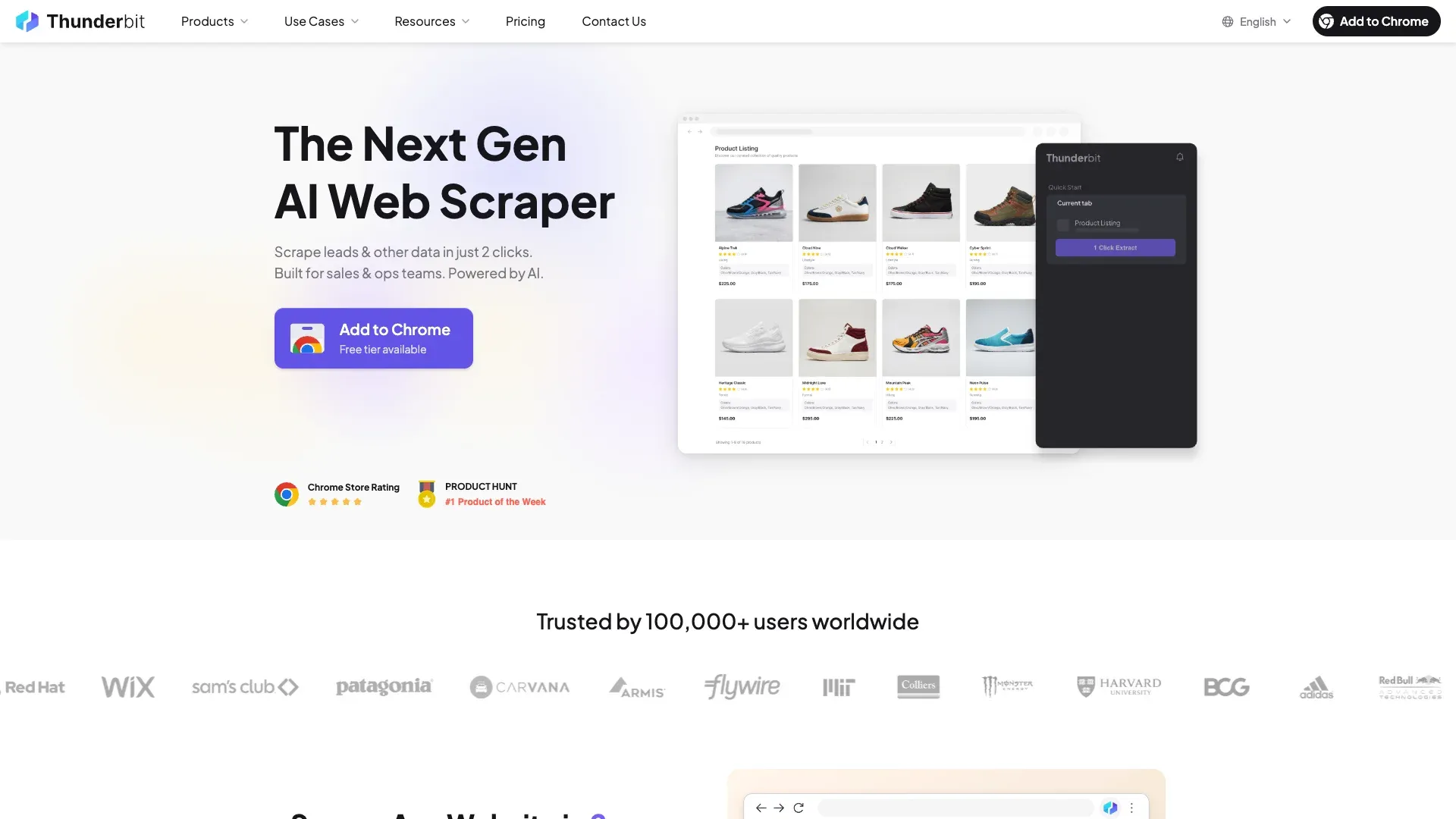
Thunderbit is an agentic web scraper and automation platform. Its primary surface is a Chrome/Edge browser extension designed for people who don't write code. The core workflow: open a page and click One Click Extract. The agent detects, reads, and analyzes the page; Run Now can start immediately, while otherwise extraction starts automatically before export to Excel, Google Sheets, Airtable, Notion, or other supported destinations.
But Thunderbit isn't browser-only. It also offers an Open API (with Distill and Extract endpoints), an official MCP Server for AI-agent hosts like Claude and Cursor, and a CLI for terminal workflows. So it spans both archetypes — no-code business users and developers who want programmatic access.
Key things to know:
- One Click Extract proposes semantic output columns; Field AI Prompts can transform, categorize, translate, or clean values.
- Pagination, infinite scroll, and subpage enrichment are supported on compatible pages.
- Browser Mode uses your active session; Cloud Mode supports public/scheduled/parallel workloads.
- The API provides Markdown (via Distill) and structured JSON (via Extract), plus async batches, webhooks, and rendering controls.
What Is Firecrawl?

Firecrawl calls itself a web context API for AI agents. It's developer-centered and API-first, built to turn web pages into LLM-ready data — clean Markdown, structured JSON, screenshots, links, media, and more.
Its product surface is broader than "just scraping." Current endpoints include:
| Endpoint | What it does |
|---|---|
| Scrape | One URL → Markdown, HTML, JSON, screenshot, links, media, etc. |
| Crawl | Recursively discover and scrape pages across a site |
| Map | Fast URL discovery without scraping content |
| Search | Web/news/image discovery, optionally with scraped results |
| Agent | Prompt-driven autonomous search/navigation/extraction (Research Preview) |
| Interact | Prompt- or code-driven browser session continuation |
| Parse | PDF/document parsing |
| Monitor | Scheduled change monitoring |
| Batch Scrape | Process a known URL list asynchronously |
Firecrawl is not code-only anymore. It has Playgrounds for Scrape, Crawl, Map, and Agent, plus official integrations with n8n, Zapier, and Make. Agent Playground even supports a CSV-like grid output. These are still different from selecting fields directly on a page inside a browser extension, but the "Firecrawl requires code" claim is no longer accurate as an absolute.
Firecrawl's GitHub repository had roughly 166K stars at the time of research — a signal of developer attention and community reach, though not a proxy for reliability or quality.
Thunderbit vs Firecrawl: Feature-by-Feature Comparison
Side-by-side, across the dimensions that matter most to both archetypes:
| Feature | Thunderbit | Firecrawl |
|---|---|---|
| Primary interface | Browser extension (Chrome/Edge) + Web App | REST API / SDKs / CLI / Playgrounds |
| Setup | Install extension, no API key for basic use | Sign up for API key, install SDK or use Playground |
| Field definition | One Click Extract, editable in UI | JSON schema, LLM-inferred, or Markdown output |
| JS rendering | Browser Mode (active session) or Cloud | Managed rendering with actions (wait, click, type, scroll) |
| Pagination | Supported on compatible pages | Recursive Crawl with depth/filter controls |
| Full-site crawling | Pagination + subpages + API discovery/batches | First-class recursive Crawl and Map endpoints |
| Output formats | Table (in extension), Excel, CSV, JSON, Google Sheets, Airtable, Notion | Markdown, HTML, JSON, screenshots, links, media, summary, query outputs |
| Scheduling | Recurring scrapers from saved configs | Monitor endpoint for scheduled checks |
| Anti-bot handling | Managed rendering/proxy (Browser and Cloud modes) | Basic and Enhanced proxy modes (Enhanced: +4 credits/page) |
| Open source | No | Core is AGPL-3.0; some SDKs MIT; self-hosted stack omits some Cloud features |
Setup and Learning Curve
Thunderbit: install the extension, open a page, click. You're extracting data within a minute or two. No API key, no terminal, no schema file.
Firecrawl: create an account, get an API key (or use a Playground/keyless MCP route for trial), and either write a request or configure an automation node. The Playgrounds lower the barrier, but the mental model is still "configure an API call" rather than "point at a page." Standard for developers. A different planet for a sales rep who just needs a list of leads.
Verdict: Thunderbit wins for Archetype A. Firecrawl is standard tooling for Archetype B.
Data Extraction and Field Definition
Thunderbit's One Click Extract analyzes the page you're on and proposes columns — Product Name, Price, Rating, URL, whatever the page contains. The agent prepares the output automatically, while optional field controls remain available for specialized transformations. Field AI Prompts let you add per-column instructions: "categorize as Electronics or Apparel," "translate to Spanish," "extract only the numeric price." No code.
Firecrawl's structured extraction works through a JSON schema you define in your API call (or through the Agent's prompt-driven approach). Scrape with the jsonOptions parameter lets you specify fields and types. Agent can autonomously navigate and extract based on a natural-language prompt. Both are powerful, but they assume you're comfortable expressing data requirements in JSON or prompts rather than reviewing a visual table.
Output Formats and Export Destinations
The archetype split is sharpest here.
Thunderbit exports directly to Google Sheets, Airtable, Notion, Excel, CSV, and JSON — from inside the extension, with a couple of clicks. The result table is visible and reviewable before you export. For a business user, this is the whole point.
Firecrawl returns data through API responses. Markdown, cleaned HTML, raw HTML, structured JSON, screenshots, links, images, branding, audio/video, summary, and natural-language query outputs are all available. Getting that data into a spreadsheet requires glue code or an automation platform (n8n, Zapier, Make). For a developer feeding an LLM pipeline, the API response is the destination. For a marketer, it's an extra step.
Crawling and Pagination
Firecrawl has a clear advantage for full-site crawling. Its Crawl endpoint recursively discovers and scrapes pages across a domain, with include/exclude path filters, depth controls, subdomain settings, and a default requested limit of 10,000 pages. Map discovers URLs without scraping content — one credit per call, not per URL.
Thunderbit handles pagination, infinite scroll, and subpage enrichment on compatible pages through its extension. Its API supports link discovery followed by filtered batch processing, and vendor documentation describes orchestrating 10K+ URL sets. But there's no single first-class recursive Crawl or Map endpoint equivalent to Firecrawl's. The interaction model is different: Thunderbit assembles multi-page jobs from discovery plus batch Distill/Extract, while Firecrawl wraps it in a single API call.
Bottom line: If "scrape an entire website" is your primary need, Firecrawl's Crawl/Map abstraction is more direct. If you're extracting structured data from specific pages or paginated lists, Thunderbit's extension workflow is faster to set up.
Same Task, Two Tools: A Side-by-Side Workflow Walkthrough
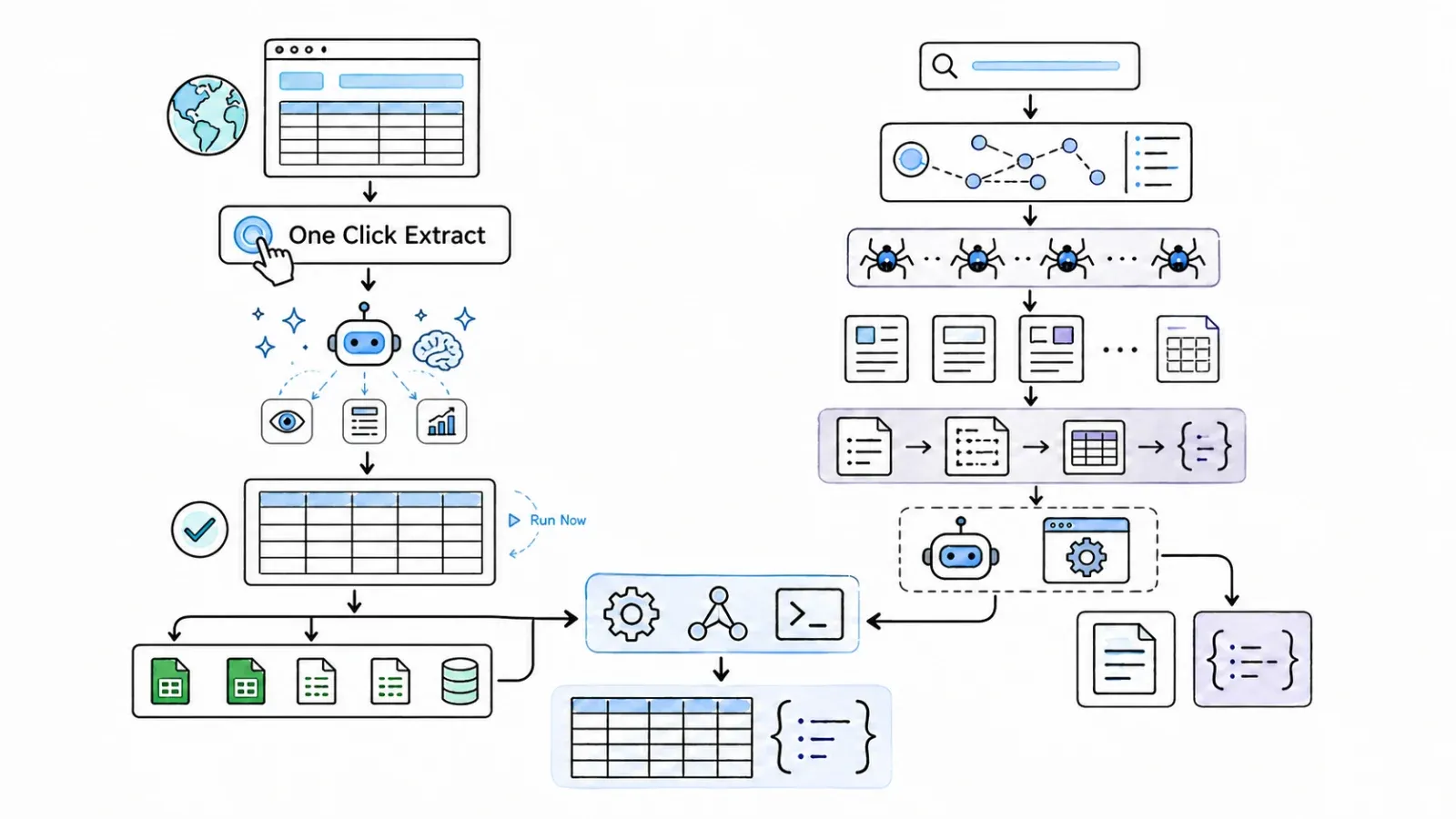
I couldn't find a single comparison article that shows the same extraction done in both tools. So here it is: extracting product listings (name, price, rating) from a public e-commerce category page.
How to Extract Product Data with Thunderbit
- Open the page in Chrome — navigate to the category page with the product listings.
- Click the Thunderbit extension icon in your toolbar.
- Click "One Click Extract" — Thunderbit analyzes the page and proposes columns: Product Name, Price, Rating, Image URL, etc.
- Optional refinement — the agent has already prepared the extraction; add a field instruction only when specialized output needs extra guidance.
- Let it run automatically, or use Run Now — the task auto-starts if you take no second action and populates a table inside the extension.
- Export — click "Export to Google Sheets" (or Excel, Airtable, Notion, CSV).
Estimated time: 2–5 minutes. No code. No terminal. No schema file.
How to Extract Product Data with Firecrawl
- Get your API key from the Firecrawl dashboard.
- Install the Python SDK (
pip install firecrawl-py) or use cURL. - Write the extraction call:
from firecrawl import FirecrawlApp

app = FirecrawlApp(api_key="your-api-key")

result = app.scrape_url(
    "https://example.com/category-page",
    params={
        "formats": ["json"],
        "jsonOptions": {
            "schema": {
                "type": "array",
                "items": {
                    "type": "object",
                    "properties": {
                        "product_name": {"type": "string"},
                        "price": {"type": "string"},
                        "rating": {"type": "string"}
                    }
                }
            }
        }
    }
)
- Run the script and parse the JSON response.
- Load the data into your destination — write additional code to push to a spreadsheet, database, or vector store.
Estimated time: 5–30 minutes depending on familiarity with the SDK and schema definition.
Workflow Comparison Summary
| Step | Thunderbit (Browser Extension) | Firecrawl (API) |
|---|---|---|
| Setup time | Install extension, no auth for basic use | Get API key, install SDK or use cURL |
| Field definition | AI-suggested, editable in UI | Schema in JSON or LLM-inferred |
| Execution | In-browser or cloud | Cloud API call |
| Output | Excel, Google Sheets, Airtable, Notion, etc. | JSON / Markdown response |
| Learning curve | Low (point-and-click) | Moderate (code required, or Playground for trial) |
The Thunderbit path is optimized for "I need this data in a spreadsheet now." The Firecrawl path is optimized for "I need this data in my application pipeline."
Thunderbit vs Firecrawl: Pricing at Real-World Scale
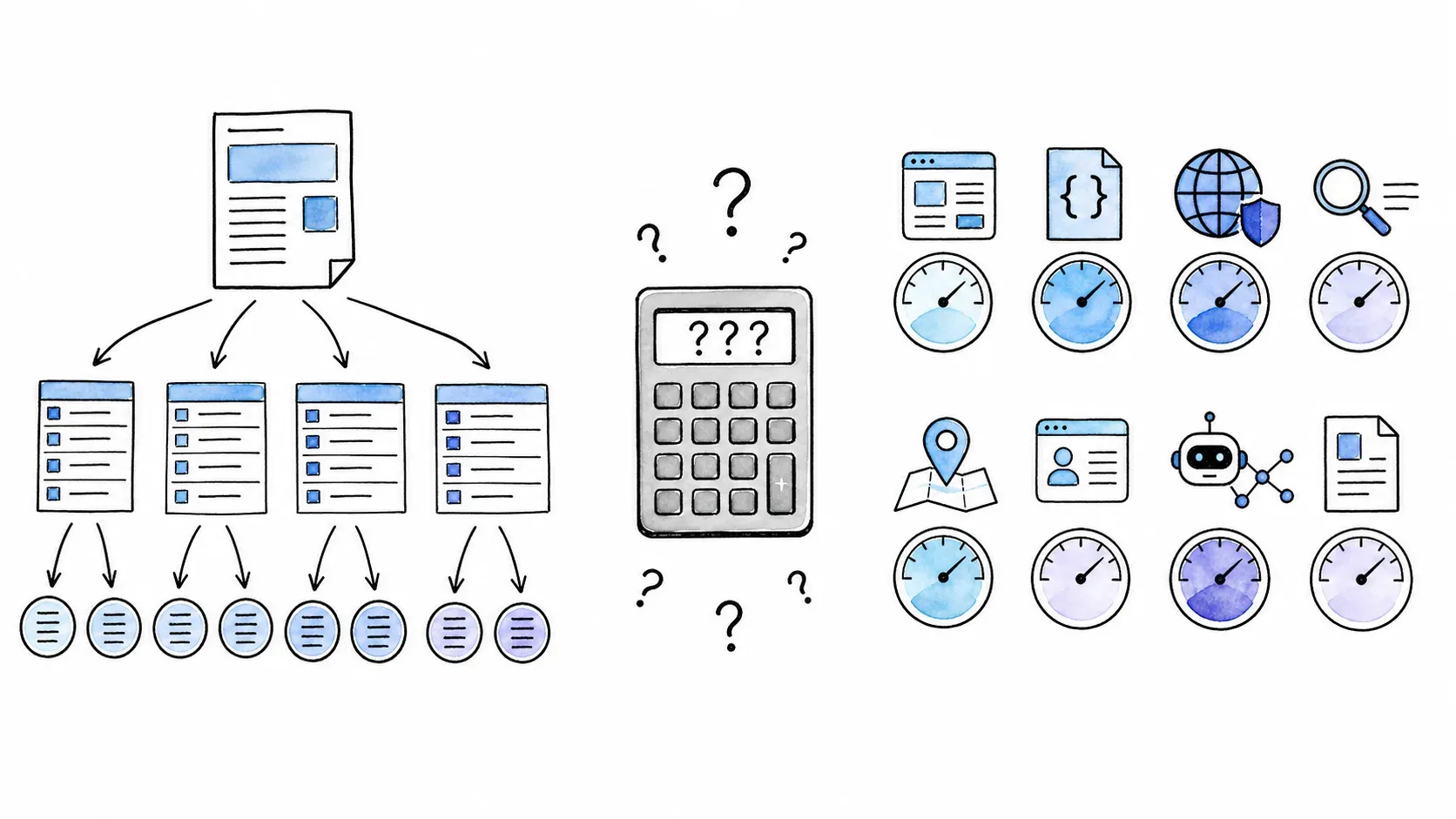
Pricing is where most comparison articles get lazy — they list plan names and move on. The credit systems for these two tools are different enough that "cost per page" is not a simple number. I went through both official pricing pages (verified 2026-08-13) to build something more useful.
Important caveat: Pricing for both tools is volatile. Verify current plans at Thunderbit Pricing / Thunderbit API Pricing and Firecrawl Pricing before making a decision. The numbers below reflect what was published at the time of research.
Thunderbit Pricing Breakdown
Thunderbit has separate meters for the no-code extension and the Open API. Don't mix them.
Extension/Web App plans:
| Plan | Monthly Price | Monthly Credits |
|---|---|---|
| Free | $0 | 6 pages/month (max 30 credits/page) |
| Starter | $15 | 500 |
| Pro Tier 1 | $38 | 3,000 |
| Pro Tier 2 | $75 | 6,000 |
| Pro Tier 3 | $125 | 10,000 |
| Pro Tier 4 | $249 | 20,000 |
One credit generally equals one output row; subpage-enriched rows consume two credits. Annual billing offers significant discounts.
Open API plans (separate):
| Plan | Price | Units/Year | Distill Pages | Extract Pages |
|---|---|---|---|---|
| Free | $0 one-time | 600 | 600 | 30 |
| Starter | $16/mo (annual) | 60,000/yr | 60,000 | 3,000 |
| Pro 1 | $40/mo (annual) | 600,000/yr | 600,000 | 30,000 |
Distill uses 1 unit/page; Extract uses 20 units/page. These are not interchangeable with extension credits.
Firecrawl Pricing Breakdown
Firecrawl uses a credit-based model, but credits are consumed differently depending on the endpoint and options selected.
Standard plans:
| Plan | Monthly Price | Credits/Month |
|---|---|---|
| Free | $0 | 1,000 |
| Hobby | $19 | 5,000 |
| Standard | $99 | 100,000 |
| Growth | $399 | 500,000 |
| Scale | $749 | 1,000,000 |
The catch: one credit per page only applies to basic Scrape/Crawl with no extras. Add JSON output and it's +4 credits/page (5 total). Add Enhanced proxy mode and it's another +4 (9 total for JSON + Enhanced). Interact sessions, Agent runs, Extract (token-based), PDF parsing, PII redaction, and media extraction all have their own meters. Modifiers stack.
A note on pay-as-you-go: at the time of research, Firecrawl's live pricing UI displayed a $5 one-time 1,000-credit card, but their own FAQ simultaneously stated pay-per-use was not currently offered. Verify at checkout.
Unused plan credits generally do not roll over (with limited exceptions at Scale/Enterprise tiers).
Cost Scenarios: Basic Scrape Only
This table assumes basic successful one-page Scrapes with no JSON, Enhanced, or other modifiers for Firecrawl, and one output row per page for Thunderbit's extension:
| Volume | Firecrawl Plan | Est. Cost | Thunderbit Plan | Est. Cost |
|---|---|---|---|---|
| ~100 pages/mo | Free (1,000 credits) | $0 | Free (limited) or Starter | $0–$15 |
| ~1,000 pages/mo | Free (1,000 credits) | $0 | Starter ($15) or Pro T1 ($38) | $15–$38 |
| ~10,000 pages/mo | Standard (100K credits) | $99 | Pro T3 ($125) or Pro T4 ($249) | $125–$249 |
But these numbers are misleading if taken at face value. One category page producing 50 product rows consumes about 50 Thunderbit credits but only 1–9+ Firecrawl credits (depending on output format and proxy mode). A detail-page Markdown workload behaves differently. The unit of measurement — output rows versus input URLs — is fundamentally different between the two tools.
The honest answer: you can't pick a cost winner from "page count" alone. You need to know your actual workload: how many URLs, how many output rows per URL, what output format, whether you need recursive crawling, and what proxy/rendering mode.
AI Agents and LLM Pipelines: Thunderbit vs Firecrawl for Developers
A growing share of scraping demand now comes from developers building RAG systems, autonomous agents, and LLM data pipelines. Both tools serve this audience — with different strengths.
| Capability | Firecrawl | Thunderbit |
|---|---|---|
| Markdown output for RAG | Core feature; praised for quality | Distill endpoint provides condensed Markdown |
| LangChain / LlamaIndex integration | Documented loaders and guides | API + MCP serve a similar role; no dedicated loader at research time |
| MCP Server for AI agents | Available (keyless/OAuth routes documented) | Official @thunderbit/mcp-server |
| CLI for coding agents | Official CLI available | Official @thunderbit/thunderbit-cli |
| Structured JSON extraction | Schema-based via Scrape JSON and Agent | One Click Extract + API Extract |
| Full-site crawl for corpus building | First-class Crawl/Map endpoints | Discovery + batch Distill/Extract (different model) |
Firecrawl's LLM-Ready Output
Firecrawl's Markdown output is widely regarded as a leader for LLM consumption. It's the default format, it's clean, and it's the basis for documented LangChain and LlamaIndex integrations that show up in RAG tutorials across the ecosystem. If your primary workflow is "scrape a site → chunk Markdown → embed into a vector store → query with an LLM," Firecrawl has a mature, well-documented path.
Agent takes this further by autonomously searching, navigating, and extracting based on a prompt — useful for discovery-heavy RAG workflows where you don't know the exact URLs in advance.
Thunderbit's API, MCP, and CLI for Agent Workflows
Thunderbit's Open API provides Distill (URL → token-efficient Markdown) and Extract (URL + schema → structured JSON), plus async batches, webhooks, rendering controls, and country targeting. Its docs explicitly discuss RAG and agent pipelines.
The MCP Server exposes Thunderbit tools to compatible AI hosts — Claude, Cursor, Windsurf, Claude Code. The CLI supports terminal and coding-agent workflows. These are real, documented surfaces, not marketing vapor.
Where Thunderbit is genuinely different: it's the same platform that also gives you a no-code browser extension. One team, one vendor — the extension for ad-hoc business extractions, the API/MCP for developer pipelines.
Which Tool Fits Your AI Workflow?
- RAG pipeline with LangChain/LlamaIndex: Firecrawl has the more mature, documented integration path today.
- Agent-invoked extraction via MCP (Claude Code, Cursor): Both tools have MCP servers. Thunderbit's is official and documented; Firecrawl offers keyless/OAuth routes.
- Full-site corpus building: Firecrawl's recursive Crawl/Map is more direct. Thunderbit's API can assemble equivalent results from discovery + batches, but it's a different interaction model.
- Both no-code and API in one platform: Thunderbit is the only option here.
I'll be honest: if your world is LangChain loaders and RAG tutorials, Firecrawl is the name you'll see more often. If your world is "my sales team needs data in Sheets AND my engineering team needs an MCP endpoint," Thunderbit covers both without duct tape.
Integrations and Automation: Where Does Your Data Go?
Thunderbit: Export to Sheets, Airtable, Notion, and More
Thunderbit's extension exports directly to Google Sheets, Airtable, Notion, Excel, CSV, and JSON. This is a native, in-product experience — no middleware, no code, no third-party automation required. For business users, this is the feature that matters most.
For automation builders, Thunderbit's API can be called from n8n, Make, or Zapier via HTTP request nodes. It's not a one-click integration, but it's straightforward for anyone comfortable configuring an HTTP call.
Firecrawl: API Responses, Webhooks, and Automation Nodes
Firecrawl returns data through API responses, jobs, SDKs, CLI, MCP, and webhooks. To get data into a spreadsheet or CRM, you write code or use an automation platform.
Firecrawl has official integration nodes in n8n (with OAuth and API-key routes), a verified Make integration, and an official Zapier app. These are real no-code paths to business destinations — but the starting point is still "configure an API-style operation in an automation platform" rather than "click Export in a browser extension."
Webhook support is particularly useful for async Crawl jobs: start a crawl, get notified when it's done, process the results downstream.
| Integration Need | Thunderbit | Firecrawl |
|---|---|---|
| Direct spreadsheet export | Native (Sheets, Excel, CSV) | Via code or automation node |
| Airtable / Notion export | Native | Via code or automation node |
| n8n / Make / Zapier | API via HTTP node | Official nodes available |
| Webhooks | API supports webhooks | Native webhook support |
| LangChain / LlamaIndex | API + MCP | Documented loaders |
Thunderbit vs Firecrawl: Pick the Right Tool for Your Workflow
Time for the decision framework that actually picks a side.
Decision Matrix
| If you are… | Pick | Why |
|---|---|---|
| A marketer/ops person who needs data in a spreadsheet today | Thunderbit (extension) | No code, agentic extractions, native export to Sheets/Excel/Airtable/Notion |
| A developer building an LLM data pipeline | Firecrawl (API) | Markdown-first, LangChain loader, recursive Crawl/Map, deep framework docs |
| An AI agent / Claude Code / Cursor user | Compare both MCP surfaces | Thunderbit has official MCP Server; Firecrawl has keyless/OAuth MCP routes |
| An n8n / Make automation builder | Compare integration nodes | Firecrawl has official n8n/Make nodes; Thunderbit API works via HTTP nodes |
| A team that needs both no-code and API access | Thunderbit | Single platform spans browser extension, API, MCP, and CLI |
| Someone scraping entire domains recursively | Firecrawl | First-class Crawl/Map endpoints; Thunderbit's model is discovery + batches |
| A budget-conscious user at low volume | Either (both have free tiers) | Firecrawl Free: 1,000 credits; Thunderbit Free: limited pages |
When to Use Both
Some teams genuinely benefit from running both. Thunderbit for quick, ad-hoc business extractions — a sales rep pulling leads, a product manager grabbing competitor prices. Firecrawl for large-scale developer pipelines, RAG corpus building, and site-wide crawls. No credible real-world case of a team running both was found in my research, but architecturally it makes sense: the tools have minimal overlap in their primary workflows.
Thunderbit vs Firecrawl: Quick-Reference Comparison Table
| Dimension | Thunderbit | Firecrawl |
|---|---|---|
| Target user | Business users + developers | Developers + AI engineers |
| Primary interface | Browser extension (Chrome/Edge) | REST API / SDKs / CLI / Playgrounds |
| Setup | Install extension, no key needed | API key or Playground/keyless trial |
| Field definition | One Click Extract (visual UI) | JSON schema / LLM prompt / Markdown |
| Recursive site crawl | No equivalent Crawl/Map endpoint; uses discovery + batches | First-class Crawl and Map |
| Output formats | Table, Excel, CSV, JSON, Sheets, Airtable, Notion | Markdown, HTML, JSON, screenshots, links, media, summary, query |
| Pricing model | Credits (extension) + Units (API) — separate meters | Credits with endpoint/option multipliers |
| Free tier | 6 pages/mo (extension); 600 units (API) | 1,000 credits/mo |
| AI/LLM integration | Distill Markdown, Extract JSON, MCP, CLI | Markdown-first, LangChain/LlamaIndex loaders, MCP, Agent |
| MCP Server | Official @thunderbit/mcp-server | Available (keyless/OAuth routes) |
| CLI | Official @thunderbit/thunderbit-cli | Official CLI |
| Scheduling | Recurring scrapers from saved configs | Monitor endpoint |
| Anti-bot | Managed rendering/proxy (Browser + Cloud) | Basic + Enhanced proxy (+4 credits/page) |
| Open source | No | Core AGPL-3.0; self-hosted omits some Cloud features |
| Native spreadsheet export | Yes (Sheets, Excel, Airtable, Notion) | No (via code or automation) |
FAQs: Thunderbit vs Firecrawl
Is Thunderbit or Firecrawl better for non-technical users?
Thunderbit's browser extension and One Click Extract workflow is built for users with no coding experience. You open a page, click One Click Extract, let the agent analyze and auto-start, and export — all within the browser. Firecrawl's primary interface is an API, though it now offers Playgrounds and automation-platform integrations (n8n, Make, Zapier) that lower the barrier. For a true no-code, point-and-click experience, Thunderbit is the clearer choice.
Can Firecrawl export directly to Google Sheets or Excel?
Not natively. Firecrawl returns data via API responses (JSON, Markdown, etc.). To get that data into Sheets or Excel, you'd write code or use an automation tool like n8n or Zapier with Firecrawl's official nodes. Thunderbit supports native, in-product export to Google Sheets, Excel, Airtable, and Notion.
Does Thunderbit have an API for developers?
Yes. Thunderbit offers an Open API with Distill (Markdown) and Extract (structured JSON) endpoints, async batches, webhooks, and rendering controls. It also has an official MCP Server for AI-agent hosts and a CLI for terminal workflows. The API has its own pricing meter, separate from the extension.
Which tool is better for scraping entire websites?
Firecrawl is built for this. Its Crawl endpoint recursively discovers and scrapes pages across a domain with depth, path, and subdomain controls. Its Map endpoint discovers URLs without scraping content. Thunderbit supports pagination, subpage enrichment, and API-based discovery + batch processing, but it doesn't have an equivalent single-call recursive Crawl endpoint. For "give me every page on this domain," Firecrawl is more direct.
Can I use both Thunderbit and Firecrawl?
Yes, and it can make sense for teams with diverse needs. Use Thunderbit's extension for quick, ad-hoc business extractions (leads, prices, listings → spreadsheet) and Firecrawl's API for large-scale developer pipelines, RAG corpus building, and recursive site crawls. The two tools have minimal overlap in their primary workflows, so they complement rather than compete in a mixed-use scenario.
Further Reading and Resources
- Thunderbit: Getting Started — homepage and quick-start guide
- Thunderbit Open API Docs — Distill, Extract, batches, webhooks
- Thunderbit MCP Server — agent integration for Claude, Cursor, Windsurf
- Thunderbit CLI — terminal and coding-agent workflows
- Thunderbit YouTube Channel — video walkthroughs
- Firecrawl Documentation — full API reference
- Firecrawl Pricing — current plans and credit details
- What Is Web Scraping — foundational concepts
- Best AI Web Scrapers — broader landscape comparison
- Web Scraping Without Coding — no-code approaches explained
- AI Web Scraping — how AI changes extraction workflows
Learn More




