
Picking between Thunderbit and Apify is a bit like choosing between a power drill and a full machine shop. Both put holes in walls, but the experience — and the invoice — look wildly different. Thunderbit is an agentic web scraper.
Thunderbit is an agentic web scraper: on a compatible, authorized page, click One Click Extract and the agent detects, reads, and analyzes the page to decide what to extract. Run Now starts immediately, but if you do nothing the task starts automatically—so the default experience needs only one intentional click, with no code, selectors, or schema setup.
I've spent years building and evaluating web scraping tools (our team at Thunderbit built one, so I have some opinions), and the question I keep hearing from sales ops folks, marketing analysts, and founders is the same: "Which one should I actually use?" Every comparison article I've found online lists features in neat little tables, but none of them show you what it actually feels like to use both tools on the same job. That is the practical gap I wanted to close. I'll walk you through the real workflows, the pricing math, the developer surfaces, and — most importantly — honest guidance on when each tool is the better pick. No straw men, no spin. Just the facts, some tables, and a few bad jokes.
What Are Thunderbit and Apify (and Who Are They Built For)?
Thunderbit is an AI web scraper built as a Chrome and Edge extension (plus a Web App) for business users who want structured data from web pages — fast, with no code. You open a page, click "One Click Extract," and let the agent analyze the page; "Run Now" starts immediately, while doing nothing lets extraction start automatically, and export to Excel, Google Sheets, Airtable, or Notion. It's aimed squarely at sales teams, ops managers, and researchers who don't want to learn CSS selectors or spin up a cloud container. The extension has 100,000+ users on the Chrome Web Store.

Apify is a cloud platform for web scraping, browser automation, and data extraction — but it's really a full application platform. Its centerpiece is the Actor Store, a marketplace with tens of thousands of prebuilt tools (called "Actors") that cover everything from Amazon product scrapers to social media extractors. You can run a Store Actor from a graphical console form without writing code, or build your own custom Actor in JavaScript or Python using the Apify SDK and Crawlee (their open-source crawling library, with ~25,000 GitHub stars). Apify's audience ranges from non-technical users running prebuilt Actors to engineering teams building complex, scheduled data pipelines. The platform claims 74,000 customers and processes over 1 PB of data monthly.
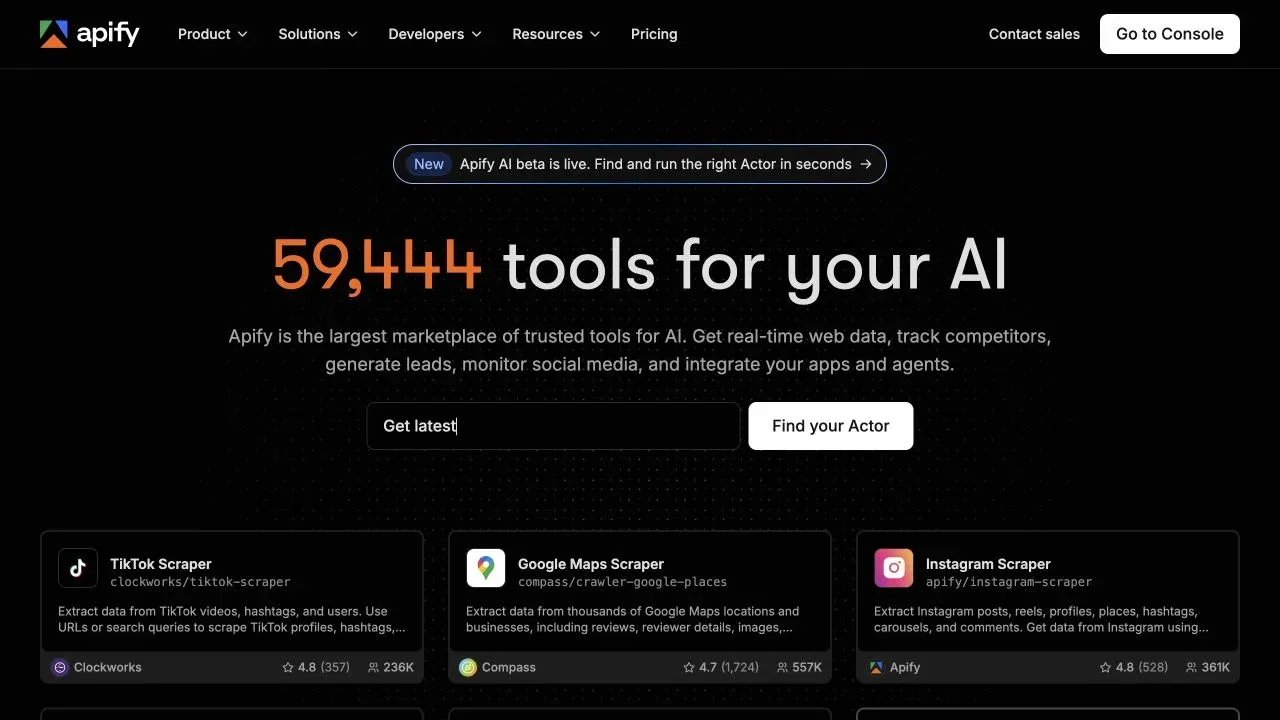
The core difference is straightforward. Thunderbit is designed for agentic, one-click extraction from the page you are looking at. Apify is a broader platform where you pick (or build) the right Actor for the job, then orchestrate it with schedules, webhooks, storage, and proxies.
The Task: What I Set Out to Scrape (and Why It Matters for Thunderbit vs Apify)
To make the decision concrete, I picked a task that mirrors what sales and ops teams actually do: extracting product listings from a public e-commerce category page. Think product name, price, rating, and product URL — the kind of structured data you'd want for competitive analysis, lead lists, or product research.
This is a deliberately simple, representative job. It's the kind of thing where you want to go from "I'm looking at this page" to "I have a clean spreadsheet" in minutes, not hours. The sections below walk through how each tool handles every step — from setup, to field configuration, to running the scrape, to getting data into Google Sheets.
A quick note on honesty: I did not run a controlled, lab-grade benchmark with frozen versions, identical retry settings, and a gold-standard dataset. (If you want that, you'd need a research team and a month.) What I did was walk through the real workflow in both tools, document the steps, and compare the experience. Where I can't make a direct apples-to-apples claim — like cost per page or accuracy — I'll say so.
Step-by-Step Walkthrough: Thunderbit vs Apify on the Same Scraping Job
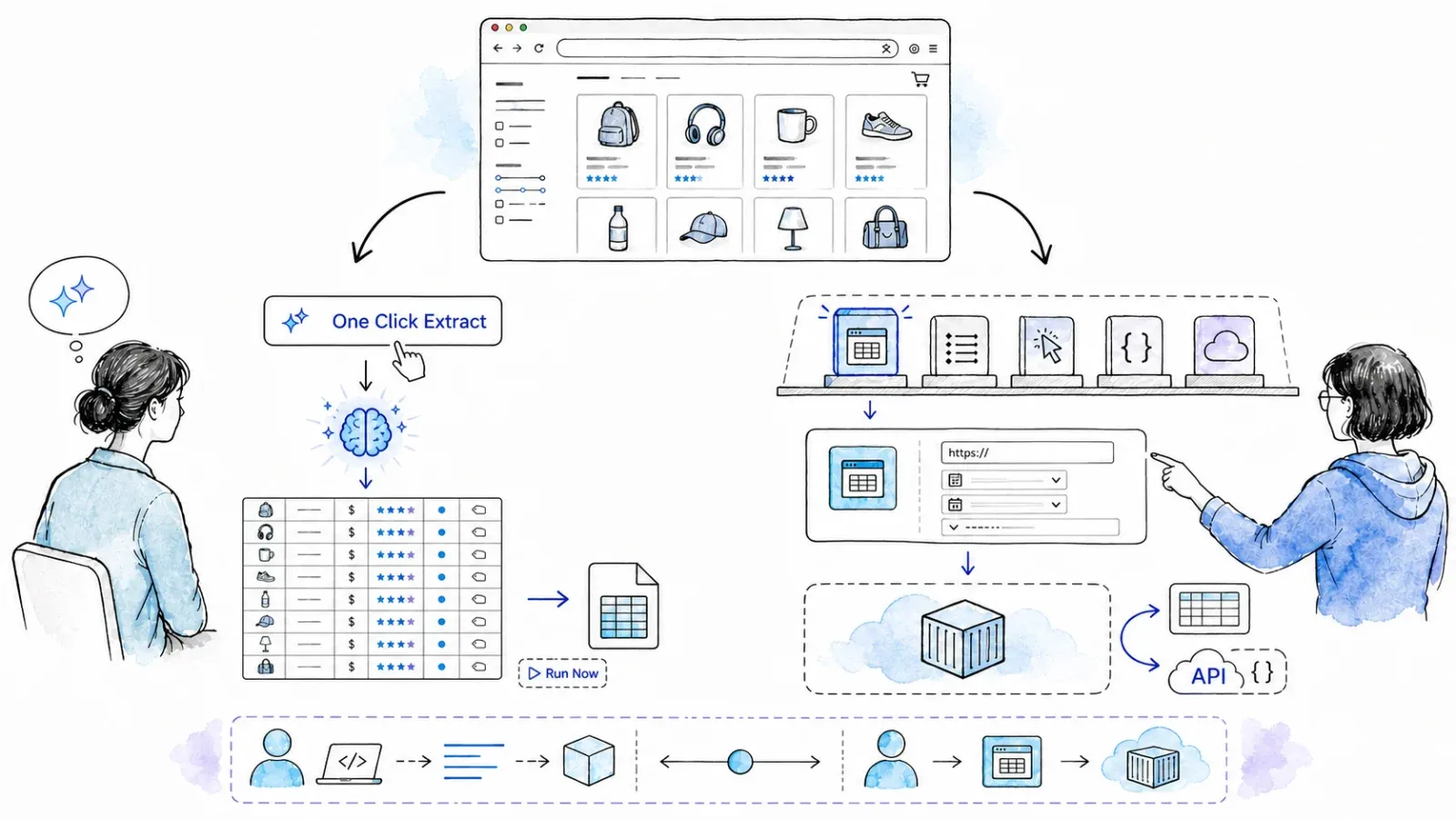
This is the part no other comparison article gives you: the actual workflow, step by step, in both tools.
Setting Up: Install and Account Creation
Thunderbit: You install the Thunderbit Chrome extension from the Chrome Web Store. There's no code, no server, no Docker container. You sign up, and you're ready to go. The onboarding is about as complicated as installing an ad blocker.
Apify: You sign up at apify.com, which gives you access to the Console — a web dashboard for managing Actors, runs, storage, schedules, and integrations. From there, you browse the Actor Store to find a prebuilt scraper that matches your target site. If you want to build your own, you'll use the Web IDE, CLI, or local development environment.
Thunderbit's setup is a browser extension install. Apify's setup is a web app sign-up plus finding (or building) the right Actor. Both are free to start.
Configuring Fields: One Click Extract vs Selecting an Apify Actor
Thunderbit: Once you're on the page you want to scrape, you click "One Click Extract." The AI reads the page and proposes a set of columns — say, Product Name, Price, Rating, URL. The extraction can start automatically without that setup. If you need a specialized output, you can still add custom field-level instructions (e.g., "extract only the numeric price, no currency symbol"). No DOM inspection, no CSS selectors, no code.
Apify: You search the Actor Store for a scraper that matches your target (e.g., a generic web scraper or a site-specific Actor). Each Actor has its own input schema — some are as simple as "paste a URL and click Start," while others require you to configure selectors, pagination rules, proxy settings, or output fields. If no prebuilt Actor fits, you may need to build or customize one in JavaScript or Python.
Thunderbit's AI does the field detection for you. Apify's prebuilt Actors may handle it automatically for supported sites, but custom or generic Actors often require manual input configuration.
Running the Scrape and Handling Pagination
Thunderbit: You can click "Run Now" for an immediate start; otherwise the extension starts automatically and processes the page, and if there's pagination or infinite scroll, Thunderbit's built-in pagination workflow handles it on compatible pages. You watch the rows fill in, right in the browser.
Apify: You start the Actor run from the Console (or via API/CLI). Pagination handling depends on the Actor — some handle it automatically, others require you to configure it in the input. The run executes in the cloud, and you can monitor progress, logs, and results in the Console.
Thunderbit runs in your browser (Browser Mode) or in the cloud (Cloud Mode). Apify always runs in the cloud. Pagination in Thunderbit is built in; in Apify, it's Actor-dependent.
Exporting Results: Getting Data to Google Sheets, Excel, or Airtable
Thunderbit: Once the scrape is done, you export directly to Excel, CSV, JSON, Google Sheets, Airtable, or Notion — all from the extension or Web App. It's a one-click export for most destinations.
Apify: Results land in a Dataset in the Console, which you can download as JSON, CSV, XML, Excel, or HTML. For Google Sheets, you can use Apify's integration or set up a webhook/Zapier/Make/n8n workflow. It's more flexible, but also more steps for a non-technical user.
Thunderbit's export is direct and built in. Apify's export is powerful and programmable, but may require extra configuration for business-tool destinations.
Side-by-Side Summary Table
| Step | Thunderbit (browser extension) | Apify |
|---|---|---|
| Setup / account | Chrome extension install, no code | Sign up, browse Actor Store or use SDK |
| Field configuration | One Click Extract → agentic analysis | Select pre-built Actor or configure input schema |
| Running the scrape | Click "Scrape" in browser | Start Actor run from Console or API |
| Handling pagination | Built-in pagination workflow (compatible pages) | Configured per Actor (varies by template) |
| Export | Export to Excel, Google Sheets, Airtable, Notion | Download CSV/JSON, API webhook, integrations |
| Code required? | No (for extension/Web App) | Not for pre-built Actors; yes for custom Actors |
Agentic Page Analysis vs Manual Selectors: When Each Approach Wins (and Breaks)
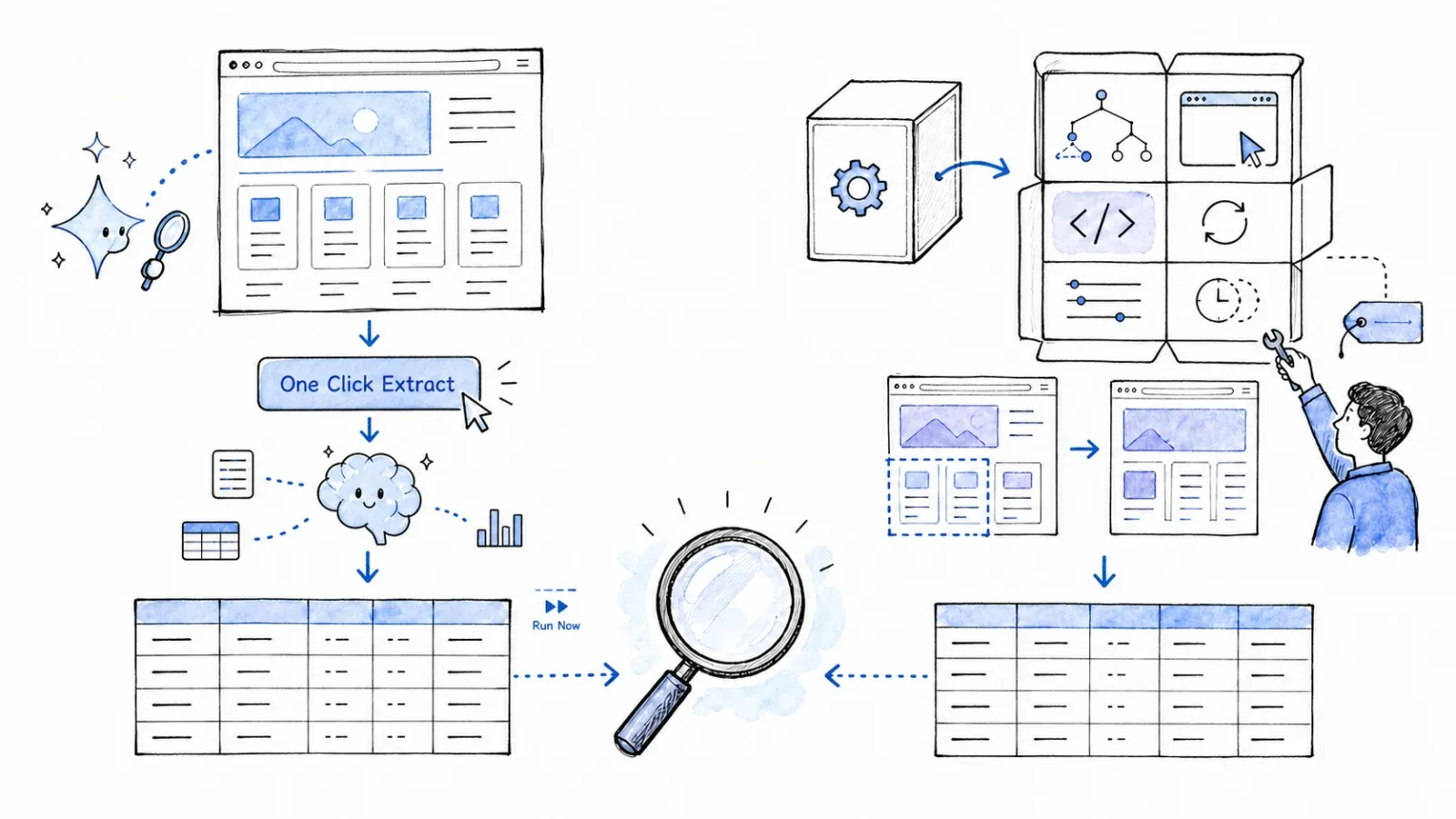
One of the biggest practical differences between Thunderbit and Apify is how you tell the tool what data to extract. Thunderbit uses agentic page analysis; Apify (depending on the Actor) uses pre-configured selectors, high-level input fields, or custom code. Neither approach is universally better — they each have real strengths and real failure modes.
When Agentic Page Analysis Shines (Thunderbit)
- Unfamiliar sites, ad-hoc extraction: You land on a page you've never scraped before. Thunderbit's AI reads the layout and suggests columns. No need to inspect the DOM or write selectors.
- Fast setup for non-technical users: If you don't know what a CSS selector is, One Click Extract is a lifesaver.
- Site layout changes: Since the AI re-reads the page each time, it can adapt to minor layout changes on compatible pages. (That said, Thunderbit's own Terms note that AI output may be inaccurate and should be independently verified — so always review your results.)
When Manual Selectors or Actor-Specific Config Shines (Apify)
- Highly structured, stable HTML: If the site's HTML is well-organized and doesn't change often, a well-built Actor with precise selectors can deliver reliable, deterministic output.
- Complex nested/dynamic content: Custom Actors give you full control — you can handle login flows, multi-step navigation, API calls, and tricky JavaScript rendering.
- Niche or site-specific Actors: The Actor Store may have a purpose-built tool for your exact target (e.g., Amazon, Google Maps, LinkedIn), with input fields tailored to that site's structure.
Honest Failure Modes
- agentic page analysis (Thunderbit): Can misinterpret ambiguous layouts, group fields unexpectedly, or miss data on pages with unusual structures. Validate high-stakes outputs after extraction.
- Manual selectors (Apify): Break when a site redesigns its HTML. Community Actors may not be updated promptly. Custom Actors require ongoing maintenance.
Quick Comparison: AI Detection vs Manual Selectors
| Scenario | agentic page analysis (Thunderbit) | Manual selectors / Actor config (Apify) |
|---|---|---|
| Unfamiliar site, ad-hoc extraction | ✅ Fast setup, no DOM inspection needed | ⚠️ May require inspecting page structure or finding a matching Actor |
| Site with highly structured, stable HTML | ✅ Works well, but manual review recommended | ✅ Precise, reliable if selectors/Actor are well-built |
| Complex nested/dynamic content | ⚠️ May need field-level instructions or manual edits | ✅ Full control via custom Actor code |
| Site redesign occurs | ✅ AI re-analyzes on next run (results should be reviewed) | ⚠️ Selectors may break, requiring Actor update |
Neither approach is "set it and forget it." Both need monitoring and review. The difference is where the effort lands.
Thunderbit vs Apify: Pricing Models Explained (Why a Simple Cost-Per-Page Table Doesn't Work)
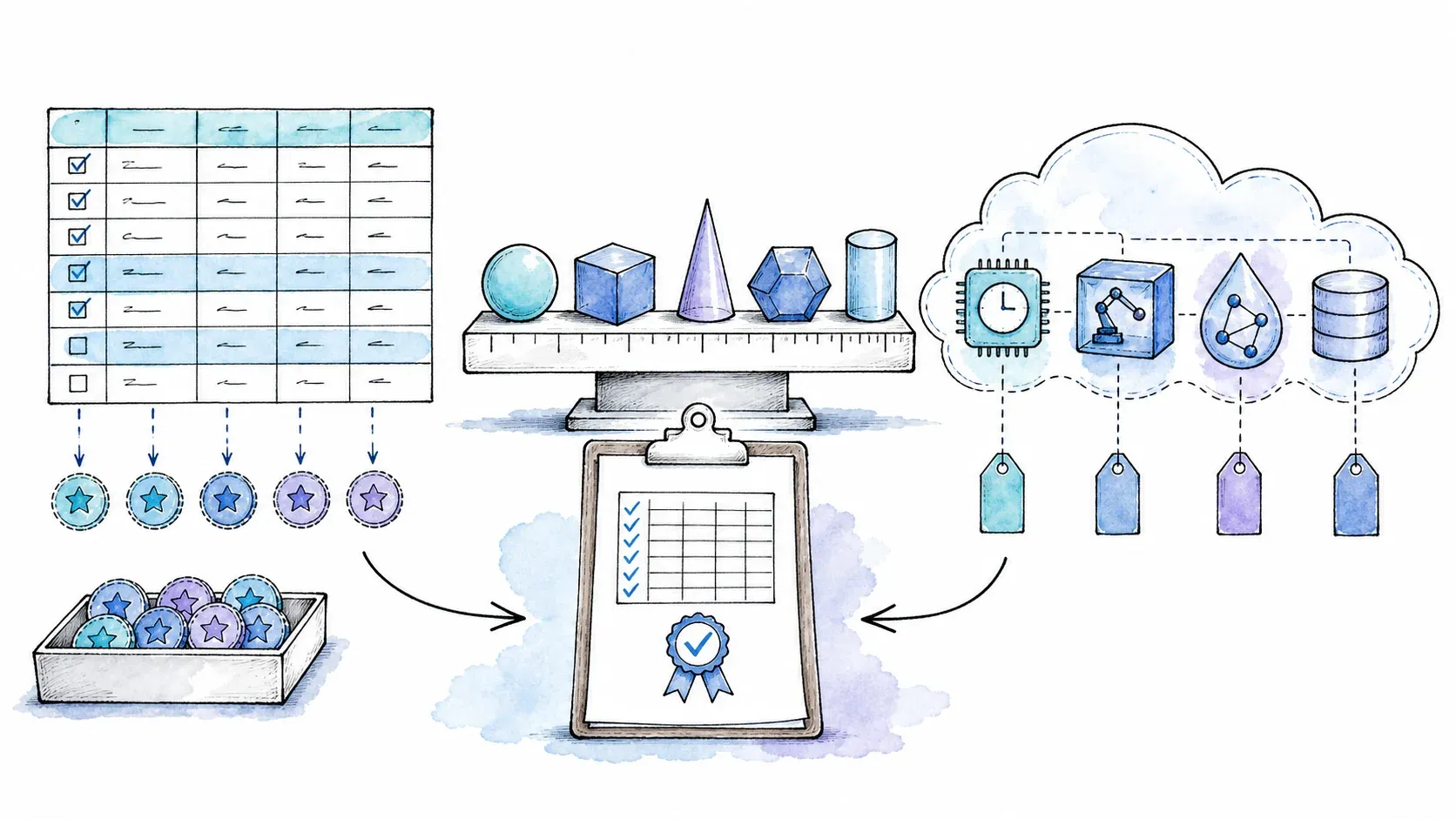
Pricing is the most confusing part of this decision, and I want to be straight with you: you cannot simply divide a plan price by a page count and get a meaningful number. The two tools use fundamentally different billing units.
Understanding Thunderbit's Pricing Model
Thunderbit's no-code plans charge by credits, where 1 standard output row = 1 credit, 1 subpage output row = 2 credits, and enrichment/advanced features cost more. Here's a snapshot from the Thunderbit pricing page (verify live before relying on these numbers):
| Plan | Monthly | Annual | Credits |
|---|---|---|---|
| Free | $0 | $0 | 6 pages/month (see live plan table for current allowance) |
| Starter | $15/mo | $108/yr | 500/mo or 5,000/yr |
| Pro 1 | $38/mo | $288/yr | 3,000/mo or 30,000/yr |
| Pro 2 | $75/mo | $576/yr | 6,000/mo or 60,000/yr |
| Pro 3 | $125/mo | $1,152/yr | 10,000/mo or 120,000/yr |
| Pro 4 | $249/mo | $2,304/yr | 20,000/mo or 240,000/yr |
Important: "pages" in the free plan label and "output rows" in the credit rules are not the same thing. A single listing page can yield many rows.
Thunderbit also has a separate API pricing model for developer use (Distill = 1 unit/page, Extract = 20 units/page, annual units issued upfront).
Understanding Apify's Pricing Model
Apify charges by compute units (CUs) — where 1 CU = 1 GB RAM allocated for 1 hour — plus potential costs for proxy traffic, storage, data transfer, and Actor-specific event charges. Here's a snapshot from the Apify pricing page (verify live):
| Plan | Monthly / Annual | Included platform usage | CU rate |
|---|---|---|---|
| Free | $0 | $5/mo | $0.20/CU |
| Starter | $29 / $26 | $29/mo | $0.20/CU |
| Scale | $199 / $179 | $199/mo | $0.16/CU |
| Business | $999 / $899 | $999/mo | $0.13/CU |
Important: Actual CU consumption depends on the Actor's RAM allocation and run duration, not the number of pages or rows. Store Actors may also charge per event (PPE) or per usage (PPU), with creator-defined event pricing. Proxy, storage, and transfer costs can add up, especially at scale.
Why I'm Not Publishing a Cost-Per-Page Table
I know the outline called for a 100/1,000/10,000-page cost comparison table. I'm not going to fabricate one, and here's why:
- Thunderbit credits ≠ Apify compute units ≠ pages ≠ rows.
- The cost of an Apify run depends on the Actor, its RAM, its runtime, proxy/storage, and whether it charges per event or per usage.
- The cost of a Thunderbit scrape depends on the number of output rows, subpage enrichment, and whether you're using the extension or the API.
- Without running the exact same job on the exact same site with both tools and measuring every variable, any "cost per page" number would be misleading.
My advice: For small-volume, ad-hoc scraping, both tools' free tiers may cover the job. As volume grows, Thunderbit's credit model is more predictable for simple extraction, while Apify's CU model can be more cost-efficient for high-volume, long-running, or complex pipelines — but only if you understand and optimize your Actor's resource usage. Always check the live pricing pages and, if possible, run a small test at your actual scale before committing.
For Developers: Thunderbit API, MCP, and CLI vs Apify Actor SDK
If you're a developer — or a semi-technical evaluator wondering whether a tool can grow with your team — this section is for you.
Thunderbit's Developer Surfaces
Thunderbit offers three developer-facing entry points, all oriented around managed webpage extraction:
- Open API: HTTP/JSON endpoints for Distill (returns LLM-ready Markdown) and Extract (returns structured JSON per your schema), plus asynchronous Batch workflows with webhook/polling support. Render modes include
none,basic, andfull; managed features include proxy rotation, geo-routing, retry, and anti-bot handling (with limitations — no target is guaranteed). - MCP Server: The
@thunderbit/mcp-serverpackage exposes Distill, Extract, Suggest Fields, and batches to compatible AI hosts (Claude, Cursor, Windsurf, etc.). - CLI: The
@thunderbit/thunderbit-clipackage supports terminal and coding-agent workflows with JSON/Markdown/table output.
What Thunderbit's developer surfaces are not: They're not a general-purpose Actor/container runtime. You can't build and deploy arbitrary applications, publish tools to a marketplace, or orchestrate multi-step workflows with durable queues and storage. The abstraction is managed extraction — you send URLs, you get structured data back.
Apify's Developer Surfaces
Apify's developer ecosystem is broader and deeper:
- REST API v2: Full control over Actors, runs, builds, tasks, schedules, webhooks, and storage. Official JavaScript and Python clients handle retry/limits.
- Actor SDK: Build custom Actors in JavaScript or Python, using Apify SDK and/or Crawlee (open-source, Apache-2.0, ~25,000 GitHub stars). Crawlee supports HTTP/Cheerio/JSDOM/Playwright/Puppeteer and multiple browsers.
- CLI:
apify-clifor searching/running Actors, creating/pushing/pulling projects, and configuring MCP. - Actor Store: Tens of thousands of community and Apify-maintained Actors. You can publish your own.
- Scheduling: Built-in cron-style scheduling with timezone/DST support (up to 10 Actors and 10 Tasks per schedule).
- Webhooks: Actor/build lifecycle events, retry, and exponential backoff.
- Storage: Datasets, key-value stores, and request queues.
- Proxy: Datacenter, residential, and Google SERP proxy products with rotation/session/geo options.
- MCP: Hosted and local MCP endpoints for AI-agent integrations (with permission and Actor-model limits).
- Integrations: Make, n8n, Zapier, GitHub, Google Sheets, AI frameworks (LangChain, LlamaIndex), and more.
Developer Surface Comparison Table
| Capability | Thunderbit | Apify |
|---|---|---|
| API access | Open API (Distill, Extract, async Batch) | Full REST API v2 + Actor SDK |
| Language support | HTTP/JSON (language-agnostic) | JavaScript/Python SDK |
| AI-agent integration | MCP Server, Claude Code plugin | MCP, community LLM integrations |
| CLI / terminal | @thunderbit/thunderbit-cli | apify-cli |
| Custom scraper marketplace | N/A | Actor Store (tens of thousands of Actors) |
| Scheduling | Plan-dependent | Built-in, cron-style |
| Storage | Account-level (export-oriented) | Datasets, key-value stores, request queues |
| Proxy management | Managed (API), not user-configurable | Datacenter, residential, SERP, configurable |
| Deployment | SaaS (no user deployment) | Web IDE, CLI push, Git, Docker, Standby |
If your need is "give me structured data from URLs," Thunderbit's API is direct and managed. If you need to build, deploy, and orchestrate custom scraping/automation applications at scale, Apify's platform gives you far more primitives — but with a steeper learning curve and more moving parts.
Choose Thunderbit When (Honest Recommendations)
I'm biased here — I co-founded Thunderbit — but I'll try to be as honest as I'd want someone to be with me.
Thunderbit is the better starting point when:
- You're a non-technical user (sales, ops, marketing, research) who wants structured data from a web page right now, without learning to code or configure selectors.
- You want agentic page analysis that reads the page and suggests columns for you.
- Your workflow is ad-hoc: competitive pricing checks, lead extraction, product research, or quick data grabs for a spreadsheet or Airtable base.
- You want direct, built-in export to Excel, Google Sheets, Airtable, or Notion — no webhook or integration setup required.
- You value speed-to-first-result over deep customization. (In my experience, most business users care more about getting clean data in 5 minutes than having 47 configuration options.)
- You want to use your browser's existing logged-in session for extraction from pages that require authentication (Browser Mode).
Where Thunderbit may not be the best fit:
- Very large-scale, recurring pipelines with complex orchestration needs.
- Sites that require multi-step navigation, custom login flows, or advanced anti-bot handling beyond what the managed system supports.
- Teams that want to build and distribute custom scraping tools or applications.
User reviews on the Chrome Web Store highlight the extension's convenience and AI field setup as top strengths.
Choose Apify When (Honest Recommendations)
This section isn't a concession — it's advice I'd give a friend. Apify is a genuinely powerful platform, and for certain use cases, it's the right tool.
Apify is the better starting point when:
- You need to build custom Actors with the SDK for complex, multi-step crawling, browser automation, or data processing.
- Your team runs large-volume, scheduled pipelines with webhook integrations, durable storage, and request queues.
- You want access to a marketplace of community-maintained scrapers for niche sites (the Actor Store has tens of thousands of options).
- You need advanced proxy management and headless browser orchestration at scale — datacenter, residential, or SERP proxies with rotation and session control.
- Your workflow extends beyond scraping: form filling, social media automation, API backends, or AI-agent tooling.
- You want to publish and distribute your own tools to other users via the Store.
Where Apify may not be the best fit:
- Non-technical users who just want a quick, no-code data grab from the page they're looking at. (Prebuilt Actors help, but discovery and configuration can still be a hurdle.)
- Teams that want instant, agentic page analysis without configuring input schemas or selectors.
- Users who want direct, one-click export to Airtable or Notion without setting up integrations.
Apify earns strong ratings on third-party review sites — roughly 4.7/5 on G2 and 4.8/5 on Capterra — with praise for Actor breadth, managed infrastructure, and scheduling/integration ecosystem. Common negatives include Actor quality variance (community Actors may not always be maintained), discovery friction, custom-development learning curve, debugging complexity, and cost forecasting difficulty.
A note on Actor quality: Not every Actor in the Store is equally maintained or vetted. Community Actors are the responsibility of their creators, and quality varies. Always check the maintainer, permissions, version, run history, and sample output before trusting an Actor with sensitive data or business-critical workflows.
Thunderbit vs Apify: Full Feature Comparison Table
This table pulls together every major dimension from the sections above:
| Dimension | Thunderbit | Apify |
|---|---|---|
| Primary audience | Non-technical business users, sales/ops/research | Developers, data teams, technical operators (with no-code paths for prebuilt Actors) |
| Core product | AI web scraper (Chrome/Edge extension + Web App) | Actor-centered cloud platform (scraping, automation, applications) |
| agentic page analysis | One Click Extract (agent analyzes; Run Now or auto-start) | Actor-dependent (some Actors use AI; most use configured selectors/inputs) |
| No-code path | Yes (extension/Web App) | Yes (prebuilt Actors via Console forms, Apify AI beta, MCP, Tasks) |
| Custom code | Not required for extension; API/MCP/CLI for developers | JavaScript/Python SDK, Crawlee, custom Actors |
| Marketplace | N/A | Actor Store (tens of thousands of Actors) |
| Pagination | Built-in (compatible pages) | Actor-dependent |
| Export | Excel, CSV, JSON, Google Sheets, Airtable, Notion | CSV, JSON, XML, Excel, HTML, RSS, JSONL + integrations (Make, n8n, Zapier, Sheets, etc.) |
| Scheduling | Plan-dependent | Built-in, cron-style |
| Proxy management | Managed (API), not user-configurable | Datacenter, residential, SERP, configurable |
| Storage | Account-level (export-oriented) | Datasets, key-value stores, request queues |
| Developer API | Open API (Distill, Extract, Batch) | REST API v2 + Actor SDK |
| AI-agent integration | MCP Server, CLI, Claude Code plugin | MCP, LangChain, LlamaIndex, community integrations |
| Pricing model | Credits (per output row) | Compute units (per GB-hour) + proxy/storage/transfer + Actor-specific event charges |
| Free tier | Yes (see pricing) | Yes ($5/month platform usage, see pricing) |
| Browser mode | Yes (uses your logged-in session) | Cloud-only (Actors run in Apify containers) |
| Open-source components | N/A | Crawlee (Apache-2.0, ~25,000 GitHub stars) |
Final Verdict: Which Tool Fits Your Workflow?
There's no universal winner here, and I'd be suspicious of anyone who claims otherwise without showing their work.
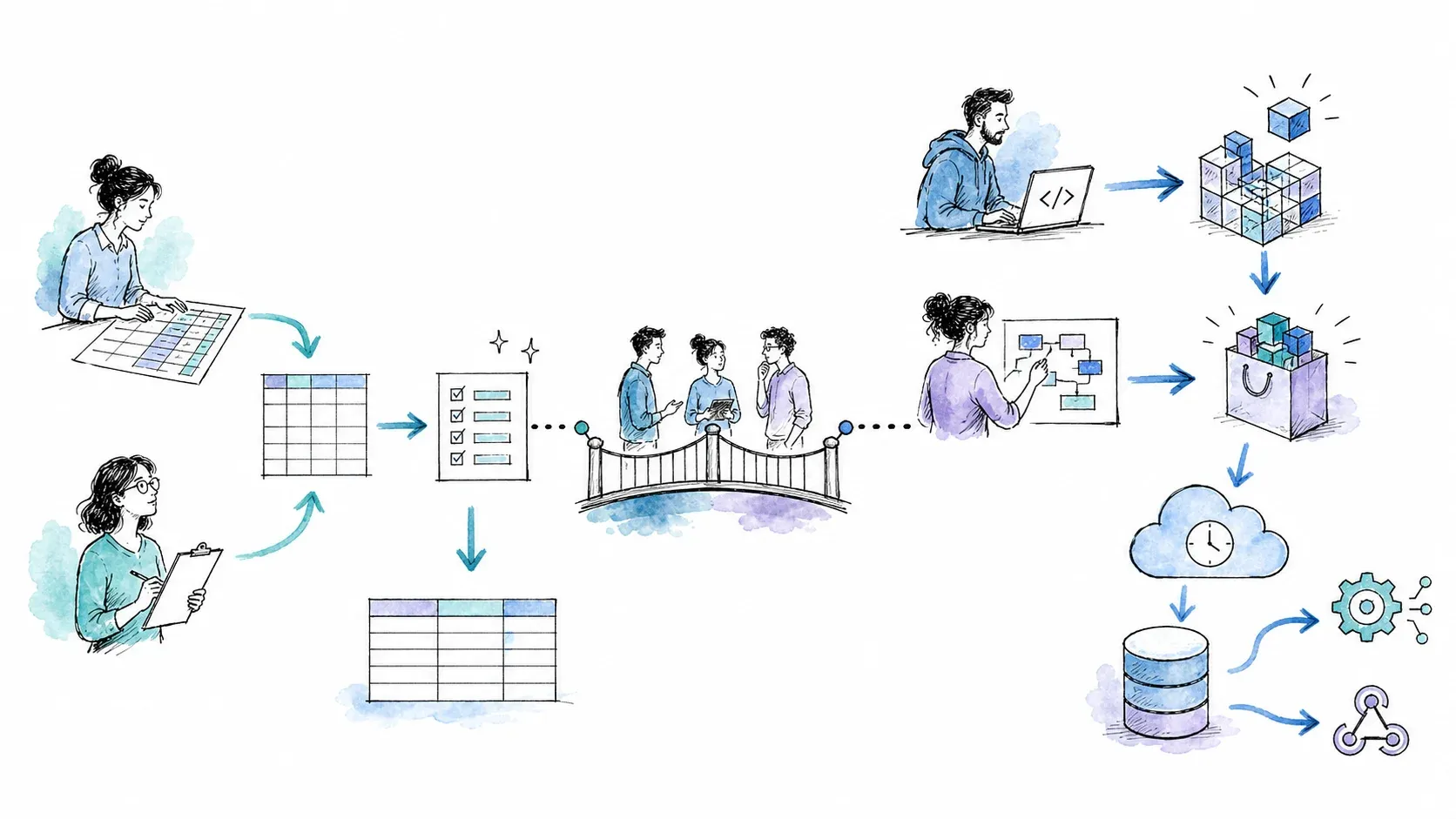
If you're a business user who wants to go from "I'm looking at this page" to "I have a clean spreadsheet" in minutes, Thunderbit is the more direct path. The agentic page analysis, built-in export, and browser-native workflow are designed for exactly that. You don't need to learn a new platform, browse a marketplace, or configure input schemas. You just scrape and export.
If you're a developer or technical team that needs custom crawlers, scheduled pipelines, advanced proxy/anti-bot orchestration, or access to a massive marketplace of prebuilt tools, Apify gives you a much broader set of primitives. The learning curve is steeper, but the ceiling is higher — especially for complex, recurring, or large-scale workloads.
If you're somewhere in between — say, a semi-technical analyst who starts with ad-hoc scraping but wants to scale into programmatic workflows — both tools have developer surfaces (Thunderbit's API/MCP/CLI; Apify's SDK/CLI/API). The question is whether your primary need is managed extraction (Thunderbit) or a full platform for building and orchestrating data applications (Apify).
My recommendation: try both free tiers on your actual use case. The best comparison is always the one you run yourself, on your own data, with your own team. And if you want the fastest path to structured data, give Thunderbit a try — you might be surprised how quickly you get results.
FAQs
Is Thunderbit really no-code, or do I need technical skills?
Thunderbit's browser extension workflow — One Click Extract → agentic analysis → Run Now or automatic start → Export — requires no coding at all. It's designed for business users who've never touched a CSS selector. That said, Thunderbit also offers developer surfaces (Open API, MCP Server, CLI) for technical users who want to integrate extraction into applications or agent workflows.
Can Apify be used without coding?
Yes, for prebuilt Actors. The Console generates a form from the Actor's input schema, so you can configure and run many Actors without writing code. Apify also offers Apify AI (beta), MCP, Tasks, and integrations (Make, n8n, Zapier) as no-code/low-code entry points. However, building custom Actors or handling advanced configurations still requires JavaScript or Python.
Which tool is cheaper for small-volume scraping?
Both tools offer free tiers that may cover small-volume, ad-hoc scraping. Thunderbit's free plan includes a limited number of pages/month; Apify's free plan includes $5/month in platform usage. At low volumes, cost is often a non-issue. As you scale up, the billing models diverge sharply — Thunderbit charges per output row (credit), while Apify charges per compute unit (GB-hour) plus potential proxy, storage, and Actor-specific event fees. Always check the live Thunderbit pricing and Apify pricing pages for current numbers.
Can Thunderbit handle large-scale scraping, or is it only for small tasks?
Thunderbit’s extension and Web App are optimized for agentic one-click extraction. For larger or programmatic workloads, Thunderbit's Open API supports asynchronous Batch workflows, and the MCP Server and CLI enable agent and terminal-based extraction. These developer surfaces are extraction-focused and don't offer the same breadth of orchestration primitives (durable queues, storage, custom containers) as Apify's platform, which has a longer history supporting complex, high-volume pipelines.
How do Thunderbit and Apify handle website changes or anti-bot measures?
Thunderbit's AI re-reads the page each time you scrape, which can help it adapt to layout changes on compatible pages — but AI output should always be reviewed, and no target is guaranteed. The API includes managed rendering, proxy rotation, and anti-bot handling, with documented limitations. Apify offers configurable proxy management (datacenter, residential, SERP), headless browser orchestration, and session/rotation controls. However, Actors — especially community-maintained ones — may break when a target site changes its HTML, and updates depend on the Actor's maintainer. Neither tool guarantees universal access or bypass of all anti-bot measures, and both require users to respect site terms, privacy, and applicable law.
Learn More




