
The average B2B professional now receives roughly 117 emails per day. Your cold email is not competing with silence — it's competing with 116 other messages, most of which get deleted in under two seconds.
I've spent years building outbound systems at Thunderbit and before that at Automation Anywhere and Jet.com, and the pattern is always the same: teams invest hours writing emails, only to watch reply rates flatline at 1–2%. The channel isn't broken. The approach is. Most cold email templates sound like they were written by a committee, approved by legal, and sent by a robot. This article is my attempt to fix that.
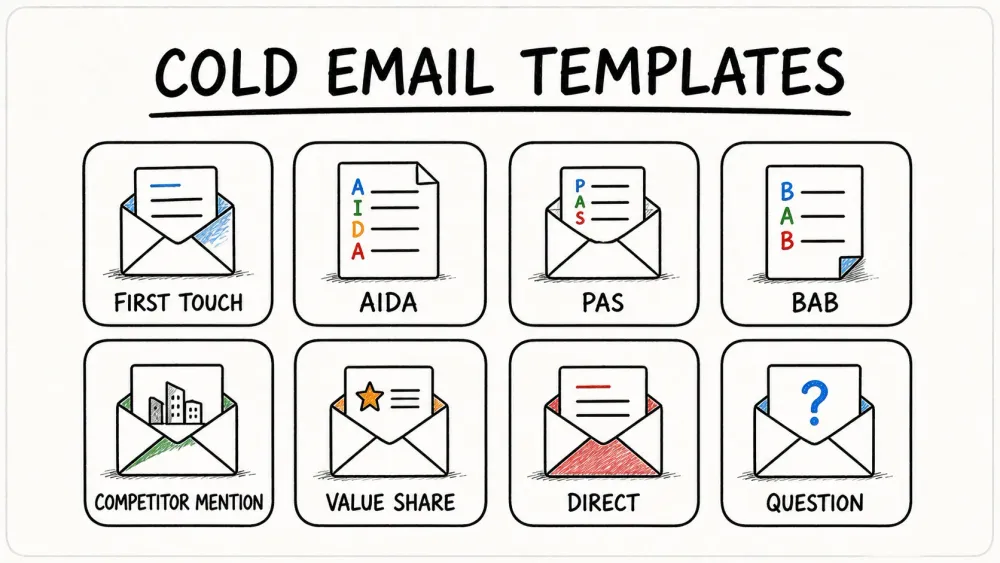
Below you'll find 20 ready-to-use cold email templates — each tagged with the copywriting framework it uses, the personalization level it needs, where it fits in a multi-email sequence, and what kind of reply rate you can realistically expect. More importantly, I'll show you the thinking behind each one, so you can adapt them instead of just copying them.
Why Most Cold Email Templates End Up in the Trash (and How to Fix That)
Before we get to the templates themselves, it helps to understand why so many cold emails fail before anyone even reads the body copy. In my experience, the usual culprits are:
- Too generic. If your email could be sent to any company on earth, it will resonate with none of them. Recent benchmarks show campaigns with multiple personalization variables hit about 5.3% reply rates versus 1.7% for generic sends.
- Too long. The strongest cold emails stay under 100 words. Once you cross into newsletter territory, you've lost the reader — especially on mobile.
- Sender-focused, not prospect-focused. "We are the leading provider of…" is the fastest way to get archived. The prospect cares about their problem, not your positioning statement.
- Weak or premature CTA. Asking for a 30-minute demo on the first touch is like proposing marriage on a first date. A low-friction question ("Worth comparing notes?") outperforms a calendar link almost every time.
- Poor deliverability. None of this matters if your email lands in the spam folder. We'll cover that later.
Throughout this article, I'll score each template on six dimensions so you can pick the right one for the right moment:
| Criterion | What it tells you |
|---|---|
| Framework Used | Which copywriting structure powers the template (AIDA, PAS, BAB, SAS, PPP, or none) |
| Best For | The use case or buyer persona it fits |
| Ideal Length | Recommended word count |
| Personalization Level | Low / Medium / High — how much prospect research you need |
| Reply Rate Benchmark | Expected response rate when properly targeted |
| Best Paired With | Where it belongs in a multi-email sequence |
A few quick rules of thumb before we start: keep subject lines to 3–7 words (curiosity beats cleverness), write at an 8th-grade reading level, and always A/B test your subject lines and CTAs. The best template in the world still needs iteration.
The 5 Copywriting Frameworks Behind Every Great Cold Email
Templates are only as good as the structure underneath them. If you understand the framework, you can rewrite any template on the fly for any prospect. If you just copy-paste, you'll sound like everyone else.
Here's the cheat sheet I keep pinned above my desk:
| Framework | Structure | Best when… | Tone | Example scenario |
|---|---|---|---|---|
| AIDA | Attention → Interest → Desire → Action | Prospect doesn not know they have a problem | Aspirational | Introducing a new workflow or category |
| PAS | Problem → Agitate → Solution | Prospect knows the pain but has not prioritized it | Empathetic + urgent | Solving a known frustration (slow CRM, bad data) |
| BAB | Before → After → Bridge | Prospect is open to switching tools or methods | Visionary | Replacing a manual process or competitor |
| SAS | Star → Arch → Success | Complex value prop needs a customer story | Narrative | Case-study-driven outreach |
| PPP | Praise → Picture → Push | Warm-ish prospect who has already engaged | Flattering + direct | Post-webinar or content-download follow-up |
AIDA (Attention–Interest–Desire–Action)
Grab attention with a surprising fact or question, build interest by making the category feel relevant, create desire with a concrete outcome, and close with a clear action. AIDA works best when the buyer isn't actively shopping and your first job is to make the problem feel real.
PAS (Problem–Agitate–Solution)
Name the pain, twist the knife a little (respectfully), then offer the fix. PAS is one of the most reliable B2B structures because pain avoidance is a stronger motivator than gain seeking for most decision-makers. It's especially strong when the prospect already knows the problem exists but hasn't moved it up the priority list.
BAB (Before–After–Bridge)
Paint the painful "before," show the ideal "after," then bridge the gap with your solution. BAB shines in competitor-replacement and workflow-upgrade scenarios where the prospect can already imagine a better future but needs help getting there.
SAS (Star–Arch–Success)
Introduce a customer (the star), describe their challenge (the arch), and reveal how they won (the success). SAS lowers resistance by letting the prospect see themselves in someone else's story rather than being pitched directly.
PPP (Praise–Picture–Push)
Open with genuine recognition, paint a picture of what's possible, and push toward action. PPP is strongest when there's at least a little warmth in the relationship — a LinkedIn connection, a webinar attendance, a mutual community.
The key insight: most cold email articles give you templates without explaining which framework powers them. That's like giving someone a recipe without explaining why the ingredients work together. Once you internalize these five structures, you can adapt any template to any prospect.
Cold Email Benchmarks in 2026: What "Good" Actually Looks Like
One of the most common questions I get from our users at Thunderbit is: "Is my reply rate normal?" Here's the honest answer, pulled from the most recent 2026 benchmark data:
| Metric | Poor | Average | Good | Excellent |
|---|---|---|---|---|
| Open Rate | Under 30% | 30–45% | 45–60% | 60%+ |
| Reply Rate | Under 1.5% | 1.5–3.5% | 3–5% | 5%+ |
| Positive Reply Rate | Under 0.5% | 0.5–1.5% | 1.5–3% | 3%+ |
| Meetings Booked / 100 emails | Under 0.3 | 0.3–1 | 1–2 | 2+ |
| Bounce Rate | Over 5% ⚠️ | 3–5% | 1–3% | Under 1% ✅ |
A few things worth noting. Open rate is increasingly a directional metric because Apple Mail Privacy Protection inflates it. Reply rate, positive reply rate, and meetings booked are the numbers that actually matter. And different template types perform very differently: trigger-event templates typically outperform generic intros by 2–3x on reply rate, and referral emails consistently land in the 7–12% range.
Use this table to diagnose your current campaigns and decide which templates below are worth testing first.
1. The Introduction / First-Touch Cold Email Template
Framework: None (straightforward introduction)
Best for: SDRs making initial contact with a fresh prospect list
Ideal length: 50–80 words
Personalization level: Medium
Reply rate benchmark: 2–4%
Best paired with: Email 1 in any sequence
Subject: quick question about {{company}}

Hi {{first_name}} — I'm reaching out because I noticed {{company}} is focused on {{pain_point}}.

We help teams like yours {{result}} without {{common_tradeoff}}.

Worth comparing notes on whether this is even on your radar right now?
Why it works: it answers three questions in under 60 words — who you are, why you're reaching out, and why the prospect should care. The closing question is low-friction. You're not asking for 30 minutes. You're asking if the topic is relevant. That's a much easier "yes."
2. The AIDA Framework Cold Email Template
Framework: AIDA
Best for: Prospects who aren't yet aware of the problem or your category
Ideal length: 60–100 words
Personalization level: Medium
Reply rate benchmark: 3–5%
Best paired with: Email 1 when the prospect is cold and unaware
Subject: still doing {{old_way}}?

Hi {{first_name}},

Most {{role_plural}} I speak with are still spending hours on {{old_way}}.

Teams using {{your_solution_type}} usually cut that to {{better_outcome}} and free up time for {{business_priority}}.

Would it be unreasonable to show you what that looks like for {{company}}?
Each line maps to a step: the subject line grabs attention, the first sentence builds interest by naming the status quo, the second creates desire with a concrete outcome, and the close is the action — a soft ask, not a hard sell.
3. The PAS (Problem–Agitate–Solution) Cold Email Template
Framework: PAS
Best for: Prospects who know the pain but haven't prioritized fixing it
Ideal length: 60–90 words
Personalization level: Medium–High
Reply rate benchmark: 4–6%
Best paired with: Email 1 or Email 3 (value reframe) in a sequence
Subject: when {{pain_point}} starts costing pipeline

Hi {{first_name}},

Most teams at {{company_stage_or_peer_group}} already know {{problem}} is annoying.

What they usually underestimate is how fast it turns into {{cost_or_risk}}.

We help fix that by {{solution}}.

Would a quick example from {{relevant_company}} be useful?
PAS works because it doesn't just name the pain — it makes the prospect feel the urgency of not solving it. The agitation step ("how fast it turns into {{cost_or_risk}}") is what separates this from a generic intro. Just be careful not to overdo it. You want empathy, not melodrama.
4. The BAB (Before–After–Bridge) Cold Email Template
Framework: BAB
Best for: Prospects open to switching from a current approach or competitor
Ideal length: 70–100 words
Personalization level: Medium
Reply rate benchmark: 3–5%
Best paired with: Email 1 when targeting competitor users
Subject: from {{frustrating_before}} to {{desirable_after}}

Hi {{first_name}},

Right now, most teams like {{company}} are stuck with {{before_state}}.

The better version is {{after_state}}, where {{key_benefit}}.

We bridge that gap by {{bridge_solution}}.

Open to seeing how {{peer_company}} did it?
The "after" section gets dramatically stronger when you anchor it to a real number. "From 4 hours of manual data entry to 15 minutes" is more compelling than "saving time." If you have a case study, this is where it earns its keep.
5. The SAS (Star–Arch–Success) Cold Email Template
Framework: SAS
Best for: Complex value props that benefit from a customer story
Ideal length: 80–120 words
Personalization level: Low–Medium
Reply rate benchmark: 3–5%
Best paired with: Email 3 in a sequence
Subject: how {{customer_name}} solved {{problem}}

Hi {{first_name}},

One team we worked with, {{customer_name}}, was dealing with {{challenge}}.

They'd tried {{failed_approach}}, but it still left them with {{costly_result}}.

After switching to {{your_solution}}, they were able to {{success_outcome}}.

If that sounds relevant to {{company}}, I can send the short version.
I love SAS for mid-sequence emails because by Email 3, the prospect has already seen your name twice. A story feels less like a pitch and more like a conversation. The key is picking a customer story that matches the prospect's industry or company size.
6. The Competitor Name-Drop Cold Email Template
Framework: None (direct competitive positioning)
Best for: Prospects known to be using or evaluating a competitor product
Ideal length: 60–90 words
Personalization level: High
Reply rate benchmark: 5–8%
Best paired with: Email 1 when competitive intel is available
Subject: if you're comparing {{competitor}}

Hi {{first_name}},

I noticed {{company}} appears to be using or evaluating {{competitor}}.

Teams usually talk to us when they want {{differentiator}} without giving up {{important_requirement}}.

Happy to send the short side-by-side if it would save you time.
Two rules here. First, never trash-talk the competitor. Focus on what you add, not what they lack. Second, this template requires knowing which tools the prospect actually uses — which is where data enrichment comes in (more on that later).
7. The Trigger Event / Recent News Cold Email Template
Framework: None (event-driven personalization)
Best for: Funding rounds, new hires, product launches, earnings reports, leadership changes
Ideal length: 50–80 words
Personalization level: High
Reply rate benchmark: 6–9%
Best paired with: Email 1 — send within 48 hours of the trigger event
Subject: congrats on {{trigger_event}}

Hi {{first_name}},

Saw the news about {{trigger_event}} at {{company}}.

Moments like this usually create new pressure around {{related_challenge}}.

We've helped teams in the same phase {{specific_result}}.

Worth sharing a quick example?
This is consistently one of the highest-performing cold email formats. The reason is simple: relevance plus timing. A funding announcement from two days ago feels like a conversation. A funding announcement from three months ago feels like a sales pitch. Speed matters.
8. The Website Visitor Cold Email Template
Framework: None (intent-based outreach)
Best for: Prospects whose company visited your website (identified via visitor tracking tools)
Ideal length: 50–70 words
Personalization level: Medium
Reply rate benchmark: 5–7%
Best paired with: Email 1 sent within 24 hours of the website visit
Subject: noticed interest from {{company}}

Hi {{first_name}},

Looks like someone from {{company}} recently spent time on our {{page_name}} page.

Usually that means a team is exploring {{problem_area}}.

If helpful, I can send the two-minute overview most teams ask for next.
The line between "helpful" and "creepy" is thin here. Don't say "I saw you visited our pricing page at 2:47 PM." Do say "someone from your team was exploring [topic]." Keep it useful, not surveillance-y.
9. The Social Proof / Testimonial Cold Email Template
Framework: PPP or standalone social proof
Best for: Industries where peer validation drives purchasing decisions
Ideal length: 60–90 words
Personalization level: Medium
Reply rate benchmark: 4–6%
Best paired with: Email 1 or Email 3 in a sequence
Subject: what {{customer_name}} saw after {{change}}

Hi {{first_name}},

We recently helped {{customer_name}} {{result}}.

Their team described it as "{{short_quote}}."

If {{company}} is dealing with {{relevant_problem}}, I can send the exact playbook they used.
Third-party validation is more believable than anything you could say about yourself. The trick is matching the testimonial to the prospect's industry or role. A quote from a Fortune 500 CFO won't resonate with a startup marketing manager.
10. The Referral / Mutual Connection Cold Email Template
Framework: None (trust-transfer via warm intro)
Best for: When you share a mutual connection, alumni network, or community
Ideal length: 50–70 words
Personalization level: High
Reply rate benchmark: 7–12%
Best paired with: Email 1 — always lead with the connection
Subject: {{mutual_connection}} suggested I reach out

Hi {{first_name}},

{{mutual_connection}} thought it might be useful for us to connect because of your work on {{initiative}} at {{company}}.

We've been helping teams handle {{problem}} with {{result}}.

Would it be crazy to compare notes for 10 minutes?
Referral emails consistently outperform every other type. Even a loose connection — same LinkedIn group, same conference, same alumni network — is better than none. The key is that the connection has to be real. Fabricating a referral is the fastest way to burn trust.
11. The "Ask for an Intro / Right Person" Cold Email Template
Framework: None (navigational ask)
Best for: Large organizations with unclear org charts
Ideal length: 40–60 words
Personalization level: Low
Reply rate benchmark: 5–8%
Best paired with: Email 1 when targeting enterprise accounts
Subject: quick routing question

Hi {{first_name}},

I'm trying to reach the person at {{company}} who owns {{topic}}.

If that's not you, would you mind pointing me in the right direction?
This is the shortest template on the list, and it works precisely because it's so easy to answer. People are surprisingly willing to forward you to the right person when the ask is frictionless. I've seen this outperform elaborate pitches in enterprise prospecting more times than I can count.
12. The Direct 3-Sentence Cold Email Template
Framework: None (minimalist approach)
Best for: Busy executives and C-suite prospects
Ideal length: 30–50 words
Personalization level: Medium
Reply rate benchmark: 4–7%
Best paired with: Email 1 for executive-level outreach
Subject: idea for {{company}}

Hi {{first_name}} — we help {{peer_type}} {{result}}.

I thought this might matter because {{specific_relevance_to_company}}.

Open to a quick yes/no on whether it's worth a deeper look?
Three sentences. That's it. This format works exceptionally well on mobile, where most executives read email. The middle sentence is where personalization lives — if that line is generic, the whole email falls apart.
13. The Value-Sharing / Resource Cold Email Template
Framework: None (give-first approach)
Best for: Building trust with prospects earlier in the buying journey
Ideal length: 50–80 words
Personalization level: Medium
Reply rate benchmark: 3–5%
Best paired with: Email 3 in a sequence (after initial outreach and follow-up)
Subject: thought this might be useful

Hi {{first_name}},

Not sure if the timing is right, but I came across this {{resource_type}} on {{relevant_topic}} and thought of {{company}}.

No pitch attached — just useful if you're thinking about {{challenge}}.

Want me to send it over?
Leading with value builds reciprocity. The prospect doesn't feel sold to — they feel helped. This works best mid-sequence, after you've already introduced yourself and followed up once. The resource should be genuinely useful, not a thinly disguised product brochure.
14. The Question-Based Cold Email Template
Framework: None (curiosity-driven engagement)
Best for: Opening conversations when you want prospects to self-qualify
Ideal length: 40–70 words
Personalization level: Medium
Reply rate benchmark: 4–6%
Best paired with: Email 1 or as a reframe in Email 4
Subject: how are you handling {{challenge}}?

Hi {{first_name}},

Curious — how is {{company}} currently handling {{specific_problem}}?

I ask because most teams I speak with are still stuck with {{common_issue}}.

Happy to share what's working elsewhere if useful.
The magic here is that you're not pitching — you're asking. Open-ended "how" and "what" questions invite real replies. Avoid yes/no questions ("Are you interested in…?") because they make it too easy to say no.
15. The Account-Based (ABM) Cold Email Template
Framework: Hybrid (may combine AIDA + social proof)
Best for: High-value Tier 1 target accounts where you've done deep research
Ideal length: 80–120 words
Personalization level: Very High
Reply rate benchmark: 8–15%
Best paired with: Email 1 for Tier 1 accounts in a multi-channel ABM play
Subject: idea for {{company}}'s {{initiative}}

Hi {{first_name}},

I noticed {{company}} is investing in {{initiative}}, especially after {{recent_event}}.

That usually creates pressure around {{specific_operational_problem}}.

We helped {{similar_company}} solve a similar issue and saw {{specific_result}}.

If useful, I can sketch what that might look like for {{company}} in a short note.
ABM outreach is the opposite of high-volume cold email. Fewer sends, more research per email, and dramatically higher reply rates when done well. The personalization here should feel like you actually read their annual report — because you should have.
16. The LinkedIn-to-Email Bridge Cold Email Template
Framework: None (channel-bridging)
Best for: Prospects you've already engaged with on LinkedIn
Ideal length: 50–70 words
Personalization level: High
Reply rate benchmark: 6–10%
Best paired with: Email 1 after 1–2 genuine LinkedIn touchpoints
Subject: enjoyed your post on {{topic}}

Hi {{first_name}},

I liked your post about {{topic}} on LinkedIn, especially the point about {{specific_point}}.

It lined up with what we're seeing around {{related_problem}}.

Thought it might be easier to continue the conversation here — open to that?
The operative word is "genuine." If you haven't actually engaged with their content on LinkedIn, don't pretend you did. But if you have — if you liked a post, left a real comment, or connected with a note — this bridge email feels natural, not forced.
17. The Limited-Time Offer Cold Email Template
Framework: None (urgency-driven)
Best for: End-of-quarter pushes, free trial offers, early-access programs, pilot invitations
Ideal length: 60–80 words
Personalization level: Low–Medium
Reply rate benchmark: 3–5%
Best paired with: Email 4 or as a standalone campaign during promotional periods
Subject: opening a few spots for {{offer}}

Hi {{first_name}},

We're opening a small number of {{offer_type}} slots through {{deadline}} for teams working on {{relevant_goal}}.

If {{company}} is exploring that this quarter, I can send the short version.
Use this sparingly. Real urgency works. Fake urgency ("This offer expires in 24 hours" when it clearly doesn't) erodes trust faster than almost anything else. If the deadline is real, say so. If it's not, pick a different template.
18. Follow-Up #1: The Gentle Nudge Cold Email Template
Framework: None (soft touchpoint)
Best for: Re-engaging prospects who didn't reply to your first email
Ideal length: 30–50 words
Personalization level: Low
Reply rate benchmark: 3–5%
Best paired with: Email 2 in a sequence, sent ~3 days after Email 1
Subject: worth a quick revisit?

Hi {{first_name}},

Circling back in case this got buried.

One extra detail that may be relevant: {{new_stat_or_proof}}.

Worth a reply if this is on your radar?
The cardinal sin of follow-ups is "Just checking in." Those three words tell the prospect you have nothing new to offer. Always add one piece of value — a stat, a link, a one-liner about a relevant customer result. Recent data shows that around 55% of replies come from follow-up emails, not the first send. So this email matters more than most people think.
19. Follow-Up #2: The New Angle Cold Email Template
Framework: PAS or BAB (switch from whatever you used in Email 1)
Best for: Prospects who ignored both the first email and the gentle nudge
Ideal length: 50–80 words
Personalization level: Medium
Reply rate benchmark: 2–4%
Best paired with: Email 4 in a sequence, sent 5–7 days after Follow-Up #1
Subject: another angle on {{problem}}

Hi {{first_name}},

My earlier note focused on {{angle_one}}.

The bigger opportunity may actually be {{angle_two}}, especially if {{company}} is trying to {{business_goal}}.

If helpful, I can send the short case study behind that.
This is where framework-switching earns its keep. If your first email was an AIDA intro about saving time, this one might reframe the pitch as a PAS about competitive risk. Same product, different lens. Repetition kills curiosity; reframing restores it.
20. The Break-Up / Last-Chance Cold Email Template
Framework: None (closure-driven)
Best for: Final email in a sequence
Ideal length: 30–50 words
Personalization level: Low
Reply rate benchmark: 4–7%
Best paired with: Email 5, sent ~7 days after the new-angle follow-up
Subject: should I close the loop?

Hi {{first_name}},

I don't want to clutter your inbox if this isn't relevant.

Should I close the loop on this for now?
Here's the paradox: break-up emails often get the highest reply rates in a sequence. Why? Because giving the prospect permission to say "no" triggers loss aversion. They suddenly realize the conversation is ending, and some of them decide they actually do want to talk. It's a bit like saying "I'm about to leave" at a party — suddenly people want to chat.
All 20 Cold Email Templates at a Glance
| # | Template | Framework | Best For | Ideal Length | Personalization | Expected Reply Rate | Sequence Position |
|---|---|---|---|---|---|---|---|
| 1 | Introduction | None | Fresh outreach | 50–80 | Medium | 2–4% | Email 1 |
| 2 | AIDA | AIDA | Unaware prospects | 60–100 | Medium | 3–5% | Email 1 |
| 3 | PAS | PAS | Known pain | 60–90 | Medium–High | 4–6% | Email 1 or 3 |
| 4 | BAB | BAB | Switching / alternatives | 70–100 | Medium | 3–5% | Email 1 |
| 5 | SAS | SAS | Story-based proof | 80–120 | Low–Medium | 3–5% | Email 3 |
| 6 | Competitor Name-Drop | None | Known competitor usage | 60–90 | High | 5–8% | Email 1 |
| 7 | Trigger Event | None | Event-based outreach | 50–80 | High | 6–9% | Email 1 |
| 8 | Website Visitor | None | Intent outreach | 50–70 | Medium | 5–7% | Email 1 |
| 9 | Social Proof | PPP / proof | Trust-sensitive buyers | 60–90 | Medium | 4–6% | Email 1 or 3 |
| 10 | Referral / Mutual Connection | None | Warm trust transfer | 50–70 | High | 7–12% | Email 1 |
| 11 | Right Person / Intro Ask | None | Org navigation | 40–60 | Low | 5–8% | Email 1 |
| 12 | 3-Sentence | None | Executives | 30–50 | Medium | 4–7% | Email 1 |
| 13 | Value-Sharing | None | Trust building | 50–80 | Medium | 3–5% | Email 3 |
| 14 | Question-Based | None | Curiosity / self-qualification | 40–70 | Medium | 4–6% | Email 1 or 4 |
| 15 | ABM | Hybrid | Tier 1 accounts | 80–120 | Very High | 8–15% | Email 1 |
| 16 | LinkedIn-to-Email Bridge | None | Warmed through LinkedIn | 50–70 | High | 6–10% | Email 1 |
| 17 | Limited-Time Offer | None | Promotional pushes | 60–80 | Low–Medium | 3–5% | Email 4 |
| 18 | Follow-Up #1 Gentle Nudge | None | Resurface first touch | 30–50 | Low | 3–5% | Email 2 |
| 19 | Follow-Up #2 New Angle | PAS/BAB | Reframe after silence | 50–80 | Medium | 2–4% | Email 4 |
| 20 | Break-Up / Last Chance | None | Final closure email | 30–50 | Low | 4–7% | Email 5 |
How to Build a 5-Email Sequence Using These Cold Email Templates
Templates in isolation are useful. Templates arranged into a sequence are a system. Here's the blueprint I recommend based on what's worked for our team and our users:
| Email # | Template to Use | Day | Goal | If No Reply → |
|---|---|---|---|---|
| 1 | Introduction or Trigger Event (#1 or #7) | Day 0 | Open the conversation | Wait 3 days |
| 2 | Follow-Up #1 Gentle Nudge (#18) | Day 3 | Resurface the first touch | Wait 4 days |
| 3 | Value-Sharing or SAS (#13 or #5) | Day 7 | Build trust and relevance | Wait 5 days |
| 4 | Follow-Up #2 New Angle (#19) | Day 12 | Reframe the pitch | Wait 7 days |
| 5 | Break-Up / Last-Chance (#20) | Day 19 | Force a yes/no decision | End sequence |
Why 3–7 Day Gaps Between Cold Emails Work
Too frequent and you feel pushy. Too spaced out and the prospect forgets you exist. The 3–7 day window hits the sweet spot. Most productive sequences use 3–5 follow-ups before diminishing returns set in, and the best send window remains Tuesday–Thursday, 8–10 AM in the prospect's local time zone.
When to Switch Frameworks Mid-Sequence
If Email 1 uses AIDA (aspirational, awareness-building), don't repeat the same angle in Email 4. Switch to PAS (pain-focused) or a competitor/social-proof angle. Framework rotation prevents fatigue and gives the prospect a new reason to engage. Think of it like changing the camera angle in a movie — same story, different perspective.
How to Personalize Cold Email Templates at Scale (Without Writing 500 Unique Emails)
This is the question I hear most often from sales teams: "How do I personalize without spending 20 minutes per email?" The answer is not "write 500 unique emails." The answer is "collect 500 unique data points and feed them into smart templates."
The difference between a 5.3% reply rate and a 1.7% reply rate is often just two or three personalized variables — a company challenge, a recent event, a competitor they use. The template structure stays the same. The data changes.
Use Thunderbit to Scrape Prospect Data for Your Cold Email Templates
Scrape prospect data with Thunderbit Thunderbit's Email and Phone Extractor pulls verified contact details from prospect pages for free, without spending credits. Get Started Free
This is where I'll be upfront about our product, since it's genuinely relevant to the workflow. Thunderbit is an agentic web scraper we built specifically for business users who need to extract structured data from websites without writing code. For cold email personalization, the workflow looks like this:
- Build your prospect list — company names, websites, LinkedIn profiles.
- Use Thunderbit to scrape each prospect's website — their careers page, blog, press releases, team page, integrations page.
- Map the scraped data to your template merge fields.
- Export to Google Sheets, Excel, Airtable, or Notion and feed it into your email platform.
Thunderbit's AI reads the page and suggests extraction fields automatically. You don't need to configure selectors or write scripts. It handles pagination, subpage scraping (visiting each company's individual pages to enrich a whole list), and exports data for free.
Here's how the data maps to templates:
| Template Variable | Data Source | How to Get It |
|---|---|---|
| `{{company_challenge}} | Prospect's careers page or blog | Thunderbit subpage scraping |
| `{{recent_news}} | Press releases / newsroom | Thunderbit AI extraction |
| `{{competitor_they_use}} | Tech stack / integrations page | Thunderbit One Click Extract |
\{\{prospect_name\}\}** / **{{email}} | Team / About page | Thunderbit email extractor |
The key insight: personalization at scale is a data problem, not a writing problem. If you have the right data, the templates do the heavy lifting.
Map Your Enrichment Data to Template Merge Fields
The practical workflow is straightforward:
- Start with a list of 50–100 target companies.
- Scrape 3–5 data points per company using Thunderbit (recent news, job postings, tech stack, team info).
- Drop the enriched data into a spreadsheet with columns that match your merge fields.
- Import into your email tool and let the templates personalize themselves.
This turns a 20-minute-per-prospect research process into a 2-minute-per-batch process. I've watched teams go from sending 30 personalized emails a week to 300 — without sacrificing quality. If you want to see how it works, check out Thunderbit's Chrome extension or watch the walkthrough on our YouTube channel.
Deliverability 101: Make Sure Your Cold Email Templates Actually Reach the Inbox
I could give you the world's best cold email template and it wouldn't matter if it lands in spam. Deliverability is the unglamorous foundation that makes everything else work, and it's the most overlooked topic in almost every cold email guide I've read.
Domain Warm-Up and Authentication Checklist
- Use a separate sending domain. Don't send cold outreach from your primary company domain. If your main domain is yourcompany.com, send from yourcompany.io or mail.yourcompany.com.
- Warm up over 2–4 weeks. Start at ~20 emails per day and ramp gradually. Jumping straight to 200/day is a fast path to the spam folder.
- Authenticate with SPF, DKIM, and DMARC. In plain English: SPF tells mailbox providers which servers are allowed to send on your behalf. DKIM adds a digital signature to verify the email wasn't tampered with. DMARC ties them together and tells providers what to do with unauthenticated messages. If you haven't set these up, do it before sending a single cold email.
- Verify your list. Keep bounce rates under 2% where possible. Bad addresses tank your sender reputation fast.
2026 Gmail and Yahoo Sender Requirements
Google and Yahoo both tightened their sender rules in 2024–2025, and the enforcement has only gotten stricter. The key requirements:
- One-click unsubscribe for promotional and bulk email
- Spam complaint rate below 0.3% to stay in good standing
- Full authentication (SPF + DKIM + DMARC)
Here's the silver lining: these rules actually benefit skilled cold emailers. The low-quality, high-volume spammers get filtered out, which means less noise in the inbox for compliant senders. If you follow the rules, your emails are more likely to be seen than they were two years ago.
Spam Trigger Words and Patterns to Avoid in Your Cold Email Templates
Spam filters are pattern-based, not word-based. A single "free" in a normal sentence won't kill you. But stack up aggressive formatting, excessive links, image-heavy bodies, ALL CAPS subject lines, and too many exclamation points, and you're toast. Keep your cold emails plain-text or near-plain-text, limit links to one or two, and write like a human being — not a late-night infomercial.
Conclusion: Pick the Right Cold Email Template, Personalize It, and Send with Confidence
Twenty templates is a lot. You don't need to use all of them. Here's what I'd suggest: pick one first-touch template that matches your buyer's awareness level (AIDA for unaware, PAS for pain-aware, trigger event for timely), customize it with real prospect data, send it to your top 10 accounts this week, and measure the results against the benchmarks table above.
The framework behind the template matters more than the exact words. The sequence matters more than any single email. And the quality of your prospect data — the company challenges, the recent news, the competitive context — matters more than how clever your subject line is.
If you want to shortcut the data enrichment piece, give Thunderbit a try. We built it to turn hours of manual prospect research into a single click. And if cold email templates aren't your only data challenge, check out our guides on lead generation with AI, building prospect lists, and outbound outreach strategies.
Now go send some emails that don't sound like spam — and may your reply rates always beat the average.
FAQs
How many follow-up cold emails should I send?
Most 2026 best-practice guidance converges on 3–5 follow-ups. Around 55% of replies come from follow-up emails, not the first send. After 5 emails with no response, diminishing returns set in and it's usually better to move the prospect to a nurture list.
What is the best time to send cold emails in 2026?
The safest default is Tuesday–Thursday, 8–10 AM in the recipient's local time zone. Tuesday tends to edge out other days slightly, but targeting and deliverability matter far more than the exact hour you hit send.
How do I avoid my cold emails going to spam?
Warm your sending domain over 2–4 weeks, authenticate with SPF/DKIM/DMARC, keep complaint rates below 0.3%, verify your list to minimize bounces, and avoid image-heavy or link-heavy email bodies. Use a separate domain from your primary company domain.
Which cold email template works best for SaaS sales?
Trigger event (#7), competitor name-drop (#6), and ABM (#15) templates tend to perform best for SaaS because they add context, urgency, or competitive differentiation. The framework choice (AIDA vs. PAS) depends on buyer awareness: AIDA for prospects who don't know they have a problem, PAS for those who do.
Can I use the same cold email template for every prospect?
You can reuse the structure, but not the same unchanged message. Generic campaigns underperform personalized ones by 2–3x on reply rate. Templates are starting points — swap in real prospect data (company challenges, recent news, competitor context).
Try Thunderbit Agentic Web Scraper Point Thunderbit's agentic web scraper at any prospect list and it builds a structured contact sheet in one click. Get Started Free
Try Agentic Web Scraper for Better Cold Email Personalization Get Started Free
Learn More




