
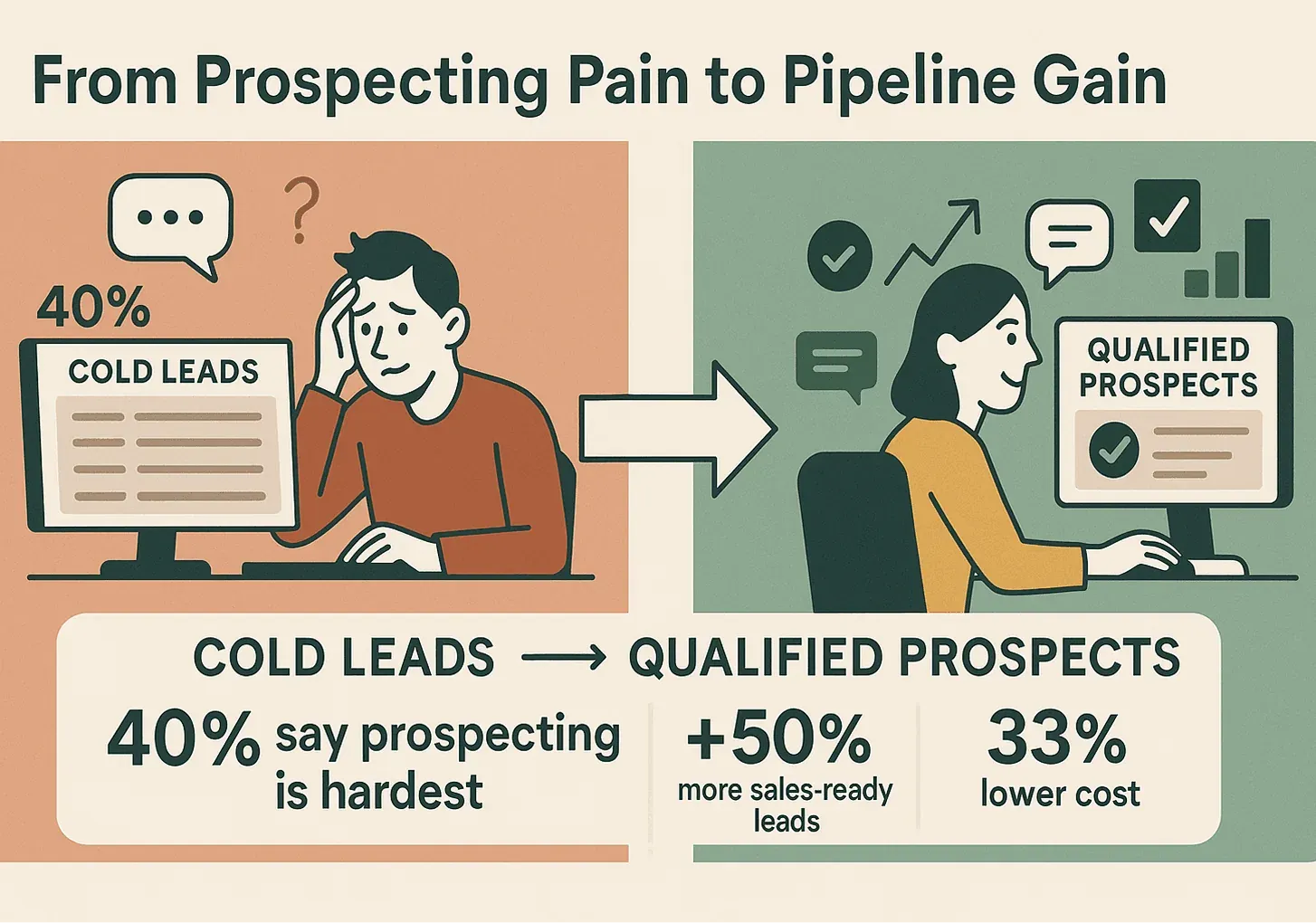
Building a high-quality prospect list isn’t just a box to check off in your sales process—it’s the foundation of every successful pipeline I’ve ever seen. In my years working with sales and ops teams (and, yes, building tools like Thunderbit), I’ve watched great prospecting turn struggling sales teams into quota-crushers—and I’ve seen outdated, messy lists sink even the most talented reps. The numbers don’t lie: over 40% of salespeople say prospecting is the hardest part of their job, and companies that excel at nurturing qualified prospects generate 50% more sales-ready leads at 33% lower cost than those that don’t.
 But here’s the catch: the old way of prospecting—manual research, static spreadsheets, and generic lead lists—just doesn’t cut it anymore. Today, the best sales teams are blending classic sales intuition with AI-powered tools to build, maintain, and activate prospect lists that are always fresh, always targeted, and always ready to drive results. In this guide, I’ll walk you through a modern, step-by-step approach to making a prospect list in sales, with actionable strategies for both non-technical and tech-savvy users. And yes, I’ll show you how to make AI and automation your secret weapon—no coding required.
What Is a Prospect List in Sales?
Let’s start simple: a prospect list is your curated roster of potential customers—people or companies that fit your ideal customer profile (ICP) and have a real shot at becoming your next closed deal. Think of it as your sales team’s “to-contact” list, but with a twist: every name on it should be there for a reason.
A high-quality prospect list isn’t just a dump of names and emails. It’s a living, breathing asset that includes:
- Name
- Company
- Role/Title
- Email address
- Phone number
- Location
- Profile link (LinkedIn, website, etc.)
- Industry, company size, or other relevant notes
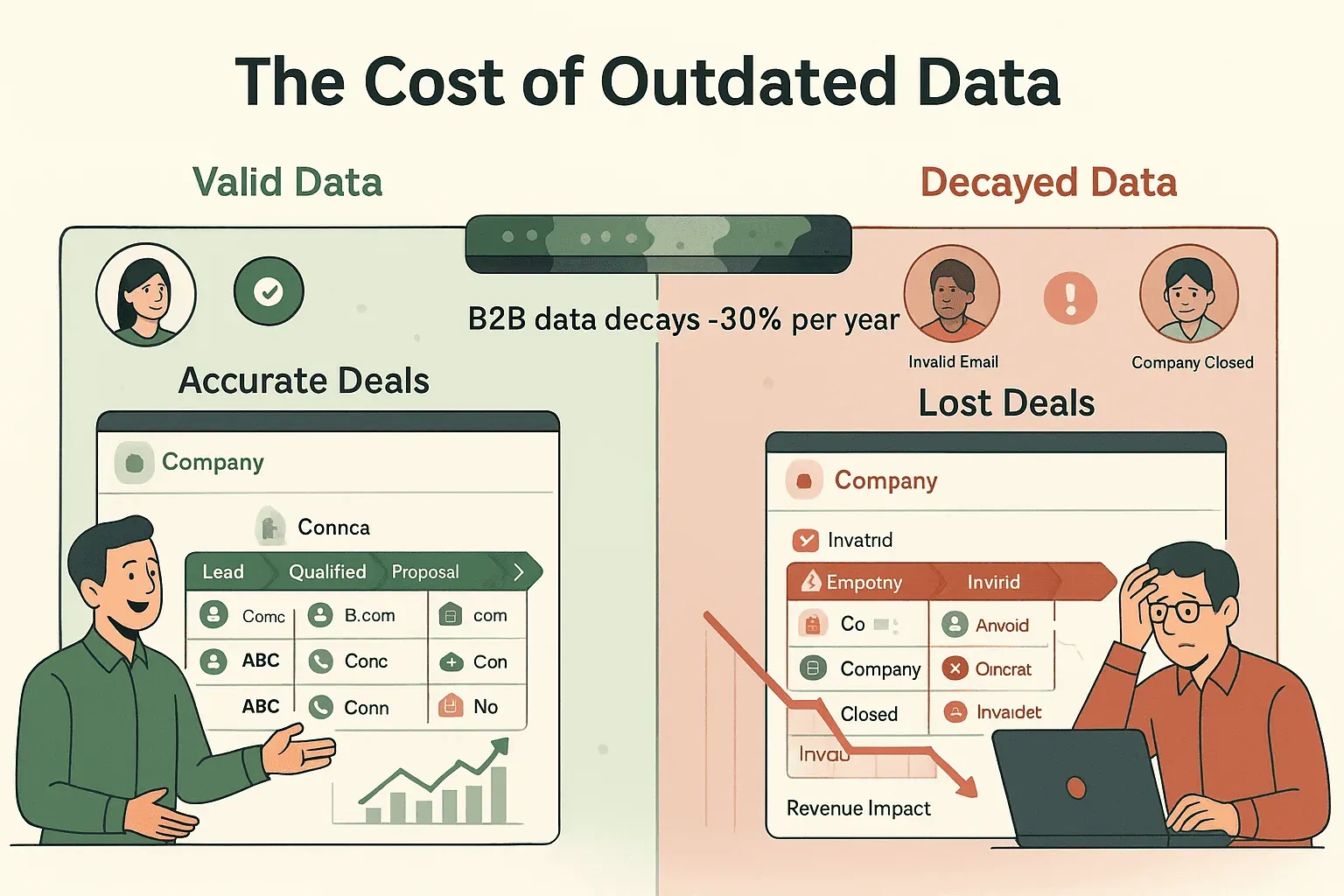
The goal? Give your sales team everything they need to personalize outreach, qualify leads, and move prospects through the funnel. And since B2B contact data decays at about 30% per year, keeping your list fresh is just as important as building it in the first place.
Why Building a High-Quality Prospect List Matters for Sales Success
If you’ve ever chased a bad lead or spent hours on dead-end outreach, you know the pain of a low-quality list. The ROI of getting this right is huge:
- Efficiency: Sales teams with optimized prospect lists spend more time selling and less time researching. In fact, 71% of reps say non-selling tasks are their biggest frustration.
- Higher Conversion Rates: Focusing on great-fit prospects leads to higher conversion rates and shorter sales cycles. 67% of lost sales happen due to poor lead qualification.
- Better Morale: Nothing kills a sales team’s energy like banging their head against uninterested or non-existent contacts. A good list means more “hot” targets and more wins.
- Predictable Pipeline: When your list is full of real, relevant prospects, your pipeline becomes more stable and your forecasting more accurate.
Here’s a quick look at the ROI-focused use cases for a high-quality prospect list:
| Use Case | Outcome (ROI) |
|---|---|
| Lead Generation & Research | 35% higher lead-to-meeting conversion rate, 47% more qualified leads in 90 days |
| Market Targeting & Insights | 15–25% response rates, up to 41% higher reply rates with segmented outreach |
| Workflow Automation | 54% reduction in admin tasks, 3.2× faster lead qualification |
| Real-Time Data Enrichment | Lower cost per lead, prevents wasted effort on outdated info (since B2B data decays ~30%/year) |
Traditional vs. Modern Tools: Choosing the Right Prospect List Solution
Let’s be honest: I’ve spent more hours than I care to admit copying names from websites into Excel. It works—for about 10 leads. But when you need to scale, keep data fresh, and integrate with your CRM? That’s where modern, AI-powered tools like Thunderbit come in.
Here’s how the old-school and new-school stack up:
| Criteria | Traditional (Excel/CRM/Manual) | Modern AI Solution (Thunderbit) |
|---|---|---|
| Ease of Use | Manual, time-consuming | No-code, AI auto-detects fields, 2-click setup |
| Data Freshness | Static, quickly outdated | Live web data, real-time updates, scheduled scrapes |
| Scalability | Not easily scalable, error-prone | Scrape 50+ pages at a time, handles pagination |
| Integration | CSV import/export, manual mapping | 1-click export to Sheets, Airtable, Notion, Excel |
| Data Depth | Basic info unless manually enriched | Subpage scraping, AI enrichment, custom fields |
| Cost & ROI | High labor cost, expensive lists | Subscription/credit model, saves hours, boosts ROI |
Traditional tools give you control, but modern AI tools like Thunderbit give you speed, accuracy, and scale—without the headaches.
Step 1: Define Your Ideal Customer Profile (ICP) and Buyer Persona
Before you build a list, you need to know who belongs on it. That means getting crystal clear on your Ideal Customer Profile (ICP) and buyer personas.
ICP is your “perfect-fit” customer at the company level. Think industry, company size, geography, budget, tech stack, and pain points.
Buyer persona is the individual you’re targeting within those companies—job title, department, seniority, goals, and challenges.
How to Identify Key ICP Criteria
Here’s a practical checklist to define your ICP:
- Industry/Sector: Top 1–3 industries that benefit most from your solution
- Company Size: Employees or revenue (e.g., 100–500 employees, $5M–$50M revenue)
- Geography: Local, regional, national, or global? (e.g., North America)
- Other Firmographics: Growth stage, funding status, tech stack, etc.
- Pain Points/Needs: The key problem your ideal customer needs solved
And for your buyer persona:
- Job Title & Role: Who are the decision-makers? (e.g., VP Sales, Head of Marketing)
- Department/Function: Sales, IT, HR, etc.
- Seniority Level: C-level, VP, Director, Manager
- Goals & KPIs: What are they trying to achieve?
- Pain Points: What keeps them up at night?
- Decision Criteria: What do they care about when buying?
Get specific! The clearer your ICP and persona, the more targeted (and effective) your prospecting will be.
Step 2: Source and Collect Prospect Data Efficiently
Now comes the fun part: finding prospects that fit your ICP. You can do this the old-fashioned way—manual web research, LinkedIn prospecting, industry directories, referrals, or even buying lists. But let’s be real: those methods are slow, expensive, and often outdated.
Scrape Sales Leads with AI in 2 Clicks Get Started Free
Using Thunderbit for Fast, Accurate Prospect Data Collection
This is where Thunderbit shines. Here’s how I recommend using it:
- Find a Source Website: This could be LinkedIn, a business directory, or a conference attendee list.
- Open Thunderbit and Click “AI Suggest Fields”: Thunderbit’s AI scans the page and suggests columns like Name, Title, Company, Email, etc. You can tweak or add fields as needed.
- Click “Scrape”: Thunderbit grabs all the entries on the page and organizes them into a neat table.
- Subpage Scraping: Need more info (like emails or phone numbers hidden on profile pages)? Thunderbit can automatically visit each subpage and enrich your table.
- Export Instantly: Download as CSV, Excel, or export directly to Google Sheets, Airtable, or Notion.
Compared to manual collection, this is like trading in your bicycle for a Tesla. What used to take hours now takes minutes, and your data is always fresh.
Try Thunderbit for Prospect List Building
Step 3: Organize and Segment Your Prospect List
A big list of names is just noise until you organize it. Segmentation is what turns your prospect list into a strategic asset.
Why segment? Because not all prospects are equal. Segmentation lets you personalize outreach, prioritize high-value leads, and run targeted campaigns.
Best Practices for List Segmentation
- Add a “Segment” Column: Label by industry, region, company size, or persona.
- Use Tags or Groups in CRM: Create tags for key segments (e.g., “Fintech_NorthAmerica”).
- Segment by Sales Stage: Track status (New, Contacted, Meeting Set, etc.).
- Include ICP/Persona Fields: Make it easy to filter by your targeting criteria.
- Lead Score or Priority: Add a column for High/Medium/Low fit.
- Last Contacted/Updated: Track freshness for re-engagement.
The more organized your list, the easier it is to launch personalized, high-converting outreach.
Step 4: Import and Integrate Your Prospect List into a CRM
Your prospect list is only as good as your ability to act on it. That means getting it into your CRM or sales engagement tool.
Basic Import Process:
- Make sure your spreadsheet has clear headers matching CRM fields.
- Check for required fields (email, company, etc.).
- Map columns carefully during import.
- Import in small batches to catch errors.
- Spot-check a few records after import.
Thunderbit’s Export and CRM Integration Features
Thunderbit makes this step a breeze:
- 1-Click Export: Send data directly to Google Sheets, Airtable, Notion, or download as CSV/Excel.
- Structured Data: Keeps data types consistent for easy import.
- API & Automation: For advanced users, connect via API or Zapier for automated syncs.
Pro tip: Tag your imported leads with the source (e.g., a year-and-source label like "Thunderbit_Scraped_List_2026Q2") so you can track performance later.
Step 5: Keep Your Prospect List Fresh with AI and Automation
Remember: B2B data decays at ~30% per year. If you don’t update your list, you’ll waste time on dead leads.
How to Automate Sales Prospecting with AI Get Started Free
Setting Up Automated Prospect List Updates
- Scheduled Scraping: Thunderbit’s Scheduled Scraper lets you automate data refreshes—just set the interval (“every Monday at 9am”) and Thunderbit does the rest.
- Data Enrichment: Use enrichment tools or APIs to update emails, titles, and company info.
- CRM Automation: Set up workflows to flag bounced emails, update statuses, and trigger follow-ups.
- Manual Reviews: Schedule quarterly reviews to spot-check and clean your list.
With automation, your list stays evergreen—and your sales team always has the freshest targets.
Step 6: Activate Your Prospect List—From Data to Sales Conversations
Now it’s time to turn your list into real sales conversations. The secret? Multi-channel, personalized outreach, tracked and optimized in your CRM.
Outreach Workflow Example:
- Email: Personalized intro, follow-up, case study, etc.
- Phone: Call high-priority prospects.
- LinkedIn: Connect, engage, and message.
- Other Channels: SMS, direct mail, or even Slack, depending on your audience.
Track every touchpoint in your CRM. Remember, 80% of sales require five or more follow-ups—don’t give up after one try.
Personalizing Outreach Based on Segmentation
- Merge Fields: Use {First Name}, {Company}, {Industry} in your emails.
- Segment-Specific Templates: Craft different messages for each industry or persona.
- Individual Research: For high-value targets, reference recent news, LinkedIn posts, or company milestones.
- Timing & Channel Preference: Adjust outreach based on region and persona habits.
- CRM Triggers: Use engagement data (opens, clicks, replies) to prioritize follow-ups.
Personalization isn’t just a nice-to-have—it’s the difference between getting ignored and getting a meeting.
Conclusion & Key Takeaways: Mastering Prospect List Building in Sales
Let’s recap the playbook:
- Define your ICP and buyer persona: Know exactly who you’re targeting.
- Source data efficiently: Use AI tools like Thunderbit to gather and enrich leads in minutes.
- Organize and segment: Structure your list for targeted, high-ROI outreach.
- Integrate with your CRM: Make your data actionable and trackable.
- Keep it fresh: Use automation and AI to maintain data quality.
- Activate with personalized outreach: Turn your list into real sales conversations—and closed deals.
The real secret? Combine classic sales strategy with modern AI-powered tools. With Thunderbit, even non-technical teams can build, maintain, and activate a high-quality prospect list—saving hours, boosting conversion rates, and keeping your pipeline full.
Ready to level up your prospecting? Download Thunderbit’s Chrome Extension and see how easy it is to build your next winning list. And for more tips, check out the Thunderbit Blog for deep dives on sales automation, AI web scraping, and more.
Start Building Your Prospect List with Thunderbit
FAQs
1. What is a prospect list in sales, and why is it important?
A prospect list is a curated set of potential customers who fit your ideal customer profile. It’s crucial because a high-quality list leads to higher conversion rates, better sales efficiency, and a more predictable pipeline.
2. How do I define my Ideal Customer Profile (ICP)?
Start by analyzing your best customers. Look at industry, company size, geography, pain points, and decision-maker roles. Use these criteria to filter and qualify new prospects.
3. What are the advantages of using AI tools like Thunderbit for prospecting?
AI tools like Thunderbit automate data collection, ensure real-time data freshness, enrich your list with subpage scraping, and export data directly to your CRM or spreadsheet—saving hours and improving accuracy.
4. How can I keep my prospect list up to date?
Use scheduled scraping (like Thunderbit’s Scheduled Scraper), data enrichment APIs, and regular manual reviews. Automation ensures your list stays current and actionable.
5. What’s the best way to personalize outreach using my prospect list?
Segment your list by industry, role, or region. Use merge fields and segment-specific templates. For high-value prospects, add personal touches based on recent news or LinkedIn activity. Track engagement in your CRM and adjust your approach accordingly.
Ready to build your best prospect list yet? Give Thunderbit a try and let AI do the heavy lifting—so you can focus on what you do best: selling.
Learn More
- List Building 101: What It Is, How It Works, and Real-World Examples
- How to Use AI for Sales Prospecting: A Beginner's Guide
- How to Master Apollo Prospecting: A Step-by-Step Guide
Try AI Web Scraper for Sales Prospecting Get Started Free




