Dealer locations rarely live in one convenient database. One manufacturer publishes a clean directory, another uses an interactive map, a third requires a postal-code search, and a fourth hides dealer details behind individual profile pages.
When the portfolio grows to hundreds of websites, the job is no longer “scrape some addresses.” The real product is a trustworthy dealer master that answers business questions:
- Where is distribution expanding or shrinking?
- Which territories have coverage gaps?
- Which dealers were added, moved, or removed?
- Which locations carry a particular product line or service?
- Which CRM owner should receive a newly discovered dealer?
- How does a competitor's channel footprint change over time?
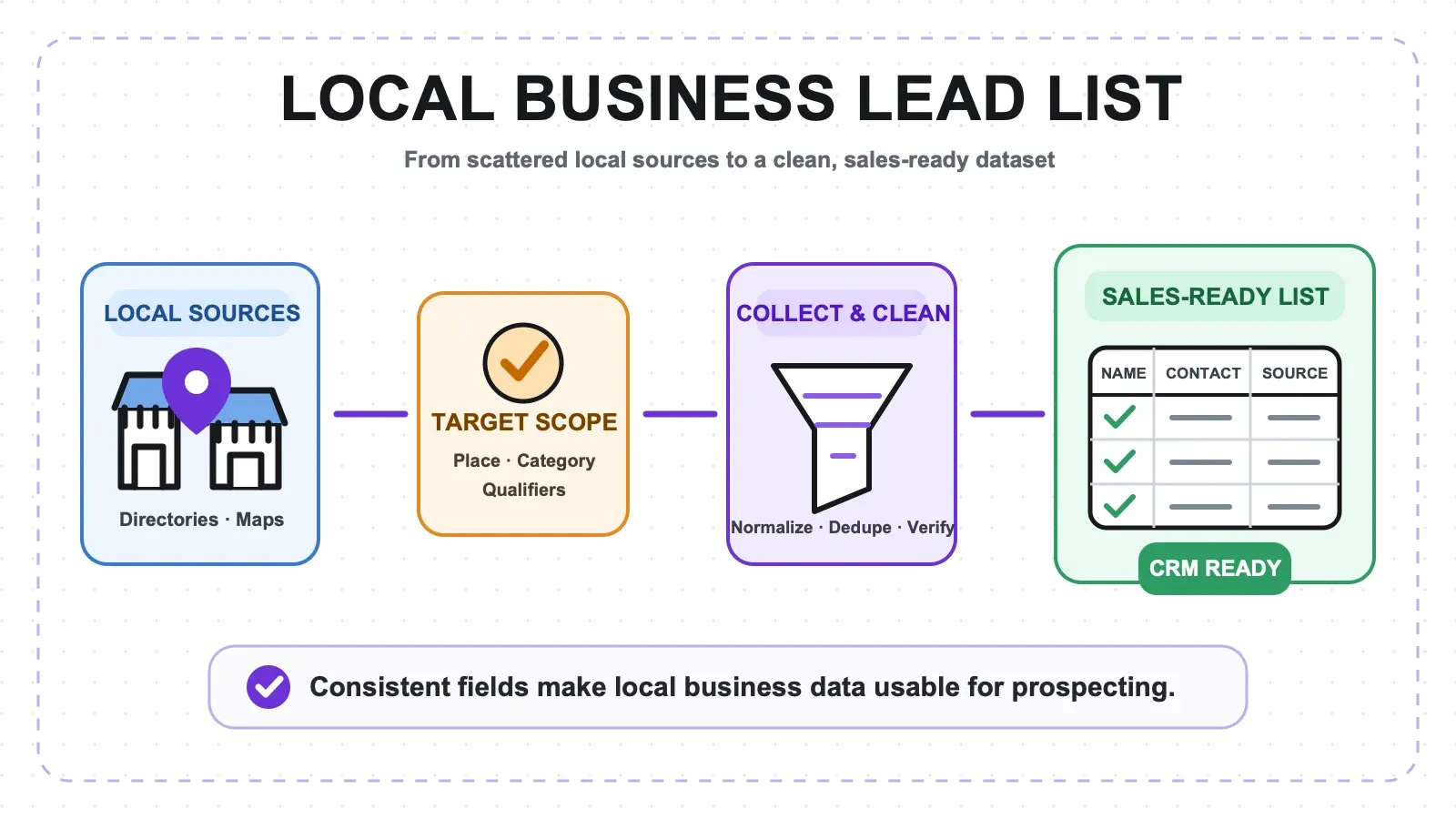
The practical architecture is straightforward: discover the sources, classify locator patterns, extract into one canonical schema, preserve source evidence, resolve duplicates, detect meaningful changes, and route them to the right team.
The Target System
A production dealer-tracking workflow has six layers:
- Source registry: The websites, locator URLs, countries, owners, patterns, schedules, and last-run status.
- Discovery: A repeatable way to find directory pages, sitemaps, APIs, search forms, and detail URLs.
- Extraction: Browser or API jobs that collect the same semantic fields across different layouts.
- Normalization: Consistent addresses, phone numbers, countries, categories, and status labels without destroying the raw values.
- Entity and change layer: Canonical dealer identities, brand memberships, first-seen and last-seen timestamps, and confirmed additions or removals.
- Activation: Alerts, CRM routing, coverage analysis, dashboards, and review queues.
Trying to skip directly from websites to a CRM import usually creates a brittle pile of one-off scripts and duplicate records. The registry and canonical model are what make hundreds of sites manageable.
Step 1: Define the Canonical Dealer Schema
Start with the output, not the first website. A useful minimum schema is:
| Group | Fields |
|---|---|
| Source evidence | source_domain, source_locator_url, source_dealer_url, source_dealer_id |
| Identity | dealer_name_raw, dealer_name_normalized, brand, manufacturer |
| Address | street_address, address_locality, address_region, postal_code, address_country |
| Contact | phone_raw, phone_normalized, website |
| Location | latitude, longitude |
| Commercial attributes | services, products, categories, authorized_status_raw |
| Observation | observed_at, first_seen, last_seen, record_status |
| Change control | source_hash, change_hash, parser_version |
Schema.org's PostalAddress provides a useful naming baseline for street address, locality, region, postal code, and country. Prefer ISO two-letter country codes in normalized data, while retaining the country exactly as the source publishes it.
Keep raw and normalized fields side by side. If a site says St. John's, NL and the normalization layer produces a standardized province and phone code, both versions remain available for review.
Step 2: Build a Source Registry
The source registry is the control plane for the operation. Give every website one row with:
- Domain and brand
- Country or market
- Suspected locator URL
- Locator pattern family
- Preferred crawl mode
- Parser or template version
- Run cadence
- Business owner
- Last attempted, successful, empty, and failed run
- Notes about search inputs or interaction requirements
Do not wait until every locator is understood. Create the registry first and let classification improve as the pilot progresses.
How to Discover Locator Sources
Check:
- Main navigation and footer links such as “Find a dealer,” “Where to buy,” or “Store locator”
/sitemap.xmland sitemap indexes- Internal site search
- Search-engine queries such as
site:brand.example dealer locator - Page source and embedded structured data
- Network requests triggered by a locator search
- PDF or distributor documents as a fallback source
The Sitemaps protocol requires a <loc> URL for each sitemap entry and supports sitemap indexes. Sitemaps can accelerate discovery, but they do not guarantee that every dynamic locator result is included, and a <lastmod> value should not be treated as proof that dealer information is fresh.
![]()
Step 3: Classify Each Locator Before Scaling
Most dealer websites fall into a small set of pattern families:
- Static HTML list or table — the easiest case; records are present in the page source.
- Paginated directory or infinite scroll — records repeat but require navigation.
- Map cards with detail links — summary cards need subpage enrichment.
- Search form — the user must enter a country, state, city, or postal code.
- Embedded JSON or network response — the page is a visual shell around structured data.
- Thin list plus dealer detail pages — the list carries identity, while addresses and services live on subpages.
- PDF or document directory — extraction and change review need a document-specific path.
One universal scraper will not handle all hundreds of sites well. The scalable approach is to build one reusable workflow per pattern family, then apply configuration per source.
Step 4: Pilot the Browser Workflow with Thunderbit
Thunderbit is useful for proving the schema on representative sites before investing in bulk automation.
Pilot Procedure
- Open a representative dealer directory in Chrome.
- Launch Thunderbit and use AI Suggest Fields.
- Rename proposed fields to the canonical schema.
- Add Field AI Prompts for normalization or classification—for example, map the visible country name to an ISO code or classify services into an approved category set.
- Enable pagination or infinite-scroll handling for list pages.
- Use subpage scraping where individual dealer pages contain phones, websites, services, or source IDs.
- Export a small sample to Sheets or Excel and validate every source URL.
Browser mode is especially helpful when a locator requires interaction, a logged-in session, or rendering that a simple request does not reproduce. Use only sources and accounts the organization is authorized to access.
Choose Representative Sites, Not the Easiest Sites
The first pilot should include 20 sites covering the major patterns, regions, and page technologies. If every pilot source is a simple static table, the workflow will look perfect until the first map-based locator arrives.
For each pattern family, validate at least:
- One clean example
- One large example
- One dynamic or irregular example
- One site with dealer detail pages
- One site with sparse or optional fields
Step 5: Scale Stable Sources with the Batch Extract API
For repeatable public pages, move stable jobs from manual browser operation to the Thunderbit Web Scraper API.
The Batch Extract endpoint accepts up to 50 URLs in one request with a single JSON Schema. It returns a job ID, processes URLs in parallel, supports per-URL errors, can send webhook notifications, and offers renderMode options such as none, basic, and full.
Batch Design
- Group URLs that share the same semantic output schema.
- Keep batches at or below the 50-URL request limit.
- Select the lightest rendering mode that reliably exposes the data.
- Store the job ID and parser version with the run.
- Record success, empty, and error status per URL—not just one status for the batch.
- Retry only failed URLs.
- Preserve raw extracted values and source links before normalization.
One schema can cover differently designed websites as long as the business meaning of the fields is consistent. That is what allows a static directory and a map-card locator to feed the same dealer master.
Step 6: Normalize Without Erasing Evidence
Normalization makes records comparable; it should not make them unauditable.
Recommended transformations include:
- Trim whitespace and normalize punctuation
- Standardize casing while retaining
dealer_name_raw - Parse phone numbers with explicit country context
- Map country and region names to approved codes
- Split or join address components consistently
- Normalize URLs and remove tracking parameters where appropriate
- Map free-text services into controlled categories while retaining the source phrase
Do not overwrite the source's authorization label. If one manufacturer says “Authorized Dealer” and another says “Certified Reseller,” store the exact phrase and optionally add a normalized category in a separate field.
Step 7: Resolve Dealers Across Brands and Sources
Dealer-name matching alone is not enough. “Smith Auto,” “Smith Automotive,” and “Smith Auto LLC” may be one business—or three businesses in neighboring cities.
Use a composite candidate key such as:
normalized name + postal code + phone
or, when coordinates are available:
normalized name + geospatial distance + address number
Then score the evidence:
- Exact or near-exact normalized name
- Exact phone number
- Same postal code
- Similar street address
- Coordinates within a small radius
- Matching website domain
Create a source-to-canonical mapping table rather than collapsing records immediately. Multiple manufacturers can point to the same physical dealer while maintaining separate brand memberships, services, and status labels.
![]()
Step 8: Detect Meaningful Changes
Every run should be an observation, not a destructive overwrite.
Store:
observed_atfor the current runfirst_seenwhen the source record first appearedlast_seenfor the most recent successful observation- A source hash for the raw record
- A change hash for the normalized business fields
Useful change types include:
- Dealer added
- Dealer missing
- Name, address, phone, or website changed
- Authorized status changed
- Service or product category changed
- Location moved
- Source page failed or layout drifted
A missing record should first become missing_pending_review. Confirm removal after repeated absence or manual review. A failed crawl, empty response, or broken selector is not evidence that a dealer closed.
Step 9: Add Google Places as Optional Validation
Google Places Place Details can enrich or validate a dealer record with a stable place ID, display name, formatted address, coordinates, phone, website, business status, and moved-place information, depending on the requested field mask and SKU.
Use it as a secondary signal, not as the authority on whether a location belongs to a manufacturer's dealer program. The manufacturer source remains authoritative for that membership. Store the validation provider and timestamp, and do not silently overwrite the manufacturer's status.
Step 10: Measure Extraction Quality by Pattern and Source
Track quality at the run, pattern, and domain levels.
Per-Run Metrics
- Registered source URLs
- Attempted URLs
- Successful, empty, and failed URLs
- Records extracted
- Records added, changed, missing, and unchanged
- Core-field completeness
- Duplicate candidate count
- Suspected removals awaiting review
- Schema-drift incidents
Sample Validation
For every pattern family and major run:
- Compare 20–50 sampled records with their source pages.
- Confirm expected URL count versus attempted and successful count.
- Review missing core fields by domain.
- Inspect duplicate clusters and low-confidence entity matches.
- Check coordinate outliers and country/postal mismatches.
- Revisit a sample of apparent removals.
- Record the extractor or template version used.
The objective is not a single global “accuracy” percentage. It is knowing which patterns and sources are reliable, which fields are weak, and where review effort should go.
Step 11: Route Changes into Business Workflows
Different changes deserve different destinations:
- New dealer: Route to sales operations for CRM creation, ownership, and territory assignment.
- Removed or closed location: Send to a review queue before changing account status.
- Address or phone change: Update enrichment and verify open opportunities or service coverage.
- Authorization change: Notify channel management and customer-facing teams.
- Coverage gap: Feed territory planning and partner recruitment.
- Competitor expansion: Update distribution intelligence and regional strategy.
- Repeated source failure: Send to the data-operations queue, not the sales team.
Every notification should include the canonical dealer, brand membership, change type, before-and-after values, source URL, observation time, and confidence or review state.
A 30/60/90-Day Rollout Plan
Days 1–30: Design and Prove
- Finalize the canonical schema and controlled categories.
- Build the source registry.
- Classify 20 representative websites.
- Prove 3–5 locator pattern families.
- Establish sample-validation rules and run metrics.
- Deliver an initial dealer master with source evidence.
Days 31–60: Expand and Automate
- Extend classification across the portfolio.
- Move stable public URL groups to batch extraction.
- Add schedules, job tracking, retry logic, and error dashboards.
- Introduce the source-to-canonical entity mapping.
- Connect reviewed additions and updates to CRM workflows.
Days 61–90: Operationalize Change Intelligence
- Add change-specific alerts and review queues.
- Introduce first-seen, last-seen, and removal confirmation.
- Add optional Places validation where it improves address confidence.
- Define run-level service targets.
- Review pattern and template performance monthly.
- Assign an owner for every source family and business action.
Common Failure Modes
Building one scraper per website. This creates hundreds of maintenance paths. Classify pattern families and separate reusable logic from source configuration.
Deduplicating on dealer name. Names are inconsistent and frequently reused. Match with address, postal code, phone, coordinates, and website evidence.
Overwriting raw values. Normalization errors become impossible to audit when the source representation is lost.
Treating empty output as zero dealers. Empty output may mean a failed interaction, rendering change, or blocked request. Keep crawl health separate from business status.
Declaring removal after one miss. Require repeated absence or manual verification.
Using a map provider as the dealer authority. Mapping data can validate a place but cannot confirm a manufacturer's authorization relationship.
Scaling before measuring pattern quality. A small extraction error becomes a large operational problem when multiplied across hundreds of sites.
FAQs
Can one schema work across hundreds of different dealer websites?
Yes. Page layouts differ, but the semantic fields—dealer name, address, phone, website, brand, services, source URL, and status—are largely consistent. Use different extraction patterns to populate one canonical schema.
How should locator pages that require a postal-code search be automated?
Treat the search form as its own pattern family. Define a coverage grid of input locations, capture the result IDs or URLs, deduplicate overlapping search radii, and retain the input that produced each result for debugging.
How often should dealer locations be refreshed?
Match cadence to business use and source behavior. High-value competitive or service-coverage sources may run weekly; slower manufacturer directories may run monthly. Run failures should trigger operational review independently of the dealer-change cadence.
How can the system distinguish a removed dealer from a failed scrape?
Track source health and record presence separately. A failed or empty crawl does not update the dealer's last-seen status. Only successful runs can provide absence evidence, and removal should require repetition or review.
Should Google Places replace the website's address and business status?
No. Use Places as enrichment or validation, store its timestamp and provider, and retain the manufacturer locator as the authority for dealer-program membership.
Automated dealer tracking succeeds when it is treated as a data product: a governed source registry, reusable pattern families, preserved evidence, cautious entity resolution, and business-owned change workflows. That architecture can grow from 20 pilot sites to hundreds without turning every redesign into an emergency rebuild.
Learn More