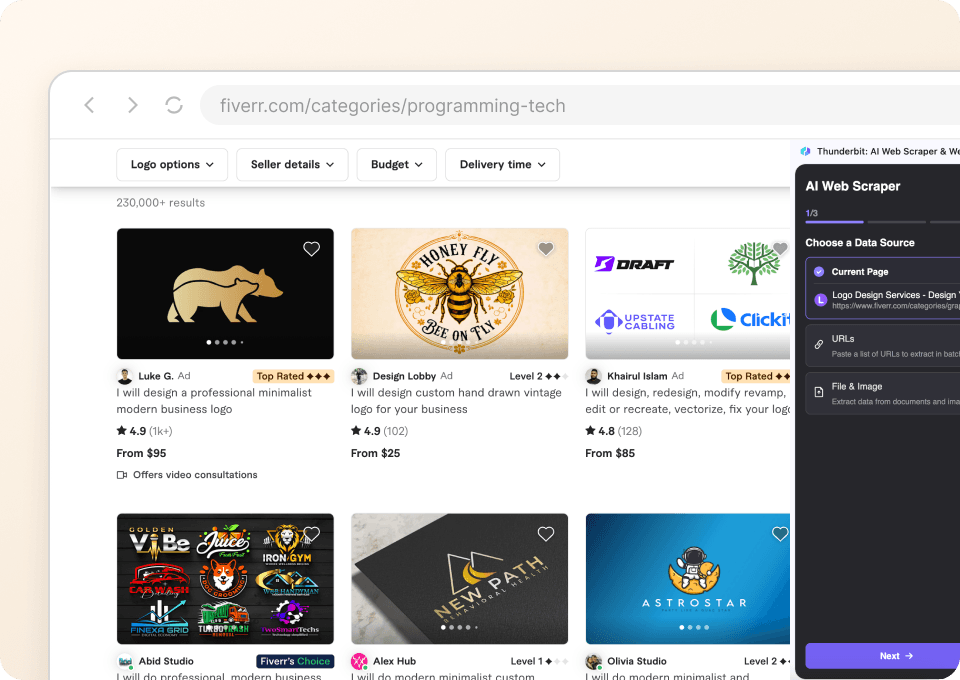
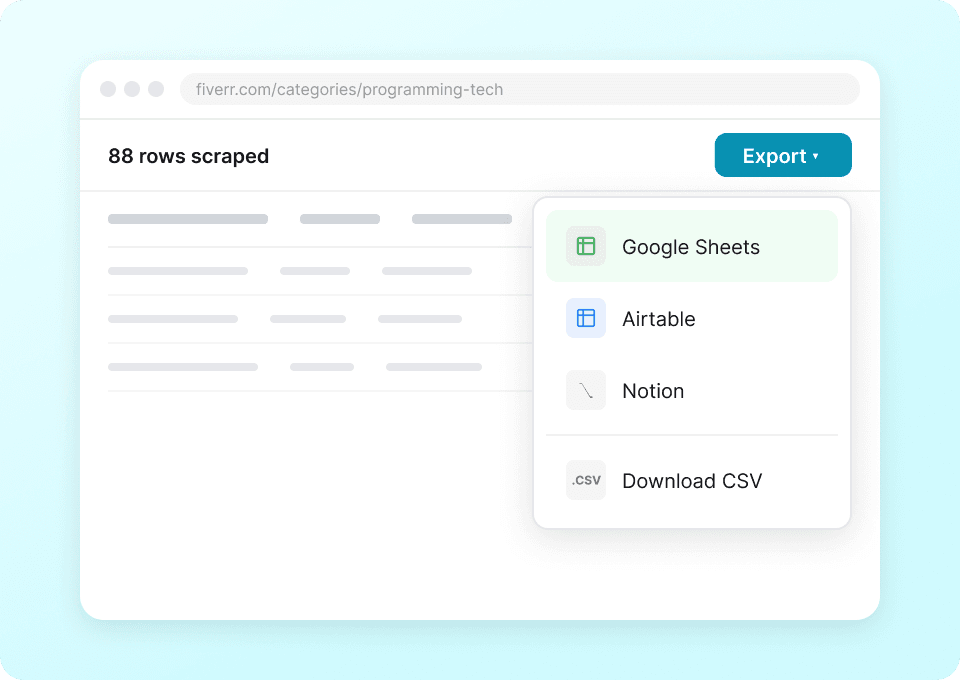
Thunderbit’s Fiverr Scraper helps you turn Fiverr category pages and gig listings into clean, structured data using AI. You can extract pricing, packages, ratings, reviews, delivery time, and seller details, then export to Excel, Google Sheets, Airtable, or Notion. It’s built for business workflows where you need fast market research and repeatable data collection.
🧠 What is Fiverr Scraper
The Scraper is an AI Web Scraper that lets you scrape Fiverr category listings and gig detail pages with the AI agent. You simply open a Fiverr page, click AI Suggest Columns, then click Scrape—Thunderbit reads the page and outputs structured rows you can download or send to your tools.

🧾 What can you scrape with Fiverr
Fiverr is packed with valuable marketplace signals—pricing ranges, package tiers, seller levels, and delivery times—yet it’s not formatted for spreadsheets. With Thunderbit’s AI Web Scraper (https://thunderbit.com/), you can collect consistent datasets for analysis, vendor shortlists, and competitive benchmarking.
🎨 Scrape Fiverr Logo & Brand Identity Pricing
This use case focuses on the Logo & Brand Identity category listing page, where you can compare gig pricing, seller reputation, and delivery promises across many offers—ideal for procurement, competitive research, and budget planning.
Target page:

Steps:
- Download the and register an account.
- Go to the destination page, for example: .
- Click AI Suggest Columns to generate recommended column names and data types.
- Click Scrape to run the scraper, then export to Excel, Google Sheets, Airtable, or Notion.
Column names
| Column | Description |
|---|---|
| 🧩 Gig Title | The gig’s headline/title shown in the listing card. |
| 🔗 Gig URL | Direct link to the gig detail page for deeper review or subpage scraping. |
| 💲 Starting Price | The entry price shown on the listing (often “From $X”). |
| 📦 Package Type | If visible on the card, the package context (e.g., Basic/Standard/Premium) or offer label. |
| ⏱️ Delivery Time | The advertised delivery time shown on the listing card. |
| ⭐ Rating | Average star rating displayed for the gig/seller. |
| 🧾 Reviews Count | Number of reviews associated with the gig. |
| 🧑💼 Seller Name | Seller display name from the listing card. |
| 🏷️ Seller Level | Seller badge/level when shown (e.g., Top Rated, Level 2). |
| 🖼️ Gig Image URL | Main thumbnail image URL for cataloging or creative review. |
🧑💻 Scrape Fiverr High-Ticket Web Development
This use case targets Fiverr’s Website Development category, where higher-priced services are common and comparing scope signals matters. You can build a dataset of offers, shortlist vendors, and track pricing changes over time.
Target page:

Steps:
- Download the and register an account.
- Go to the destination page, for example: .
- Click AI Suggest Columns to generate recommended column names and data types.
- Click Scrape to run the scraper, then export your data.
Column names
| Column | Description |
|---|---|
| 🧱 Service Category | The category context (Website Development) to keep datasets organized across multiple scrapes. |
| 🧩 Gig Title | The gig’s title describing the web development offer. |
| 🔗 Gig URL | Link to the gig page for package details and requirements. |
| 💰 Starting Price | The “From” price shown on the listing card. |
| 🧾 Reviews Count | Total number of reviews shown for the gig. |
| ⭐ Rating | Average rating shown on the listing. |
| ⏳ Delivery Time | Delivery estimate shown on the listing card (when available). |
| 🧑💻 Seller Name | Seller name/handle displayed on the card. |
| 🏅 Seller Badge | Any visible badge such as Top Rated or other trust indicators. |
| 🖼️ Gig Thumbnail | Thumbnail image URL for quick visual scanning and reporting. |
🎯 Why Use Fiverr Tool
Scraping Fiverr data is useful when you need repeatable, comparable marketplace intelligence rather than one-off browsing.
Common reasons teams scrape Fiverr:
- Marketing teams: Benchmark positioning (price vs. rating vs. delivery time) and map how competitors package services.
- Ecommerce and ops teams: Build vendor shortlists, compare turnaround times, and track pricing shifts for creative and dev work.
- Sales teams: Identify service providers by niche and reputation, then organize outreach lists (while respecting Fiverr’s terms and applicable laws).
- Agencies and founders: Create a structured view of the market to plan budgets, define service tiers, and validate demand signals.
- Analysts: Run category-level comparisons across hundreds of gigs and export to spreadsheets for modeling.
Thunderbit’s AI Web Scraper (https://thunderbit.com/) is especially helpful on Fiverr because listings can vary in layout and content. AI reads the page and adapts, so you spend less time maintaining brittle scraping rules.
🧩 How to Use Fiverr Chrome Extension
- Install the Thunderbit Chrome Extension: Get it from the and create your account.
- Navigate to a Fiverr page you want to scrape: For example, a category listing like or .
- Activate AI-Powered Scraper: Click AI Suggest Columns to generate fields, adjust if needed, then click Scrape.
Optional power-ups (when you need more than the listing page):
- 📄 Subpage Scraping: After scraping a category page, use Scrape Subpages to visit each Gig URL and enrich your table with package details, FAQs, seller profile info, and more.
- 🔁 Pagination support: Scrape multiple pages of results, including click-based pagination and infinite scroll patterns.
- ☁️ Cloud vs. Browser scraping: Use Browser Scraping when you need your logged-in session; use Cloud Scraping for speed on public pages.
💳 Pricing for Fiverr
Thunderbit uses a simple credit system:
- 1 credit = 1 output row in your results table (for example, one Fiverr gig card scraped equals one row).
- The AI Powered Scraper (https://thunderbit.com/) is included, and you can test it with the Free tier.
What you can try for free:
- Free plan: scrape 6 pages per month.
- Free trial: scrape 10 pages for free, which is a good way to validate your column setup and exports before upgrading.
Paid plans (monthly and yearly) scale with your workload. If you scrape Fiverr regularly (pricing monitoring, vendor research, recurring reports), the yearly plan is typically more cost effective because it includes a discount compared to paying month-to-month.
You can review the latest options on .
❓ FAQ
-
What is the AI Powered Fiverr Scraper?
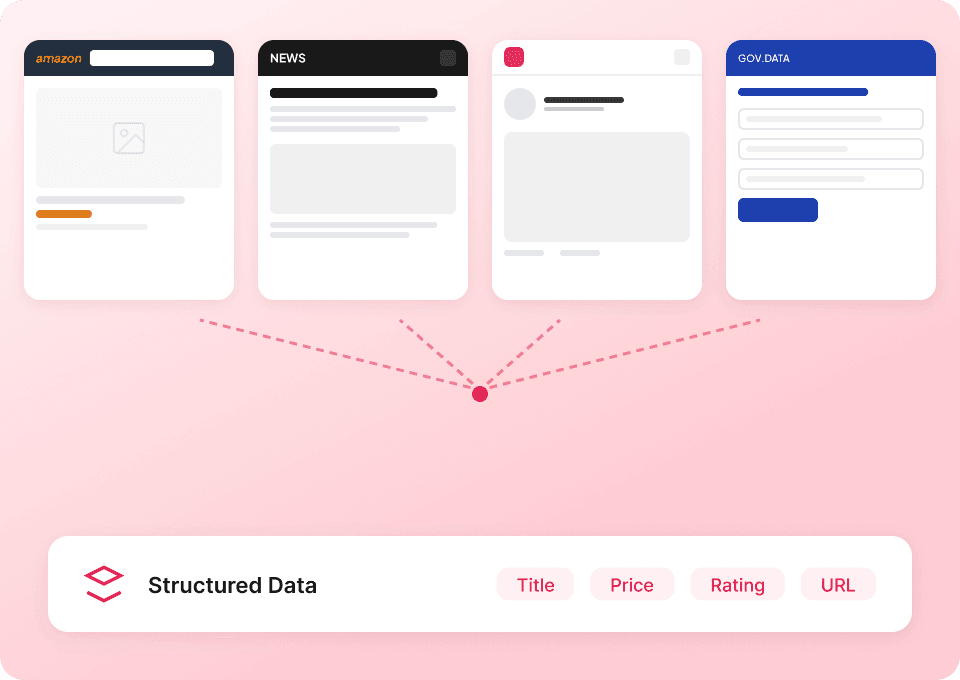
The AI Powered Fiverr Scraper is a scraper that uses AI to read Fiverr pages and convert listings into structured rows and columns. Instead of writing code or building brittle selectors, you click AI Suggest Columns and Thunderbit generates a table you can export. -
What is Thunderbit?
is an AI Web Scraper Chrome Extension built for business users who want fast, reliable data extraction from websites, PDFs, and images. It also supports exports to Excel, Google Sheets, Airtable, and Notion, plus features like subpage scraping, pagination scraping, and scheduled scraping. -
Can you scrape Fiverr category pages and gig detail pages?
Yes. You can scrape category listing pages (like logo design or website development) to collect many gigs at once, and you can also scrape gig detail pages for deeper fields like package tiers and inclusions. For detail pages at scale, use Subpage Scraping to automatically visit each gig URL and enrich your dataset. -
What data is most useful to extract from Fiverr for pricing research?
For pricing research, teams usually capture starting price, delivery time, rating, reviews count, and seller level/badges. When you add subpage scraping, you can often capture package-level pricing and what’s included, which helps you compare offers more accurately. -
How do exports work with Thunderbit?
After scraping, you can export your table to CSV/JSON or send it directly to tools like Google Sheets, Airtable, or Notion. Export is designed to be straightforward so you can move from browsing to analysis quickly. -
What’s the difference between Cloud Scraping and Browser Scraping for Fiverr?
Browser Scraping runs in your Chrome session, which is helpful if Fiverr content requires your login or is personalized. Cloud Scraping runs faster for public pages and can process batches (often up to 50 pages at a time), which is useful for larger category pulls. -
How many rows can you scrape from Fiverr in one run?
The practical limit depends on the page structure, pagination, and your plan credits, but this template is designed for up to 500 rows per run in many common workflows. If you need more, you can scrape additional pages and append results in your spreadsheet or database. -
Will the scraper break if Fiverr changes its layout?
Traditional scrapers often break when a site changes HTML structure. Thunderbit’s AI approach re-reads the page and re-infers fields, which reduces maintenance and makes it more resilient for long-term monitoring. -
Is it legal to scrape Fiverr data?
Scraping can be legal in many contexts, but it depends on what you collect, how you use it, and whether it involves personal data or restricted content. You should review Fiverr’s terms, respect privacy and applicable laws, and use the data responsibly for legitimate business purposes.
📚 Learn More
- Get started with the
- Read:
- Read:
- Read:
- Read:
- Explore more guides on the
- Check plans on
- Watch tutorials on