

Thunderbit’s Craigslist Email Scraper helps you turn Craigslist listings into clean, structured data using AI. You can scrape listing pages, follow pagination, and open each post (subpages) to capture contact details like emails and phone numbers, then export to Excel, Google Sheets, Airtable, or Notion.
🧠 What is Craigslist Email Scraper
The Craigslist Email Scraper is an AI Web Scraper built with Thunderbit that extracts structured data from Craigslist listing pages and individual post pages. You simply open the page you want, click AI Suggest Columns, then click Scrape—Thunderbit’s AI reads the page and structures the data for you.
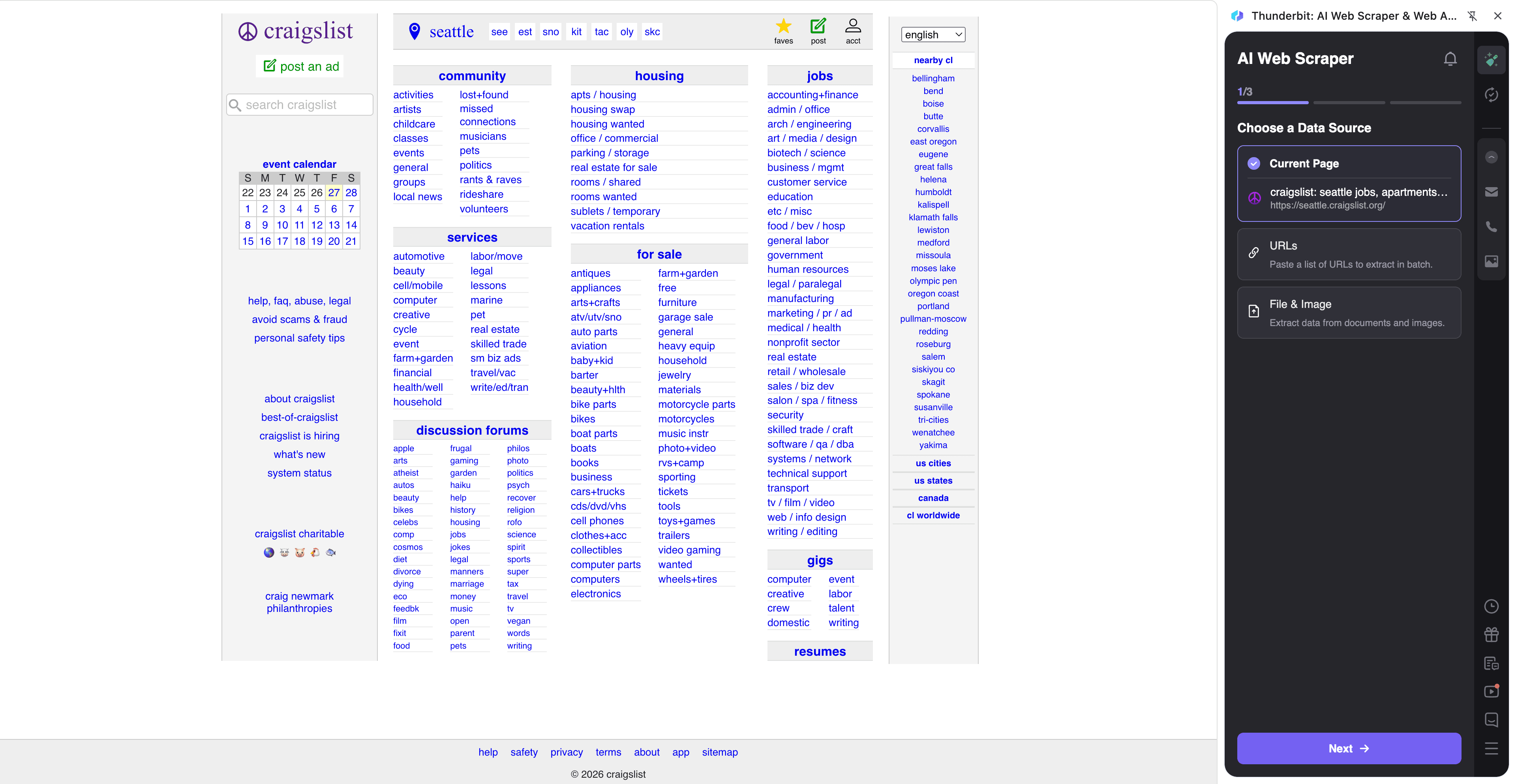
🧾 What can you scrape with Craigslist Email Scraper
Craigslist is a strong source for real estate leads, service providers, and freelance gig opportunities, but the data is spread across listing pages and post detail pages. Thunderbit’s AI helps you collect it into one table, including emails/phones when available, plus titles, prices, locations, and URLs.
🏠 Scrape Craigslist Real Estate Lead Generation
Scrape apartment listings from the Craigslist NYC apartments page to build a lead list for rentals, property management outreach, or market research. Use pagination scraping to cover more results and subpage scraping to open each listing and capture contact details.
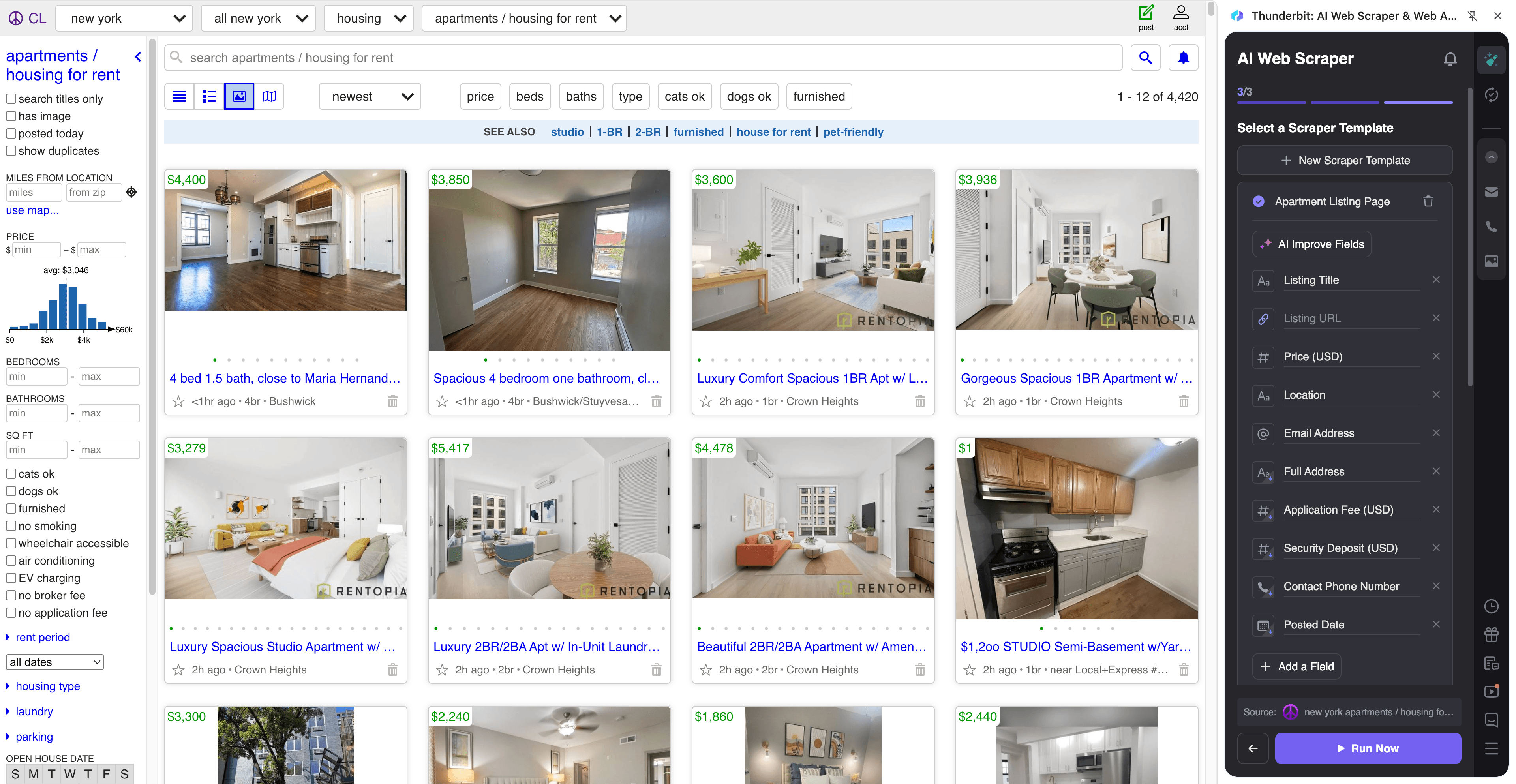
Steps:
- Download the Thunderbit Chrome Extension and register an account.
- Go to the destination page, for example: Craigslist Apartments.
- Click AI Suggest Columns to generate recommended column names and data types.
- Click Scrape to run the scraper, then export to Excel, Google Sheets, Airtable, or Notion.
Column names
| Column | Description |
|---|---|
| 🏷️ Post Title | The listing title shown in the results and post page. |
| 🔗 Post URL | The direct link to the listing detail page (useful for subpage scraping). |
| 💲 Price | The listed rent/price when available. |
| 📍 Neighborhood / Location | Location text shown on the listing (varies by post). |
| 🗓️ Posted Date | The posting date/time if shown on the page. |
| 🏠 Housing Type | Apartment/house type when present in the listing attributes. |
| 📐 Bedrooms | Bedroom count when available. |
| 📏 Square Feet | Square footage when available. |
| ☎️ Phone Number | Phone number extracted from the post when available (often on the detail page). |
| Email extracted from the post when available (often on the detail page). | |
| 🧾 Post Description | The main body text of the listing for qualification and notes. |
| 🖼️ Image URLs | Listing image links for review or importing into Airtable/Notion. |
💼 Scrape Craigslist Freelance Gig Sourcing
Scrape gig listings from the Craigslist NYC gigs page to find leads for outreach, partnerships, recruiting, or agency prospecting. Thunderbit can collect gig titles and categories from the results page, then open each post to extract contact info and requirements.
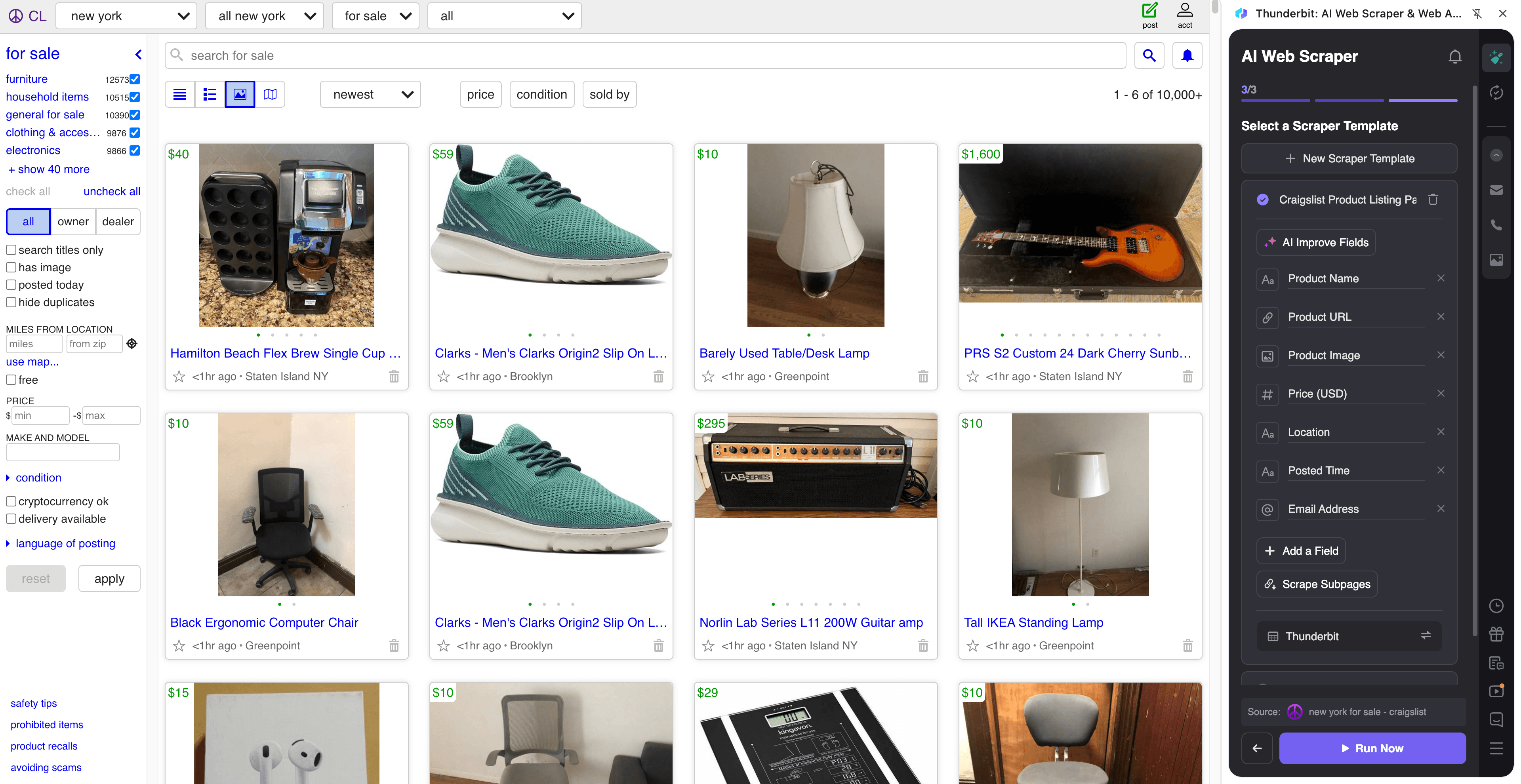
Steps:
- Download the Thunderbit Chrome Extension and register an account.
- Go to the destination page, for example: Craigslist Gigs.
- Click AI Suggest Columns to generate recommended fields for gigs and contact details.
- Click Scrape to extract the data, then download as CSV/JSON or export to Sheets/Airtable/Notion.
Column names
| Column | Description |
|---|---|
| 🧩 Gig Title | The gig post title from the results list. |
| 🔗 Gig URL | The link to the gig detail page for subpage enrichment. |
| 🏷️ Category | The gig category (varies by Craigslist section and filters). |
| 📍 Location | City/area text shown for the gig post. |
| 🗓️ Posted Date | The date/time the gig was posted (if available). |
| 💵 Compensation | Pay/compensation details when present. |
| 🧾 Gig Description | Full post text for requirements, scope, and screening. |
| 🧑💼 Client / Company Name | Extracted from the post when present (often unstructured). |
| ☎️ Phone Number | Phone number found on the post page when available. |
| Email found on the post page when available. | |
| 🧷 Reply Link / Contact URL | Any contact or reply URL shown in the post. |
🎯 Why Use Craigslist Email Scraper Tool
Craigslist data is valuable, but it’s not organized for CRM workflows. With Thunderbit’s AI Web Scraper (AI-powered data structuring), you can collect and standardize listing data for outreach and analysis.
Common reasons you might scrape Craigslist:
- Real estate agents & property managers: Build a pipeline of rental leads, track pricing trends, and qualify listings faster.
- Sales teams: Find local service providers, small businesses, and independent operators for outbound prospecting.
- Recruiters & staffing teams: Source short-term gigs and contract opportunities, then organize them in a spreadsheet or ATS.
- Marketing teams: Monitor categories, messaging patterns, and regional demand signals.
- Operations teams: Create repeatable workflows with Scheduled Scraper for ongoing monitoring.
Thunderbit is also built for the hard parts of Craigslist scraping:
- Pagination scraping for multi-page results
- Subpage scraping to open each post and enrich your table with contact details and descriptions
- Export anywhere (Excel, Google Sheets, Airtable, Notion) with free export options
🧩 How to Use Thunderbit Chrome Extension
- Install the Thunderbit Chrome Extension: Get it from the Chrome Web Store and create your account.
- Navigate to a Craigslist results page: For example, NYC apartments or NYC gigs.
- Activate AI-Powered Scraper: Click AI Suggest Columns to generate fields, then adjust column names or data types if needed (text, number, date, URL, email, phone, image).
- Scrape and enrich with subpages: Click Scrape for the listing page, then use Scrape Subpages to open each post URL and extract emails, phone numbers, and full descriptions.
- Export your data: Download CSV/JSON or export to Excel, Google Sheets, Airtable, or Notion.
Tip: If you need to scrape while logged in or with browser context, choose Browser Scraping. If the pages are public and you want speed, choose Cloud Scraping (up to 50 pages at a time).
💳 Pricing for Thunderbit
Thunderbit uses a credit system:
- 1 credit = 1 output row (one row in your results table)
- AI-powered scraping is included, and data export is free
- You can try Thunderbit on the Free tier (6 pages/month), and if you start a free trial you can scrape 10 pages for free before choosing a paid plan
Paid plans are designed for different volumes, and the yearly plan is typically more cost-effective due to the discount.
You can review current options on the Thunderbit Pricing page. As a quick reference, plans range from Starter (good for light lead lists) to Pro tiers (better for teams scraping thousands of rows per month).
If you’re building lead lists from multiple Craigslist cities or categories, credits add up quickly—yearly plans can reduce your effective monthly cost while giving you a larger annual credit pool.
❓ FAQ
-
What is the AI Powered Craigslist Email Scraper?
The AI Powered Craigslist Email Scraper is a scraper that uses AI to read Craigslist pages and convert listings into structured rows and columns. It can scrape results pages, follow pagination, and open each post to extract details like emails, phone numbers, titles, prices, and locations when available. -
What is Thunderbit?
Thunderbit is an AI web scraping and productivity Chrome Extension that helps you extract data from websites, PDFs, and images into structured tables. It’s designed for business workflows like lead generation, ecommerce operations, marketing research, and real estate, with fast export to tools like Google Sheets, Airtable, and Notion. -
Can Thunderbit really extract emails and phone numbers from Craigslist posts?
Yes—when contact details are present on the page, Thunderbit can extract them into dedicated columns. In many cases, contact info is located on the post detail page, so using subpage scraping is the best way to enrich your dataset. -
Does Craigslist scraping require coding?
No. You click AI Suggest Columns and then Scrape, and Thunderbit’s AI structures the data for you. If you want more control, you can rename columns, change data types, or add a Field AI Prompt to guide extraction. -
How do pagination and infinite scroll work with Thunderbit?
Thunderbit supports pagination scraping for pages that use “next” buttons and also supports infinite scroll patterns. For Craigslist search results, pagination is common, and Thunderbit can follow it so you can collect more than one page of listings in a single workflow. -
What is subpage scraping and why does it matter for Craigslist?
Subpage scraping means Thunderbit can visit each listing URL and extract additional fields from the detail page, then append them back to your main table. For Craigslist, this is important because the results page often lacks full descriptions and contact details, which are more likely to appear on the post page. -
Where can you export scraped Craigslist data?
You can export to Excel, Google Sheets, Airtable, or Notion, or download as CSV or JSON. Export is free, which makes it easy to move your Craigslist leads into a CRM workflow or a team database. -
How much does it cost to scrape Craigslist with Thunderbit?
Cost is based on credits, where 1 credit equals 1 output row. You can start on the Free tier (6 pages/month) and use the free trial (10 pages) to estimate how many rows you typically collect per run before choosing a plan on the pricing page. -
Is it safe and compliant to scrape Craigslist?
You should always follow applicable laws, respect privacy, and review Craigslist’s terms and policies before collecting data. Thunderbit is a tool that helps you structure data you choose to extract; how you use that data (storage, outreach, compliance) should match your legal and ethical requirements.
📚 Learn More
- Get started with the Thunderbit Chrome Extension
- Explore guides on the Thunderbit Blog
- Learn fundamentals: What Is Data Scraping and How to Do It in 2025
- Build list workflows: What Is List Crawling and How to Do It Using AI
- Export to spreadsheets: How to Scrape Website Data into Excel using AI
- Broader tactics: How to Scrape Any Website Using AI
- If you also need contact extraction, see: The Best Email Scrapers in 2025