

Thunderbit’s Contact Details Scraper helps you turn messy web pages into a clean, structured contact database using AI. You can extract names, emails, phone numbers, company details, and profile URLs from listing pages and profile detail pages, then export to Excel, Google Sheets, Airtable, or Notion. You click AI Suggest Fields, then Scrape, and Thunderbit’s AI structures the data for you.
🧲 What is Contact Details Scraper
The Contact Details Scraper is an AI Web Scraper built into Thunderbit that helps you scrape contact information from websites where leads are listed across directories, marketplaces, and indexes. You simply open the target page (like a vendor directory or agent index), click AI Suggest Fields to generate the best columns, and click Scrape to collect structured data in minutes.
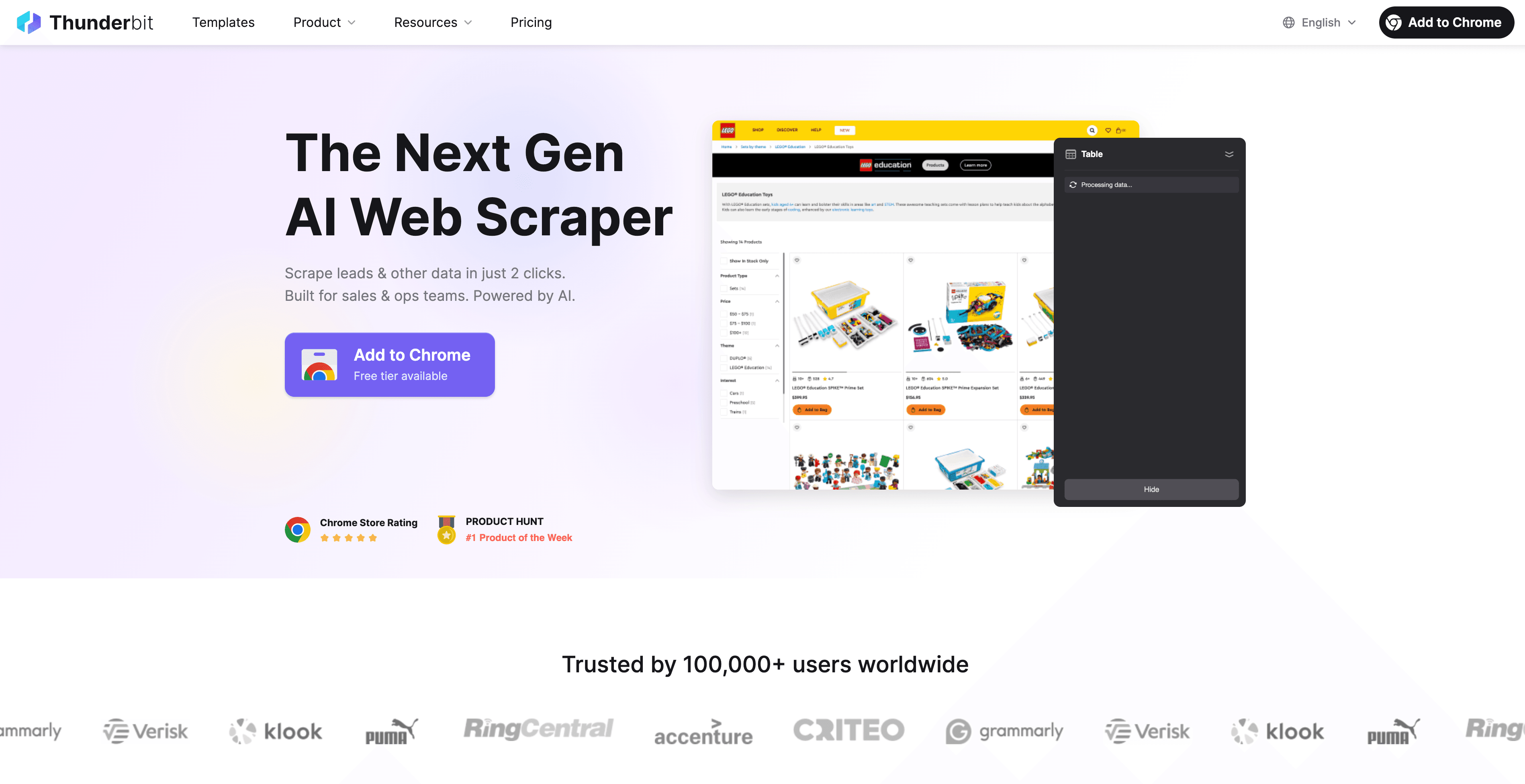
Thunderbit also supports subpage scraping, meaning you can scrape a listing page first, then have AI visit each profile page to enrich your table with deeper contact details.
🧾 What can you scrape with Contact Details Scraper
Whether you’re building a lead list for outbound, verifying vendor profiles, or collecting agent contact info for partnerships, Thunderbit can extract structured contact data from both listing pages and detail pages.
Scrape Verified SaaS Vendor Lead Discovery
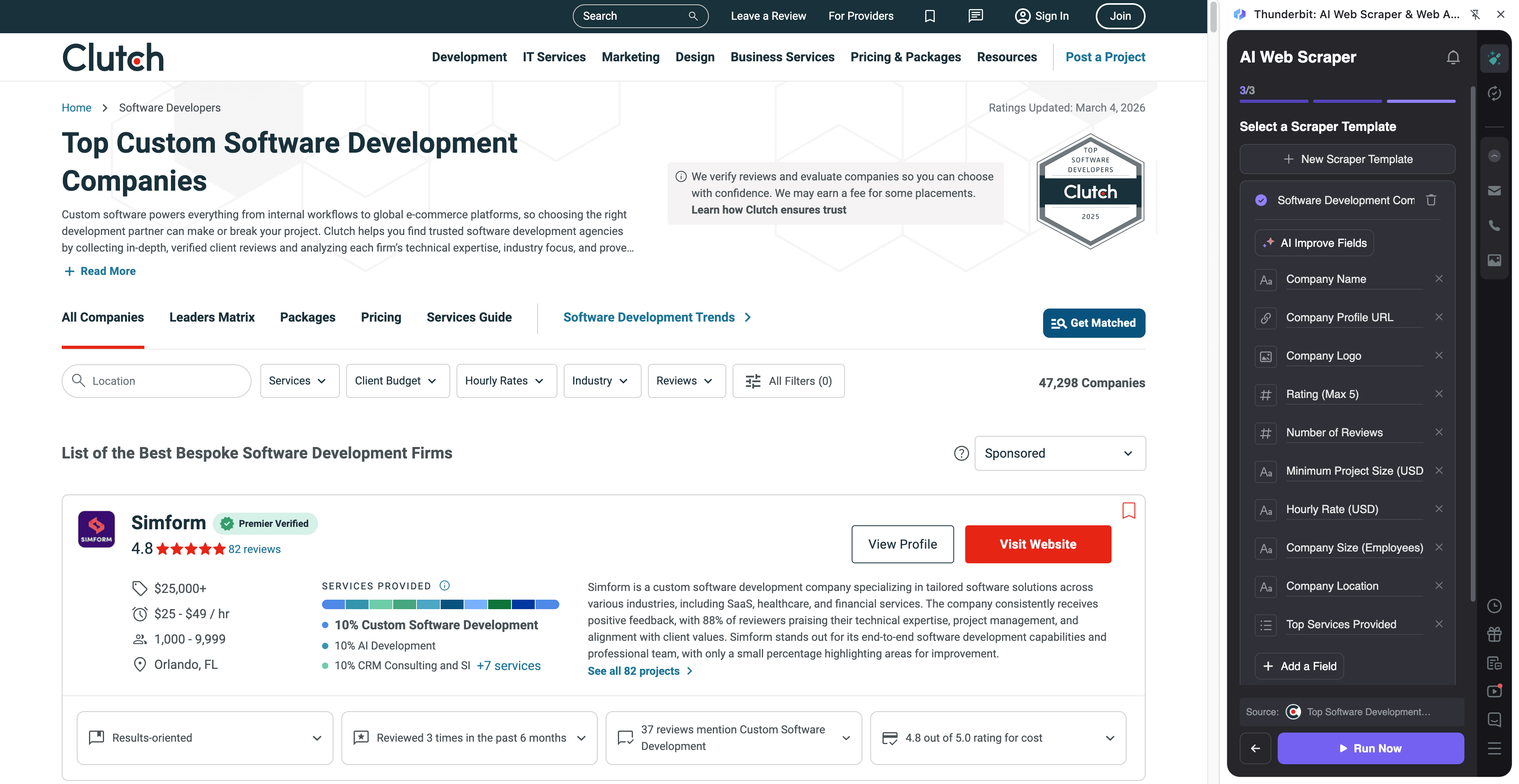
This use case focuses on scraping vendor leads from a directory like Clutch, starting from a category listing page and optionally enriching results by visiting each vendor’s profile page.
Target page: https://clutch.co/developers
Steps:
- Download the Thunderbit Chrome Extension and register an account.
- Go to the destination page, for example: Clutch developers directory.
- Click AI Suggest Fields, which recommends column names and data types for this page.
- Click Scrape to run the scraper, then export to Excel, Google Sheets, Airtable, or Notion.
Column names
| Column | Description |
|---|---|
| 🏢 Company Name | The vendor or agency name shown in the directory results. |
| 🌐 Company Website | The vendor’s website link (if available on the listing or profile). |
| 🔗 Profile URL | The URL to the vendor’s Clutch profile page for subpage enrichment. |
| 📍 Location | City/region listed for the vendor (useful for territory routing). |
| 🧩 Services | Service categories (e.g., web development, mobile, eCommerce). |
| 🏷️ Industry Focus | Industries the vendor claims to specialize in. |
| 💲 Hourly Rate | Pricing range or hourly rate shown on the listing/profile. |
| 👥 Company Size | Team size bracket (e.g., 10–49). |
| ⭐ Rating | Average rating score displayed. |
| 🗣️ Review Count | Number of reviews associated with the vendor. |
| Extracted email address when available (often found on subpages or websites). | |
| ☎️ Phone Number | Extracted phone number when available; Thunderbit can format to E.164. |
Tip: After scraping the listing, use Scrape Subpages to visit each vendor profile and capture additional fields (contacts, deeper company info, external links). This is ideal for lead verification and enrichment.
Scrape Real Estate Agent & Broker Index
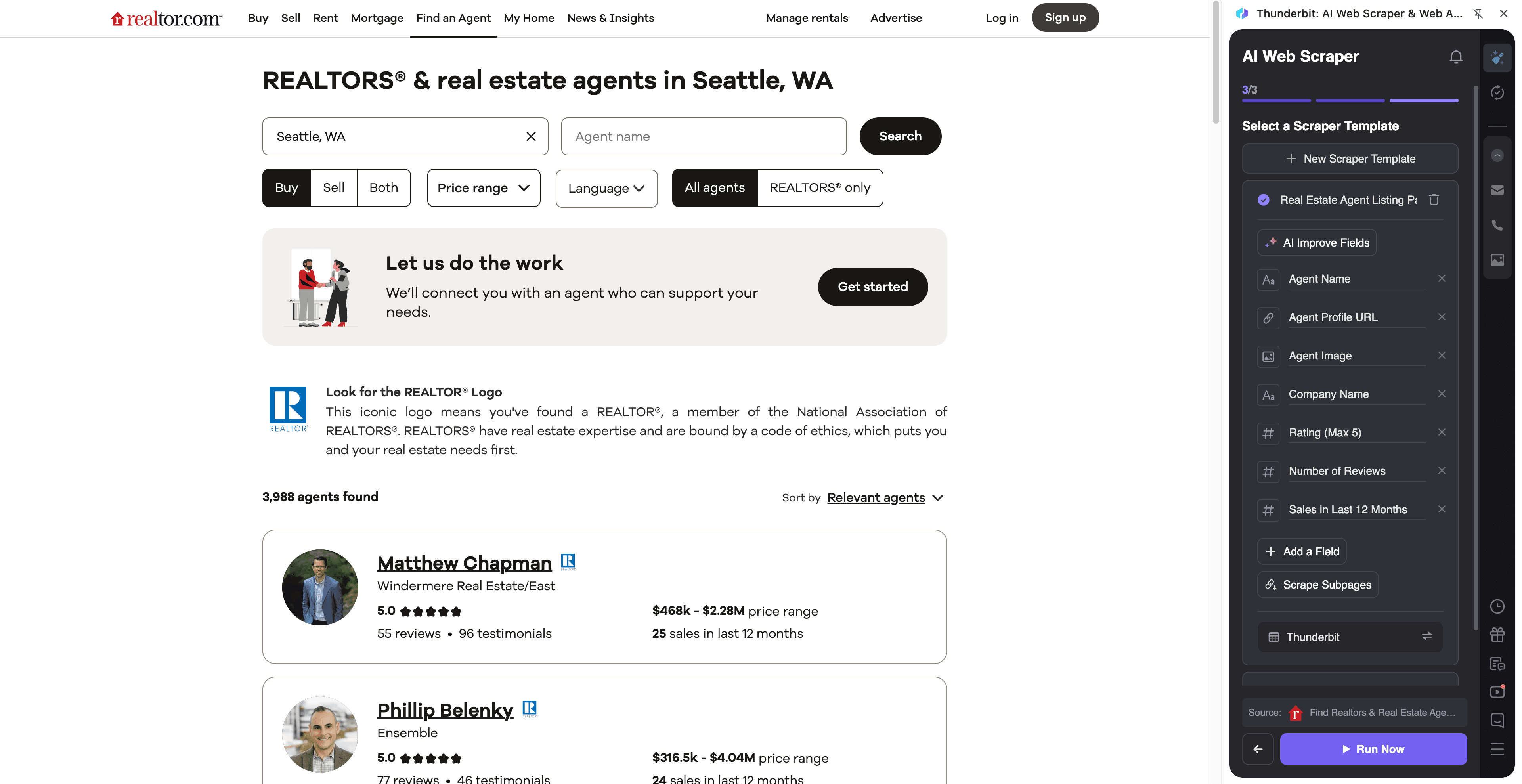
This use case is designed for scraping agent and broker directories, starting from a city index page and optionally enriching each agent’s profile for direct contact details.
Target page: https://www.realtor.com/realestateagents/seattle_wa/intent-buy/sort-relevantagents/agenttype-all/pg-1
Steps:
- Download the Thunderbit Chrome Extension and register an account.
- Go to the destination page, for example: the Seattle agent index on Realtor.com.
- Click AI Suggest Fields to generate recommended columns for agents and brokerages.
- Click Scrape to collect the data, then export to your CRM workflow (Sheets, Airtable, Notion, CSV, JSON).
Column names
| Column | Description |
|---|---|
| 🧑💼 Agent Name | The agent or broker name shown in the directory. |
| 🏢 Brokerage | The brokerage/office name associated with the agent. |
| 🔗 Profile URL | The agent’s profile page link for subpage scraping. |
| 📍 Service Area | City/area served (useful for routing and segmentation). |
| ☎️ Phone Number | Phone number shown on listing or profile; can be normalized to E.164. |
| Email address when available (often found on profile pages or linked sites). | |
| 🏅 Specialties | Tags like buyer’s agent, seller’s agent, relocation, etc. |
| ⭐ Ratings / Reviews | Rating score and/or review count if displayed. |
| 🏠 Active Listings Count | Number of listings associated with the agent (if shown). |
| 🖼️ Profile Photo | Agent headshot URL (useful for Airtable/Notion enrichment). |
Tip: If the directory uses pagination or infinite scroll, Thunderbit supports pagination scraping so you can collect multiple pages of agents in one run.
🎯 Why Use Contact Details Scraper Tool
If you do lead generation, partnerships, recruiting, or market research, you already know the hardest part is not finding pages—it’s turning them into a usable dataset. The Contact Details Scraper helps you build a reliable pipeline by extracting and structuring contact info with AI.
Common ways you can use it:
- Sales & SDR teams: Build targeted lead lists from directories (company name, decision-maker clues, phone, email, website).
- Marketing & growth: Create partner lists, influencer/vendor databases, and outreach segments.
- Real estate teams: Compile agent/broker contact lists for referrals, recruiting, or co-marketing.
- Ecommerce & ops: Collect supplier/vendor contact details for sourcing and negotiation.
- Agencies & consultants: Build prospect lists by niche, location, and service category.
Because Thunderbit’s AI reads the page each time, it’s also more resilient when websites change layouts compared to rigid scrapers.
🧩 How to Use Contact Details Scraper Chrome Extension
- Install the Thunderbit Chrome Extension: Get it from the Chrome Web Store and create your account.
- Navigate to a listing or directory page: For example, a vendor directory like Clutch developers or an agent index like Realtor.com Seattle agents.
- Activate AI-Powered Scraper: Click AI Suggest Fields to generate columns, then adjust names/data types if needed (Text, URL, Email, Phone Number, Image).
- Scrape and enrich: Click Scrape for the current page, then use Scrape Subpages to visit each profile URL and enrich your table with deeper contact details.
You can also choose Cloud Scraping (fast for public pages) or Browser Scraping (best when you need to stay logged in).
💳 Pricing for Contact Details Scraper
Thunderbit uses a simple credit system:
- 1 credit = 1 output row in your results table (for example, one vendor or one agent).
- The AI-powered scraping workflow (AI Suggest Fields + Scrape) is included, and you can start without code.
Free options:
- Free tier: scrape 6 pages per month.
- Free trial: scrape 10 pages for free, which is enough to test a full lead list workflow end-to-end.
Paid plans (monthly vs yearly):
- Starter: $15 monthly or $9 yearly (billed annually) for 500 credits/month
- Pro tiers scale up to 20,000 credits/month
- If you scrape regularly (weekly lead pulls, monitoring directories, ongoing enrichment), the yearly plan is typically more cost effective due to the discount.
See full details on Thunderbit Pricing.
❓ FAQ
-
What is the AI Powered Contact Details Scraper?
The AI Powered Contact Details Scraper is a Thunderbit workflow that uses AI to identify contact-related fields on a page (like name, email, phone, company, and URLs) and extract them into a structured table. It also supports subpage enrichment, so you can scrape a directory first and then visit each profile page to collect deeper contact details. -
What is Thunderbit?
Thunderbit is an AI web scraper Chrome Extension that helps you extract structured data from websites, PDFs, and images in a couple of clicks. It’s built for business workflows like lead generation, ecommerce operations, marketing research, and real estate, with exports to Excel, Google Sheets, Airtable, and Notion. -
Can Thunderbit scrape emails and phone numbers from directories?
Yes—Thunderbit can extract emails and phone numbers when they are present on the page or on linked profile pages. You can also use Thunderbit’s free Email Extractor and Phone Number Extractor features for quick one-click extraction on many sites. -
How does subpage scraping work for contact enrichment?
After you scrape a listing page, you can click Scrape Subpages to have Thunderbit open each profile URL and pull additional fields into your existing table. This is useful when the listing page only shows partial info, while the profile page contains phone numbers, emails, addresses, or external website links. -
Will it work on pages with pagination or infinite scroll?
Thunderbit supports pagination scraping for both click-based pagination and infinite scroll patterns. This means you can collect multiple pages of vendors or agents without manually copying and pasting results page by page. -
What exports are supported after scraping contact details?
You can export to Excel, Google Sheets, Airtable, or Notion, or download as CSV or JSON. Export is free, so you can move your contact list into your CRM or outreach workflow right away. -
Do I need coding skills to use the Contact Details Scraper?
No. Thunderbit is designed for non-technical teams: you open the page, click AI Suggest Fields, then click Scrape. If you want more control, you can rename columns, set data types (Email, Phone, URL), and add field instructions, but it’s optional. -
How accurate is AI field detection for contact info?
AI Suggest Fields is strong at identifying common contact patterns like emails, phone numbers, addresses, and profile links, even when the page layout is inconsistent. If a site is unusual, you can refine the column definitions or add a short instruction in a field prompt to improve consistency. -
Is it okay to scrape contact details from websites like Clutch or Realtor.com?
You should always follow the website’s terms, applicable laws, and privacy requirements in your region. Thunderbit is a tool for extracting data you have access to, and you’re responsible for using it in a compliant way, especially when handling personal data like emails and phone numbers.
📚 Learn More
- Get started with fundamentals: What Is Data Scraping and How to Do It in 2025
- Learn list workflows: What Is List Crawling and How to Do It Using AI
- Export to spreadsheets: How to Scrape Website Data into Excel using AI and The Easiest Way to Scrape Website to Excel
- Broader tooling overview: The Best Web Scraping Tools & Software in 2025
- Explore more guides on the Thunderbit Blog
- Install now: Thunderbit Chrome Extension