Yelp Review Scraper

द्वारा
Extract detailed Yelp reviews including usernames, ratings, and review content into a structured table. Save time collecting feedback for analysis or reporting.

क्या आप bulk में डेटा निकालना चाहते हैं? Thunderbit को मुफ़्त में आज़माएँ।

Chrome Store Rating
PRODUCT HUNT#1 Product of the Week
Accenture logoCriteo logoGrammarly logoVerisk logoklook logoPuma logoRingCentral logoAccenture logoCriteo logoGrammarly logoVerisk logoklook logoPuma logoRingCentral logoAccenture logoCriteo logoGrammarly logoVerisk logoklook logoPuma logoRingCentral logoAccenture logoCriteo logoGrammarly logoVerisk logoklook logoPuma logoRingCentral logoAccenture logoCriteo logoGrammarly logoVerisk logoklook logoPuma logoRingCentral logoAccenture logoCriteo logoGrammarly logoVerisk logoklook logoPuma logoRingCentral logo
Collect Yelp Reviews in SecondsScrape reviewer details, ratings, and comments from any Yelp business page with Thunderbit’s Chrome extension.
chrome-web-store
इंस्टॉल करें:Chrome Web Store

Collect Yelp Reviews in Seconds

Thunderbit lets you gather reviewer usernames, ratings, and comments from Yelp business pages in a single step. The AI-powered scraper structures all review data, including reviewer profiles and dates, for easy analysis or reporting. You can also export your review tables to Google Sheets, Airtable, or Notion. Thunderbit supports scraping subpages and paginated reviews, making it ideal for market research, reputation management, or competitor analysis.

How to Scrape Yelp Reviews Using Thunderbit

step_01.png
STEP 1Download and InstallDownload and install the Thunderbit Chrome Extension from the Thunderbit Chrome Extension Download Page. Once installed, log in or create a free account to get started.
step_02.png
STEP 2Open ExtensionNavigate to the Yelp business page you want to scrape reviews from. Open the Thunderbit Chrome Extension and select the 'Yelp Review Scraper' tool. Enter the Yelp business page URL in the provided field.
step03.png
STEP 3Click the Scrape Yelp Reviews ButtonClick the 'Scrape Yelp Reviews' button. Thunderbit will extract review details such as Reviewer Username, Reviewer Profile URL, Business URL, Review Content, Rating, Review Date, and Reviewer Location into a structured table. You can export the results to Excel, Google Sheets, Airtable, Notion, or download them as CSV or JSON.

Learn how to extract Yelp reviews for business insights

Scrape Detailed Yelp Reviews

The Yelp Review Scraper allows you to collect comprehensive review data from any Yelp business page. By entering the business URL, you can extract reviewer usernames, profile links, review content, ratings, dates, and reviewer locations. This tool is ideal for business owners, marketers, and analysts who want to monitor customer feedback, analyze sentiment, or benchmark competitors without spending hours copying data manually.
मुफ़्त में शुरू करें
yelp_review_scraper (1).png

Capture Reviewer Profiles and Ratings

With this tool, you not only gather review text but also capture valuable metadata such as reviewer profiles, ratings, and locations. This enables deeper analysis of customer demographics and review trends. By automating the data collection process, you reduce the risk of missing important details and ensure that your review database is accurate and up to date for further analysis or reporting.
मुफ़्त में शुरू करें
reviewer_profiles_capture (1).png

Export Review Data to Your Workflow

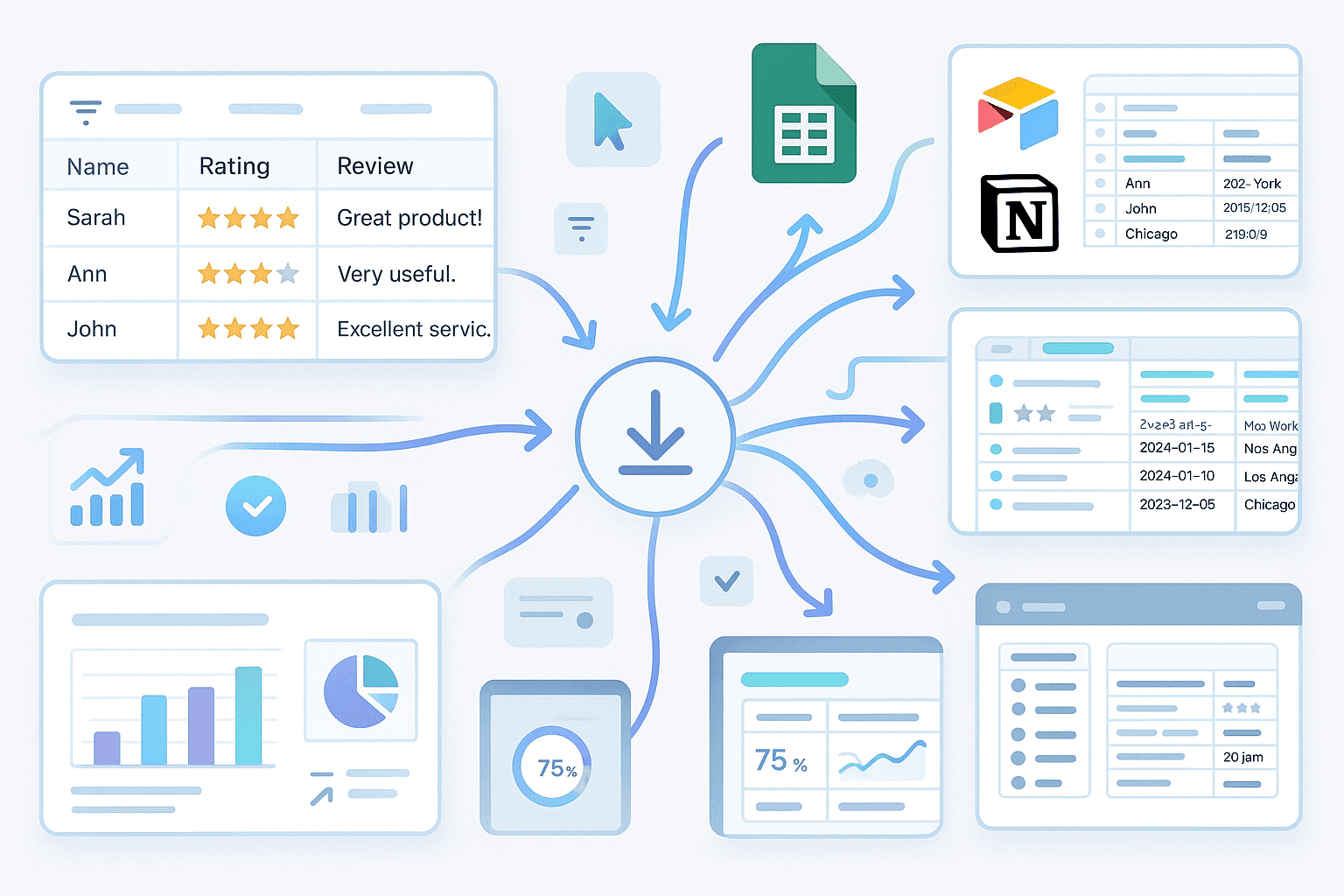
Once the reviews are scraped, you can export the data as a table to Excel, Google Sheets, Airtable, or Notion. The output includes all relevant fields, making it easy to filter, sort, or visualize the information. This integration streamlines your workflow, allowing you to quickly incorporate review insights into presentations, dashboards, or CRM systems for actionable business decisions.
मुफ़्त में शुरू करें
export_review_workflow (1).png

Monitor Brand Reputation and Competitors

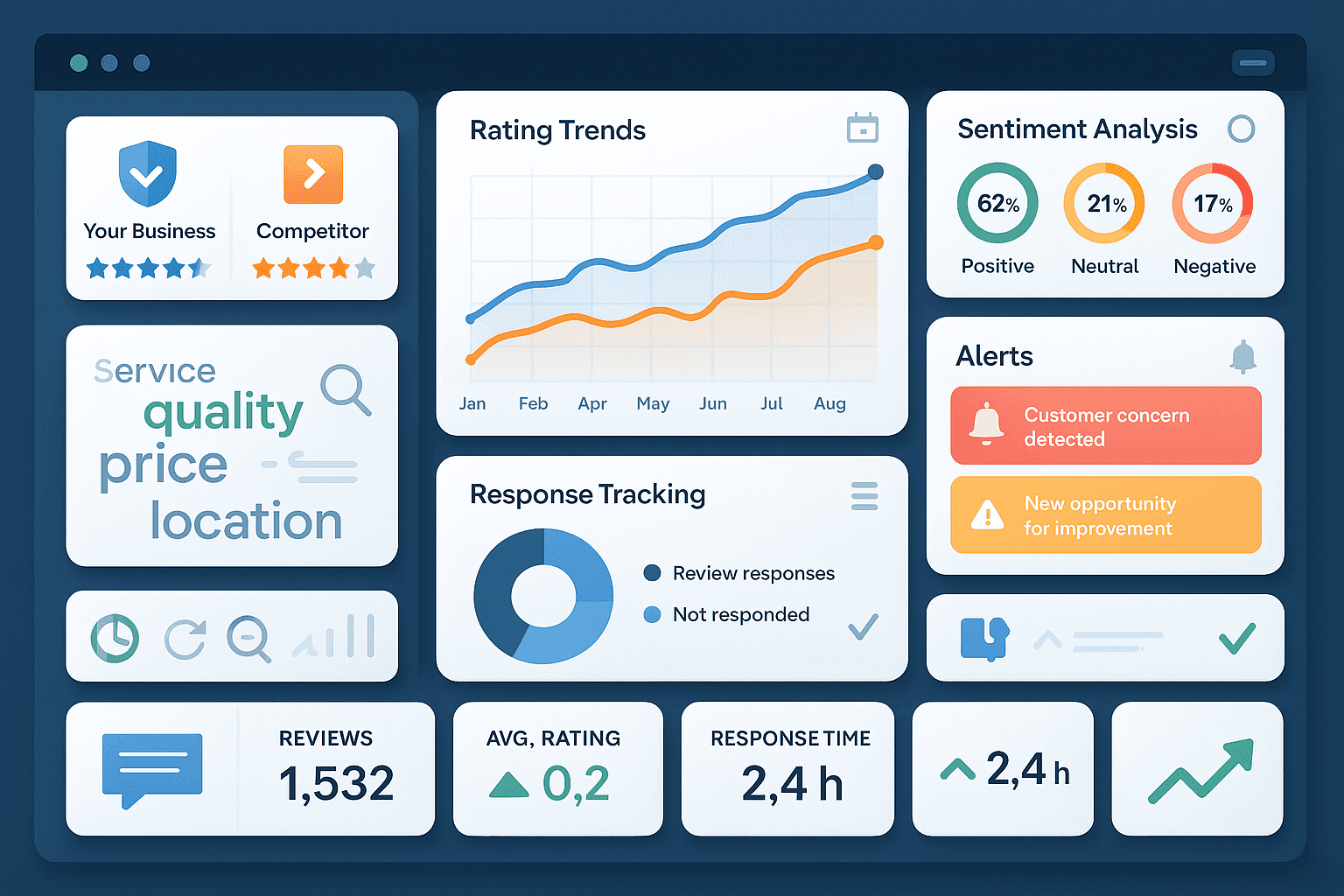
Use the Yelp Review Scraper to track your own business reviews or analyze competitors’ feedback over time. By regularly exporting and reviewing this data, you can identify trends, respond to customer concerns, and spot opportunities for improvement. This tool is especially useful for reputation management, market research, and customer experience teams aiming to stay informed and proactive.
मुफ़्त में शुरू करें
brand_reputation_monitoring (1).png

और मुफ़्त टूल्स देखें

Niche Finder

किसी भी कीवर्ड से ट्रेंड में चल रहे और मुनाफ़ेदार निच खोजें। डिमांड संकेत, प्रतिस्पर्धा और संबंधित सब-निच देखकर अवसरों को तेज़ी से पहचानें।

जॉब डिस्क्रिप्शन जनरेटर

रोल की जानकारी से प्रोफेशनल जॉब डिस्क्रिप्शन तैयार करें, ताकि पोस्टिंग्स एक जैसी रहें और हायरिंग तेज़ हो।

डोमेन नाम जेनरेटर

अपने कीवर्ड्स से क्रिएटिव डोमेन आइडियाज़ बनाइए और ऐसे विकल्प पाएँ जो आपके ब्रांड और प्रोजेक्ट से मेल खाते हों।

एआई ईमेल विषय पंक्ति जनरेटर

एक छोटी-सी जानकारी के आधार पर आकर्षक ईमेल विषय पंक्तियाँ बनाएं। AI-संचालित सुझावों से ओपन रेट बढ़ाएँ। तेज़, आसान और बिना साइन-अप के।

ईमेल सिग्नेचर जनरेटर

अपने कॉन्टैक्ट और कंपनी डिटेल्स से एक प्रोफेशनल ईमेल सिग्नेचर तैयार करें। लेआउट, फ़ॉन्ट, रंग और लोगो को कस्टमाइज़ करके ब्रांडिंग को एक जैसा रखें। किसी भी ईमेल क्लाइंट के लिए HTML और प्लेन टेक्स्ट में कॉपी करें या डाउनलोड करें।

शीर्षक जनरेटर

अपनी सामग्री से दर्शकों के लिए तैयार हेडलाइन बनाइए। ब्लॉग, वीडियो, स्लोगन या अकादमिक जैसी स्टाइल चुनें और टार्गेट लंबाई सेट करें। तुरंत समीक्षा के लिए क्यूरेटेड सूची के साथ एक टेबल भी पाएं।

बिज़नेस नाम जनरेटर

अपने कीवर्ड्स और पसंदीदा स्टाइल के आधार पर ब्रांड के लिए उपयुक्त बिज़नेस नामों के आइडिया तैयार करें, ताकि ब्रेनस्टॉर्मिंग तेज़ हो और आपके वेंचर के लिए सही नाम मिल सके।


कंपनी नाम जनरेटर

अपने कीवर्ड्स या उद्योग के आधार पर रचनात्मक कंपनी नाम तैयार करें, ताकि आप जल्दी से ब्रांड-योग्य विकल्पों पर विचार कर सकें।

एआई सब्जेक्ट लाइन जेनरेटर

अपने ड्राफ्ट या संक्षिप्त विवरण से ईमेल सब्जेक्ट लाइनें बनाएं। अपने अभियान के अनुसार टोन, ऑडियंस और लंबाई चुनें। कॉपी-रेडी विकल्पों के साथ ओपन रेट बढ़ाएं।

Pinterest स्क्रैपर

सार्वजनिक बोर्डों से इमेज URLs, शीर्षक और मेटाडेटा को संरचित सूची में स्क्रैप करें। विश्लेषण या संग्रहण के लिए साफ़-सुथरे एक्सपोर्ट के साथ समय बचाएँ।

ईमेल ब्लैकलिस्ट चेकर

जांचें कि कोई ईमेल डोमेन या मेल सर्वर IP प्रमुख ईमेल ब्लैकलिस्ट में शामिल है या नहीं। कई डेटाबेस में परिणाम देखकर डिलीवरबिलिटी के जोखिम पहचानें। स्पष्ट Listed/Not Listed स्टेटस और आगे क्या करना है—उसकी गाइडेंस पाएं।

Text Paraphraser

Rephrase and enhance your content for clarity and engagement. Choose your preferred language and tone to generate error-free, original rewrites. Perfect for marketers, copywriters, and students.

ईमेल एक्सट्रैक्टर और वेरिफ़ायर

वेबपेज, पीडीएफ़, या टेक्स्ट से Email Extractor के साथ ईमेल पते खोजें और निकालें। तेज़, सटीक, और कभी भी एक्सपोर्ट करने के लिए तैयार।

सेल्स कॉपी जनरेटर

उत्पाद विवरण और ऑडियंस इनसाइट्स से प्रभावशाली सेल्स कॉपी बनाएं, ताकि समय बचे और कन्वर्ज़न बेहतर हों।

TED-Ed Scraper

Extract structured data from TED-Ed for research, analysis, or knowledge management. Save time by automatically collecting titles, subjects, durations, and view counts.

टैग जनरेटर

वीडियो शीर्षक से प्रासंगिक टैग तैयार करें ताकि खोज-योग्यता और संगठन बेहतर हो सके। खोज इरादे के अनुरूप कीवर्ड सुझाव पाकर ऑर्गेनिक पहुंच बढ़ाएँ।

अभी और टूल्स खोजें

Thunderbit के बारे में उपयोगकर्ता क्या कहते हैं

Taryn W.Growth Strategist@Thunderbit ने मेरे competitor research का तरीका बदल दिया। मैं 'AI Suggest Fields' पर क्लिक करती हूँ, और यह paginated results में एक साफ़ टेबल बना देता है—कोडिंग नहीं, CSS नहीं। लंबी tail वाले मार्केटप्लेस से product data analyze करते समय बहुत समय बचता है।
Miles T.Sales Development Consultantमैं Thunderbit का इस्तेमाल directories से emails और phone numbers निकालने के लिए करता हूँ। यह एक क्लिक में साफ़ contact info निकाल देता है, और Sheets या Notion में export करने में कुछ सेकंड लगते हैं। कोई extra setup नहीं, कोई coding नहीं—बस काम का data।
Rhea C.E-commerce AnalystThunderbit मुझे कई pages पर SKU data मॉनिटर करने में मदद करता है। मैं listings scrape करती हूँ, फिर Subpage Scraping से पूरे product specs, pricing, reviews और stock निकालती हूँ। AI सब कुछ मेरे तय किए गए columns में व्यवस्थित कर देता है।
Cassian B.Real Estate AdvisorThunderbit का Scheduled Scraper real estate tracking को आसान बनाता है। मैं interval को साधारण English में बताता हूँ, और यह setup को दोबारा छुए बिना updated listings, prices और links अपने आप खींच लेता है। आसान और बहुत practical।
Dorian B.Content & SEO Specialistमैं Thunderbit के Field AI Prompts का इस्तेमाल scraped blog content को साफ़ और tag करने के लिए करता हूँ। यह titles, authors निकालता है, और categories सुझाता भी है। Dynamic sites और subpages पर बढ़िया काम करता है—structured SEO datasets बनाने के लिए perfect।
Lina K.Marketplace Operations Leadहम Thunderbit की मदद से niche stores से SKUs track करते हैं। Cloud Scraping एक बार में 50 pages संभाल लेता है, और login वाले sites के लिए हम browser mode इस्तेमाल करते हैं। यह तेज़, flexible है, और ongoing maintenance या manual edits की ज़रूरत नहीं पड़ती।
Jorge F.Inbound Sales ManagerThunderbit का AI Autofill बहुत काम आता है। contact info scrape करने के बाद, मैं इसका इस्तेमाल अपने browser में सीधे lead forms भरने के लिए करता हूँ। मैं बस tab चुनता हूँ, और यह scraped row से सब कुछ भर देता है। manual input की ज़रूरत नहीं।
Alina D.Freelance Researcherमैं PDFs, image-based sites और infinite scroll pages से डेटा निकालने के लिए Thunderbit पर भरोसा करती हूँ। यह AI के साथ messy formats को संभालता है और export के लिए तैयार टेबल देता है, जिन्हें मैं कुछ सेकंड में Google Sheets या Airtable पर भेज सकती हूँ।
Taryn W.Growth Strategist@Thunderbit ने मेरे competitor research का तरीका बदल दिया। मैं 'AI Suggest Fields' पर क्लिक करती हूँ, और यह paginated results में एक साफ़ टेबल बना देता है—कोडिंग नहीं, CSS नहीं। लंबी tail वाले मार्केटप्लेस से product data analyze करते समय बहुत समय बचता है।
Miles T.Sales Development Consultantमैं Thunderbit का इस्तेमाल directories से emails और phone numbers निकालने के लिए करता हूँ। यह एक क्लिक में साफ़ contact info निकाल देता है, और Sheets या Notion में export करने में कुछ सेकंड लगते हैं। कोई extra setup नहीं, कोई coding नहीं—बस काम का data।
Rhea C.E-commerce AnalystThunderbit मुझे कई pages पर SKU data मॉनिटर करने में मदद करता है। मैं listings scrape करती हूँ, फिर Subpage Scraping से पूरे product specs, pricing, reviews और stock निकालती हूँ। AI सब कुछ मेरे तय किए गए columns में व्यवस्थित कर देता है।
Cassian B.Real Estate AdvisorThunderbit का Scheduled Scraper real estate tracking को आसान बनाता है। मैं interval को साधारण English में बताता हूँ, और यह setup को दोबारा छुए बिना updated listings, prices और links अपने आप खींच लेता है। आसान और बहुत practical।
Dorian B.Content & SEO Specialistमैं Thunderbit के Field AI Prompts का इस्तेमाल scraped blog content को साफ़ और tag करने के लिए करता हूँ। यह titles, authors निकालता है, और categories सुझाता भी है। Dynamic sites और subpages पर बढ़िया काम करता है—structured SEO datasets बनाने के लिए perfect।
Lina K.Marketplace Operations Leadहम Thunderbit की मदद से niche stores से SKUs track करते हैं। Cloud Scraping एक बार में 50 pages संभाल लेता है, और login वाले sites के लिए हम browser mode इस्तेमाल करते हैं। यह तेज़, flexible है, और ongoing maintenance या manual edits की ज़रूरत नहीं पड़ती।
Jorge F.Inbound Sales ManagerThunderbit का AI Autofill बहुत काम आता है। contact info scrape करने के बाद, मैं इसका इस्तेमाल अपने browser में सीधे lead forms भरने के लिए करता हूँ। मैं बस tab चुनता हूँ, और यह scraped row से सब कुछ भर देता है। manual input की ज़रूरत नहीं।
Alina D.Freelance Researcherमैं PDFs, image-based sites और infinite scroll pages से डेटा निकालने के लिए Thunderbit पर भरोसा करती हूँ। यह AI के साथ messy formats को संभालता है और export के लिए तैयार टेबल देता है, जिन्हें मैं कुछ सेकंड में Google Sheets या Airtable पर भेज सकती हूँ।

Frequently Asked Questions

AI का उपयोग करके डेटा निकालें
डेटा को आसानी से Google Sheets, Airtable, या Notion में ट्रांसफ़र करें
Chrome Store Rating
PRODUCT HUNT#1 Product of the Week