

Amazon की कीमतें स्क्रैप करना कभी ऐसा काम था कि सबसे धैर्यवान ecommerce manager भी अपना लैपटॉप खिड़की से बाहर फेंक देना चाहे। Amazon का marketplace एक तूफान जैसा है—कीमतें मिनट-दर-मिनट बदलती रहती हैं, प्रतिस्पर्धी रात 2 बजे अपनी listings में बदलाव कर देते हैं, और manual tracking लगभग उतनी ही असरदार है जितनी Titanic से पानी निकालने के लिए बाल्टी का इस्तेमाल। मैंने teams को घंटों spreadsheets में कीमतें copy करते देखा है, और फिर जब तक coffee ठंडी होती है, data पहले ही पुराना हो चुका होता है। आज की बेहद प्रतिस्पर्धी ecommerce दुनिया में Amazon pricing पर नज़र रखना सिर्फ अच्छा होना नहीं है—जो buy box जीतना चाहता है या समझदारी भरे sales decisions लेना चाहता है, उसके लिए यह जरूरी है।
AI की मदद से Amazon की कीमतें स्क्रैप करें Thunderbit के AI-संचालित वेब स्क्रैपर से कुछ ही सेकंड में Amazon price data निकालें। किसी coding की जरूरत नहीं। Get Started Free
लेकिन अच्छी खबर यह है: अब Amazon की कीमतें स्क्रैप करना न तो technical headache होना चाहिए और न ही time sink। Thunderbit जैसे AI-powered tools की मदद से, बिना technical background वाले users भी बस कुछ क्लिक में Amazon से accurate और up-to-date price data निकाल सकते हैं। इस guide में, मैं आपको step-by-step दिखाऊँगा कि Amazon की कीमतें आसानी से कैसे स्क्रैप करें, traditional scrapers की दिक्कतें क्या हैं, और Thunderbit आपके price tracking और competitive analysis को कैसे बहुत तेज़ बना सकता है—ना coding, ना drama, बस results।
Amazon की कीमतें स्क्रैप करना क्या है? यह क्यों जरूरी है?
Amazon की कीमतें स्क्रैप करना मतलब Amazon pages से product price data निकालना—चाहे वह एक single product हो, कोई category हो, या पूरा search result—ताकि आप market changes का analysis, monitoring, या response कर सकें। Manual checks या महंगी third-party reports पर निर्भर रहने के बजाय, आपको source से सीधे real-time, actionable pricing info मिलती है।
यह क्यों मायने रखता है? क्योंकि Amazon दुनिया का सबसे dynamic marketplace है। हालिया reports के मुताबिक, 2024 में Amazon sellers के 65% ने prices बढ़ाईं, और average price increase 6.7% तक पहुँचा। Price changes लगातार होते रहते हैं—popular SKUs पर तो दिन में कई बार। अगर आप prices track नहीं कर रहे, तो आप अंधेरे में उड़ान भर रहे हैं।
Businesses Amazon prices क्यों स्क्रैप करते हैं, इसके कारण ये हैं:
| Use Case | Benefit |
|---|---|
| प्रतिस्पर्धी कीमत निगरानी | प्रतिस्पर्धियों से आगे रहें, undercutting पर तुरंत प्रतिक्रिया दें, buy box जीतें |
| डायनामिक प्राइसिंग और रीप्राइसिंग | बिक्री और margin बढ़ाने के लिए real time में अपनी कीमतें समायोजित करें |
| मार्केट रिसर्च और ट्रेंड विश्लेषण | कीमतों के रुझान पहचानें, नए अवसर देखें, product ideas validate करें |
| लीड जनरेशन | price points के आधार पर resellers या distributors पहचानें |
| इन्वेंटरी और स्टॉक प्रबंधन | प्रतियोगियों के stock-outs और price hikes पर नज़र रखें ताकि अपनी offers सही समय पर दे सकें |
Automated price tracking से सचमुच ROI मिलता है। एक case study में पाया गया कि real-time scraping से powered dynamic pricing ने sales को 25% तक बढ़ाया, साथ ही margins भी सुधारे। सीधी बात: आप price changes पर जितनी तेज़ी से प्रतिक्रिया देंगे, आपका business उतना ही competitive और profitable होगा।
Amazon की कीमतें स्क्रैप करने की चुनौतियाँ: Traditional Scrapers क्यों पिछड़ते हैं
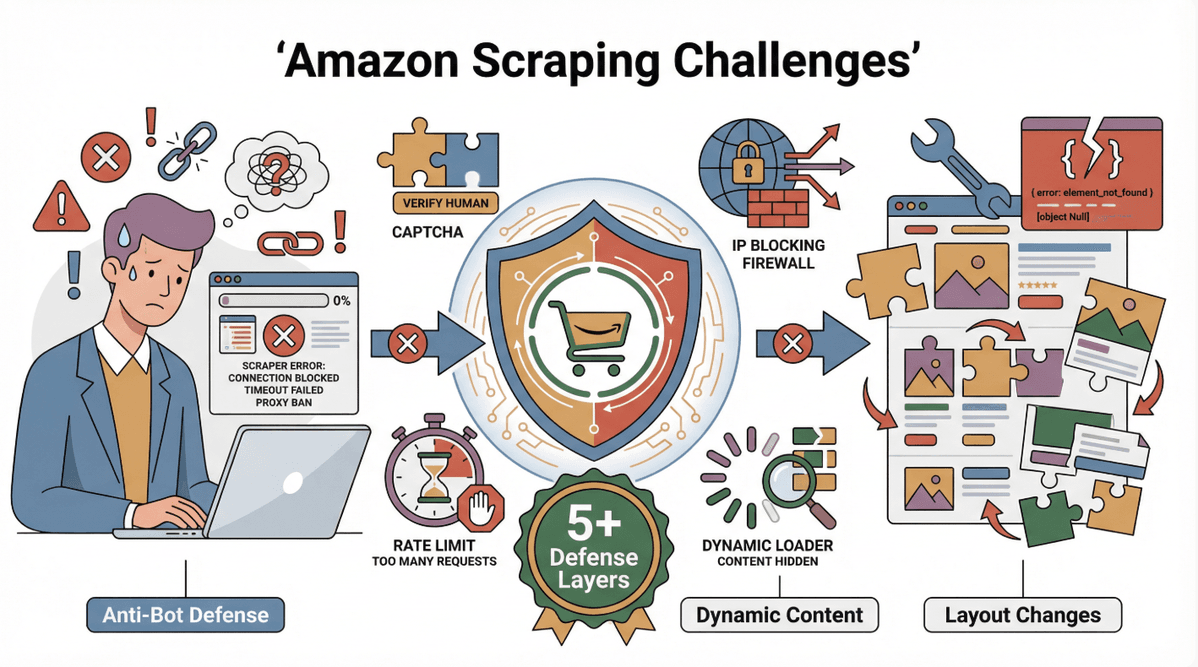 अगर आपने कभी basic tool या DIY script से Amazon scrape करने की कोशिश की है, तो आप जानते होंगे कि यह बिल्कुल आसान नहीं है। Amazon अपने anti-bot defenses और लगातार बदलते page layouts के लिए कुख्यात है। आम तौर पर लोग इन चीजों पर अटकते हैं:
- आक्रामक Anti-Bot उपाय: Amazon scrapers को पकड़ने और रोकने के लिए CAPTCHAs, rate limiting, IP blocking, और यहाँ तक कि “honey pot” traps का इस्तेमाल करता है (ScrapingBee).
- Dynamic Content Loading: कीमतें अक्सर page load होने के बाद JavaScript या AJAX के जरिए आती हैं, इसलिए simple HTML scrapers उन्हें देख ही नहीं पाते (Decodo).
- बार-बार Layout बदलाव: Amazon अपनी DOM structure को नियमित रूप से बदलता रहता है, जिससे hard-coded scrapers टूट जाते हैं और लगातार maintenance चाहिए होती है (Octoparse).
- Multi-Step Navigation: कीमतें tabs, buttons के पीछे छिपी हो सकती हैं, या कई pages पर क्लिक करने के बाद ही दिखती हैं।
- Location और Cookie Sensitivity: कीमतें region के हिसाब से बदल सकती हैं, और Amazon results personalize करने के लिए cookies इस्तेमाल करता है, जिससे consistent scraping मुश्किल हो जाती है (StackOverflow).
नतीजा? Traditional scrapers बार-बार टूटते हैं, कीमतें छोड़ देते हैं, या कुछ requests के बाद block हो जाते हैं। और non-technical users के लिए इन समस्याओं को debug करना किसी nightmare से कम नहीं। एक परेशान user ने कहा था: “मैंने prices analyze करने से ज्यादा समय अपना scraper ठीक करने में लगा दिया।”
Thunderbit से मिलिए: Amazon की कीमतें स्क्रैप करने का सबसे आसान तरीका
यहीं Thunderbit काम आता है। हमने Thunderbit को इस तरह बनाया है कि Amazon की कीमतें और किसी भी website का data स्क्रैप करना जितना हो सके उतना आसान हो—भले ही आपने जिंदगी में कभी code की एक line भी न लिखी हो।
Thunderbit एक Chrome extension है जो AI की मदद से web pages पढ़ता है, relevant fields (जैसे price, title, rating, आदि) पहचानता है, और कुछ सेकंड में structured data निकालता है। Amazon price scraping के लिए Thunderbit को खास बनाने वाली बातें ये हैं:
- AI Suggest Fields: बस “AI Suggest Fields” पर क्लिक करें और Thunderbit का AI page को scan करके price data खुद पहचान लेता है—भले ही Amazon अपना layout बदल दे।
- Dynamic Content को संभालता है: Thunderbit JavaScript-loaded prices के लिए इंतजार करता है और जरूरत पड़ने पर page पर scroll या interaction कर सकता है।
- Pagination और Subpage Scraping: कई pages पर prices scrape करें या ज्यादा detailed info के लिए product detail pages तक जाएँ।
- Instant Export: अपना data सीधे Excel, Google Sheets, Airtable, Notion में भेजें, या CSV के रूप में डाउनलोड करें—manual copy-paste की जरूरत नहीं।
- Amazon Templates: और भी तेज़ नतीजों के लिए Thunderbit के pre-built Amazon scraper templates इस्तेमाल करें—बस अपने keywords डालें और ready-to-use price report लें (Thunderbit Amazon Price Scraper).
- No Coding, No Maintenance: Thunderbit अपने-आप Amazon के बदलावों के साथ adapt कर लेता है। अब टूटे scripts नहीं, headaches नहीं।
हज़ारों users—sales, ecommerce, और operations teams सहित—Thunderbit पर भरोसा करते हैं ताकि उनका price data fresh और actionable बना रहे (Thunderbit Blog).
Thunderbit के साथ Amazon की कीमतें स्क्रैप करें
चरण-दर-चरण गाइड: Thunderbit से Amazon की कीमतें कैसे स्क्रैप करें
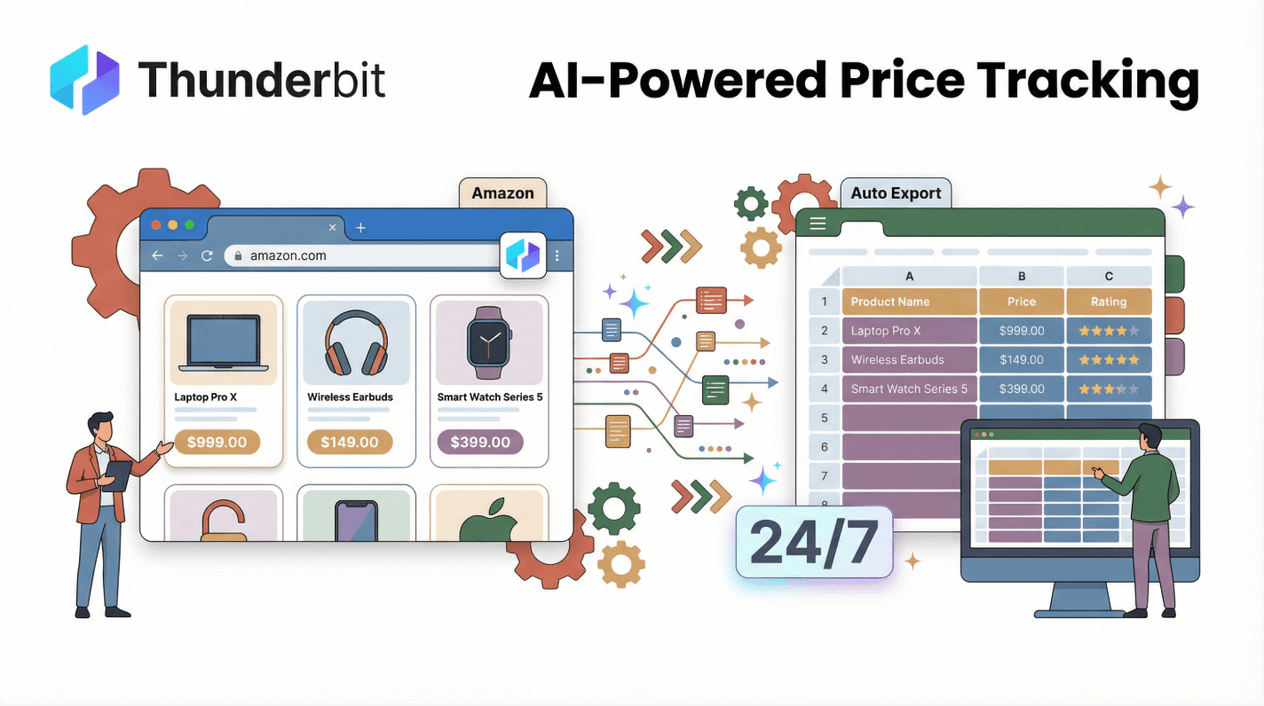 तैयार हैं थोड़ा हाथ गंदा करने के लिए? — नहीं, सच में नहीं; Thunderbit आपके लिए भारी काम कर देगा। यहाँ एक detailed, beginner-friendly walkthrough है:
चरण 1: Thunderbit Chrome Extension इंस्टॉल करें
- Thunderbit Chrome Extension page पर जाएँ।
- “Add to Chrome” पर क्लिक करें और installation confirm करें।
- Thunderbit Chrome वाले किसी भी desktop पर काम करता है (Windows, Mac, Linux)। बेसिक जरूरतों के अलावा कोई खास setup या permissions नहीं—बस जिस page पर हैं, उसे पढ़ने की क्षमता।
चरण 2: Amazon खोलें और Target Page पर जाएँ
- Amazon.com पर जाएँ और जिन products या category को track करना है, उन्हें search करें।
- आप category page, search results page, या single product detail page—कुछ भी इस्तेमाल कर सकते हैं।
- बेहतर नतीजों के लिए सुनिश्चित करें कि page पूरी तरह load हो चुका हो—सभी images और prices दिखने तक wait करें।
चरण 3: “AI Suggest Fields” से Price Data पहचानें
- Chrome toolbar में Thunderbit icon पर क्लिक करके extension खोलें।
- “AI Suggest Fields” पर क्लिक करें। Thunderbit का AI page scan करेगा और relevant columns सुझाएगा—आमतौर पर “Product Name,” “Price,” “Rating,” “ASIN,” आदि।
- सुझाए गए fields की समीक्षा करें। कोई column जोड़ना या हटाना है? बस list edit करें—Thunderbit काफी flexible है।
- advanced users के लिए: specific price types निकालने में मदद के लिए custom instructions भी जोड़ सकते हैं (जैसे “list price,” “deal price,” “used price”)।
चरण 4: Scraping शुरू करें और Dynamic Content संभालें
- “Scrape” पर क्लिक करें। Thunderbit visible page से price data निकाल लेगा।
- अगर आप search या category page स्क्रैप कर रहे हैं, तो Thunderbit pagination संभाल सकता है—बस “pagination scraping” enable करें और यह हर page से prices collect करता जाएगा।
- dynamic content के लिए (जैसे scroll करने पर लोड होने वाली prices), scraping से पहले page नीचे तक scroll करें, या Thunderbit के “browser mode” का इस्तेमाल करें ताकि page के साथ वैसे ही interact किया जा सके जैसे एक real user करता है।
- Thunderbit Amazon की AJAX-loaded prices के साथ adapt करता है और granular data के लिए product detail pages के links भी follow कर सकता है।
चरण 5: Amazon Price Data को Excel में Export करें
- जैसे ही data तैयार होगा, वह आपको एक साफ़, structured table में दिखेगा।
- “Export” पर क्लिक करें और अपना format चुनें: Excel, Google Sheets, Airtable, Notion, CSV, या JSON।
- आप जल्दी paste करने के लिए data को clipboard में भी copy कर सकते हैं।
- अब आप अपने Amazon price data का analysis, visualization, या sharing कर सकते हैं—manual entry अब नहीं।
चरण 6: Troubleshooting और Best Practices
- Prices missing हैं? सुनिश्चित करें कि page पूरी तरह load हो चुका है और आपने सभी products पर scroll किया है। कुछ prices “See price in cart” के पीछे हो सकती हैं या product detail page पर क्लिक करने की जरूरत हो सकती है—यहाँ Thunderbit की subpage scraping मदद करेगी।
- Blocked pages या CAPTCHAs? अगर Amazon आपकी requests block कर रहा है, तो अपनी scraping धीमी करें, browser mode इस्तेमाल करें, या off-peak hours में scrape करने की कोशिश करें।
- Dynamic price changes? डेटा को up to date रखने के लिए नियमित scrapes schedule करें—Thunderbit का scheduling feature इसे आसान बनाता है।
- Large catalogs? Timeout या block से बचने के लिए scraping को छोटे batches में बाँटें।
और troubleshooting tips के लिए, Thunderbit documentation या हमारा YouTube Channel देखें।
Thunderbit बनाम Traditional Amazon Price Scraping Tools: एक त्वरित तुलना
चलिए देखते हैं कि Thunderbit पुराने तरीकों की तुलना में कैसा है:
| Feature | Thunderbit | Manual Copy-Paste | Python Scripts / DIY Tools | Other Browser Extensions |
|---|---|---|---|---|
| सेटअप समय | मिनट | घंटे | घंटे–दिन | मध्यम |
| Coding की जरूरत | नहीं | नहीं | हाँ | कभी-कभी |
| Dynamic Content संभालता है | हाँ (AI + browser mode) | नहीं | कभी-कभी (setup चाहिए) | शायद ही कभी |
| Layout बदलावों के अनुसार adapt करता है | हाँ (AI-driven) | नहीं | नहीं (updates चाहिए) | नहीं (बार-बार टूटता है) |
| Pagination/Subpages | हाँ (built-in) | manual | coding चाहिए | सीमित |
| Export विकल्प | Excel, Sheets, Notion, CSV | manual | scripting चाहिए | CSV, कभी-कभी Excel |
| Maintenance | नहीं | लागू नहीं | अधिक | अधिक |
| User-Friendliness | ⭐⭐⭐⭐⭐ | ⭐ | ⭐ | ⭐⭐ |
Thunderbit business users के लिए बनाया गया है जो बस results चाहते हैं—headaches नहीं। Tutorials नहीं, debugging नहीं, बस data।
Amazon Price Tracking को ऑटोमेट करें: Thunderbit के साथ Scheduled Scraping
Thunderbit की सबसे शक्तिशाली features में से एक है scheduled scraping। हर दिन कीमतें manually scrape करने के बजाय, आप Thunderbit को अपने चुने हुए समय पर automatically चलने के लिए सेट कर सकते हैं—hourly, daily, weekly, जो चाहें।
- बस अपनी schedule को साधारण English में बताइए (“हर सुबह 8 बजे”), और बाकी Thunderbit संभाल लेगा।
- Ecommerce और sales teams के लिए perfect, जिन्हें trend analysis या competitor monitoring के लिए regular price updates चाहिए।
- Export किया गया data सीधे Google Sheets या Airtable में भेजा जा सकता है, जिससे आपकी team के लिए live dashboards बन जाते हैं।
यह feature खास तौर पर fast-moving categories को track करने या price wars पर नज़र रखने में काम आता है—ताकि आपकी pricing strategy हमेशा एक कदम आगे रहे (Thunderbit Blog).
Amazon Price Scraper Template आज़माएँ
अपनी Ecommerce Strategy को मजबूत करें: स्क्रैप की गई Amazon Prices से Competitive Advantage कैसे पाएँ
इन सारी price data से आप वास्तव में क्या कर सकते हैं? यहाँ कुछ practical workflows हैं:
- Competitive Price Analysis: अपनी scraped prices को dashboard (Excel, Sheets, या BI tool) में import करें और अपनी listings की तुलना competitors से करें। Undercutting पकड़ें, pricing gaps पहचानें, और तेज़ी से प्रतिक्रिया दें।
- Dynamic Repricing: price data को अपने repricing engine या rules में feed करें—competition के बराबर या उससे बेहतर रहने के लिए अपनी कीमतें automatically adjust करें (GrowByData).
- Market Opportunity Validation: नया product लॉन्च करने से पहले similar items की कीमतें scrape करें ताकि market saturation और price points का अंदाज़ा लगे।
- Inventory और Stock Management: जब प्रतियोगी stock से बाहर हों और prices बढ़ाएँ, तब नज़र रखें—अपनी promotions के लिए यह सही समय होता है।
मेरी पसंदीदा कहानियों में से एक: एक Thunderbit user ने अपने top 50 SKUs के लिए daily Amazon price scrapes set किए। एक हफ्ते के भीतर, उसने एक competitor की price hike पकड़ ली और अपनी pricing adjust की—नतीजा: sales में 12% की बढ़ोतरी। जब आपके पास real-time data होता है, तो strategy पहले से कहीं ज्यादा sharp हो जाती है।
Thunderbit के AI Templates: Amazon Price Scraping Workflow को तेज़ करें
क्या fields manually set नहीं करना चाहते? Thunderbit instant scraping के लिए Amazon-specific templates देता है। यह ऐसे काम करता है:
- Thunderbit extension खोलें और Amazon Price Scraper template चुनें।
- अपने keywords डालें या Amazon URL paste करें।
- Thunderbit पहले से बना field mapping लागू कर देता है—configuration की जरूरत नहीं।
- “Scrape” पर क्लिक करें और prices, titles, ratings, वगैरह के साथ एक standard report पाएँ।
यह business users के लिए perfect है जो जल्दी और consistent results चाहते हैं—चाहे आप एक नया product idea validate कर रहे हों या weekly competitor check चला रहे हों।
Non-Technical Users के लिए Thunderbit: Amazon की कीमतें स्क्रैप करना आसान बना दिया गया
Amazon Products और Reviews कैसे स्क्रैप करें Thunderbit के AI-संचालित वेब स्क्रैपर का उपयोग करके Amazon product और review data निकालना सीखें। Get Started Free
मैंने web scraping tools की अपनी हिस्से की देखी है, और ज़्यादातर developers के लिए बने होते हैं। Thunderbit अलग है। Non-technical users इसे क्यों पसंद करते हैं, यह रहा:
- Natural Language Prompts: बस बताइए कि आपको क्या चाहिए—बाकी Thunderbit का AI संभाल लेता है।
- AI-Driven Field Detection: CSS selectors या XPath ढूँढने की जरूरत नहीं। Thunderbit कीमतें, titles, और बहुत कुछ खुद खोज लेता है।
- One-Click Scraping: setup से export तक, सब point-and-click है।
- Price Field Changes को संभालता है: अगर Amazon price की जगह बदल दे या label बदल दे, Thunderbit adapt कर लेता है—manual updates की जरूरत नहीं।
- Bulk और Multi-Page Scraping: सैकड़ों products को कई pages पर, सब एक साथ scrape करें।
एक नए user ने कहा: “मैंने 200 Amazon prices 5 मिनट से भी कम में scrape कर लीं—ना code, ना stress। Thunderbit बस काम करता है।”
निष्कर्ष और मुख्य बातें
Amazon prices स्क्रैप करना अब coders या बड़े बजट वाली teams के लिए reserved technical challenge नहीं रहा। Thunderbit के साथ, कोई भी minutes में Amazon से accurate और up-to-date price data निकाल सकता है—ना code, ना maintenance, ना headaches।
मुख्य बातें:
- Amazon price tracking बेहद जरूरी है competitive ecommerce और sales teams के लिए—manual tracking इसकी रफ्तार नहीं पकड़ सकता।
- Traditional scrapers Amazon के anti-bot उपायों, dynamic content, और बार-बार होने वाले layout changes के साथ struggle करते हैं।
- Thunderbit Amazon की कीमतें स्क्रैप करना आसान बनाता है AI-powered field detection, instant templates, और Excel या Sheets में one-click export के साथ।
- Scheduled scraping और automation आपको real time में prices और trends monitor करने देते हैं—जिससे आपकी team को असली competitive edge मिलता है।
- Non-technical users भी सफल हो सकते हैं Thunderbit के intuitive, no-code workflow के साथ।
अपना price tracking level up करने के लिए तैयार हैं? Thunderbit डाउनलोड करें और आज ही Amazon की कीमतें स्क्रैप करना शुरू करें। आपकी अगली pricing जीत बस एक क्लिक दूर हो सकती है।
और tips, tutorials, तथा advanced scraping strategies के लिए Thunderbit Blog या हमारा YouTube Channel देखें।
Thunderbit के साथ Amazon की कीमतें स्क्रैप करना शुरू करें Get Started Free
FAQs
1. क्या Amazon की कीमतें स्क्रैप करना कानूनी है?
Publicly available data को personal या business analysis के लिए स्क्रैप करना सामान्यतः कानूनी है, लेकिन आपको हमेशा Amazon की terms of service देखनी चाहिए और स्थानीय कानूनों का पालन करना चाहिए। Personal या sensitive information स्क्रैप करने से बचें, और data का जिम्मेदारी से उपयोग करें।
2. अगर Amazon अपने page layout या price format बदल दे तो क्या होगा?
Thunderbit का AI layout changes के अनुसार अपने-आप adapt करने के लिए बनाया गया है। अगर data missing लगे, तो “AI Suggest Fields” दोबारा आज़माएँ या latest field mapping के लिए Thunderbit का Amazon template इस्तेमाल करें।
3. क्या Thunderbit बड़े catalogs या bulk price scraping को संभाल सकता है?
हाँ! Thunderbit multi-page scraping, bulk URL input, और बड़े-scale projects के लिए scheduled scraping सपोर्ट करता है। बस अपने URLs paste करें या scheduled task सेट करें।
4. Scraped Amazon prices को Excel या Google Sheets में कैसे export करूँ?
Scraping के बाद Thunderbit में “Export” पर क्लिक करें और अपना पसंदीदा format चुनें—Excel, Google Sheets, Airtable, Notion, CSV, या JSON। आप results को clipboard में भी copy कर सकते हैं।
5. अगर मैं technical नहीं हूँ तो? क्या मैं फिर भी Thunderbit इस्तेमाल कर सकता हूँ?
बिल्कुल। Thunderbit non-technical users के लिए बनाया गया है—ना coding, ना setup, बस क्लिक करें और शुरू हो जाएँ। अगर मदद चाहिए, तो हमारी documentation और support हमेशा उपलब्ध हैं।
देखना चाहते हैं कि Amazon price scraping कितना आसान हो सकता है? Thunderbit को मुफ्त में आज़माएँ और आज ही अपनी pricing strategy पर नियंत्रण पाएं।
और जानें




