

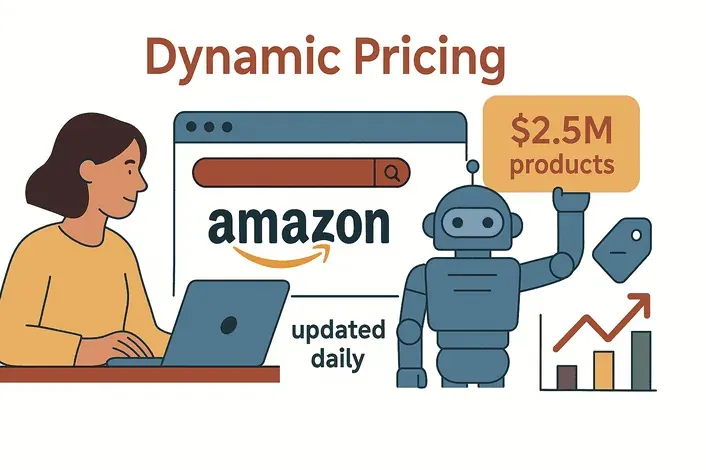
 आज के ecommerce बाज़ार में कीमतें सिर्फ़ बदलती नहीं हैं—वो रॉकेट की तरह भागती हैं। Amazon के एल्गोरिद्म अभी भी हर दिन लगभग 2.5 million price changes करते हैं — यानी औसतन हर listing पर लगभग हर 10 मिनट में एक अपडेट, और Walmart जैसे पारंपरिक retail seller की तुलना में लगभग 50 गुना तेज़ रफ़्तार।
--- ऑनलाइन बिज़नेस चलाने वाले किसी भी इंसान के लिए यह ऐसा है जैसे आप Formula 1 की रेस में साइकिल लेकर उतर आएँ। सच यही है कि कीमत में छोटा-सा फर्क भी आपके customers को सीधे competitor के पास भेज सकता है, और अगर आप अब भी prices को manually track कर रहे हैं, तो आप पहले से ही पीछे चल रहे हैं।
मैंने SaaS और automation में कई साल बिताए हैं, और मैं आपको साफ़ बता सकता हूँ—price viewer strategies में माहिर होना सिर्फ़ एक “अच्छी extra चीज़” नहीं है। यही वह फर्क है जो आपको leading pack में रखता है या हमेशा पीछा करने पर मजबूर करता है। इस guide में, मैं समझाऊँगा कि price viewers अब mission-critical क्यों हैं, सही tool कैसे चुनें, और कैसे AI (खासकर Thunderbit) आपके price monitoring को autopilot पर चला सकता है—ताकि आप spreadsheets नहीं, strategy पर focus करें।
AI की मदद से किसी भी website से data निकाला जा सकता है Get Started Free
हर Ecommerce Business को Price Viewer की ज़रूरत क्यों है
सीधी बात करें: आज के online shoppers पहले के मुकाबले कहीं ज़्यादा price-sensitive हैं। February 2026 Alvarez & Marsal consumer survey में पाया गया कि 42% U.S. shoppers ने सस्ते stores की तरफ़ जाने की योजना बनाई थी, और 2026 के दूसरे retail studies भी लगभग 40–45% के इसी दायरे में आते हैं। web ने comparison shopping को instant बना दिया है, और dynamic pricing के दौर में आपके competitors बस एक click दूर हैं—आपको undercut करने के लिए।
एक मजबूत price viewer strategy के बिना आप अंधेरे में उड़ रहे हैं। Manual checks या पुराना data मतलब यह कि आप competitor की price drop को तब नोटिस करेंगे जब आपके margins पहले ही चोट खा चुके होंगे। मैंने ऐसे business देखे हैं जो रातोंरात sales खो बैठे, सिर्फ़ इसलिए क्योंकि उन्होंने flash sale या market में नए rival के आने को समय पर नहीं पकड़ा। जैसा कि एक industry report साफ़ कहता है: “If you are still manually tracking prices, you are already behind.” (PromptCloud)
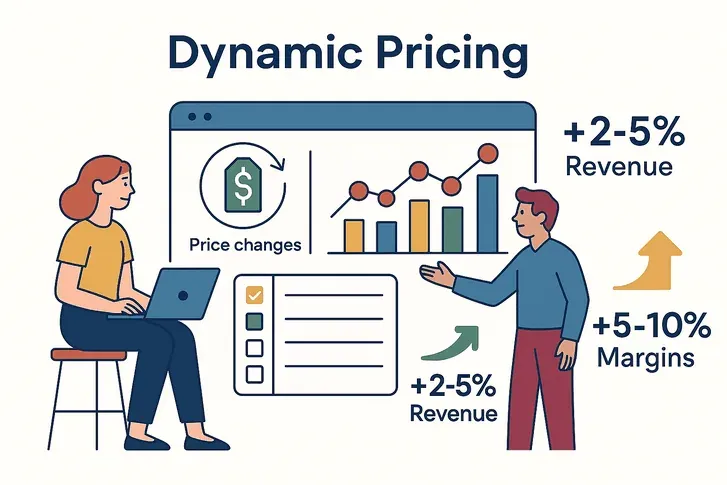
लेकिन अच्छी बात यह है: जो कंपनियाँ automated price viewing और dynamic pricing अपनाती हैं, उन्हें असली results मिलते हैं। एक McKinsey study के अनुसार dynamic pricing revenue को 2–5% और margins को 5–10% तक बढ़ा सकता है। यह सिर्फ़ मामूली फायदा नहीं—यह thrive करने और सिर्फ़ survive करने के बीच का फर्क है।
निष्कर्ष: Ecommerce में price viewer कोई optional चीज़ नहीं है। यह आपका radar है, आपका early warning system है, और ऐसे market में profit बनाए रखने का सबसे अच्छा तरीका है जहाँ prices आपकी “add to cart” कहने से भी तेज़ बदलते हैं।
Price Monitoring के लिए Thunderbit आज़माएँ
Price Viewer को समझना: यह क्या है और कैसे काम करता है
तो, price viewer आखिर है क्या? इसे अपने digital price scout की तरह समझिए—ऐसा tool या software जो web पर product prices को automatically track, alert और report करता है। अब dozens of tabs खोलने या numbers को Excel में copy-paste करने की ज़रूरत नहीं।
एक modern price viewer ये काम करता है:
- Monitoring: यह competitor websites (और marketplaces) पर आपके चुने गए products या SKUs की कीमतों में बदलाव चेक करता है—कभी-कभी हर घंटे तक।
- Alerting: जब कोई competitor कीमत घटाता है, flash sale शुरू करता है, या कोई नया seller आता है, तो आपको तुरंत सूचना मिलती है। अब surprises नहीं।
- Reporting & Analytics: सारा data dashboards और reports में व्यवस्थित हो जाता है—ताकि आप trends देख सकें, अपनी prices की market से तुलना कर सकें, और समझदारी से निर्णय ले सकें।
सबसे अच्छी बात? आपको tech expert होने की ज़रूरत नहीं। ज़्यादातर price viewers business users के लिए बनाए जाते हैं, जिनमें point-and-click interface, आसान setup, और Excel, Google Sheets, या Notion में one-click export की सुविधा होती है (Thunderbit).
संक्षेप में: Price viewer price tracking के भारी काम को automate करता है, और आपको updated, structured pricing info देता है—ताकि आप busywork नहीं, strategy पर ध्यान दे सकें।
अपने Business के लिए सही Price Viewer Tool कैसे चुनें
सभी price viewers एक जैसे नहीं होते। मैंने ऐसी teams देखी हैं जो ऐसे tools से नुकसान में रहीं जो दिखने में तो शानदार थे, लेकिन fresh, accurate data या multi-platform coverage की ज़रूरत पड़ते ही टूट गए। किसी tool को चुनने से पहले ये बातें ज़रूर देखें:
Price Viewer में किन Features पर ध्यान दें
| Feature | Why It Matters |
|---|---|
| Data Accuracy & Freshness | पुरानी या गलत prices = गलत decisions। ऐसे tools देखें जो real time या दिन में कई बार update करते हों। |
| Multi-Platform Coverage | क्या यह Amazon, eBay, Shopify, Walmart और niche sites को track कर सकता है? Coverage बहुत मायने रखती है। |
| Custom Alerts | जब competitor price घटाए, promo चलाए, या MAP violate करे, तो notification मिले। |
| Historical Price Tracking | सिर्फ़ snapshot नहीं, trends भी देखें। Long-term strategy में मदद मिलती है। |
| Bulk Import & Scalability | क्या यह आपकी growth के साथ सैकड़ों या हज़ारों SKUs संभाल सकता है? |
| Export & Integration | Excel, Google Sheets, Notion, Airtable, या आपके BI tool में one-click export। |
| Ease of Use | Non-technical teams के लिए simple, intuitive dashboard ज़रूरी है। |
| Automation & Scheduling | एक बार set करें और भूल जाएँ—automated checks हर हफ़्ते कई घंटे बचाते हैं। |
| Reporting & Visualization | अच्छे dashboards, charts, और downloadable reports insights को actionable बनाते हैं। |
| Support & Compliance | Responsive support और clear data policies ज़रूरी हैं—खासकर MAP monitoring के लिए। |
Pro tip: हमेशा free trial या demo लें। सबसे अच्छे tools setup को आसान बनाते हैं और data को वहाँ export करने देते हैं जहाँ आपकी team को ज़रूरत हो।
Thunderbit की मदद से अपनी Price Viewer Strategy को और मज़बूत कैसे बनाएं
अब बात करते हैं कि Thunderbit price-viewer use case में कैसे fit होता है। Disclosure: मैंने इसे बनाने में help की है, इसलिए इसे ध्यान में रखें। नीचे मैं उन specific features पर focus करूँगा जिन्हें ops teams price tracking के लिए इस्तेमाल करते हैं, ताकि आप इसकी तुलना किसी भी दूसरे tool से कर सकें जिसे आप evaluate कर रहे हैं।
Thunderbit को अलग क्या बनाता है?
- AI Suggest Fields: Thunderbit की AI किसी भी product या category page को scan करके तुरंत सही columns सुझा देती है—जैसे “Product Name,” “Price,” “Stock Status,” और भी बहुत कुछ। न coding, न selectors से झंझट।
- Subpage Scraping: सिर्फ़ list price नहीं चाहिए? Thunderbit हर product के detail page पर automatically जाकर extra info निकाल सकता है—जैसे bulk pricing, discounts, या reviews।
- Scheduled Scraping: Price checks हर घंटे, हर रात, या आपकी अपनी schedule पर चलाएँ। Thunderbit की AI natural language भी समझती है (“weekdays पर हर 6 घंटे में”).
- Cross-Platform Power: किसी भी site को scrape करें—Amazon, Shopify, niche marketplaces, या competitor DTC sites। Cloud scraping की वजह से आप सैकड़ों pages को parallel में monitor कर सकते हैं।
- Structured Output & Free Export: Data clean और ready-to-use format में मिलता है। Excel, Google Sheets, Notion, या Airtable में एक click से export करें—कोई extra fee नहीं।
- Integration-Ready: Thunderbit के output को अपने existing dashboards में जोड़ें, Slack या email alerts set करें, या Zapier के साथ workflows automate करें।
(Thunderbit Blog, Futurepedia)
Thunderbit Chrome Extension डाउनलोड करें
Thunderbit in Action: असली दुनिया के Use Cases
1. Competitor SKU Price Tracking
मान लीजिए आप एक electronics retailer की pricing संभालते हैं और पाँच competitors के बीच 100 key SKUs track करना चाहते हैं। Thunderbit के साथ आप:
- हर competitor के product pages के लिए scheduled scrape सेट कर सकते हैं।
- Thunderbit की AI हर सुबह automatically latest prices, stock status, और promo info निकाल लेती है।
- Data सीधे आपकी Google Sheet में आता है, ताकि आप undercutting या out-of-stock situations तुरंत पकड़ सकें।
एक बड़े retailer ने reportedly AI scraper का इस्तेमाल करके हर दिन 50,000 product prices check किए, जिसमें sale discounts और stock info भी शामिल थे। Thunderbit के cloud scraping के साथ, बड़े batches भी आसानी से संभाले जा सकते हैं।
2. Multi-Platform & MAP Monitoring
अगर आप Amazon, eBay, और अपनी website पर बेचने वाला brand हैं, तो Thunderbit आपको यह करने देता है:
- अपने products के लिए सभी platforms scrape करें, और MAP violations check करें (उदाहरण: कोई reseller आपकी minimum price से नीचे listing कर रहा हो)।
- जब कोई rogue seller आपकी price को नीचे लाए, तो alert मिले—ताकि brand value घटने से पहले action लिया जा सके।
- यह सारा data एक ही sheet या dashboard में केंद्रीकृत रखें, जिससे review करना आसान हो।
3. Custom Alerts and Reporting
Thunderbit के structured exports की मदद से आप:
- Google Sheets scripts set कर सकते हैं जो तब email भेजें जब competitor की price 10% से ज़्यादा गिर जाए।
- Instant notifications के लिए Slack या आपके CRM के साथ integration कर सकते हैं।
- अपनी sales या ops team के साथ daily digest साझा कर सकते हैं—अब “क्या आज किसी ने prices देखीं?” वाली घबराहट नहीं।
Real-Time Price Monitoring बनाम Historical Trend Analysis
एक classic debate: क्या आपको real-time price monitoring पर focus करना चाहिए, या historical trends में गहराई से जाना चाहिए? जवाब है: दोनों चाहिए—लेकिन अलग-अलग वजहों से।
Real-Time Price Monitoring
- Best for: Flash sales, रोज़ाना की price wars, high-volatility products (जैसे electronics, fashion, travel).
- Why: जब competitor move करे, आपको तुरंत alert मिलता है, ताकि sales खोने से पहले आप प्रतिक्रिया दे सकें।
- Watch out: हर समय price को नीचे लाने की दौड़ में मत फँसिए। हर price drop पर तुरंत प्रतिक्रिया देना सही नहीं होता।
(Boardfy)
Historical Trend Analysis
- Best for: Strategic pricing, promotions की planning, seasonal patterns समझना, और margins optimize करना.
- Why: पैटर्न पकड़ने में मदद मिलती है (जैसे competitor की हर साल होने वाली summer sale), promo effectiveness माप सकते हैं, और ज़रूरत से ज़्यादा discounting से बच सकते हैं।
- Watch out: बीते समय में अटके मत रहिए—market बदलते रहते हैं, और नए competitors पुराने trends को उलट सकते हैं।
कब कौन-सा तरीका इस्तेमाल करें
- Real-time data का उपयोग करें जब promotions launch या match करनी हों, high-volatility products monitor करने हों, या अपने “lowest price” promise की रक्षा करनी हो।
- Historical trends पर भरोसा करें जब base prices तय करनी हों, seasonal campaigns की planning करनी हो, या past promos के असर का मूल्यांकन करना हो।
सबसे अच्छे teams दोनों को मिलाकर चलते हैं: tactical moves के लिए real-time alerts, और strategic decisions के लिए trend dashboards। (AIMultiple)
Price Viewing को Automate करना: AI की मदद से Efficiency बढ़ाना
सच कहें तो—कोई भी अपना दिन prices को spreadsheets में copy करने में नहीं बिताना चाहता। Automation वह secret sauce है जो price viewing को थकाऊ काम से superpower में बदल देता है।
Automation क्यों करें?
- Time बचाएँ: Automated price monitoring manual effort को 70% तक कम कर सकता है।
- Errors घटाएँ: Copy-paste mistakes और missed updates की परेशानी खत्म।
- Consistency बनाए रखें: आपका “price radar” कभी नहीं सोता—रविवार की सुबह 3 बजे भी नहीं।
Thunderbit के साथ Automated Price Monitoring कैसे सेट करें
Thunderbit के साथ अपनी price viewing को autopilot पर लगाना कितना आसान है, देखिए:
- Thunderbit Chrome Extension install करें और log in करें।
- अपना target page खोलें (competitor, marketplace, या product list)।
- “AI Suggest Fields” पर click करें—Thunderbit की AI सही columns चुन लेती है (जैसे “Product Name,” “Price,” “Stock”)।
- Pagination या subpage scraping set करें अगर आपको कई pages cover करने हैं या extra details चाहिए।
- Scrape को test करें ताकि data सही दिखे।
- Job schedule करें—बस “हर सुबह 6 बजे” या “हर 4 घंटे” type करें, और Thunderbit की AI बाकी काम संभाल लेगी।
- अपना export चुनें—Google Sheets, Excel, Notion, Airtable, या इनमें से सभी।
- Monitor और refine करें—Thunderbit layout changes के अनुसार adapt करता है, और आप कभी भी fields tweak कर सकते हैं।
बस इतना ही। अब आपका price viewer automated है, हमेशा updated है, और आपकी pricing strategy को आगे बढ़ाने के लिए तैयार है।
(Thunderbit Docs, Chrome Web Store)
Ecommerce Price Monitoring Tools Thunderbit Blog पर price monitoring strategies और tools के बारे में और जानें। Get Started Free
Price Viewing में आम गलतियाँ और उनसे कैसे बचें
सबसे अच्छे tools होने के बावजूद, अगर आप सावधान नहीं हैं तो price viewing उल्टा भी पड़ सकता है। ये वे सबसे आम गलतियाँ हैं जो मैं देखता हूँ—और उनसे बचने के तरीके भी:
- पुराने data पर निर्भर रहना: अगर आप prices सिर्फ़ हफ़्ते में एक बार check कर रहे हैं, तो आप असली activity miss कर रहे हैं। Frequent checks automate करें और हमेशा timestamp देखें।
- गलत competitors या products track करना: Market बदलते हैं—अपनी competitor list समय-समय पर review करें और अपने best-sellers पर ध्यान दें।
- सबसे कम price के पीछे भागना: हर बार price war शुरू मत करें। कभी-कभी $1 ज़्यादा कीमत भी ठीक होती है, अगर आपकी service बेहतर हो या shipping तेज़ हो।
- Context को नज़रअंदाज़ करना: Price ही सब कुछ नहीं है—stock status, shipping times, और ratings भी मायने रखते हैं। अगर संभव हो तो इन्हें भी track करें।
- Set-and-forget mindset: Market evolve होते रहते हैं। अपनी strategy review करें और monitoring को नियमित रूप से अपडेट करें।
- DIY scraping में expertise न होना: घर में बनाए गए scrapers अक्सर टूटते रहते हैं और engineering time खा जाते हैं। Thunderbit जैसे भरोसेमंद tool का उपयोग करें।
- Data पर action न लेना: Insights को धूल मत जमने दीजिए। Price changes पर कैसे और कब प्रतिक्रिया देनी है, इसके साफ़ नियम बनाइए।
मुख्य सीख: एक जीतने वाली Price Viewer Strategy कैसे बनाएं
चलते-चलते मुख्य बिंदु याद कर लेते हैं:
- Price monitoring अनिवार्य है: रोज़ाना लाखों price changes होते हैं, इसलिए आपको साथ चलने के लिए एक system चाहिए।
- सही tool चुनें: Accuracy, multi-platform coverage, automation, और आसान export देखें। Thunderbit ये सब कवर करता है।
- Real-time और historical data दोनों मिलाएँ: तेज़ी से प्रतिक्रिया दें, लेकिन सोच-समझकर plan करें।
- जो हो सके automate करें: अपनी team को manual work से free करें और strategy पर ध्यान दें।
- आम गलतियों से बचें: Data fresh रखें, strategy dynamic रखें, और focus कीमत नहीं—value पर रखें।
Price viewer strategies में माहिर होना हर penny के पीछे भागना नहीं है—यह ऐसे informed, agile decisions लेना है जो आपके margins की रक्षा करें और आपका business बढ़ाएँ। Thunderbit जैसे AI-powered tools के साथ, आप आखिरकार price monitoring को autopilot पर डाल सकते हैं और competition से आगे रह सकते हैं।
अपने price viewing को next level पर ले जाने के लिए तैयार हैं? Thunderbit डाउनलोड करें और देखें कि pricing intelligence को automate करना कितना आसान है। और अधिक tips के लिए Thunderbit Blog देखिए।
Thunderbit के साथ AI Price Monitoring आज़माएँ Get Started Free
FAQs
1. Price viewer क्या है और ecommerce के लिए यह क्यों महत्वपूर्ण है?
Price viewer एक tool है जो competitor sites और marketplaces पर product prices को automatically track, alert, और report करता है। यह इसलिए ज़रूरी है क्योंकि online prices लगातार बदलती रहती हैं, और इन बदलावों पर नज़र रखने से आप प्रतिस्पर्धी बने रहते हैं और margins सुरक्षित रखते हैं।
2. अपने business के लिए सबसे अच्छा price viewer tool कैसे चुनूँ?
Real-time data accuracy, multi-platform coverage, custom alerts, bulk import, automation, और अपने पसंदीदा tools (Excel, Google Sheets, Notion, आदि) में आसान export जैसी features देखें। Demo ज़रूर आज़माएँ ताकि पता चले यह आपके workflow में fit बैठता है या नहीं।
3. Thunderbit दूसरे tools की तुलना में price viewing को कैसे बेहतर बनाता है?
Thunderbit AI का उपयोग करके सही fields सुझाता है, subpage और scheduled scraping को support करता है, और data को सीधे आपकी पसंदीदा platforms पर export करता है। यह flexible है, non-technical users के लिए आसान है, और major marketplaces के अलावा किसी भी website की monitoring कर सकता है।
4. क्या मुझे real-time price monitoring पर ध्यान देना चाहिए या historical trend analysis पर?
दोनों ही महत्वपूर्ण हैं। Real-time monitoring आपको तुरंत होने वाले बदलावों पर प्रतिक्रिया देने में मदद करता है (जैसे flash sales), जबकि historical analysis long-term strategies plan करने और ज़रूरत से ज़्यादा discounting से बचने में मदद करता है।
5. Price viewing में किन आम गलतियों से बचना चाहिए?
पुराने data पर भरोसा करने, गलत competitors track करने, सबसे कम price के पीछे भागने, context (जैसे stock या shipping) को नज़रअंदाज़ करने, और unreliable DIY tools इस्तेमाल करने से बचें। Monitoring automate करें, strategy नियमित रूप से review करें, और हमेशा अपने insights पर action लें।
Thunderbit को action में देखना चाहते हैं? Chrome extension डाउनलोड करें और आज ही अपनी price viewer strategy पर महारत हासिल करना शुरू करें।




