

Trustpilot पर 361 मिलियन सक्रिय रिव्यू और 1.27 मिलियन व्यवसाय हैं — और उस डेटा को निकालने के लिए बनाए गए ज़्यादातर scrapers महीनों पहले ही टूट चुके हैं। अगर आपने हाल ही में रिव्यू निकालने की कोशिश की है, तो शायद आपको कुख्यात page 10 login wall का सामना करना पड़ा होगा, और आपका टूल सिर्फ़ error ही लौटाता रहा होगा।
पिछले कुछ हफ्तों में मैंने ऐसे टूल्स को टेस्ट, रिसर्च और तुलना की है जो 2026 में भी भरोसेमंद तरीके से Trustpilot review data निकाल सकते हैं। हालात काफ़ी बदल गए हैं: Trustpilot की anti-bot सुरक्षा और सख्त हो गई है, उसका Next.js frontend ऐसे class names बनाता है जो हर deployment के साथ बदल जाते हैं, और सबसे अहम बात — अब unauthenticated access सिर्फ़ 10 review pages के बाद ही रुक जाता है। 2025 के अंत की एक Reddit thread ने इस झुंझलाहट को बिल्कुल सटीक पकड़ा: "स्टोर पर मौजूद कोई भी actor काम नहीं करता."
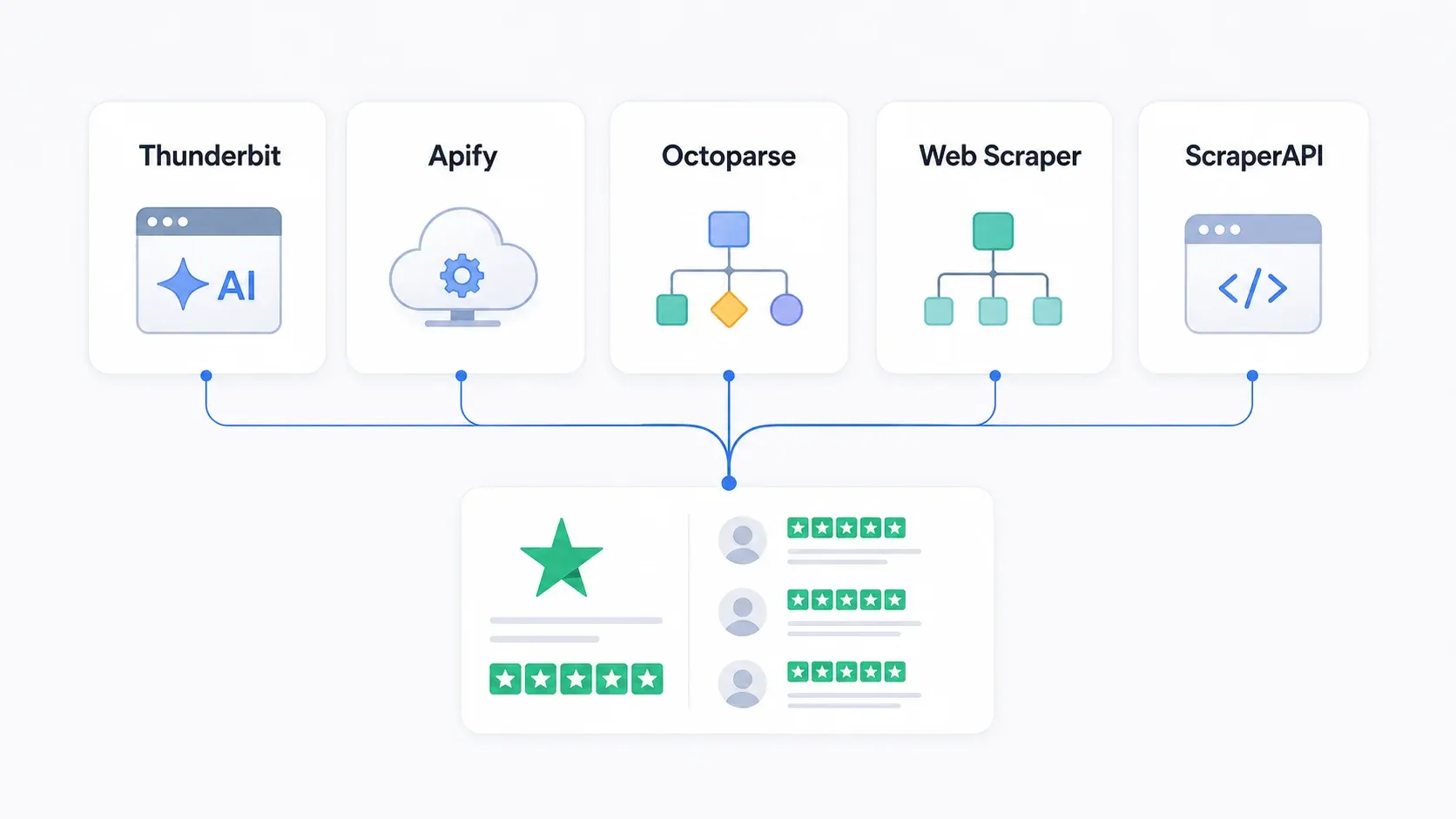
तो आखिर कौन से टूल सच में काम करते हैं? मैंने पाँच टूल्स का मूल्यांकन इस आधार पर किया कि वे login wall, anti-bot उपायों, maintenance की ज़रूरत, और marketers व developers — दोनों की व्यावहारिक ज़रूरतों को कितनी अच्छी तरह संभालते हैं।
2026 में Trustpilot Reviews को Scrape करना जितना दिखता है, उससे कहीं मुश्किल क्यों है
Trustpilot कोई साधारण static website नहीं है जिसे आप basic HTTP request से hit करके BeautifulSoup से parse कर लें। यह Next.js पर बना एक आधुनिक, dynamically rendered platform है, और पिछले साल इसकी defenses काफ़ी कड़ी हो गई हैं।
असल में आपको किससे जूझना पड़ता है:
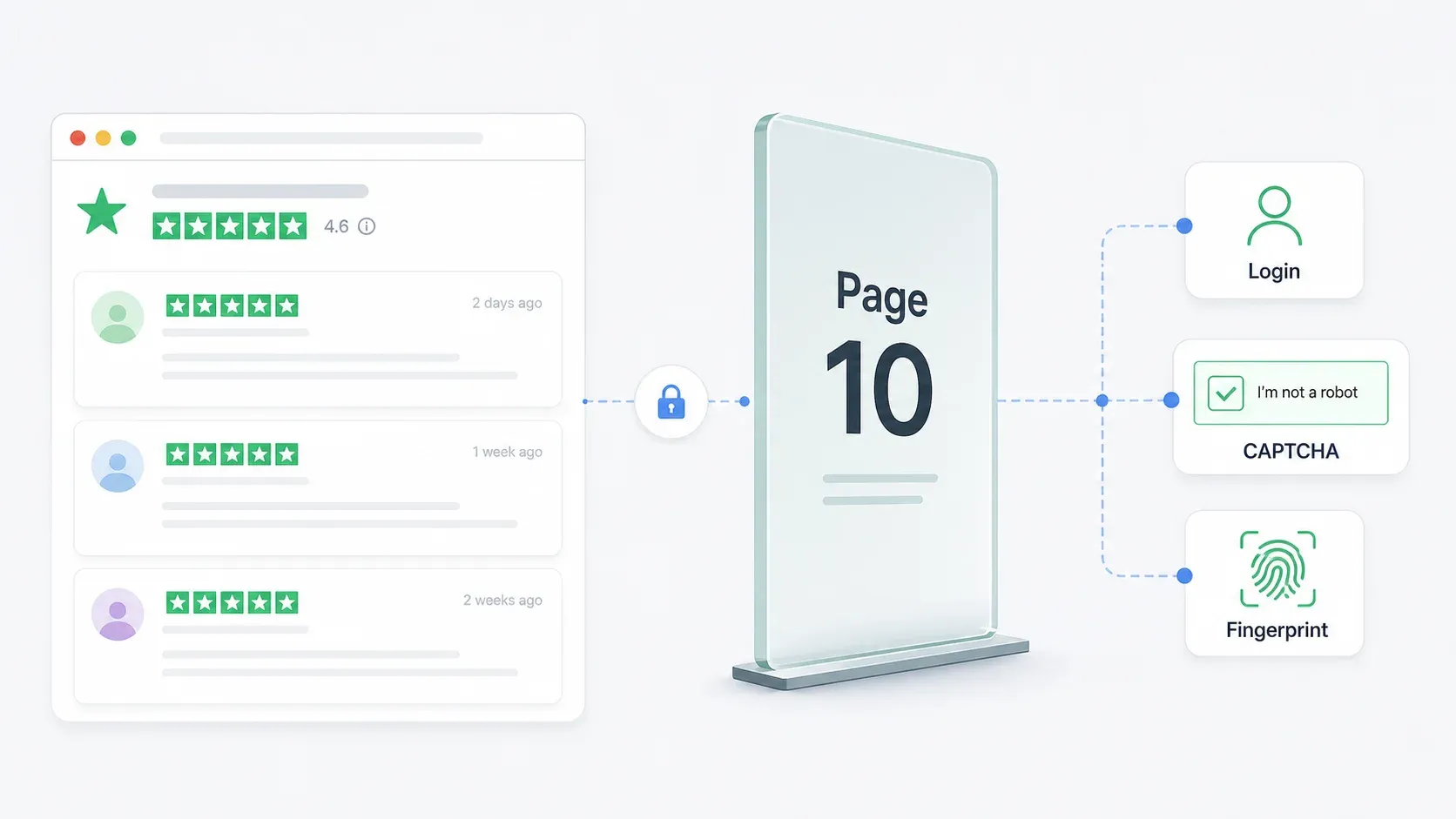
पेज 10 लॉगिन वॉल। यह सबसे बड़ा दर्द बिंदु है। Web Scraper की मार्च 2026 Trustpilot guide खुद पुष्टि करती है कि Trustpilot पहले 10 review pages तक ही अनुमति देता है, उसके बाद login prompt दिखाता है। अगर किसी business के पास 2,000 reviews हैं (यानी 20 reviews प्रति page के हिसाब से लगभग 100 pages), तो authenticated session के बिना आप डेटा के 90% हिस्से से वंचित रह जाते हैं।
Anti-bot सुरक्षा। Trustpilot reCAPTCHA, session-based blocking, CDN-level request filtering, और browser fingerprinting का इस्तेमाल करता है। उसका About page साफ़ तौर पर कहता है कि साइट "reCAPTCHA से सुरक्षित" है और device तथा interaction signals इकट्ठा करती है।
Dynamic CSS class names। क्योंकि Trustpilot Next.js और CSS modules का उपयोग करता है, styles_reviewCardInner__EwDq2 जैसे class names build time पर बनते हैं और Trustpilot के update deploy करते ही बदल जाते हैं। ScraperAPI का अपना tutorial इन्हीं exact selectors पर निर्भर करता है — यानी उस tutorial पर बना कोई भी code Trustpilot के अगले frontend change के साथ टूट सकता है।
DOM structure में बदलाव। सिर्फ़ class names ही नहीं, असली HTML hierarchy भी बदल सकती है। Elements की nesting अलग हो सकती है, नए wrappers आ सकते हैं, और pagination components की संरचना भी बदल सकती है।
CSS-selector पर आधारित scrapers — चाहे वे Apify Actors हों, Octoparse workflows हों, या custom Python scripts — Trustpilot पर संरचनात्मक रूप से नाज़ुक होते हैं। वे तब तक काम करते हैं जब तक नहीं करते। और "जब तक नहीं करते" अक्सर हफ्तों में मापा जाता है, महीनों में नहीं।
Best Trustpilot Review Scrapers चुनते समय हमने क्या देखा
मैंने इन टूल्स का मूल्यांकन सामान्य "क्या यह किसी webpage को scrape कर सकता है" मापदंड पर नहीं किया। इस सूची का हर टूल एक साधारण HTML page से डेटा निकाल सकता है।
असल सवाल: क्या यह Trustpilot को, उसकी सारी अजीबताओं के साथ, 2026 में संभाल सकता है?
सबसे अहम बातें ये थीं:
| मापदंड | Trustpilot के लिए यह क्यों महत्वपूर्ण है |
|---|---|
| Login wall handling (page 10+) | ज़्यादातर businesses के पास 200 reviews से कहीं ज़्यादा होते हैं। 10-page limit का मतलब है कि आप historical data का बड़ा हिस्सा खो रहे हैं। |
| Anti-bot bypass approach | reCAPTCHA, session blocking, और CDN filtering naive scrapers को तुरंत रोक देते हैं। |
| Selector resilience / maintenance | Generated CSS classes selector-based tools को बार-बार तोड़ देती हैं। क्या टूल self-heal करता है? |
| Pagination support | Reviews सैकड़ों pages में फैले होते हैं। हर page को हाथ से निकालना व्यावहारिक नहीं है। |
| No-code vs. code requirement | Marketers को point-and-click चाहिए; developers को पूरा control चाहिए। |
| Pricing / free tier | बजट-सचेत teams को commitment से पहले स्पष्टता चाहिए। |
| Export options | Business users को सिर्फ़ raw JSON नहीं, बल्कि Google Sheets, Airtable, Notion चाहिए। |
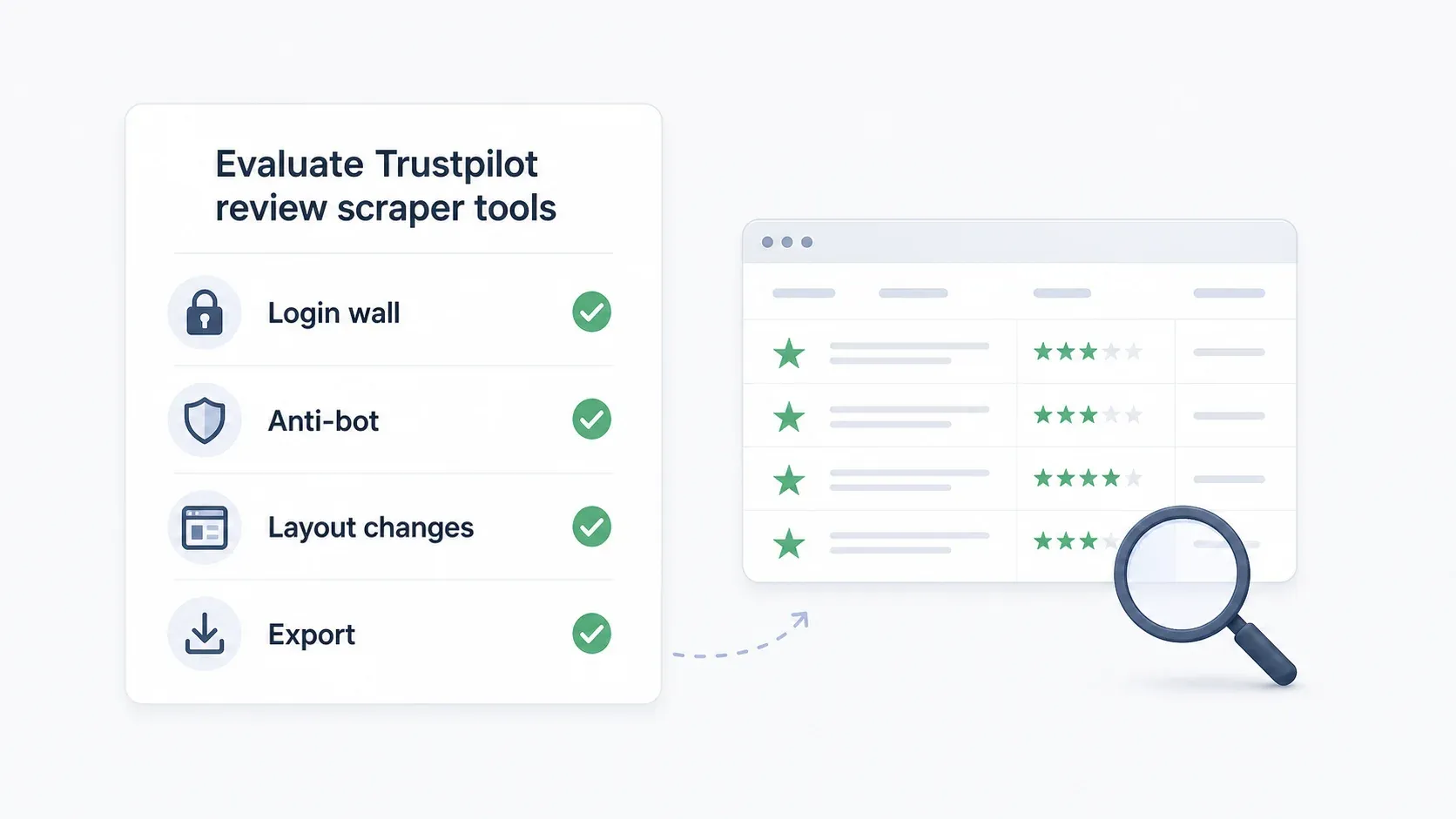
Login wall ही असली निर्णायक बिंदु है।
अगर कोई टूल page 10 से आगे नहीं जा सकता — या कम-से-कम authenticated access का साफ़ रास्ता नहीं देता — तो 2026 में वह Trustpilot scraper के रूप में व्यावहारिक नहीं है।
एक नज़र में Best Trustpilot Review Scrapers
पूरा comparison:
| टूल | Skill Level | Login Wall Handling | Anti-Bot Approach | Pagination | Free Tier | Export Options |
|---|---|---|---|---|---|---|
| Thunderbit | No-code | Browser mode (आपके logged-in Chrome session का उपयोग करता है) | AI semantic extraction layout changes के अनुसार खुद को ढालता है | Auto-detect, multi-page | 6 pages मुफ्त/माह | Excel, Sheets, Airtable, Notion, CSV, JSON |
| Apify | Low-code | Actor पर निर्भर; कुछ में page 10+ के लिए cookie config चाहिए | Built-in proxy rotation, Actor-specific | प्रति Actor configurable | $5/month free platform credits | JSON, CSV, Excel, XML, RSS |
| Octoparse | No-code (visual) | Manual cookie/session configuration | IP rotation, residential proxies, CAPTCHA solving (paid) | Click/scroll workflow | Free plan + 14-day premium trial | CSV, Excel, JSON, HTML, XML, databases |
| Web Scraper | No-code (sitemap) | सीमित — अपनी guide में 10-page review cap दर्ज है | Paid plans पर cloud + proxy | Configurable; JS click recommended | Free Chrome extension | CSV, XLSX |
| ScraperAPI | Developer (Python) | Code-level session/cookie management | 40M+ residential proxies, JS rendering, CAPTCHA handling | Code-based | 7-day trial, 5,000 API credits | Developer-defined (CSV, JSON, etc.) |
1. Thunderbit
Thunderbit एक AI-powered Chrome extension है, जिसे उन business teams के लिए बनाया गया है जिन्हें code लिखे बिना websites से structured data चाहिए। Trustpilot के लिए खास तौर पर, यह एक dedicated review scraping template देता है जो reviewer name, rating, review title, review text, date, और business response सिर्फ़ दो clicks में निकालता है।
मैं पक्षपाती हूँ — मैं यहाँ काम करता हूँ — लेकिन हमने Thunderbit को जिस तरह बनाया है, उसकी वजह सीधे-सीधे यह है कि Trustpilot scraping मुश्किल क्यों है। हमारा AI pages को CSS selectors पर निर्भर रहने के बजाय semantic रूप से पढ़ता है। जब Trustpilot अपने class names बदल देता है या DOM को restructure कर देता है, Thunderbit फिर भी अनुकूल हो जाता है क्योंकि वह page elements के meaning को देखता है, उनके specific HTML addresses को नहीं।
Trustpilot scraping के लिए Thunderbit आज़माएँ
Thunderbit Page 10 Login Wall को कैसे संभालता है
यहाँ browser mode काम आता है। Thunderbit आपके Chrome browser के अंदर काम करता है — वही browser जहाँ आप पहले से Trustpilot में logged in हैं। जब आप browser scraping mode पर स्विच करते हैं, extension उन pages को पढ़ता है जो आपकी authenticated session में दिखाई दे रहे हैं। न proxy की मशक्कत। न cookie injection। न Playwright session pools।
व्यावहारिक workflow: Chrome में Trustpilot में log in करें, जिस review page की ज़रूरत है उस पर जाएँ, "AI Suggest Fields" पर क्लिक करें, फिर "Scrape" पर। इसके बाद pagination अपने-आप होती है — Thunderbit आपके browser session से उपलब्ध हर page पर काम करता है।
Trustpilot बदलने पर Thunderbit क्यों नहीं टूटता
हमारा Trustpilot template page इसे सीधे तुलना के रूप में दिखाता है: पारंपरिक scrapers layouts बदलते ही और CSS selectors अपडेट करने पड़ते ही टूट जाते हैं। Thunderbit ऐसा semantic AI उपयोग करता है जो specific CSS पर निर्भर हुए बिना content को समझता है, dynamic content को संभालता है, और auto-pagination मैनेज करता है।
इसे ScraperAPI के tutorial code से तुलना करें, जो styles_reviewCardInner__EwDq2 जैसे class names के आधार पर parse करता है। वह selector Trustpilot के अगले deployment के साथ ही टूट जाएगा। Thunderbit का AI पूछता है, "इस page पर review text कहाँ है?" बजाय इसके कि "इस specific div class के अंदर क्या है?"
Trustpilot Scraping के लिए मुख्य फीचर्स
- AI Suggest Fields: बिना manual configuration के review fields (name, rating, date, title, text, business response) अपने-आप पहचानता है
- Two-click workflow: AI Suggest Fields → Scrape. बस इतना ही।
- Browser mode for login-required pages: page 10+ access के लिए आपके authenticated Chrome session के भीतर काम करता है
- Auto-pagination: multi-page review sets को बिना हाथ से हस्तक्षेप के संभालता है
- Subpage scraping: enrichment data के लिए individual reviewer profiles पर जा सकता है
- Scheduled scraping: reputation tracking के लिए weekly या monthly review monitoring सेट अप करें
- Exports: Google Sheets, Airtable, Notion, CSV, JSON — सब free शामिल
Pricing
- Free plan: 6 pages/month, credit card की ज़रूरत नहीं
- Credit-based system: 1 credit = 1 output row
- Paid plans: pricing page पर लगभग ~$9/month से शुरू
Best for: Marketing teams, operations teams, और business users जिन्हें code छुए बिना Trustpilot reviews चाहिए — और जो हर कुछ हफ्तों में टूटने वाले scraper को maintain नहीं करना चाहते।
2. Apify
Apify एक cloud-based scraping platform है, जिसमें पहले से बने "Actors" का marketplace है — यानी scraping templates, जिन्हें दूसरे users और Apify की टीम ने बनाया है। Trustpilot के लिए store में कई community-maintained Actors हैं, जिनकी reliability अलग-अलग है।
Apify के साथ समझौता यह है: यह शक्तिशाली हो सकता है, लेकिन बिखरा हुआ भी है। कुछ Actors काम करते हैं। कुछ deprecated हो चुके हैं। कुछ में page 10+ के लिए cookies चाहिए। और Reddit पर "स्टोर के कोई भी actor काम नहीं करते" जैसी शिकायतें वास्तविक हैं — वे दिखाती हैं कि Trustpilot के बदलाव कितनी जल्दी Actor-specific logic तोड़ सकते हैं।
Trustpilot Actors और ज्ञात सीमाएँ
Apify Store में कई Trustpilot Actors हैं। कम-से-कम एक (developer "burbn" द्वारा) साफ़ तौर पर बताता है कि page 10 से आगे के लिए cookie input चाहिए। दूसरों की ratings 0.0 हैं, user counts बहुत कम हैं, या modification dates बहुत हाल की हैं — ये संकेत देते हैं कि maintenance जारी है और reliability बदलती रहती है।
Deprecated Actors भी उल्लेखनीय हैं। एक पुराने Actor ने Trustpilot के embedded __NEXT_DATA__ JSON को सीधे पढ़ा था — एक चतुर तरीका, जो DOM parsing से तेज़ था, लेकिन फिर भी Trustpilot के data structure बदलने पर टूट गया।
Login Wall और Anti-Bot Handling
- Login wall: पूरी तरह इस बात पर निर्भर है कि आप कौन-सा Actor चुनते हैं। कुछ page 10+ के लिए cookie injection सपोर्ट करते हैं; कुछ नहीं।
- Anti-bot: Apify platform में proxy rotation और compute-unit-based infrastructure शामिल है। Free/Starter plans पर residential proxies $8/GB से उपलब्ध हैं।
- Maintenance: जब कोई Actor टूटता है, तो या तो आप maintainer के ठीक करने का इंतज़ार करते हैं, या किसी दूसरे Actor पर जाते हैं, या अपना custom private Actor बनवाते हैं।
Pricing
- Free plan: $5/month prepaid usage, credit card की ज़रूरत नहीं
- Starter: $9/month + pay-as-you-go
- Scale: $99/month + pay-as-you-go
- Exports: JSON, CSV, Excel, XML, RSS (Actor पर निर्भर)
Best for: ऐसे तकनीकी रूप से सहज users जो कई Actors का मूल्यांकन कर सकते हैं, cookies configure कर सकते हैं, और कुछ टूटने पर troubleshoot कर सकते हैं। यह उन teams के लिए आदर्श नहीं है जो set-and-forget solution चाहती हैं।
3. Octoparse
Octoparse एक desktop-based no-code scraper है, जिसमें visual point-and-click workflow builder है। यह Thunderbit की दो-click सरलता और ScraperAPI के पूर्ण developer control के बीच बैठता है — आपको code के बिना visual configuration मिलती है, लेकिन फिर भी आपको workflow बनाना और maintain करना पड़ता है।
Octoparse में Trustpilot Scrape कैसे सेट करें
Workflow सीधा है, लेकिन manual है:
- Trustpilot business review URL पेस्ट करें
- review elements (title, body, rating, date, reviewer name) को visually चुनें
- next-page button का उपयोग करके pagination loop तय करें
- wait times configure करें (reCAPTCHA से बचने के लिए 2-5 seconds सुझाए जाते हैं)
- छोटे samples के लिए local चलाएँ या बड़े jobs के लिए cloud में चलाएँ
Tool से परिचित किसी व्यक्ति के लिए setup में 10-15 मिनट लगते हैं। दिक्कत यह है: क्योंकि Octoparse visual selectors का उपयोग करता है जो DOM elements से जुड़े होते हैं, Trustpilot अपनी page structure बदलता है तो आपको अपना workflow अपडेट करना होगा।
Login Wall और Anti-Bot Handling
- Login wall: manual login/cookie/session configuration चाहिए। अपने-आप नहीं संभाला जाता।
- Anti-bot: paid plans में IP rotation, residential proxies ($3/GB), और automatic CAPTCHA solving ($1-1.5 per thousand) शामिल हैं।
- Maintenance: मध्यम। Trustpilot के frontend अपडेट होते ही workflow को फिर से बनाना या समायोजित करना पड़ सकता है।
Pricing
- Free plan: हमेशा के लिए free, 10 tasks, 1 device, local extraction, up to 50,000 rows/month
- Standard: $69/month (वार्षिक billing)
- Professional: $149/month
- 14-day premium trial: cloud extraction, scheduling, API, और templates शामिल हैं
- Exports: Excel, CSV, JSON, HTML, XML; higher tiers पर databases और Google Sheets
Best for: वे users जो visual workflow control चाहते हैं, initial setup time से परेशान नहीं होते, और pages बदलने पर workflows maintain करने में सहज हैं। उन teams के लिए अच्छा है जिन्हें two-click tool से ज़्यादा customization चाहिए, लेकिन Python लिखने जितनी जटिलता नहीं।
4. Web Scraper
Web Scraper एक Chrome extension और cloud platform है, जो scraping के लिए sitemap-based approach अपनाता है। Trustpilot के लिए इसकी सबसे मजबूत पेशकश एक prebuilt business pages template है, जो company-level data निकालता है: business name, category, address, rating, review count, TrustScore, और website URL।
Review scraping के मामले में खास तौर पर Web Scraper की एक documented limitation है, जिसे ज़रूर ध्यान में रखना चाहिए।
Prebuilt Template बनाम Custom Setup
Marketplace template company discovery के लिए अच्छा काम करता है — Trustpilot categories के भीतर business profiles scrape करने के लिए। Custom review extraction के लिए, Sitemap Wizard आपको Chrome extension के भीतर visual रूप से scraper बनाने देता है।
Web Scraper की अपनी मार्च 2026 guide URL-based pagination के बजाय JavaScript click pagination की सलाह देती है, क्योंकि Trustpilot pages के बीच content को dynamically पुनर्गठित कर सकता है, जिससे result shifting होती है।
Login Wall और Anti-Bot Handling
यहीं ईमानदारी ज़रूरी है: Web Scraper की official guide स्पष्ट रूप से कहती है कि Trustpilot पहले 10 review pages तक ही अनुमति देता है, उसके बाद login prompt दिखाता है। Guide इसे workaround देने के बजाय एक ज्ञात limitation के रूप में दर्ज करती है।
- Login wall: सीमित handling। 10-page review cap उनकी अपनी guide में documented है।
- Anti-bot: cloud plans में proxy support शामिल है; guide 2-5 second delays और reduced concurrency सुझाती है।
- Pagination: configurable है, लेकिन unauthenticated access के लिए व्यावहारिक रूप से पहले 10 review pages तक सीमित।
Pricing
- Free Chrome extension: local scraping, सीमित functionality
- Project: $50/month (5,000 URL credits)
- Professional: $100/month (20,000 URL credits)
- Scale: $200/month से शुरू (conditions के साथ unlimited URL credits)
- 7-day free trial paid cloud plans पर
- Exports: CSV, XLSX
Best for: वे users जिन्हें Trustpilot company profiles scrape करने के लिए ready-made template चाहिए, या जिन्हें सिर्फ़ पहले 10 pages की reviews चाहिए। अगर आपको high-review-count businesses का पूरा review history चाहिए, तो यह सही विकल्प नहीं है।
5. ScraperAPI
ScraperAPI developers के लिए scraping infrastructure है — यह point-and-click tool नहीं है, बल्कि एक proxy/rendering layer है जो anti-bot उपायों को संभालता है, जबकि आप parsing logic लिखते हैं। इसकी Trustpilot solution page JS rendering, CAPTCHA handling, और 40M+ proxies का दावा करती है।
अगर आप Python developer हैं और extraction logic पर पूरा control चाहते हैं, तो ScraperAPI आपको plumbing देता है।
लेकिन maintenance भी आपकी ही होती है।
ScraperAPI के साथ Custom Trustpilot Scraper बनाना
ScraperAPI का जनवरी 2026 tutorial Python + BeautifulSoup workflow दिखाता है:
import requests
from bs4 import BeautifulSoup

payload = {
    "api_key": "YOUR_API_KEY",
    "url": "https://www.trustpilot.com/review/example.com",
    "render": "true",
    "keep_headers": "true",
}

html = requests.get("https://api.scraperapi.com", params=payload).text
soup = BeautifulSoup(html, "html.parser")
Tutorial का पूरा code pages_to_scrape = 10 सेट करता है — जो परोक्ष रूप से public page limit को स्वीकार करता है। page 10+ के लिए developers को authenticated sessions, cookies, और tokens खुद manage करने पड़ते हैं।
Login Wall और Anti-Bot Handling
- Login wall: code-level session/cookie management चाहिए। ScraperAPI proxies और rendering संभालता है; authentication logic आप संभालते हैं।
- Anti-bot: automatic IP rotation वाले residential proxy pool,
render=trueके जरिए JS rendering, smart proxy rotation के माध्यम से CAPTCHA handling। सभी plans पर उपलब्ध। - Maintenance: जब Trustpilot class names बदलता है (और वह नियमित रूप से ऐसा करता है), तो parsing code अपडेट करना पड़ता है। Tutorial का
styles_reviewCardInner__EwDq2selector पहले से ही एक ticking clock है।
Pricing
- 7-day trial: 5,000 free API credits, credit card नहीं चाहिए
- Hobby: $49/month (100,000 API credits)
- Startup: $149/month (1,000,000 credits)
- Business: $299/month (3,000,000 credits)
- Exports: जो भी आपका code बनाए (आमतौर पर CSV, JSON, database writes)
Best for: ऐसे developers जो पूरा customization चाहते हैं, अपने parsing scripts को maintain कर सकते हैं, और session management, pagination logic, और data structure पर programmable control चाहिए। non-technical users के लिए नहीं।
Trustpilot Scrapers बार-बार क्यों टूटते हैं (और ऐसा टूल कैसे चुनें जो न टूटे)
Trustpilot scraper चुनते समय यह सबसे कम आंका गया कारक है। सवाल यह नहीं है कि "क्या यह टूल आज काम करता है?" सवाल यह है कि "क्या यह टूल तीन हफ्ते बाद भी काम करेगा?"
Trustpilot पर scrapers चार बार-बार होने वाली वजहों से टूटते हैं:
-
Generated CSS class changes. Next.js CSS modules
styles_reviewCardInner__EwDq2जैसे class names बनाते हैं। ये हर frontend deployment के साथ बदल जाते हैं। इन classes को target करने वाला कोई भी scraper टूट जाता है। -
DOM structure changes. Trustpilot अपनी HTML hierarchy को पुनर्गठित कर सकता है — review cards की nesting बदलना, wrapper elements बदलना, metadata को अलग जगह ले जाना।
-
Anti-bot trigger changes. reCAPTCHA thresholds बदल जाते हैं। Session token rotation और सख्त हो जाती है। CDN filtering rules अपडेट होती हैं।
-
Authentication/session changes. page 10 login wall 2025 के अंत में लाया गया (या और सख्ती से लागू किया गया)। भविष्य में access restrictions कभी भी आ सकती हैं।
मूलभूत वास्तु-भेद selector-based और semantic extraction के बीच है:
-
Selector-based tools (Apify Actors, Octoparse workflows, ScraperAPI scripts, Web Scraper sitemaps) पूछते हैं: "इस exact CSS path पर मौजूद element ढूँढो।" जब path बदलता है, वे चुपचाप fail हो जाते हैं या खाली data लौटाते हैं।
-
Semantic/AI tools (Thunderbit) पूछते हैं: "इस page पर review text, rating, और date ढूँढो।" AI page content को address से नहीं, अर्थ से समझता है। Layout बदलने से यह नहीं टूटता क्योंकि meaning नहीं बदला होता।
मेरी recommendation:
- Zero maintenance tolerance? → AI-based (Thunderbit)
- कुछ maintenance ठीक है, cloud automation चाहिए? → Apify (Actor selection और monitoring के साथ)
- Visual control, moderate maintenance? → Octoparse
- Template-based, सीमित scope? → Web Scraper
- पूरा control, सब कुछ खुद? → ScraperAPI
Scraped Trustpilot Reviews का क्या करें
Reviews निकालना पहला कदम है। फ़ोरम में मुझे लगातार एक ही सवाल दिखता है: "मेरे पास data है — अब क्या?"
Sentiment Analysis
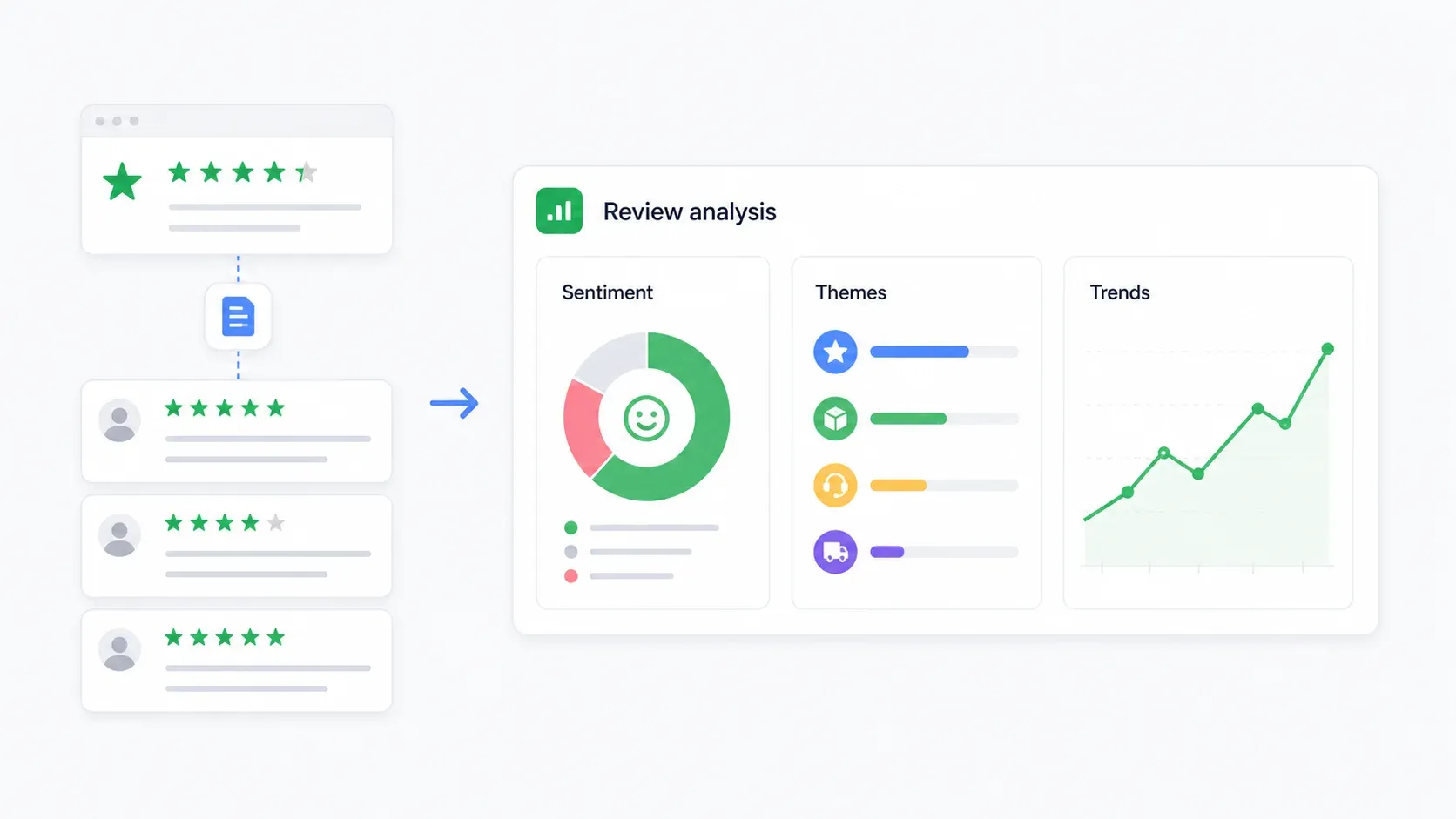
सबसे सरल workflow: reviews को Google Sheets में export करें, फिर किसी AI tool (ChatGPT, Claude, या Sheets की AI function) से हर review को positive, neutral, या negative वर्गीकृत करवाएँ। शिकायत श्रेणी, urgency, और सुझाई गई action priority के लिए columns जोड़ें।
बड़े datasets के लिए CSV को ChatGPT में upload करें और summary माँगें: "इन reviews को sentiment के आधार पर वर्गीकृत करें और प्रतिनिधि quotes के साथ शीर्ष 5 complaint themes पहचानें।"
Competitor Monitoring
Thunderbit की scheduled scraping का उपयोग करके competitor reviews weekly या monthly pull करें। ट्रैक करें:
- समय के साथ average rating trend
- 1-star और 2-star reviews का हिस्सा
- review volume में बदलाव (क्या reviews बढ़ रहे हैं या घट रहे हैं?)
- सबसे आम complaint themes
- business response rate और speed
रेटिंग और date के अनुसार pivot tables वाला एक साधारण Google Sheets dashboard आपको ऐसा competitive intelligence feed देता है जो अपने-आप update होता रहता है।
Theme Extraction
Reviews को common categories में group करें: shipping/delivery, customer support, refunds, product quality, billing, app usability, pricing/value, और fraud concerns। आउटपुट ऐसी table होनी चाहिए जिसमें हों: theme, count, average rating, representative quotes, और सुझाई गई business action।
यह word cloud से कहीं ज़्यादा उपयोगी है। यह बताता है कि वास्तव में संतुष्टि या असंतोष किस चीज़ से पैदा हो रहा है।
Bulk Multi-Business Analysis
Category-level research के लिए, एक ही Trustpilot category में कई businesses के reviews scrape करें। पूरे market segment में review volumes, ratings, star distributions, और theme prevalence की तुलना करें। Web Scraper का business-listing template companies खोजने में उपयोगी है; Thunderbit या ScraperAPI हर एक के लिए review-level sampling संभाल सकते हैं।
Trustpilot Scraping के लिए Legal और Ethical Considerations
मैं वकील नहीं हूँ, और यह legal advice नहीं है। लेकिन compliance की वास्तविकता यहाँ मायने रखती है।
Trustpilot की Terms of Use स्पष्ट हैं। वे उपयोगकर्ताओं को ऐसी किसी भी विधि से content access या collect करने से रोकती हैं जो "Trustpilot द्वारा प्रदान या स्पष्ट रूप से अनुमोदित" न हो, और विशेष रूप से express permission के बिना text mining, data mining, और web scraping का उल्लेख करती हैं।
जोखिम का स्तर कुछ ऐसा दिखता है:
- कम जोखिम: अपनी company के reviews को internal analysis के लिए export करना, खासकर Trustpilot के official business tools या API का उपयोग करके।
- मध्यम जोखिम: market research के लिए public competitor pages को कम मात्रा में scrape करना। फिर भी ToS और privacy obligations लागू होती हैं।
- उच्च जोखिम: auth-walled page 10+ content scrape करना, technical controls को bypass करना, reviewer data को redistribute करना, या scraped reviews का AI model training में उपयोग करना।
GDPR विचार: reviewer names, profile links, review text, और location data EU privacy law के तहत personal data माने जा सकते हैं। व्यावहारिक safeguards में सिर्फ़ ज़रूरी fields एकत्र करना, internal analytics के लिए reviewer names hash करना, data retention periods तय करना, और raw review text को बड़े पैमाने पर पुनर्प्रकाशित न करना शामिल है।
Public बनाम authenticated data: ऐसे pages जिन्हें कोई भी देख सकता है (पहले 10 review pages) और authentication wall के पीछे मौजूद data को scrape करने के बीच एक वास्तविक legal और ethical अंतर है। जो tools public data पर ही काम करते हैं, वे login credentials माँगने वालों की तुलना में कम compliance risk रखते हैं।
यह tool selection में एक कारक होना चाहिए। Thunderbit का browser mode आपकी अपनी session में दिखाई देने वाले pages के साथ काम करता है — यह authentication को स्वतंत्र रूप से bypass नहीं करता। ScraperAPI developers को पूरा control देता है, लेकिन session management की वैधता की पूरी ज़िम्मेदारी भी।
सही Trustpilot Review Scraper कैसे चुनें
Persona के आधार पर decision framework:
- Non-technical marketer जिसे बिना code reviews चाहिए? → Thunderbit. दो clicks, AI बाकी संभालता है, Sheets/Notion/Airtable में export।
- Low-code user जो configuration और debugging में सहज है? → Apify. एक Actor चुनें, page 10+ के लिए cookies configure करें, टूटने पर monitor करें।
- Visual builder जो workflow control चाहता है? → Octoparse. Point-and-click setup, लेकिन Trustpilot बदलते ही maintenance अपेक्षित है।
- Company-level data या सिर्फ़ पहले 10 pages के reviews चाहिए? → Web Scraper. Business profiles के लिए मजबूत prebuilt templates।
- Developer जो पूरा customization चाहता है? → ScraperAPI. अपनी parsing logic, session management, और data pipeline खुद संभालें।
अगर आपकी मुख्य चिंता maintenance tolerance है, तो spectrum Thunderbit (लगभग zero maintenance) से ScraperAPI (सब कुछ आप maintain करते हैं) तक जाता है। Budget के लिहाज़ से, इस सूची का हर टूल एक free entry point देता है — commitment से पहले वहीं से शुरुआत करें।
निष्कर्ष
Trustpilot review data competitive intelligence, reputation monitoring, और customer insight के लिए सचमुच मूल्यवान है।
लेकिन 2026 में इसे भरोसेमंद तरीके से निकालने के लिए ऐसे टूल की ज़रूरत है जो page 10 login wall को संभाल सके, DOM changes के अनुसार खुद को ढाल सके, और anti-bot protections को लगातार manual intervention के बिना manage कर सके।
ज़्यादातर business users के लिए, Thunderbit सबसे आसान रास्ता है — दो clicks, AI-powered field detection, authenticated pages के लिए browser mode, और Trustpilot के frontend बदलने पर zero maintenance। आप इसे free try कर सकते हैं, जिसमें 6 pages/month और कोई credit card नहीं चाहिए।
जो developers पूरा control चाहते हैं, उनके लिए ScraperAPI infrastructure देता है। बाकी सभी के लिए, Apify, Octoparse, और Web Scraper अपनी-अपनी खास जगह भरते हैं। असली कुंजी है टूल को अपनी technical comfort, maintenance tolerance, और compliance requirements से मिलाना।
अगर आप देखना चाहते हैं कि Thunderbit Trustpilot को खास तौर पर कैसे संभालता है, तो हमारे YouTube channel पर एक walkthrough है। और बिना code web scraping या असल में web scraping क्या है जैसे व्यापक संदर्भ के लिए, वे guides मूल बातें समझाती हैं।
FAQs
1. क्या Trustpilot reviews को page 10 के बाद scrape किया जा सकता है?
हाँ, लेकिन सिर्फ़ authenticated path के साथ। Trustpilot पहले 10 review pages के बाद unauthenticated access रोक देता है। Thunderbit का browser mode आपके logged-in Chrome session के भीतर काम करता है, इसलिए वह उन pages तक पहुँच सकता है जिन्हें आप देख सकते हैं। ScraperAPI के लिए code-level session/cookie management चाहिए। Apify Actors को cookie configuration चाहिए। Octoparse को manual login/cookie setup चाहिए। Web Scraper की अपनी documentation 10-page limitation स्वीकार करती है, बिना built-in workaround दिए।
2. क्या Trustpilot reviews scrape करना कानूनी है?
Trustpilot की Terms of Use express permission के बिना automated data collection को निषिद्ध करती हैं। कानूनी जोखिम method और use case के आधार पर बदलता है: अपने सार्वजनिक reviews scrape करना competitors की authentication walls bypass करने की तुलना में कम जोखिम रखता है। EU reviewer data पर GDPR लागू होता है। यह legal advice नहीं है — बड़े पैमाने या commercial scraping projects के लिए वकील से सलाह लें।
3. Trustpilot से कौन-सा data निकाला जा सकता है?
आम तौर पर इनमें शामिल हैं: reviewer name, star rating, review title, review text, date posted, date of experience, verified purchase status, reviewer location, business response text, company name, TrustScore, total review count, star distribution, और review URL।
4. Trustpilot scrapers कितनी बार टूटते हैं?
Selector-based tools (Apify Actors, Octoparse workflows, custom Python scripts) Trustpilot के CSS classes या DOM structure बदलते ही टूट सकते हैं — और यह महीने में कई बार हो सकता है। Thunderbit जैसे AI-semantic tools अपने-आप अनुकूल हो जाते हैं क्योंकि वे specific selectors को target करने के बजाय page के अर्थ को समझते हैं। फिर भी कोई भी tool page 10 login wall जैसी बड़ी access-control changes से पूरी तरह सुरक्षित नहीं है।
5. क्या मैं Trustpilot reviews मुफ्त में scrape कर सकता हूँ?
इस सूची में हर टूल का free entry point है: Thunderbit 6 free pages/month देता है, ScraperAPI 7 दिनों में 5,000 trial credits देता है, Web Scraper के पास local use के लिए free Chrome extension है, Octoparse का free-forever plan है (10 tasks, 50,000 rows/month), और Apify में $5/month के free platform credits शामिल हैं। छोटे पैमाने के sampling या testing के लिए इनमें से कोई भी payment के बिना काम कर सकता है।
Trustpilot review scraping के लिए Thunderbit आज़माएँ Get Started Free
और जानें




