
Somewhere right now, someone is typing "Thunderbit vs Browserless" into Google and expecting a clean, head-to-head comparison. The problem? That's a bit like comparing a food delivery app to a commercial kitchen — both involve food, but they're built for completely different people doing completely different things.
I know this because my team built Thunderbit, and I've spent years in the SaaS and automation world watching tools get lumped together that really shouldn't be. When I saw this search query gaining traction, I wanted to write the honest guide that actually helps you decide — not a marketing shootout, but a clear-eyed look at what each tool does, who it's for, and when you might even want both. No-code data tools and developer-focused browser automation have both grown fast in the last couple of years, and from the outside the lines can look blurry. So let me walk you through what I've learned.
First Things First: Thunderbit and Browserless Are Different Categories of Tool
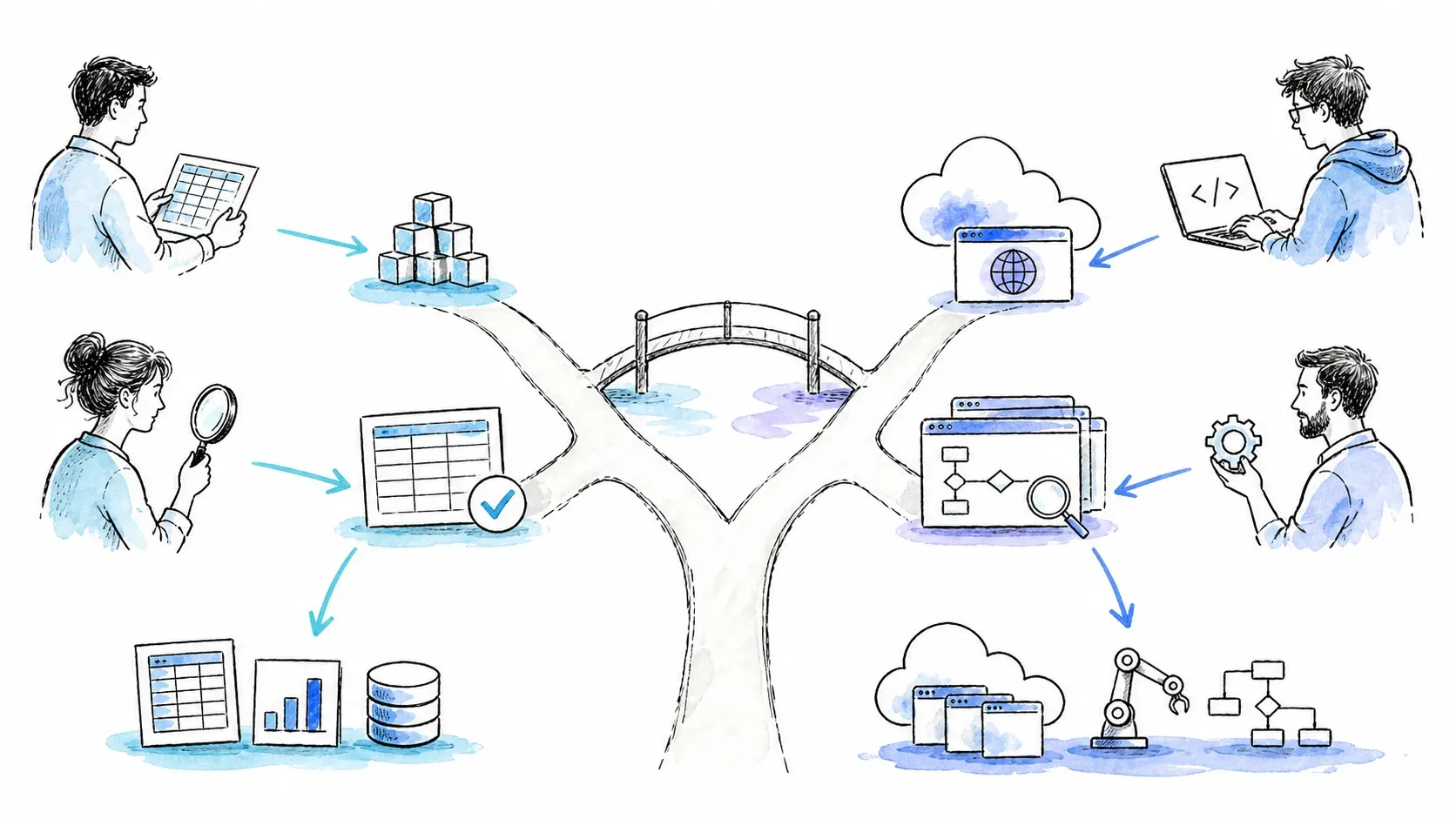
Before we compare a single feature or price, I want to save you some confusion. Thunderbit and Browserless are not direct competitors in the way that, say, two CRM platforms are. They sit at different layers of the web data stack.
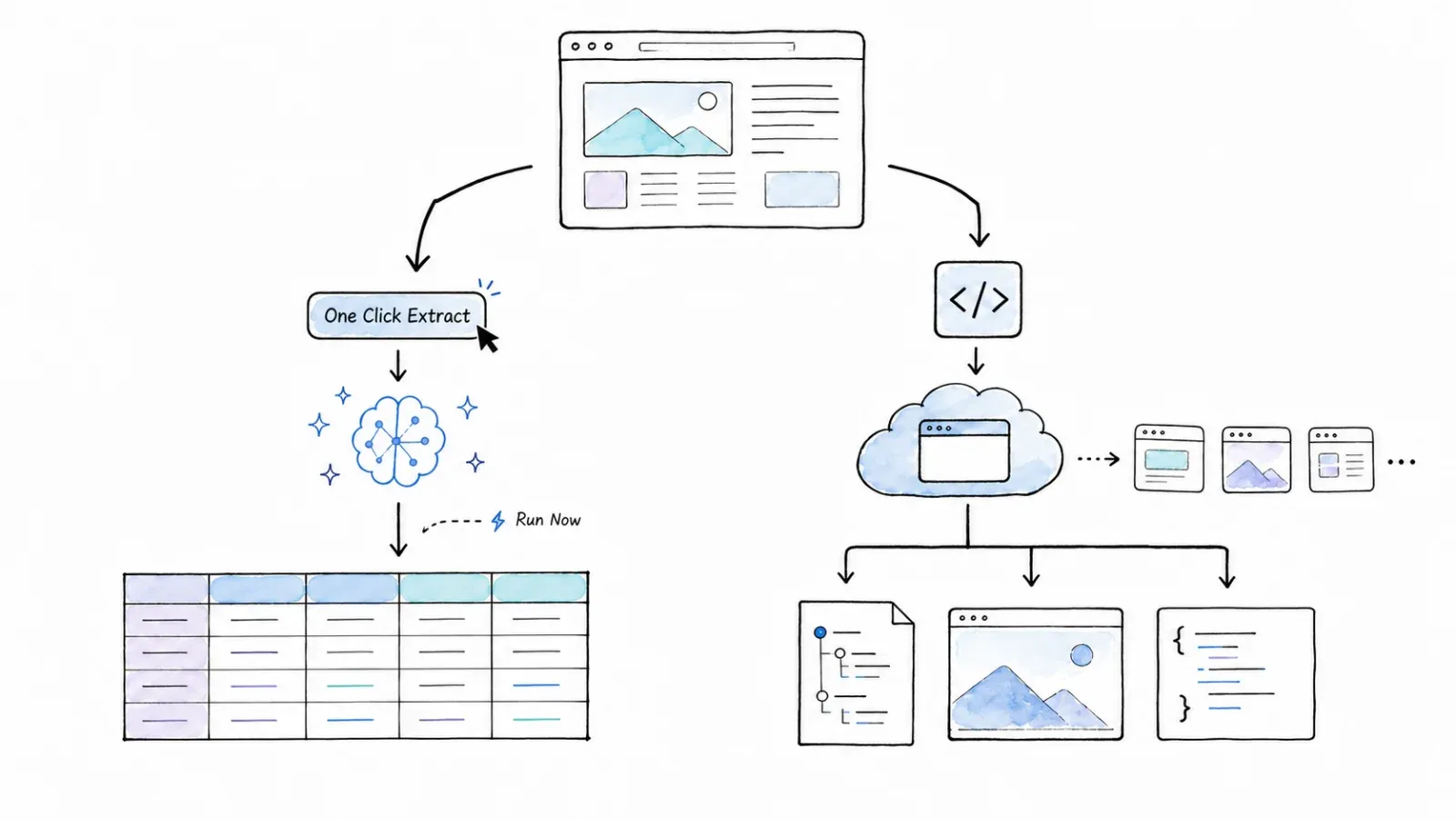
Thunderbit is an agentic web scraper and automation platform built primarily for business users. You install a Chrome or Edge extension, open a web page, let the AI suggest data fields, click scrape, and export your structured data to Excel, Google Sheets, Airtable, or Notion. It also has an Open API, MCP Server, and CLI for developers, but its center of gravity is the extraction outcome — getting you clean, structured rows of data without writing code.
Thunderbit is an agentic web scraper: on a compatible, authorized page, click One Click Extract and the agent detects, reads, and analyzes the page to decide what to extract. Run Now starts immediately, but if you do nothing the task starts automatically—so the default experience needs only one intentional click, with no code, selectors, or schema setup.
Browserless is managed headless-browser infrastructure built for developers. It gives you cloud-hosted Chrome instances that your Puppeteer, Playwright, or CDP-compatible code connects to via WebSocket or REST API. Its center of gravity is programmable browser execution — running browser sessions at scale, taking screenshots, generating PDFs, handling bot detection, and giving developers full control over what happens inside the browser.
Here's a quick table to make the distinction concrete:
| Dimension | Thunderbit | Browserless |
|---|---|---|
| Primary user | Business user, ops, sales, marketing | Developer, DevOps, QA engineer |
| Interface | Chrome/Edge extension, Web App, point-and-click | REST/WebSocket API, BrowserQL, dashboard tools |
| Core value | AI-suggested structured data extraction | Managed headless Chrome/Chromium at scale |
| Setup time | Minutes (install extension, open a page) | Minutes to hours (write scripts, configure API keys) |
| Output | Structured rows → Excel, Google Sheets, Airtable, Notion | Rendered HTML, structured JSON, screenshots, PDFs via API |
| Self-hosting | No | Yes (Docker, VPC, air-gapped) |
Why does this matter? Because if you're a marketer who needs a list of leads in a spreadsheet by lunchtime, you don't need to spin up a headless browser fleet. And if you're a developer running 500 browser sessions in a CI pipeline, you don't need agentic extractions. The sections below still compare them on pricing, use cases, and learning curve — because even though they're different categories, you still need to pick the right one (or both).
What Is Thunderbit?
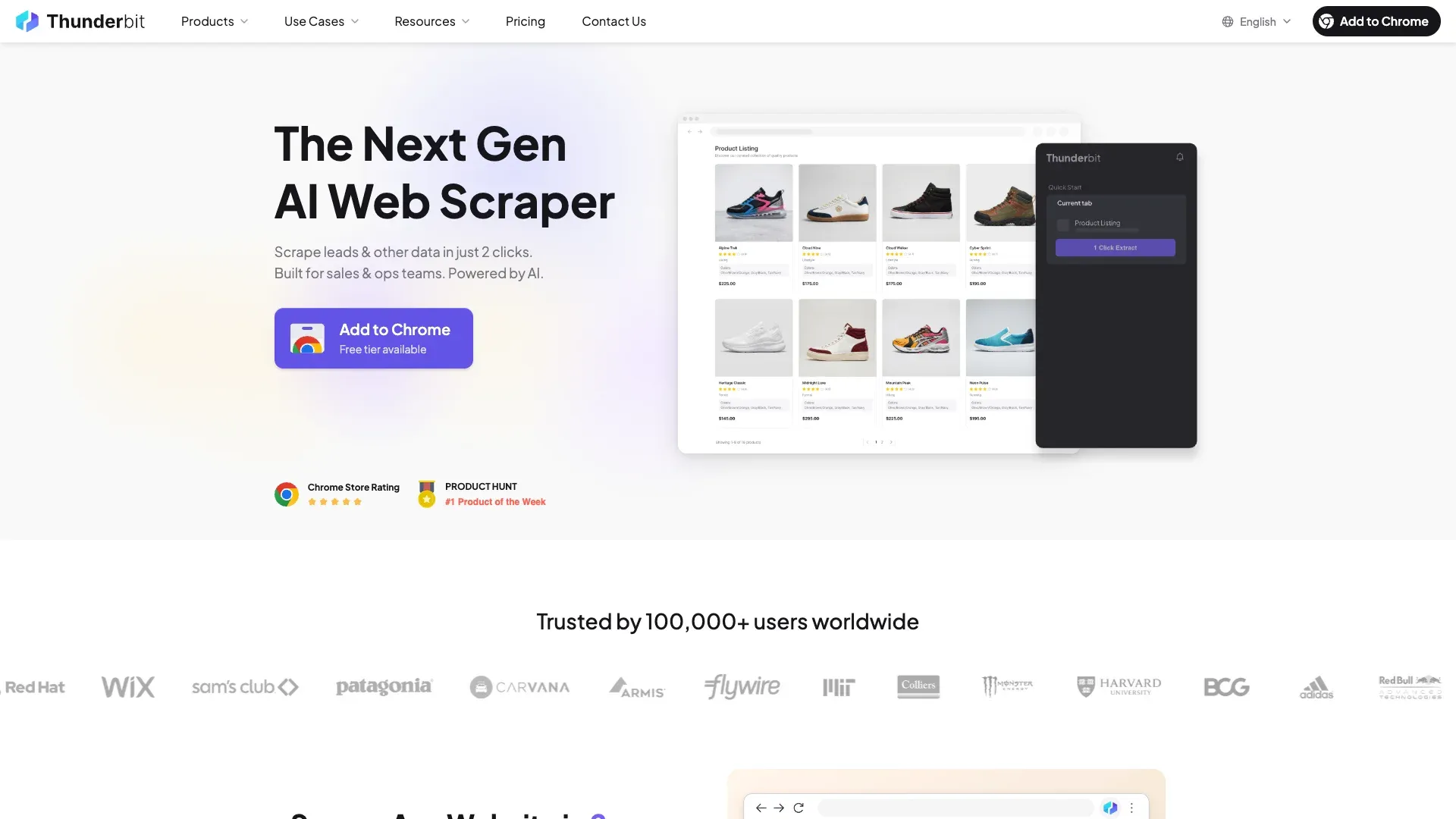
Thunderbit is an AI-powered web scraping and automation platform designed so that non-technical users — think sales reps, ops managers, marketers, researchers — can extract structured data from websites without writing a line of code.
The main workflow goes like this: you install the Thunderbit Chrome extension, navigate to a page, and click "One Click Extract." The agent reads and analyzes the page, determines the extraction plan, and then starts automatically unless you choose "Run Now" for an immediate start, and export your data to Excel, Google Sheets, Airtable, or Notion. There's also support for pagination, subpage extraction, scheduling, and reusable templates.
Thunderbit also has an Open API (with Distill and Extract endpoints), an MCP Server for AI agent workflows, and a CLI. But the heart of the product is the no-code, browser-based experience. If you've ever wished you could just point at a web page and say "give me that data in a spreadsheet," that's the idea.
What Is Browserless?
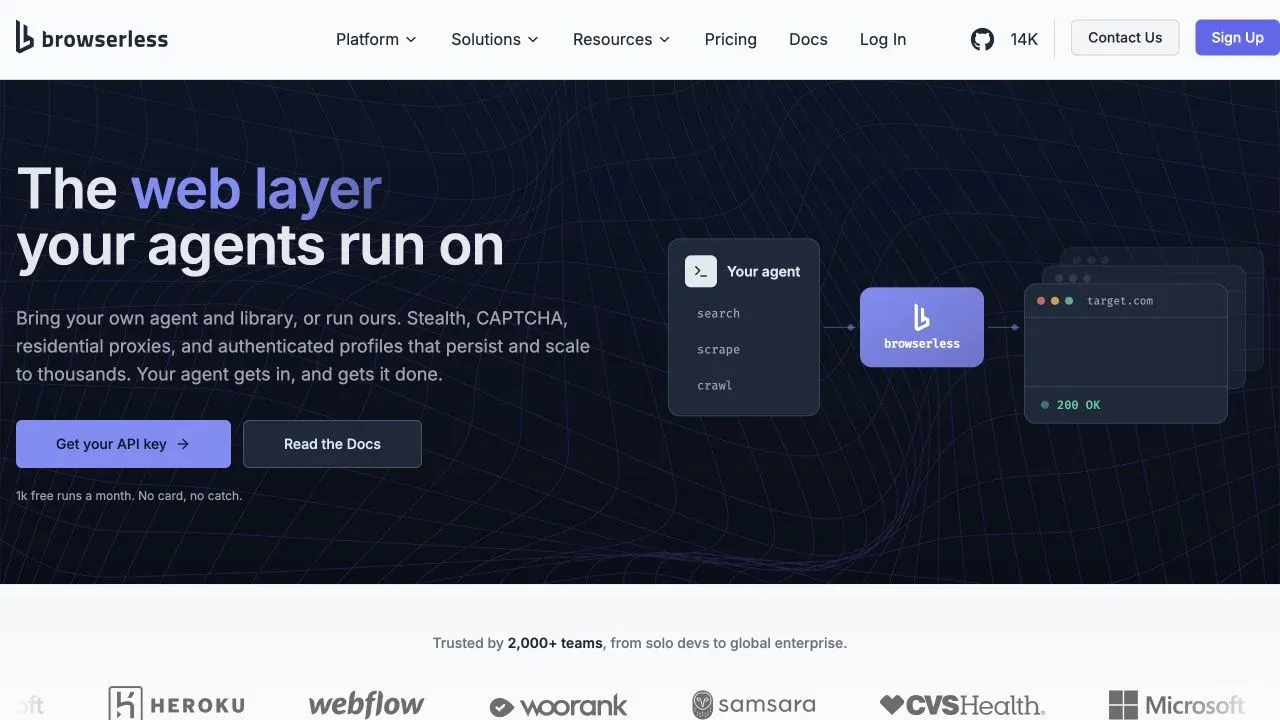
Browserless is a managed headless-browser platform that lets developers run Chrome in the cloud, so they don't have to manage browser infrastructure themselves. "Headless browser" just means a browser without a visible window — it's controlled entirely by code.
Developers connect their Puppeteer, Playwright, or CDP-compatible scripts to Browserless's remote browser instances via WebSocket or REST API. Instead of launching a local Chrome process (which eats memory and CPU), the browser runs on Browserless's servers. Browserless also offers BrowserQL, a GraphQL-based automation layer with built-in actions for navigation, clicking, typing, scrolling, extraction, screenshots, PDFs, CAPTCHA handling, and more. Their REST APIs support rendered content, selector-configured structured scraping, Smart Scrape, screenshots, PDFs, and custom Puppeteer functions.
Browserless isn't strictly "code-only," though. It has dashboard playgrounds, an AI code generator, MCP integration, and connections for n8n, Make, and Zapier. But its core is developer-first: you write the logic, Browserless provides the browser engine and infrastructure. It also offers a self-hosted option (Docker, VPC, air-gapped) for teams that need data locality or infrastructure control — though the public Docker image and the commercial cloud product are not feature-identical.
Thunderbit vs Browserless at a Glance: Side-by-Side Comparison
A fuller comparison across the dimensions that actually matter:
| Dimension | Thunderbit | Browserless |
|---|---|---|
| Target user | Business users, non-coders, ops, sales, marketing | Developers, DevOps, QA engineers |
| Interface | Chrome/Edge extension, Web App, API, MCP, CLI | REST/WebSocket API, BrowserQL, dashboard, MCP, n8n/Make/Zapier |
| AI-powered extraction | Yes — One Click Extract, field-level instructions | No built-in agentic extraction; offers Smart Scrape and BrowserQL extraction |
| Setup to first result | Minutes (install extension, open page, scrape) | Minutes to hours (get API key, write/configure script, run) |
| Coding required | No (extension/Web App); optional (API/MCP/CLI) | Yes for core workflows; low-code paths via MCP/integrations |
| Data output/export | Structured rows → Excel, CSV, Google Sheets, Airtable, Notion | Rendered HTML, structured JSON, screenshots, PDFs, custom outputs via API |
| Pagination/subpage handling | Built-in, configurable in the UI | User-defined in code or BrowserQL |
| Scheduling | Supported on eligible plans/surfaces | User-managed (via code, cron, or third-party orchestration) |
| Bot-detection/stealth | Managed rendering on supported pages; no guarantee | BrowserQL stealth, residential/datacenter proxies, CAPTCHA handling; no guarantee |
| Self-hosting | No | Yes (Docker, VPC, air-gapped; SSPL/commercial dual license) |
| Integrations | Direct export to business tools; API/MCP/CLI for dev workflows | Puppeteer/Playwright/CDP, MCP, n8n, Make, Zapier, agent SDKs |
| Primary use cases | Lead scraping, market research, ad-hoc data collection, scheduled extraction | Browser testing, automation, screenshots/PDFs, anti-bot scraping, agent tool-use |
If you're a sales rep who needs lead data in a spreadsheet by lunch, Thunderbit is built for you. If you're a developer who needs to run 500 headless browser sessions in a CI pipeline, Browserless is built for you. The overlap exists in "getting data from web pages," but the approach and the experience are worlds apart.
Skill Level and Learning Curve: Thunderbit vs Browserless
The research repeatedly surfaced that "which tool is right for my skill level?" is the single most common question people have. So I want to be blunt here.
What You Need to Know to Use Thunderbit
You don't need to know how to code. The Thunderbit browser extension is designed so you can install it, open a web page, click a button, and get structured data. One Click Extract lets the agent read and analyze the page, determine the output, and start extraction automatically. For most business users, the workflow from install to exported data takes just a few minutes.
Ongoing maintenance is generally lighter because the AI handles schema suggestions and adapts to supported pages, so you're not maintaining CSS selectors or XPath expressions in code. Documentation is visual, with business-user tutorials and guides. For complex programmatic workflows or heavy custom logic, the no-code interface has its boundaries — that's where the API, MCP, or CLI come in.
What You Need to Know to Use Browserless
Browserless expects you to be comfortable with JavaScript or Python, familiar with Puppeteer or Playwright, and at ease with API keys and WebSocket connections. You write the scripts that tell the browser what to do — navigate, click, wait, extract, screenshot. The time from sign-up to first result depends on your experience, but even for a seasoned developer, getting a new script running against a real target typically takes longer than a point-and-click workflow.
When a target site changes its structure, you update your selectors and logic in code. The documentation is developer-oriented: code examples, API reference, an active GitHub community (roughly 13,500+ stars as of mid-2026). For developers, this flexibility is a feature — you control every detail of the browser session.
Quick Comparison Table: Learning Curve
| Factor | Thunderbit | Browserless |
|---|---|---|
| Technical prerequisite | None — browser extension, point-and-click | JavaScript/Python, API familiarity |
| Time to first result | A few minutes (install → AI Suggest → scrape) | Varies: 15 min to an hour+ (API key → script → run) |
| Ongoing maintenance | Lower for supported pages (AI-assisted schema) | Higher (maintain scripts, update selectors in code) |
| Documentation style | Visual guides, business-user tutorials | Developer docs, code examples, API reference |
| Community/support | Direct support channels | Active GitHub, developer community |
Neither tool is "better" here — it depends on who you are. A non-technical user will find Browserless overkill. A developer who wants full control may find Thunderbit's no-code interface limiting for complex automation.
Thunderbit vs Browserless Pricing: What Does Each One Cost?

Pricing is one of the most common decision factors — and one of the most volatile. Plan names, prices, and allowances change. I'm sharing the best information available as of mid-2026, but always verify on each tool's official pricing page before making a decision.
The structural difference matters: Thunderbit bills by page credits (tied to output rows and operations), while Browserless bills by compute units (tied to browser session time and optional bandwidth/CAPTCHA charges). These units are not interchangeable, so a direct dollar-to-dollar comparison requires knowing your specific workload.
Thunderbit Pricing Overview
Snapshot from Thunderbit's pricing page:
| Plan | Monthly | Annual (effective) | Credits |
|---|---|---|---|
| Free | $0 | $0 | 6 pages/month |
| Starter | $15/mo | ~$9/mo (billed yearly) | 500/mo or 5,000/yr |
| Pro 1 | $38/mo | ~$24/mo (billed yearly) | 3,000/mo or 30,000/yr |
| Pro 2 | $75/mo | ~$48/mo (billed yearly) | 6,000/mo or 60,000/yr |
| Pro 3 | $125/mo | ~$96/mo (billed yearly) | 10,000/mo or 120,000/yr |
| Pro 4 | $249/mo | ~$192/mo (billed yearly) | 20,000/mo or 240,000/yr |
| Business | Custom | Custom | Custom |
A standard output row costs 1 credit; a subpage output row costs 2 credits. Thunderbit also has separate API pricing for developer workflows (Distill: 1 API unit/page, Extract: 20 API units/page). The Free plan lets you try the workflow, though the allowance is small.
Browserless Pricing Overview
Snapshot from Browserless's cloud pricing page:
| Plan | Annual (effective monthly) | Monthly | Units/month | Concurrency (annual/monthly) | Max session |
|---|---|---|---|---|---|
| Free | $0 | $0 | 1,000 | 2 / 2 | 1 min |
| Prototyping | $25/mo | $35/mo | 20,000 | 10 / 5 | 15 min |
| Starter | $140/mo | $200/mo | 180,000 | 40 / 30 | 30 min |
| Scale | $350/mo | $500/mo | 500,000 | 100 / 80 | 60 min |
| Enterprise | Custom | Custom | Custom | Custom | Custom |
One browser connection costs 1 unit per started 30-second interval — partial intervals round up. Residential proxy traffic adds 6 units/MB; datacenter proxy adds 2 units/MB. CAPTCHA handling also consumes additional units. Paid plans include overage at $0.0015–$0.0020/unit. The self-hosted Docker image is available under SSPL/commercial dual licensing, but the open-source image does not include all commercial features (BrowserQL, advanced stealth, replay, etc.), and you still pay for your own infrastructure.
Side-by-Side Pricing Table
| Thunderbit (No-Code) | Browserless (Cloud) | |
|---|---|---|
| Free tier | 6 pages/month | 1,000 units |
| Entry paid plan | $15/mo (Starter, 500 credits) | $25–$35/mo (Prototyping, 20,000 units) |
| Mid-tier | $38–$75/mo (Pro 1–2) | $140–$200/mo (Starter) |
| High-tier | $125–$249/mo (Pro 3–4) | $350–$500/mo (Scale) |
| Billing unit | Page credits (output rows) | Compute units (30-sec intervals + proxy/CAPTCHA) |
| Self-hosting | No | Yes (SSPL/commercial license) |
Thunderbit's pricing is designed for business users who want predictable costs per page scraped. Browserless's pricing is designed for developers who need compute time for browser sessions. If you're trying to compare them on a per-task basis, you'd need to estimate how many credits or units your specific workflow consumes — and the math will look different for a 10-row lead list versus a 10,000-page crawl.
Thunderbit vs Browserless: Use-Case Verdicts
This is the section I wish every comparison article had: a practical "choose this if…" guide. For each scenario, I'll give a verdict and a brief rationale.
| Use Case | Better Fit | Why |
|---|---|---|
| Sales lead scraping (directories, company lists) | Thunderbit | No-code, One Click Extract, export to Sheets/Excel/Airtable. A sales rep can extract leads in minutes. |
| CI/CD browser testing at scale | Browserless | Built for programmatic Puppeteer/Playwright execution, concurrent sessions, pipeline integration. |
| Market research & competitive monitoring | Depends | Thunderbit for no-code scheduled extraction; Browserless + custom scripts for complex rendered pages. |
| AI agent web interaction (Claude, LangChain) | Depends | Thunderbit via MCP/API for structured extraction; Browserless via REST/WebSocket for raw browser control. |
| Anti-bot / CAPTCHA-heavy sites | Browserless | BrowserQL stealth, proxies, CAPTCHA handling — though no tool guarantees access. |
Sales Lead Scraping
If you're in sales, ops, or recruiting, and you need a list of names, emails, or company details from a directory or listing page, Thunderbit is the more direct path. You open the page, let the AI suggest the fields, scrape, and export to Google Sheets or Airtable. No scripting, no infrastructure. Browserless could technically do this, but you'd need to write and maintain a custom script — and for most business users, that's a non-starter. (For more on this workflow, see our guide to AI lead generation.)
CI/CD Browser Testing and QA Automation
Browserless is designed for this. If your team runs automated browser tests in a CI/CD pipeline, you need concurrent headless browser sessions, not a data extraction UI. Thunderbit is not built for this use case.
Market Research and Competitive Monitoring
Depends on your team. If you have a non-technical analyst who needs to track competitor pricing or product listings, Thunderbit's scheduled extraction (on supported plans) with direct export is the simpler path. If the target pages are heavily rendered, require complex interactions, or need advanced stealth, a developer using Browserless with custom scripts will have more control. (For more on web scraping without coding, we've written a separate guide.)
AI Agent Web Interaction
Both tools have MCP integrations and API surfaces for agent workflows. Thunderbit's MCP Server and API are oriented toward structured extraction tasks — an agent asks for data, Thunderbit returns clean rows. Browserless's MCP and agent SDK connections are oriented toward raw browser control — an agent navigates, clicks, fills forms, or handles complex page interactions. The right choice depends on whether your agent needs structured data or full browser manipulation.
Anti-Bot and CAPTCHA-Heavy Sites
Browserless offers more explicit controls here: BrowserQL stealth mode, fingerprint randomization, residential and datacenter proxies, and CAPTCHA handling. Thunderbit's managed rendering handles some anti-bot challenges on supported pages, but it's not designed as a general-purpose bot-detection bypass tool. Browserless's own docs acknowledge that advanced fingerprinting or interactive CAPTCHAs can still block automation — no tool guarantees success on every site.
When You Might Use Both: The Complementary Workflow
Most comparison articles skip this entirely, but you might not have to choose.
Many organizations have both technical and non-technical data needs. A developer on your team might use Browserless to handle complex rendered pages, run browser tests, or build a data pipeline for large-scale extraction. Meanwhile, a business analyst or sales rep uses Thunderbit's browser extension for quick, ad-hoc extractions — grabbing a list of leads from a new directory, spot-checking competitor pricing, or pulling supplementary data from a source that doesn't warrant a full dev sprint.
Another scenario: a developer builds a scheduled crawl with Browserless for ongoing monitoring, and an ops team member uses Thunderbit to grab data from a new source that just came up in a meeting — no ticket, no waiting, no code review.
This isn't a forced upsell — it's just how mixed teams actually work. If your team has both coders and non-coders who need web data, using both tools for their respective strengths can save everyone time.
Thunderbit vs Browserless: Pros and Cons Summary
Thunderbit: Pros and Cons
Pros:
- No coding required for the core workflow
- One Click Extract reads the page and proposes a structured schema
- Fast time to first result for non-technical users
- Direct export to business-friendly formats (Excel, Google Sheets, Airtable, Notion)
- Browser extension works on the page you're already viewing
- Lower maintenance for supported pages (AI-assisted schema suggestions)
- API, MCP, and CLI available for developer workflows
Cons:
- Not designed for programmatic CI/CD or browser testing workflows
- Less flexibility for complex custom logic or multi-step browser automation
- No self-hosting option
- agentic extractions may need manual adjustment on unusual or complex pages
- Smaller developer community compared to Browserless
Browserless: Pros and Cons
Pros:
- Full programmatic control over browser sessions
- Supports Puppeteer, Playwright, and CDP-compatible clients
- Advanced bot-detection bypass (BrowserQL stealth, proxies, CAPTCHA handling)
- Self-hosted option for data locality and infrastructure control
- Scales concurrency for large workloads (plan-dependent)
- Strong developer community (~13,500+ GitHub stars)
- MCP, n8n, Make, Zapier, and agent SDK integrations
- SOC 2 Type II compliance claimed (Trust Center)
Cons:
- Requires coding skills for core workflows
- Higher maintenance (scripts break when target sites change)
- Steeper learning curve for non-developers
- Output requires additional logic to structure and export (no built-in agentic extraction or persistent visual table)
- Self-hosting transfers infrastructure, patching, monitoring, and licensing responsibility to the operator
- SSPL/commercial dual license for the open-source image — not OSI-approved open source
The Bottom Line: How to Pick the Right Tool for Your Team
Thunderbit and Browserless solve different problems for different people. Thunderbit is for business users who want structured data fast, without code, exported to the tools they already use. Browserless is for developers who need scalable, programmable browser infrastructure with full control over what happens inside the browser.
Here's a quick decision guide:
- Choose Thunderbit if: you're in sales, ops, marketing, or research; you don't code; you want data in a spreadsheet or Airtable in minutes; you need AI-assisted field selection and direct export. (Try it here)
- Choose Browserless if: you're a developer or DevOps engineer; you write Puppeteer/Playwright scripts; you need browser testing, anti-bot bypass, screenshots/PDFs, or self-hosted infrastructure. (See their platform)
- Consider both if: your team has technical and non-technical members who both need web data, and you want each group to use the tool that fits their workflow.
There's no universal winner here — just the right tool for the job.
FAQs: Thunderbit vs Browserless
Can Thunderbit replace Browserless (or vice versa)?
Not directly, because they serve different audiences and use cases. Thunderbit is a managed extraction platform for business users who want structured data without code. Browserless is programmable browser infrastructure for developers who need custom browser control. The overlap exists in basic web scraping, but the approach, interface, and output are fundamentally different. A sales rep wouldn't use Browserless for lead lists, and a developer wouldn't use Thunderbit for CI/CD browser testing.
Do I need coding skills to use Thunderbit?
No. The browser extension and Web App are designed for non-technical users — install, open a page, click One Click Extract, let the task auto-start, and export. For developers who want programmatic access, Thunderbit also offers an Open API, MCP Server, and CLI.
Can Browserless export data to Google Sheets or Excel?
Not natively. Browserless returns browser output — rendered HTML, structured JSON (via Smart Scrape, BrowserQL, or custom functions), screenshots, PDFs. To get that data into a spreadsheet, you'd need to write additional code or use a separate tool to structure and export it. Thunderbit, by contrast, has built-in export to Excel, Google Sheets, Airtable, and Notion.
Is Browserless free to use?
Browserless offers a free tier with 1,000 units per month (not 1,000 sessions — a single session can consume multiple units). The open-source Docker image can be self-hosted, but it operates under SSPL/commercial dual licensing and does not include all commercial features. Paid plans unlock more units, higher concurrency, and additional capabilities. Check the official pricing page for current details.
Which tool is better for scraping LinkedIn or similar protected sites?
Neither tool guarantees access to any specific site. Always respect platform terms of service, authorization requirements, and applicable law. Browserless's stealth features and CAPTCHA handling are designed to address bot-detection challenges, while Thunderbit's Browser Mode can work within an authorized local browser session. For protected sites, the most important factor is whether you have legitimate access and are operating within the platform's rules — not which scraping tool you use. (For more context, see our post on scraping LinkedIn.)
Learn More




