
Choosing the right AI agent for your business in 2025 can feel a bit like picking your favorite superhero—each has its own strengths, quirks, and origin story. In the world of workflow automation and data-driven decision-making, two names keep popping up: OpenClaw and Manus AI. I’ve spent a lot of time digging into both, talking to users, and even poking around their documentation (sometimes with more coffee than is probably healthy). If you’re in sales, operations, or marketing, and you’re wondering which AI sidekick is right for your team, this guide is for you.
The stakes are high: AI agent adoption in business has skyrocketed in the past year, with millions of companies now relying on AI to automate everything from lead research to customer support. But with so many options, it’s easy to get lost in the feature lists and miss what really matters for your workflow. Let’s break down OpenClaw vs Manus AI, feature by feature, and see which one fits your needs—or if you might want to combine them with a tool like Thunderbit for web data extraction superpowers.
Try Thunderbit for Web Data Extraction
OpenClaw vs Manus AI: What’s the Real Difference?
Let’s start with the basics. Both OpenClaw and Manus AI are designed to help you automate tasks, process data, and make smarter decisions. But under the hood, they take very different approaches:
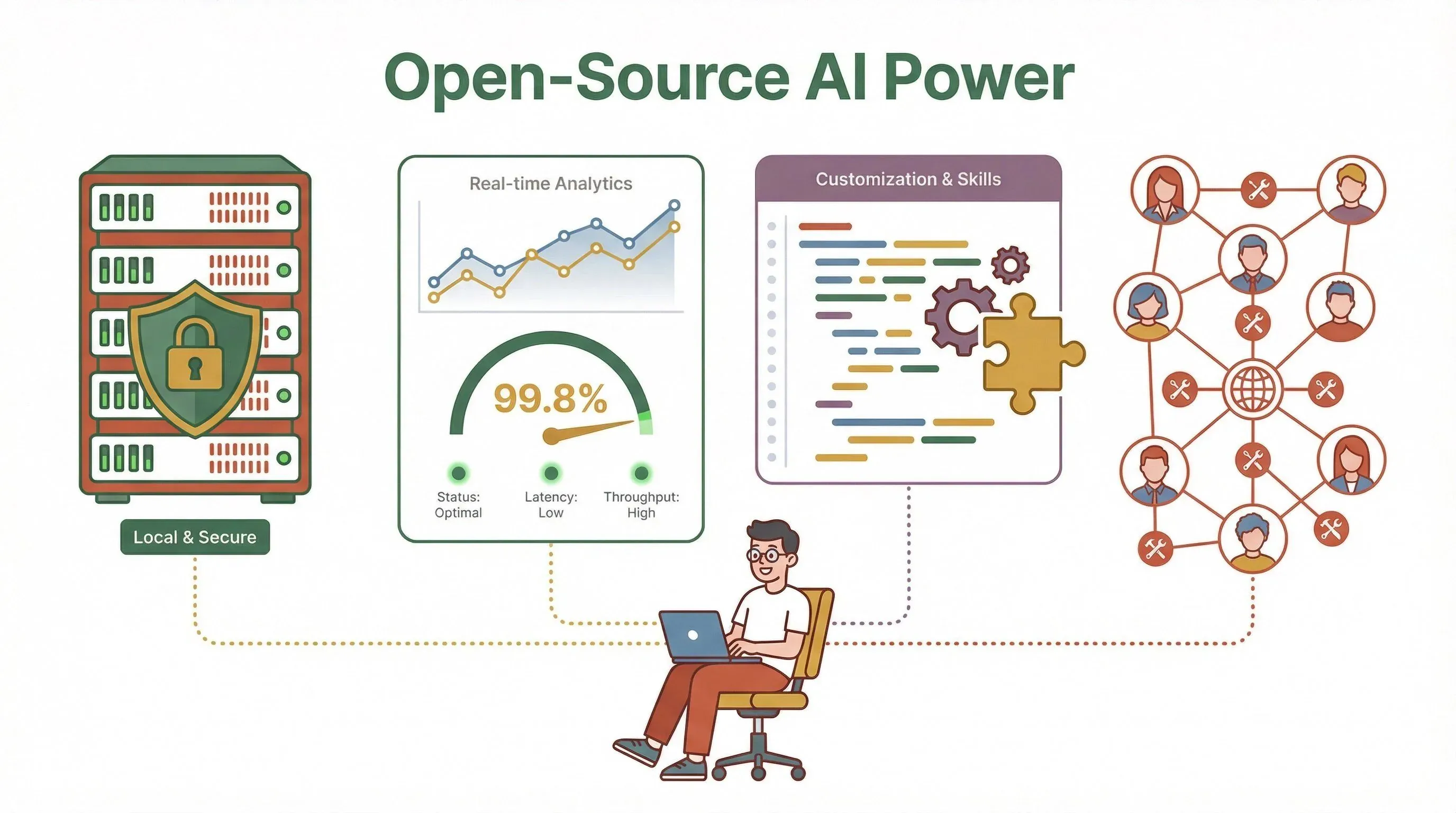
- OpenClaw is an open-source, self-hosted AI agent you run on your own infrastructure. Think of it as a highly customizable, privacy-focused assistant that you can tweak, extend, and integrate with your favorite tools. It’s especially popular with teams that want full control over their data and workflows.
- Manus AI is a cloud-based “action engine” with a slick user interface, managed infrastructure, and a heavy emphasis on natural language processing (NLP). It’s designed for ease of use, rapid deployment, and user-friendly automation—no server setup required.
In other words: OpenClaw is like building your own robot butler from a kit (with lots of community support), while Manus AI is more like hiring a concierge that lives in the cloud and speaks fluent business.
OpenClaw AI Comparison: Core Features and Strengths
Extract web data to fuel AI workflows Get Started Free
OpenClaw’s biggest draw is its open-source DNA. You install it locally, so your data stays on your servers—great for privacy, compliance, and teams with strict IT policies. Here’s what stands out:
- Local Execution & Customization: You can run OpenClaw on your own machines, tweak the code, and create custom “skills” or integrations. This is a huge win if you have unique workflows or need to handle sensitive data (GitHub).
- Real-Time Data Processing: OpenClaw shines when it comes to processing complex datasets and providing instant analytics. For example, sales teams can use it to monitor lead pipelines in real time, while operations teams track inventory or logistics with up-to-the-second updates.
- Integration with Messaging Platforms: OpenClaw supports a wide range of chat channels and can even expose a visual dashboard for monitoring and control. This makes it easy to bring AI into your daily workflow, whether you’re on Slack, Teams, or something more niche.
- Community Ecosystem: There’s a vibrant open-source community building new skills, integrations, and hardening guides. If you like to tinker or want to extend your agent’s capabilities, OpenClaw gives you the keys to the kingdom.
Use Cases Where OpenClaw Excels:
- Handling sensitive or regulated data (finance, healthcare, legal)
- Complex workflow automation that needs deep customization
- Teams with in-house technical resources who want to build their own integrations
Manus AI Features: Cloud Convenience and NLP Power
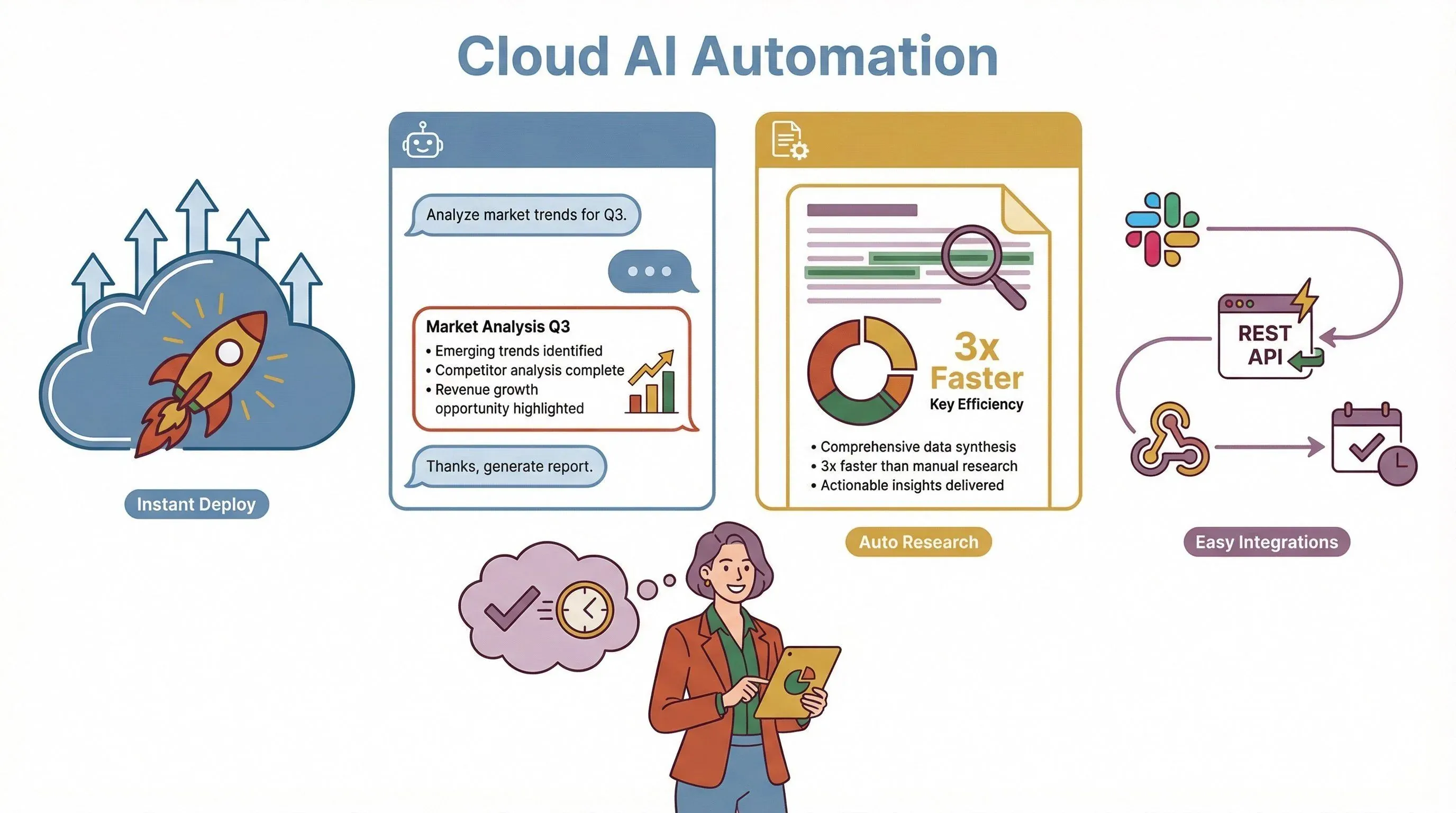
Manus AI takes a different tack. It’s all about making automation accessible, fast, and user-friendly—especially for non-technical teams. Here’s what makes Manus AI stand out:
- Cloud-Based, Managed Infrastructure: No servers to set up, no maintenance headaches. You sign up, log in, and start automating. This is a big deal for teams that want to move fast or don’t have a dedicated IT crew (Manus AI).
- Natural Language Processing (NLP): Manus AI’s NLP engine lets you interact with your agent using plain English (or other supported languages). You can ask it to research, summarize, or execute tasks just by typing or speaking. This lowers the barrier for business users who aren’t coders.
- Automated Research and Reporting: Manus AI can crawl websites, generate reports, and even summarize findings—perfect for marketing, customer support, or anyone drowning in information overload.
- API and Integration Options: For teams that want to embed Manus AI into other systems, there’s a robust REST API and pre-built integrations for tools like Slack.
Scenarios Where Manus AI Shines:
- Rapid deployment for new automation projects
- User-friendly interfaces for non-technical staff
- Automated research, reporting, and conversational task execution
OpenClaw vs Manus AI Features: Side-by-Side Comparison Table
Here’s a quick look at how OpenClaw and Manus AI stack up on the features that matter most:
| Feature/Dimension | OpenClaw (AI) | Manus AI |
|---|---|---|
| Deployment | Local/self-hosted, runs on your own infrastructure (GitHub) | Cloud-based SaaS, managed by vendor (Manus AI) |
| Licensing | Open-source (MIT license), free to use | Proprietary, credit-based plans (Free/Pro/Team) |
| Customization | Highly customizable, extensible via “skills” and code | Limited customization, but easy to use out of the box |
| Data Privacy | Data stays local; you control access and permissions | Data processed in the cloud; Team plans offer opt-out and SSO controls |
| NLP Capabilities | Basic NLP, depends on installed models and extensions | Advanced NLP, conversational interfaces, automated research (Manus AI) |
| Real-Time Analysis | Strong real-time data processing and analytics | Good for reporting and research, but not designed for ultra-low-latency analytics |
| Integrations | Wide range via open-source community, messaging platforms, browser control | Slack, REST API, and select business tool integrations |
| Pricing | Free software (cost = infrastructure + time) | Subscription/credit-based, with daily/monthly limits (Manus Pricing) |
| Security/Governance | User-managed; higher risk if not hardened (see The Verge) | Centralized controls, more governance on Team plans |
| Typical Users | Technical teams, privacy-focused orgs, power users | Business teams, marketing, sales, customer support |
How to read this table: If you need total control, deep customization, and are comfortable with some technical setup, OpenClaw is your friend. If you want to get started fast, prioritize ease of use, and need strong NLP, Manus AI is the way to go.
OpenClaw’s Edge: Data Processing and Real-Time Analysis
One of the things I really appreciate about OpenClaw is how it handles complex, fast-changing data. For example, if you’re in sales and want to track leads as they come in from multiple sources (web forms, chatbots, email), OpenClaw can process and analyze that data in real time—alerting your team the moment something important happens.
This is also a big deal for operations teams managing inventory, logistics, or anything where timing is critical. OpenClaw’s local execution means you can respond to changes instantly, without waiting for cloud round-trips or worrying about internet outages. And because it’s open-source, you can tailor the analytics to your exact needs—no waiting for a vendor to add a feature.
Practical Example:
A retail operations team uses OpenClaw to monitor inventory across multiple warehouses. When stock drops below a threshold, OpenClaw triggers an alert and even generates a purchase order draft—no manual intervention needed.
Manus AI’s Standout: Natural Language Processing and User Interaction
If you’ve ever wished you could just “talk” to your AI agent and have it do the heavy lifting, Manus AI is built for you. Its NLP engine is designed for conversational interaction, so you can ask it to research a competitor, summarize a market trend, or even draft a customer email—all in plain English.
This is a game-changer for marketing and customer support teams who need quick answers, automated reporting, or help managing repetitive tasks. Manus AI’s cloud infrastructure means you don’t have to worry about setup or maintenance, and the interface is friendly enough for anyone to use.
Example in Action:
A marketing manager asks Manus AI, “Summarize the top three trends in our industry this quarter.” Manus AI crawls relevant sites, analyzes the data, and generates a concise report—saving hours of manual research.
Thunderbit: The Fast Track for Web Data Extraction
Now, here’s where things get really interesting. Whether you choose OpenClaw, Manus AI, or both, you’ll often need to pull data from the web—think product listings, lead directories, or market research. That’s where Thunderbit comes in.
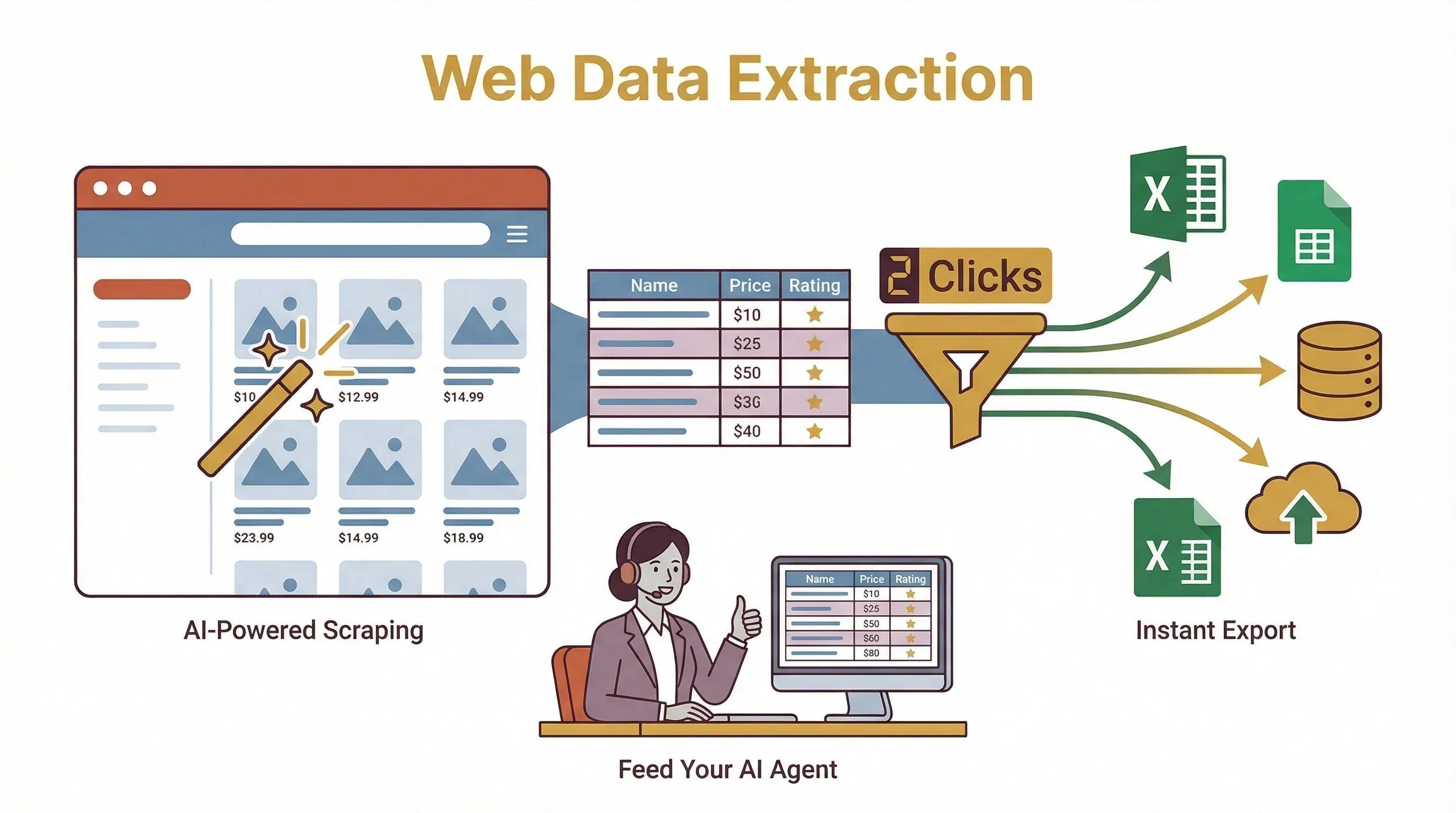
Thunderbit is an AI-powered web scraper Chrome Extension that lets you extract structured data from any website in just a couple of clicks. It’s perfect for sales, ecommerce, and marketing teams who want to enrich their AI workflows with fresh, real-world data.
Why Thunderbit is a great complement:
- AI-Powered Field Suggestion: Just click “AI Suggest Fields,” and Thunderbit figures out what data to extract—no coding required.
- Subpage Scraping: Need more detail? Thunderbit can visit each subpage (like product details or contact profiles) and add that info to your table.
- Instant Export: Export your data straight to Excel, Google Sheets, Airtable, or Notion—making it easy to feed into OpenClaw or Manus AI for further processing.
- Free Data Extraction: Thunderbit’s free tier lets you try it out with no risk.
Example Workflow:
A sales team uses Thunderbit to scrape a list of leads from a public directory, exports the data to Google Sheets, and then uses OpenClaw or Manus AI to automate outreach or analysis. It’s a one-two punch for productivity.
Want to see how it works? Check out Thunderbit’s documentation or our YouTube channel for demos.
Choosing the Right AI Tool: Key Considerations for Business Users
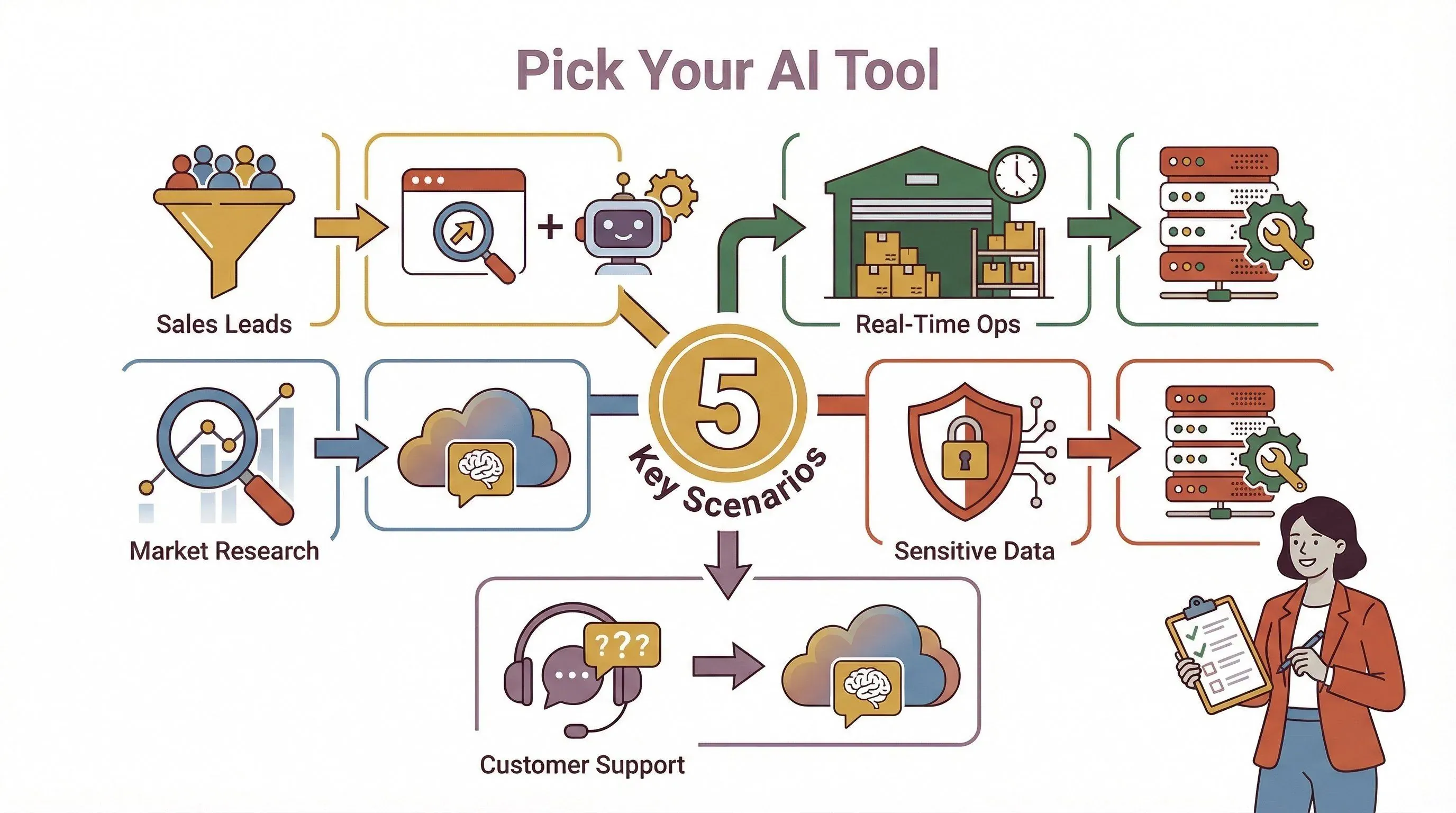
So, how do you decide between OpenClaw, Manus AI, and tools like Thunderbit? Here’s my practical checklist:
- Cost: OpenClaw is free (but you pay with your time and infrastructure); Manus AI is subscription-based, with clear limits and pricing (Manus Pricing).
- Ease of Use: Manus AI wins for non-technical users; OpenClaw is more hands-on but offers deeper customization.
- Data Privacy: If you need to keep data in-house (for compliance or security), OpenClaw is the better fit.
- Integration Needs: Both have APIs, but OpenClaw’s open-source model means you can build almost anything; Manus AI offers managed integrations and a REST API.
- Adaptability: OpenClaw is ideal for teams that want to experiment, extend, or build custom workflows. Manus AI is best for teams that want to get up and running fast.
- Data Extraction: For web data, Thunderbit is the fastest way to get structured info into your workflow—no matter which AI agent you choose.
Pro Tip: Don’t just look at the feature list. Think about your team’s workflow, the data you handle, and how much customization you really need. Sometimes, the “best” tool is the one your team will actually use.
When to Use OpenClaw, Manus AI, or Thunderbit: Real-World Scenarios
Let’s bring this down to earth with a few scenarios I’ve seen in the wild:
1. Sales Lead Generation (with Web Data)
- Best Fit: Thunderbit + OpenClaw or Manus AI
- How: Use Thunderbit to scrape leads from a website, then automate outreach or analysis with your AI agent.
2. Ecommerce Analytics (Real-Time Inventory)
- Best Fit: OpenClaw
- How: Connect OpenClaw to your inventory systems for instant alerts and analytics.
3. Marketing Research & Reporting
- Best Fit: Manus AI (with Thunderbit for data gathering)
- How: Use Thunderbit to collect market data, then have Manus AI summarize trends and generate reports.
4. Sensitive Data Processing (Finance/Legal)
- Best Fit: OpenClaw
- How: Keep all data local, customize workflows, and control permissions tightly.
5. Customer Support Automation
- Best Fit: Manus AI
- How: Use Manus AI’s NLP to handle common questions, generate responses, and escalate complex cases.
Conclusion: Making Your AI Agent Choice with Confidence
Both OpenClaw and Manus AI are powerful tools, but they’re built for different kinds of users and workflows. OpenClaw gives you control, customization, and real-time analytics—perfect for technical teams and sensitive data. Manus AI offers cloud convenience, advanced NLP, and user-friendly automation—ideal for business users who want to move fast.
And don’t forget Thunderbit, which can supercharge your AI workflows with fast, accurate web data extraction—no coding, no hassle.
The most important thing? Match the tool to your real business needs, not just the shiniest feature. Try out demos, start small, and see what fits your team’s style.
Further Reading & Resources
- OpenClaw GitHub Repository
- Manus AI Official Website
- Manus AI Pricing & Plans
- Thunderbit Official Website
- Thunderbit Blog
- Thunderbit Documentation
- Thunderbit YouTube Channel
FAQs
1. What’s the main difference between OpenClaw and Manus AI?
OpenClaw is an open-source, self-hosted AI agent focused on customization and local data processing. Manus AI is a cloud-based, managed platform with strong NLP and user-friendly automation.
2. Which tool is better for handling sensitive or regulated data?
OpenClaw is better for sensitive data because you control where your data lives and who can access it. Manus AI processes data in the cloud, which may not meet strict compliance needs.
3. Can I use Thunderbit with OpenClaw or Manus AI?
Absolutely! Thunderbit is designed to extract structured data from websites, which you can then feed into either AI agent for further automation or analysis.
4. Is Manus AI suitable for non-technical users?
Yes—Manus AI is built for ease of use, with a conversational interface and no need for server setup. It’s a great choice for business, marketing, and support teams.
5. How do I choose between OpenClaw and Manus AI?
Consider your team’s technical skills, data privacy requirements, need for customization, and how quickly you want to get started. If you want control and flexibility, go with OpenClaw. If you want speed and simplicity, Manus AI is a strong option.
If you’re curious about how Thunderbit can help you automate web data extraction, download our Chrome extension and give it a try. And for more deep dives into AI automation, check out the Thunderbit Blog. Happy automating!
Try Thunderbit AI Web Scraper Get Started Free
Learn More




