
Last week, one of our users at Thunderbit reached out frustrated. They'd bought a batch of residential proxies, checked each one on whatismyip.com, saw a shiny new IP address, and declared victory. Two days later, half their scraping jobs were returning CAPTCHAs, a quarter were timing out, and a handful were serving totally different page content than expected. Their proxies "worked" — at least, the IP checker said so.
That experience is way more common than you'd think. A 2024 academic study of over 640,600 free proxies found that only 34.5% were active at least once during daily tests, and nearly 17,000 manipulated content passing through them. Even among paid proxies, a simple IP check only validates one narrow thing: that the server saw a different source IP.
It tells you nothing about speed, anonymity, reputation, or whether the proxy will actually survive contact with your target site. This guide covers five concrete proxy testing methods — organized around five distinct health signals — so you know exactly what each test proves, what it doesn't, and how to diagnose problems when things go sideways. No guesswork, no vague advice.
What Is Proxy Testing (and Why a Simple IP Check Isn't Enough)?
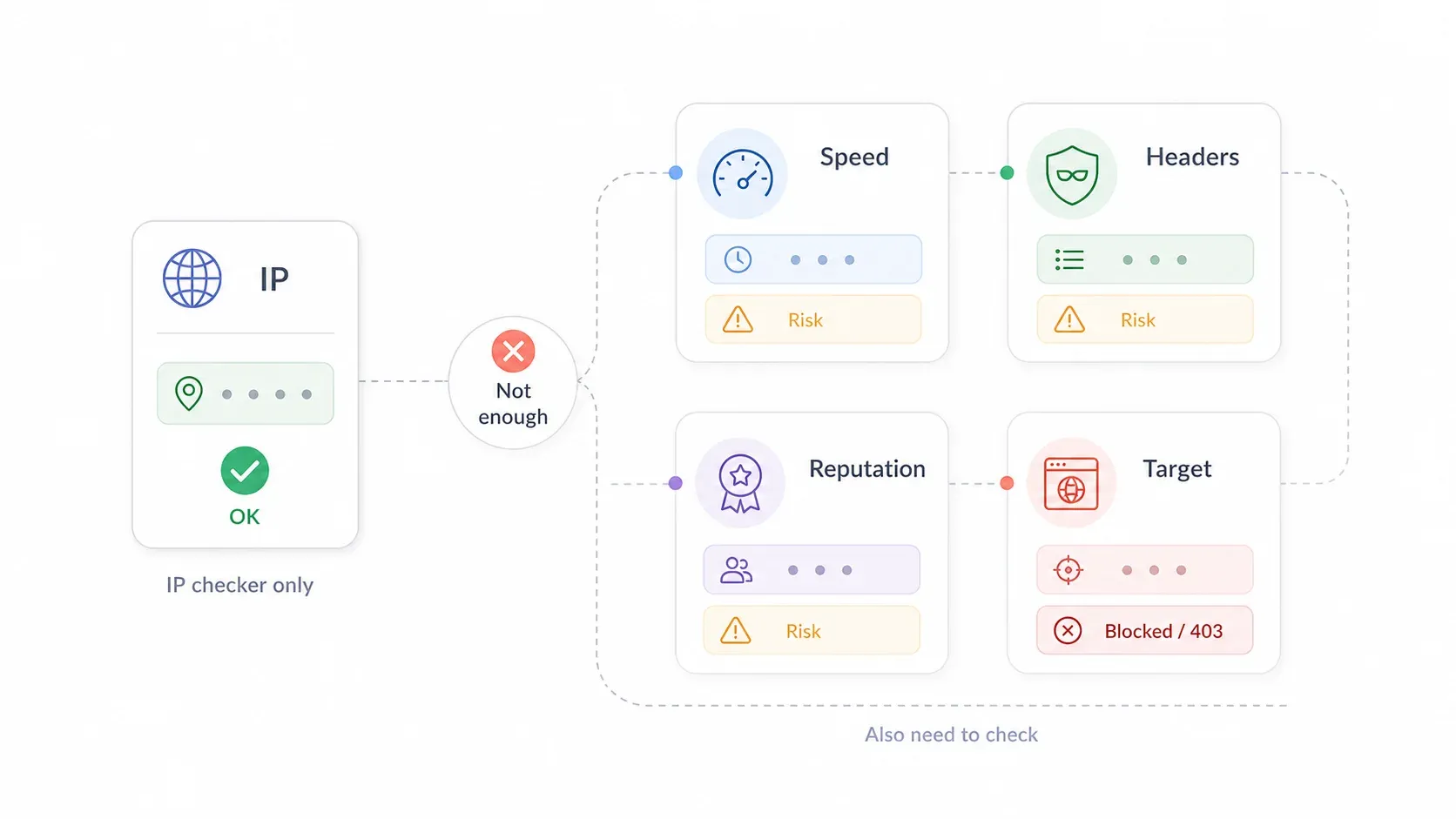
Proxy testing means verifying that a proxy actually delivers what it promises — not just a different IP address, but reachability, correct geographic identity, acceptable speed, proper anonymity behavior, and a clean reputation on the sites you care about.
The misconception most people carry is that visiting an IP checker and seeing a new IP means the proxy is "good." In reality, that check covers roughly 20% of the picture. A proxy can show a different IP and still be painfully slow, leak your real identity through HTTP headers, be blacklisted on your target site, or even silently alter the content you're trying to scrape. The same 2024 study found 4,452 distinct vulnerabilities on proxy IPs, including over 1,700 remote code execution flaws. A separate ScrapeOps practitioner test of free proxy lists found aggregate success rates of just 2.56% across four sources. The stakes are real: failed scrapes, wasted bandwidth, corrupted data, and account bans.
The 5 Health Signals Framework: How to Think About Proxy Testing
Instead of throwing random tools at your proxy and hoping for the best, it helps to organize your testing around five distinct health signals. Each signal answers a different question, and each requires a different test. Here's the framework I recommend:
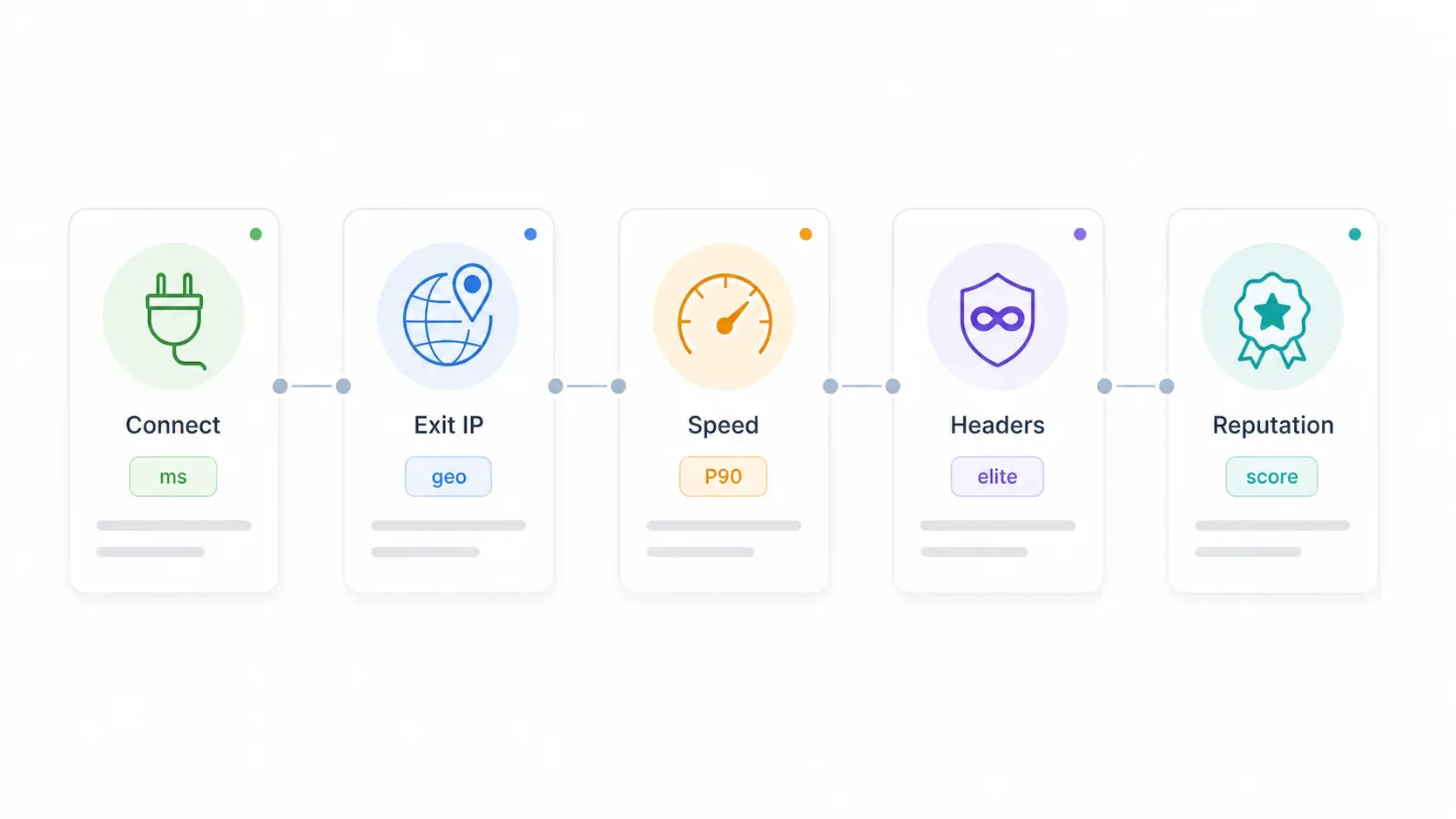
| Health Signal | What It Tells You | Primary Test Method | Key Metric |
|---|---|---|---|
| Connectivity | Proxy is alive and responds | ping / curl | Response time (ms), timeout rate |
| Exit IP Identity | Your real IP is masked + correct geo | IP checker endpoint (e.g., httpbin.org/ip) | Matching exit IP + country |
| Speed & Latency | Proxy is fast enough for production | Timed curl / repeated requests | P90 latency, throughput |
| Anonymity Level | Headers don't leak your identity | Header inspection via curl | Transparent / Anonymous / Elite |
| IP Reputation | IP isn't flagged or blacklisted | Passive IP databases / reputation APIs | ASN type, fraud score, abuse confidence % |
The rest of this guide walks through each signal with concrete, copy-paste-ready commands and explains what to do when results aren't what you expected.
Before You Start
- Difficulty: Beginner to Intermediate
- Time Required: ~20–30 minutes for all five tests
- What You'll Need: A terminal (macOS Terminal, Windows PowerShell, or Linux shell),
curlinstalled, your proxy credentials (host, port, username, password), and optionally Python 3 for the rotation test
Way 1: Test Proxy Connectivity with Ping and Curl
This is the cheapest, fastest check. You're answering one question: is this proxy alive and accepting traffic?
Ping (Optional but Quick)
Open your terminal and run:
macOS/Linux:
ping -c 4 proxy.example.com
Windows:
ping /n 4 /w 10000 proxy.example.com
You'll see round-trip times in milliseconds. If all four packets time out, the host is unreachable — or it blocks ICMP, which many proxy gateways do. So treat ping as a quick sanity check, not a definitive answer.
Curl (The Real Connectivity Test)
curl actually routes an HTTP request through the proxy, which is what matters:
curl -x http://USER:PASS@proxy.example.com:8080 \
  --connect-timeout 10 \
  --max-time 30 \
  https://httpbin.org/ip
For SOCKS5 proxies:
curl -x socks5h://USER:PASS@proxy.example.com:1080 \
  --connect-timeout 10 \
  --max-time 30 \
  https://httpbin.org/ip
The socks5h:// scheme tells curl to resolve DNS through the proxy too — useful for confirming the entire request path exits through the proxy.
How to Read the Output
| Output / Error | Meaning | Next Step |
|---|---|---|
| JSON response with an IP address | Proxy relayed the request successfully | Move to Way 2 |
| Connection timed out (curl error 28) | Host, port, or network path is unresponsive | Retry once; remove if repeated |
| Connection refused | Host is reachable but port is closed | Check port and protocol |
| HTTP 407 | Proxy requires valid credentials | Verify username/password and IP whitelist |
Set --connect-timeout to 10 seconds for datacenter proxies and up to 30 seconds for residential. Curl's timeout documentation notes that many curl operations have no default maximum, so always set both --connect-timeout and --max-time in production checks.
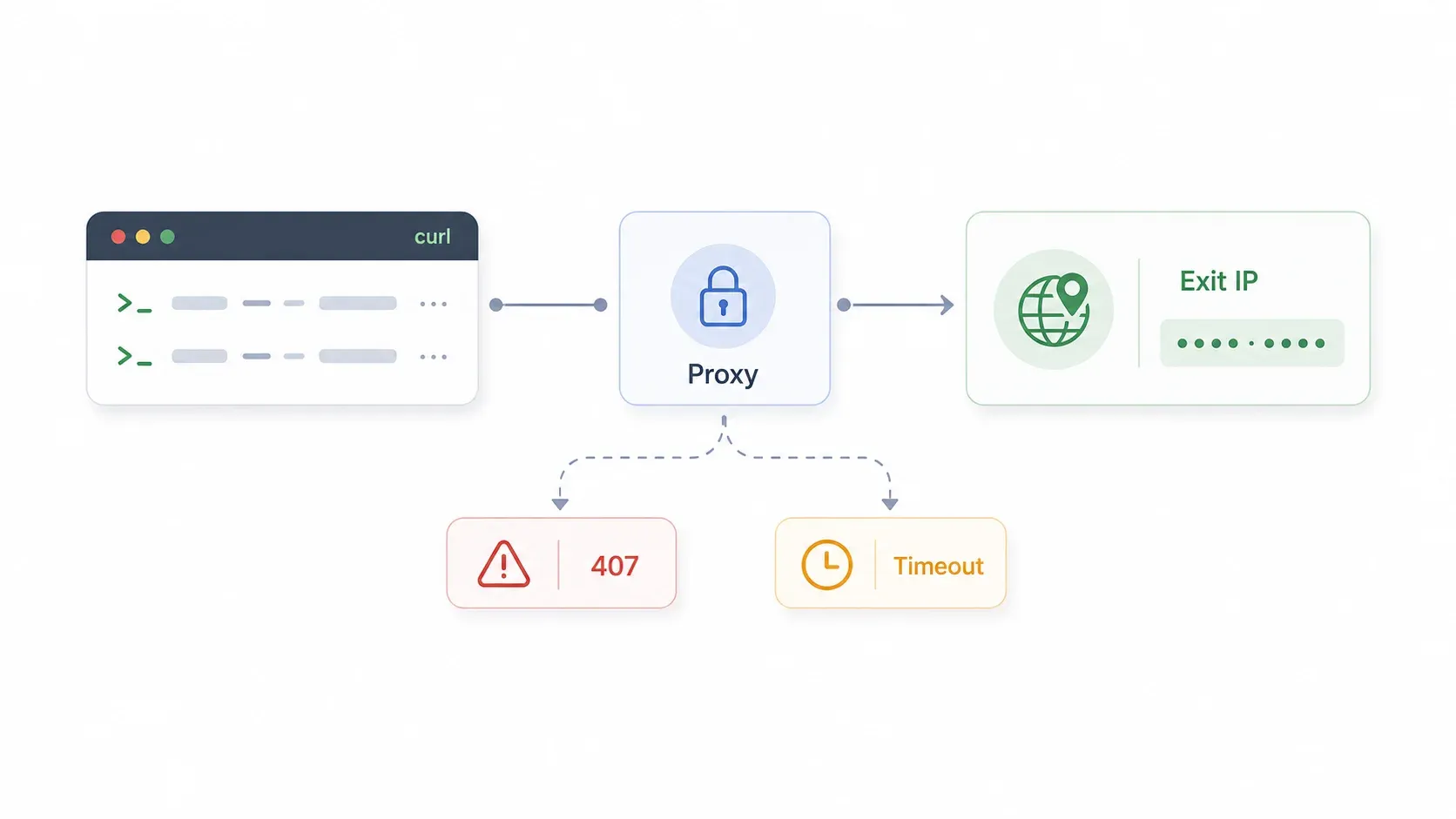
Way 2: Verify Your Exit IP and Geo-Location
Connectivity confirmed — now verify that traffic actually exits from the IP and country your provider promised.
Run this through the proxy:
curl -x http://USER:PASS@proxy.example.com:8080 https://httpbin.org/ip
Then enrich the returned IP:
curl https://ipinfo.io/203.0.113.10/json
Three things to check:
- The IP is different from your real IP. Compare with a direct
curl https://httpbin.org/ip(no proxy). - The country and city match what you purchased. Geo-targeted proxies can be mislabeled or virtually geolocated. ScrapeOps found proxies advertised as New York that actually geolocated to Phoenix — over 2,100 miles away.
- The ASN/ISP is plausible. Residential proxies should map to consumer ISPs (Comcast, AT&T, etc.), not hosting providers. If your "residential" proxy shows an ASN belonging to AWS or DigitalOcean, something is off.
Free Tools for Exit IP Checks
| Tool | Best For | Notes |
|---|---|---|
| httpbin.org/ip | Quick JSON exit IP | Simple, scriptable |
| ifconfig.me | CLI-friendly IP and header echo | Offers /ip, /all, /all.json |
| IPinfo | ASN, country, ISP data | Free tier available with token |
| MaxMind GeoIP demo | Geo, ISP, connection type | Accepts up to 25 IPs |
A word of caution: compare at least two databases for important geo work. MaxMind, IPinfo, and IP2Location sometimes disagree, especially for mobile and residential IPs.
Way 3: Measure Proxy Speed and Latency
A proxy can be alive and show the right IP, but if it adds 3–5 seconds of latency per request, it will destroy your scraping throughput and your patience.
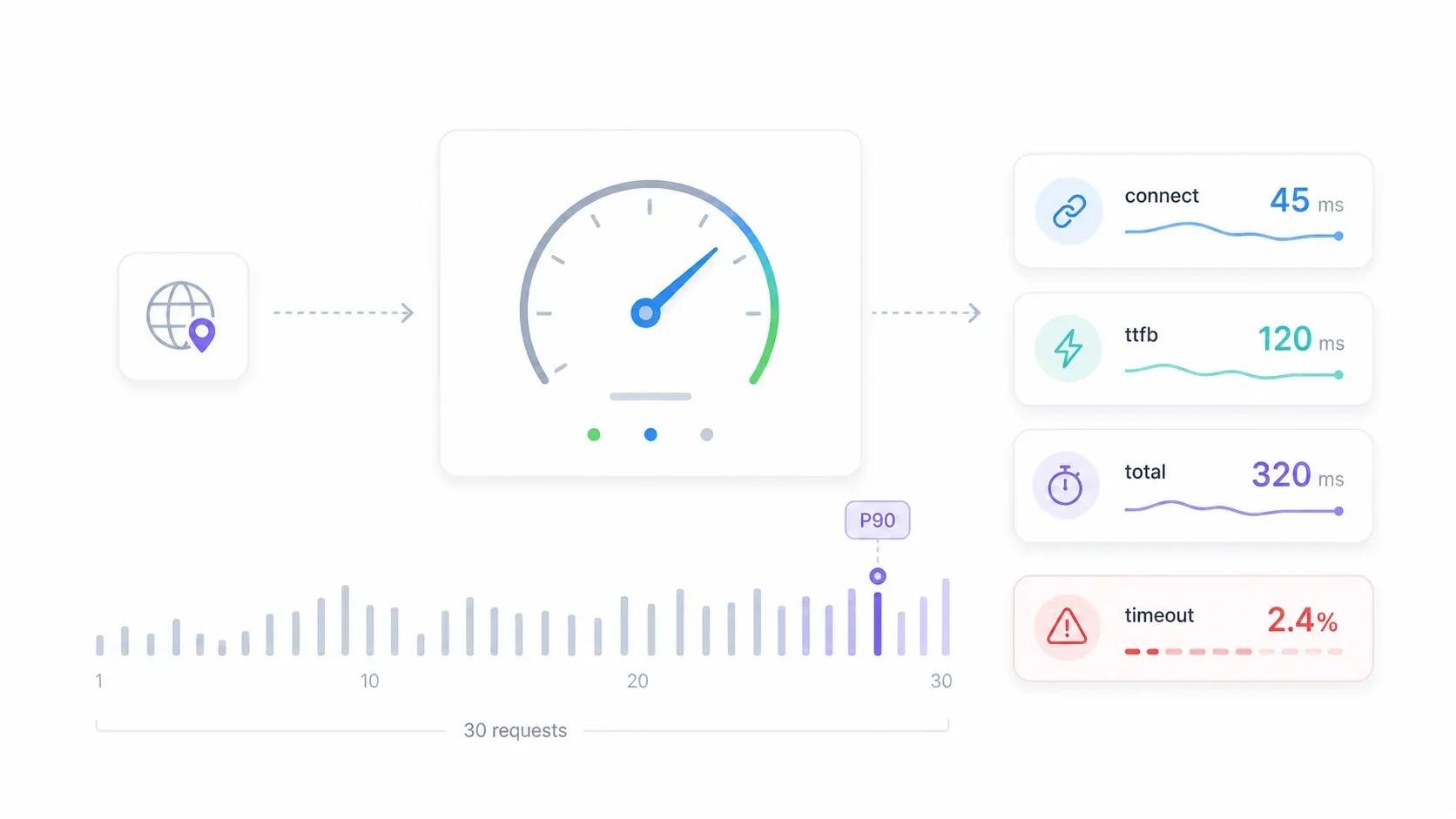
The metrics that matter:
- Response time (ms): How long the full request takes.
- P90 latency: The time below which 90% of requests complete. This is more revealing than averages because shared proxy pools have long-tail congestion — a few slow requests can hide behind a decent average.
- Timeout rate: Percentage of requests that exceed your maximum time.
Timed Curl Command
curl -x http://USER:PASS@proxy.example.com:8080 \
  -o /dev/null \
  -s \
  -w "connect=%{time_connect}\nttfb=%{time_starttransfer}\ntotal=%{time_total}\n" \
  --connect-timeout 10 \
  --max-time 30 \
  https://httpbin.org/get
This gives you three timing values: connection establishment, time to first byte, and total transfer time. Curl documents these variables for precisely this kind of diagnostic.
Quick P90 Test (30 Requests)
for i in $(seq 1 30); do
  curl -x http://USER:PASS@proxy.example.com:8080 \
    -o /dev/null -s \
    -w "%{time_total}\n" \
    --connect-timeout 10 --max-time 30 \
    https://httpbin.org/get
done
Sort the 30 values and look at the 27th — that's your approximate P90. If most requests finish in 0.4 seconds but the P90 is 2.8 seconds, you have a congestion problem that averages would hide.
What's "Good" Latency?
This varies by proxy type. Proxyway's 2026 Proxy Market Research reports average residential proxy response times ranging from about 0.41s to 1.64s globally across tested providers:
| Proxy Type | Typical Latency Range | Why |
|---|---|---|
| Datacenter | Tens to low hundreds of ms | Server-grade networks |
| ISP / Static Residential | Between datacenter and residential | Hosted infrastructure with ISP-looking allocation |
| Residential | Hundreds of ms to 1–2 seconds | Traffic exits through consumer devices |
| Mobile | Often slower and more variable | Cellular networks, CGNAT, carrier routing |
Run your speed tests at different times of day. Shared pools get congested during business hours, and a proxy that's fast at 3 AM may crawl at noon.
Way 4: Check Your Proxy's Anonymity Level
Anonymity testing answers a specific question: do the HTTP headers your proxy sends reveal your real identity or announce that you're using a proxy?
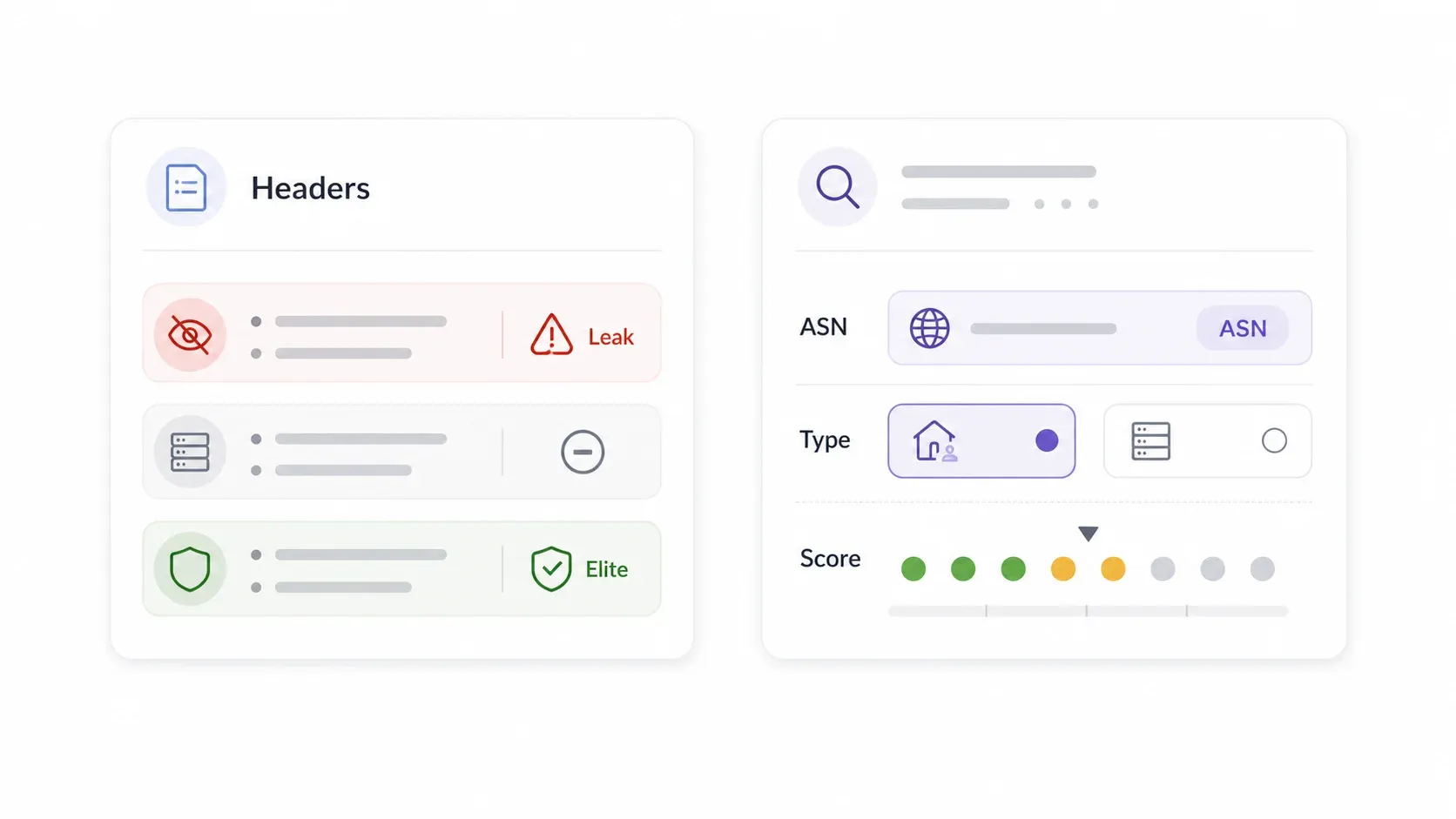
The three levels:
- Transparent: The target site sees your real IP (usually via
X-Forwarded-For) AND knows you're using a proxy. This is the worst case — it defeats the purpose of proxying entirely. - Anonymous: Your real IP is hidden, but headers like
ViaorForwardedtell the target a proxy is involved. - Elite (High Anonymity): Neither your real IP nor any proxy-identifying headers are visible. For scraping, this is what you want.
How to Inspect Headers with Curl
Send a request through your proxy to a header-echo service:
curl -x http://USER:PASS@proxy.example.com:8080 \
  https://httpbin.org/headers
MDN describes X-Forwarded-For as a de facto request header for identifying the originating IP of a client connecting through a proxy.
Clean (elite) output looks like this:
{
  "headers": {
    "Accept": "*/*",
    "Host": "httpbin.org",
    "User-Agent": "curl/8.0.0"
  }
}
Leaking output looks like this:
{
  "headers": {
    "X-Forwarded-For": "198.51.100.24, 203.0.113.10",
    "Via": "1.1 proxy.example",
    "X-Real-Ip": "198.51.100.24"
  }
}
If X-Forwarded-For contains your real IP, the proxy is transparent or misconfigured. If Via appears but your real IP doesn't, it's anonymous but detectable. If neither shows up, you're in elite territory — at least at the HTTP header level.
"Elite" here means no obvious HTTP header leak. Modern anti-bot systems also analyze TLS fingerprints, HTTP/2 settings, browser fingerprinting, WebRTC, cookies, and JavaScript signals — so header anonymity alone won't make you invisible.
Way 5: Investigate IP Reputation (Without Getting Burned)
This is the most misunderstood health signal, and honestly, the one where I see the most bad advice.
An IP can pass all four tests above and still get blocked because it has a history of abuse, is classified as a datacenter IP when you expected residential, or shows up in public proxy lists.
The Trust Problem with Reputation Checkers
Many scraper operators actively avoid checking fresh proxies in public scoring tools like IPQualityScore or Scamalytics. The concern — echoed across Reddit threads and scraping forums — is that some of these tools may log or flag the IPs you test, effectively "burning" your proxy by checking it.
Whether or not every tool actually does this, the low-risk habit is to distinguish between two types of reputation checks:
| Tool Type | Examples | What It Tells You | Risk |
|---|---|---|---|
| Passive lookup (safer) | MaxMind GeoIP, IP2Location, IPinfo ASN data | Country, ASN, ISP, hosting/residential flags | Generally safe; shows classification |
| Active scoring (use with caution) | IPQS, AbuseIPDB, Scamalytics | Fraud score, abuse confidence, proxy/VPN indicators | Scores are probabilistic; may log your IP |
MaxMind's Anonymous IP database includes fields like is_anonymous_vpn, is_hosting_provider, is_public_proxy, and is_residential_proxy — useful for verifying whether your "residential" proxy is actually classified that way.
Start with a passive MaxMind or IPinfo lookup. Only use active scoring tools for IPs you're willing to expose. And never treat any single reputation score as the final word.
Why No Single Score Tells the Full Story
Platforms like Google, Amazon, LinkedIn, and social media sites use their own internal risk models. A clean AbuseIPDB score doesn't guarantee the IP won't be blocked on your specific target. Proxyway's 2026 report explicitly notes that services like Scamalytics and IPQS are often used for reassurance, but their reliability is questionable and provider expectations can clash with reality.
This is precisely why the final validation step — real-world scraping — matters most.
Bonus: How to Verify Rotating Proxies Actually Rotate
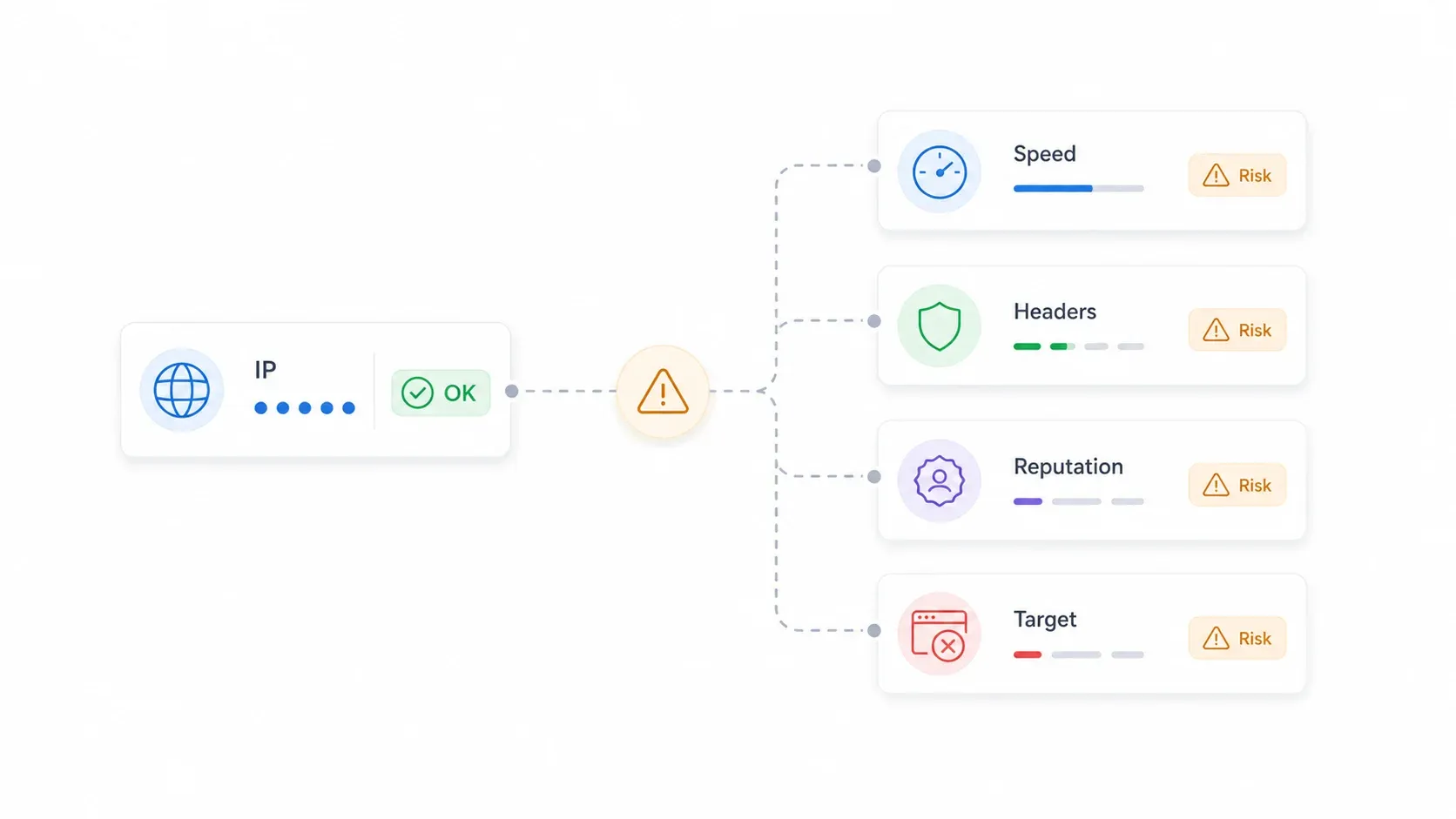
Most proxy buyers purchase rotating residential pools, yet almost no guide explains how to confirm rotation is actually happening. I've seen providers advertise "rotating" proxies that reuse a pool of 3–5 IPs.
Simple Rotation Test (Python)
import requests
from collections import Counter

proxy = "http://USER:PASS@proxy.example.com:8080"
proxies = {"http": proxy, "https": proxy}

ips = []
for i in range(20):
    try:
        r = requests.get("https://httpbin.org/ip", proxies=proxies, timeout=30)
        r.raise_for_status()
        ips.append(r.json()["origin"])
    except Exception as exc:
        ips.append(f"ERROR: {type(exc).__name__}")

counts = Counter(ips)
unique_good = [ip for ip in counts if not ip.startswith("ERROR")]
print(f"Requests: {len(ips)}")
print(f"Unique exit IPs: {len(unique_good)}")
print(f"Uniqueness ratio: {len(unique_good) / len(ips):.0%}")
print(counts)
What Good Rotation Looks Like
| Result | Likely Meaning |
|---|---|
| 20 requests → 18–20 unique IPs | Healthy per-request rotation |
| 20 requests → 3 unique IPs | Small pool, sticky behavior, or provider issue |
| Same IP for 10 minutes with same session ID | Healthy sticky session (if that's what the provider promises) |
| IP changes mid-session unexpectedly | Peer went offline, session expired, or session ID not being sent correctly |
For sticky sessions, providers like Oxylabs typically support 10-minute sessions, while Decodo offers custom durations from 1 to 1,440 minutes. Bright Data documents a session flag to route requests to the same IP. Always verify sticky behavior against the provider's stated duration.
Country or city targeting can reduce pool size significantly, so repeated IPs may be normal in rare geos. Don't panic about a 75% uniqueness ratio on a Moldovan residential pool — but do investigate if you're seeing 15% uniqueness on a US-wide pool.
What to Do When Tests Fail: A Proxy Diagnosis Table
Most guides stop at "run this command." Here's what to do when the output isn't what you expected:
| Symptom | Likely Cause | What to Do |
|---|---|---|
| Connection timeout | Proxy is dead, overloaded, or firewalled | Retry once; remove from pool after repeated failures |
| HTTP 407 | Auth credentials wrong or expired | Verify username/password format; check IP whitelist |
| HTTP 403 | Target site blocking the proxy IP | Switch to residential/mobile; increase rotation frequency |
| HTTP 429 | Rate limiting by target | Reduce request rate; respect Retry-After; increase pool size |
| CAPTCHA spike | IP trust score dropping on target site | Reduce request rate; improve browser fingerprint; check IP reputation |
| Wrong geo in response | Geo-targeting misconfigured or database disagreement | Cross-check with MaxMind/IPinfo; contact provider with evidence |
| Inconsistent results by time of day | Shared pool congestion | Test at peak hours; log P90 latency, not just averages |
| Page loads but content is different | Soft block, content cloaking, or bot challenge page | Compare response body hash vs. direct browser request |
MDN defines HTTP 429 as a rate-limiting response and notes that Retry-After may indicate how long to wait. HTTP 407 signals proxy authentication failure.
That last row — "page loads but content is different" — is the sneakiest failure mode. The proxy returns a 200 OK, but the page is a CAPTCHA wall, a login prompt, or stale cached content. A quick detection approach:
import hashlib

body_hash = hashlib.sha256(response.text.encode("utf-8")).hexdigest()
red_flags = ["captcha", "unusual traffic", "access denied", "verify you are human"]

if any(flag in response.text.lower() for flag in red_flags):
    print("Possible soft block detected")
Compare this hash against a clean baseline from a direct browser visit. If they differ, something is being served differently to the proxy.
The Real-World Test: Validate Proxies by Actually Scraping Your Target
All five tests above are diagnostic. They tell you the proxy is alive, correctly identified, fast enough, anonymous, and not obviously blacklisted. But none of them guarantee the proxy will work on the actual site you care about.
The gold standard is running your proxy against your real target and measuring success rate, CAPTCHA frequency, and response quality over 50–100 requests. Proxyway's 2026 benchmark illustrates this gap perfectly: residential infrastructure connection success was often 95–99%+, but average success against popular targets for leading providers hovered around 80%.
How Thunderbit Helps You Validate Proxies in a Real Scraping Workflow
At Thunderbit, we built our scraper to work in two modes, and each one is useful for proxy validation in a different way.
Browser Scraping mode runs through your Chrome browser. That means any proxy you configure via a Chrome proxy extension (like FoxyProxy or, if already installed, Proxy SwitchyOmega) flows through the actual scraping pipeline — JavaScript rendering, cookies, the whole stack. If Thunderbit can scrape your target site through the proxy and return structured data, the proxy works for production. It's the most honest test you can run.
Cloud Scraping mode routes requests through Thunderbit's own rotating proxy infrastructure across the US, EU, and Asia, scraping up to 50 pages at a time. For publicly available sites, this gives you a fast baseline without configuring any proxy at all.
Here's how these approaches compare:
| Validation Approach | What It Proves | Limitation |
|---|---|---|
| Synthetic tests (curl, ping) | Proxy is alive + fast | Doesn't confirm it works on your target site |
| IP checker / reputation | IP is clean + correct type | Scores may be inaccurate or target-irrelevant |
| Real scraping test via Thunderbit Browser Scraping | Proxy works end-to-end for your actual use case | Requires browser proxy setup |
| Thunderbit Cloud Scraping baseline | Public target is scrapeable without user-managed proxy | Doesn't validate your own proxy |
A useful diagnostic: if Cloud Scraping works on your target but Browser Scraping through your proxy fails, the issue is likely proxy configuration, IP reputation, geo mismatch, or local browser state — not the target site itself.
You can install the Thunderbit Chrome Extension and try this on a small scale with the free tier.
Try Thunderbit for Real-World Proxy Validation
Tips and Common Pitfalls
- Don't test once and forget. Proxy quality degrades over time. Free or shared lists should be re-tested every 15–60 minutes. Paid residential pools deserve at least daily synthetic checks plus per-request monitoring (watch for 403s, timeouts, and CAPTCHA spikes).
- Never paste authenticated proxy credentials into random online tools. Use
curllocally. If you must use a web tool, use a throwaway credential and rotate it afterward. - Log P90 latency, not just averages. Averages hide the pain. A proxy with 0.5s average and 4s P90 will ruin your scraping throughput.
- Test at different times of day. Shared proxy pools get congested during business hours. A proxy that's fast at 3 AM may be unusable at noon.
- Compare at least two geo databases. MaxMind and IPinfo sometimes disagree, especially for mobile and residential IPs. Don't trust a single source for critical geo work.
- Watch for soft blocks. A 200 OK that serves a CAPTCHA page or altered content is worse than a hard 403 because it silently corrupts your data. Always compare response body hashes against a clean baseline.
Putting It All Together
Proxy testing isn't a single action — it's a diagnostic workflow. Here's the quick action list:
- Connectivity: Run
pingandcurl -xto confirm the proxy is alive and accepting authenticated traffic. - Exit IP Identity: Hit an IP checker through the proxy and verify the IP, country, and ASN match what you purchased.
- Speed & Latency: Measure P90 latency across 20–30 requests. Flag anything consistently above your tolerance.
- Anonymity Level: Inspect HTTP headers for
X-Forwarded-For,Via, andX-Real-IPleaks. - IP Reputation: Check ASN classification with safe passive tools first. Use active scoring cautiously.
- Bonus — Rotation: Verify rotating pools deliver unique IPs at the expected rate.
- Final validation: Run a real scraping job against your actual target — through Thunderbit or your production pipeline — and measure clean success rate.
No single test tells the full story. The proxy that passes all five synthetic tests but fails on your target site is still a bad proxy for you. And the one with a mediocre reputation score that delivers 95% clean pages on your target? That's the one to keep.
For more on setting up proxies for scraping, check out our complete guide to using proxies for web scraping, or see our best practices for extracting data from any website.
FAQs
How often should I re-test my proxies?
For free or shared proxy lists, every 15–60 minutes — they go stale fast (remember, only 34.5% of free proxies were active even once in daily tests). For paid residential or datacenter pools, run synthetic checks at least daily and monitor per-request metrics (status codes, latency, CAPTCHA rates) continuously. Before any critical scraping job, always run a fresh round of tests.
Can I test proxies without any coding skills?
Absolutely. Online IP checkers like httpbin.org/ip and ifconfig.me require zero coding — just configure your browser's proxy settings and visit the page. For more thorough testing, basic curl commands in a terminal are enough. If you want to automate rotation checks or run tests at scale, a short Python script (like the one in the rotation section above) is the practical next step.
Is it safe to paste my proxy credentials into an online proxy checker?
No. Never enter authenticated proxy credentials (username and password) into a third-party web tool. You don't know who's logging what. Use command-line tools like curl to keep credentials on your own machine. If you absolutely must use a web-based checker, use a throwaway credential and rotate it immediately afterward.
What's the difference between transparent, anonymous, and elite proxies?
Transparent proxies reveal your real IP to the target site, usually through the X-Forwarded-For header — the target sees both the proxy and your original IP. Anonymous proxies hide your real IP but include headers (like Via) that signal proxy usage. Elite (high anonymity) proxies hide both your real IP and any proxy-identifying headers. For scraping, always aim for elite. But remember: "elite" at the HTTP header level doesn't mean undetectable by modern anti-bot systems that analyze TLS fingerprints, browser behavior, and other signals.
My proxy passes all five tests but still gets blocked on my target site. What's going on?
This is common and exactly why real-world validation is the final step. Platforms like Google, Amazon, and social media sites use proprietary risk models that go far beyond what public reputation tools measure. Your proxy's ASN, request patterns, browser fingerprint, session behavior, and even time-of-day activity all factor in. Try switching proxy types (datacenter → residential → ISP), reducing request frequency, improving your browser fingerprint, and always testing against the actual target — not just synthetic endpoints.
Try Thunderbit for Real-World Web Scraping Get Started Free
Learn More