
Finding a CEO or founder's direct contact details is one of those tasks that sounds simple until you actually try it. You Google, you guess, you end up at info@company.com, and your carefully crafted pitch disappears into the void.
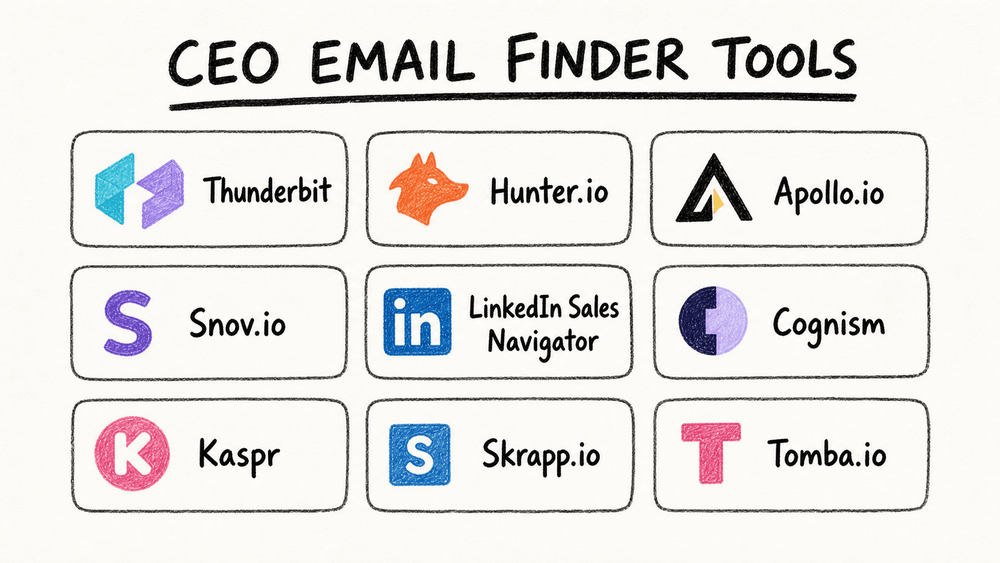
I've spent the last few months running a structured test across nine CEO and founder contact finder tools — from AI web scrapers to massive B2B databases to lightweight Chrome extensions. The goal was straightforward: start with company names and domains, find the right executive, verify the email, and see which workflows actually deliver.
The results were more nuanced (and more interesting) than I expected. Some tools crushed it for startups but fell flat for enterprises. Others had great coverage in Europe but patchy data in the US. And a few were basically just guessing — dressed up in a nice UI. This guide covers what I found, how each tool works, and when each one is the right pick for your workflow.
Why Finding CEO Email Addresses Still Matters in 2026
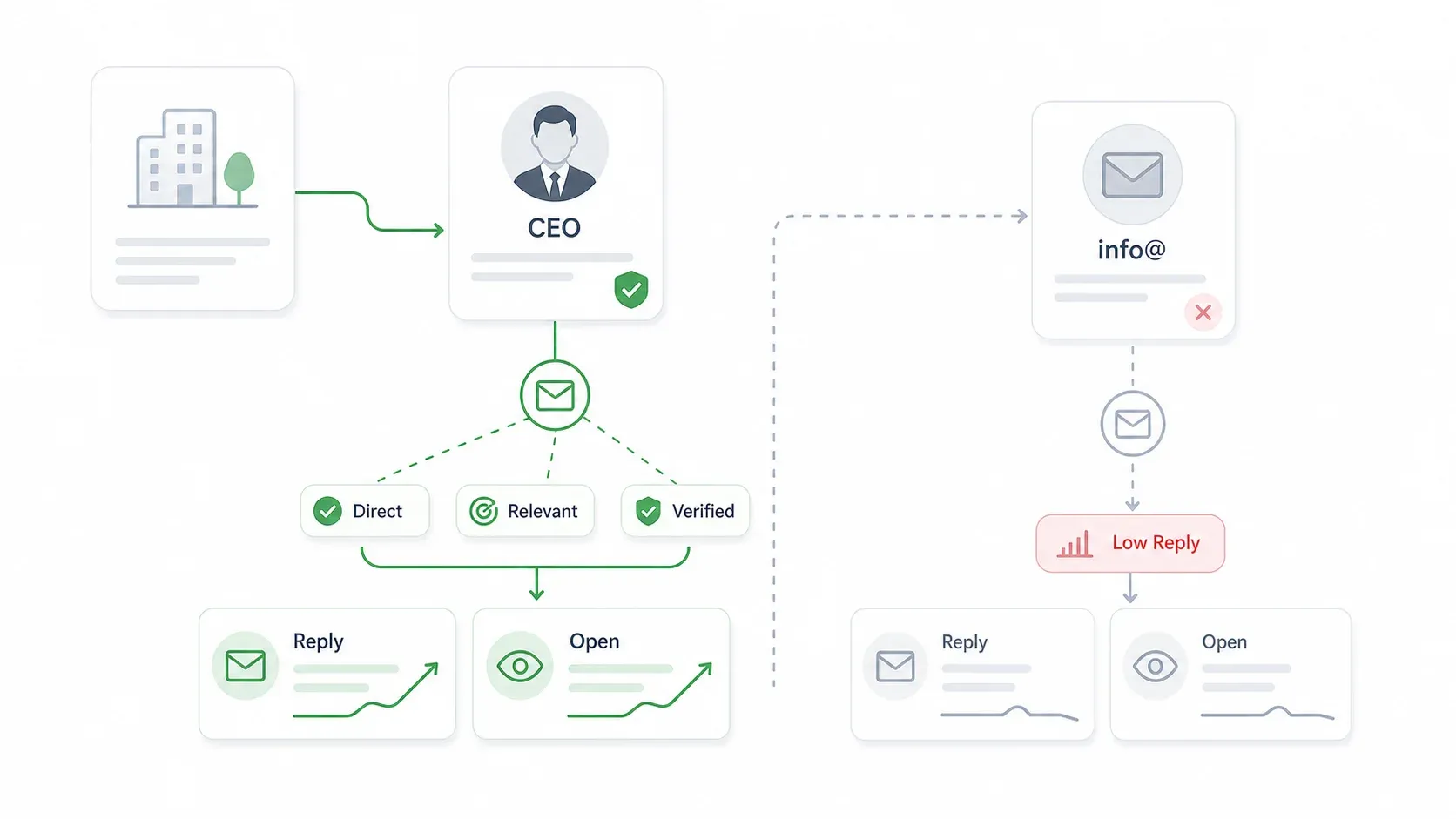
If you work in B2B sales, partnerships, or operations, you already know that reaching a CEO directly can compress weeks out of a deal cycle. At smaller companies — say, under 200 employees — the CEO is often the sole decision-maker. There's no buying committee, no six layers of procurement. You pitch the founder, they say yes or no, and you move on.
According to Gartner's B2B buying research, a typical buying group includes 6 to 10 decision-makers, each armed with independently gathered information. That means routing through gatekeepers or generic inboxes can add weeks of internal forwarding. Direct executive outreach sidesteps that friction — especially for partnership proposals, vendor negotiations, investor relations, and founder-to-founder introductions.
Now, the skepticism. "Very few CEOs reply to cold email." I hear this a lot. And it's true — on average. Hunter's 2026 State of Cold Email reports an average reply rate of just 5.1% across 89 million emails, with an average open rate of 21.8%. But top-performing campaigns hit 12.44% reply rates and 30.6% open rates. The difference isn't the channel — it's the targeting, the data quality, and the relevance. Bad CEO data means bounces, spam complaints, and wasted effort. Good data, paired with a specific reason to reach out, is a different story entirely.
One more stat worth noting: Hunter's survey found that prospecting and preparation alone take 3.91 hours per campaign. That's a lot of time spent hunting for contact info instead of closing deals. The right tool stack can cut that dramatically.
How I Evaluated These 9 CEO Email Finder Tools
I tested each tool against the same batch of 50 companies — a mix of startups (under 50 employees), mid-market firms (51–500), and enterprises (500+). For each, I tried to find the CEO's verified email address and tracked how each tool performed across six criteria:
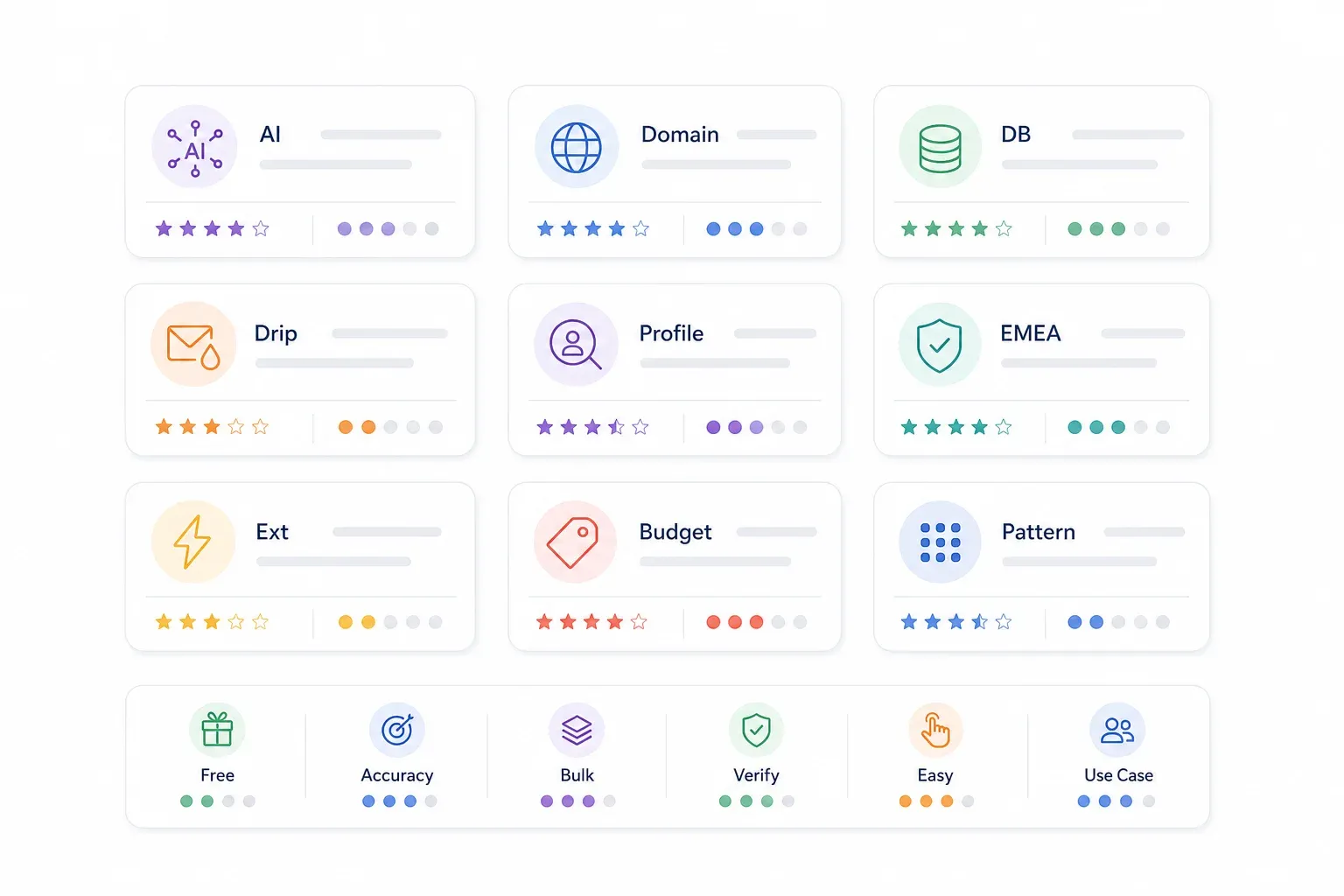
- Free Tier / Pricing — What you get without paying, and the entry-level paid cost.
- Email Accuracy — How many returned emails were actually valid and deliverable after verification.
- Bulk / Scale Support — Can the tool handle 50–500+ companies at once, or is it one-at-a-time?
- Verification Built-in — Does the tool verify emails natively, or do you need a separate step?
- Ease of Use — How long does setup take, and what technical skills are needed?
- Best Use Case — When this specific tool is the right pick.
A word of caution: no single tool aced every category. The best results came from combining tools — using one for discovery, another for pattern matching, and a third for verification. That's the honest reality of CEO email hunting in 2026.
1. Thunderbit
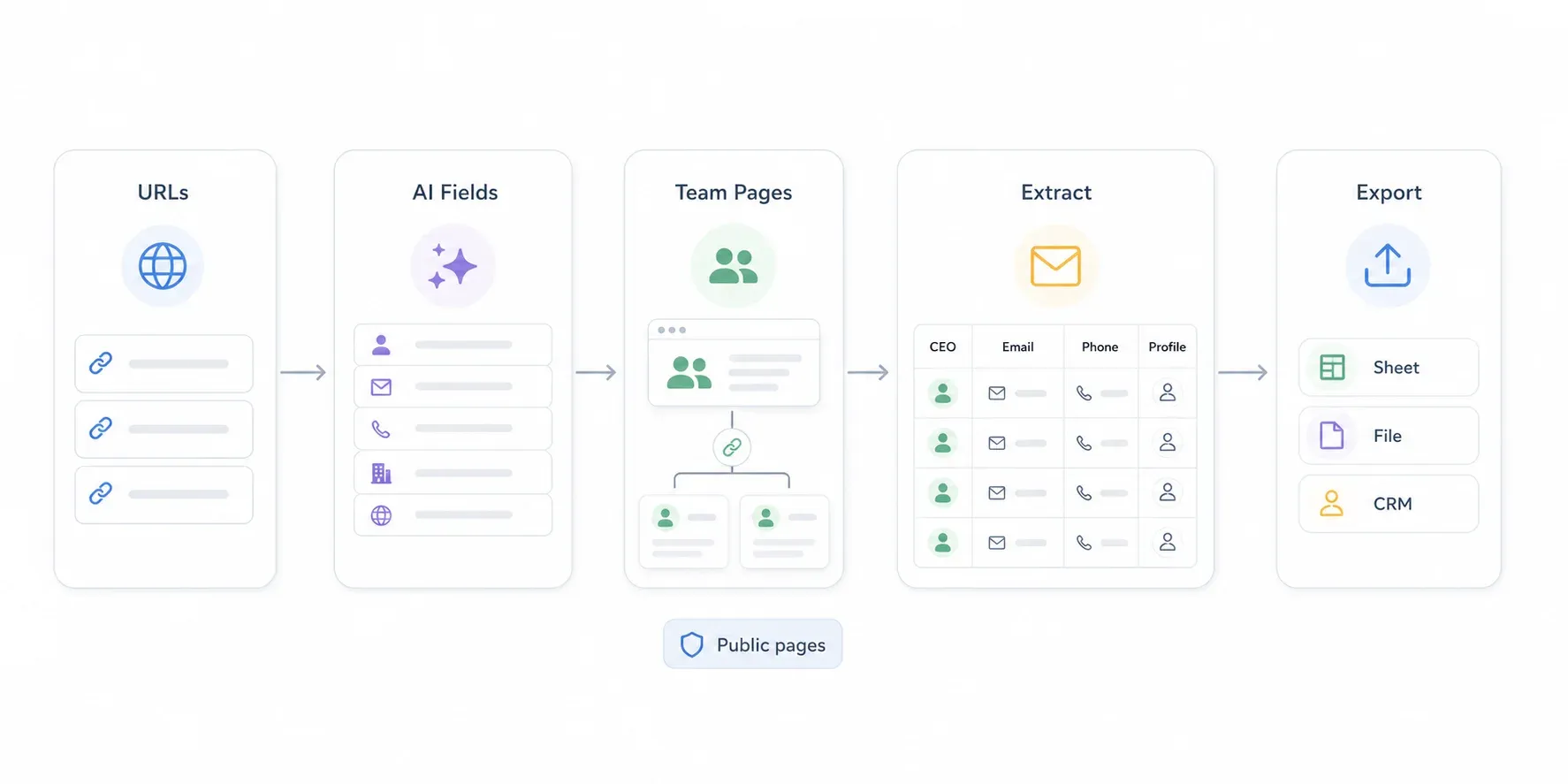
Thunderbit takes a fundamentally different approach from most tools on this list. Instead of querying a pre-built database, it visits actual company websites — About pages, Team pages, Contact pages, leadership bios — and uses AI to extract CEO names, emails, phone numbers, LinkedIn URLs, and more. If the data is on the page, Thunderbit can pull it.
Try Thunderbit for CEO email scraping
Here's the workflow I used during testing:
- Paste a list of company URLs (or a directory page) into Thunderbit's Chrome extension.
- Open the AI Web Scraper and click AI Suggest Fields — the AI reads the page and proposes columns like CEO Name, Title, Email, Phone, LinkedIn URL, and Company Name.
- Enable subpage scraping for Team or Leadership pages. Thunderbit can follow links to individual bio pages and pull additional contact details from each.
- Choose browser scraping (for login-gated sites) or cloud scraping (for speed — up to 50 pages at a time on public sites).
- Export results to Excel, Google Sheets, Airtable, or Notion.
The AI field suggestion is genuinely useful. On a typical company About page, it correctly identified CEO name, title, email (when listed), phone, and LinkedIn profile in about 3 clicks. For companies that bury contact info on subpages, the subpage scraping feature saved me from manually clicking through dozens of bios.
Thunderbit also offers a free Email Extractor and Phone Number Extractor — both one-click, no paywall. The credit-based pricing starts with a free tier (up to 6 pages/month), and paid plans begin around $15/month or $9/month billed yearly for 500 credits/month. One credit equals one output row; subpage scraping can use more credits since it's extracting additional rows from linked pages.
Key features:
- AI Suggest Fields auto-detects CEO name, email, phone, LinkedIn, and company context from any web page
- Subpage and pagination scraping for deep extraction across Team/About/Leadership pages
- Cloud scraping for speed (50 pages at a time) or browser scraping for gated sites
- Free data export to Excel, Google Sheets, Airtable, Notion
- Free Email Extractor and Phone Number Extractor tools
Pricing: Free tier (6 pages/month); paid from ~$9/mo (yearly) or ~$15/mo (monthly) for 500 credits/mo. See pricing.
Best for: Teams that start with a list of company URLs or domains and need to scrape CEO contact data directly from websites — especially for niche, local, or long-tail companies where big databases may not have coverage.
When Thunderbit Is the Best Pick
Thunderbit shines when you have company websites but not named contacts. If your target market is niche, non-US, or underserved by the big B2B databases, Thunderbit's AI scraping fills the gap. It's also great when you need CEO email plus company data (size, address, products, team info) from the same site — the AI can label and structure everything in one pass.
The honest limitation: Thunderbit can only extract emails that are present or inferable from visited pages. For hidden corporate emails (where the CEO's address isn't on the website at all), you'll want to pair Thunderbit with Hunter, Tomba, Apollo, or Snov.io for pattern matching, then verify.
2. Hunter.io
Hunter.io is the classic domain-first email intelligence tool. Enter a company domain, and it returns all known email addresses associated with that domain plus the most common email pattern (e.g., first.last@domain.com). The Email Finder feature lets you input a person's name + company domain and get their likely email with a confidence score.
During my test, Hunter was strongest for mid-market and enterprise companies with consistent naming conventions. For a company like "acmecorp.com" where every employee uses first.last@acmecorp.com, Hunter nailed the CEO email almost every time.
For tiny startups with no public email footprint? It often came up empty.
Key features:
- Domain Search: returns all known emails and patterns for a domain
- Email Finder: name + domain → likely email with confidence score
- Built-in email verification (confidence scoring and deliverability check)
- Bulk CSV upload for batch domain searches
- Source transparency: shows public sources for found emails
Pricing: Free plan includes 50 credits/month (usable across tools). Paid plans: Starter $34/mo, Growth $104/mo, Scale $209/mo. See pricing.
Best for: Users who already know the CEO's name and company domain and need to find the email pattern. Strong complement to Thunderbit — scrape CEO names from websites with Thunderbit, then run name + domain pairs through Hunter for pattern matching.
3. Apollo.io
Apollo.io is a full sales intelligence platform — massive B2B database, email finder, phone numbers, company data, and outreach sequencing all in one. To find CEO emails, you use filters (Title = CEO, Company Size, Industry, Location) to build a targeted list, then export verified emails.
Apollo's free tier is surprisingly generous for individual users. During testing, coverage was strong for US-based mid-market and enterprise companies, but patchier for very small businesses and non-US firms.
The built-in email verification and engagement tracking are nice touches if you plan to send outreach from the same platform.
Key features:
- Large B2B contact database with advanced filtering (title, seniority, company size, industry, geography, funding stage)
- Email and phone enrichment
- Built-in email verification and engagement tracking
- Chrome extension for LinkedIn enrichment
- Outreach sequencing (email campaigns, A/B testing)
Pricing: Free plan available. Paid plans commonly reported around $59/user/mo (Basic), $99/user/mo (Professional), and custom (Organization). Apollo has been known to test pricing, so check the official pricing page.
Best for: Sales teams that need an all-in-one platform — find emails, build filtered CEO lists, send sequences, and track engagement — without switching tools.
4. Snov.io
Snov.io combines email finding, verification, and drip campaigns in a single platform. The Domain Search works like Hunter's (enter a domain, get associated emails), and the Email Finder takes name + domain to return likely addresses. What sets Snov.io apart is the built-in drip campaign engine — you can go from discovery to outreach without leaving the tool.
The bulk email finder accepts CSV uploads, which is useful for processing 100+ companies at a time. The built-in verifier is included in all plans, so you don't need a separate verification step.
Key features:
- Domain Search and Email Finder (name + domain)
- Bulk Email Finder via CSV upload
- Built-in email verifier (included in all plans)
- Drip campaign automation (email sequences, follow-ups)
- Chrome extension for LinkedIn and company website lookups
Pricing: Trial plan: 50 credits, 100 recipients, 1 email warm-up slot (renews every 30 days). Paid plans from $39/mo. See pricing.
Best for: Small-to-mid teams that want email discovery + verification + outreach automation in a single subscription, without paying for a full sales intelligence platform.
5. LinkedIn Sales Navigator
LinkedIn Sales Navigator is not technically an email finder — it's a premium LinkedIn search and filtering tool that helps you identify and connect with CEOs. The workflow is: use advanced filters (Title, Company Size, Geography, Industry) to find CEO profiles, check the contact info section for email (if listed), or use InMail.
In practice, many CEOs don't list their email on LinkedIn. Sales Navigator is most useful when paired with an enrichment tool like Thunderbit, Kaspr, or Apollo to pull email data from the profiles you find.
The filtering, though, is unmatched — you can zero in on exactly the right CEO at the right company before ever looking for an email.
Key features:
- Advanced search filters: title, seniority, company headcount, geography, industry, growth signals
- Lead and account lists with CRM integration
- InMail for direct LinkedIn messaging
- Real-time alerts on job changes, company news, and engagement signals
Pricing: Core commonly around $99/mo (exact pricing varies by market and billing cycle). Advanced and Advanced Plus at higher tiers. See product details.
Best for: Account-based selling where identifying and researching the right CEO matters as much as finding the email. Pair with an enrichment tool for actual email discovery.
6. Cognism
Cognism is an enterprise-grade B2B data provider with a strong compliance and accuracy positioning. Their "Diamond Data" feature phone-verifies mobile numbers for C-level contacts, and their email data is aligned with GDPR and CCPA requirements — important if you're emailing European executives.
This is a premium tool. There's no true free tier, and pricing is demo-required (typically reported in the $15k–$35k/year range for enterprise contracts). For mid-market and enterprise sales teams working across international markets, especially EMEA, Cognism's data quality and compliance features justify the investment. For a solo founder looking up 50 CEOs, it's overkill.
Key features:
- B2B database with seniority and job title filters for CEO lists
- Diamond Data: phone-verified mobile numbers for executives
- GDPR and CCPA aligned data sourcing
- Browser extension for LinkedIn and CRM enrichment
- International coverage: strong in US, EMEA, and APAC
Pricing: Demo-required; enterprise contracts commonly reported at $15k–$35k+/year. Request demo.
Best for: Enterprise sales teams with budget, working across international markets (especially EMEA), where phone-verified mobile numbers and compliance-first data are non-negotiable.
7. Kaspr
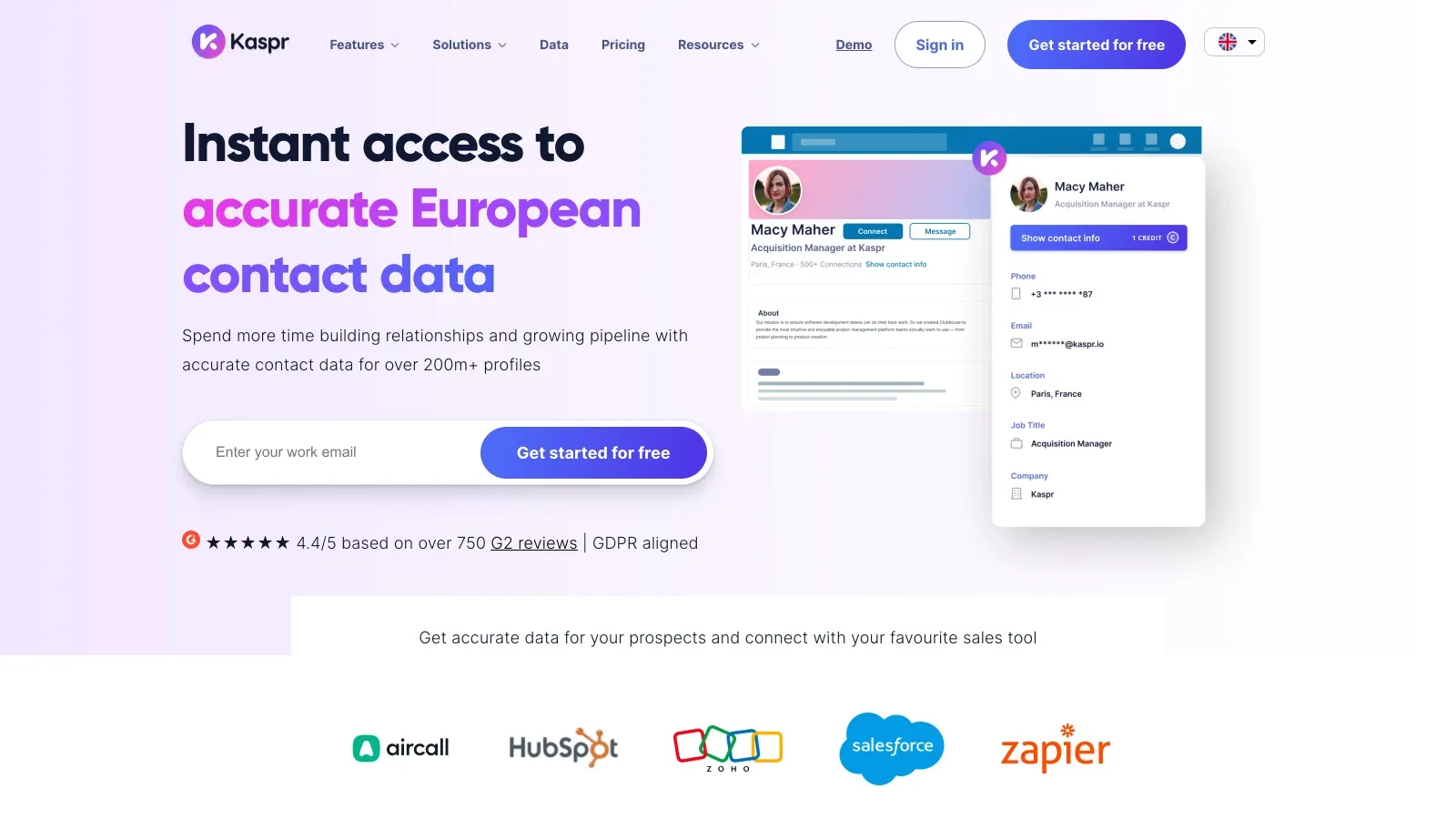
Kaspr (owned by Cognism) is a lightweight LinkedIn Chrome Extension that reveals emails and phone numbers from LinkedIn profiles in one click. The workflow is dead simple: search for a CEO on LinkedIn, open their profile, click the Kaspr extension, and see the verified email and phone number.
Kaspr's free plan gives you 5 phone credits, 5 direct email credits, and 10 export credits per month — enough for a handful of lookups. The database is strongest in Europe, with coverage across 120M+ contacts. For US and APAC data, results were thinner in my testing.
Key features:
- One-click email and phone reveal from LinkedIn profiles
- Bulk processing of LinkedIn search results or Sales Navigator lists
- Cross-references 120+ data sources for verification
- Free plan with limited credits
- CRM integrations (HubSpot, Salesforce, Pipedrive)
Pricing: Free plan: 5 phone + 5 direct email + 10 export credits/mo. Starter ~$49/mo monthly or $45/mo annually. See pricing.
Best for: Individual SDRs or small teams who prospect primarily from LinkedIn, especially in European markets where Kaspr's database is deepest.
8. Skrapp.io
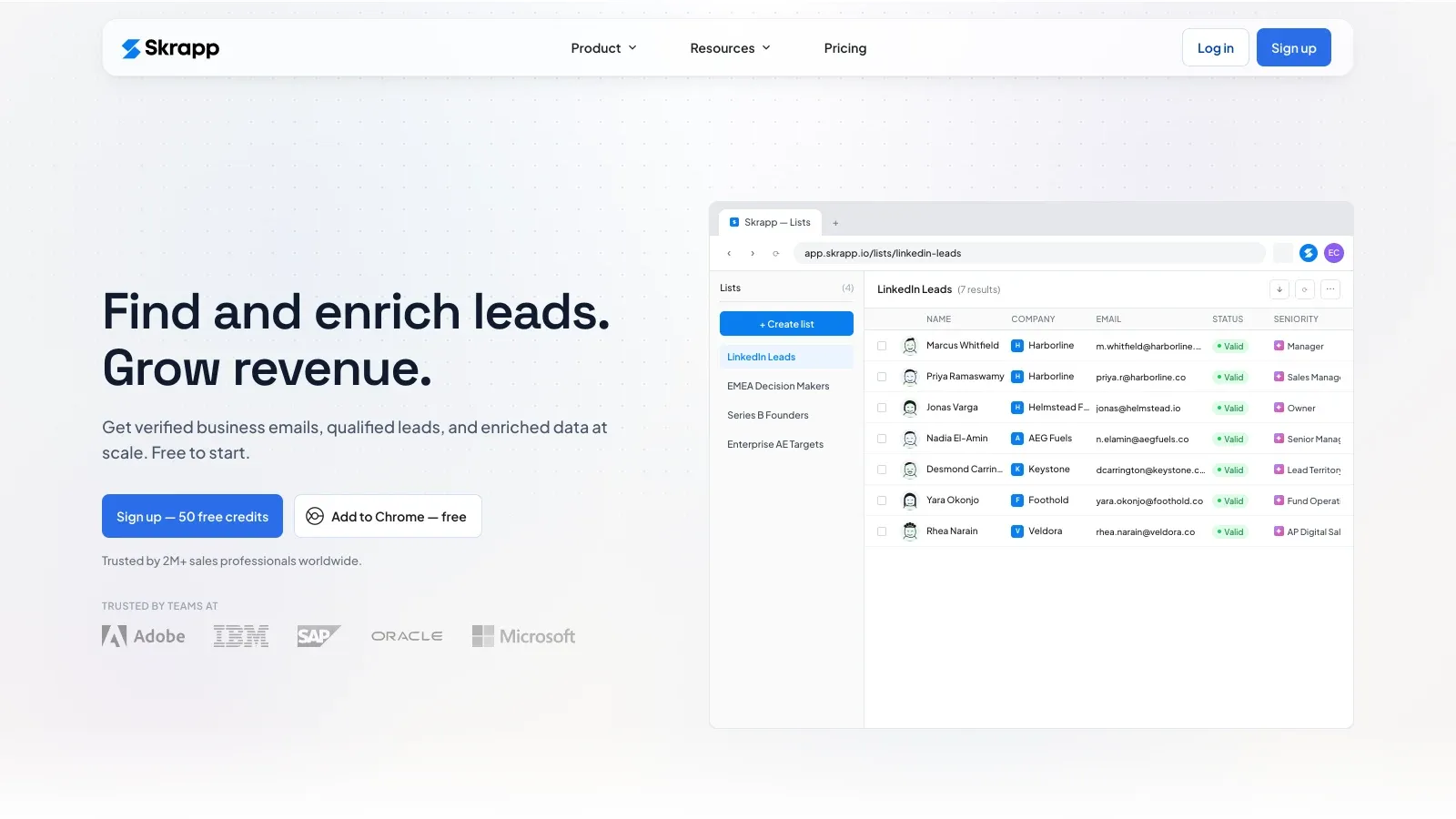
Skrapp.io is a focused email finder that works via a Chrome extension on LinkedIn profiles and company websites. Two main workflows: (a) open a CEO's LinkedIn profile, click Skrapp, get the verified email; (b) upload a CSV of company names, filter by role (CEO), and export the email list.
Skrapp includes built-in email verification (100 free verification credits on the free plan). It's a budget-friendly option for teams that don't need a full sales intelligence platform but want LinkedIn-based email discovery with some bulk capability.
Key features:
- Chrome extension for LinkedIn and company website email discovery
- Company/domain search with role filtering
- CSV bulk upload for batch enrichment
- Built-in email verifier (100 free verification credits)
- Lead list management and export
Pricing: Free plan (50 credits, 1 user). Professional from $29/mo for 2,000 credits. See pricing.
Best for: Budget-conscious teams that need a simple LinkedIn-based email finder without the overhead of a full sales intelligence platform. Good for mid-size campaigns (50–200 contacts).
9. Tomba.io
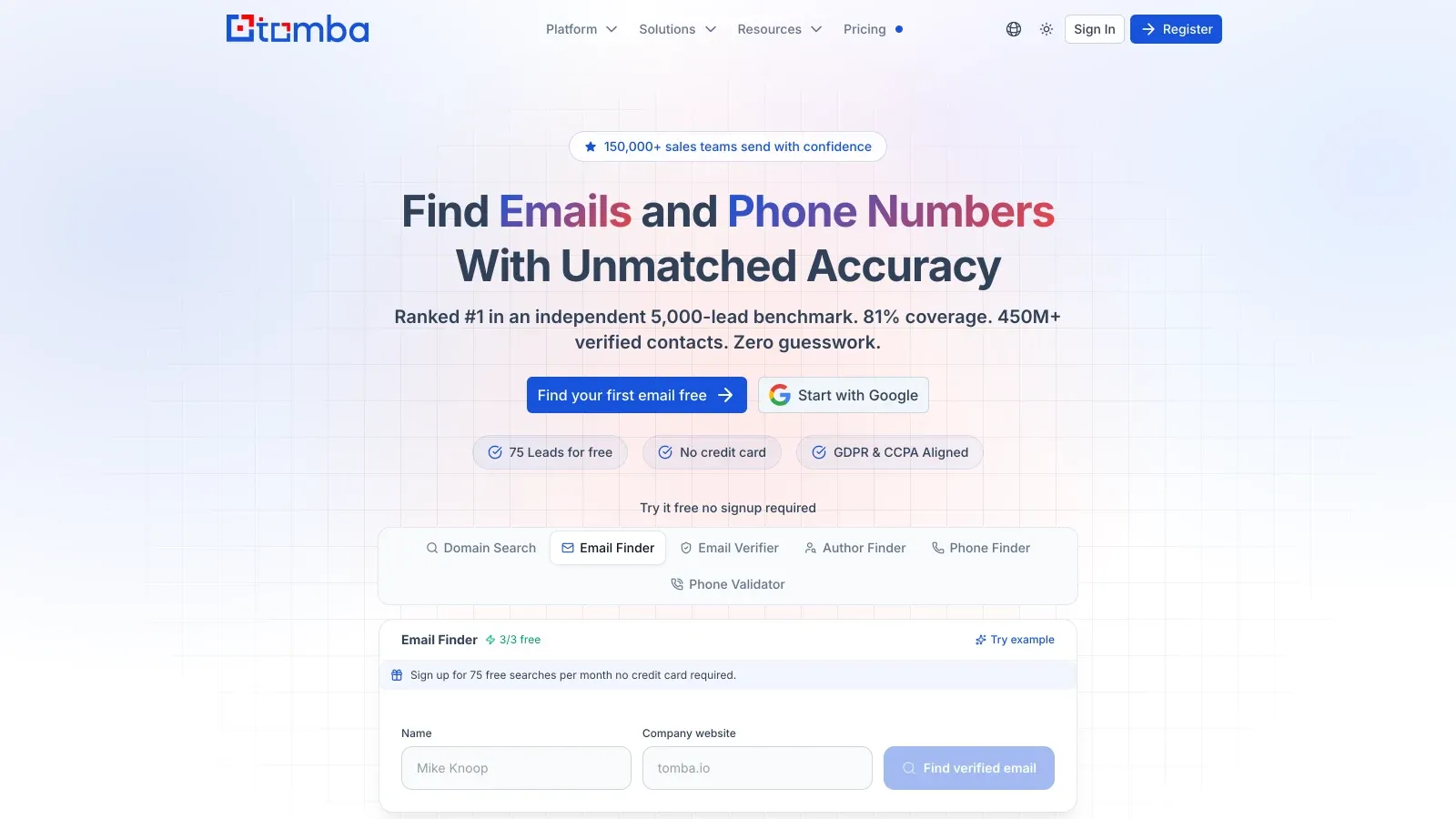
Tomba.io is a domain-focused email search engine. Enter a company domain, and it returns associated email addresses, email patterns, and department-level filtering. The Email Finder takes first name + last name + domain and returns the CEO's likely email with a confidence score.
Tomba's email pattern detection is its standout feature — it identifies the naming convention a company uses, so you can predict any employee's email. The API is developer-friendly for automating bulk lookups. The database is smaller than Apollo or Cognism, so Tomba works best as a complement or secondary validation tool.
Key features:
- Domain search: returns emails, patterns, and department filters
- Email Finder: name + domain → likely email with confidence score
- Email pattern detection (identifies company naming convention)
- API for automated bulk lookups
- Built-in email verification
Pricing: Volume pricing (e.g., 10,000 credits for $89/mo). Older free tier: 25 searches + 50 verifications/mo. Check current pricing.
Best for: Users who want a lightweight, domain-first approach — especially as a secondary validation tool alongside Thunderbit or Hunter.
All 9 CEO Email Finder Tools Compared
The full comparison:
| Tool | Free Tier / Pricing | Email Accuracy | Bulk / Scale Support | Verification Built-in | Ease of Use | Best Use Case |
|---|---|---|---|---|---|---|
| Thunderbit | Free 6 pages/mo; from ~$9/mo yearly | Strong for public website data | URL lists, directories, subpage/cloud scraping | Extracts emails; pair with verifier for deliverability | Very easy (no code) | Company URLs → CEO names, emails, phones, LinkedIn |
| Hunter.io | Free 50 credits/mo; from $34/mo | Strong for consistent patterns; confidence scoring | CSV/bulk domain and email finder | Yes | Easy | Name + domain pattern matching |
| Apollo.io | Free plan; paid ~$59–$99/user/mo | Strong in common B2B markets; uneven for small/non-US | Very strong database filtering and export | Yes | Moderate (many features) | Build large CEO lists + send sequences |
| Snov.io | Trial 50 credits; paid from $39/mo | Good for pattern/database workflows | CSV/bulk finder | Yes | Easy to moderate | Finder + verifier + drip campaigns |
| Sales Navigator | ~$99/mo (varies) | Not an email finder | Strong lead/account filtering | No | Moderate | Identify/research the right CEO first |
| Cognism | Demo-required; ~$15k–$35k+/yr | Strong compliance/phone-data positioning | Enterprise database + CRM workflows | Yes | Sales-team oriented | Enterprise, EMEA, phone-verified executive outreach |
| Kaspr | Free 5 phone + 5 email + 10 export/mo; ~$49/mo | Strongest in Europe/LinkedIn | LinkedIn profile and list workflows | Yes | Very easy | Quick LinkedIn CEO email/phone reveals |
| Skrapp.io | Free 50 credits; from $29/mo | Directional; verify important contacts | LinkedIn, company search, CSV/bulk | Yes | Easy | Budget LinkedIn and website finder |
| Tomba.io | Volume pricing ~$89/mo for 10k credits; older free tier 25 searches/mo | Good for domain patterns | API and bulk/domain workflows | Yes | Easy | Lightweight domain-first lookup and secondary validation |
The best results in my testing came from combining tools — Thunderbit for website-based discovery, Hunter or Tomba for pattern matching, and a verification step before sending. No single tool covered every company perfectly.
The "I Only Have Company Names" Workflow: From Domain List to CEO Inbox
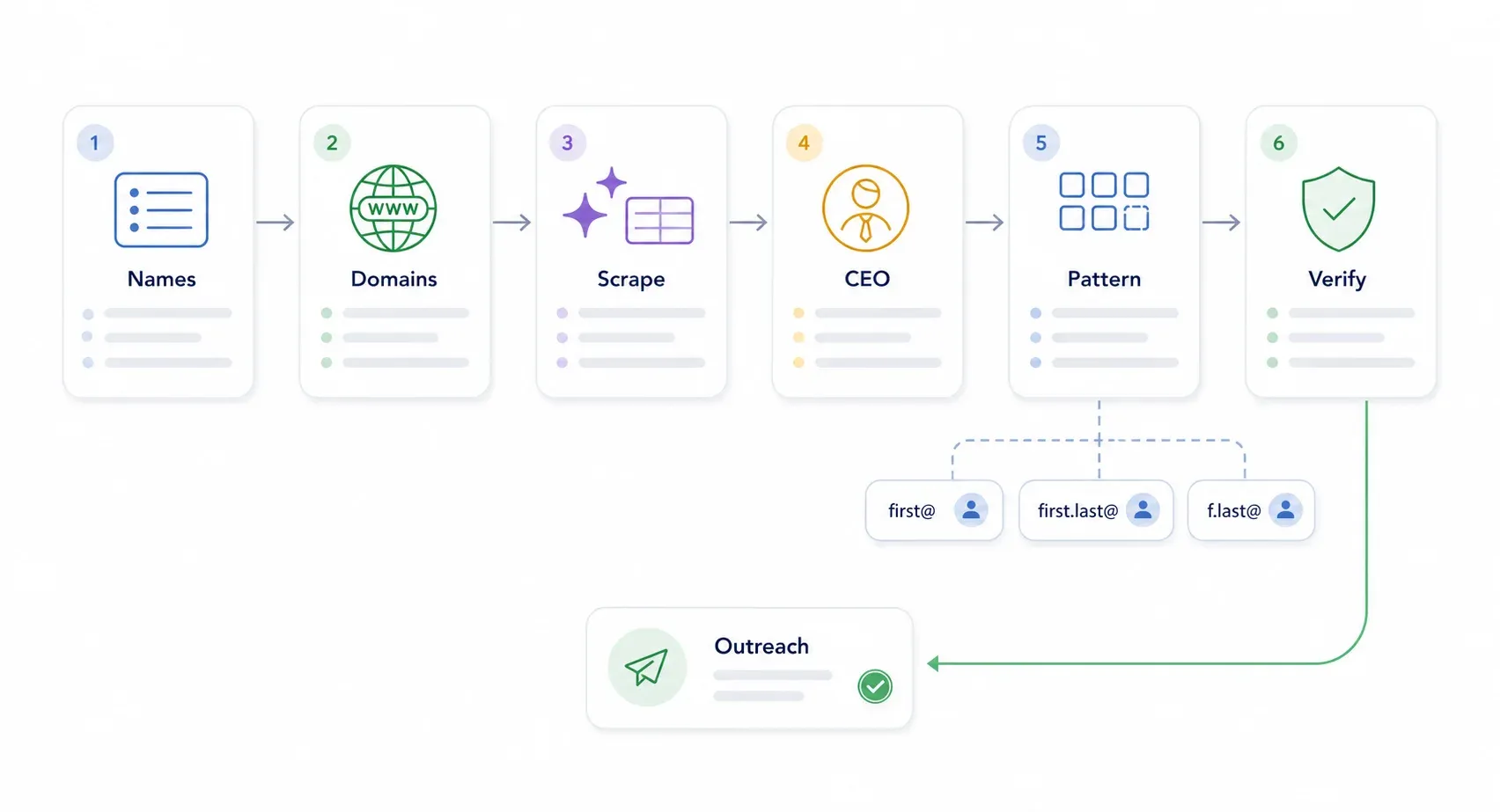
This is the scenario that trips people up the most. You have a list of 50–200 company names. No CEO names. No domains. No emails. Just company names in a spreadsheet. The workflow I used:
Step 1: Turn company names into domains. Google each company name to find the official website, or use a directory (LinkedIn Company Search, Crunchbase, or even Google Maps for local businesses). For bulk, you can scrape a directory page with Thunderbit to pull company names and URLs simultaneously.
Step 2: Scrape Team/About/Leadership pages with Thunderbit. Paste the list of company URLs into Thunderbit. Use AI Suggest Fields to auto-detect CEO name, title, email, phone, LinkedIn URL, and company context. Enable subpage scraping to follow links to individual bio pages for deeper extraction.
Step 3: Run CEO names + domains through an email finder. Take the CEO names and domains you've extracted and upload them as a CSV to Hunter.io or Tomba.io. These tools will match the name to the company's email pattern and return the most likely address.
Step 4: Verify the final list. Use a built-in verifier (Apollo, Snov.io) or a standalone tool (NeverBounce, ZeroBounce) to confirm deliverability. Never send to an unverified address.
Step 5: Segment and personalize. Group your verified list by company size, industry, or trigger event. Personalize each outreach based on what you learned during scraping (recent news, product launches, hiring signals).
The pipeline looks like this:
Company Names → Find Domains → Thunderbit Scrape (About/Team/Contact) → CEO Name + Public Contact Data → Hunter or Tomba Pattern Matching → Email Verification → Personalized CEO Outreach List
This end-to-end workflow is something I haven't seen covered in any competing guide. Most articles assume you already know who you're targeting. If you don't, this is how you get there.
How to Find CEO Emails with AI: ChatGPT + Web Scrapers in 2026
AI tools like ChatGPT and Perplexity are useful for CEO email research — but they're accelerators, not oracles. They can identify likely CEOs, summarize company context, and generate email permutations. They cannot reliably produce verified, deliverable email addresses. (Spoiler: they sometimes hallucinate addresses that look plausible but don't exist.)
Three approaches that actually worked:
Approach 1: Use ChatGPT to research CEO names and likely email patterns.
Try these prompts:
- "For these companies, return the current CEO/founder name, official website, LinkedIn profile, and any publicly listed executive contact page. Do not invent email addresses. Mark unknowns as 'unknown'."
- "Given this CEO name and company domain, list likely corporate email patterns only as candidates, and explain which pattern is most common based on public signals."
- "Read this company About/Team page text and extract person name, title, email, phone, LinkedIn URL, and source snippet."
Approach 2: Use Thunderbit's AI Suggest Fields on company websites. This is where AI works best — applied directly to a web page, not generating from memory. Thunderbit's AI reads the actual page content and suggests fields to extract, reducing hallucination risk compared with asking a general model to infer facts without context.
Approach 3: Combine AI pattern guesses with verification tools. AI can generate candidate emails (firstname@domain.com, first.last@domain.com, etc.), but you must verify each one before sending. Run candidates through Hunter's verifier, NeverBounce, or ZeroBounce.
The real value of AI in this workflow isn't just finding the email — it's understanding the CEO's priorities so your outreach is relevant. Use AI to research recent company news, funding rounds, product launches, or strategic shifts.
That context is what turns a generic cold email into something that actually gets read.
CEO Email Format Cheat Sheet: Common Patterns by Company Size
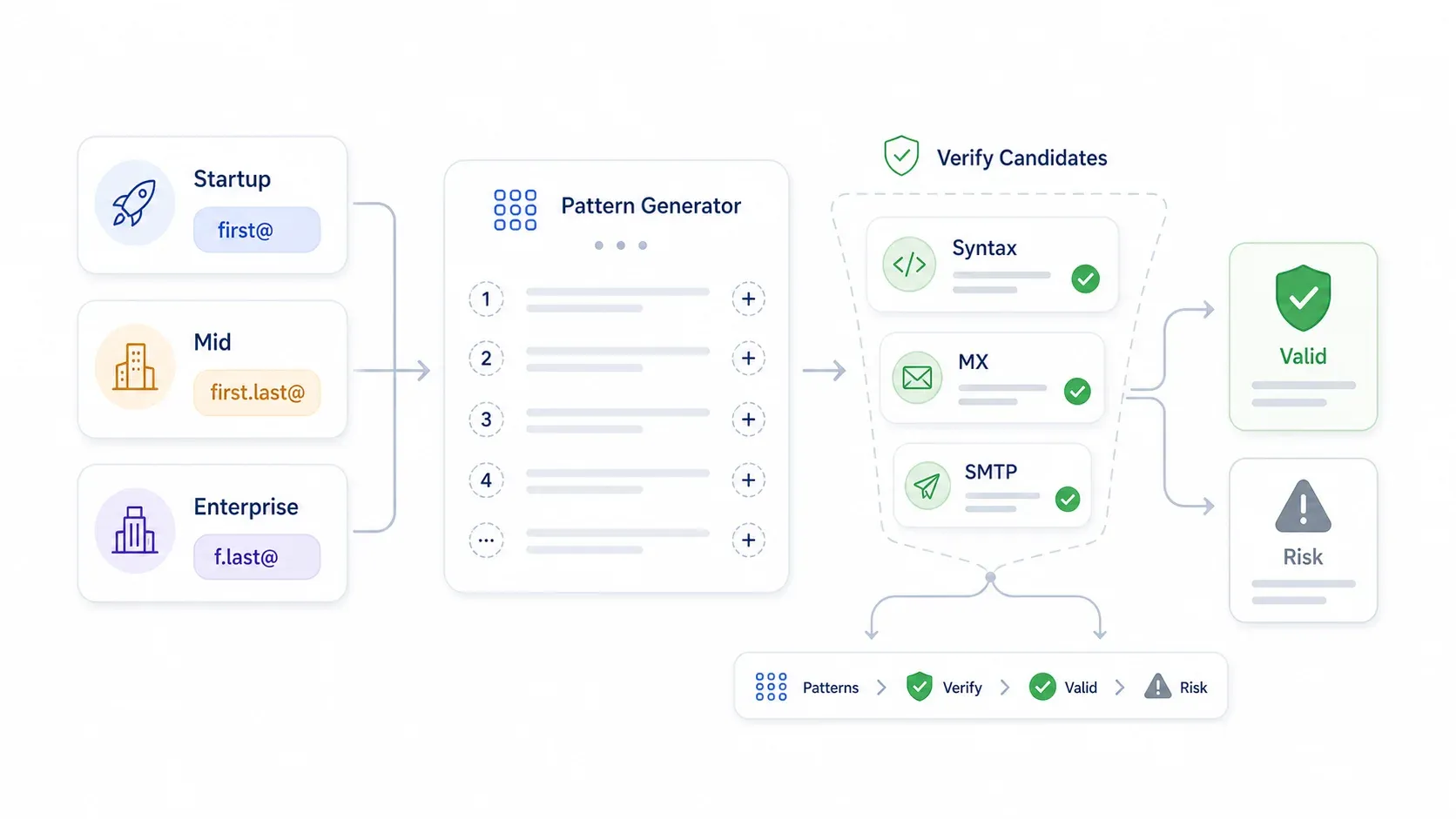
Most corporate email addresses follow predictable patterns. If you know the CEO's name and the company domain, you can often guess the format — then verify it.
Below are the most common patterns I've seen, broken down by company size:
| Company Size | Most Common Format | Example | Estimated Frequency |
|---|---|---|---|
| Startup (1–50 employees) | first@ | jane@startup.com | ~40% of founder-led startups |
| Startup (1–50 employees) | first.last@ | jane.doe@startup.com | Common once the team grows |
| Mid-market (51–500) | first.last@ | jane.doe@midco.com | ~55% |
| Mid-market (51–500) | firstinitial.last@ | j.doe@midco.com | Common in professional services |
| Enterprise (500+) | first.last@ | jane.doe@bigcorp.com | Common, but aliases vary |
| Enterprise (500+) | firstinitial.last@ or firstinitiallast@ | j.doe@bigcorp.com or jdoe@bigcorp.com | Common in older systems |
Industry quirks:
- Law firms often use flast@ (e.g., jdoe@lawfirm.com)
- Tech startups frequently use first@ (e.g., jane@saasco.com)
- Consulting firms may use firstinitial.lastname@ (e.g., j.doe@consulting.com)
How to use this: Generate all candidate patterns from a CEO's name + domain using a free email permutator tool (Metric Sparrow-style permutators or a simple Google Sheets formula). Then validate each candidate with a verification tool. Never send to an unverified permutation — a wrong guess bounces, and bounces hurt your sender reputation.
Email Verification: Why Finding a CEO Email Is Only Half the Battle
You found the CEO's email. Great.
But if you send to an unverified address and it bounces, you're not just wasting a message — you're damaging your domain reputation. Bounce rates above 2% trigger spam filters. Google's sender guidelines require keeping spam complaint rates below 0.3%, and both Google and Yahoo now enforce authentication requirements (SPF, DKIM, DMARC) for all senders.
The three-step verification workflow I recommend:
- Syntax check — Is the email formatted correctly? (No spaces, valid characters, proper domain.)
- MX record lookup — Does the domain accept email? (Confirms the mail server exists.)
- SMTP ping or tool-based validation — Is the specific mailbox active? (Checks whether the address will bounce or accept mail.)
| Verification Method | Cost | Speed | Accuracy | Best For |
|---|---|---|---|---|
| Manual MX/SMTP check | Free | Slow | Moderate | Small lists (<20) |
| Free online validators | Free | Fast | Moderate | Quick spot checks |
| Paid verification tools (NeverBounce, ZeroBounce, Proofy) | ~$0.003–$0.01/email | Fast | High | Bulk lists (100+) |
| Built-in tool verification (Apollo, Snov.io, Hunter) | Included in plan | Instant | High | All-in-one workflow |
Among the 9 tools in this guide, Hunter, Apollo, Snov.io, Cognism, Kaspr, Skrapp, and Tomba all include some form of built-in verification. Thunderbit extracts public emails but should be paired with a verifier for deliverability confirmation. Sales Navigator does not verify emails at all.
Spam-Proof CEO Outreach: Compliance, Deliverability, and Getting a Reply
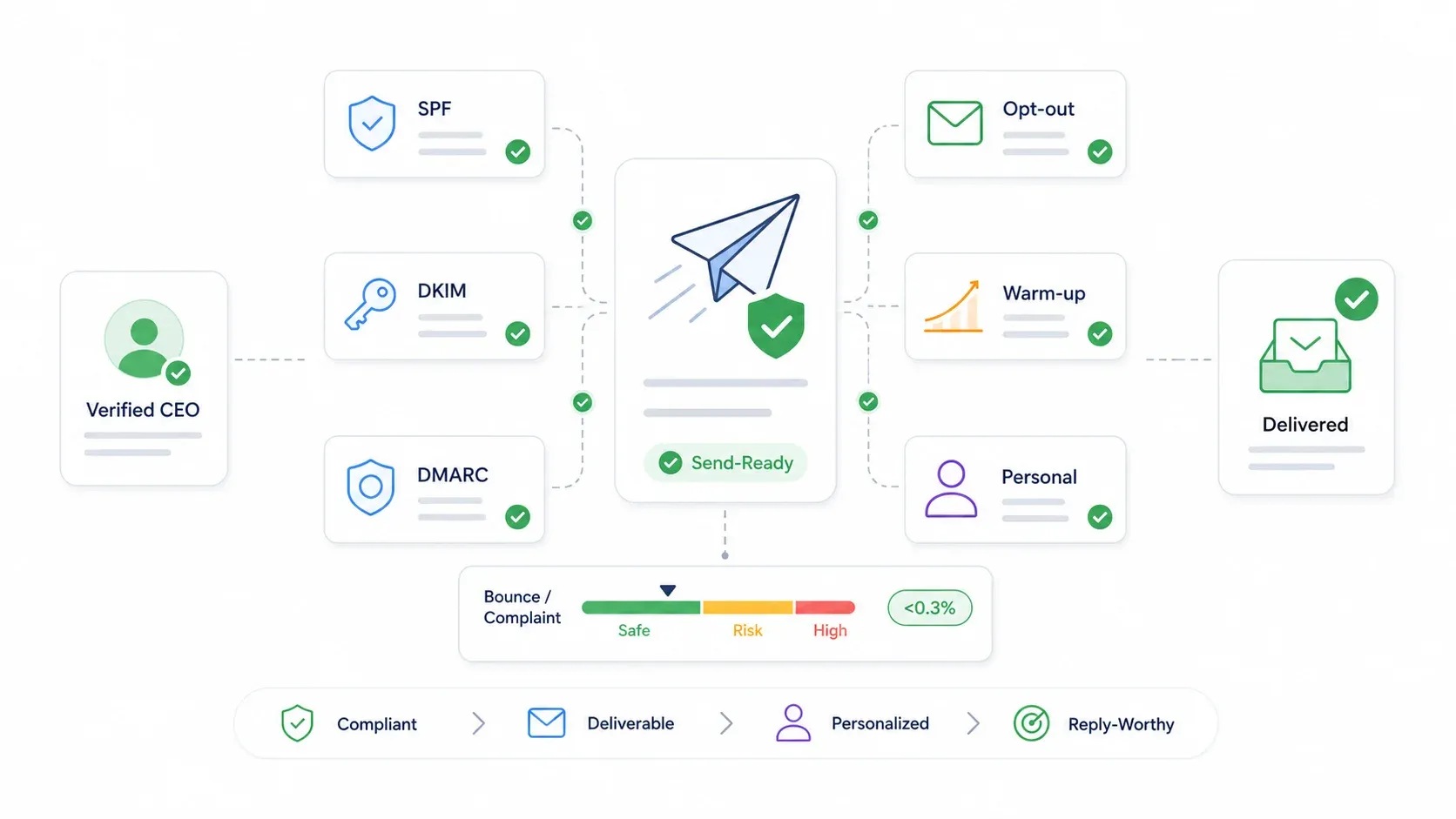
Finding the email is step one. Getting it delivered — and getting a reply — is where most people fall short. A few things actually matter.
Compliance: Quick Dos and Don'ts
| Do | Don't |
|---|---|
| Personalize with a specific reference to the CEO's company or recent news | Blast the same template to 500 CEOs without segmentation |
| Keep the email to 3–5 sentences max | Use misleading or clickbait subject lines |
| Include a clear, low-friction CTA | Send to unverified addresses |
| Identify yourself and your company clearly | Hide your identity or company details |
| Include a physical postal address and opt-out mechanism (CAN-SPAM) | Use a brand-new domain for high-volume outreach without warming up |
| Respect GDPR, CAN-SPAM, and CCPA requirements | Ignore opt-out requests or scrape personal data without lawful basis |
Deliverability Basics
- SPF authorizes your sending servers for your domain.
- DKIM cryptographically signs your messages.
- DMARC tells receivers how to handle authentication failures and gives you reporting.
- Warm up slowly. Start with small daily volumes (5–10 emails/day) and increase only if bounce and complaint rates stay low.
- Keep complaint rates well below 0.3%. Treat 0.1% as a healthier operational target.
CEO Cold Email Templates That Actually Work
Template 1: Partnership angle
Subject: Idea for [Company]'s [initiative]
Hi [CEO name] — I saw [specific trigger, e.g., your Series B announcement / your expansion into EMEA]. We help [similar company type] solve [specific problem] without adding manual ops work. If [Company] is exploring this in Q2, would it be worth sending over a 3-bullet idea?
Why it works: one specific trigger, one outcome, low-friction CTA.
Template 2: Vendor/cost reduction angle
Subject: Reducing [cost/process] at [Company]
Hi [CEO name], noticed [company signal, e.g., your team doubled this year / your new product launch]. Teams at your stage often lose time on [pain point]. We found a way to cut that workflow by [specific result]. Open to a short note with the numbers?
Why it works: no fake familiarity, concise, asks permission for detail.
Template 3: Investor/ops angle
Subject: [Company] expansion question
Hi [CEO name], congrats on [specific news]. If expansion into [market/use case] is on the roadmap, I had one data point from [relevant benchmark/customer type] that may be useful. Should I send it?
Why it works: ties outreach to a CEO-level priority rather than feature dumping.
Should You Email CEOs Directly or Go Through Gatekeepers?
For companies under 200 employees, go direct. The CEO is often the decision-maker, and there may not be a gatekeeper. For larger companies, consider a dual approach: email the CEO with a concise, high-level message, and simultaneously reach out to the relevant VP or director with more detail. The CEO may forward your email down — and a warm internal referral is worth more than a cold intro.
Which CEO Email Tool Should You Actually Use?
My recommendations:
- Pick Thunderbit if you start with company URLs and need to scrape CEO/contact data from websites — especially for niche, local, or long-tail markets.
- Pick Hunter.io or Tomba.io if you already know the CEO's name and need to find the email pattern.
- Pick Apollo.io or Snov.io if you want an all-in-one platform (find + verify + send sequences).
- Pick LinkedIn Sales Navigator if you need deep filtering to identify the right CEO before enrichment.
- Pick Cognism or Kaspr if you need verified European executive data or phone-verified mobile numbers.
- Pick Skrapp.io if you want a budget-friendly LinkedIn email finder without enterprise overhead.
In my experience, the strongest workflow combines tools: Thunderbit for website-based discovery → Hunter or Tomba for pattern matching → a verification tool for deliverability → concise, personalized outreach. No single tool does everything perfectly, but the right stack gets you from a list of company names to a verified CEO email list faster than any manual process.
If you want to see what AI-powered CEO email discovery looks like in practice, give Thunderbit's free tier a try and check out the Thunderbit YouTube channel for walkthroughs. And if you're looking for more on building outreach lists, our guides on how to build a lead list and cold email personalization go deeper on the next steps.
Happy hunting — and may your bounce rates stay low.
Try Thunderbit for AI-powered CEO email discovery Get Started Free
FAQs
1. What is the easiest way to find a CEO's email address?
It depends on what you're starting with. If you have the CEO's name and company domain, tools like Hunter.io or Tomba.io can find the likely email pattern in seconds. If you only have company websites, Thunderbit's AI web scraper can extract CEO names and contact info directly from Team or About pages. If you're starting from scratch with just a target market, Apollo.io or LinkedIn Sales Navigator can help you identify the right CEO first, then enrich with email data.
2. Are CEO email finder tools accurate?
Accuracy varies by tool, company size, and market. Enterprise CEOs are harder to find because aliases, assistants, and security policies often hide direct mailboxes. In my testing, no tool was 100% accurate across all 50 companies. The safest approach is to treat every result as untrusted until verified — use a built-in verifier or a standalone tool like NeverBounce or ZeroBounce before sending.
3. Is it legal to cold email a CEO?
In most jurisdictions, yes — as long as you follow the rules. In the US, CAN-SPAM requires truthful headers, non-deceptive subject lines, a physical postal address, and a clear opt-out mechanism. In the EU, GDPR requires a lawful basis (such as legitimate interest), transparency, and respect for opt-out rights. In California, CCPA adds privacy notice and opt-out obligations. Always include an unsubscribe option and identify yourself clearly.
4. Can I find CEO emails for free?
Several tools on this list offer free tiers: Thunderbit (6 pages/month), Hunter.io (50 credits/month), Apollo.io (free plan), Snov.io (50 credits trial), Kaspr (5 email credits/month), Skrapp.io (50 credits/month), and Tomba.io (25 searches/month on older plans). Manual methods — checking company websites, LinkedIn profiles, and Google search operators — are free but time-intensive for anything beyond a handful of lookups.
5. How do I find a CEO's email if I only have the company name?
Follow the workflow from the "I Only Have Company Names" section: find the company domain (via Google or a directory), scrape the Team/About page with Thunderbit to extract the CEO's name and any public contact info, run the name + domain through an email finder like Hunter.io or Tomba.io for pattern matching, then verify the result before sending. For a list of 50+ companies, this pipeline can be completed in under an hour with the right tool stack.
Learn More




