
Thunderbit’s Price Scraper helps you collect product prices and listing data from marketplaces like Amazon and eBay, then turns it into a clean table using AI. You can use AI Suggest Fields to auto-detect the right columns, click Scrape, and export to Excel, Google Sheets, Airtable, or Notion. When you need deeper details, you can also scrape product subpages to enrich every row with more attributes.
🏷️ What is Price Scraper
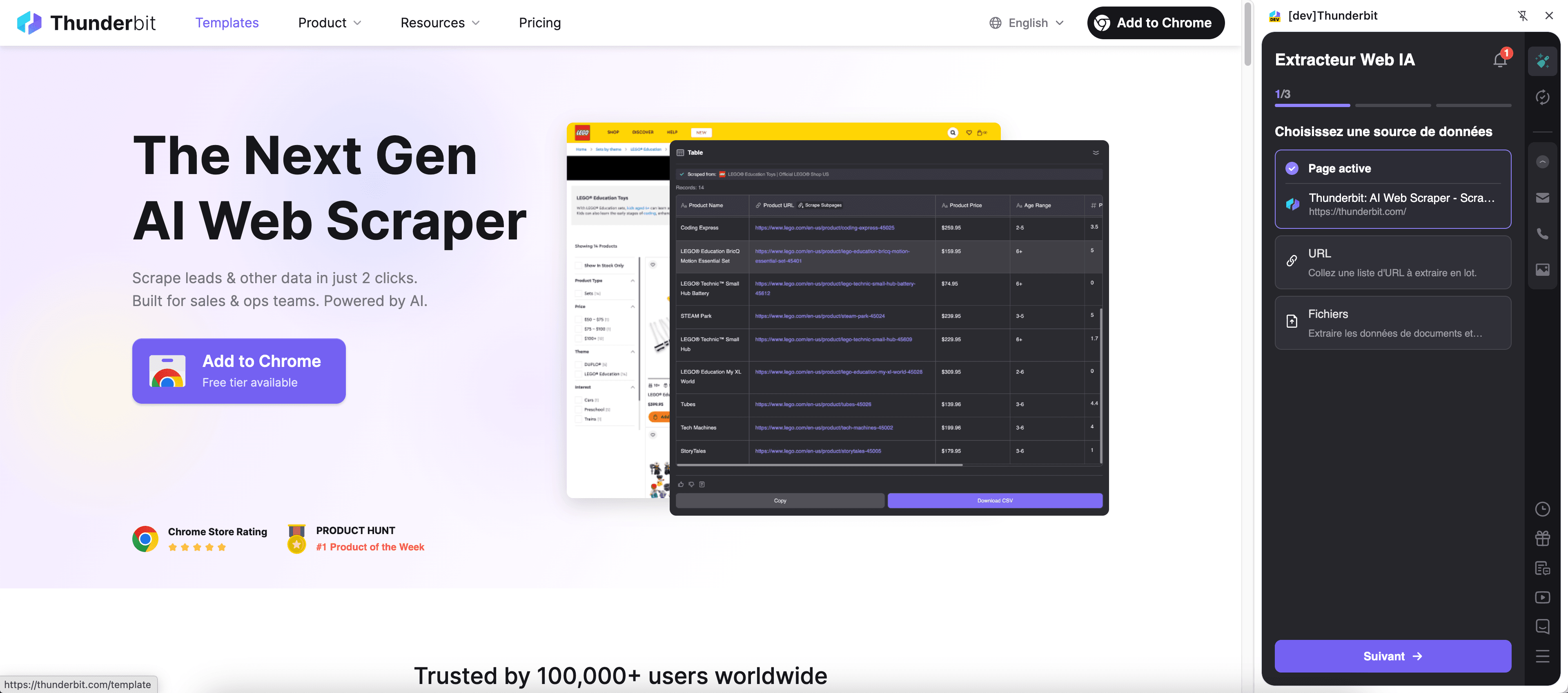
Price Scraper is an AI Web Scraper built with Thunderbit that extracts structured pricing data from e-commerce listing pages and product pages. You open the marketplace page you want, click AI Suggest Fields, then click Scrape to generate a dataset in seconds.
It’s designed for price monitoring, competitor research, catalog building, and merchandising workflows where you need reliable product price data without manual copy-paste.
🧾 What can you scrape with Price Scraper
Price Scraper is ideal for pulling listing results (many products at once) and then using Subpage Scraping to visit each product detail page for richer fields like variations, seller info, shipping, and availability.
🛒 Scrape Amazon Product Price
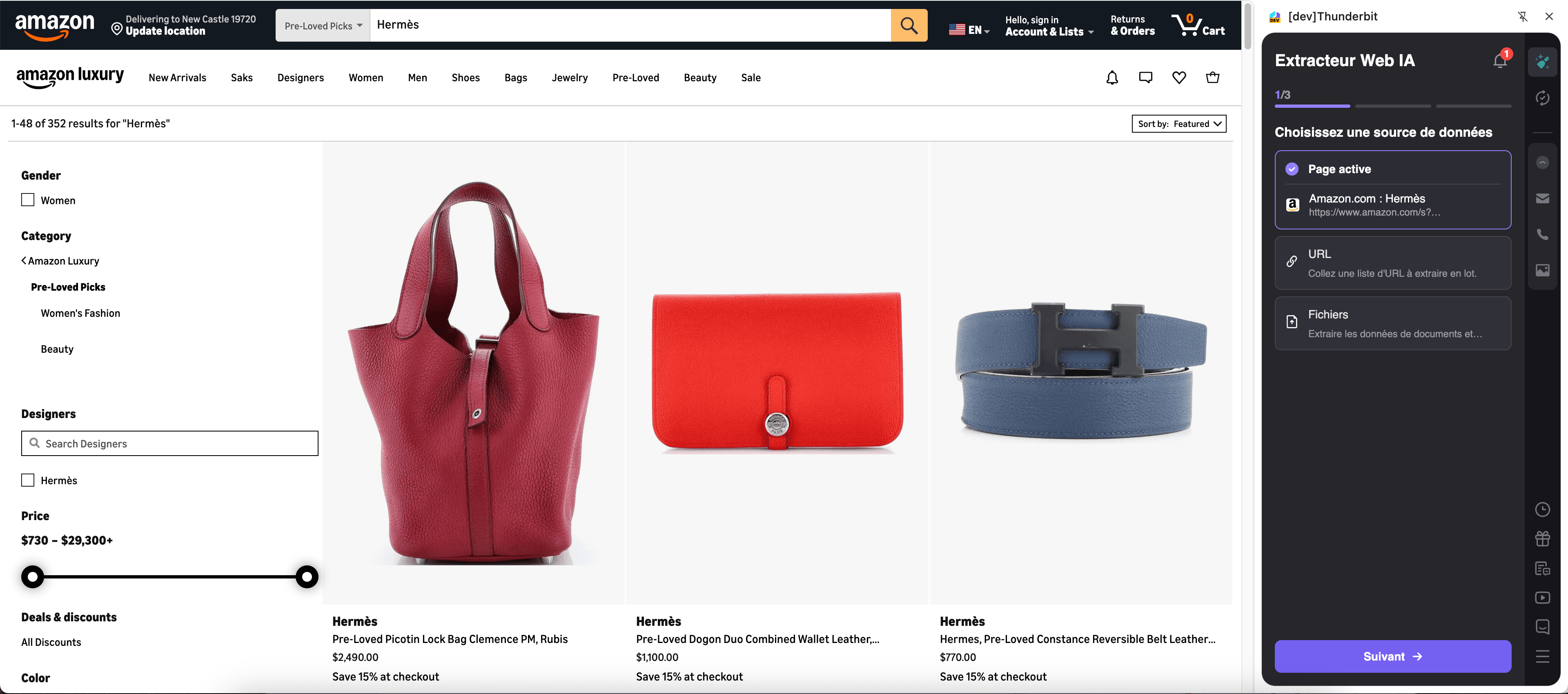
With the Amazon use case, you can scrape search results like this page: Amazon results for Hermès. This is useful when you want a fast snapshot of prices, ratings, and product URLs across many listings, then optionally enrich the dataset by scraping each product page.
Steps:
- Download the Thunderbit Chrome Extension and register an account.
- Go to the destination page, for example: Amazon search results.
- Click AI Suggest Columns, which recommends column names and data types based on the page.
- Click Scrape to run the scraper, then export your data to Excel, Google Sheets, Airtable, or Notion.
Column names
| Column | Description |
|---|---|
| 🏷️ Product Title | The product name shown in the Amazon results list. |
| 💲 Price | The listed price (or the primary price shown on the listing card). |
| 🪙 Currency | The currency detected for the price (useful for multi-region tracking). |
| ⭐ Rating | Average star rating displayed on the listing. |
| 🧾 Review Count | Total number of reviews shown for the product. |
| 🏪 Brand | Brand name when available on the listing card or extracted via AI. |
| 🔗 Product URL | Direct link to the product detail page for subpage enrichment. |
| 🖼️ Image URL | The main product image URL from the listing. |
| 🚚 Shipping / Delivery | Delivery estimate or shipping text when present. |
| ✅ Availability Badge | Signals like “In Stock,” “Limited time deal,” or similar labels when shown. |
🏪 Scrape eBay Product Price
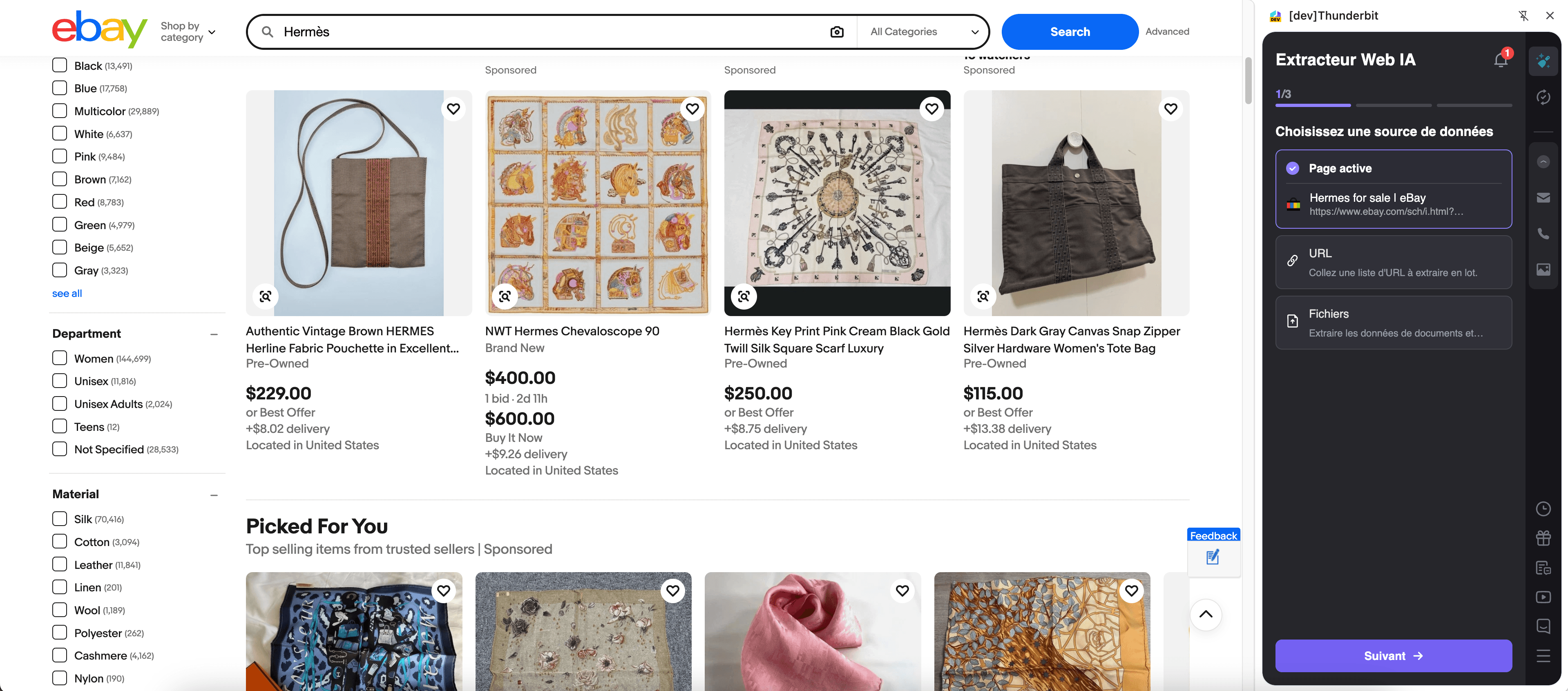
With the eBay use case, you can scrape listing pages to capture prices across many sellers, conditions, and shipping options. This is especially helpful for resale pricing research, MAP monitoring, and competitive benchmarking.
Steps:
- Download the Thunderbit Chrome Extension and register an account.
- Go to the destination page, for example: an eBay search or category results page (the page you want to scrape).
- Click AI Suggest Columns, which recommends column names and data types based on the page.
- Click Scrape to run the scraper, then export your data to Excel, Google Sheets, Airtable, or Notion.
Column names
| Column | Description |
|---|---|
| 🏷️ Listing Title | The title of the eBay listing as shown in results. |
| 💲 Price | The current listing price (Buy It Now or current bid display). |
| 🧾 Price Type | Helps distinguish formats like Auction vs Buy It Now when detectable. |
| 🪙 Currency | Currency detected for the listing price. |
| 🚚 Shipping Cost | Shipping fee shown on the listing card (or “Free shipping”). |
| 📍 Item Location | Location text shown for the listing (when available). |
| 🏷️ Condition | Condition label such as New, Used, Refurbished, etc. |
| 🔗 Listing URL | Direct link to the listing detail page for subpage scraping. |
| 🖼️ Image URL | Main image URL from the results page. |
| 🏪 Seller Name | Seller/store name when available on the results card or via subpage enrichment. |
📈 Why Use Price Scraper Tool
If you track pricing manually, you already know the pain: listings change, pages paginate, and product details live on subpages. Price Scraper is built to help you move faster and keep your data structured.
Common ways you can use Price Scraper:
- E-commerce operators: Monitor competitor pricing, shipping, and availability across marketplaces, then refresh on a schedule.
- Sales teams: Build product intelligence lists and keep a record of pricing changes for negotiations.
- Marketing teams: Compare price positioning across brands, categories, and sellers to inform campaigns.
- Resellers and sourcing teams: Validate market prices, compare conditions, and identify pricing gaps.
- Analysts: Export clean datasets to spreadsheets or BI tools for trend analysis.
Thunderbit’s AI is especially useful when listing layouts vary by category, when fields are inconsistent, or when you want to enrich results using Subpage Scraping.
🧩 How to Use Price Scraper Chrome Extension
- Install the Thunderbit Chrome Extension: Get it from the Chrome Web Store and create your account.
- Navigate to an Amazon or eBay listing page: For example, open an Amazon results page like this one: Amazon Hermès search.
- Activate AI-Powered Scraper: Click AI Suggest Column to generate column names, adjust fields if needed, then click Scrape.
- Enrich with Subpage Scraping (optional): After scraping listing results, use Scrape Subpages to visit each product URL and append details like seller, variants, specs, or full descriptions.
- Export anywhere: Download as CSV/JSON or export to Excel, Google Sheets, Airtable, or Notion (exports are free).
If you’re new to AI scraping, these guides can help:
- How to Scrape Any Website Using AI
- How to Scrape Website Data into Excel using AI
- What Is Data Scraping and How to Do It in 2025
- What Is List Crawling and How to Do It Using AI
💳 Pricing for Price Scraper
Price Scraper runs on Thunderbit’s credit system:
- 1 credit = 1 output row in your results table
- AI-powered scraping is included, and you can start with the Free tier to test workflows
What you can try for free:
- Free tier: scrape 6 pages per month
- Free trial: scrape 10 pages for free before choosing a paid plan
If you scrape marketplace listings regularly (price monitoring, catalog updates, competitive tracking), the yearly plans are typically more cost-effective because they include a discount compared to monthly pricing.
You can review plan details on Thunderbit Pricing. For most teams, Starter is a good entry point, and Pro tiers fit ongoing monitoring and larger catalogs.
❓ FAQ
-
What is the AI Powered Price Scraper?
The AI Powered Price Scraper is a Thunderbit workflow that uses AI to read marketplace pages and convert product listings into structured rows and columns. You click AI Suggest Fields to generate the table schema, then click Scrape to extract prices, titles, URLs, and more. -
What is Thunderbit?
Thunderbit is an AI web scraper Chrome extension that helps you extract data from websites, PDFs, and images into structured formats. It’s built for business workflows like lead generation, e-commerce operations, and market research, with exports to tools like Google Sheets, Airtable, and Notion. -
Can I scrape both listing pages and product detail pages?
Yes. You can scrape listing pages first to capture a broad set of products, then use Subpage Scraping to visit each product URL and enrich your dataset with deeper details. This is useful when key fields (like seller, specs, or full availability) are only visible on the detail page. -
How does pagination work for Amazon and eBay results?
Thunderbit supports pagination scraping for both click-based pagination and infinite scroll patterns. After you set up your fields once, you can scrape multiple pages of results to build a larger dataset for analysis or monitoring. -
What data can I export, and is exporting free?
You can export to Excel, Google Sheets, Airtable, or Notion, and you can also download CSV or JSON. Exporting and downloading are free in Thunderbit, so you can focus your credits on scraping rather than moving data around. -
What if the marketplace layout changes or fields move around?
Traditional scrapers often break when page layouts change. Thunderbit’s AI reads the page structure each time you run the scraper, which helps it adapt to many layout updates without requiring you to rebuild selectors. -
Should I use Cloud Scraping or Browser Scraping for price tracking?
If the pages are public and don’t require login, Cloud Scraping is usually faster and can process batches efficiently. If you need to access pages behind login, region settings, or personalized views, Browser Scraping is better because it runs in your Chrome session. -
How many rows can I scrape in one run?
The template is designed for high-volume extraction, and many workflows target up to hundreds of rows per run (often depending on the number of listings shown and pages scraped). Your practical limit is determined by the pages you scrape and your available credits, since each output row uses 1 credit. -
Is it okay to scrape Amazon or eBay prices for research and monitoring?
You should always follow applicable laws, respect privacy, and review the website’s terms and policies before scraping. Thunderbit is a productivity tool that helps you collect and structure data; how you use that data should remain compliant with your local regulations and the site’s rules.
📚 Learn More
- Get started with the Thunderbit Chrome Extension
- Explore tutorials on the Thunderbit Blog
- Learn pricing and credits on Thunderbit Pricing
- Amazon-specific guide: How To Scrape Amazon Products and Reviews in 2025 using AI
- If you also collect contacts for supplier research: The Best Email Scrapers in 2025
- Watch workflows on Thunderbit YouTube Channel










