zappos-scraper

Zappos Scraper

Thunderbit का Zappos Scraper आपको AI की मदद से Zappos से प्रोडक्ट लिस्टिंग और आइटम की विस्तृत जानकारी निकालने में मदद करता है। Women’s Shoes और New Arrivals जैसी कैटेगरी पेजों से नाम, कीमत, साइज, रंग, रेटिंग, इमेज और प्रोडक्ट URL स्क्रैप करें, फिर डेटा को Excel, Google Sheets, Airtable या Notion में एक्सपोर्ट करें।
4.9
मासिक यूज़र्स12.5k
AI-संचालित
ई-कॉमर्स
chrome-web-store
Add to Chromeफ्री टियर उपलब्ध
फ्री टियर उपलब्ध

Thunderbit का Zappos Scraper AI की मदद से Zappos के प्रोडक्ट पेजों को साफ़, व्यवस्थित (structured) डेटा में बदल देता है। आप प्रोडक्ट लिस्टिंग और आइटम डिटेल्स—जैसे नाम, कीमत, साइज, रंग, रेटिंग, इमेज और प्रोडक्ट URL—निकालकर Excel, Google Sheets, Airtable या Notion में एक्सपोर्ट कर सकते हैं। AI जब फील्ड डिटेक्शन और फ़ॉर्मैटिंग संभाल लेता है, तो आपका समय कॉपी-पेस्ट में नहीं, विश्लेषण में लगता है।

🛍️ Zappos Scraper क्या है

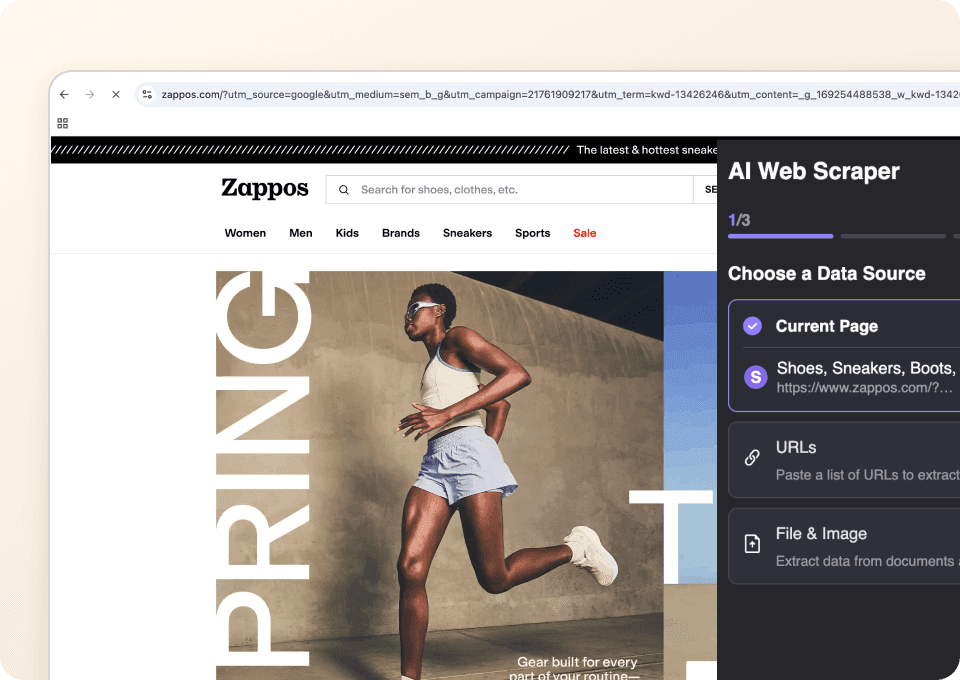
AI-Powered Zappos Scraper Thunderbit Chrome Extension में मौजूद एक है, जो आपको की कैटेगरी और कलेक्शन पेजों से कुछ ही क्लिक में डेटा निकालने देता है। बस Zappos का पेज खोलें, AI Suggest Columns पर क्लिक करें ताकि AI सबसे उपयोगी फील्ड सुझा दे, फिर Scrape दबाएँ—और एक टेबल तैयार हो जाएगी जिसे आप डाउनलोड कर सकते हैं या अपने टूल्स में भेज सकते हैं।

Zappos Website Screenshot

Zappos जैसे ecommerce साइट्स पर Thunderbit खास तौर पर उपयोगी है क्योंकि यह संभाल सकता है:

  • Pagination और infinite scroll स्क्रैपिंग
  • Subpage scraping ताकि हर प्रोडक्ट पेज से अतिरिक्त डिटेल्स जोड़कर लिस्टिंग को समृद्ध किया जा सके
  • Consistent exports CSV/JSON, Excel, Google Sheets, Airtable और Notion में (एक्सपोर्ट मुफ़्त है)

🧾 Zappos से आप क्या-क्या स्क्रैप कर सकते हैं

Zappos के प्रोडक्ट लिस्टिंग पेज डेटा से भरपूर होते हैं—competitive research, assortment tracking और merchandising analysis के लिए बेहतरीन। नीचे Thunderbit के साथ चलने वाले दो आम scraping workflows दिए गए हैं।

👠 Zappos Women’s Shoes स्क्रैप करें

इस scraper को पर इस्तेमाल करके आप analysis, price tracking और catalog comparison के लिए प्रोडक्ट लिस्टिंग इकट्ठा कर सकते हैं। आप पहले listing grid स्क्रैप करें, और चाहें तो Subpage Scraping से हर प्रोडक्ट detail page से और गहरे attributes भी निकाल लें।

Zappos Women's Shoes Screenshot

Steps:

  1. डाउनलोड करें और अकाउंट रजिस्टर करें।
  2. इस पेज पर जाएँ:
  3. सुझाए गए column names और data types पाने के लिए AI Suggest Columns पर क्लिक करें।
  4. Scrape पर क्लिक करके scraper चलाएँ, फिर डेटा डाउनलोड या एक्सपोर्ट करें।

Column names

ColumnDescription
👟 Product Nameलिस्टिंग में दिखने वाला प्रोडक्ट टाइटल (जहाँ उपलब्ध हो, brand + model name)।
🏷️ Brandप्रोडक्ट से जुड़ा ब्रांड नाम।
💲 Priceवर्तमान सूचीबद्ध कीमत (जहाँ लागू हो, sale price सहित)।
🔖 Original Priceअगर आइटम सेल में है, तो डिस्काउंट से पहले की कीमत (यदि दिखाई दे)।
Ratingलिस्टिंग पर दिखने वाली औसत स्टार रेटिंग।
🧾 Review Countप्रोडक्ट के कुल रिव्यू (यदि दिखें)।
🎨 Color Optionsलिस्टिंग में दिखने वाले रंग/रंगों की संख्या (लेआउट के अनुसार बदल सकता है)।
📏 Available Sizesपेज पर दिखने वाले साइज या प्रोडक्ट subpage से निकाले गए साइज।
🖼️ Image URLमुख्य प्रोडक्ट इमेज का URL (कैटलॉग के लिए उपयोगी)।
🌐 Product URLप्रोडक्ट detail page का डायरेक्ट लिंक।
🆔 SKU / Style IDप्रोडक्ट पेज से निकाला गया identifier (Subpage Scraping से बेहतर)।
🚚 Shipping / Availability Notesउपलब्धता/शिपिंग से जुड़ा कोई संदेश (यदि मौजूद हो)।

🆕 Zappos New Arrivals स्क्रैप करें

इस scraper को पर इस्तेमाल करके आप नए लिस्ट हुए प्रोडक्ट्स पर नज़र रख सकते हैं, assortment में बदलाव पकड़ सकते हैं, और रिपोर्टिंग के लिए “new-in” फीड बना सकते हैं। ecommerce ops टीमों के लिए यह एक आम workflow है जहाँ बार-बार अपडेट चाहिए होते हैं।

Zappos New Arrivals Screenshot

Steps:

  1. डाउनलोड करें और अकाउंट रजिस्टर करें।
  2. इस पेज पर जाएँ:
  3. ready-to-scrape schema बनाने के लिए AI Suggest Columns पर क्लिक करें।
  4. Scrape पर क्लिक करके डेटा इकट्ठा करें और एक्सपोर्ट करें।

Column names

ColumnDescription
🆕 Product Nameनए लिस्ट हुए प्रोडक्ट का नाम।
🏷️ Brandलिस्टिंग में दिखने वाला ब्रांड।
💲 Priceआइटम की वर्तमान दिखाई गई कीमत।
🗂️ Categoryकैटेगरी संदर्भ (यदि दिखे) या पेज से अनुमानित।
Ratingप्रोडक्ट की स्टार रेटिंग (यदि उपलब्ध हो)।
🧾 Review Countकुल रिव्यू (यदि उपलब्ध हो)।
🎨 Colorsलिस्टिंग में दिखने वाले रंग/रंगों की संख्या।
🖼️ Image URLप्रोडक्ट कार्ड की मुख्य इमेज का URL।
🔗 Product URLप्रोडक्ट detail page का लिंक।
🕒 First Seen Dateस्क्रैपिंग के समय जोड़ा जा सकने वाला timestamp, ताकि समय के साथ नए आइटम ट्रैक हों।
🧵 Material / Upperप्रोडक्ट attribute जो आमतौर पर subpage पर मिलता है (Subpage Scraping से बेहतर)।
📦 Stock / Availabilityउपलब्धता के संकेत, जो प्रोडक्ट पेज से निकाले जाते हैं (यदि मौजूद हों)।

🎯 Zappos Tool क्यों इस्तेमाल करें

जब आपको analysis, reporting या operations के लिए structured product data चाहिए, तब Zappos स्क्रैपिंग बहुत काम आती है। दर्जनों टैब खोलकर और प्रोडक्ट कार्ड्स कॉपी करके समय गंवाने के बजाय, आप मिनटों में एक dataset बना सकते हैं।

टीमें Zappos स्क्रैप क्यों करती हैं:

  • Ecommerce operators: assortment बदलाव ट्रैक करना, sale activity मॉनिटर करना, और कैटेगरी के बीच pricing तुलना करना।
  • Merchandising teams: competitive sets बनाना, brand coverage विश्लेषण करना, और rating/review distribution देखना।
  • Marketing teams: campaign research, creative references और landing page audits के लिए प्रोडक्ट URLs और इमेज इकट्ठा करना।
  • Sales और partnerships: outreach और planning के लिए brands, product lines और category trends पहचानना।
  • Analysts: Scheduled Scraper से time-series datasets (जैसे “new arrivals weekly”) बनाना।

Zappos के पेज लेआउट बदलने पर भी Thunderbit मदद करता है। पारंपरिक scrapers अक्सर टूट जाते हैं, लेकिन Thunderbit का AI हर रन में पेज की संरचना पढ़कर extraction logic को फिर से तैयार कर देता है।

🧩 Zappos Chrome Extension कैसे इस्तेमाल करें

  1. Thunderbit Chrome Extension इंस्टॉल करें: इसे से लें और पर अपना अकाउंट बनाएं।
  2. Zappos का कोई पेज खोलें: जैसी कैटेगरी या जैसा कलेक्शन खोलें।
  3. AI-Powered Scraper चालू करें: AI Suggest Columns पर क्लिक करके फील्ड्स बनवाएँ, फिर column names, data types एडजस्ट करें या custom formatting के लिए Field AI Prompt जोड़ें।
  4. Scrape, enrich और export करें: Scrape पर क्लिक करके rows इकट्ठा करें। Scrape Subpages से details (materials, size availability, style IDs) निकालें, फिर Excel/Sheets/Airtable/Notion में एक्सपोर्ट करें।

अगर आप repeatable workflows बना रहे हैं, तो ये पढ़ना उपयोगी रहेगा:

  • और गाइड्स:

💳 Zappos के लिए Pricing

Thunderbit एक सरल credit system इस्तेमाल करता है:

  • 1 credit = आपकी results table में 1 output row
  • AI-powered scraping (AI Suggest Columns + AI structuring) शामिल है, और data export मुफ़्त है

आप मुफ़्त में क्या ट्राय कर सकते हैं:

  • Free plan: हर महीने 6 pages स्क्रैप
  • Free trial: 10 pages मुफ़्त स्क्रैप—Zappos category pages और subpage enrichment टेस्ट करने के लिए बढ़िया

लगातार काम (जैसे weekly new-arrivals monitoring या multi-category scraping) के लिए paid plans में ज्यादा credits मिलते हैं। Yearly plans पर छूट होती है और नियमित स्क्रैपिंग करने वालों के लिए आमतौर पर ज्यादा किफायती पड़ते हैं।

विकल्प देखें:

TierMonthly PriceYearly Price (per month)Yearly TotalCredits (Monthly)Credits (Yearly)
FreeFreeFreeFree6 pagesN/A
Starter$15$9$1085005,000
Pro 1$38$16.5$1993,00030,000
Pro 2$75$33.8$3986,00060,000
Pro 3$125$68.4$79610,000120,000
Pro 4$249$137.5$1,59220,000240,000

❓ FAQ

  1. AI Powered Zappos Scraper क्या है?
    AI Powered Zappos Scraper Thunderbit का AI-आधारित workflow है, जो Zappos के category listings और new arrivals जैसे पेजों से structured product data निकालता है। कोड लिखने या जटिल selectors सेट करने के बजाय, आप AI Suggest Columns पर क्लिक करते हैं—Thunderbit का AI फील्ड्स और data types सुझाता है—फिर Scrape दबाकर टेबल बना लेते हैं।

  2. Thunderbit क्या है?
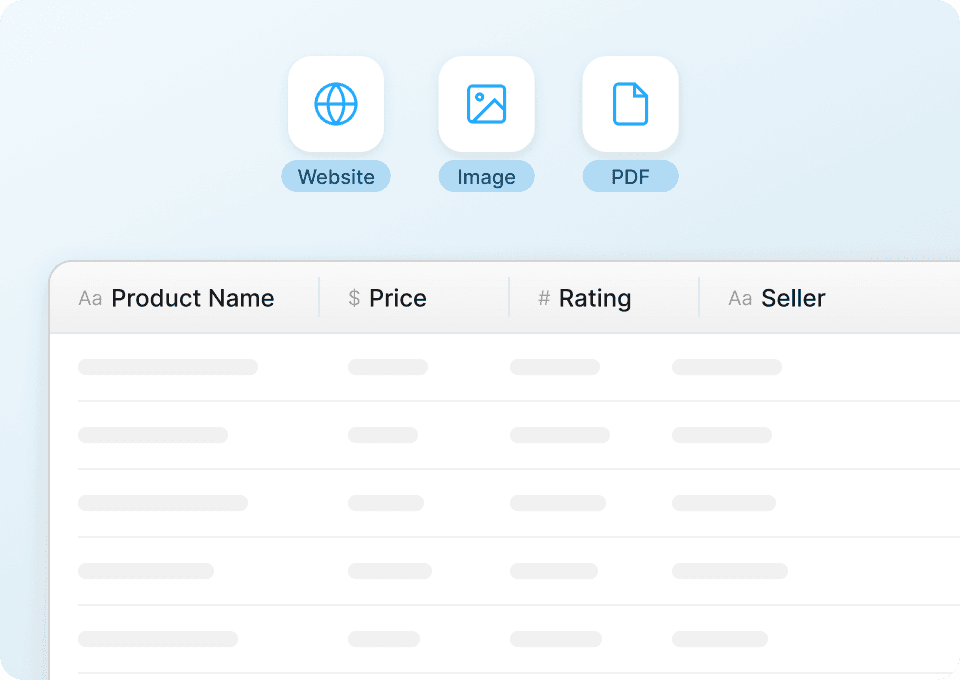
    एक AI Web Scraper Chrome Extension है, जो वेबसाइट, PDFs और इमेज से डेटा निकालकर structured format में बदलने में मदद करता है। यह lead generation, ecommerce operations और market research जैसे business workflows के लिए बनाया गया है, और Excel, Google Sheets, Airtable व Notion में तेज़ exports देता है।

  3. Thunderbit से मैं Zappos का कौन-सा डेटा निकाल सकता/सकती हूँ?
    आप listing pages से product names, brands, prices, ratings, review counts, images और product URLs निकाल सकते हैं। Subpage Scraping के साथ आप product pages पर मिलने वाली details—जैसे materials, size availability, style IDs और अन्य attributes—भी जोड़ सकते हैं।

  4. क्या Thunderbit Zappos की pagination और infinite scroll स्क्रैप कर सकता है?
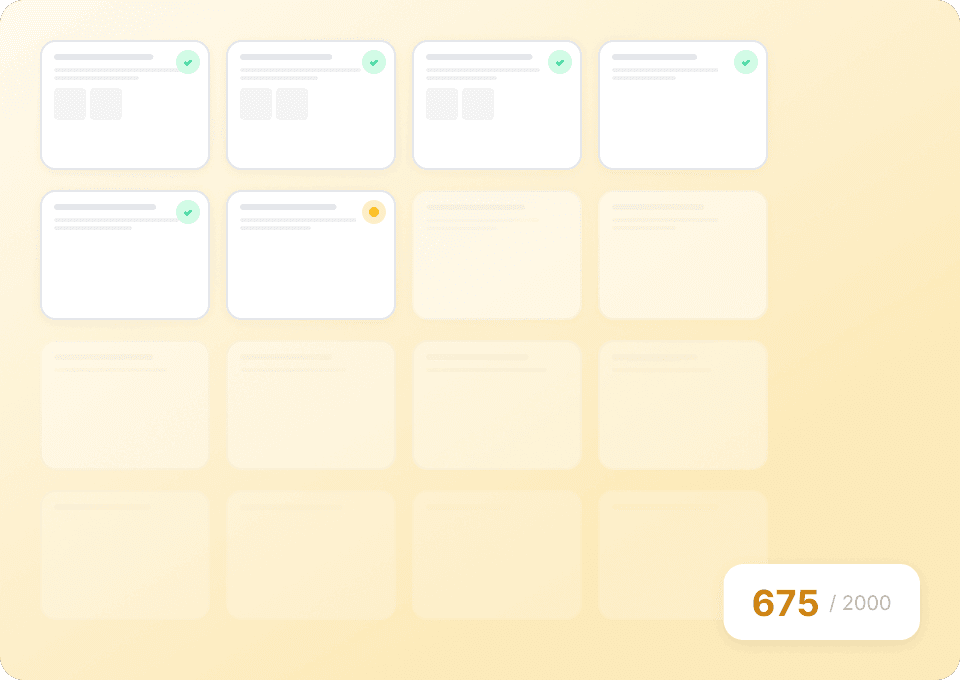
    हाँ। Thunderbit pagination scraping सपोर्ट करता है (numbered pages या “next” navigation वाले पेजों के लिए), और पेज जिस तरह प्रोडक्ट लोड करता है उसके आधार पर infinite scroll भी संभाल सकता है। यह तब उपयोगी है जब आप पहली स्क्रीन पर दिखने वाले डेटा से ज्यादा इकट्ठा करना चाहते हैं।

  5. Zappos प्रोडक्ट्स के लिए Subpage Scraping कैसे काम करता है?
    listing page स्क्रैप करने के बाद, आप results table में Scrape Subpages पर क्लिक कर सकते हैं। Thunderbit हर product URL पर जाकर अतिरिक्त columns निकालता है और आपकी मौजूदा rows में जोड़ देता है—जिससे बिना हर आइटम मैन्युअली खोले, गहरी product attributes मिल जाती हैं।

  6. क्या Zappos Scraper इस्तेमाल करने के लिए coding skills चाहिए?
    नहीं। Thunderbit non-technical workflows के लिए बनाया गया है, इसलिए आपको Python, APIs या CSS selectors की जरूरत नहीं होती। AI field detection और structuring संभालता है, और आप चाहें तो columns को customize भी कर सकते हैं।

  7. Zappos के लिए Cloud Scraping और Browser Scraping में क्या फर्क है?
    Cloud Scraping Thunderbit के cloud infrastructure पर चलता है और public pages के लिए आमतौर पर तेज़ होता है—अक्सर pages के batches जल्दी प्रोसेस कर देता है। Browser Scraping आपके Chrome session में चलता है और तब उपयोगी है जब साइट को login state चाहिए हो या आप चाहते हों कि scrape बिल्कुल वैसा ही हो जैसा आपके ब्राउज़र में दिख रहा है।

  8. Thunderbit के साथ Zappos स्क्रैप करने की लागत कितनी है?
    लागत credits पर आधारित है, जहाँ 1 credit = 1 output row। आप Free plan (महीने में 6 pages) या free trial (10 pages) से शुरुआत करके अंदाज़ा लगा सकते हैं कि प्रति रन आप कितनी rows निकालते हैं, फिर पर अपने volume के हिसाब से plan चुन सकते हैं।

  9. क्या मैं Zappos डेटा को Excel, Google Sheets, Airtable या Notion में एक्सपोर्ट कर सकता/सकती हूँ?
    हाँ, और एक्सपोर्ट मुफ़्त है। स्क्रैपिंग के बाद आप CSV/JSON डाउनलोड कर सकते हैं या dataset को सीधे Google Sheets, Airtable और Notion जैसे टूल्स में भेज सकते हैं—जो dashboards, catalogs और recurring reports बनाने में मदद करता है।

📚 Learn More

  • शुरुआत करें:
  • प्रोडक्ट देखें:
  • scraping fundamentals सीखें:
  • बेहतर exports बनाएं:
  • और tutorials:
AI से डेटा एक्सट्रैक्ट करें
डेटा को आसानी से Google Sheets, Airtable या Notion में ट्रांसफर करें
Chrome Store Rating
PRODUCT HUNT#1 Product of the Week