शहर की धड़कन को रीयल टाइम में देखना किसी जादू से कम नहीं लगता—ट्रैफिक का बहाव, डिलीवरी वैनों की आवाजाही, कॉन्सर्ट के लिए जुटती भीड़, या दूर से आती कोई आंधी। लेकिन इस जादू के पीछे बेहद ताकतवर map monitoring software काम करता है, जो चुपचाप डेटा को प्रोसेस करके बिज़नेस, शहर योजनाकारों, मार्केटर्स और इमरजेंसी रिस्पॉन्डर्स के लिए उपयोगी insights में बदल देता है। 2026 में, जैसे-जैसे दुनिया और ज़्यादा connected हो रही है और हर दिशा से location data की बाढ़ आ रही है, आसान, रीयल-टाइम और कस्टमाइज़ेबल map monitoring tools की मांग तेज़ी से बढ़ रही है।
SaaS और automation में बिताए गए वर्षों के दौरान मैंने खुद देखा है कि सही map monitoring software किसी भी बिज़नेस को कैसे बदल सकता है—चाहे वह sales team का territory optimization हो, logistics manager का shipment tracking हो, या city planner का ट्रैफिक को तुरंत reroute करना। इस गाइड में, मैं 2026 के लिए top 7 map monitoring software solutions को विस्तार से समझाऊँगा, और उन चीज़ों पर फोकस करूँगा जो business users के लिए सच में मायने रखती हैं: इस्तेमाल में आसानी, real-time updates, visualization, और customize व scale करने की क्षमता। चलिए शुरू करते हैं और ऐसा tool ढूँढते हैं जो आपकी operations को सचमुच map पर ला दे।
आधुनिक व्यवसायों के लिए Map Monitoring Software क्यों ज़रूरी है
AI की मदद से किसी भी वेबसाइट से map data scrape करें Get Started Free
Map monitoring software अब सिर्फ techies या GIS experts के लिए नहीं रहा। 2026 में यह हर उस व्यवसाय के लिए must-have बन चुका है जिसे अभी की अभी real world में क्या हो रहा है, उसे track, analyze या respond करना है। चाहे आप delivery fleet संभाल रहे हों, retail locations पर foot traffic मॉनिटर कर रहे हों, या किसी बड़े event के दौरान सोशल मीडिया की हलचल पर नज़र रख रहे हों—real-time map tracking आपको वह operational visibility देता है, जिससे आप तेज़ और बेहतर फैसले ले सकते हैं।
Logistics को ही लें। Real-time map monitoring की मदद से कंपनियाँ ट्रैफिक जाम से बचने के लिए trucks का route बदल सकती हैं, delivery progress track कर सकती हैं, और delays होने से पहले ही उनका अनुमान लगा सकती हैं। Sales में territory managers customer clusters को visualize करके field reps के लिए routes optimize कर सकते हैं। और public safety में emergency responders map पर घटनाओं को लाइव देख सकते हैं, resources बाँट सकते हैं, और घंटों की बजाय मिनटों में response coordinate कर सकते हैं।
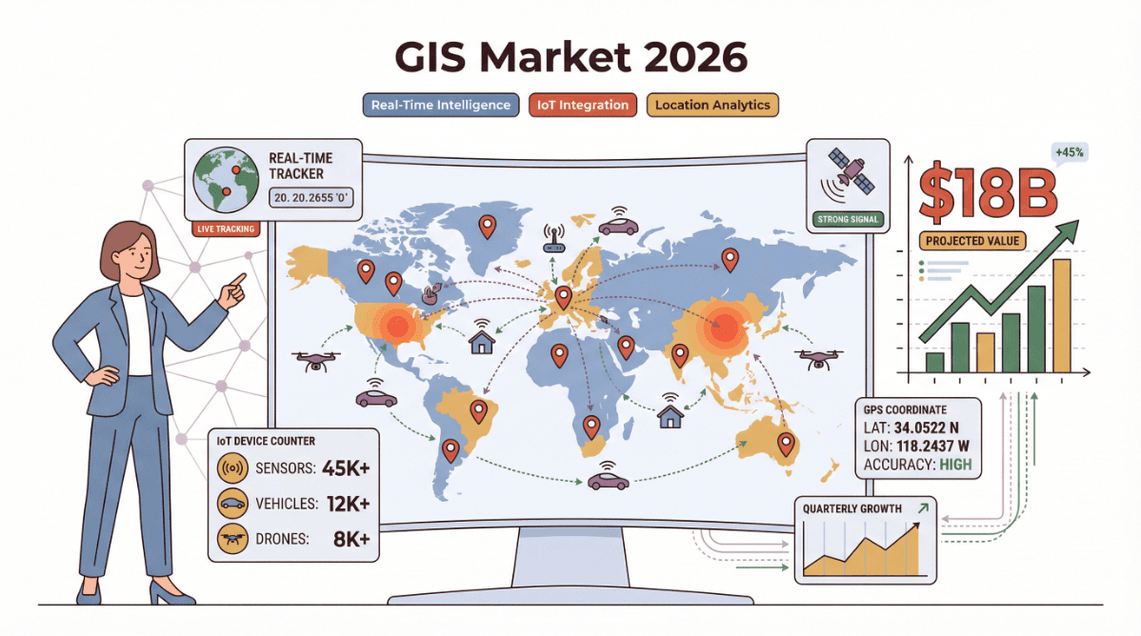 आँकड़े भी यही बताते हैं: हालिया industry reports के अनुसार, global GIS और map monitoring software market 2026 तक 18 अरब डॉलर से भी आगे निकलने का अनुमान है, जिसकी वजह IoT devices का तेज़ी से बढ़ना और real-time location intelligence की ज़रूरत है। जो businesses real-time geospatial data का उपयोग कर रही हैं, वे तेज़ response times, कम costs, और customer satisfaction में मापनीय सुधार देख रही हैं।
हमने सबसे अच्छे Map Monitoring Software कैसे चुने
इतने सारे tools के बीच सही map monitoring software चुनना अक्सर किसी maze में रास्ता तलाशने जैसा लगता है। 2026 के top 7 चुनने के लिए मैंने इन मानकों का इस्तेमाल किया:
- User Interface और Ease of Use: सबसे अच्छे tools सहज होते हैं—यहाँ तक कि non-technical users के लिए भी। Busy business teams के लिए कठिन learning curve अक्सर dealbreaker बन जाता है।
- Real-Time Data Update Frequency: सेकंड्स मायने रखते हैं। हमने उन softwares को प्राथमिकता दी जो भरोसेमंद minute-by-minute या उससे भी तेज़ updates देते हैं।
- Data Visualization: बेहतरीन map monitoring software raw data को साफ़, action-oriented visuals में बदल देता है—जैसे heatmaps, clusters, और live dashboards।
- Customization और Scalability: हर business अलग होता है। Top tools आपको dashboards tailor करने, workflow के साथ integrate करने, और growth के साथ scale करने देते हैं।
- Export और Integration Options: चाहे data को Excel, Google Sheets, Notion में export करना हो या API के ज़रिए connect करना हो, flexibility बहुत ज़रूरी है।
अब लिस्ट पर आते हैं—हर tool कुछ न कुछ खास लेकर आता है, और मैं बताऊँगा कि कौन-सा कहाँ सबसे अच्छा है।
1. Thunderbit
Thunderbit business users के लिए मेरी top pick है, जो बिना झंझट map data को extract, monitor और analyze करना चाहते हैं। यह एक AI-powered Chrome extension है, जो map monitoring और data extraction को सिर्फ़ एक button क्लिक जितना आसान बना देता है। Thunderbit को अलग बनाने वाली चीज़ इसका usability पर ज़ोर है: आपको GIS expert या developer होने की ज़रूरत नहीं। बस extension खोलिए, natural language prompts इस्तेमाल कीजिए (जैसे “इस map से सभी business names और reviews निकालो”), और बाकी काम AI पर छोड़ दीजिए।
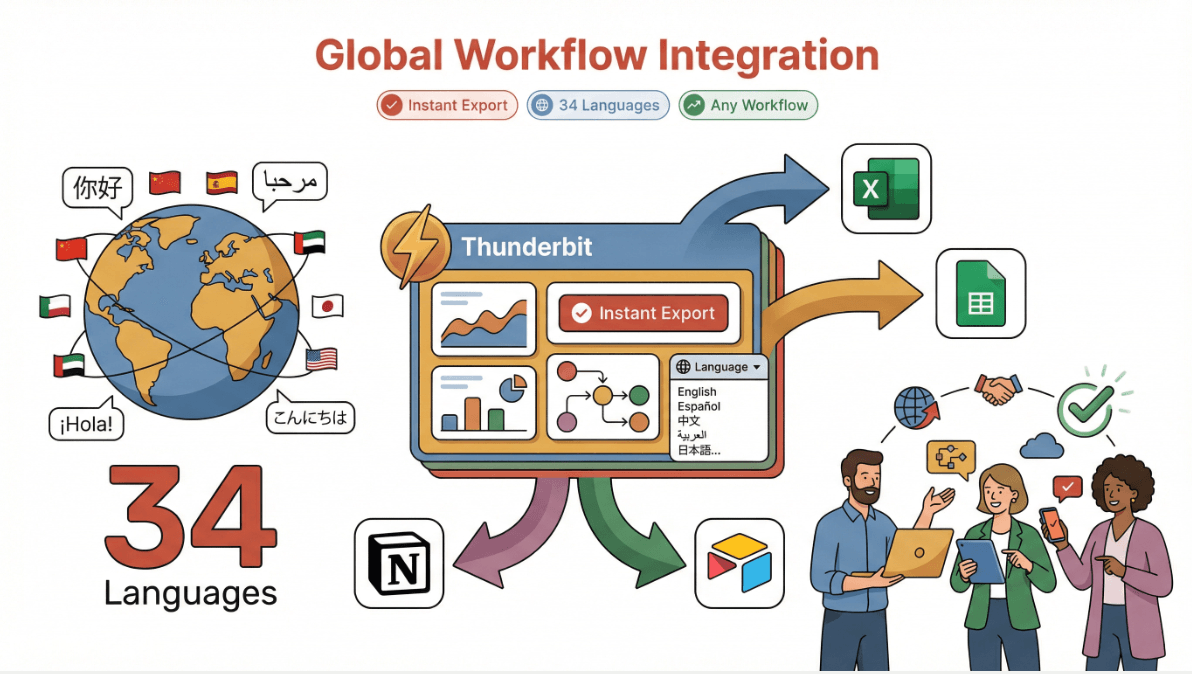
Thunderbit सिर्फ़ static map data तक सीमित नहीं है। इसका AI किसी भी map-based website से long-tail information अपने-आप निकाल सकता है—जैसे reviews, prices, geotagged data, या regional trends तक। इसलिए यह sales, marketing, और urban planning teams में खासा लोकप्रिय है, जिन्हें location-specific data जल्दी इकट्ठा करके analyze करना होता है। और 34 भाषाओं के सपोर्ट तथा Excel, Google Sheets, Airtable, या Notion में instant export के साथ, Thunderbit दुनिया के किसी भी workflow में आसानी से फिट हो जाता है।
Real-Time Map Monitoring के लिए Thunderbit की खास विशेषताएँ
- AI Suggest Fields: एक क्लिक में Thunderbit का AI map या listing page scan करता है और extraction के लिए सबसे उपयुक्त data columns सुझाता है—जैसे business names, addresses, ratings, या custom tags।
- Subpage Scraping: और detail चाहिए? Thunderbit हर subpage (जैसे किसी business या property profile) पर अपने-आप जा सकता है और आपके dataset में deep insights जोड़ सकता है।
- Scheduled Scraping: सेट कीजिए और भूल जाइए—Thunderbit नियमित अंतराल पर map data monitor कर सकता है और changes को real time में पकड़ सकता है।
- Instant Data Export: अपने results को सिर्फ़ एक क्लिक में Excel, Google Sheets, Airtable, या Notion में export करें।
- Multi-Language Support: 34 भाषाओं के साथ, Thunderbit global teams और cross-border projects के लिए तैयार है।
- No-Code, No Maintenance: AI website changes के साथ खुद को adapt कर लेता है, इसलिए broken scrapers ठीक करने में फँसना नहीं पड़ता।
Thunderbit in Action
मैंने Thunderbit को Google Maps पर नए business openings track करने, neighborhood के हिसाब से real estate listings scrape करने, और retail expansion के लिए competitor locations मॉनिटर करने में इस्तेमाल होते देखा है। एक urban planning team ने Thunderbit की मदद से दर्जनों city map sources से foot traffic data extract और visualize किया—और research time हफ्तों से घटकर कुछ घंटों में आ गया।
देखना चाहते हैं यह कैसे काम करता है? Chrome extension डाउनलोड करें और खुद किसी map page या directory को scrape करके देखें। आपको समझ आ जाएगा कि इतनी सारी teams map monitoring और data extraction के लिए Thunderbit को अपना go-to क्यों बना रही हैं।
Map Monitoring के लिए Thunderbit आज़माएँ
2. ArcGIS
Esri का ArcGIS GIS और map monitoring software की दुनिया का heavyweight champion है। अगर आपको city planning, infrastructure management, या environmental monitoring के लिए advanced data visualization, spatial analysis, और real-time tracking चाहिए, तो ArcGIS मानक विकल्प माना जाता है। इसके dashboards बेहद customizable हैं, जिससे आप detailed maps पर live data feeds—जैसे traffic, weather, IoT sensors—को layers की तरह जोड़ सकते हैं।
ArcGIS उन परिस्थितियों में चमकता है जहाँ multiple data sources को एक साथ मिलाना हो, complex spatial queries चलानी हों, या stakeholders के लिए interactive visualizations बनानी हों। Government agencies, utilities, और बड़े enterprises इसे disaster response से लेकर zoning analysis तक हर जगह इस्तेमाल करते हैं।
Key Features:
- Advanced GIS data visualization और analytics
- Real-time data integration (traffic, weather, sensors)
- Customizable dashboards और reporting
- मजबूत API और integration विकल्प
Best For: City planners, infrastructure managers, environmental analysts, और वे सभी जिन्हें deep GIS capabilities चाहिए।
3. Google Maps API
Google Maps API दुनिया भर के हजारों businesses के लिए real-time map tracking की रीढ़ है। इसकी सबसे बड़ी ताकतें? बेहद तेज़ data updates, global coverage, और business apps के साथ smooth integration। अगर आपको deliveries track करने, routes optimize करने, या locations के लिए geofencing बनाने का custom dashboard चाहिए, तो Google Maps API एक भरोसेमंद और scalable विकल्प है।
Businesses Google Maps API का इस्तेमाल ride-sharing platforms से लेकर retail store locators तक हर चीज़ को power करने के लिए करते हैं। Data हमेशा ताज़ा रहता है, और developer documentation भी बहुत मजबूत है।
Key Features:
- Real-time location tracking और route optimization
- Global map coverage और उच्च update frequency
- Geofencing और location-based triggers
- Business systems के साथ आसान integration
Best For: Logistics, delivery, field service, और कोई भी business जिसे up-to-date, भरोसेमंद map data चाहिए।
4. Mapbox
Mapbox customization और सुंदर, interactive maps पर केंद्रित है। यह developers और business teams का पसंदीदा है, जो branded dashboards बनाना, assets को real time में मॉनिटर करना, या data को creative तरीके से visualize करना चाहते हैं। Mapbox तेज़ data refresh rates और flexible APIs देता है, जिससे maps को आपकी exact ज़रूरतों के अनुसार ढालना आसान हो जाता है।
Retailers Mapbox से in-store activity track करते हैं, logistics teams fleet monitoring के लिए इसे इस्तेमाल करती हैं, और marketers location-based campaign analysis के लिए इसका सहारा लेते हैं। Visual customization options इस उद्योग में सबसे बेहतर विकल्पों में से हैं।
Key Features:
- बहुत अधिक customizable, visually impressive maps
- Real-time data overlays और tracking
- Custom dashboards के लिए flexible APIs
- Developers और business users दोनों के लिए मजबूत support
Best For: ऐसे businesses जो tailored map dashboards, retail analytics, और field operations चाहते हैं।
5. Geofeedia
Geofeedia real-time सोशल मीडिया डेटा को geospatial analysis के साथ जोड़कर map monitoring को एक नए स्तर पर ले जाता है। Marketing, security, और event management teams के लिए यह एक शक्तिशाली tool है, जिन्हें किसी खास इलाके में अभी क्या हो रहा है, यह जानना होता है। Geofeedia social platforms से posts, photos, और videos इकट्ठा करके उन्हें सटीक locations से map करता है, ताकि instant situational awareness मिले।
उदाहरण के लिए, marketers किसी live event में brand mentions track कर सकते हैं, जबकि security teams incidents या crowd surges पर नज़र रख सकती हैं। इसे public safety agencies भी emerging threats या trends पकड़ने के लिए इस्तेमाल करती हैं।
Key Features:
- Real-time social media aggregation और mapping
- Geofencing और location-based alerts
- Trend और incident analysis के लिए visual dashboards
- Security और marketing platforms के साथ integration
Best For: Marketing, event management, security, और public safety teams।
6. Carto
Carto एक flexible, analytics-driven map monitoring platform है, जिसे data-driven teams के लिए बनाया गया है। यह spatial analysis, custom dashboards, और business data को geospatial insights के साथ जोड़ने में बेहतरीन है। Carto के API और extension options इसे उन कंपनियों के लिए शानदार बनाते हैं जिनकी ज़रूरतें complex और बदलती रहती हैं—जैसे sales territory planning, market analysis, या multi-source data integration।
Carto की खासियत है custom workflows और advanced analytics को संभालना, और साथ ही non-technical users के लिए interface को सहज बनाए रखना।
Key Features:
- Customizable map dashboards और spatial analytics
- Business data और APIs के साथ integration
- Advanced geospatial modeling और visualization
- बड़े, complex projects के लिए scalable
Best For: Sales ops, market analysts, और वे teams जिन्हें tailored, data-rich map monitoring चाहिए।
7. HERE Technologies
HERE Technologies enterprise-grade real-time tracking, routing, और event response के लिए जाना जाता है। Global footprint और मजबूत data infrastructure के साथ, HERE दुनिया की कुछ सबसे बड़ी organizations के लिए logistics, fleet management, और emergency services को power करता है। इसके real-time data feeds, routing algorithms, और event monitoring tools उन कंपनियों के भरोसे का आधार हैं, जो किसी भी गलती की गुंजाइश नहीं रख सकतीं।
HERE का platform scale, reliability, और integration के लिए बनाया गया है—यानी उन businesses के लिए बिल्कुल सही, जिनकी tracking ज़रूरतें complex और mission-critical हैं।
Key Features:
- Real-time tracking, routing, और event response
- Global map data और उच्च reliability
- Enterprise integration और scalability
- Logistics और emergency ops के लिए advanced analytics
Best For: बड़े enterprises, logistics providers, emergency services, और कोई भी संगठन जिसे बेहद भरोसेमंद real-time tracking चाहिए।
Map Monitoring Software Comparison Table
यहाँ top 7 tools की एक त्वरित side-by-side तुलना है:
| Software | Ease of Use | Real-Time Updates | Data Visualization | Customization | Export Options | Best For | Pricing (2026 est.) |
|---|---|---|---|---|---|---|---|
| Thunderbit | ⭐⭐⭐⭐⭐ | ⭐⭐⭐⭐ | ⭐⭐⭐⭐ | ⭐⭐⭐⭐ | Excel, Sheets, Notion, Airtable | Sales, marketing, urban planning | Free tier, from $15/mo |
| ArcGIS | ⭐⭐⭐ | ⭐⭐⭐⭐ | ⭐⭐⭐⭐⭐ | ⭐⭐⭐⭐⭐ | CSV, Excel, APIs | City planning, infrastructure | From $100/mo (varies) |
| Google Maps API | ⭐⭐⭐⭐ | ⭐⭐⭐⭐⭐ | ⭐⭐⭐⭐ | ⭐⭐⭐⭐ | JSON, APIs | Logistics, delivery, dev teams | Pay-as-you-go, starts free |
| Mapbox | ⭐⭐⭐⭐ | ⭐⭐⭐⭐ | ⭐⭐⭐⭐⭐ | ⭐⭐⭐⭐⭐ | APIs, CSV, custom | Retail, custom dashboards | Free tier, paid plans vary |
| Geofeedia | ⭐⭐⭐ | ⭐⭐⭐⭐ | ⭐⭐⭐⭐ | ⭐⭐⭐ | CSV, APIs | Marketing, security, events | Custom pricing |
| Carto | ⭐⭐⭐⭐ | ⭐⭐⭐⭐ | ⭐⭐⭐⭐⭐ | ⭐⭐⭐⭐⭐ | CSV, APIs, custom | Sales ops, analytics teams | From $199/mo |
| HERE Technologies | ⭐⭐⭐ | ⭐⭐⭐⭐⭐ | ⭐⭐⭐⭐ | ⭐⭐⭐⭐ | APIs, CSV | Enterprise, logistics, emergency | Custom/enterprise pricing |
Legend: ⭐⭐⭐⭐⭐ = Best in class
आपके व्यवसाय के लिए सही Map Monitoring Software कैसे चुनें
Data Scraping क्या है और 2025 में इसे कैसे करें Get Started Free
तो, सही tool कैसे चुनें? यहाँ मेरी quick guide है:
- उन non-technical teams के लिए जो तेज़, no-code extraction और analysis चाहते हैं: Thunderbit सबसे बेहतर विकल्प है। इसका AI-driven interface और export options इसे sales, marketing, और urban planning के लिए perfect बनाते हैं।
- Deep GIS और city-scale projects के लिए: ArcGIS industry leader है, खासकर जब advanced analytics और custom dashboards की ज़रूरत हो।
- Scale पर logistics और real-time tracking के लिए: Google Maps API और HERE Technologies unmatched reliability और global coverage देते हैं।
- सुंदर, branded dashboards और custom visualizations के लिए: Mapbox और Carto top choices हैं, जिनमें Carto अधिक analytics शक्ति देता है।
- Social media-driven monitoring और event response के लिए: Geofeedia social data को actionable insights में बदलने के लिए खास तौर पर बना है।
Tool चुनते समय अपनी team की technical skills, data की complexity, और customization की ज़रूरत पर ध्यान दें। इनमें से ज़्यादातर tools free trials या demos देते हैं—तो experiment करने से न हिचकें।
निष्कर्ष: Map Monitoring Software के साथ Real-Time Insights को unlock करें
2026 में map monitoring software अपनाना सिर्फ़ map पर dots देखने के बारे में नहीं है—यह उन real-time insights को खोलने के बारे में है जो business growth, operational efficiency, और smarter decision-making को आगे बढ़ाती हैं। चाहे आप assets track कर रहे हों, customer behavior analyze कर रहे हों, या अगले बड़े event की planning कर रहे हों, सही tool बहुत बड़ा फर्क ला सकता है।
क्या आप देखना चाहते हैं कि क्या-क्या संभव है? Thunderbit का free Chrome extension आज़माएँ या इस सूची के बाकी tools के demos देखें। और अगर आप आगे रहना चाहते हैं, तो latest map monitoring trends, tips, और tutorials के लिए Thunderbit Blog पर नज़र रखें।
Real-Time Map Monitoring के लिए Thunderbit आज़माएँ Get Started Free
अक्सर पूछे जाने वाले सवाल
1. Map monitoring software क्या है और इसे कौन इस्तेमाल करता है?
Map monitoring software आपको real-time location data track, visualize, और analyze करने देता है—यह logistics, sales, marketing, urban planning, और public safety जैसे businesses के लिए बहुत उपयोगी है।
2. Thunderbit पारंपरिक map monitoring tools से कैसे अलग है?
Thunderbit AI का उपयोग करके किसी भी website से map data extraction और analysis को automate करता है, और इसमें no-code Chrome extension तथा Excel, Google Sheets, Notion, और Airtable में instant export की सुविधा है। यह खासतौर पर business users के लिए बनाया गया है, सिर्फ़ GIS pros के लिए नहीं।
3. Real-time tracking के लिए सबसे अच्छा map monitoring software कौन-सा है?
शुद्ध real-time tracking और global coverage के लिए Google Maps API और HERE Technologies top picks हैं। आसान extraction और analysis के लिए Thunderbit सबसे अलग दिखता है।
4. क्या मैं social media analysis के लिए map monitoring software इस्तेमाल कर सकता हूँ?
हाँ! Geofeedia marketing, security, और event management के लिए real-time social media data को aggregate और map करने में विशेषज्ञ है।
5. Map monitoring software चुनते समय मुझे क्या देखना चाहिए?
Ease of use, real-time update frequency, visualization features, customization, export options, और यह tool आपकी team की technical skills तथा business needs से कितना मेल खाता है—इन पर ध्यान दें।
क्या आप अपने map monitoring को अगले स्तर पर ले जाने के लिए तैयार हैं? इन tools को explore करें और देखें कि real-time location intelligence आपके business को कैसे बदल सकती है।