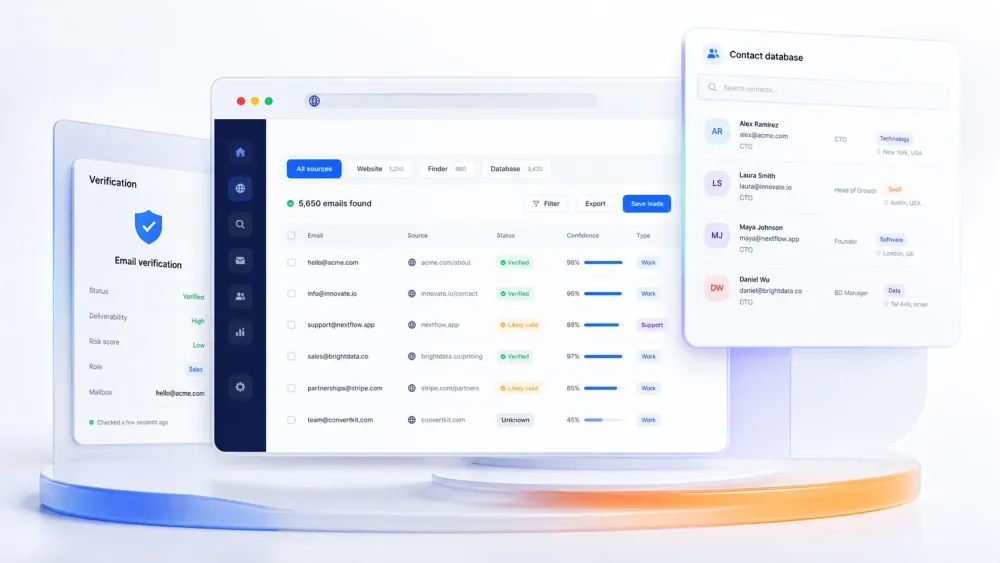
ईमेल आज भी काम करता है क्योंकि यह सीधे पहुंचने वाला, मापने योग्य और सही डेटा होने पर आसानी से पर्सनलाइज़ किया जा सकता है। असली चुनौती outreach भेजना नहीं है। असली चुनौती है साफ़-सुथरा पब्लिक कॉन्टैक्ट डेटा जुटाना, बिना वेबसाइटों, डायरेक्टरीज़, PDFs और अनुमति प्राप्त डेटाबेस से ईमेल कॉपी करने में घंटों लगाए।
इसी वजह से "email scraper" अब सिर्फ एक चीज़ नहीं रह गया है। कुछ टूल खुले वेब से ईमेल स्क्रैप करते हैं। कुछ नाम, कंपनी या डोमेन से वर्क ईमेल खोजते और वेरिफ़ाई करते हैं। कुछ B2B कॉन्टैक्ट डेटाबेस की तरह काम करते हैं, जिनमें enrichment और outbound लेयर भी होती है। यह पेज एक असली खरीदारी सवाल के लिए बनाया गया है: आपका workflow किस मॉडल से सबसे बेहतर मेल खाता है?
Workflow के हिसाब से Quick Picks
- वेबसाइट, डायरेक्टरी, PDF या इमेज से सीधे ईमेल स्क्रैप करने हैं? Thunderbit से शुरू करें।
- एक ही स्टैक में finder, verifier और multichannel outreach चाहिए? Snov.io को shortlist करें।
- Sales workflow layers के साथ बड़ा B2B contact database चाहिए? ZoomInfo Sales देखें।
- Profile-led email lookup और हल्का enrichment चाहिए? Skrapp.io तुलना करें।
- सबसे साफ़ domain-search और email-verification workflow चाहिए? Hunter से शुरू करें।
- ज्यादा complex sites के लिए no-code scraper चाहिए जो बार-बार इस्तेमाल हो सके? Octoparse देखें।
- Verified B2B contact data के साथ CRM-friendly enrichment चाहिए? Lusha देखें।
2026 में Email Scraper किसे कहते हैं
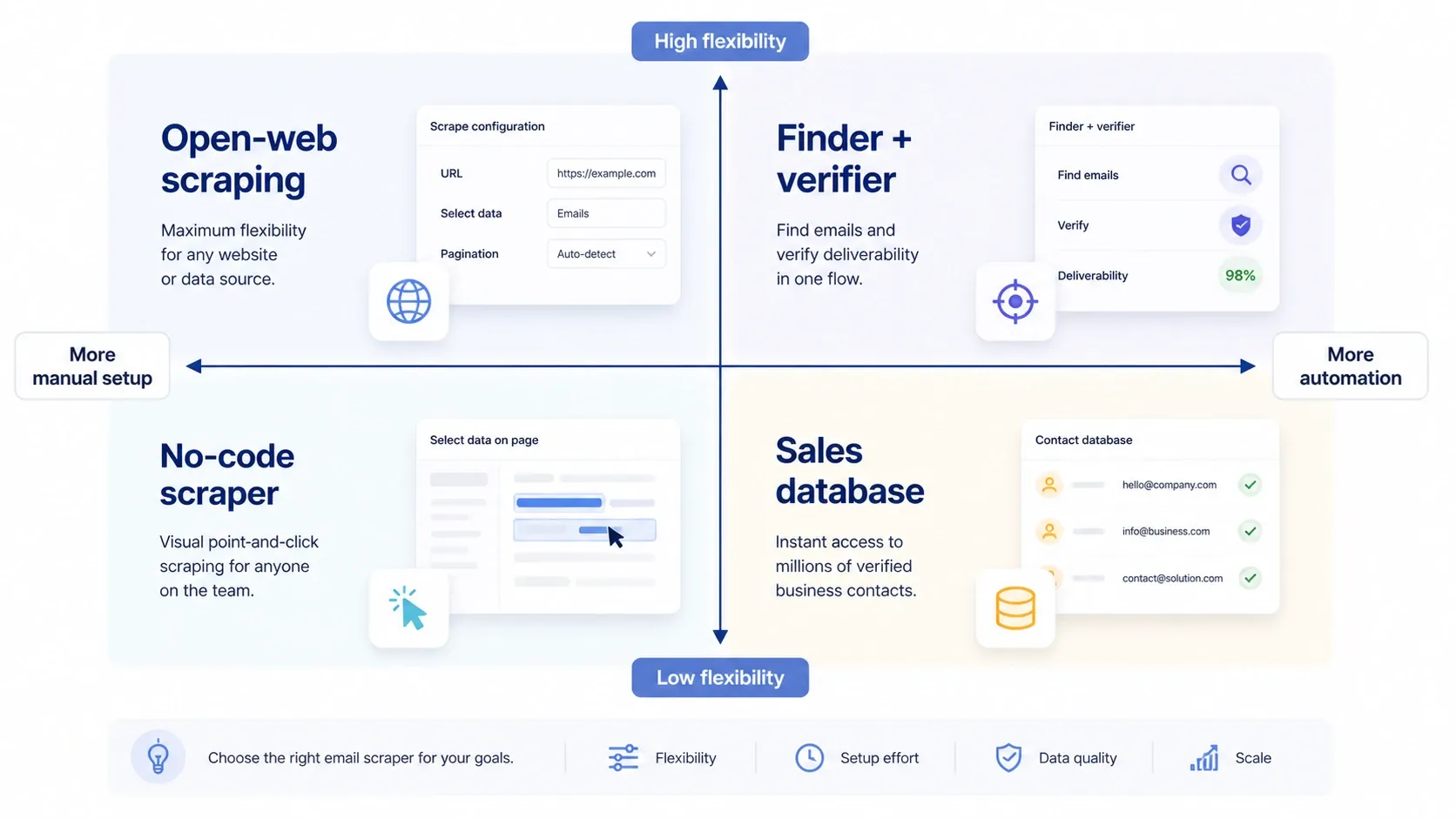
पुरानी परिभाषा सीधी थी: ऐसा टूल जो किसी पेज को crawl करे और जो भी name@company.com जैसा दिखे उसे निकाल ले। यह अब भी ज़रूरी है, लेकिन ज़्यादातर टीमें अब चार अलग-अलग श्रेणियों में से किसी एक को खरीदती हैं:
- Open-web scraping: public pages, directories, listings, PDFs, images या search-result workflows से ईमेल और context निकालना।
- Finder plus verifier: किसी व्यक्ति, कंपनी या domain से शुरू करके संभावित work email ढूंढना, फिर deliverability verify करना।
- No-code scraping: ऐसे sites के लिए repeatable extraction tasks बनाना जहाँ एक-click scraper से ज्यादा control चाहिए।
- Sales database prospecting: enrichment, filtering और GTM workflow layers वाले commercial contact graph पर काम करना।
सबसे आम खरीदारी गलती यह मान लेना है कि ये चारों एक-दूसरे की जगह ले सकते हैं। अगर आपके सबसे अच्छे leads किसी niche public source में हैं, तो सिर्फ contact database से gaps रह जाएंगे। अगर आपकी टीम को कंपनी पहले से पता है और बस verified work email चाहिए, तो generic web scraper बहुत indirect हो जाता है।
देखें क्या Thunderbit आपकी Email Collection Workflow के लिए सही है
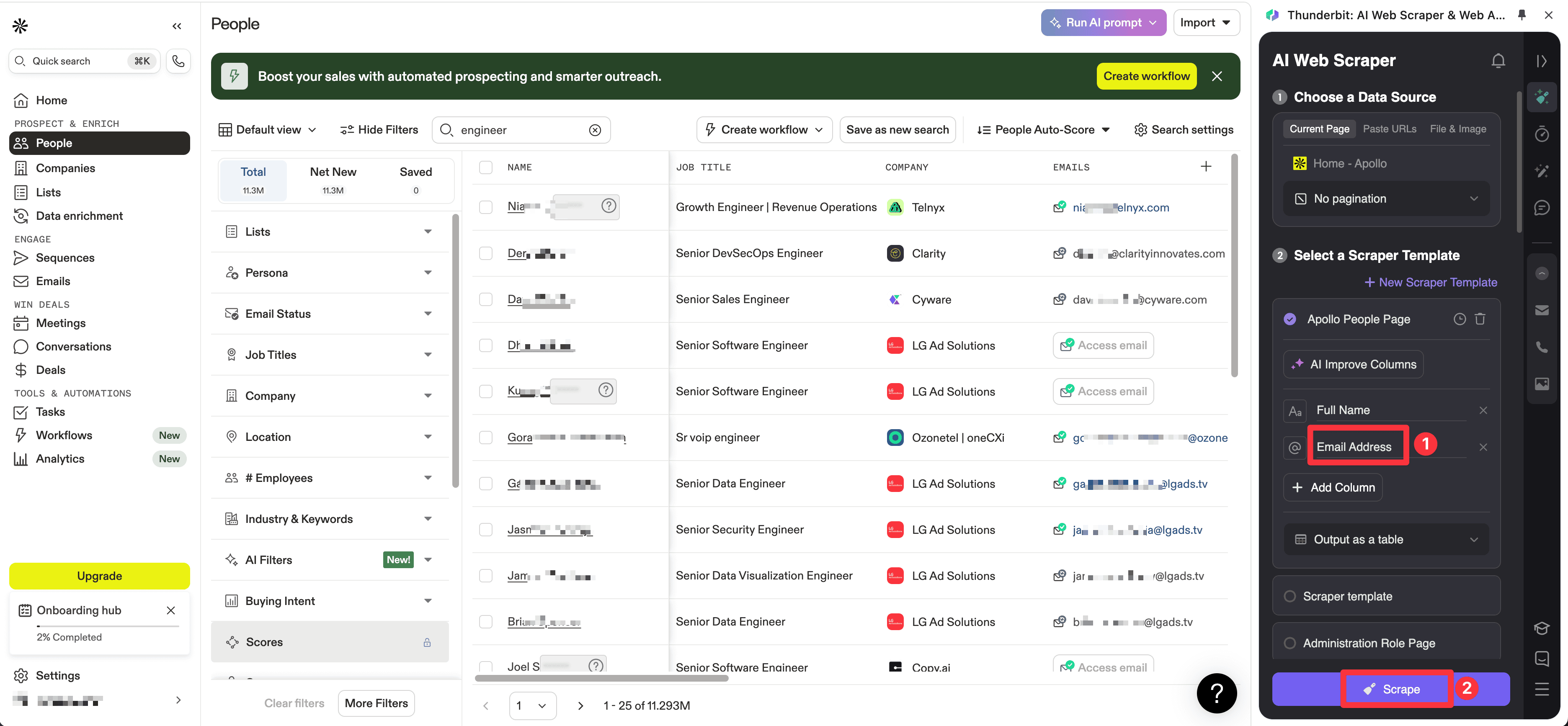
अगर आप database-led tools की तुलना करने से पहले इस category के open-web side को देखना चाहते हैं, तो यह official Thunderbit clip सबसे तेज़ और उपयोगी example है। इसमें वही workflow दिखाया गया है जिसे traditional email finders अक्सर अच्छे से handle नहीं कर पाते: सिर्फ known company domains से नहीं, बल्कि PDFs से contact data निकालना।
क्या Email Scraping कानूनी है?
अक्सर जवाब "हमेशा हाँ" या "हमेशा नहीं" नहीं होता। Publicly accessible contact data का मतलब हर scale पर permissionless outreach नहीं होता। कानूनी जोखिम इस बात पर निर्भर करता है कि contact कहाँ है, आपने data कैसे इकट्ठा किया, उसे कैसे store किया और उसका इस्तेमाल कैसे किया।
कम से कम, टीमों को EU-related data handling के लिए gdpr-info.eu पर GDPR guidance और U.S. commercial email rules के लिए FTC की CAN-SPAM compliance guide देखनी चाहिए। अच्छे tools manual काम कम करते हैं। लेकिन relevant outreach, opt-out handling और reasonable data governance की ज़रूरत खत्म नहीं करते।
पिछले संस्करण से असली Workflow उदाहरण
इस article के पुराने version में typical shortlist page से ज्यादा practical teaching layer थी, इसलिए यहां live demos और real operation screenshots जानबूझकर रखे गए हैं। ये अभी भी उपयोगी हैं क्योंकि ये दिखाते हैं कि search results, PDFs, directories, vendor databases और enrichment workflows में "email scraping" असल में कैसे दिखता है।
General AI scraping walkthrough
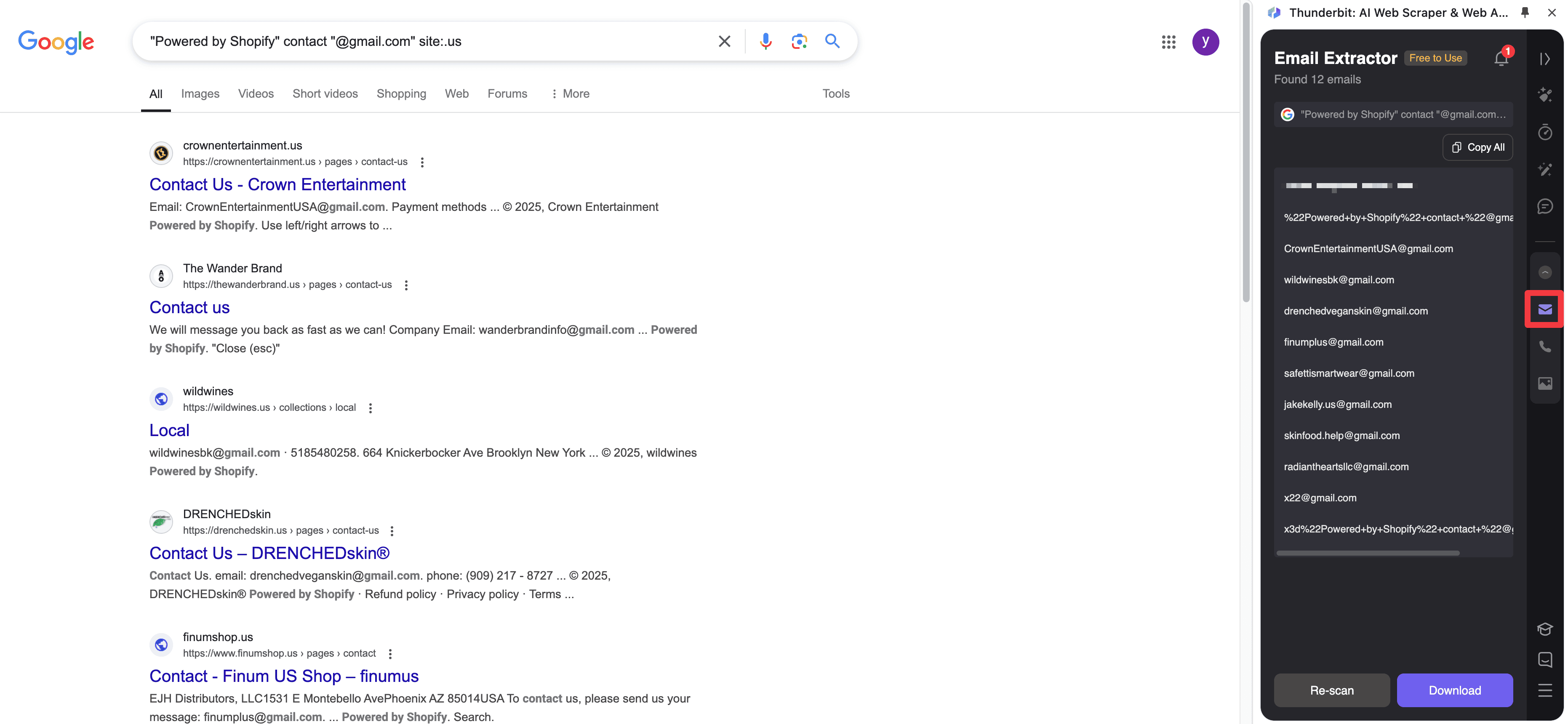
Google Search Workflow
अगर आपका lead source search से शुरू होता है, तो यह पुराना demo अभी भी सबसे तेज़ उपयोगी pattern दिखाता है: पहले search, फिर result set और linked pages से structured contact fields निकालना।
PDF और Image Extraction
कुछ सबसे valuable contacts आज भी साफ़ HTML pages की बजाय files में होते हैं। यह screenshot रखना ज़रूरी है क्योंकि यह document-based source से emails निकालने का असली output style दिखाता है।
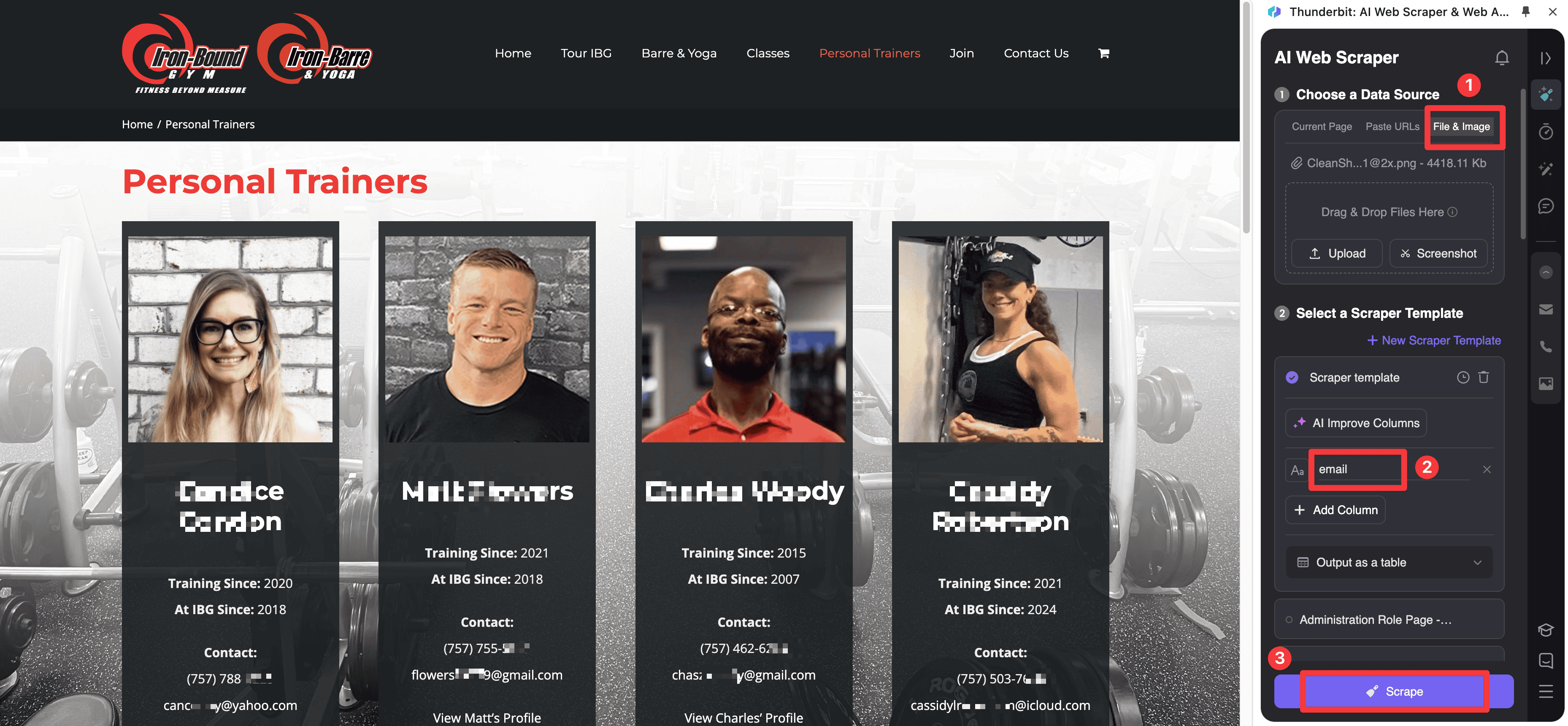
Website Directory Workflow
Directory pages वे जगहें हैं जहाँ AI-assisted extraction अक्सर classic email finders से ज्यादा practical होती है, खासकर जब हर result का layout थोड़ा अलग हो या contact details subpages पर चली गई हों।
Vendor Database और Enrichment Workflows
पुराने article में दो ऐसे edge cases भी दिखाए गए थे जो आज भी relevant हैं: जब export access limited हो तब vendor-style search pages से scraping, और जब सिर्फ bare email address से ज्यादा चाहिए तब enrichment tools का इस्तेमाल।
Quick Comparison Table: 2026 के Best Email Scrapers
| Tool | Pricing signal | Core model | Best for |
|---|---|---|---|
| Thunderbit | Free tier और paid plans; business pricing उपलब्ध | AI web scraper और contact extractor | Websites, PDFs और directories से emails और lead context निकालना |
| Snov.io | Starter $29.25/month से, annual billing पर | Finder, verifier और multichannel outreach platform | Lean teams के लिए integrated outbound |
| ZoomInfo | Custom pricing | Enterprise contact database और GTM workflow platform | Scale पर sales-intelligence-led prospecting |
| Skrapp.io | Free plan; Professional $29/month से, annual billing पर | Profile-led email finder और enrichment | Profile-heavy prospecting |
| Hunter | Free plan; Starter $34/month से, yearly billing पर | Domain search, email finder, verifier और outreach | Strong verification के साथ finder-first workflows |
| Octoparse | Free plan; Standard $69/month से | No-code web scraping platform | Repeatable custom scraping jobs |
| Lusha | Free plan; paid plans $37.45/month से, yearly billing पर | B2B contact data और enrichment platform | Verified contact data और CRM-friendly enrichment |
2026 के 7 Best Email Scrapers
1. Thunderbit
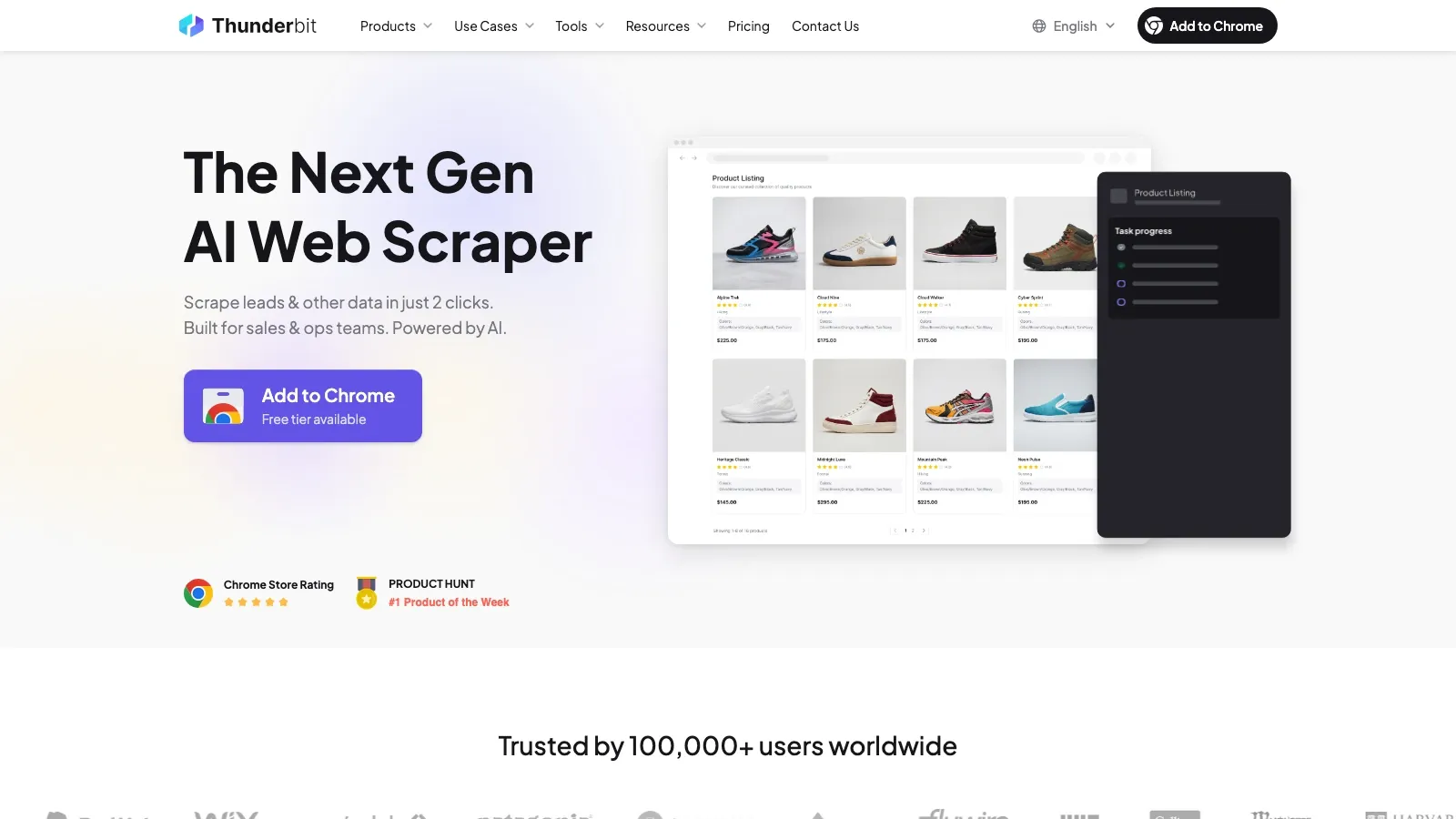
Thunderbit तब सबसे मजबूत विकल्प है जब काम commercial contact database के अंदर नहीं, बल्कि open web पर शुरू होता है। इसकी current positioning सीधी और उपयोगी है: कुछ ही clicks में websites scrape करें, AI से fields suggest कराएं, और selectors बनाए बिना structured results export करें।
इसी वजह से यह classic email finders से बेहतर fit होता है, जब आपका source material directory page, marketplace listing, local business page, PDF, image, या ऐसा long-tail lead source हो जिसे बड़ी B2B databases अक्सर ठीक से cover नहीं करतीं।
Shortlist में रखने की वजहें:
- AI-first scraping flow: non-technical teams के लिए अच्छा fit जो selectors बनाना या maintain करना नहीं चाहते।
- Standard pages से आगे email extraction: PDFs, images और mixed-layout pages के लिए उपयोगी।
- सिर्फ email नहीं, context भी capture करता है: एक ही pass में names, company details, titles, URLs और notes निकालने में मदद करता है।
- तेज़ export motion: Sheets, Airtable, Notion और downstream enrichment workflows के लिए practical।
Pricing signal: Thunderbit में अभी free tier, paid plans और business pricing उपलब्ध हैं।
2. Snov.io
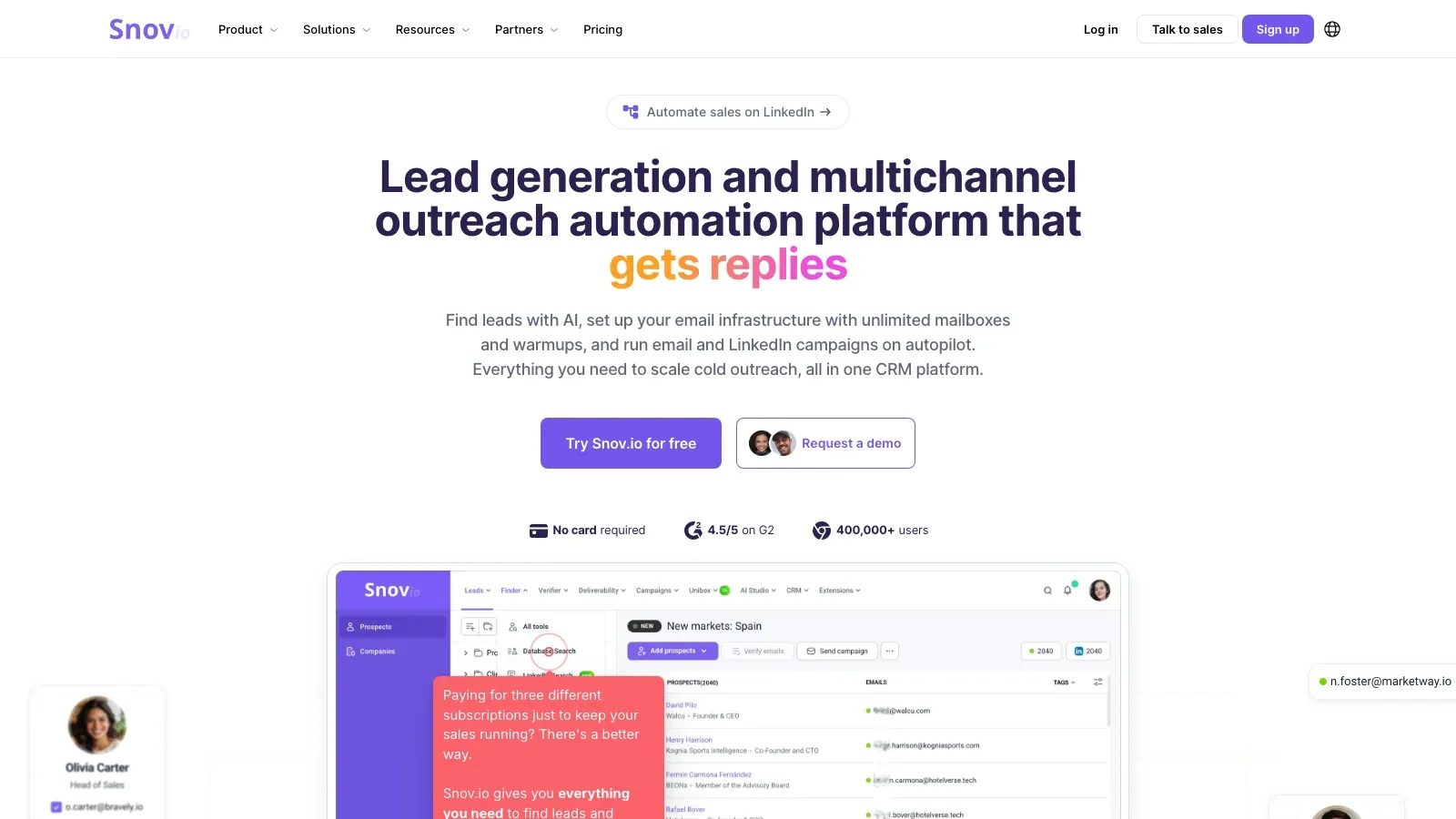
Snov.io इस category के सबसे practical hybrid tools में से एक बना हुआ है क्योंकि यह छोटे teams की तीन आम ज़रूरतें एक जगह कवर करता है: lead discovery, email verification, और multichannel outreach। इसकी current site अभी भी product को narrow single-purpose finder की बजाय lead-generation और outreach automation platform के रूप में पेश करती है।
यह positioning महत्वपूर्ण है। अगर आपकी team को emails ढूंढने, उन्हें validate करने, mailboxes warm up करने और first-touch outbound चलाने के लिए अलग-अलग tools नहीं चाहिए, तो Snov.io कई छोटे products को जोड़ने से ज़्यादा साफ़ समाधान हो सकता है।
Teams इसे shortlist में क्यों रखते हैं:
- Finder और outreach एक subscription में: startups और agencies के लिए उपयोगी, क्योंकि tool sprawl कम होता है।
- Verification built in: campaign शुरू करने से पहले bounce control बेहतर होता है।
- CRM-like workflow layer: leads और campaigns को एक ही environment में manage करने के लिए अच्छा।
- Extension और LinkedIn motion: browser-led prospecting के लिए practical।
Pricing signal: Snov.io का Starter plan अभी annual billing पर $29.25/month पर listed है।
3. ZoomInfo Sales
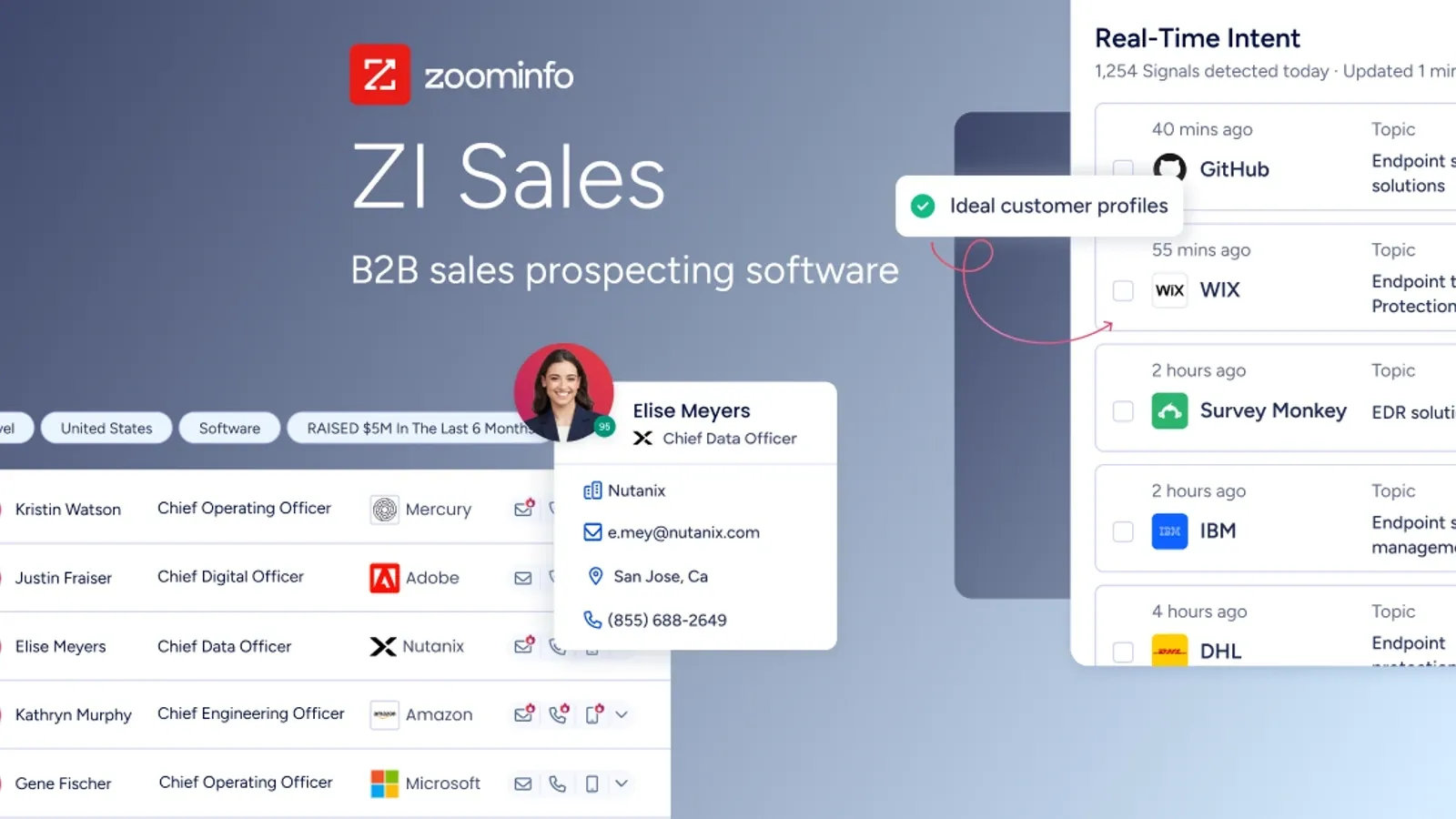
ZoomInfo इस list में इसलिए है क्योंकि कई खरीदार जो "email scraper" कहते हैं, असल में एक बड़े B2B contact database के साथ prospecting workflows चाहते हैं। इसकी current Sales product page company और contact search, lead generation, buyer intent, workflow automation और broader GTM stack में data activation पर केंद्रित है।
यह raw web scraping से बिल्कुल अलग है। ZoomInfo तब समझ में आता है जब आपकी team को source-level flexibility से ज़्यादा scale, filtering depth और integrated prospecting operations चाहिए।
Enterprise teams इसे shortlist में क्यों रखते हैं:
- बड़ा structured contact database: one-off page extraction की बजाय account-based prospecting के लिए बेहतर।
- GTM workflow layers: तब उपयोगी जब contact data को routing, enrichment या orchestration में feed करना हो।
- Sales-intelligence orientation: simple email tools की तुलना में बड़े outbound organizations के लिए बेहतर fit।
- Platform depth: जब खरीदारी का असली मकसद pipeline generation हो, सिर्फ email lookup नहीं।
Pricing signal: ZoomInfo अब भी product mix, seats और usage के आधार पर custom pricing इस्तेमाल करता है।
4. Skrapp.io
Skrapp.io इसलिए relevant बना हुआ है क्योंकि यह workflow को उस जगह के करीब रखता है जहाँ modern prospecting अक्सर शुरू होता है: profile-led research, company-name-based search, और हल्का enrichment। इसके current product और pricing pages verified business emails, company search और contact discovery पर ज़ोर देते हैं।
इससे इसे broader GTM suite की तुलना में evaluate करना आसान हो जाता है। अगर आपकी reps ज्यादातर profile-led prospecting करती हैं और मुख्य ज़रूरत contact discovery है, तो Skrapp अपने काम पर focused रहता है।
यह सबसे अच्छा कहाँ काम करता है:
- Profile-heavy prospecting: जब reps profiles, company pages और known accounts से शुरू करते हैं।
- हल्का enrichment: बहुत बड़े platform के बिना उपयोगी।
- Simple exports और CRM sync: prospect lists को usable outreach assets में बदलने के लिए practical।
- कम operational overhead: छोटी teams के लिए rollout आसान।
Pricing signal: Skrapp.io अभी free plan देता है, और Professional annual billing पर $29/month से शुरू होता है।
5. Hunter
जब आपको broader sales platform की बजाय finder-first product चाहिए, तो Hunter अभी भी सबसे साफ़ विकल्पों में से एक है। इसके current product और pricing pages Domain Search, Email Finder, Email Verifier, Discover और Sequences पर ही ज़ोर देते हैं। यह स्पष्टता महत्वपूर्ण है। कई teams को बस एक तेज़ तरीका चाहिए जहाँ व्यक्ति + कंपनी से verified work email तक पहुँचा जा सके, source-backed confidence के साथ।
Hunter क्यों अब भी जगह बनाता है:
- Strong domain-search workflow: company email patterns समझने के लिए खास तौर पर उपयोगी।
- Built-in verification: भेजने से पहले deliverability hygiene बेहतर रहती है।
- Bulk workflows: spreadsheet-based outreach preparation के लिए practical।
- Cold-email follow-through: अगर finding और sending एक ही roof के नीचे चाहिए।
Pricing signal: Hunter का Starter plan अभी yearly billing पर $34/month पर listed है, साथ में free plan भी है।
अगर आप finder-led workflows की open-web scraping से तुलना करना चाहते हैं, तो यह official Hunter tutorial सबसे साफ़ midpoint है। यह वही motion दिखाता है जिसके लिए database और verifier tools optimized होते हैं: व्यक्ति और कंपनी से search करना, फिर उसे verified work email में बदलना।
6. Octoparse
Octoparse इसलिए इस conversation में बना रहता है क्योंकि कुछ teams को सच में configurable scraper चाहिए, सिर्फ email finder नहीं। इसकी current pricing page no-code task setup, cloud extraction, task scheduling, anti-blocking add-ons और recurring jobs पर केंद्रित है।
जब source site complex, paginated या बार-बार बदलने वाला हो, तब यह lightweight email extractors से ज्यादा सक्षम होता है। यह "page खोलो और export करो" जैसा नहीं है। अगर आपको control और repeatability चाहिए, तो यह कमी नहीं बल्कि ताकत है।
यह क्यों मायने रखता है:
- No-code task builder: तब उपयोगी जब repeated extraction, first scrape की speed से ज्यादा महत्वपूर्ण हो।
- Cloud runs और scheduling: recurring collection jobs के लिए practical।
- Higher customization ceiling: जब email collection किसी बड़े data operation का सिर्फ एक कदम हो।
- Broader scraping utility: narrow email-finder tools की तुलना में structured site collection के लिए बेहतर।
Pricing signal: Octoparse अभी free plan देता है, और Standard $69/month से शुरू होता है।
7. Lusha
Lusha उन teams के लिए आकर्षक बना हुआ है जो verified B2B contact data, सीधा enrichment, और CRM-friendly workflows को महत्व देती हैं। इसके current product और pricing pages इसे workspace search, extension-led prospecting, API workflows और accurate contact data के आसपास position करते हैं, जो outbound systems में feed हो सकती हैं।
इससे यह market के raw scraping side की बजाय "rep-friendly data layer" के करीब रहता है। अगर आपकी team को page-level extraction flexibility से ज़्यादा verified contacts और enrichment चाहिए, तो Lusha generic scraper से ज़्यादा समझ में आता है।
Teams इसे क्यों इस्तेमाल करती हैं:
- Verified contact data: जब accuracy, scraping flexibility से ज्यादा महत्वपूर्ण हो।
- Multiple operating surfaces: workspace, browser extension और API workflows।
- CRM और enrichment orientation: RevOps और outbound teams के लिए उपयोगी।
- Simple commercial fit: बड़े enterprise platform की तुलना में rollout आसान।
Pricing signal: Lusha अभी free plan देता है, और paid plans yearly billing पर $37.45/month से शुरू होते हैं।
असली फैसला: Scraping Flexibility बनाम Database Scale बनाम Workflow Simplicity
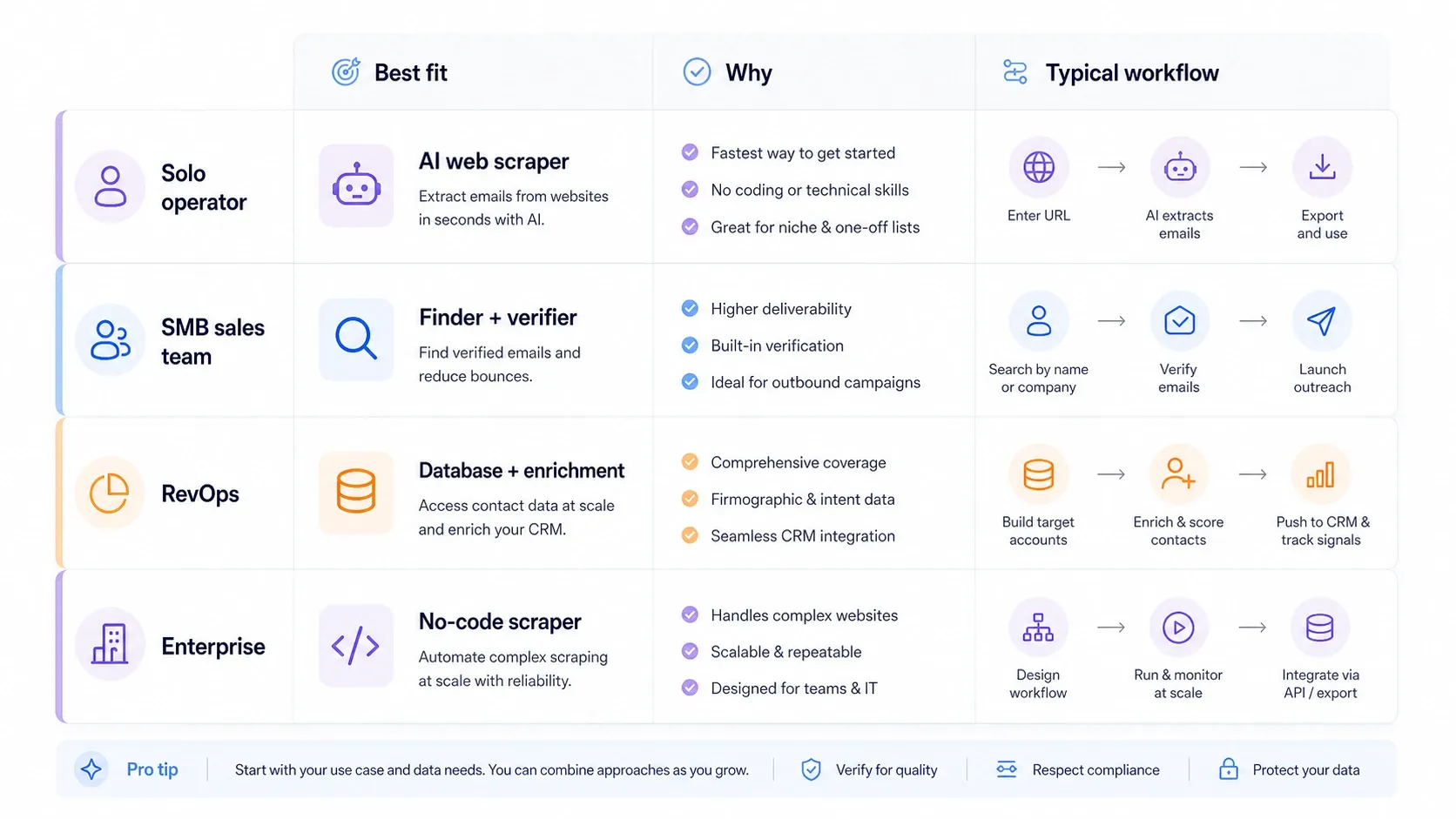
ज़्यादातर खरीदार abstract तौर पर "best tool" नहीं चुन रहे होते। वे यह तय कर रहे होते हैं कि वे किस समझौते के साथ रह सकते हैं:
- अगर आपको open-web flexibility चाहिए, तो Thunderbit और Octoparse database-led products से बेहतर starting points हैं।
- अगर आपको finder plus verification चाहिए, तो Hunter आम तौर पर broader suites से साफ़ रहता है।
- अगर आपको finder plus outreach चाहिए, तो Snov.io एक ज़्यादा complete lightweight stack देता है।
- अगर आपको enterprise-scale contact coverage चाहिए, तो ZoomInfo यहाँ सबसे database-heavy option है।
- अगर आपको rep-friendly enrichment and CRM workflows चाहिए, तो Lusha और Skrapp भारी enterprise platform की तुलना में operationalize करना आसान हैं।
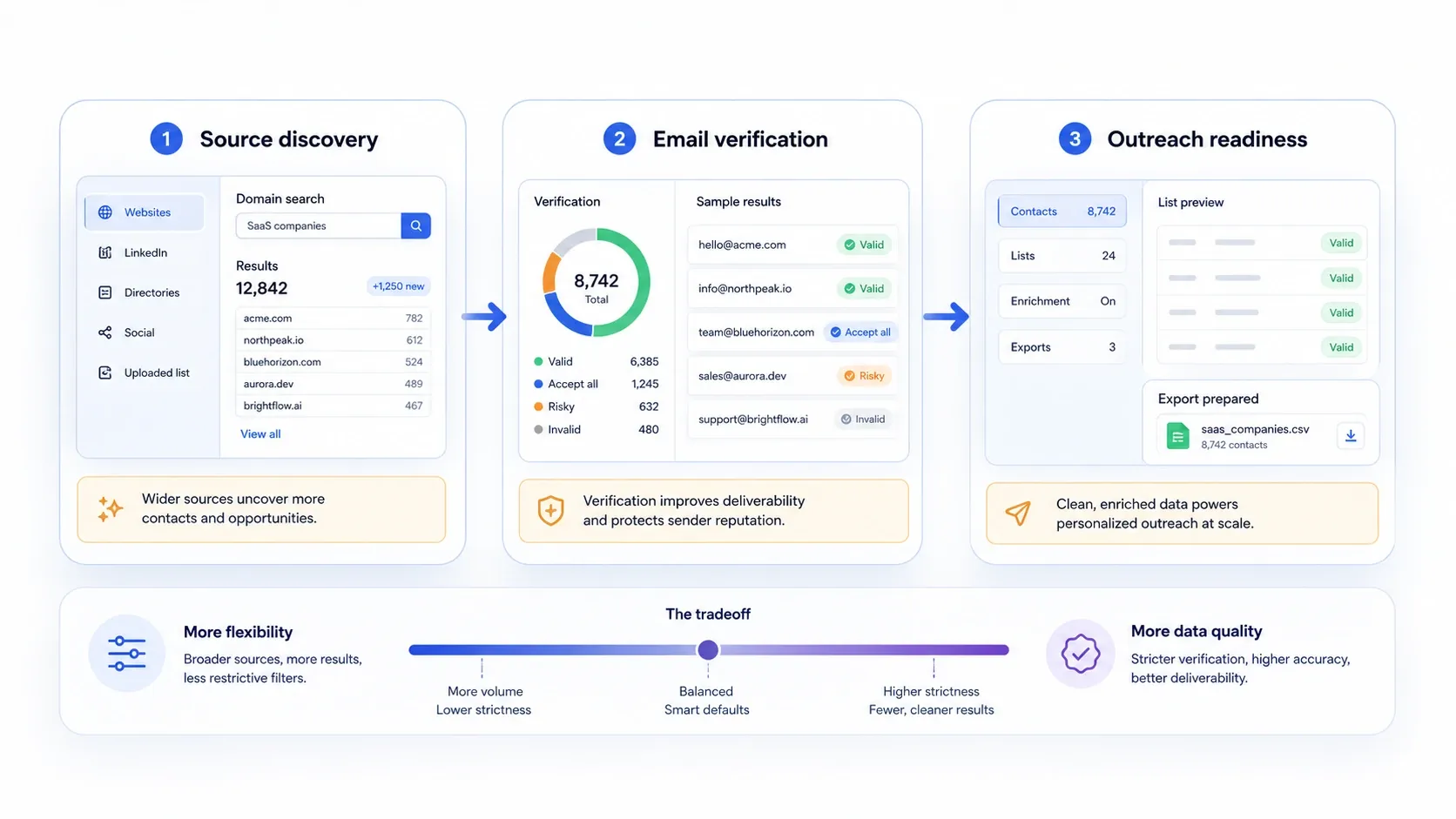
यह फर्क मायने रखता है क्योंकि कई valuable lead sources आज भी polished B2B databases के बाहर हैं: directories, marketplaces, association sites, public PDFs, local listings, exhibitor pages और search-result workflows। अगर आपके best prospects वहीं हैं, तो सिर्फ database से gaps रह जाएंगे।
आधुनिक Email-Scraping Stack में Thunderbit कहाँ फिट होता है
यहीं Thunderbit category के बाकी tools के साथ अच्छी तरह complement करता है। Hunter, Snov.io, Lusha, Skrapp और ZoomInfo तब उपयोगी होते हैं जब आपको पता हो कि किस व्यक्ति, कंपनी या account set तक पहुँचना है। Thunderbit workflow में पहले आता है, जब समस्या lead source को खुद collect करने की होती है।
स्टैक ऐसे इस्तेमाल करें:
- Thunderbit से names, company pages, directories, event pages, seller pages, PDFs या listings collect करें।
- Rows को Sheets, Excel, Airtable या Notion में export करें।
- Hunter, Snov.io, Skrapp, Lusha या ZoomInfo जैसे finder platform से work emails verify या append करें।
- Source-page context को बनाए रखें ताकि final outreach में real personalization material हो।
यह combination अक्सर एक ही platform से सब कुछ करवाने की उम्मीद से बेहतर होता है।
Open-Web Lead Collection के लिए Thunderbit आज़माएँ
किसी भी Email Scraper का इस्तेमाल करने से पहले Best Practices
- सिर्फ volume नहीं, source quality से शुरू करें। Relevant public source से छोटी list अक्सर generic बड़े export से ज्यादा valuable होती है।
- हर campaign से पहले verify करें। Jobs बदलते हैं, domains बदलते हैं, और पुराना data sender reputation खराब करता है।
- Source context बनाए रखें। जिस page, listing या PDF से lead मिला, उसे save करें ताकि outreach किसी वास्तविक चीज़ का संदर्भ दे सके।
- Extraction और sending को अलग रखें। Collection quality और deliverability quality दो अलग समस्याएँ हैं; इन्हें अलग checkpoints की तरह treat करें।
- Compliance और relevance का सम्मान करें। Accurate public business contact data भी spam करने का खुला लाइसेंस नहीं है।
यह अंतिम official Hunter video इसलिए उपयोगी है क्योंकि यह वह आख़िरी step कवर करता है जिसे कई teams shortlist comparisons में छोड़ देती हैं: जब contact data मिल जाए, तो quality और operational discipline खोए बिना उसे outreach workflow में कैसे बदला जाए?
निष्कर्ष
2026 में सबसे अच्छा email scraper आपकी असली ज़रूरत पर निर्भर करता है:
- अगर आपका lead source open web पर है और आपको तेज़ AI-assisted extraction चाहिए, तो Thunderbit चुनें।
- अगर आपको finding, verifying और outreach एक ही stack में चाहिए, तो Snov.io चुनें।
- अगर आपको database depth और GTM workflow scale चाहिए, तो ZoomInfo चुनें।
- अगर आपकी टीम LinkedIn पर भारी prospecting करती है, तो Skrapp.io चुनें।
- अगर आपको सबसे साफ़ finder-plus-verifier workflow चाहिए, तो Hunter चुनें।
- अगर आपको complex sites के लिए configurable no-code scraper चाहिए, तो Octoparse चुनें।
- अगर verified B2B contact data और CRM-friendly enrichment सबसे महत्वपूर्ण है, तो Lusha चुनें।
अगर आपकी टीम को email lookup शुरू होने से पहले directories, marketplaces, local listings, exhibitor pages, PDFs या दूसरे long-tail public sources से lead lists बनानी हैं, तो पहले Thunderbit से शुरू करें और उसके ऊपर verifier या finder जोड़ें।
Email Scraping के लिए Thunderbit explore करें
FAQs
Q1: Email scraper और email finder में क्या फर्क है?
A: Email scraper public pages या files से contact data निकालता है। Email finder आम तौर पर व्यक्ति, कंपनी या domain से शुरू करता है और उस input को संभावित work emails से match करता है, अक्सर verification के साथ।
Q2: Websites से सीधे emails scrape करने के लिए कौन सा tool सबसे अच्छा है?
A: इस list में Thunderbit सबसे अच्छा fit है, जब source live website, PDF, image या directory page हो, न कि proprietary B2B database।
Q3: Domain search और email verification के लिए सबसे अच्छा tool कौन सा है?
A: Hunter अभी भी domain search, email finding और verification के लिए सबसे focused option है, बिना बड़े outbound platform के overhead के।
Q4: क्या ZoomInfo वाकई एक email scraper है?
A: Pure web-scraping sense में नहीं। इसे sales-intelligence database और prospecting platform के रूप में समझना बेहतर है, जिसे कई खरीदार email scrapers से तुलना करते हैं क्योंकि अंतिम लक्ष्य फिर भी usable contact data पाना होता है।
और जानें
- AI का उपयोग करके किसी भी वेबसाइट से डेटा स्क्रैप करें
- AI का उपयोग करके PDF files से डेटा कैसे स्क्रैप करें
- Lead generation के लिए best email finder tools
- Google Search results कैसे स्क्रैप करें
AI Web Scraper आज़माएँ Get Started Free