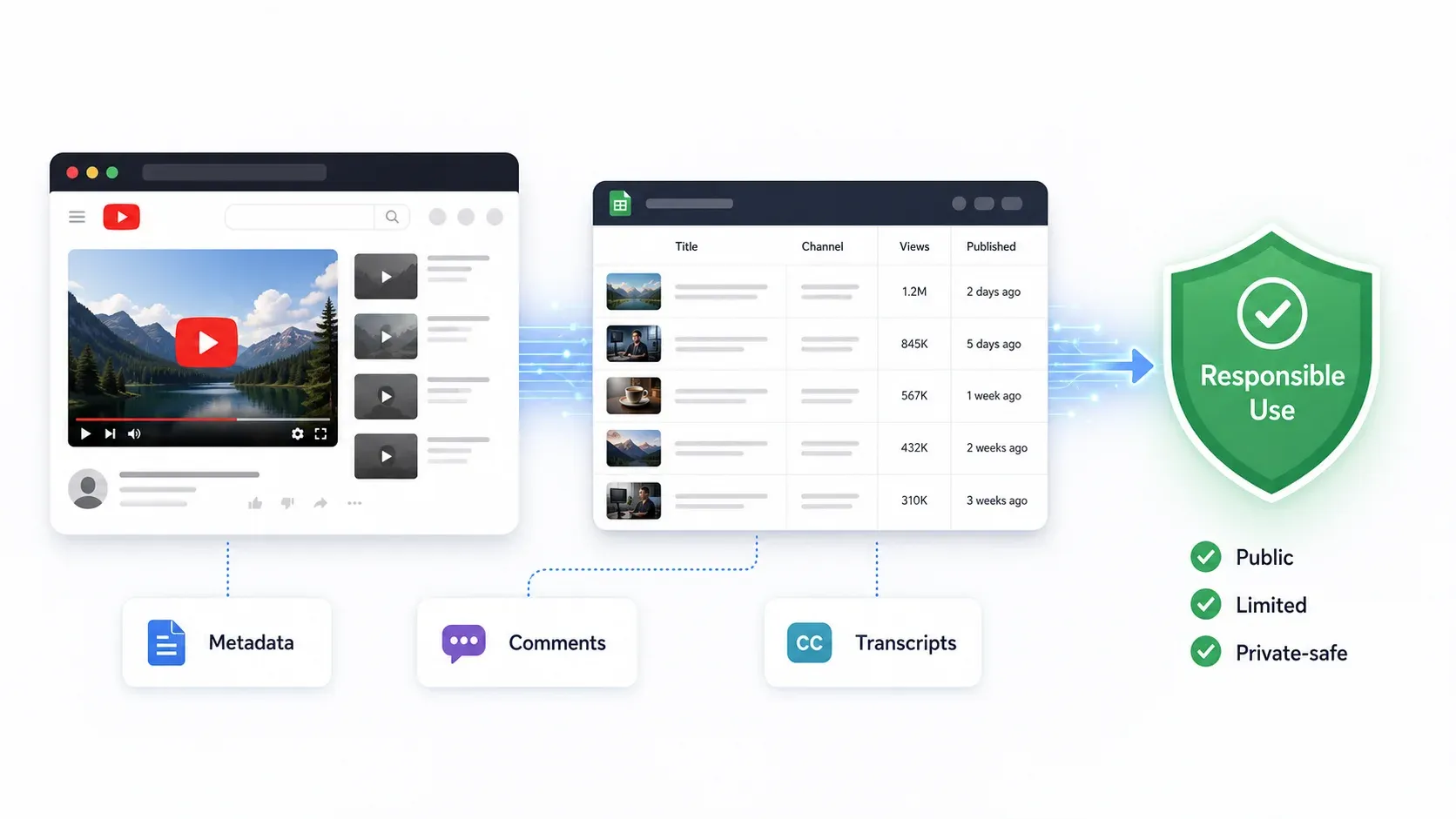
YouTube पर 2 अरब मासिक उपयोगकर्ता हैं और हर मिनट 500+ घंटे का वीडियो अपलोड होता है। CAPTCHA, 429 errors, या सीधे IP ban का सामना किए बिना इस platform पर scraping करना सबसे मुश्किल कामों में से एक है।
अगर आपने कभी channel data, comments, या transcripts को किसी भी पैमाने पर निकालने की कोशिश की है, तो यह frustration आप पहले ही महसूस कर चुके होंगे। कुछ सौ results मिलते हैं, और फिर YouTube दरवाज़ा बंद कर देता है। मैंने YouTube की बदलती anti-bot defenses के सामने अलग-अलग scraping approaches कितनी टिकती हैं, इसका काफ़ी समय तक मूल्यांकन किया है, और भरोसेमंद tools और कुछ ही मिनटों में block हो जाने वाले tools के बीच का फर्क बहुत बड़ा है।
यह guide 2026 के लिए 6 बेहतरीन YouTube scrapers को कवर करती है—ऐसे tools जो YouTube की सख़्ती झेलने के लिए बने हैं, बिना आपके IP या workflow को नुकसान पहुँचाए। चाहे आप competitor channels track करने वाले marketer हों, creator contacts खोजने वाली sales team हों, या data pipeline बनाने वाले developer—यहाँ आपके लिए एक विकल्प है।
2026 में YouTube असल में किस चीज़ को ब्लॉक करता है (और ज़्यादातर Scrapers क्यों फेल हो जाते हैं)
YouTube की anti-bot defenses कोई एक दीवार नहीं हैं—यह एक layered system है। आप किससे टकरा रहे हैं, यह समझना blocked होने से बचने का पहला कदम है।
2026 में automated access detect और रोकने के लिए YouTube यह सब करता है:
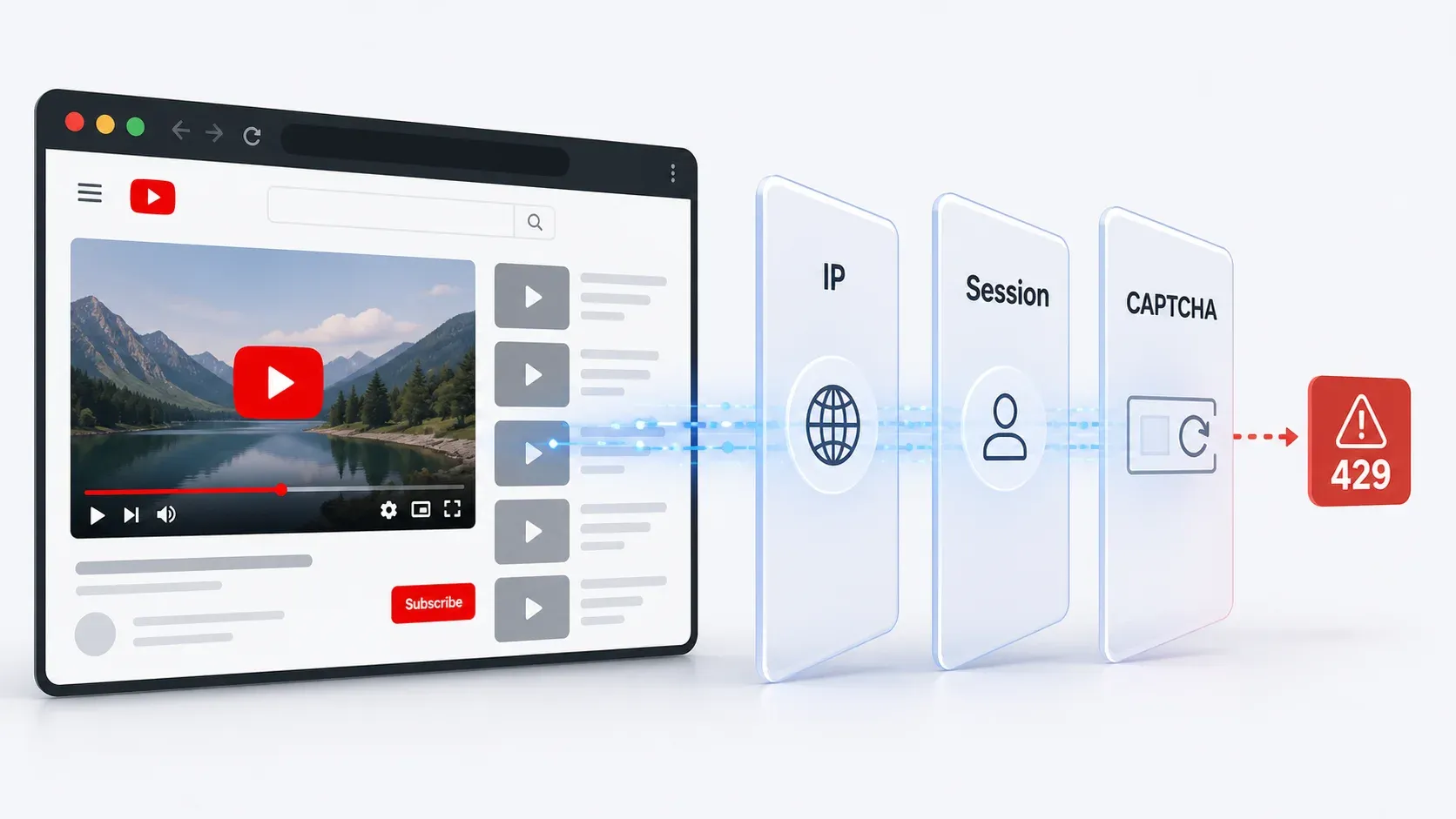
- IP reputation और velocity checks: datacenter IPs, VPNs, या shared proxies से बार-बार आने वाले requests जल्दी flag हो जाते हैं। आपको 403 errors, 429 rate limits, या "sign in to confirm you're not a bot" जैसे screens दिख सकते हैं।
- Browser और JavaScript fingerprinting: YouTube यह जाँचता है कि client असली browser की तरह behave कर रहा है या नहीं—scripts चला रहा है, elements render कर रहा है, और expected state बनाए रख रहा है या नहीं। Headless browsers और raw HTTP clients अक्सर यह check चुपचाप fail कर देते हैं (यानि खाली या अधूरा data मिलता है)।
- Cookie और session trust: अगर आपके requests किसी पहचाने गए, लंबे समय तक चलने वाले browser session से नहीं आ रहे हैं, तो YouTube verification बढ़ा देता है। Browsing history वाले logged-in sessions पर नए, anonymous sessions से ज़्यादा भरोसा किया जाता है।
- Behavioral analysis: समान request intervals, बहुत तेज़ scrolling, या बार-बार दोहराए जाने वाले page patterns throttling trigger करते हैं। YouTube ऐसी navigation ढूँढता है जो कोई इंसान न करे।
- CAPTCHA gates: जब risk ज़्यादा होता है, YouTube human verification करवाता है—खासकर search results और comment sections पर।
- API quota enforcement: आधिकारिक YouTube Data API project-level daily quotas लागू करती है (default 10,000 units/day), और search-heavy workflows इन्हें कुछ ही मिनटों में खत्म कर देते हैं।
आम अनुभव: आप scraping शुरू करते हैं, कुछ सौ results मिलते हैं, फिर Error 429, CAPTCHA wall, या चुपचाप degraded data मिलती है। Cloud-based scrapers जो datacenter IPs से चलते हैं, खास तौर पर vulnerable होते हैं।
| Detection Method | यह क्या करता है | User Symptom | जोखिम कम करने वाले Tools |
|---|---|---|---|
| IP reputation/velocity | datacenter/VPN/shared IPs को flag करता है | 403, 429, bot confirmation | Browser session scraping, residential proxies |
| JS fingerprinting | असली browser execution जाँचता है | चुपचाप missing data, CAPTCHA | Real browser extension, full rendering |
| Cookie/session trust | logged-in profiles से तुलना करता है | "Sign in to confirm" | User cookies, authenticated session |
| Behavioral analysis | गैर-मानवीय patterns detect करता है | लगभग 200 rows के बाद throttling | Human-like delays, randomization, छोटे batches |
| API quota enforcement | daily API units सीमित करता है | 403 quotaExceeded | Search/comments के लिए scrapers, targeted lookups के लिए API |
| CAPTCHA gates | human verification करवाता है | Extraction बीच में रुक जाती है | Browser session, proxy/unblocker, धीमी pacing |
निचोड़: जो tools असली browser session के अंदर काम करते हैं (जैसे Thunderbit) वे naturally इन checks में से कई को bypass कर लेते हैं, क्योंकि request एक इंसान के YouTube ब्राउज़ करने जैसी ही दिखती है। सिर्फ cloud पर चलने वाले scrapers को बचने के लिए proxy rotation, CAPTCHA solving, और बहुत सावधानी से pacing की ज़रूरत होती है।
YouTube Scraping के लिए Thunderbit आज़माएँ
YouTube API बनाम Best YouTube Scrapers: एक Practical Decision Framework
YouTube Data API v3 programmatically YouTube data तक पहुँचने का "official" तरीका है। कम volume पर basic metadata के लिए यह भरोसेमंद है—लेकिन इसकी quota model ज़्यादातर real-world competitive intelligence और research workflows के लिए इसे अव्यावहारिक बना देती है।
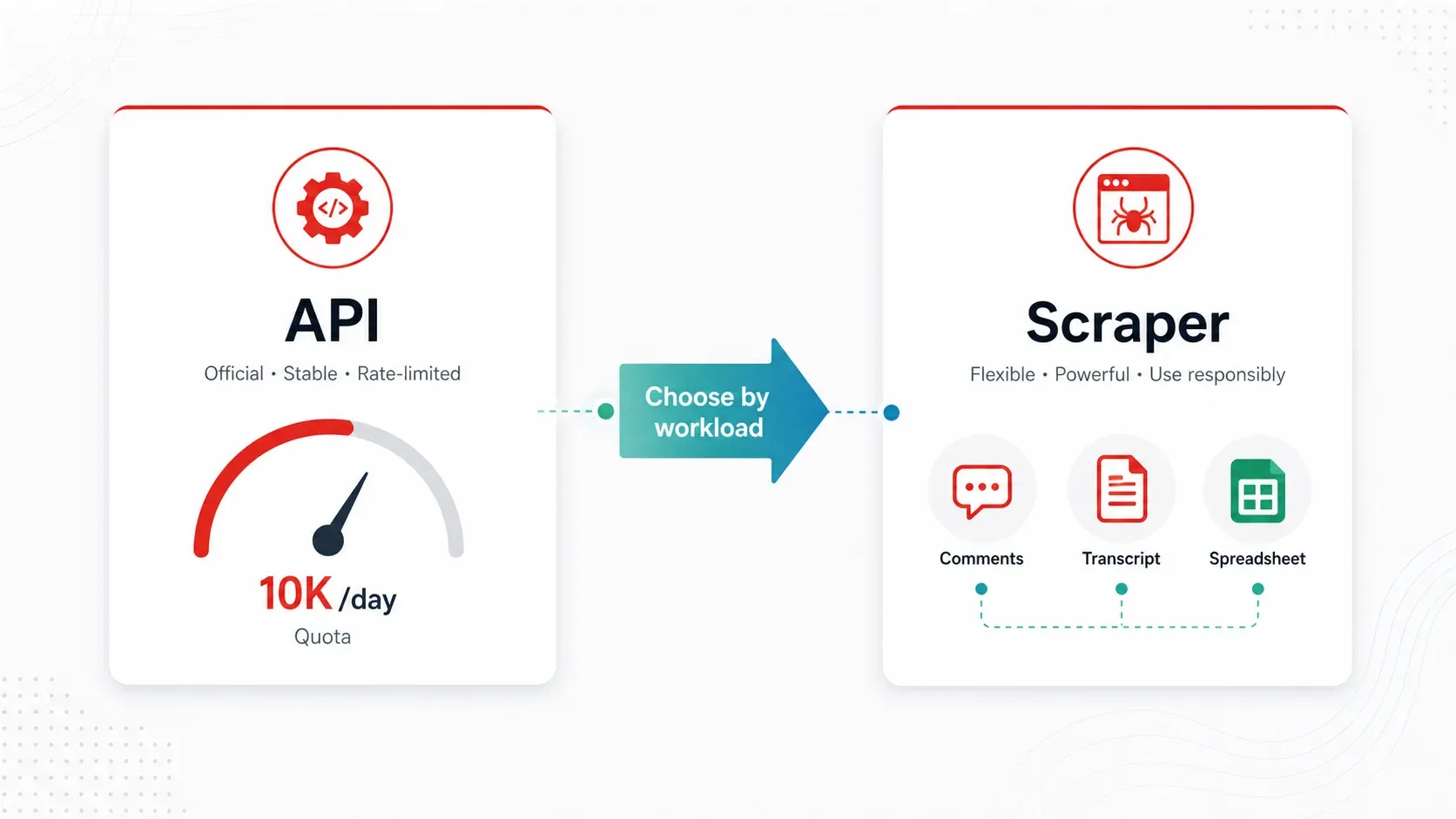
गणित यह है। हर API project को दिन में 10,000 quota units मिलते हैं। मुख्य endpoint costs:
search.list= प्रति page 100 units (प्रति page अधिकतम 50 results)videos.list= प्रति call 1 unit (प्रति call 50 video IDs तक)commentThreads.list= प्रति call 1 unit (प्रति call 100 threads तक)
तो अगर आप दिन में 100 keyword searches चलाते हैं, तो एक भी video enrich करने से पहले ही आपकी पूरी daily quota खत्म हो जाती है। Comment-heavy workflow प्रति call सस्ता हो सकता है, लेकिन असल pagination, disabled comments, और reply expansion capacity को जल्दी खत्म कर देती है।
जब API काफ़ी है:
- आपको दिन में 100 से कम videos चाहिए और सिर्फ public metadata चाहिए (title, views, likes, duration)
- कोई developer OAuth सेट कर सकता है और quota संभाल सकता है
जब scraper बेहतर है:
- आपको बड़े पैमाने पर comments चाहिए (API काम तो करती है, लेकिन quota friction असली है)
- आपको transcripts/captions text के रूप में चाहिए (bulk use के लिए API caption text आसानी से नहीं देती)
- आप नियमित रूप से 100+ channels monitor कर रहे हैं (quota बढ़ता है, scheduling manual होती है)
- आपको enriched या labeled data चाहिए (categorization, translation, या AI-powered field detection)
- आप non-technical user हैं और बस spreadsheet चाहिए
API वह सब भी नहीं दिखाती जो web पर दिखता है: Shorts shelf data, channel descriptions से public emails, community posts, और कुछ channel metadata केवल असली YouTube pages को scrape करके ही मिलते हैं।
AI से YouTube data scrape करें Get Started Free
ज़्यादातर business users के लिए, जो competitive research, creator sourcing, या content strategy करते हैं, API की तुलना में scraper tool ज़्यादा practical है।
हमने 6 Best YouTube Scrapers कैसे चुने
इस list के हर tool का मूल्यांकन एक ही criteria पर किया गया—इस बात पर ज़्यादा वज़न देते हुए कि YouTube आपको रोकने की पूरी कोशिश कर रहा हो तब क्या काम करता है:
| Criteria | यह क्यों मायने रखता है |
|---|---|
| Anti-ban reliability | Users की सबसे बड़ी परेशानी—scale पर rate limiting और IP bans |
| प्रति 1,000 results लागत | Normalized pricing budget-conscious users को तुलना करने देती है |
| समर्थित data types | Metadata, comments, transcripts, Shorts, thumbnails—tool के हिसाब से बहुत अलग |
| Scale capacity | क्या यह 100+ channels या 10K+ videos बिना crash हुए संभाल सकता है? |
| Setup की आसानियत | पहली बार scraping करने वालों को actionable, no-code-friendly विकल्प चाहिए |
| Export formats | CSV, JSON, Google Sheets, Airtable—अलग workflows को अलग outputs चाहिए |
| Maintenance burden | YouTube के बदलाव tools तोड़ देते हैं; उन्हें ठीक कौन करेगा? |
सभी tools का मूल्यांकन 2026 में users को मिलने वाले current YouTube block patterns के आधार पर किया गया।
1. Thunderbit
Thunderbit एक AI-powered Chrome extension है जो लगभग दो clicks में YouTube pages को structured data में बदल देती है। Cloud server से चलने के बजाय (जिसे YouTube आसानी से flag कर देता है), Thunderbit आपके अपने browser session के अंदर काम करती है—इसलिए YouTube को यह normal browsing जैसा लगता है।
YouTube के लिए core workflow: Thunderbit Chrome Extension install करें, किसी YouTube channel, search results page, या video page पर जाएँ, और "AI Suggest Fields" पर क्लिक करें। AI page पढ़कर columns सुझाती है—video title, URL, views, upload date, description, thumbnail URL, comment text, author, likes, और भी बहुत कुछ। आप review करते हैं, "Scrape" क्लिक करते हैं, और सीधे Google Sheets, Excel, Airtable, Notion, CSV, या JSON में export कर देते हैं। न code, न selectors, न API keys।
YouTube scraping के लिए key features:
- AI field detection: Thunderbit की AI आप जिस YouTube page पर हैं उसे पढ़ती है और relevant columns अपने आप सुझाती है। CSS selectors या XPaths manually map करने की ज़रूरत नहीं।
- Subpage scraping: पहले channel की video list scrape करें, फिर हर video page पर जाकर comments, descriptions, tags, और transcripts (अगर visible हों) से data enrich करें।
- Scheduled scraping: बिना manual intervention के channels को weekly monitor करने के लिए recurring jobs सेट करें।
- Browser Mode: आपके authenticated browser session में चलता है, जिससे वह "cloud datacenter IP" fingerprint कम हो जाता है जो ज़्यादातर YouTube blocks trigger करता है।
- Free export: Data Google Sheets, Excel, Airtable, या Notion में जाता है, export पर paywall नहीं होता।
Anti-ban approach: User के अपने authenticated session के साथ browser-based session scraping। YouTube एक real browser, real cookies, real session history देखता है। High-volume jobs के लिए, छोटे scheduled batches risk और कम कर देते हैं।
Pricing: Free tier (6 pages), trial boost (10 pages)। Paid plans credit-based हैं। Current numbers के लिए Thunderbit Pricing देखें।
Best for: Marketers, sales teams, content strategists, और operations users जो technical setup के बिना तेज़ channel/search/comment research चाहते हैं।
Thunderbit से YouTube कैसे Scrape करें (Step-by-Step)
- Thunderbit Chrome Extension install करें।
- किसी YouTube channel page, search results, playlist, या video page पर navigate करें।
- "AI Suggest Fields" पर क्लिक करें — AI page पढ़ती है और columns सुझाती है (title, URL, views, date, description, thumbnail, आदि)।
- ज़रूरत हो तो सुझाए गए fields को review और adjust करें।
- "Scrape" पर क्लिक करें — data structured table में extract हो जाता है।
- Google Sheets, Excel, Airtable, Notion, CSV, या JSON में export करें।
और गहराई से extraction करने के लिए (जैसे channel के हर video से comments निकालना), subpage scraping का उपयोग करें: पहले video list scrape करें, फिर Thunderbit को हर video page पर जाकर comment data, descriptions, या transcript availability extract करने दें।
यह पूरी प्रक्रिया सामान्य channel research task के लिए दो मिनट से कम लेती है। न API keys, न proxy setup, न code।
2 Clicks में YouTube पर Thunderbit आज़माएँ
2. Apify
Apify एक cloud-based scraping platform है जिसमें पहले से बने YouTube "Actors" होते हैं—videos, comments, channels, Shorts, और transcripts के लिए specialized scrapers। यह उन developers के लिए बना है जो one-off research के बजाय automated data pipelines बनाना चाहते हैं।
Apify के YouTube ecosystem में अलग-अलग tasks के लिए अलग Actors हैं। एक अच्छी तरह maintained Actor जिसका शीर्षक "YouTube Scraper — Videos, Comments & Transcripts" है, channels, playlists, searches, और direct video URLs स्वीकार करता है। यह Shorts filtering, comment scraping, और timestamps के साथ transcripts को support करता है।
Key features:
- videos, comments, channels, Shorts, और transcripts के लिए अलग-अलग Actors
- input के रूप में search terms, channel URLs, और playlist IDs स्वीकार करता है
- Cloud scheduling और webhook integrations
- JSON, CSV, Excel में export, या API के ज़रिए databases में push
- Actor-level rate control और proxy rotation
Anti-ban approach: Actor-specific pacing, Apify की proxy infrastructure, और जहाँ लागू हो वहाँ YouTube के internal API (Innertube) access। हर Actor अपनी retry और rate-limit logic implement करता है।
Pricing: उद्धृत YouTube Scraper Actor की कीमत लगभग $15 प्रति 1,000 videos, $8 प्रति 1,000 comments, और $5 प्रति transcript बताई गई है। Platform plans $49/month से शुरू होते हैं।
Drawbacks: बड़े jobs में usage costs तेज़ी से बढ़ जाते हैं। Interface developer-oriented है—non-technical users को यह जटिल लग सकती है। Output schemas अलग-अलग Actors में बदलते रहते हैं, इसलिए data cleanup अक्सर करनी पड़ती है। Marketplace में Actor quality भी अलग-अलग होती है।
Best for: Automated data pipelines बनाने वाले developers, API या databases में scheduled extraction चाहने वाली teams, और recurring comment-sentiment workflows चलाने वाली marketing ops teams।
3. Bright Data
Bright Data एक enterprise data infrastructure platform है, जिसके पास उद्योग का सबसे बड़ा residential proxy network और dedicated YouTube scrapers हैं। अगर आपको geographies के across बहुत बड़े scale पर YouTube scrape करना है, तो यही भारी हथियार है।
Bright Data कई YouTube scrapers (channel profiles, videos, comments) और ready-to-use YouTube datasets खरीदने के लिए भी देता है। उनकी managed scraping service का मतलब है कि वे scraper आपके लिए बनाते और संभालते हैं।
Key features:
- 195 देशों में 150M+ residential IPs
- channels, videos, और comments के लिए YouTube-specific scrapers
- Full browser rendering और CAPTCHA solving
- Geo-targeted scraping (अलग-अलग देशों में YouTube results की तुलना)
- Managed service विकल्प (वे maintenance संभालते हैं)
- प्रति request 5K URLs तक batch processing
Anti-ban approach: विशाल residential proxy pool, automated IP rotation, browser fingerprint emulation, और integrated CAPTCHA solving। यह list की सबसे मज़बूत anti-blocking infrastructure है।
Pricing: Free trial (एक हफ़्ते के लिए 1K requests), pay-as-you-go $3.50 प्रति 1K records, Scale plan $499/month से, जिसमें 384,000 records शामिल हैं और अतिरिक्त पर $2.30 प्रति 1K।
Drawbacks: छोटे projects के लिए ज़रूरत से ज़्यादा। Complex pricing (bandwidth + requests + IPs से limit न रखने पर "bill shock" हो सकता है)। Platform को Chrome extension से ज़्यादा setup चाहिए।
Best for: बड़ी कंपनियाँ, सैकड़ों channels monitor करने वाली agencies, और enterprise scale पर geo-specific YouTube data चाहने वाली teams।
4. Octoparse
Octoparse एक desktop और cloud scraping tool है जिसमें point-and-click visual interface होता है। आप page पर elements क्लिक करके YouTube extraction workflows बनाते हैं—कोई code नहीं चाहिए, लेकिन एक साधारण extension से अधिक customization मिलती है।
Octoparse में पहले से बने YouTube templates हैं, जिनमें अप्रैल 2026 में अपडेट किया गया YouTube Comments & Replies Scraper शामिल है। यह video URLs से usernames, comment text, likes, publish time, और reply threads निकालता है।
Key features:
- No-code visual workflow builder—scraping logic तय करने के लिए elements क्लिक करें
- comments, search results, और video metadata के लिए पहले से बने YouTube templates
- Automatic proxy rotation के साथ cloud scheduling
- Excel, CSV, JSON, और database connections में export
- Cloud plans पर built-in IP rotation और anti-detection
Anti-ban approach: Built-in IP rotation और anti-detection measures के साथ cloud execution। Templates सामान्य YouTube pages के लिए infinite scroll और dynamic loading को संभालती हैं।
Pricing: YouTube comments template की कीमत $0.20 प्रति 1,000 lines बताई गई है। Platform plans लगभग $75/month (Standard, annual billing) से शुरू होते हैं, जिनमें cloud servers, scheduling, और proxy options शामिल हैं।
Drawbacks: Complex YouTube pages (infinite scroll, lazy-loaded comments, Shorts tabs) के लिए wait times और scroll behavior fine-tune करने पड़ सकते हैं। Transcript/caption extraction, yt-dlp या dedicated transcript actors की तुलना में सीमित है। Advanced workflows के लिए सीखने में समय लगता है।
Best for: Marketing analysts और business researchers जो visual workflow tools पसंद करते हैं, लेकिन Chrome extension से ज़्यादा customization चाहते हैं।
5. YT-DLP
YT-DLP (GitHub पर उपलब्ध) एक open-source command-line tool है जो YouTube (और 1,000+ अन्य sites) से video metadata, subtitles, transcripts, और बहुत कुछ निकालता है। यह technical users के लिए Swiss Army knife है, जो maximum control और zero subscription cost चाहते हैं।
Scraping-style काम के लिए, yt-dlp --skip-download, --write-info-json, --dump-json, और --flat-playlist जैसे flags का इस्तेमाल करके video files डाउनलोड किए बिना metadata निकाल सकता है। यह auto-generated और human-written captions में फर्क करता है—एक ऐसा फर्क जिसे ज़्यादातर दूसरे tools पकड़ नहीं पाते।
Key features:
- Video डाउनलोड किए बिना metadata निकालें (title, views, likes, upload date, description, tags)
- पूरी playlists और channels को bulk में डाउनलोड करें
- Subtitles/transcripts access करें (auto-generated और human-written, अलग-अलग)
- Custom output templates के साथ batch processing
- Session-based access के लिए cookie/authentication support
- पूरी तरह मुफ्त, सक्रिय open-source community
Anti-ban approach: Authentication के लिए user cookies (--cookies-from-browser), configurable throttle settings, और community-maintained extractor updates जो YouTube बदलावों के साथ तालमेल रखते हैं।
Pricing: मुफ्त।
Drawbacks: Command-line proficiency चाहिए। Visual interface नहीं है। YouTube बदलता है तो tool टूट सकता है (community जल्दी ठीक करती है, लेकिन आपको फिर भी update और troubleshoot करना पड़ता है)। Built-in scheduling या spreadsheets में export नहीं—अपना pipeline आपको खुद बनाना होगा।
Best for: Developers, data scientists, और technical teams जिन्हें metadata और transcript extraction पर maximum control चाहिए और terminal commands से दिक्कत नहीं।
6. Phantombuster
Phantombuster एक cloud automation platform है, जिसमें YouTube-specific "Phantoms" growth marketing और lead generation के लिए बनाए गए हैं, न कि सिर्फ pure data warehousing के लिए। जब आपका लक्ष्य creator contacts ढूँढना और outreach lists बनाना हो, तब यह अच्छा विकल्प है।
Phantombuster का YouTube Channel Video Extractor channel info, video lists, और channel descriptions से public emails निकालता है। उनकी official rate-limit documentation कहती है कि YouTube Channel Video Extractor प्रति launch 100 videos तक support करता है और चेतावनी देती है कि unusual activity YouTube restrictions trigger कर सकती है।
Key features:
- YouTube channel scraper (subscriber count, video list, channel info, public emails)
- Competitor analysis के लिए video और comment extraction
- CRM और outreach tools के साथ integration
- Scheduling और workflow automation
- 14-day free trial, Start plan $56/month से (annual billing, 20h/month execution)
Anti-ban approach: Actions के बीच built-in delays, phantom browser sessions, paced automation के साथ cloud execution। यह high-speed bulk extraction के बजाय safe-paced workflows के लिए बनाया गया है।
Pricing: Start plan $56/month (annual), Grow $128/month, Scale $352/month। प्रति 1,000 results लागत execution time पर निर्भर करती है, प्रति record pricing पर नहीं।
Drawbacks: Pipeline-focused tools से धीमा। Pricing execution hours और credits पर आधारित है, साफ़ cost-per-row पर नहीं। Transcript/caption support सीमित है। 100-video-per-launch limit का मतलब है कि बड़े channels के लिए कई runs चाहिए।
Best for: influencer research करने वाले growth marketers, creator contact info निकालने वाली sales teams, और competitor YouTube activity मॉनिटर करने वाली agencies।
YouTube से निकाल सकने वाले हर Data Type का Tool-by-Tool Matrix
अलग-अलग tools अलग-अलग YouTube data types support करते हैं। किसी tool पर भरोसा करने से पहले आपको ठीक-ठीक पता होना चाहिए कि आपको क्या मिलेगा। यहाँ breakdown है: