
अगस्त 2026 में अंतिम समीक्षा और अपडेट किया गया।
Google Maps reviews पर काम करना एक अलग ही तरह का data task है। किसी business listing का नाम, rating और review count, individual review records से अलग होते हैं—और sentiment analysis, service-quality research, या reputation-monitoring workflow के लिए यही records सबसे ज़्यादा काम आते हैं। इसलिए किसी भी useful tool comparison की शुरुआत generic Maps lead-generation list से नहीं, बल्कि review-data contract से होनी चाहिए।
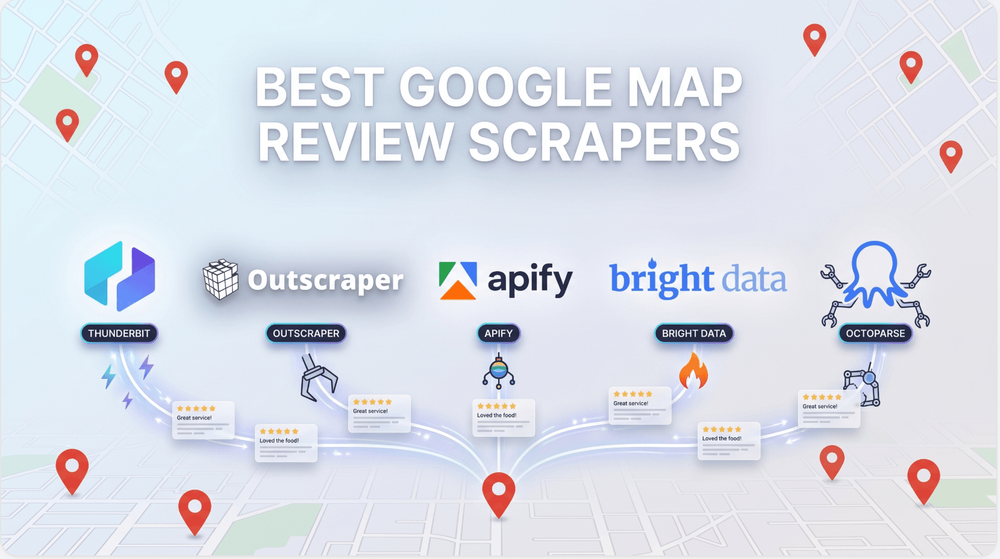
यह गाइड Google Maps review pathway वाले आठ मौजूदा tools की तुलना करता है। इसमें जानबूझकर static commercial comparisons, test results, performance promises, universal rankings, और legal conclusions शामिल नहीं हैं। अपने काम में लागू actual place identifiers, languages, sorting needs, required fields, source conditions, और data-use rules के आधार पर हर provider की पुष्टि करें।
शुरुआत review data वाले सवाल से करें
| अगर काम यह है… | पहले यह देखें… |
|---|---|
| किसी विशिष्ट अनुमत public Maps page से reviewed observations निकालना | Thunderbit |
| dedicated programmatic Maps-review retrieval | Outscraper, Bright Data, Scrapingdog, या SerpApi |
| platform-hosted review Actor | Apify, लेकिन पहले specific Actor का नाम लें और उसे validate करें |
| visual no-code review workflow जिसे team configure और maintain कर सके | Octoparse |
| scheduled no-code review collection और export workflow | Lobstr.io |
Records collect करने से पहले place identifier या query, language, sort या recency rule, expected fields, pagination stop condition, duplicate policy, review timestamp, owner-reply treatment, export destination, retention, source attribution, और human owner तय करें। जो review एक run में दिखती या मिलती है, वह दूसरे context में बदल सकती है, गायब हो सकती है, या अलग तरह से represent हो सकती है।
8 Tools एक नज़र में
| Tool | मुख्य भूमिका | कब इस्तेमाल करें |
|---|---|---|
| Thunderbit | agentic web scraper | वे teams जो specific permitted public Maps pages से structured observations review करती हैं |
| Outscraper | Google Maps Reviews API | वे developers जो documented review-data endpoint integrate कर रहे हैं |
| Apify | actor platform और named review Actor | वे teams जो specific maintained Google Maps Reviews Actor चुन, validate और operate कर सकती हैं |
| Bright Data | managed Google Maps review-data API | वे technical teams जो managed Google Maps data workflow evaluate कर रही हैं |
| Octoparse | visual Google Maps review workflow | वे teams जो अपने place pages के against visual extraction configuration validate और maintain कर सकती हैं |
| Scrapingdog | Google Maps Reviews API | वे developers जो pagination controls वाले documented review endpoint का उपयोग कर रहे हैं |
| Lobstr.io | no-code cloud review workflow | वे teams जो scheduled review collection और supported export destinations evaluate कर रही हैं |
| SerpApi | Google Maps Reviews API | वे developers जो dedicated current Maps-review endpoint integrate कर रहे हैं |
1. Thunderbit: Agentic Web Scraper
Thunderbit एक agentic web scraper है, जो specific permitted public Google Maps pages से structured observations review करने वाली teams के लिए बनाया गया है। AI Suggest Fields business name, review text, rating, review date, reviewer, या owner reply जैसी schema का सुझाव देता है; proposal को review करें, फिर extraction शुरू करने के लिए एक बार Scrape पर click करें। Output को current page की reviewed observation मानें, न कि सभी reviews की गारंटी या source और data-use analysis का विकल्प।
यदि आपके पास owned developer, data-pipeline, या LLM-agent workflow है, तो Thunderbit Web Scraper API, MCP Server, और CLI support करता है। ये interfaces reviewed result को किसी दूसरे system तक भेज सकते हैं; लेकिन ये access rights तय नहीं करते, source terms नहीं बदलते, और review-data quality checks का विकल्प नहीं हैं।
Use when: आपको specific permitted public Maps pages से person-reviewed extraction workflow चाहिए।
2. Outscraper: Google Maps Reviews Api
Outscraper ऐसा review endpoint देता है जो search query या Google ID, place ID, या CID स्वीकार करता है। इसके request model में language, region, sort, review-limit, और pagination parameters शामिल हैं, इसलिए API owner collection choices को स्पष्ट रूप से तय कर सकता है और resulting place-and-review data को synchronously या later result के रूप में retrieve कर सकता है।
Use when: Developers documented review-data endpoint integrate कर रहे हों।
3. Apify: Actor Platform And Named Review Actor
Apify single fixed endpoint नहीं, बल्कि Actor-based workflow है। नामित Compass Actor Google Maps place URLs लेता है और review text, published date, owner response, review URL, और reviewer details document करता है; platform इसे API से चला सकता है, schedule कर सकता है, monitor कर सकता है, और output download कर सकता है। Implementation में Actor का नाम ज़रूर लें, क्योंकि किसी Actor के inputs और maintenance उसके publisher पर निर्भर होते हैं।
Use when: teams specific maintained Google Maps Reviews Actor चुनने, validate करने और चलाने में सक्षम हों।
4. Bright Data: Managed Google Maps Review-Data Api
Bright Data अपनी Google scraper documentation को managed API workflow के रूप में प्रस्तुत करता है। इसे technical data-delivery integration मानें: provider के current interface में Google target और requested fields define करें, फिर returned schema और delivery path को अपनी pipeline में validate करें—browser-side review recipe maintain करने के बजाय।
Use when: Technical teams managed Google Maps data workflow evaluate कर रही हों।
5. Octoparse: Visual Google Maps Review Workflow
Octoparse Google Maps review pages के लिए visual task pattern देता है। इसके documented approach में operator task के भीतर review fields select करता है और page interaction तथा pagination configure करता है, जिससे setup inspectable हो जाता है—लेकिन Maps markup या page behavior बदलने पर task validate करने की ज़िम्मेदारी team पर ही रहती है।
Use when: teams अपने place pages के against visual extraction configuration validate और maintain कर सकती हों।
6. Scrapingdog: Google Maps Reviews Api
Scrapingdog dedicated Google Maps reviews endpoint प्रदान करता है। API request Maps target और page control expose करती है, और documented response में review records शामिल होते हैं; यह application-owned integration के लिए उपयुक्त है जहाँ team request parameters store करती है और response validation downstream संभालती है।
Use when: Developers pagination controls वाले documented review endpoint का उपयोग कर रहे हों।
7. Lobstr.io: No-Code Cloud Review Workflow
Lobstr.io Google Maps review collection को custom API build के बजाय hosted store workflow के रूप में पैकेज करता है। तब इसका उपयोग करें जब team cloud run configure करना चाहती हो और documented output तथा delivery options के साथ काम करना चाहती हो; recurring collections को auditable बनाए रखने के लिए saved input, run configuration, और output schema analysis के साथ सुरक्षित रखें।
Use when: teams scheduled review collection और supported export destinations evaluate कर रही हों।
8. SerpApi: Google Maps Reviews Api
SerpApi dedicated data_id target और pagination token के साथ Google Maps Reviews API देता है। Response model में review information और place context शामिल हैं, इसलिए यह तब सीधा fit बैठता है जब application को explicit request/response boundary चाहिए और वह target तथा pagination state को records के साथ retain कर सकता हो।
Use when: Developers dedicated current Maps-review endpoint integrate कर रहे हों।
पिछली सूची से क्या बदला
पिछले लेख में review-content tools को generic listing-lead extensions, raw scraping infrastructure, और outreach automation के साथ मिला दिया गया था। इस refresh में current review pathway वाले सात tools बनाए गए हैं, SerpApi का dedicated Google Maps Reviews API जोड़ा गया है, और PhantomBuster, Map Lead Scraper, तथा ScraperAPI को इस review-specific shortlist से हटाया गया है। हटाए गए products अन्य workflows के लिए उपयुक्त हो सकते हैं, लेकिन इस audit ने उनके लिए current deep-review role स्थापित नहीं किया।
Google Maps Review Tool कैसे चुनें
- Review unit स्पष्ट करें। तय करें कि आपको single place चाहिए, query-led place set, individual review rows, aggregated fields, owner replies, या historical comparison।
- Representative places पर test करें। वही language, country, sort order, और business categories इस्तेमाल करें जो production में इस्तेमाल होंगे। Pagination, duplicates, missing values, deleted या edited reviews, और field definitions जाँचें।
- Operating model चुनें। browser-reviewed workflow, API, actor runtime, visual configuration, और scheduled cloud workflow—हर एक team पर अलग ज़िम्मेदारियाँ डालता है।
- Provenance सुरक्षित रखें। place/source reference, collection time, language, sort और filter settings, tool configuration, और किसी भी transformation को downstream analysis के साथ store करें।
- Governance review करें। collection को scale करने या material को decisions में उपयोग करने से पहले source terms, privacy और profiling implications, retention, redistribution rules, और accountability की पुष्टि करें।
अंतिम निष्कर्ष
ऐसा tool चुनें जो उस review record से मेल खाए जिसकी आपको वास्तव में ज़रूरत है, और उस operating model से भी जो आपकी team संभाल सकती है। Owned programmatic workflow के लिए dedicated endpoint इस्तेमाल करें, marketplace model उपयुक्त हो तो named Actor चुनें, configuration ownership स्पष्ट हो तो visual या cloud workflow लें, और जब किसी व्यक्ति को source context inspect करना हो तब reviewed browser workflow अपनाएँ। Production use से पहले live documentation और source conditions दोबारा जांचें।
FAQs
क्या Google Maps lead scraper ज़रूरी तौर पर review scraper भी होता है?
नहीं। Listing और lead tools aggregate ratings या review counts दे सकते हैं, लेकिन individual review records नहीं। Product चुनने से पहले आवश्यक review fields तय करें।
Publication से पहले Actor का नाम क्यों देना चाहिए?
Actor platform अलग-अलग products host करती हैं जिनके owners, maintenance states, inputs, outputs, और terms अलग हो सकते हैं। Specific maintained Actor का नाम देने से recommendation publication के समय ही reviewable बनती है।
API, MCP, और CLI access कब महत्वपूर्ण होते हैं?
जब किसी owned technical या agent workflow को दूसरे system में reviewed extraction result चाहिए, तब ये महत्वपूर्ण होते हैं। ये source terms, privacy review, provenance, या data-quality process का विकल्प नहीं हैं।
AI-सहायता प्राप्त public-page research के लिए Thunderbit आज़माएँ Get Started Free




