
Every few months, someone on our team gets the same question from a user: "Should I use Thunderbit or Zyte?" It's a fair question, but it's a bit like asking whether you should buy a pickup truck or a semi. Both move things from point A to point B — the difference is who's driving, what's in the cargo, and how far it needs to go.
Thunderbit is an agentic web scraper built around a Chrome/Edge extension for business users who want structured data from web pages without writing code. Zyte is a developer-grade web data platform built around the Scrapy ecosystem, with an API, hosted crawlers, managed data delivery, and (as of 2026) a Zapier integration. Below, I walk through pricing at real-world scale, actual workflows, extraction approaches, export paths, and a persona-based decision matrix so you can figure out which one fits your situation — not just which one has more features on a spec sheet.
Thunderbit is an agentic web scraper: on a compatible, authorized page, click One Click Extract and the agent detects, reads, and analyzes the page to decide what to extract. Run Now starts immediately, but if you do nothing the task starts automatically—so the default experience needs only one intentional click, with no code, selectors, or schema setup.
Thunderbit vs Zyte: The Quick Snapshot
Before we get into the details, here's the high-level view. Both tools extract data from websites, but they serve different audiences and solve different problems.
Thunderbit is a browser extension (Chrome and Edge) that lets non-technical users extract structured data from web pages using AI. You open a page, click One Click Extract, let the agent analyze and auto-start, and export to Google Sheets, Excel, Airtable, or Notion. It also offers an Open API, MCP Server, and CLI for developers who need programmatic access.
Zyte is an enterprise web data platform centered on Zyte API, Scrapy Cloud, Zyte IDE, managed data delivery, and — more recently — a Zapier integration. It's built for developers and data engineers who need fine-grained control over request types, browser rendering, sessions, proxy selection, and extraction schemas.
| Dimension | Thunderbit | Zyte |
|---|---|---|
| Primary audience | Business users, ops, sales, researchers | Developers, data engineers, enterprise teams |
| Setup model | No-code browser extension (+ API/MCP/CLI) | API/code-first (+ Zapier, managed service) |
| AI extraction | One Click Extract + field-level instructions | AI Extraction for supported entity types + custom attributes |
| Proxy/anti-bot | Managed on supported surfaces | Managed via API with deeper request/session controls |
| Export destinations | Excel, CSV, JSON, Google Sheets, Airtable, Notion | JSON/HTML to code/storage; app delivery via Zapier or custom integration |
| Pricing model | Credit-based (1 output row ≈ 1 credit) | Usage-based per successful request, tiered by site difficulty |
| Free tier | Free plan with limited pages/credits | $5 one-time trial credit |
Who Is Behind Each Tool?
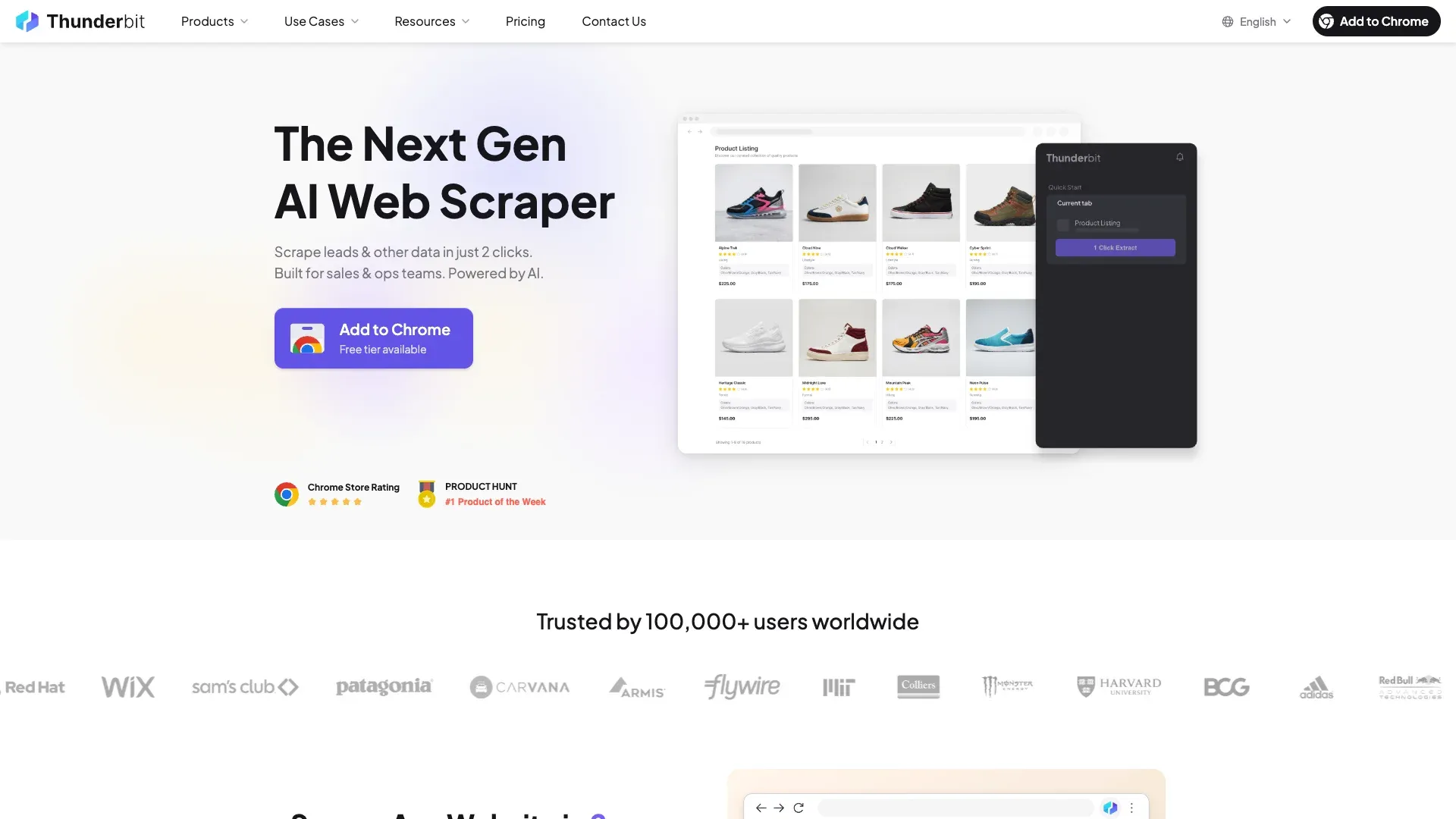
Thunderbit is an AI web scraping and automation platform. The primary product surface is a Chrome extension designed for business users who want to turn web pages into structured tables without touching code. For teams that need programmatic access, Thunderbit also exposes an Open API, an MCP Server for AI agent workflows, and a CLI for terminal-based use.
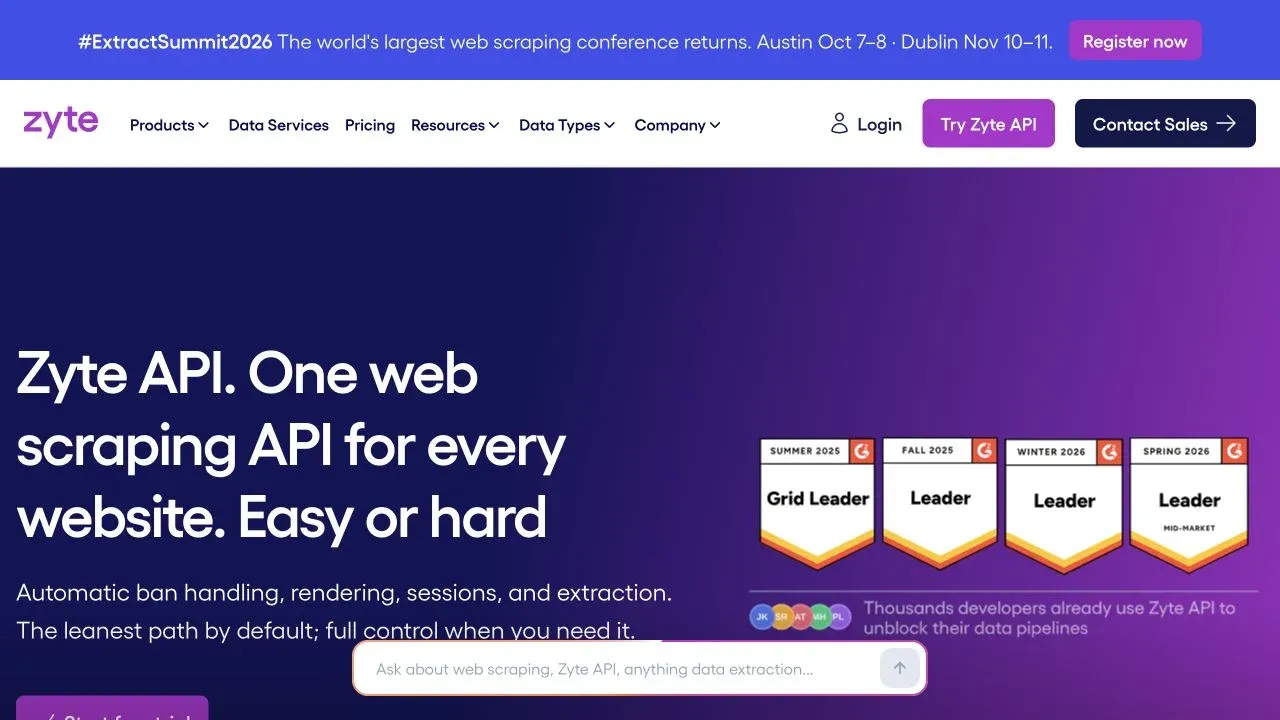
Zyte (formerly Scrapinghub) has been in the web scraping ecosystem for over 15 years. They're the company behind the open-source Scrapy framework. Their current product lineup includes Zyte API (the core request/extraction engine), Scrapy Cloud (hosted Scrapy execution), Zyte IDE (online spider development), managed data delivery, AI-assisted coding add-ons, and a 2026 Zapier integration. If you've ever used Crawlera or Smart Proxy Manager, those are now legacy products — Zyte has migrated that functionality into Zyte API.
Thunderbit vs Zyte Pricing: What You'll Actually Pay
Pricing is the question I see most often in comparison threads, and it's also where both platforms are hardest to compare directly. The units are different, the billing models are different, and the cost of a "page" depends on what you're actually doing with it.
How Thunderbit Pricing Works
Thunderbit uses a credit-based model. For standard no-code scraping, one output row generally consumes one credit. Subpage enrichment rows use two credits. There are no separate charges for exports to Excel, Google Sheets, Airtable, or Notion.
Current tiers (verify against Thunderbit's pricing page before committing — numbers are volatile):
| Plan | Monthly billing | Monthly credits | Annual billing | Annual credits |
|---|---|---|---|---|
| Free | $0 | ~6 pages/month, max 30 credits/page | $0 | — |
| Starter | $15/month | 500 | $108/year | 5,000 |
| Pro Tier 1 | $38/month | 3,000 | $288/year | 30,000 |
| Pro Tier 2 | $75/month | 6,000 | $576/year | 60,000 |
| Pro Tier 3 | $125/month | 10,000 | $1,152/year | 120,000 |
| Pro Tier 4 | $249/month | 20,000 | $2,304/year | 240,000 |
| Business | Custom | Custom | Custom | Custom |
Thunderbit also has a separate API pricing structure for programmatic use. API units are not the same as no-code credits — one API Distill page costs one unit, while one Extract page costs 20 units. Don't mix these up.
How Zyte Pricing Works
Zyte charges per successful request, with pricing that varies by two axes: request type (HTTP vs. browser-rendered) and site difficulty tier (Simple through Advanced). Zyte classifies sites automatically, so you often won't know the exact tier until you start scraping.
Current PAYG base rates per 1,000 successful requests (source: Zyte pricing):
| Site tier | HTTP request | Browser-rendered request |
|---|---|---|
| Simple | $0.13 | $1.01 |
| Easy | $0.23 | $2.01 |
| Moderate | $0.44 | $4.02 |
| Complex | $0.70 | $8.04 |
| Advanced | $1.27 | $16.08 |
Monthly commitments lower the per-request price:
| Commitment | HTTP per 1K range | Browser per 1K range |
|---|---|---|
| PAYG | $0.13–$1.27 | $1.01–$16.08 |
| $100/month | $0.10–$0.95 | $0.75–$12.00 |
| $200/month | $0.08–$0.76 | $0.60–$9.60 |
| $350/month | Documented at 48% discount | Documented at 48% discount |
| $500/month | $0.06–$0.61 | $0.48–$7.68 |
That's just the base request cost. AI extraction data types add approximately $0.0004–$0.0016 per requested type per request. Custom attributes using the extract method add $0.001/request; the generate method charges per token. Screenshots, browser actions, network capture, extended geolocation, and other features can add further charges.
Zyte generally does not charge for failed, banned, or rate-limited responses. But a technically successful response that returns incomplete or imperfect data may still be billable — "failed" has a specific definition in their billing rules.
New accounts get a one-time $5 credit for the first billing period.
Worked Pricing Scenarios: 500, 5,000, and 50,000 Pages
This is where most comparison articles stop — they paste the price tables and say "it depends." That's true, but not very helpful. So here are some rough illustrations with stated assumptions.
Important caveats before the table:
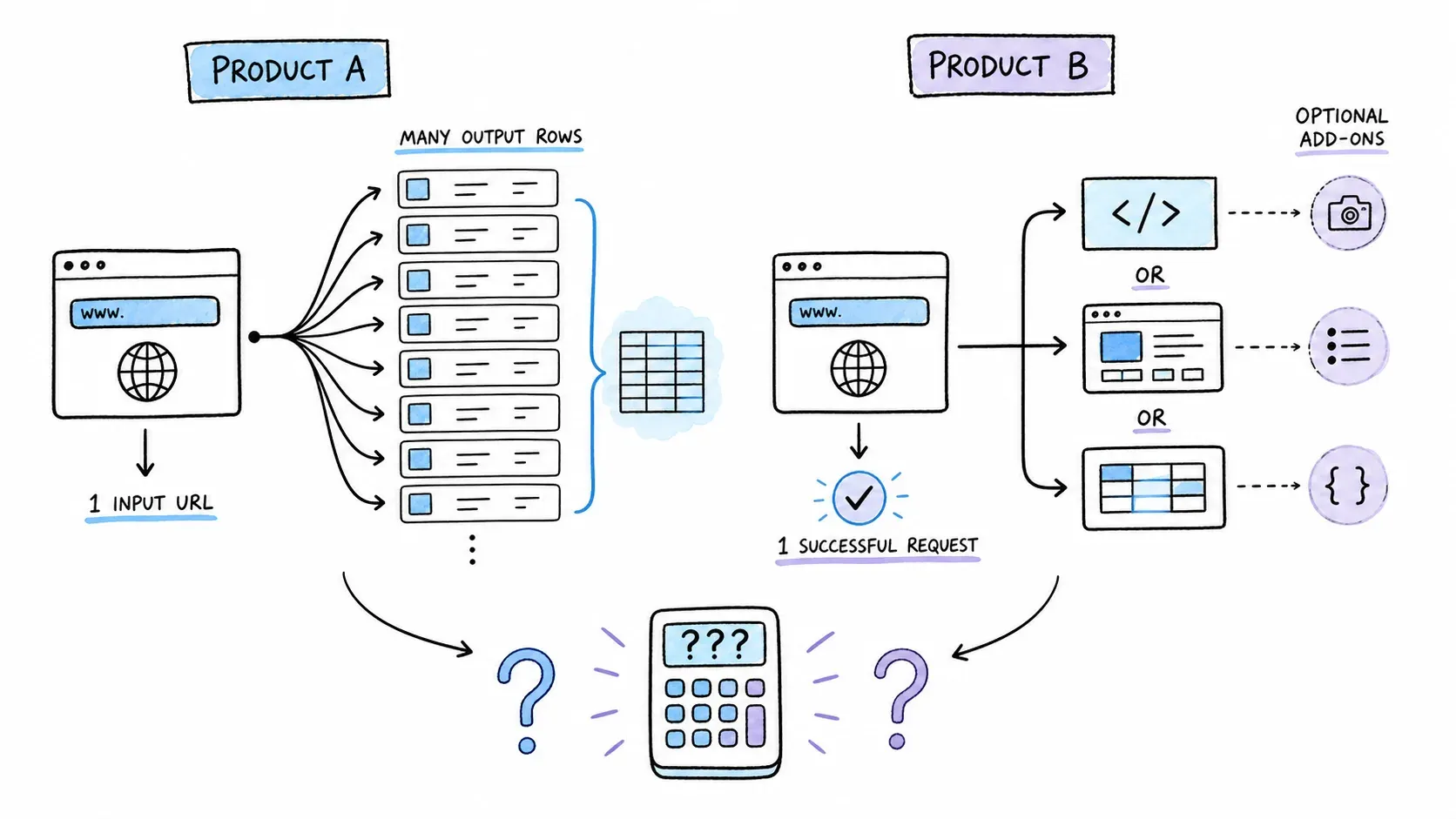
- A "page" is not the same unit on both platforms. One Thunderbit category-page scrape that outputs 50 product rows uses ~50 credits. One Zyte API request to that same URL returns one response (HTML or extracted JSON), charged as one request.
- For Zyte, I'm assuming one successful request per page, HTTP-only, Moderate tier, PAYG — no extraction surcharges. Real costs will vary.
- For Thunderbit, I'm assuming no-code extension credits, one row per page (e.g., detail pages), monthly billing. Bulk category pages would shift the math significantly.
| Scenario | Thunderbit (est.) | Zyte (est.) | Assumptions / Notes |
|---|---|---|---|
| 500 detail pages, one-off | Free or $15 (Starter) | ~$0.22 (PAYG HTTP, Moderate) | Thunderbit: 500 credits. Zyte: 500 × $0.44/1K. Zyte's $5 trial credit covers this easily. |
| 5,000 detail pages/month | $38–$75/month (Pro Tier 1–2) | ~$2.20/month (PAYG HTTP, Moderate) | Zyte base cost is very low at this scale for HTTP. Add extraction types or browser rendering and it rises. |
| 50,000 detail pages/month | $249/month (Pro Tier 4) or custom | ~$22/month (PAYG HTTP, Moderate) | Zyte base cost stays low for HTTP/Moderate. At $500 commitment: ~$10.50/month. Browser rendering on Complex sites: $402/month PAYG. |
At first glance, Zyte's per-request pricing looks dramatically cheaper for raw HTTP extraction. But the comparison isn't apples-to-apples:
- Thunderbit's credit includes agentic page analysis, extraction, and direct export to business tools — no code, no pipeline, no integration work.
- Zyte's base request returns HTML or JSON. You still need code or a Zapier workflow to get it into Google Sheets, Airtable, or a database. Add extraction types, browser rendering for JavaScript-heavy sites, or custom attributes, and the per-request cost climbs.
- If your targets require browser rendering and fall into Complex or Advanced tiers, Zyte costs can multiply 10–100× over the Simple/HTTP baseline.
How to estimate your own cost:
- Count how many output rows (not just URLs) you need per month.
- For Thunderbit, map that to a credit tier on the pricing page.
- For Zyte, determine whether your targets need HTTP or browser rendering, estimate the difficulty tier (test a few URLs), and apply the per-1K rate at your expected commitment level. Add extraction surcharges if you're using AI extraction or custom attributes.
- Factor in retries and integration effort. Zyte generally doesn't charge for failed responses, but building and maintaining the pipeline has engineering cost.
- Run a small test on both before committing to a plan.
No-Code Workflow vs Developer Workflow: A Side-by-Side Walkthrough
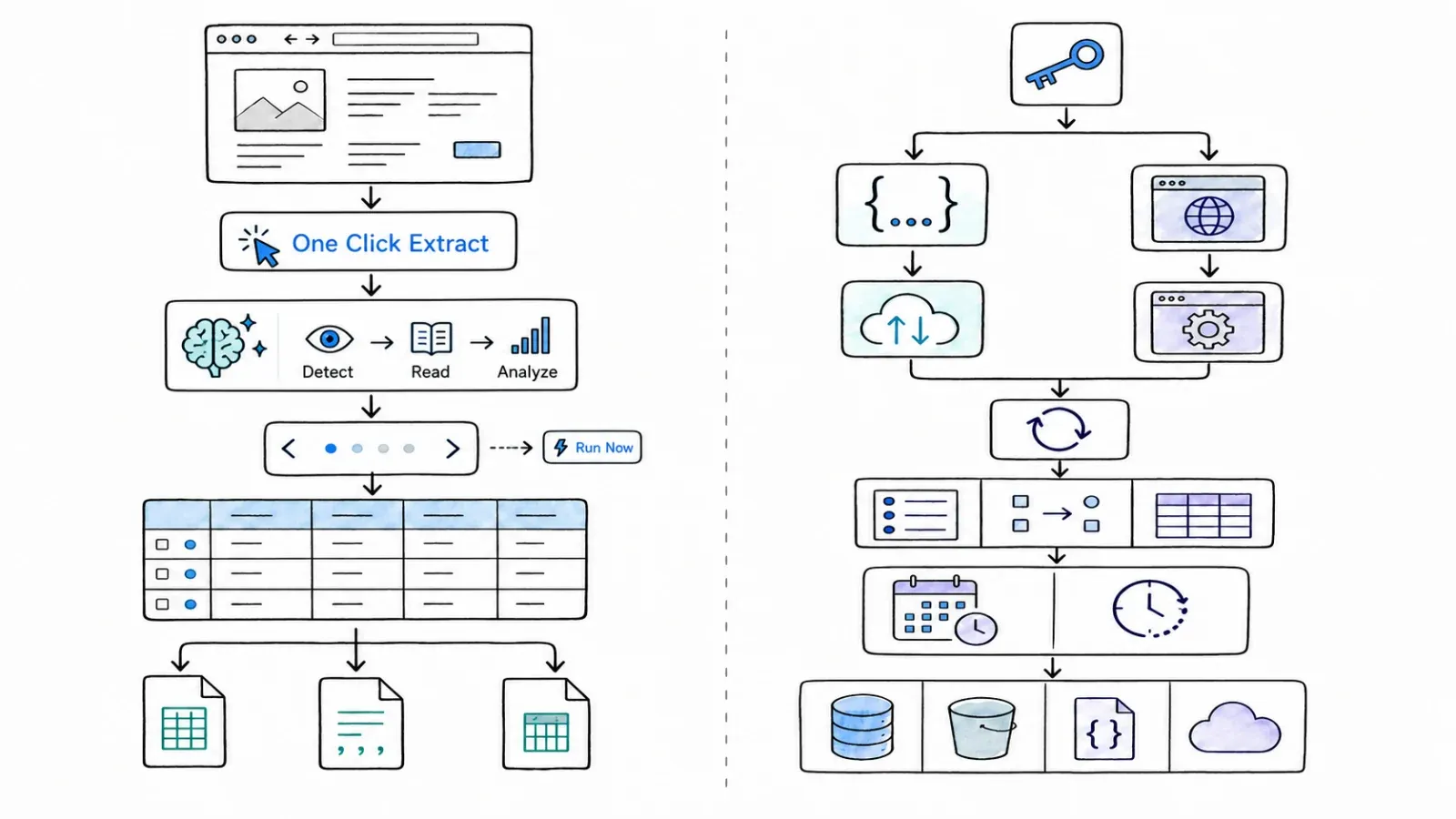
The biggest practical difference between Thunderbit and Zyte isn't a feature checkbox — it's how you interact with the tool on a Tuesday afternoon when you need data.
How Thunderbit Works: The Browser Extension Flow
The standard Thunderbit workflow on a compatible page:
- Navigate to the page you want to scrape in Chrome or Edge.
- Click One Click Extract. Thunderbit's AI reads the page and proposes a set of columns (product name, price, rating, URL, etc.).
- Review and edit. Rename columns, remove ones you don't need, add new ones, or write field-level instructions (e.g., "categorize as electronics/clothing/other" or "translate to English").
- Configure pagination or infinite scroll if the data spans multiple pages. Set up subpage enrichment if you need detail-page data added to each row.
- Run Now is optional. Click it for an immediate start; otherwise extraction starts automatically. Choose Browser Mode (uses your active session) or Cloud Mode (for public, larger, or scheduled jobs).
- Export the resulting table to Excel, Google Sheets, Airtable, Notion, CSV, or JSON.
No CSS selectors. No XPath. No proxy configuration. No code. Pre-built templates exist for popular sites, and recurring schedules can automate repeat jobs.
For teams that need programmatic access, Thunderbit's Open API supports Distill and Extract endpoints, async batches, and webhooks. The MCP Server connects to AI agent workflows (Claude, Cursor, Windsurf). The CLI covers terminal and coding-agent use.
How Zyte Works: The Developer Workflow
Zyte's typical self-serve path:
- Create an account and get an API key. You'll receive a one-time $5 credit.
- Decide what you need from each request: raw HTTP response, browser-rendered HTML, screenshots, network capture, extracted entities, custom attributes, browser actions, sessions, geolocation, etc.
- Send a JSON request to the Zyte API endpoint (or use a supported SDK, Scrapy integration, or Zyte IDE).
- Receive the response — HTML, browser output, extracted JSON, screenshots, or other requested data.
- Route the result to your code, storage, a Scrapy pipeline, a feed destination, or a Zapier workflow.
For Scrapy users, the path is: develop a spider (optionally in Zyte IDE), configure scrapy-zyte-api for proxy/extraction integration, deploy to Scrapy Cloud, schedule and monitor jobs, and configure feed delivery.
Zyte's 2026 Zapier integration adds a no-code route: trigger extraction and send results to connected apps without writing code. This is a real option, though it's a middleware layer around Zyte extraction — not the same as running agentic extraction directly on a live browser page.
Managed Data is another non-code path from the customer's perspective, but it's a service engagement rather than a self-serve tool.
Thunderbit vs Zyte: Workflow Comparison Table
| Workflow dimension | Thunderbit | Zyte |
|---|---|---|
| Steps to first result | 4–5 clicks in the browser | API call or Scrapy spider setup |
| Code required? | No (extension); Yes (API/CLI) | Yes (API/Scrapy); No (Zapier/managed) |
| CSS selectors / XPath? | Not required | Optional (API); common in Scrapy |
| Proxy setup? | Managed, not user-configured | Managed via API, with deeper controls |
| Pagination handling | Built-in (click/scroll) | API actions or spider logic |
| Scheduling | Built-in recurring schedules | Scrapy Cloud jobs/schedules |
| Learning curve | Low for business users | Moderate to high for API; lower for Zapier |
AI Extraction vs Configured Selectors: Accuracy and Maintenance Tradeoffs
One of the questions I see in forums that competitor articles mostly dodge: how does AI-based extraction compare to configured selectors and trained models in terms of accuracy and maintenance?
Neither approach is universally better — they're optimized for different tradeoffs.
How Thunderbit Handles Extraction
Thunderbit uses One Click Extract to auto-detect columns from the visible page. You don't write selectors—the agent determines the extraction plan automatically; optional controls remain available for specialized output. Field-level instructions let you guide categorization, formatting, translation, normalization, and other transformations.
The tradeoff: AI extraction accuracy can vary across unusual page structures, heavily dynamic content, or pages that don't follow common layout patterns. There's no guarantee that every field will be perfectly detected on every site. But for the majority of product listings, directories, search results, and article pages, the AI does a solid job of getting you to a working table fast.
How Zyte Handles Extraction
Zyte offers AI Extraction for supported entity types (products, product lists, articles, jobs, properties, SERPs, forums, and more) through Zyte API. You can also use custom attributes with either the extract method (non-generative, fixed charge) or the generate method (generative, token-priced). For Scrapy users, manual selector configuration remains an option.
The tradeoff: trained extraction models can be very accurate within their supported schemas, and manual selectors give you precise control. But selectors break when site layouts change, and maintaining them across dozens or hundreds of targets is real engineering work. Zyte's AI extraction reduces that burden for supported types, but custom or unusual page structures may still require manual configuration.
When AI Extraction Shines vs When Selectors Win
| Situation | AI extraction (Thunderbit) | Configured selectors / trained models (Zyte) |
|---|---|---|
| Ad-hoc or varied pages | Faster setup, no selector writing | More setup per target |
| Known page type at scale | Good for moderate scale | More precise for high-volume, known schemas |
| Layout changes | Adapts more easily | May need manual selector updates |
| Complex or nested data | May need field instructions | Finer control with code |
| Maintenance burden | Lower for business users | Higher, but more predictable for engineers |
Neither approach guarantees 100% accuracy on every page. Both require validation, especially for business-critical data. I'd recommend running a sample on your actual target pages before committing to either approach at scale.
Where Your Data Lands: Export and Integration Compared
For business users, scraping is only half the job. The other half is getting data into the tools you actually use.
| Export Destination | Thunderbit | Zyte |
|---|---|---|
| Excel / CSV | ✅ | ✅ |
| JSON | ✅ | ✅ |
| Google Sheets | ✅ (direct export) | Via Zapier or custom integration |
| Airtable | ✅ (direct export) | Via Zapier or custom integration |
| Notion | ✅ (direct export) | Via Zapier or custom integration |
| API / webhook | ✅ (Open API) | ✅ (Zyte API) |
| Scrapy pipeline (S3, DB, etc.) | N/A | ✅ (native) |
| Zapier | Not a primary path | ✅ (official integration, 10,000+ apps) |
| Managed delivery | N/A | ✅ (Managed Data service) |
Thunderbit offers direct export to common business-user destinations from the browser extension — no middleware, no code. Zyte's integrations favor developer-managed pipelines (S3, databases, custom scripts) or the Zapier middleware layer for app delivery.
Neither is universally better. If you need data in Google Sheets or Airtable in the next 10 minutes, Thunderbit is the shorter path. If you need data piped into a data warehouse, S3 bucket, or custom analytics pipeline, Zyte's infrastructure is more natural.
Who Should Pick Thunderbit? Who Should Pick Zyte? A Persona Decision Matrix
Every comparison article has a "who is it for" section. Most of them are vague. So here's an actual table:
| Persona | Primary Need | Recommended Tool | Why |
|---|---|---|---|
| Sales / BDR rep | Quick lead list from a directory or LinkedIn | Thunderbit | No-code extension, export to Sheets/Excel, fast setup |
| Data engineer | 100K+ page pipeline with custom parsing | Zyte | Scrapy ecosystem, Zyte API, proxy infra, operational controls |
| E-commerce analyst | Weekly competitor price monitoring | Depends on scale | Thunderbit for smaller recurring jobs; Zyte for large-scale, multi-site pipelines |
| Academic researcher | One-off dataset from public pages | Thunderbit | Low barrier, agentic page analysis, no infrastructure to manage |
| Agency / consultant | Multi-client, multi-site extraction | Zyte | Managed service, Scrapy Cloud, enterprise SLAs, Zapier for delivery |
| Operations manager | Directory or listing data for internal reports | Thunderbit | Direct export to Sheets/Airtable/Notion, recurring schedules |
If your main goal is "I need this web page turned into a spreadsheet, fast," Thunderbit is the shorter path. If your goal is "I need a resilient, programmable pipeline that runs at scale with explicit control over requests, rendering, sessions, and delivery," Zyte is the stronger infrastructure.
Some situations genuinely could go either way — mid-scale e-commerce monitoring, for example. In those cases, I'd suggest testing both. Thunderbit's free tier and Zyte's $5 trial credit make that practical.
What Real Users Say: Thunderbit vs Zyte Feedback
The user bases for these two products are quite different, so star ratings aren't directly comparable. Thunderbit reviews tend to come from business users and non-technical operators; Zyte reviews tend to come from developers and data engineers. Invited or incentivized reviews are possible on any platform.
Zyte user themes (G2, Capterra, Trustpilot):
- Positive: Strong Scrapy ecosystem, reliable proxy/anti-ban handling, responsive support, capable API.
- Friction: Onboarding complexity for non-developers, billing predictability challenges (site tiers and feature surcharges make costs hard to forecast), UI polish could be better, and the learning curve is real even for experienced developers.
Thunderbit user themes:
- Positive: Fast time-to-first-table, agentic extractions save setup time, direct export to business tools, accessible for non-technical users.
- Friction: AI extraction can struggle with unusual page structures, less control for complex or high-volume engineering workflows.
The fit depends on whether you're closer to the "I need a spreadsheet" end or the "I need a pipeline" end of the spectrum.
How to Estimate Your Own Thunderbit vs Zyte Cost
Pricing comparisons are only useful if you can map them to your actual workload. A practical framework:
- Count your output rows, not just URLs. A single category page might produce 50 rows on Thunderbit (50 credits). That same URL is one Zyte API request. Detail pages are closer to 1:1.
- For Thunderbit: map your monthly row count to a credit tier on the pricing page. Factor in subpage enrichment (2 credits/row) if you need detail-page data.
- For Zyte: determine whether your targets need HTTP or browser rendering. Test a few URLs to see which difficulty tier they fall into. Apply the per-1K rate at your expected commitment level. Add extraction surcharges if you're using AI extraction or custom attributes.
- Factor in integration cost. Thunderbit includes direct export to business tools. Zyte requires code, Zapier, or a managed service to get data into most business apps — that's engineering time or Zapier billing.
- Account for retries and validation. Zyte generally doesn't charge for failed responses (under their documented rules). Thunderbit's handling of failed extractions should be verified against current documentation.
- Run a small test on both. Thunderbit's free tier and Zyte's $5 trial credit let you test with real targets before committing.
Your actual cost depends on your targets, your scale, your rendering needs, and where you need data to land — which is why the methodology matters more than any single number in a comparison table.
Thunderbit vs Zyte: The Verdict
No single winner — and any article that declares one is probably selling something.
Pick Thunderbit if:
- You're a non-technical user who wants structured data from web pages without writing code.
- You need data in Google Sheets, Airtable, Notion, or Excel quickly.
- Your workload is ad-hoc or moderate-scale, and you value fast setup over deep infrastructure control.
- You want agentic page analysis and don't want to maintain CSS selectors.
- You want to try it: Thunderbit's free tier lets you test the workflow on real pages.
Pick Zyte if:
- You're a developer or data engineer building a large-scale, resilient scraping pipeline.
- You need fine-grained control over request types, browser rendering, sessions, geolocation, and proxy behavior.
- You're already in the Scrapy ecosystem and want hosted execution, monitoring, and scheduling.
- You need managed data delivery or enterprise SLAs.
- You want to try it: Zyte's $5 trial credit lets you test the API on real targets.
The right pick depends on your role, your technical comfort, your scale, and where your data needs to end up.
FAQs
Is Thunderbit or Zyte better for non-technical users? Thunderbit is designed specifically for non-technical business users. Its browser extension workflow — One Click Extract, agentic analysis, automatic start, export — requires no code, no selectors, and no proxy configuration. Zyte's core paths are technical (API, Scrapy), though its 2026 Zapier integration and managed data service offer non-code routes with different tradeoffs.
Can I use Thunderbit and Zyte together? Yes, and some teams do. For example, you might use Thunderbit for quick, ad-hoc extraction and business-tool exports, while running Zyte for large-scale, scheduled pipelines that feed a data warehouse. The tools serve different parts of the data workflow and don't conflict.
Does Thunderbit work on any website? Thunderbit works on many websites, but "any website" is marketing language, not a compatibility guarantee. AI extraction accuracy can vary across unusual page structures, heavily dynamic content, or sites with aggressive anti-bot measures. The best way to check is to test your specific target pages using the free tier.
How does Zyte's pricing compare to Thunderbit at small scale (under 1,000 pages)? At very small scale, Zyte's per-request cost can be extremely low — a few cents for HTTP requests on Simple or Easy sites. But Zyte's value proposition really kicks in at scale, where its infrastructure, proxy management, and operational controls justify the engineering investment. For small-scale, one-off jobs, Thunderbit's flat credit pricing and zero-integration export may be more practical even if the per-row cost is higher.
Can I export scraped data to Google Sheets or Airtable with either tool? Thunderbit supports direct export to Google Sheets, Airtable, Notion, Excel, CSV, and JSON from the browser extension — no middleware needed. Zyte can deliver data to Google Sheets or Airtable via its official Zapier integration or through custom code, but there's no native direct export to those destinations from the Zyte dashboard.
Learn More




